How to Create Website Mockups People Actually Love
Learn how to create website mockups that bridge the gap between idea and reality. Our guide covers tools, principles, and developer handoff.
EXAMPLES
Build beautiful websites like these in minutes
Use Alpha to create, publish, and manage a fully functional website with ease.





Building a website today is less about writing code and more about choosing the right tool. The market is saturated with options, from simple drag-and-drop editors to advanced visual development platforms, making the decision process overwhelming. This guide is designed to cut through that noise, providing a clear, actionable analysis of the top contenders for your project.
We're moving beyond generic feature lists. This ranked roundup dives into the 12 best software for building websites, focusing on specific, real-world use cases. We'll explore who each platform is truly for, its practical strengths, and, just as importantly, where it falls short. Each entry includes detailed pros and cons, pricing breakdowns, and screenshots to give you a clear view of the user experience. You'll find direct links and concise getting-started notes for every tool we cover.
Our goal is to help you make an informed decision quickly. Whether you're a solopreneur launching a service, an artist building a portfolio, or a startup needing a scalable e-commerce solution, this list will match your goals, budget, and technical comfort level with the right platform. As you evaluate your options, you might find it helpful to look at a detailed comparison of platforms like Wix Studio, WordPress, and Shopify to see how major players stack up on specific features. Let's find the builder that will get your vision online, faster.
1. Alpha
Best for: AI-Powered Speed & Simplicity
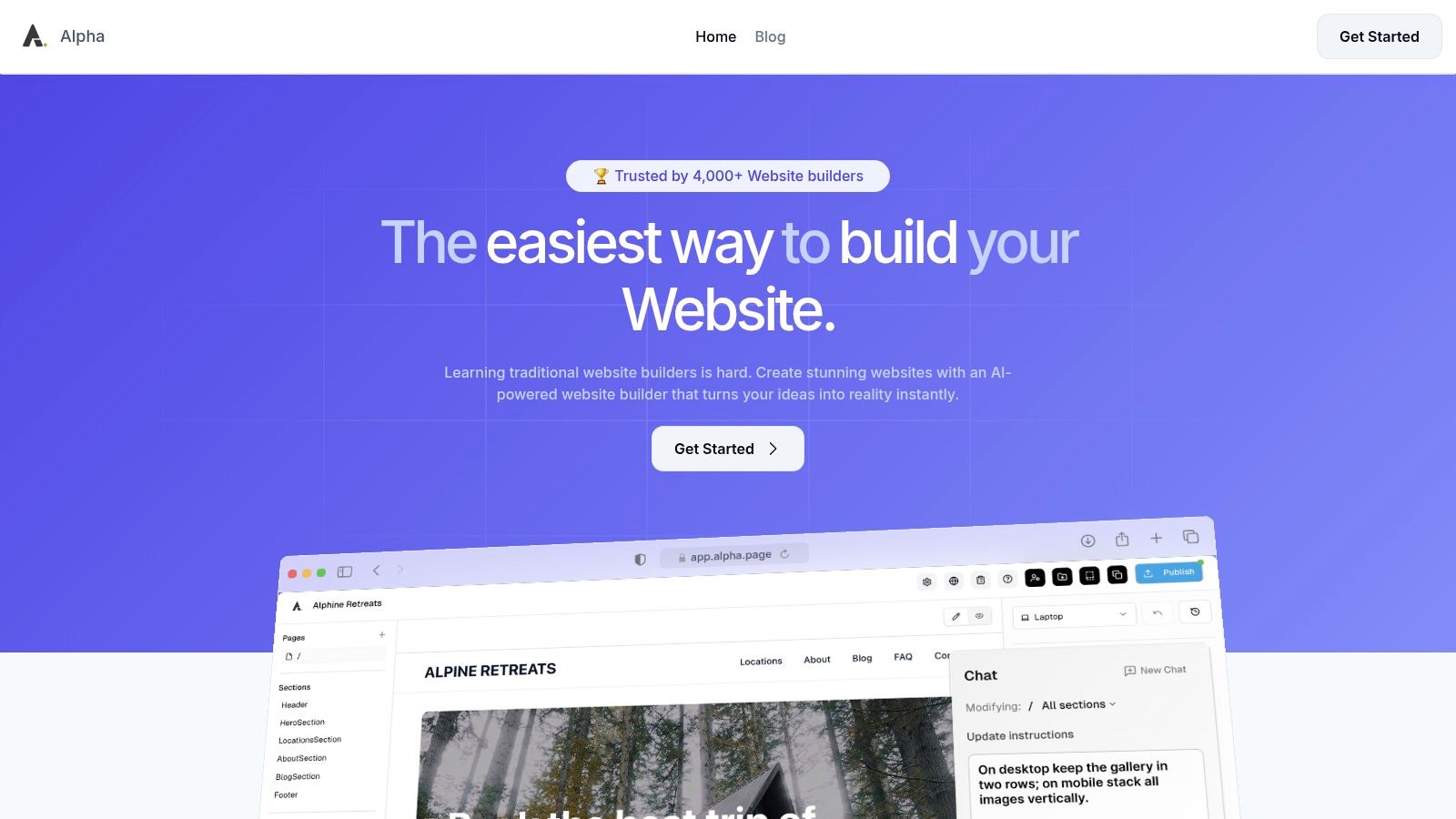
Alpha establishes itself as a top-tier choice among the best software for building websites by fundamentally reimagining the design process. Instead of dragging and dropping elements, Alpha leverages a powerful AI core to transform your vision into a functional, high-converting website in minutes. This approach is ideal for entrepreneurs, startups, and small teams who prioritize speed and efficiency without sacrificing professional quality.
The platform's standout capability is its URL-to-site generator. Simply provide the URL of a website whose layout and structure you admire, and Alpha’s AI will replicate it, creating a fully editable template. This innovative feature eliminates the "blank canvas" problem, allowing you to start with a proven design pattern and customize it to fit your brand.
Key Features & Use Cases
Alpha’s feature set is built for rapid deployment and business growth. The conversational editor is another game-changer; you can describe changes in plain English, like "make the headline font larger," and the AI executes the command. This makes website management accessible to anyone, regardless of technical skill.
AI-Driven Design & Editing: Instantly generate layouts from any URL and refine your site using natural language commands.
Conversion-Optimized Templates: Access a library of templates built with lead generation and sales in mind, complete with integrated forms.
Built-in Analytics: Track visitor behavior and performance directly from your dashboard to make data-informed decisions.
Automatic Mobile Optimization: Every site is automatically responsive, ensuring a seamless experience on all devices.
Pricing & Getting Started
Alpha offers a transparent, startup-friendly pricing model. You can begin with a free Starter plan to publish a single-page site on an Alpha subdomain. As your needs grow, paid plans unlock custom domains, more pages, and increased AI chat credits.
Starter: Free (1 page, Alpha subdomain)
Mini: $9/month (Custom domain, 2 pages)
Basic: $25/month (Up to 15 pages, CMS support)
"Alpha has been super easy and responsive. The website format copying function is a game-changer." - Doug Roper, Founder & CTO, Talent Spring
Pros:
Unmatched Speed: Go from idea to a published, professional site faster than with traditional builders.
Intuitive AI Editor: No-code, natural language editing makes customization effortless.
Performance-Focused: Built-in tools for analytics and lead capture turn your site into a growth engine.
Cons:
Customization Limits: Advanced designers may find it less flexible than platforms offering full code access.
Feature Tiers: Key features like the CMS and higher page counts are reserved for paid plans.
Website: https://www.alpha.page
2. Wix
Wix stands out as one of the most versatile and user-friendly platforms on the market, making it an excellent choice for individuals and small businesses aiming for a quick launch without sacrificing functionality. Its primary strength lies in its dual-editor approach. You can use the Wix ADI (Artificial Design Intelligence) to answer a few questions and get a fully designed website in minutes, or you can opt for the classic Wix Editor for complete drag-and-drop creative freedom. This flexibility makes it one of the best software for building websites, catering to both absolute beginners and design-savvy users.
With over 900 designer-made templates and a massive App Market, Wix allows for extensive customization and feature integration. Whether you need to add an online store, a booking system, a blog, or a members-only area, you can likely find an app for it. This ecosystem approach empowers users to scale their site’s capabilities as their business grows, from a simple portfolio to a comprehensive ecommerce operation. For those just starting, learning the fundamentals of what makes a site effective is key; you can explore our guide on how to build a professional website for foundational tips.
Key Features and Pricing
Editors: Choose between the AI-powered Wix ADI for rapid creation or the unstructured drag-and-drop editor for pixel-perfect control.
App Market: Access hundreds of third-party and native apps to extend site functionality, including marketing, analytics, and sales tools.
Ecommerce & Bookings: Robust built-in tools for selling products, managing inventory, accepting online payments, and handling appointment scheduling.
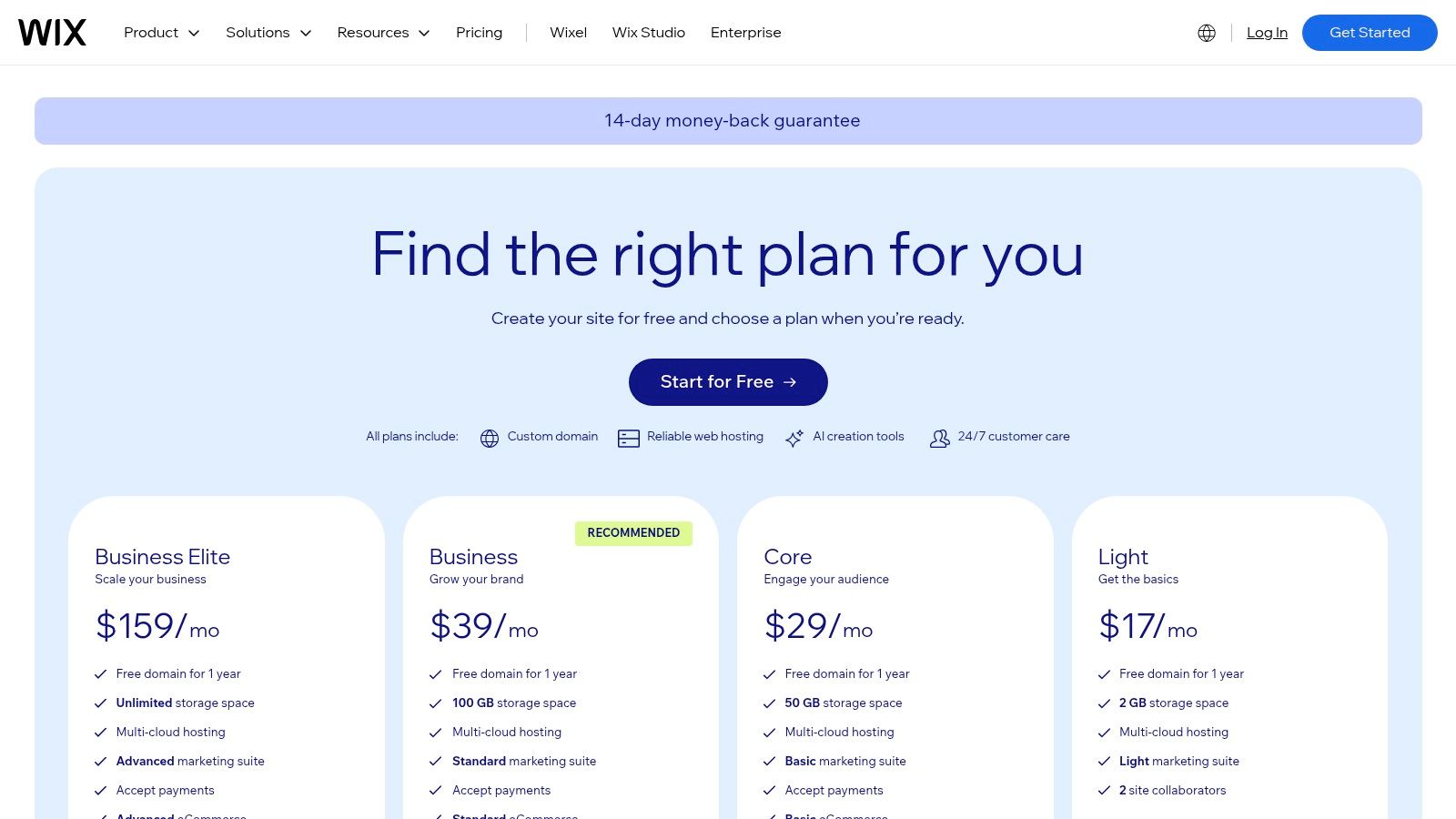
Pricing: Wix offers a free plan with ads. Premium plans start at $17/month for personal use (Light) and go up to $159/month for enterprise-level business solutions (Business Elite).
Plan | Price (per month) | Best For |
|---|---|---|
Light | $17 | Personal sites, portfolios, landing pages |
Core | $29 | Small businesses, basic ecommerce |
Business | $36 | Full ecommerce, subscriptions, marketplaces |
Business Elite | $159 | Advanced ecommerce with priority support |
Pros: Extremely intuitive and fast to get started. The vast template and app selection provides immense flexibility.
Cons: Once you choose a template, you cannot easily switch to another without rebuilding your site. The unstructured editor can feel overwhelming for users seeking more guided customization.
Website: https://www.wix.com/plans
3. Squarespace
Squarespace is a design-first, all-in-one website builder renowned for its stunning, award-winning templates and polished user experience. It's the ideal choice for creatives, brands, and small businesses that prioritize sophisticated aesthetics and a streamlined, integrated platform. Unlike more complex systems, Squarespace bundles everything from hosting and blogging to commerce and marketing into one cohesive interface, making it one of the best software for building websites for users who value simplicity and visual impact. Its structured, section-based editor ensures a professional, consistent look across all devices.
The platform’s strength lies in its powerful built-in features. Users can manage an online store, schedule appointments, run email campaigns, and protect content with membership areas without relying heavily on third-party apps. This integrated approach simplifies website management, allowing entrepreneurs and artists to focus on their content and products rather than technical maintenance. The quality of its templates means you start with a design foundation that feels custom-made and high-end, perfect for building a strong brand identity from day one.
Key Features and Pricing
Polished Templates: Industry-leading, professionally designed templates that are fully responsive and customizable.
Integrated Tools: Built-in systems for blogging, scheduling (Acuity Scheduling), email marketing, and memberships.
Commerce: Comprehensive tools to sell physical and digital products, subscriptions, and accept donations with a smooth checkout process.
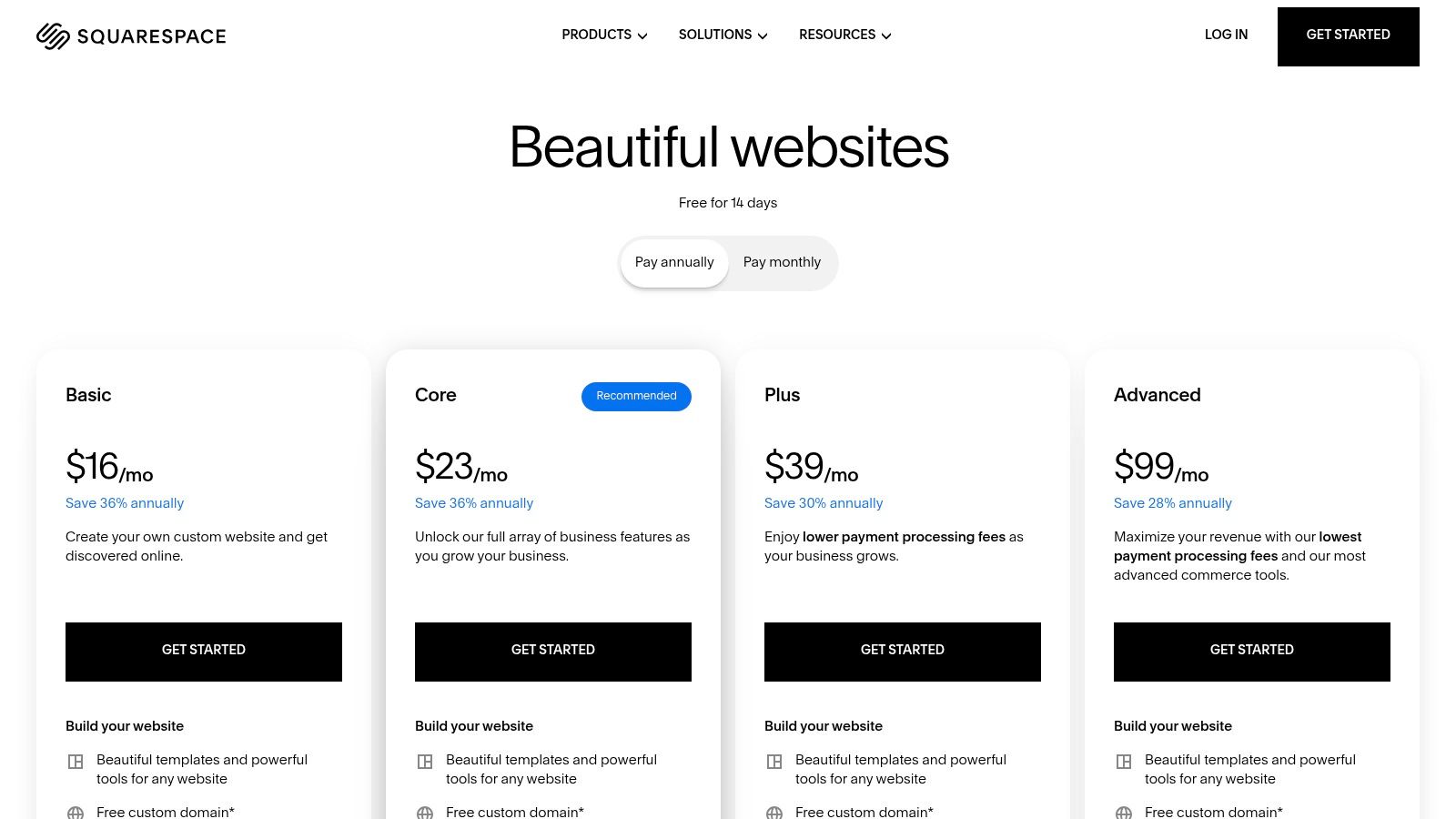
Pricing: Squarespace plans begin at $16/month for a personal site and scale up to $49/month for advanced commerce features.
Plan | Price (per month, billed annually) | Best For |
|---|---|---|
Personal | $16 | Portfolios, blogs, and personal branding |
Business | $23 | Small businesses needing commerce and marketing tools |
Commerce Basic | $27 | Growing ecommerce stores with merchandising tools |
Commerce Advanced | $49 | Serious online stores needing subscriptions & advanced shipping |
Pros: Best-in-class aesthetics and consistently beautiful design. The unified admin panel for content and commerce is simple and intuitive.
Cons: Less granular design control compared to unstructured editors. Its app ecosystem is smaller than competitors like WordPress or Wix.
Website: https://www.squarespace.com/pricing
4. WordPress.com
WordPress.com offers a streamlined, hosted version of the world's most popular content management system, making it an ideal entry point for those who want the power of WordPress without the technical overhead of self-hosting. It combines managed hosting, security, and support into neat packages, allowing users to focus on content creation. With its block editor, users can build custom page layouts piece by piece, offering a more structured yet flexible alternative to pure drag-and-drop builders, solidifying its place as one of the best software for building websites for content-heavy projects.
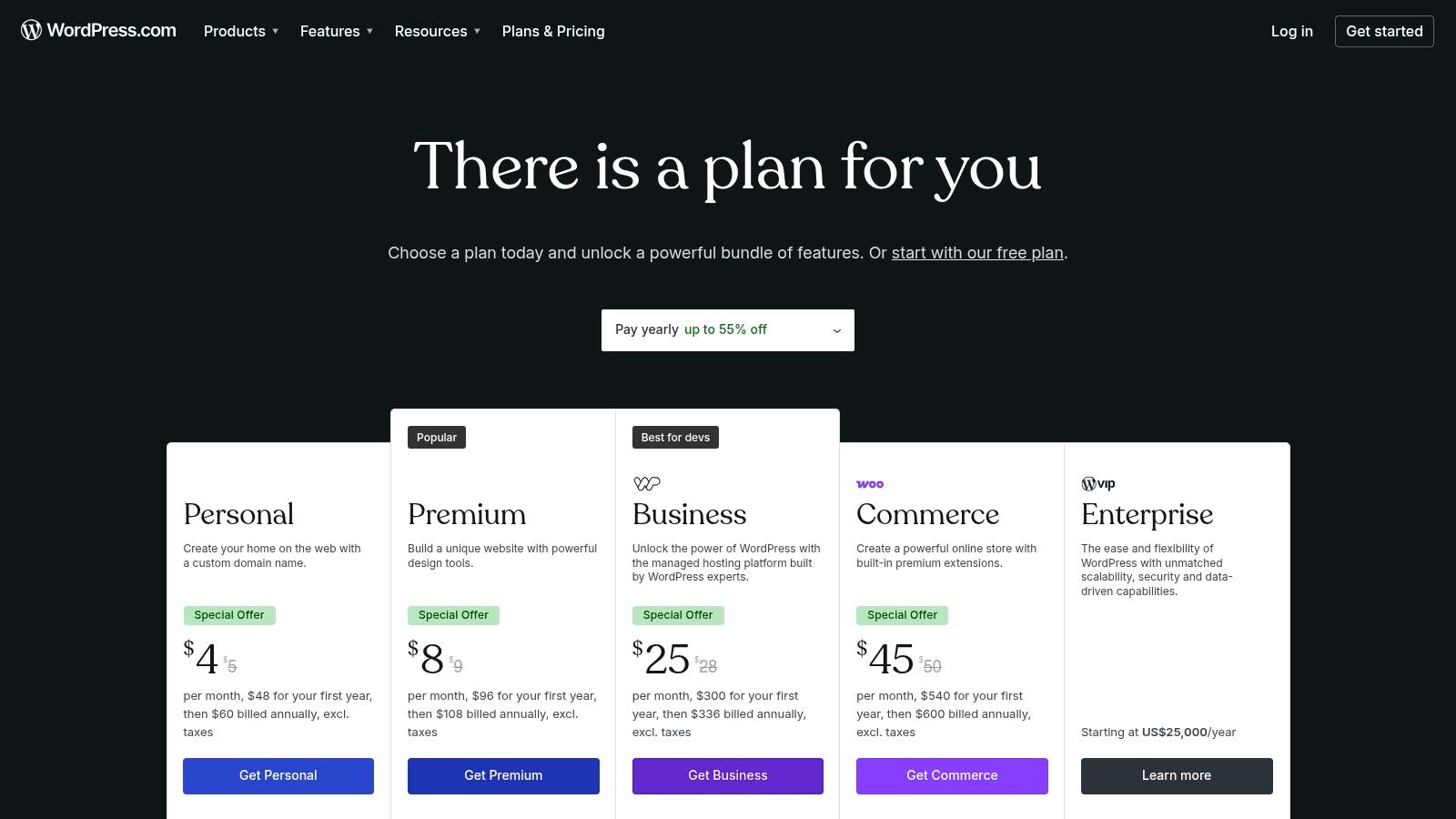
The platform scales impressively from a simple blog to a full-fledged ecommerce store with its WooCommerce-ready plans. Higher-tier plans unlock access to the vast ecosystem of WordPress plugins and themes, providing nearly limitless customization potential. This managed environment strikes a balance between user-friendliness and deep functionality. For those weighing their options, understanding the differences is crucial; our guide on website builders vs. WordPress offers a deeper comparison. The platform is also rolling out an AI site builder, aiming to simplify the initial setup process even further for new users.
Key Features and Pricing
Managed Hosting: Includes SSL certificates, backups, and security in all plans, removing the need for separate hosting management.
Block Editor: A modern, block-based editor for building posts and pages with a high degree of layout control.
Plugins & Themes: Access to a massive library of plugins and premium themes on Business and Commerce plans to extend functionality.
Pricing: WordPress.com has a free plan with limitations. Paid plans begin at $4/month (billed annually) for personal sites and go up to $45/month (billed annually) for powerful ecommerce solutions.
Plan | Price (per month, billed annually) | Best For |
|---|---|---|
Personal | $4 | Hobby blogs and personal websites |
Premium | $8 | Freelancers and professionals needing monetization |
Business | $25 | Small businesses needing plugins and advanced tools |
Commerce | $45 | Online stores requiring full ecommerce capabilities |
Pros: Access to the powerful WordPress ecosystem without technical management. Scales effectively from basic blogs to complex ecommerce sites.
Cons: There is a steeper learning curve compared to all-in-one builders. Access to crucial plugins and themes is restricted to higher-tier plans.
Website: https://wordpress.com/pricing/
5. Webflow
Webflow bridges the gap between no-code website builders and traditional development, offering unparalleled visual control over HTML, CSS, and JavaScript without writing a single line of code. It's the go-to platform for designers, agencies, and businesses that need pixel-perfect, custom websites with dynamic capabilities. Instead of relying on rigid templates, Webflow provides a powerful visual canvas where you can build completely unique, responsive designs from the ground up, making it one of the best software for building websites for those who refuse to compromise on design.
The platform’s true power lies in its integrated CMS (Content Management System) and advanced interactions engine. You can create custom content collections for blogs, portfolios, or team members, and then design how that content is displayed across your site. Furthermore, its interactions and animations tool allows for the creation of rich, engaging user experiences that are difficult to achieve with other builders. This combination of design freedom, CMS power, and clean, production-ready code output is what sets Webflow apart for professionals.
Key Features and Pricing
Visual Designer: A sophisticated visual interface that translates design decisions directly into clean HTML5, CSS3, and JavaScript.
CMS Collections: Create and manage dynamic content structures for blogs, projects, testimonials, and more, all without touching a database.
Interactions & Animations: Build complex, timeline-based animations and micro-interactions that respond to user actions like scrolling and clicks.
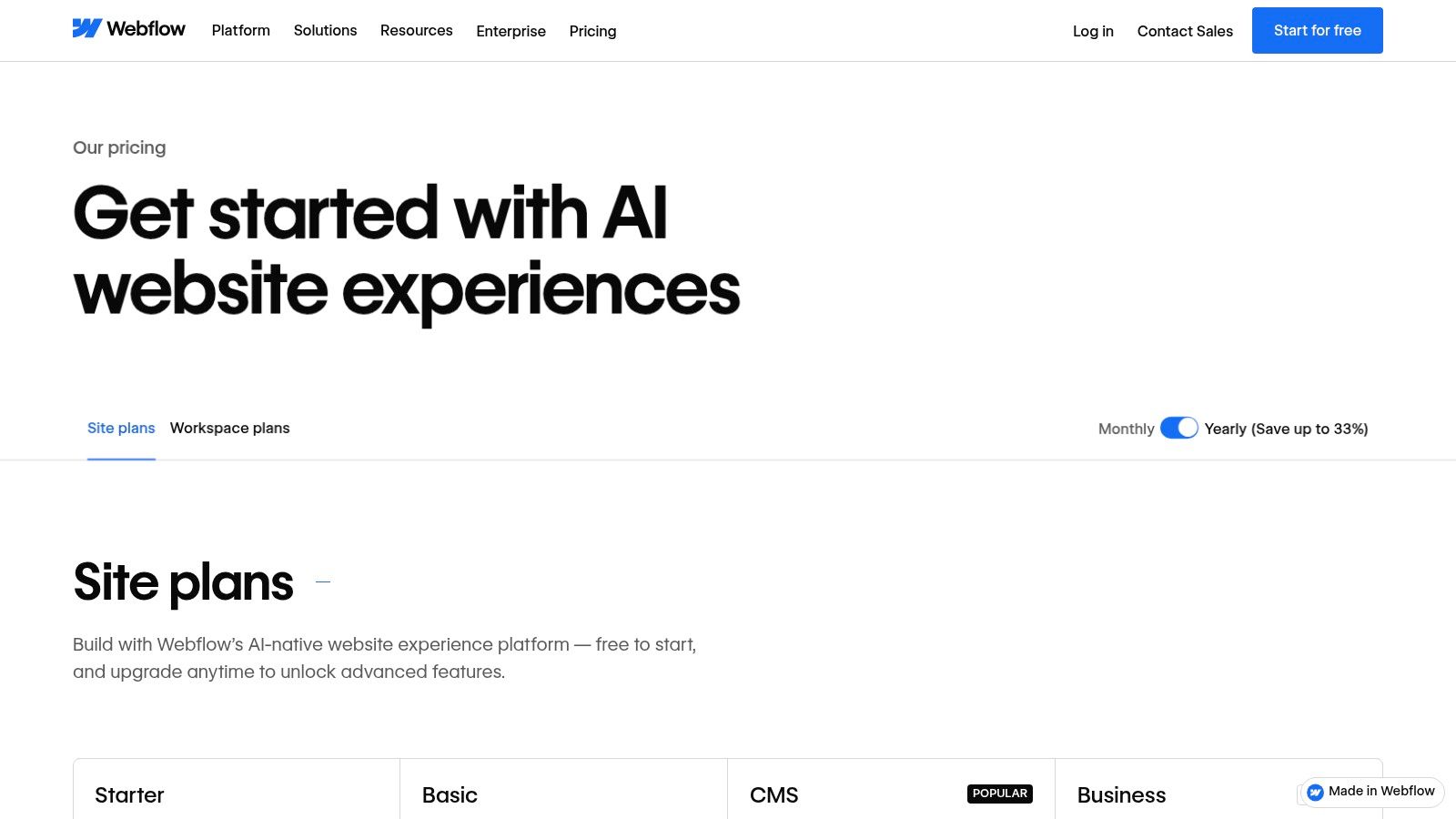
Pricing: Webflow offers a free "Starter" plan to build and learn. Paid site plans start at $14/month (Basic) and go up to $39/month for the Business plan. Ecommerce plans are separate.
Plan | Price (per month) | Best For |
|---|---|---|
Basic | $14 | Simple sites without CMS needs |
CMS | $23 | Content-driven sites like blogs, portfolios |
Business | $39 | High-traffic marketing sites, lead generation |
Enterprise | Custom | Large-scale organizations with custom needs |
Pros: Unmatched pixel-level design control without hand-coding. Generates clean, high-quality code. Powerful CMS and animation capabilities.
Cons: Has a significant learning curve compared to simpler drag-and-drop builders. The per-site pricing model can become expensive for users managing multiple projects.
Website: https://webflow.com/pricing
6. Shopify
Shopify has established itself as the gold standard for ecommerce, offering a comprehensive, all-in-one platform built specifically for selling products online and in person. Its core strength lies in its robust and scalable infrastructure, which handles everything from website creation and secure checkout to inventory management and shipping logistics. This laser focus on commerce makes it the best software for building websites for any business whose primary goal is to sell, whether you're a solo entrepreneur launching a niche brand or an enterprise-level retailer.
The platform’s power is supercharged by its massive ecosystem. The Shopify App Store provides thousands of integrations to extend your store’s functionality, from advanced marketing automation to subscription management. Similarly, the Theme Store offers a wide selection of professionally designed, mobile-responsive templates that you can customize to fit your brand. This combination of powerful native features and endless extensibility allows merchants to build a highly tailored online store. For a deeper dive, you can explore our analysis of the best website builders for online stores to see how it compares.
Key Features and Pricing
All-in-One Commerce: Integrated online store, secure payment processing, inventory management, shipping discounts, and a point-of-sale (POS) system for physical retail.
App Store & Theme Marketplace: Access thousands of third-party apps and customizable themes to add specialized features and create a unique brand experience.
Multi-Channel Selling: Sell products directly on your website, social media platforms (like Instagram and Facebook), and online marketplaces (like Amazon and eBay).
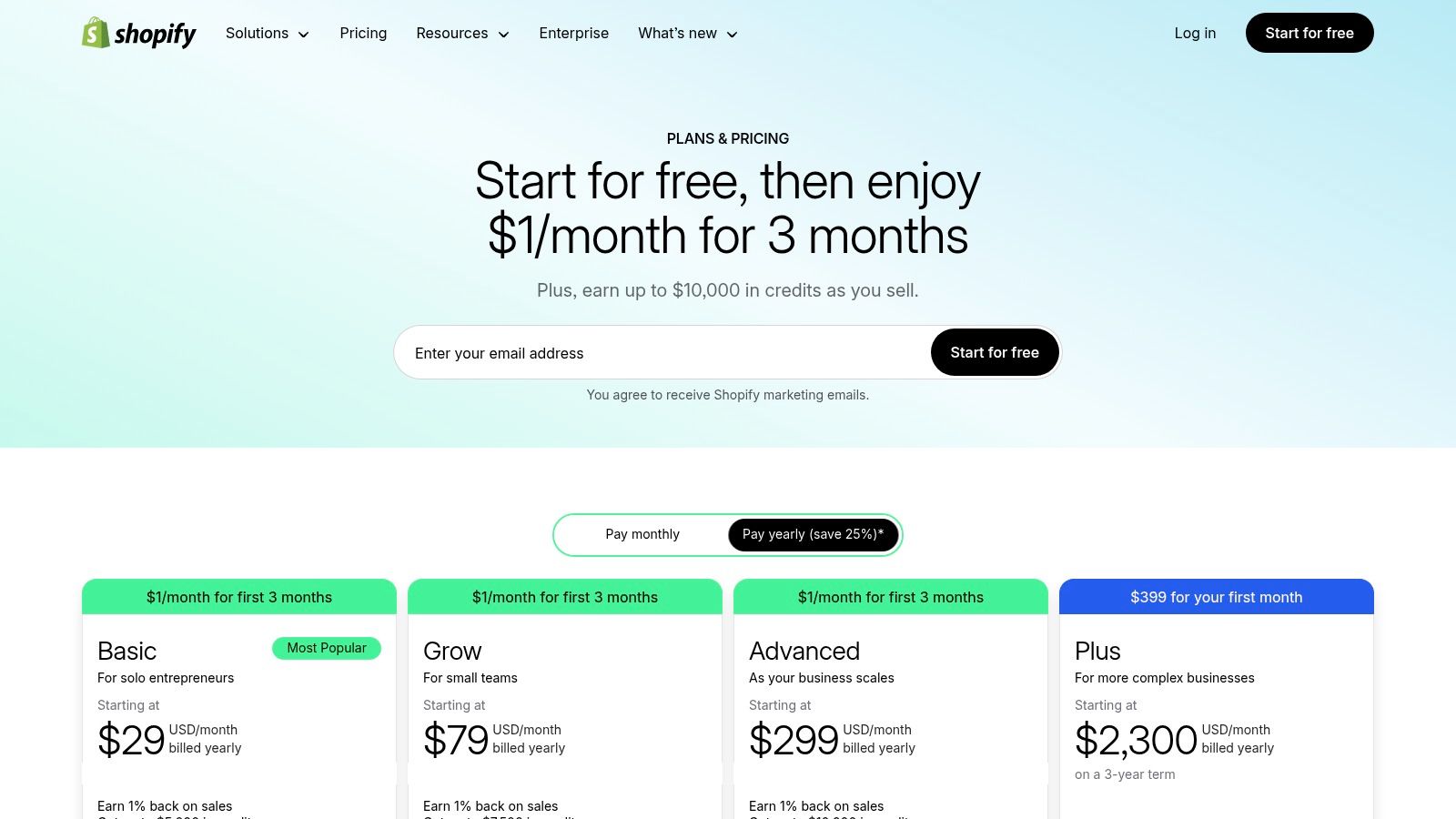
Pricing: Shopify plans start with a 3-day free trial. Paid plans range from $29/month for new businesses (Basic) to $299/month for growing businesses (Advanced). Shopify Plus is available for enterprise clients.
Plan | Price (per month) | Best For |
|---|---|---|
Basic | $29 | New businesses, startups, individuals |
Shopify | $79 | Growing small to medium-sized businesses |
Advanced | $299 | Scaling businesses needing advanced reporting |
Pros: Best-in-class ecommerce infrastructure that scales reliably. A vast app and theme ecosystem provides unmatched customization and a large developer community offers strong support.
Cons: The total cost can increase significantly with paid apps and add-ons. Using third-party payment providers instead of Shopify Payments can incur additional transaction fees.
Website: https://www.shopify.com/pricing
7. GoDaddy Website Builder
GoDaddy Website Builder is engineered for speed and simplicity, making it a strong contender for entrepreneurs and small businesses needing to establish an online presence quickly. Its core advantage is its deep integration with GoDaddy's ecosystem of domains, hosting, and marketing tools. The platform uses an AI-powered setup to generate a base website in minutes, which users can then customize with a straightforward, section-based editor. This streamlined approach makes it one of the best software for building websites for those who prioritize a fast launch over granular design control.
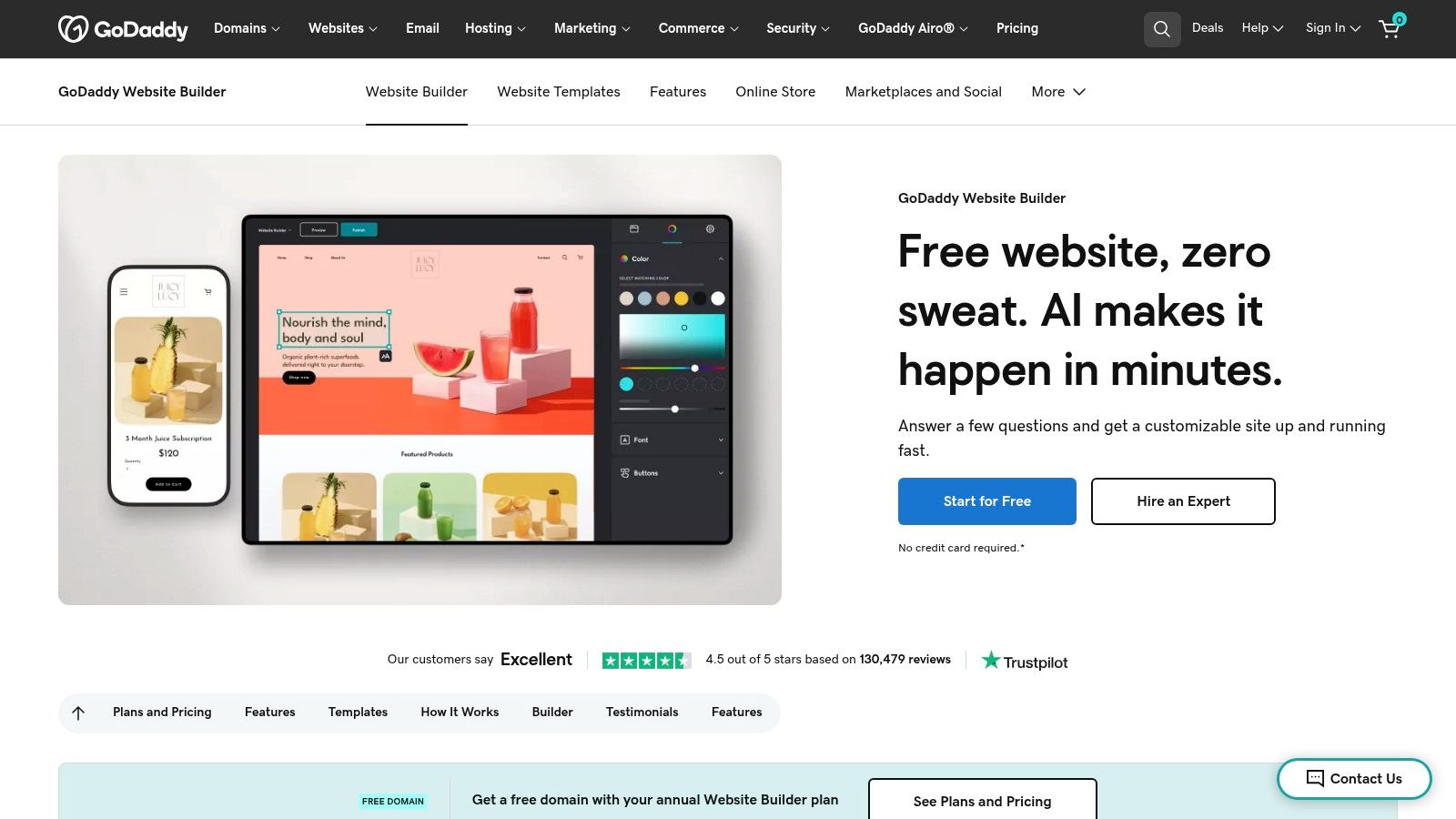
The builder bundles essential services like an SSL certificate, hosting, and often a free domain for the first year, removing technical hurdles for beginners. It also includes built-in tools for email marketing, social media posting, and basic analytics, providing an all-in-one solution for managing a brand's digital footprint from a single dashboard. While it may not offer the design depth of more complex builders, its convenience and comprehensive feature set are ideal for creating professional brochure sites, service-based business pages, and small-scale online stores without a steep learning curve.
Key Features and Pricing
AI-Powered Setup: Get a functional, industry-specific website draft just by answering a few initial questions.
Integrated Marketing Suite: Includes tools for email marketing, social media management, and a content creator for branded visuals.
Ecommerce Ready: Commerce plans provide everything needed to sell products online, including product listings, secure payments, and appointment booking.
Pricing: GoDaddy offers a free plan with limited features. Paid plans begin at $12.99/month for the Basic plan and go up to $20.99/month for the full-featured Commerce plan.
Plan | Price (per month) | Best For |
|---|---|---|
Basic | $12.99 | Simple personal websites and blogs |
Standard | $16.99 | Small businesses needing SEO tools |
Premium | $21.99 | Businesses needing online appointments |
Commerce | $26.99 | Small online stores with full ecommerce |
Pros: Extremely fast and simple to launch a site. Bundles domain, SSL, and hosting for a low-cost start. Strong 24/7 customer support.
Cons: Limited design customization and fewer advanced features compared to competitors. The most valuable features are reserved for higher-priced tiers.
Website: https://www.godaddy.com/websites/website-builder
8. Square Online (by Block/Square)
Square Online is the ideal solution for entrepreneurs and small businesses that operate both online and in-person, such as retailers, restaurants, or service providers. Its greatest strength is the seamless integration with the entire Square ecosystem, including its renowned POS systems, payment processing, and invoicing tools. This creates a unified commerce platform where inventory, sales data, and customer information are automatically synced between your physical location and your website, making it one of the best software for building websites for omnichannel businesses.

The platform simplifies getting started by generating a foundational ecommerce site based on your Square business profile. While its design flexibility doesn't match dedicated builders like Wix, it provides clean, professional themes and essential SEO tools to ensure your business is discoverable. Features like abandoned cart recovery, product reviews, and subscription options are built-in, allowing businesses to implement powerful sales strategies without needing third-party apps. This focus on integrated commerce makes it an incredibly efficient choice for managing a multifaceted small business.
Key Features and Pricing
Unified Commerce: Syncs inventory, orders, and customer data between your online store and Square POS system in real-time.
Integrated Payments: Utilizes Square’s transparent and competitive payment processing rates directly within your site.
Omnichannel Tools: Supports online ordering for in-store pickup, local delivery, QR code ordering, and multi-location management.
Pricing: Square Online offers a free plan to sell unlimited products. Paid plans unlock more features, starting at $29/month (Plus) and going up to $79/month (Premium).
Plan | Price (per month, billed annually) | Best For |
|---|---|---|
Free | $0 | Startups and businesses testing online sales |
Plus | $29 | Growing businesses needing advanced features |
Premium | $79 | High-volume sellers wanting lower processing rates |
Pros: Unmatched integration with Square POS and payments. Excellent for businesses with physical and online sales channels. Transparent processing fees.
Cons: Less design customization compared to design-first platforms. Key features like abandoned cart recovery are locked behind paid plans.
Website: https://squareup.com/us/en/online-store/plans
9. Framer
Framer emerges as a design-centric powerhouse, blending a powerful visual canvas with robust web development capabilities. It's built for designers, marketers, and startups who demand pixel-perfect control and high-performance outputs without writing code. Its real-time collaboration features, powerful CMS, and staging environments make it a top contender for teams building polished marketing sites and interactive portfolios. Framer is one of the best software for building websites for those who want to publish design-led projects with exceptional speed and reliability.
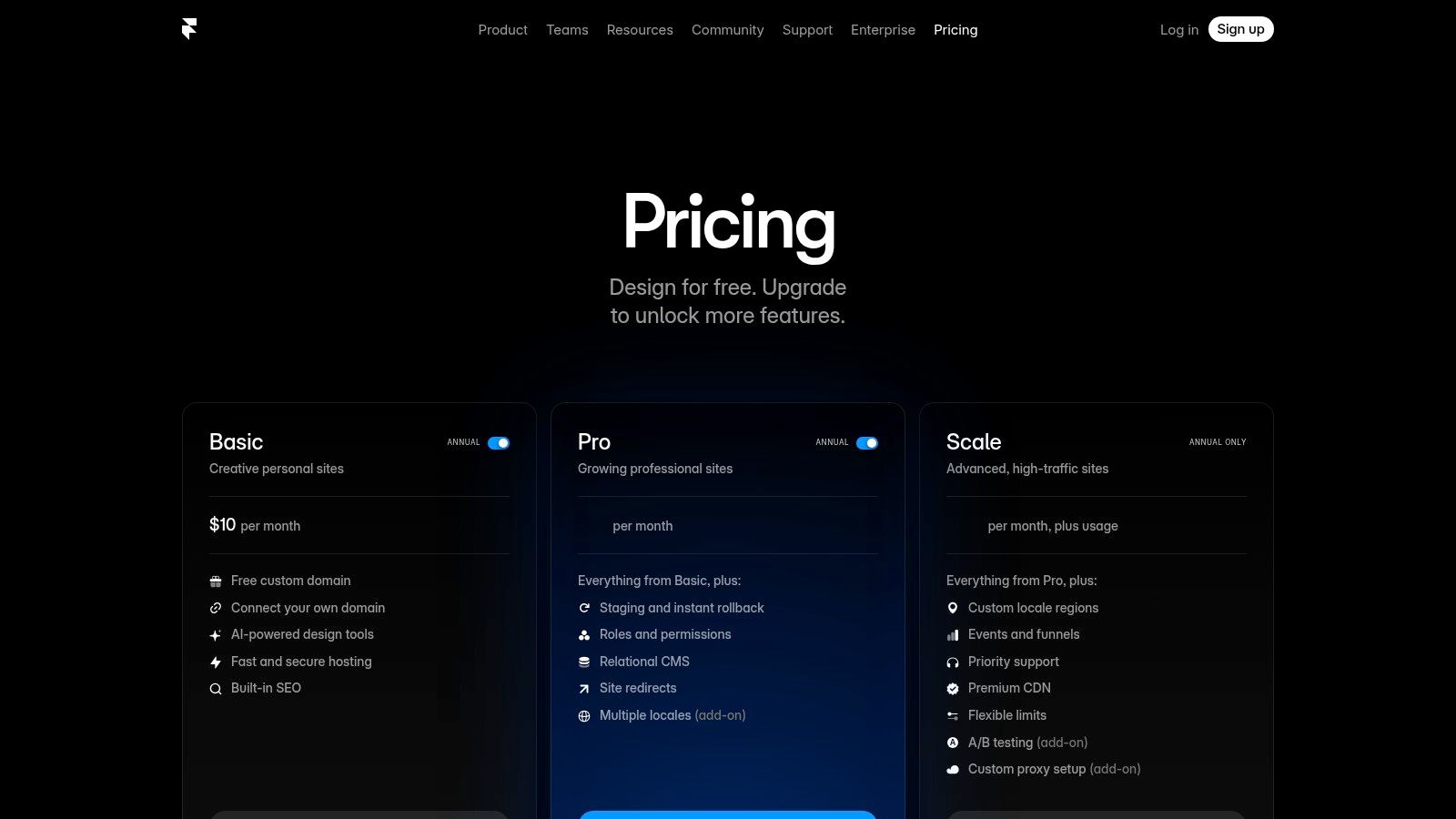
The platform shines with its AI-powered features that can generate and refine site sections, speeding up the creative process significantly. Unlike many builders, Framer also includes essential team-focused tools like staging and rollback, allowing you to test changes before they go live. Its growing library of add-ons for localization and A/B testing further extends its capabilities, making it an adaptable solution for data-driven marketing teams and growing businesses that need to iterate quickly.
Key Features and Pricing
Visual Design Tools: A professional-grade visual editor with AI assistance for rapid design and layout creation.
CMS Collections: Manage dynamic content like blog posts, case studies, or team members with structured collections.
Performance & Collaboration: Fast publishing with a global CDN, staging environments, and real-time team collaboration on Pro plans and above.
Pricing: Framer provides a free plan for hobby projects. Paid plans start at $10/month for a basic site and scale up to $40/month for professional business needs.
Plan | Price (per month) | Best For |
|---|---|---|
Mini | $10 | Simple landing pages, link-in-bio sites |
Basic | $20 | Personal sites, portfolios, blogs |
Pro | $40 | Business and marketing websites |
Enterprise | Custom | Large teams needing advanced security |
Pros: Delivers exceptional site speed and performance. The collaboration and staging features are excellent for teams. Great for creating modern, polished marketing websites.
Cons: The plugin ecosystem is smaller than competitors like WordPress. Plan tiers come with specific limits on page count, CMS items, and bandwidth.
Website: https://www.framer.com/pricing
10. Hostinger Website Builder (formerly Zyro)
Hostinger Website Builder secures its spot as a top-tier choice for entrepreneurs and small businesses seeking an incredibly affordable, all-in-one package. Its main selling point is bundling high-quality web hosting, a free domain name, SSL security, and an AI-powered builder into a single low-cost subscription. The builder itself is designed for speed and simplicity, leveraging AI tools to generate website copy, create logos, and even predict user engagement with its heatmap feature. This makes it one of the best software for building websites for those prioritizing value and a quick, hassle-free launch.
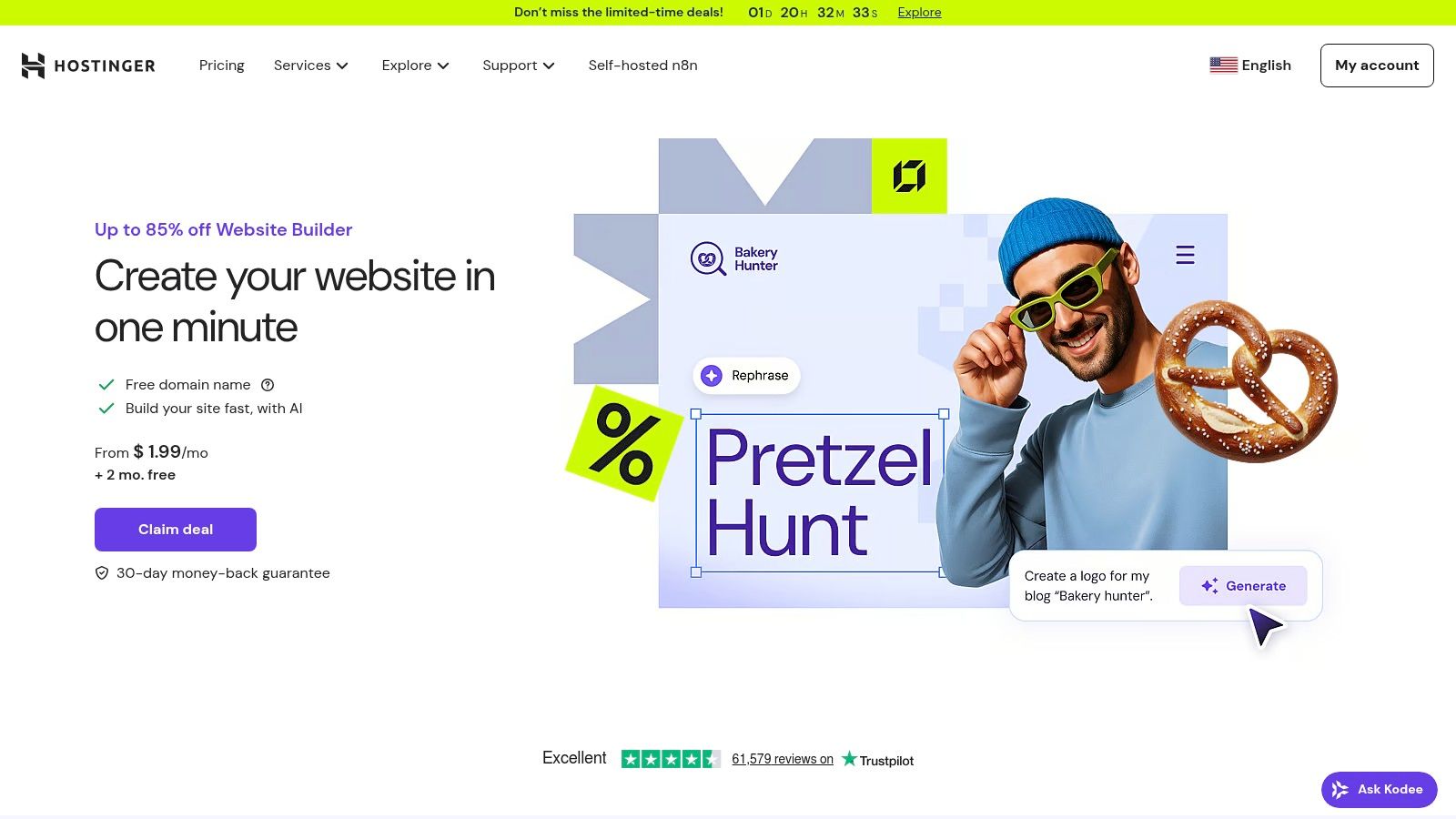
The platform offers a clean, grid-based, drag-and-drop editor that is straightforward and easy to master, even for complete beginners. While it may not provide the pixel-perfect freedom of more advanced tools, it ensures every design remains responsive and professional-looking on all devices. For those needing to sell online, Hostinger includes robust ecommerce functionality that supports over 20 payment options with no transaction fees, making it a powerful yet budget-friendly entry point into online retail.
Key Features and Pricing
All-in-One Package: Includes web hosting, a free domain for the first year, free email accounts, and an SSL certificate.
AI Toolkit: Features an AI website generator, writer for copy, logo maker, and a heatmap tool to analyze visitor behavior.
No-Code Ecommerce: Built-in tools for selling up to 500 products, managing inventory, and accepting payments from over 20 global providers without transaction fees.
Pricing: Hostinger offers a single, comprehensive plan. Introductory pricing starts as low as $2.99/month for long-term commitments, with a standard renewal rate.
Plan | Price (per month) | Best For |
|---|---|---|
Website Builder & Web Hosting | Starts at $2.99 (introductory) | Solopreneurs, small businesses, and first-time ecommerce stores on a budget |
Pros: Exceptional value with its all-inclusive package at a very low entry price. The AI tools significantly speed up the site creation process.
Cons: Renewal rates are higher than the promotional pricing. The editor offers less design flexibility and customization compared to platforms like Webflow.
Website: https://www.hostinger.com/website-builder
11. Carrd
Carrd has carved out a unique niche by focusing exclusively on creating simple, elegant, and responsive one-page websites. It is the ideal solution for personal profiles, link-in-bio pages, product launches, or any scenario where a full multi-page website is overkill. Its strength lies in its radical simplicity and speed. You can choose a template, customize it in a straightforward editor, and publish a professional-looking site in a matter of minutes. This laser focus makes it one of the best software for building websites for highly specific, lightweight projects.
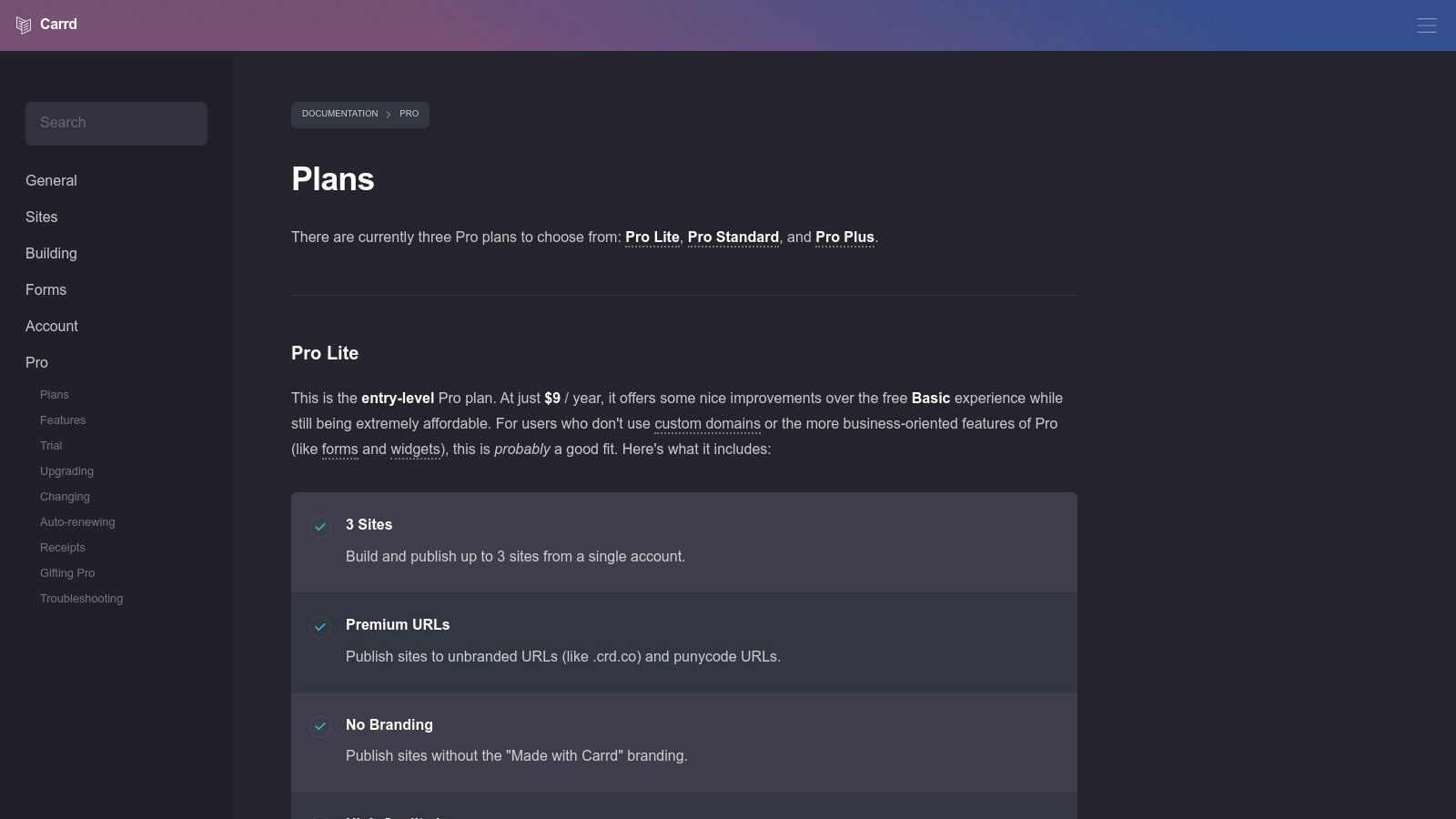
While it doesn't compete with giants like Wix or Squarespace on features, Carrd excels at its core purpose. The free plan is incredibly generous, allowing you to build up to three sites. For a remarkably low annual fee, the Pro plans unlock powerful features like custom domains, contact forms, Google Analytics integration, and the ability to embed third-party widgets and payment buttons from services like Stripe or Gumroad. This makes it a surprisingly versatile tool for solopreneurs, creatives, and marketers needing to launch quickly and affordably.
Key Features and Pricing
One-Page Focus: A streamlined editor designed specifically for building single-page sites with sections.
Templates: A collection of responsive, modern templates to get you started quickly.
Pro Features: Pro plans add forms, embeds, widgets, custom domains, and remove Carrd branding.
Pricing: A free plan is available. Pro plans are billed annually, starting from just $9/year (Pro Lite) up to $49/year (Pro Plus).
Plan | Price (per year) | Best For |
|---|---|---|
Pro Lite | $9 | Personal profiles with a custom domain |
Pro Standard | $19 | Landing pages, forms, and basic integrations |
Pro Plus | $49 | Advanced forms, custom templates, and downloads |
Pros: Extremely affordable and incredibly fast to use. The learning curve is minimal, making it perfect for beginners. Ideal for landing pages and personal profiles.
Cons: Intentionally limited to one-page sites, so it's not suitable for blogs or complex business websites. Ecommerce functionality requires embedding third-party tools.
Website: https://carrd.co/docs/pro/plans
12. G2: Website Builder Software Category
While not a builder itself, G2’s Website Builder Software category is an indispensable research hub for anyone comparing the best software for building websites. It acts as a large, constantly updated comparison directory, aggregating verified user reviews, rankings, and feature data. This allows you to evaluate dozens of platforms side-by-side, making it a crucial first step before committing to a provider. Its power lies in surfacing real-world user sentiment, helping you look past marketing claims and understand how a tool performs in practice.
G2 organizes platforms into its proprietary Grid reports, which rank software based on user satisfaction and market presence. You can filter results based on business size, specific features, or pricing models to quickly shortlist tools that fit your exact needs. This transparent, data-driven approach helps you discover viable alternatives you might not have considered and validate your top choices against the experiences of thousands of real users, ensuring you find the right fit for your project.
Key Features and Pricing
Grid Reports & Rankings: Visual quadrants that map out market leaders, contenders, niche players, and high performers based on validated user data.
Verified User Reviews: In-depth reviews from actual users detailing the pros, cons, and specific use cases for each website builder.
Side-by-Side Comparisons: Tools to directly compare features, pricing, and satisfaction ratings for multiple platforms at once.
Pricing: G2 is free to use for research and comparison purposes. Vendors pay for enhanced profiles and marketing features.
Feature | Availability | Best For |
|---|---|---|
User Reviews & Ratings | Free | Gaining unbiased insights into a platform's strengths and weaknesses |
Comparison Tools | Free | Directly evaluating top contenders based on features that matter most |
Category Reports | Free | Understanding the market landscape and identifying leading solutions |
Vendor Profiles | Free | Viewing detailed product information and user-submitted feedback |
Pros: Offers broad market coverage with up-to-date user sentiment. The side-by-side comparison tools are extremely helpful for discovering and shortlisting alternatives.
Cons: Rankings can be influenced by the volume and recency of reviews. Sponsored vendor placements can sometimes affect visibility on the platform.
Website: https://www.g2.com/categories/website-builder
Top 12 Website Builders Comparison
Product | Core features ✨ | UX & Quality ★ | Value & Price 💰 | Target 👥 | Standout USP 🏆 |
|---|---|---|---|---|---|
🏆 Alpha | AI-powered design, URL-to-site import, conversational editor, templates, analytics | ★★★★☆ Fast, intuitive, mobile-optimized | 💰 Free starter → $9/mo, $25/mo tiers | 👥 Entrepreneurs, startups, solopreneurs | 🏆 URL-to-site copying + natural-language edits ✨ |
Wix | AI site generator, drag‑and‑drop, 900+ templates, apps | ★★★★☆ Flexible, broad feature set | 💰 Freemium → paid plans from ~$16+/mo | 👥 SMBs, creators, small stores | Large template & app ecosystem ✨ |
Squarespace | Polished templates, blogging, commerce, marketing tools | ★★★★☆ Design-first, consistent visuals | 💰 Paid plans from ~$16+/mo | 👥 Brands, portfolios, creatives | Best-in-class aesthetic templates ✨ |
WordPress.com | Managed WP hosting, themes/plugins, AI builder (early), WooCommerce-ready | ★★★★☆ Extremely extensible, steeper learning | 💰 Free → paid plans; commerce tiers add cost | 👥 Bloggers, growing businesses, devs | Massive plugin/theme ecosystem ✨ |
Webflow | Visual designer, CMS, interactions, code export, hosting | ★★★★☆ Pixel-level control, steeper curve | 💰 Site plans from ~$12+/mo (per site) | 👥 Designers, agencies, advanced sites | Production-ready code + advanced CMS ✨ |
Shopify | Online store, integrated checkout, POS, apps, analytics | ★★★★★ Robust, commerce-focused | 💰 Plans from ~$29+/mo (+apps/fees) | 👥 Ecommerce merchants (solo → enterprise) | Best-in-class ecommerce infrastructure ✨ |
GoDaddy Website Builder | AI setup, drag editing, domain/hosting bundle, support | ★★★☆☆ Super quick, basic features | 💰 Low entry pricing; bundled offers | 👥 Local businesses, beginners needing domain bundles | Fast domain+hosting bundling & support ✨ |
Square Online | Site builder + Square payments/POS, inventory sync | ★★★★☆ Simple omnichannel experience | 💰 Free → paid plans; payment fees apply | 👥 Retailers, restaurants, service businesses | Seamless online/in‑person payments & inventory ✨ |
Framer | Visual design, CMS, staging/rollback, collaboration | ★★★★☆ Polished, fast publishing | 💰 Paid plans (Pro features add cost) | 👥 Startups, marketing teams, designers | Real‑time collaboration + staging ✨ |
Hostinger Website Builder | AI builder, hosting, free domain (annual), ecommerce | ★★★★☆ Good performance for price | 💰 Very low entry promo pricing | 👥 Budget-minded small businesses | All‑in‑one hosting + low-cost plans ✨ |
Carrd | One‑page editor, templates, Pro forms/embeds | ★★★☆☆ Ultra-simple, very fast | 💰 Very low-cost Pro plans yearly | 👥 Landing pages, link-in-bio, personal pages | Extremely affordable one-page builder ✨ |
G2 (Directory) | Verified reviews, category rankings, filters, reports | ★★★★☆ Valuable research resource | 💰 Free to use; comparison tool | 👥 Buyers researching builders | Up-to-date user reviews & side‑by‑side comparisons ✨ |
Making Your Final Decision: It's About Speed and Fit
Choosing the best software for building websites is less about finding a single, universally "best" option and more about identifying the platform that aligns perfectly with your specific project, technical comfort level, and long-term business goals. We've navigated a landscape of powerful tools, from the all-in-one simplicity of Wix to the design-first precision of Webflow, and the unparalleled e-commerce engine of Shopify. The right choice for a photographer showcasing a portfolio is fundamentally different from the ideal solution for a startup launching a subscription service.
The core theme that emerged throughout our analysis is the critical balance between customization and speed. Every entrepreneur and business owner must weigh how much granular control they truly need against how quickly they can launch and start iterating. Your time is a valuable resource, and the opportunity cost of a delayed launch can be significant.
Recapping Your Top Contenders
Let's distill the primary strengths of our top-rated platforms to help you narrow down your shortlist:
For Maximum Speed and Efficiency: If your goal is to go from idea to a high-quality, professional website in the shortest possible time, an AI-powered builder like Alpha stands out. It's designed for founders and marketers who prioritize a fast, proven, and effective launch without getting bogged down in design decisions.
For Creative Professionals and Portfolios: Squarespace continues to be the leader for those who value aesthetic polish and curated design. Its templates are a fantastic starting point for visually-driven brands.
For Absolute E-commerce Power: If selling products is your primary business model, Shopify remains the undisputed champion. Its robust ecosystem of apps and commerce-focused features is built for one purpose: helping you sell more.
For Ultimate Design Control (with a learning curve): Webflow and Framer offer designers and developers a playground for creating completely custom, dynamic web experiences without necessarily writing code from scratch.
For Content-Heavy Sites and Blogging: WordPress.com provides a managed, secure entry point into the world's most popular content management system, ideal for blogs, news sites, and membership platforms.
A Practical Framework for Your Final Choice
Before you commit and enter your credit card details, take a moment to run through this final self-assessment. Answering these questions honestly will guide you directly to the best software for building your website.
What is my primary goal? Is it lead generation, direct sales, content publishing, or showcasing a portfolio? Your core objective dictates the features you cannot live without. An e-commerce store needs Shopify's inventory management, while a consultant needs a simple lead capture form, which Alpha or Carrd can provide effortlessly.
How much time can I realistically invest? Be honest about your schedule. If you have weeks to tinker, a platform like Webflow might be rewarding. If you needed your site live yesterday, you should be looking at AI-powered or template-based solutions like Alpha or Squarespace that accelerate the entire process.
What is my true technical skill level? While many platforms are "no-code," some are more intuitive than others. Try the free trials. Can you easily find your way around the editor, or does it feel like a complex, unfamiliar cockpit? Your initial experience is a strong indicator of future frustration or success.
What does future growth look like? Consider your one-year and three-year plans. Will you need to add a blog, an online store, or membership features down the line? Ensure your chosen platform can scale with your ambitions, either natively or through integrations. A simple landing page builder like Carrd is excellent for validation but won't support a full-blown e-commerce operation.
Ultimately, the best platform is the one that gets out of your way and empowers you to focus on what you do best: running your business. Test your top two or three contenders, see which one feels most intuitive, and commit. The digital landscape rewards action, and with the right tool in hand, you are perfectly equipped to build a powerful online presence.
Ready to skip the endless design tweaks and launch a website that's built to convert? Alpha uses AI to generate a professional, high-performing website from your business description in minutes, letting you focus on growth from day one. See why it’s one of the best software for building websites for founders who value speed and results by visiting Alpha to get started.
EXAMPLES
Build beautiful websites like these in minutes
Use Alpha to create, publish, and manage a fully functional website with ease.