How to Create Website Mockups People Actually Love
Learn how to create website mockups that bridge the gap between idea and reality. Our guide covers tools, principles, and developer handoff.

EXAMPLES
Build beautiful websites like these in minutes
Use Alpha to create, publish, and manage a fully functional website with ease.





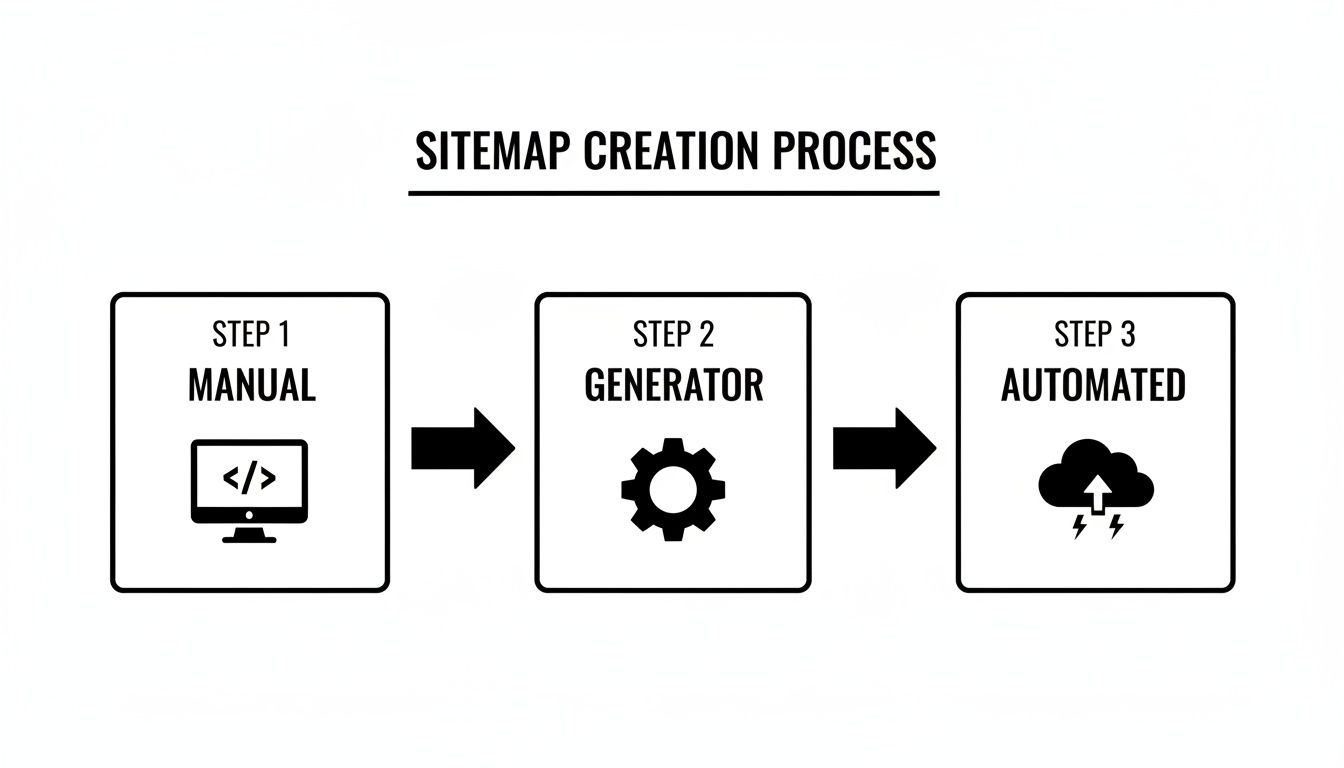
Think of a sitemap as a roadmap for search engines. At its core, creating one is about listing all your website's important URLs in a special file (usually an XML file) and handing it over to Google and Bing. You can actually build one by hand, use a free online generator, or let your CMS, like WordPress, handle it automatically.
This simple file is your way of guiding search engines, helping them discover and understand your content much more efficiently.
Why a Sitemap Is Your Website's Most Important Map

Before we get into the nitty-gritty of building a sitemap, it’s worth taking a moment to appreciate why this file is such a critical piece of modern SEO. Imagine your website is a brand-new city. Without a map, visitors—and in our case, search engine crawlers—could easily get lost, miss key destinations, or never find those hidden gems you’ve created.
A sitemap is that essential map. It’s a direct line of communication to search engines, offering a clean, organized blueprint of every page you want them to see. This ensures they can find, crawl, and index your content without any guesswork. That process is the absolute foundation of getting found online; if a page isn't indexed, it has zero chance of ranking. Leaving this to chance just isn't an option.
If you're new to this, it's worth brushing up on the fundamentals by checking out our guide on what search engine optimization is.
The Direct Impact on Search Performance
For some websites, a well-structured sitemap isn't just helpful—it's essential.
If you’ve just launched a new site with very few external links pointing to it, a sitemap might be the only way Google even knows your pages exist. The same goes for massive e-commerce stores with thousands of product pages or content-heavy sites with deep archives that are hard to navigate.
Without a clear map, crawlers might give up before finding pages buried deep within your site's structure. A sitemap shines a light on these otherwise "orphaned" pages, giving every piece of your content a fair shot at ranking and bringing in traffic.
By explicitly listing all your important URLs, you’re essentially telling search engines, "Hey, pay attention! This content exists, and it's valuable." This simple act helps prioritize your pages for crawling, which is especially important when you publish something new or make significant updates.
A Competitive Edge in a Crowded Space
Let's be honest, the internet is an incredibly crowded place. An often-cited Ahrefs study found that a staggering 94% of pages get zero traffic from Google, partly because they're invisible. A sitemap helps ensure your own site’s structure isn’t working against you.
It's a foundational SEO tool that has been around since its introduction in 2005, and its importance has only grown over time. It’s one of the first and most fundamental steps you can take to make sure you’re playing the game right from the start.
How Should You Actually Create Your Sitemap?
Picking the right way to generate a sitemap really boils down to your specific situation. There’s no single "best" method. It depends on the size of your site, what platform it’s built on, and frankly, how much you enjoy tinkering with code.
Let's walk through the real-world options so you can figure out what makes the most sense for you.
Getting Your Hands Dirty: Manual Creation
If you're a developer or just someone who likes complete control, you can absolutely create your XML sitemap by hand. This just means opening up a text editor and writing the XML code yourself. It’s a perfectly fine approach for smaller, static websites—maybe a portfolio or a simple "brochure" site for a local business where the pages rarely change.
The upside? You get granular control. You decide exactly which URLs go in and how tags like <lastmod> and <priority> are set. The downside is that it becomes a huge pain for any site that changes regularly. Imagine having to manually edit that file every single time you publish a new blog post. It’s just not scalable.
The Go-To Method: Plugins and Online Generators
For the vast majority of website owners, this is the most practical route. As Content Management Systems (CMS) took over the web, the need for dynamic, auto-updating sitemaps became obvious. With WordPress powering a massive 46.55% of the web, plugins have become the standard solution for this.
This kind of automation is a game-changer, especially when you consider that a good sitemap can help triple local SEO ROI. That's a huge deal for small businesses, especially since 46% of all Google searches have local intent. You can dig into more website statistics over at rebootonline.com.
If you're on WordPress, you're likely already using a plugin like Yoast SEO or Rank Math. These tools are fantastic because they don’t just create a sitemap for you; they keep it updated automatically whenever you add, edit, or delete content.
Here’s a peek at what this looks like inside the Yoast SEO plugin.
See that little toggle? It's that simple. You flip a switch, and the plugin handles all the messy XML formatting behind the scenes. Other platforms like Shopify or Squarespace have similar sitemap features baked right in or available through their app stores.
Pro Tip: Don't just "set it and forget it" with your plugin. Dive into the settings. You can, and should, exclude certain post types (like tags and categories) or even specific pages from your sitemap. This keeps it lean and focused only on the high-value content you want search engines to crawl.
The "Hands-Off" Approach
For business owners who would rather spend their time on strategy and growth instead of technical SEO, an integrated AI website builder like Alpha is the perfect fit. This approach takes all the manual work and plugin management completely off your plate.
With a platform like this, the sitemap is created, submitted to search engines, and kept up-to-date for you.
It's Done from Day One: The moment your site is created, a perfectly structured sitemap is generated automatically.
Updates Happen in Real-Time: When you publish a new blog post or add a new service page, the sitemap is updated in the background without you ever having to think about it.
Literally Zero Maintenance: No plugins to update, no code to check, no files to upload. Your sitemap is always accurate and optimized, period.
This set-it-and-forget-it method gives you a real competitive edge. You can focus on running your business, confident that the technical foundation of your site’s SEO is solid.
How to Build a Sitemap Search Engines Will Actually Use
Think of your XML sitemap as a direct conversation with search engines—a clear, simple blueprint of your website. It’s not just about dumping a list of links into a file; it’s about providing a logical roadmap that helps Google and Bing find and understand your most important content.
The whole thing is wrapped in a <urlset> tag, which is just the container. Inside that container, every single page you want indexed gets its own <url> tag. Keeping this structure clean is the first step to making sure search engines can actually read what you send them.
Understanding Essential XML Sitemap Tags
To build a sitemap that works, you need to know the language. These are the core tags you'll place within each <url> entry to give search engines the context they need.
XML Tag | What It Does | Practical Example |
|---|---|---|
| The location tag holds the full, absolute URL of the page. This is the only mandatory tag inside |
|
| The last modified tag tells crawlers the date the page content was last updated. It's a powerful signal for them to revisit the page. |
|
| Change frequency gives a hint about how often the page is likely to change. Values can be always, hourly, daily, weekly, monthly, yearly, or never. |
|
| Priority indicates the page's importance relative to other pages on your site, on a scale of 0.0 to 1.0. |
|
While <changefreq> and <priority> are less critical than they used to be—Google's John Mueller has said they are largely ignored—the <loc> and <lastmod> tags are still incredibly valuable for guiding crawlers effectively.
This simple structure, combining the right tags, gives search engines a clear, machine-readable snapshot of your site’s key pages.
What to Add and What to Skip: Strategic Page Selection
Knowing which pages to include in your sitemap is just as important as getting the technical format right. Your sitemap should be a curated list of your best, most valuable URLs. A sloppy sitemap filled with junk pages just wastes a search engine's time and crawl budget.
Ever since Google started officially supporting the protocol back in 2005, a clean sitemap has been a secret weapon for efficient indexing. It tells crawlers exactly where to look.
Here’s what absolutely belongs in your sitemap:
Your core pages: Think product pages, service pages, and your homepage. These are the pages that drive your business.
High-quality content: Your best blog posts, guides, and articles that you want people to find.
Key informational pages: Your "About Us" and "Contact" pages help build trust and authority.
Primary category pages: For any site with a deep structure (like e-commerce or a large blog), these help search engines understand the hierarchy.
On the flip side, you need to be ruthless about what you leave out. A lean sitemap helps search engines focus their resources on the content that truly matters.
Keep these pages out of your sitemap:
Utility pages: Thank you pages, login pages, and user account areas have no business being indexed.
Internal search results: These are thin, dynamic pages that offer zero value to a search user.
Non-canonical URLs: If you're using canonical tags to point to a preferred version of a page, only the canonical URL should be in the sitemap. Including duplicates sends mixed signals.
Redirected or error pages: Why send a crawler to a dead end?
A solid sitemap starts with a well-planned website. If your site architecture is a mess, your sitemap will be too. For a deeper dive, check out our guide on how to plan your website structure.
Managing Sitemap Size and Complexity
Search engines do have rules. A single sitemap file can't be larger than 50MB and can't contain more than 50,000 URLs. For most websites, this is plenty. You'll likely never come close to hitting those limits.
But what if you run a huge e-commerce store with hundreds of thousands of products? Or a massive publication that posts new articles every hour? That's where a sitemap index file comes in.
It’s basically a sitemap of your sitemaps. Instead of listing individual page URLs, the index file lists the locations of other sitemap files. This is a brilliant way to stay within the limits while keeping things organized. You could have one sitemap for products, another for blog posts, and a third for your main site pages, all neatly referenced in one index file.
How to Submit Your Sitemap to Google and Bing
So, you’ve put in the work and created a perfect sitemap. Great! But that file isn't going to do you much good just sitting on your server. To make it work for you, you need to hand-deliver it to the search engines.
Think of it this way: you’ve drawn a detailed map of your property, and now you’re giving it directly to Google and Bing. This simple step turns your sitemap from a static file into a powerful SEO tool that helps them discover and index all your important content, faster.
Getting Your Sitemap to Google Search Console
Google Search Console is the dashboard for your website's relationship with Google. If you haven't set it up and verified your site yet, that’s your first order of business. Once you're in, submitting your sitemap is a breeze.
You’ll want to head over to the "Sitemaps" report, which you can find under the "Indexing" section in the left-hand menu. At the top, you'll see a field labeled "Add a new sitemap."
Here's the trick: you don't need to paste your full URL. Just type in the end part of the URL, which is usually something simple like sitemap.xml or sitemap_index.xml.
Hit Submit, and you're done. Google will queue it up for processing. You can come back to this same report later to check its status and make sure there are no errors.
The dashboard gives you a clean overview of your submitted sitemaps, including when they were last read and how many URLs Google found.
This little dashboard is your go-to spot for monitoring the health of your sitemap from Google's perspective.
Submitting Your Sitemap to Bing Webmaster Tools
Don't sleep on Bing! It still drives a meaningful amount of search traffic, and submitting your sitemap is just as easy using Bing Webmaster Tools.
The process is almost identical to Google's:
Log in to your Bing Webmaster Tools account.
Find and click on "Sitemaps" in the menu.
Click the "Submit Sitemap" button.
Paste in the full URL of your sitemap (e.g.,
https://www.yourwebsite.com/sitemap.xml) and submit it.
Pro Tip: If you’re already set up with Google Search Console, Bing has a fantastic import feature. You can connect your GSC account, and Bing will automatically verify your site and even pull in your sitemap submissions. It’s a huge time-saver.
Submitting your sitemap is the first step. If you really want to get your pages seen quickly, you should also learn how to accelerate content indexing to get even faster results.
One More Thing: Your Robots.txt File
While direct submission is the most effective method, there's a belt-and-suspenders approach I always recommend. Add a reference to your sitemap in your site's robots.txt file. This file lives at the root of your domain and gives crawlers their marching orders.
By adding one simple line to this file, you create a public signpost for any web crawler that comes snooping around, not just Google and Bing.
Just add this line to your robots.txt file, swapping in your own URL:
Sitemap: https://www.yourwebsite.com/sitemap.xml
It’s a simple, set-it-and-forget-it best practice that ensures no bot will ever miss the map to your content.
Automating Your Sitemap with an AI Website Builder

Let's be honest, as a business owner, your time is better spent finding customers and improving your product, not messing around with technical files. Manual sitemap creation is a real chore, and even the plugins that promise to help still need setup and monitoring. This is where an AI website builder like Alpha completely changes the game by just taking care of it for you.
You can forget about wrestling with XML code or digging through plugin settings. Whether you're building your site from a simple prompt or cloning a design you like, Alpha is busy generating a clean, perfectly formatted XML sitemap behind the scenes. It isn't an add-on you need to activate—it's just part of how the platform works.
The Power of Seamless Maintenance
The real magic here isn't just the initial setup; it's the continuous, hands-off maintenance. Your website is a living thing. You add a new service page, publish a blog post, or tweak product details.
With a traditional website, every single one of those changes means you should be updating your sitemap so search engines can find your new content quickly. If you forget (and it's easy to forget), your new pages can get stuck in indexing limbo, killing any SEO momentum you had.
An AI builder simply removes that entire headache. The second you hit "publish" on a new page or save an edit, your sitemap is instantly updated. No manual file edits, no plugin syncs, no resubmissions. Your technical SEO foundation always matches your latest content.
This isn't just a convenience; it's a real competitive advantage. While your competitors are stuck dealing with technical busywork, you're free to focus on what actually grows your business. If you're curious about the technology that makes this possible, this guide on understanding how to build an AI offers a great look into the development process.
How Alpha Keeps You Ahead
This "set it and forget it" approach means your site is always ready for search engine crawlers without you lifting a finger. The practical benefits are pretty clear:
Speed and Efficiency: Your new content gets on Google's radar faster, which is always a plus.
Error Reduction: Automation eliminates the risk of typos in URLs or formatting mistakes that can happen when you edit sitemaps by hand.
Future-Proofing: If Google changes its sitemap rules, the platform updates to match, so you're always following best practices.
This kind of built-in automation is at the heart of building a smarter online presence. We dive deeper into this topic in our article on using AI to build a website. By letting the AI handle the technical backend, you get to pour all your energy into creating the content and services that will make your business a success.
Answering Your Top Sitemap Questions
Even after you get the hang of creating sitemaps, a few questions always seem to surface. Let's walk through some of the most common ones I hear from clients and in forums. Getting these details right can make a huge difference in how effectively search engines understand your site.
Think of this as the practical, real-world advice that separates a basic setup from a professional one.
How Often Should I Update My Sitemap?
The short answer? Update your sitemap whenever you make a meaningful change to your site's content. The real frequency, though, comes down to how active your website is.
Daily Publishers: If you're a news outlet or a prolific blogger pushing out content every day, you'll want your sitemap to refresh daily.
Weekly Updates: Most business sites that add a new blog post or a service page every week or so are fine with a weekly update.
Static Sites: For sites where content is mostly fixed, you might only need to regenerate the sitemap when you do a quarterly content review or add a new case study.
The good news is that this is rarely a manual task anymore. Most modern website builders and CMS platforms—including Alpha—take care of this automatically. Publish a new page, and it gets added to the sitemap behind the scenes. Simple as that.
What Is the Difference Between a Sitemap and Robots.txt?
This is a great question because these two files are a classic SEO one-two punch. They work together but have completely opposite jobs. I like to think of it as a friendly guide versus a firm bouncer.
A sitemap is your friendly guide. It's a file you create to say, "Hey Google, welcome! Here are all the important pages I’d love for you to crawl and index."
A robots.txt file is the bouncer at the door. It tells search engine crawlers which parts of your website are off-limits. You use it to block access to things like admin login pages, internal search results, or user account areas that have no business showing up in public search results.
Pro Tip: Always add a line in your
robots.txtfile that points to your sitemap's location. It’s the first place crawlers look, so it’s like giving them a map to your best content right when they arrive.
Google Search Console Found Errors in My Sitemap. What Now?
First off, don't panic. Seeing a sitemap error in Google Search Console is incredibly common, and the platform itself usually gives you everything you need to fix it.
Here are a few of the usual suspects:
Invalid URL: This is often just a typo or a URL that points to a page that no longer exists (a 404 error).
Blocked URL: You've included a page in your sitemap that your
robots.txtfile is simultaneously telling Google not to crawl. It’s a classic contradiction.Formatting Issues: A simple syntax error in the XML, like a missing closing tag, can throw the whole file off.
The fix is usually straightforward. Dive into the GSC report, find the specific error and the URLs it affects, then correct the issue. This might mean fixing a typo, updating your robots.txt file, or regenerating the sitemap. Once you've fixed it, you can resubmit it right in the console. Making a habit of checking this report once a month is a great way to stay on top of your site's technical health.
Ready to stop worrying about sitemaps and technical SEO for good? Let Alpha's AI-powered platform build, maintain, and optimize your website for you. Get started in minutes and focus on what you do best—growing your business. Build your website with Alpha today
EXAMPLES
Build beautiful websites like these in minutes
Use Alpha to create, publish, and manage a fully functional website with ease.