




How to Create Website Mockups People Actually Love
Learn how to create website mockups that bridge the gap between idea and reality. Our guide covers tools, principles, and developer handoff.

EXAMPLES
Build beautiful websites like these in minutes
Use Alpha to create, publish, and manage a fully functional website with ease.
Let’s cut right to the chase. If you're running a business without a website, you're not just old-fashioned—you're invisible. When nearly every customer journey starts with a search bar, lacking a digital storefront is like having a shop with no sign, no address, and locked doors. You're out of the game before the starting whistle even blows.
The High Cost of Staying Offline
Running an offline-only business isn't a strategic choice anymore; it's a massive handicap. I've heard countless business owners say that word-of-mouth is all they need, but that mindset ignores a giant shift in how people shop. Your customers aren't just strolling down Main Street. They're scrolling on their phones, checking Google Maps, and reading reviews before they even think about spending a dime.
When they search for what you offer and come up empty, they don't think you're some hidden gem. They assume you don't exist, you're not professional, or you can't be trusted. That's a brutal first impression to make by simply not showing up.
Losing to Your Competitors
Think about a local plumber. He might be the most skilled technician in town, but without a website, he loses calls every single day to the company one town over that has a slick site with online booking. Someone with a leaky pipe is going to search "emergency plumber near me," click the first credible link they see, and make a call. Our expert plumber, despite his superior skills, was never even in the running.
This isn't about one missed job. It's a constant, daily bleed of revenue to competitors who simply made themselves easy to find. Every unanswered search is a customer you'll never get the chance to serve.
The Erosion of Trust and Authority
In today's market, a website is your digital handshake. It’s the first place people go to confirm you're legit, see what you do, and look for proof that you're good at it. Without that central hub, you're forcing potential customers to piece together a puzzle from scattered, often outdated, third-party directory listings.
That friction creates immediate doubt and raises a lot of red flags:
Are they even still open? An old Yelp page with no recent activity can make a business look like it’s gone under.
What is it they actually do? Without a clear services page, people are left guessing about your expertise.
Can I really trust them? Testimonials, project galleries, and a professional "About Us" page are fundamental trust-builders. Without a website, these are all missing.
Many business owners think staying offline saves them time and money. The reality is, it's an active decision to hand over your market share, credibility, and future growth to the competition.
The table below breaks down the very real consequences businesses face by staying offline.
The High Cost of Staying Offline
Area of Impact | Consequence for Businesses Without Websites |
|---|---|
Credibility & Trust | Perceived as less legitimate or unprofessional. Customers often equate a lack of a website with a lack of seriousness. |
Customer Acquisition | Completely invisible to 99% of consumers who use the internet to find local businesses. You miss out on a constant stream of leads. |
Market Share | Competitors with an online presence capture your potential customers before they even know you exist. |
Information Control | You have no control over your brand narrative. Inaccurate third-party listings can misrepresent your services, hours, or location. |
24/7 Availability | Your business "closes" when you do. A website works around the clock to provide information, generate leads, and even make sales. |
It's clear that the "cost" isn't just a line item in a budget; it's paid in lost opportunities, customer trust, and long-term viability.
It's almost hard to believe, but as of 2023, a staggering 27% of small businesses in the U.S. still don’t have a website. This creates a massive, self-inflicted disadvantage in a market where your customers are overwhelmingly online.
Beyond the website itself, integrating digital tools into your operations can slash even more hidden costs. For instance, exploring the benefits of field service management software reveals how technology can tighten up operations and boost your bottom line. At the end of the day, a website and other smart digital tools are essential parts of any modern small business growth strategies that aim to turn a business from invisible to indispensable.
Map Out Your First Website in Under an Hour
Let's be honest: the thought of "planning a website" probably conjures up images of complex flowcharts and endless meetings. If you've been putting off building a site for your business, this is likely a big reason why. But I'm here to tell you it doesn't have to be that way. You can hammer out a solid, effective plan in less time than it takes to watch a movie.
The secret is to stop overthinking it. Your first website isn't supposed to be a massive corporate portal with a hundred different features. Its job is to be a professional online presence that serves a single, clear purpose. Everything else is just noise that can be added later as you grow.
Define Your One Core Objective
Before you even think about colors, fonts, or photos, you need to answer one critical question: What is the number one action I want a visitor to take?
This is your core objective. It’s the north star that should guide every single decision you make from here on out. A website that tries to do everything at once ends up doing nothing well. It just confuses people. A focused website, on the other hand, gets results.
For instance, a local electrician’s main goal is almost always to get a potential customer to call for a quote. A freelance photographer wants you to see their best work and fill out a contact form. A neighborhood bakery wants you to check out their daily specials and find their address. Simple.
Pinpoint that one critical action. Getting this right simplifies everything, turning what feels like a massive project into a manageable checklist. Your website isn't an encyclopedia; it's a tool designed to get a specific business result.
Once you’ve nailed down your objective, you can start thinking about who you're trying to reach. The flowchart below shows exactly what happens when you're invisible online—it’s a stark reminder of why having a plan is so important.
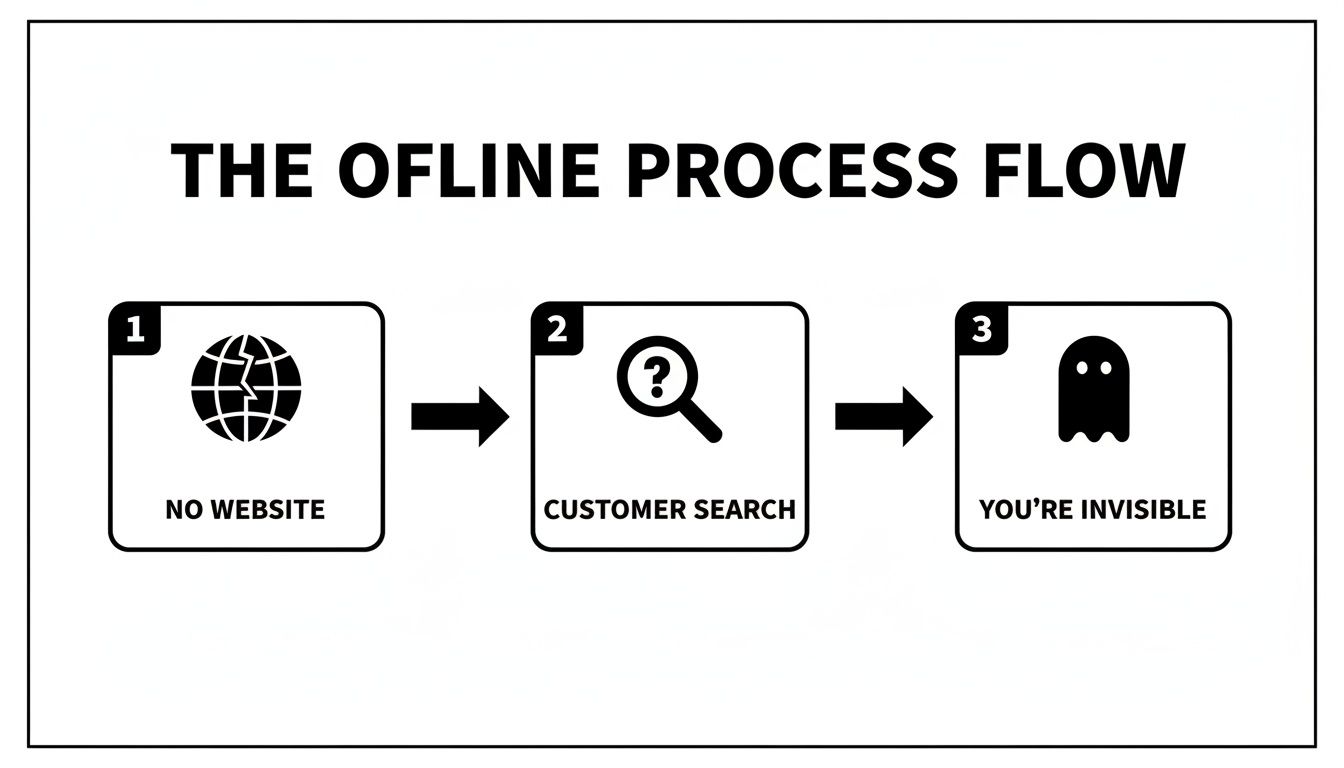
As you can see, the path from a customer's search to a competitor is painfully direct when you don't even have a website to be found.
Sketch a Simple Site Map
Alright, you know your goal. Now, let’s map out the pages you'll actually need. For most new business websites, a simple structure is best. Don't overcomplicate this. All you need to do is answer your customer's most basic questions.
A simple but incredibly effective site structure looks like this:
Homepage: Think of this as your digital storefront. It needs to instantly tell people who you are, what you do, and—most importantly—what you want them to do next (your core objective).
Services/Products: This is where you lay out what you offer. Use plain English and focus on how you solve the customer's problem, not just on listing features.
About Us: Here’s your chance to build a real connection. Tell your story, share why you do what you do, and put a face to the name. People buy from people they trust.
Contact: Make it ridiculously easy for people to get in touch. List your phone number, email, address (if you have a physical location), and a simple contact form.
That’s it. Those four pages give a potential customer everything they need to make a decision. For more tips on getting this foundation right, our guide on how to plan website structure goes into even more detail.
Brainstorm a Memorable Domain Name
Your domain name is your address on the internet. It needs to be easy to remember, spell, and say out loud. I’ve seen so many businesses get tripped up here by choosing something overly clever or complicated.
Here’s a good test: imagine telling someone your domain over the phone. If you have to spell it out or explain it ("no, it's the number five, not the word"), it’s too complex.
Quick Domain Brainstorming Tips:
Stick to your brand. Your business name is almost always the best bet (e.g.,
SmithPlumbing.com).Ditch the numbers and hyphens. They are a recipe for confusion. People will forget the hyphen or mix up "2" with "to" or "too."
Go for a
.com. It’s still the gold standard and what people type by default. If your first choice is taken, try adding a location modifier, likeSmithPlumbingNYC.com.
By focusing on a single goal, sketching out a basic four-page map, and picking a clear domain, you’ve just done the hardest part of planning your website. You've laid the groundwork for a professional site that will start working for your business from day one.
How to Secure Your Domain and Hosting Without Technical Headaches
Diving into the world of websites can feel like learning a new language. You hear terms like "domain registration," "DNS," and "hosting," and it’s enough to make anyone’s eyes glaze over. But I promise, it's much simpler than it sounds.
Let’s break it down with a simple analogy. Your domain name is your business's street address (like 123MainStreet.com), and hosting is the physical plot of land where you build your store. You need both for customers to find you and see what you have to offer.
In the past, you had to buy your address from one company and your land from another, then figure out how to connect them yourself. It was a clunky, technical process that stopped many businesses dead in their tracks. Thankfully, things have changed.
Choosing a Domain That Works for You
Your domain name is a core part of your brand, so it’s worth putting a little thought into it. A great domain is easy for customers to remember and share. I’ve seen businesses make simple mistakes here that cost them customers—like choosing a name with a number that gets confused for a word when said aloud.
Keep these simple rules in mind:
Make It Brandable: Your business name is almost always the best option. If
YourBusiness.comis taken, try adding a location (YourBusinessNYC.com) or a simple keyword that describes what you do (YourBusinessElectric.com).Keep It Simple: Steer clear of hyphens and numbers. They are easy to forget and a common source of typos when people try to find you.
Prioritize
.com: While other extensions like.netor.coare available,.comis still the one most people recognize and trust. It's what everyone instinctively types into their browser.
Your domain isn't just a technical asset; it's a marketing tool. A simple, memorable name makes word-of-mouth referrals easier and strengthens your brand every time it's shared.
The Old Way Versus the New Way
Getting online used to mean juggling multiple services, which was a huge headache for anyone who wasn't a tech expert.
The Old, Complicated Method:
First, you'd buy a domain from a registrar like GoDaddy or Namecheap.
Then, you'd purchase a hosting plan from a totally separate company like Bluehost or SiteGround.
Next came the fun part: trying to manually configure your domain’s nameservers to point to your hosting account.
Finally, you'd have to install website software like WordPress onto your server.
This whole process was filled with confusing jargon and forced you to manage multiple accounts, logins, and billing cycles. It's no wonder so many business owners just gave up.
Embrace the All-in-One Solution
Thankfully, modern AI website builders like Alpha have completely wiped away this complexity. They operate as all-in-one platforms, bundling everything you need into a single, straightforward package.
When you use an integrated builder, the entire technical setup is handled for you behind the scenes. No more buying a domain from one place and hosting from another. You just choose your domain name during the setup process, and the platform takes care of everything else.
Here’s a quick look at how the two approaches stack up:
Feature | The Old Way | The All-in-One Way |
|---|---|---|
Domain & Hosting | Purchased and managed separately. | Included and automatically connected. |
Technical Setup | Requires manual configuration of settings. | Handled for you instantly. No setup needed. |
Security (SSL) | Often requires a separate purchase and manual installation. | Included and activated automatically for a secure site. |
Billing | Multiple bills from different companies. | One simple, predictable monthly or annual fee. |
This streamlined approach is a game-changer. It means you can focus on what your website says and how it looks, not on the confusing technical hoops you used to have to jump through. You can secure your digital "address" and "land" in just a few clicks and get back to what you do best—running your business.
Build a Professional Website Instantly With AI
Okay, you've done your initial planning. Now comes the part where most people get stuck: actually building the thing. It’s easy to imagine a mountain of work—steep learning curves with clunky drag-and-drop editors, or a massive invoice from a web developer.
That entire headache is a thing of the past. Artificial Intelligence has completely changed the game.
AI website builders have torn down the technical walls that kept so many businesses without websites on the sidelines. Forget learning code. Forget spending a whole weekend wrestling with a template that just won't cooperate. Modern AI tools can handle the heavy lifting of design, layout, and even writing the first draft of your content for you.
From Inspiration to a Live Site in Seconds
Let’s walk through how this actually works. Imagine you’re a local landscape designer. You've been putting off building a website for years, but you know a competitor whose site you really admire—it’s clean, professional, and does a great job showing off their work.
Instead of trying to recreate it from scratch, you can use an AI builder like Alpha and simply use that competitor's URL as inspiration. You feed it the link, and the AI analyzes the layout, color palette, and overall structure. In literally seconds, it generates a unique, professionally designed website for your business that captures a similar vibe but is filled with your own branding and information.
This isn't about copying. It's about using proven design principles as a launchpad to get a high-quality foundation built in an instant. What used to take a designer days of work can now be done in under a minute.
The process often starts with a simple prompt, which is all the AI needs to get going.
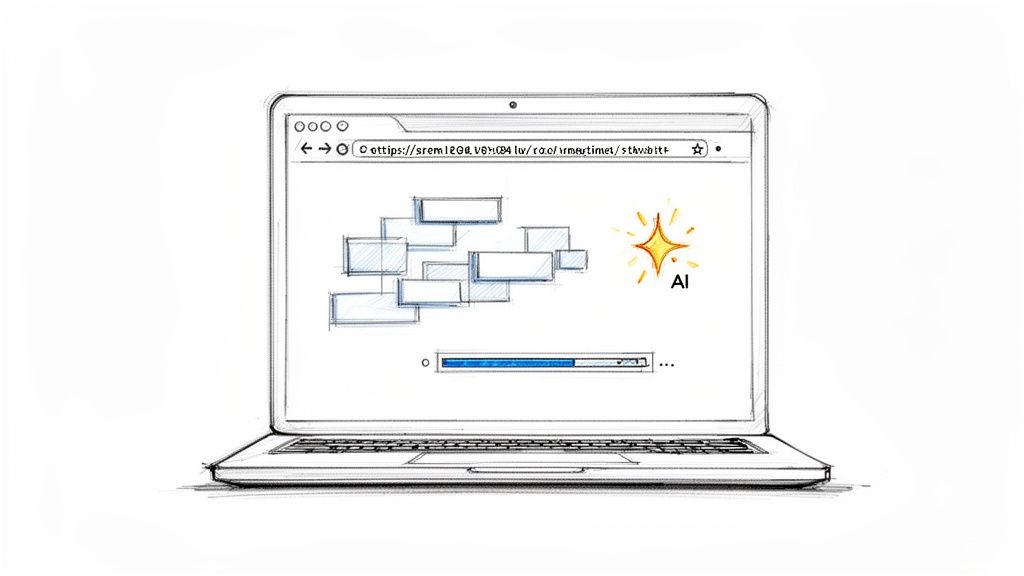
This straightforward approach means you can stay focused on what you want your site to do for your business, not on fiddling with technical settings.
So, Why Are Businesses Still Offline?
I get it. For a long time, the reasons for not having a website were pretty valid. Recent data shows that among small businesses, 27% felt a website "doesn't apply" to what they do, and 26% pointed to the cost as the biggest hurdle.
But the ground is shifting fast. The number of U.S. small businesses with a website has climbed to 73%, showing that an online presence is quickly becoming a requirement for growth.
AI builders directly tackle those old-school concerns:
Cost: Instead of a huge upfront investment for a custom build, you're looking at affordable monthly subscriptions that bundle everything you need—hosting, design, the works.
Time: The process is ridiculously fast. You can have a solid first draft of your site in a few minutes and realistically go live that same afternoon.
Complexity: These tools are made for people who aren't tech-savvy. If you can describe what you want in plain English, you can build and edit your website.
AI-powered website generation isn't just a shiny new toy; it's a fundamental shift that makes professional-grade web design accessible to everyone. It completely levels the playing field, allowing a small local shop to look just as polished online as a major corporation.
You're in the Driver's Seat
Once the AI generates that initial site, you're not stuck with it. The real magic is how easy it is to make changes. You don't have to go digging through confusing menus. Instead, you just tell the AI what to do.
For example, you could type simple commands like:
"Change the color scheme to earthy tones like green and brown."
"Add a new section for customer testimonials with five-star ratings."
"Make the main headline on the homepage bigger and bolder."
The AI understands what you mean and applies the changes right away. This conversational style of editing is the final piece of the puzzle for many business owners. It gives you complete creative control without needing a shred of design experience. It feels less like using software and more like working with a very efficient assistant.
This technology finally closes the gap for the millions of businesses that have felt left behind online. By automating the hardest parts of web design, AI builders empower you to create a professional, effective home for your business, both quickly and affordably. For a more detailed look, check out our guide on how to build a website with AI, which breaks down the entire process.
Create Essential Pages That Turn Visitors Into Customers
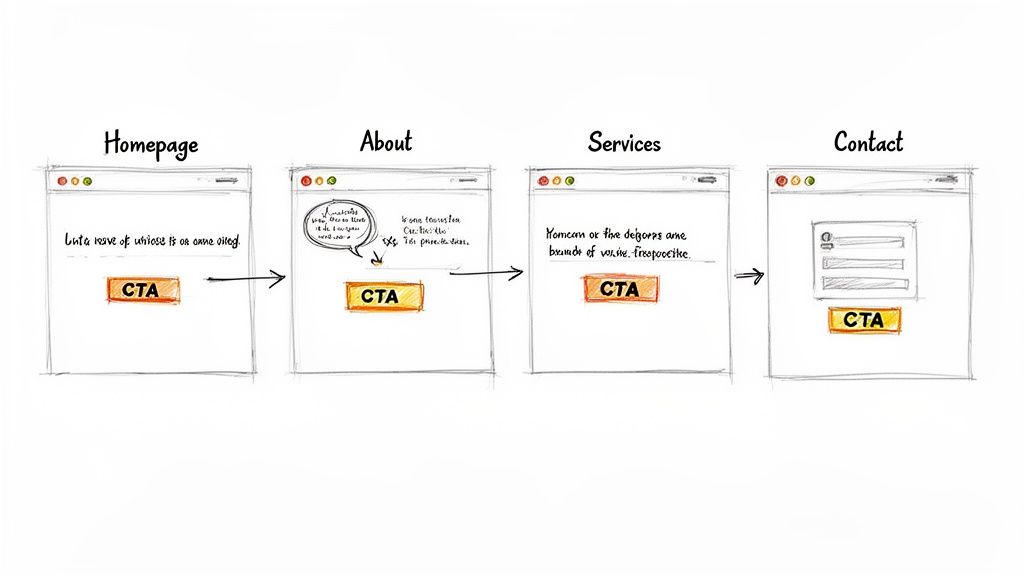
A beautiful website is a great start, but it's only half the battle. If it doesn’t actively guide visitors toward becoming customers, it’s really just a digital brochure collecting dust online. The trick is to build a handful of core pages that work together to build trust and get people to take action.
Think of these pages as your best salesperson, working for you 24/7. Each one has a specific job to do, nudging a potential customer one step closer to calling you, filling out a form, or walking through your front door. For businesses without websites, getting these pages right from the start is the fastest way to see a real return on your new online presence.
The Homepage: Your Digital Welcome Mat
Your homepage is your first impression, and you only get a few seconds to make it count. It has to convince a visitor that they’ve landed in the right place and that you have the solution to their problem. Its main job is to clearly state your value and get people to click deeper into your site.
It must answer three questions almost instantly:
Who are you? (Your business name and logo)
What do you do? (A clear headline that focuses on the benefit to them)
What should I do next? (A big, obvious call-to-action button)
A local roofing company’s homepage, for instance, shouldn't just say "Roofing Services." It should say something like, "Reliable Roof Repairs in Springfield. Get Your Free Estimate Today." See the difference? It's specific, benefit-driven, and tells the user exactly what to do.
The About Page: Building a Human Connection
At the end of the day, people do business with people they know, like, and trust. Your About page is your best shot at building that human connection. It’s where you stop being a faceless company and start being a person—or a team—with a real story.
This is no place for corporate jargon. Share a quick story about why you started the business. Introduce your key team members with a friendly photo. Most importantly, talk about your values and what truly makes you different from the other guys.
A great About page transforms your business from a commodity into a trusted partner. It tells visitors, "We're not just experts at what we do; we're passionate people who care about getting it right for you."
Remember, one in three shoppers has admitted to abandoning a small business simply because it didn't have a website. A good About page builds the credibility and trust you need to keep that from happening. To get more on this, you can explore the recent small business website statistics that really show why this online trust is so critical.
The Services Page: Clarity Over Confusion
Alright, this is where you get down to business. Your Services or Products page needs to clearly explain what you offer and, more importantly, how it helps your customer. Ditch the technical language and industry acronyms that will just confuse a potential client.
Organize your offerings logically. Use clear headings, bullet points, and short descriptions to make everything easy to scan. For every single service, focus on the outcome.
Instead of: "We offer SEO optimization."
Try: "Get More Customers from Google: Our SEO services help local businesses like yours rank higher in search results, bringing more traffic to your site."
The second example connects the service directly to a result the customer actually wants. It answers their silent question: "What's in it for me?"
The Contact Page: Make It the Easiest Yes
Finally, your Contact page should be the simplest page on your entire website. Its only job is to remove every single barrier between you and a potential customer. Don't make people dig around for your info.
Your Contact page must include:
Phone Number: Make it large and clickable on a phone.
Email Address: A direct email for those who prefer writing.
Physical Address: An embedded map is a must if you have a storefront.
A Simple Form: Only ask for the absolute essentials—name, email, and a message.
Nothing kills a potential lead faster than a long, complicated contact form. Keep it short, sweet, and to the point.
Once these pages are built, the next big step is making sure people actually see them. To get your new site in front of your target audience, looking into the 12 Best AI SEO Tools to Dominate Search can give you a modern edge. By crafting these essential pages with real care, you’ll turn your website from a passive online listing into an active, lead-generating machine for your business.
Answering Your Top Questions About Getting Online
Taking your business online for the first time can feel like a massive undertaking, especially when you're already swamped with daily operations. I've talked to countless business owners who are hesitant, and they almost always ask the same handful of questions about cost, time, and tech skills.
Let's cut through the noise and tackle those concerns head-on. The great news is that getting a website is no longer the complicated, expensive ordeal it used to be.
How Much Does It Really Cost?
Let's be honest: the fear of a five-figure invoice is probably the biggest reason most businesses stay offline. And yes, a fully custom-built site can run into the thousands. But that’s just one path, and it’s not the one most small businesses need to take anymore.
Modern AI website builders have flipped the script. Instead of a huge upfront investment, you're looking at a manageable monthly fee. Think of it like a subscription that covers everything you need to exist online:
Design and Build: The actual creation of your site.
Secure Hosting: The plot of digital land where your website lives.
Domain Name: Your business's unique address on the web.
Ongoing Maintenance: All the security updates and background tech stuff you don't want to worry about.
This model means no surprise bills. It makes a professional web presence genuinely affordable, even for the smallest businesses.
I Have Zero Technical Skills. Can I Really Do This?
Absolutely. The idea that you need to be a tech wizard is the single biggest myth holding people back. Today's website builders are made for people who run businesses, not for coders.
If you can type up an email or create a post on Facebook, you have all the technical skills required. You literally just describe your business in plain English, and the AI does all the heavy lifting in the background.
The whole point of these new tools is to let you focus on what you do best—running your business. You shouldn't have to become a part-time web developer just to get online.
How Long Will It Take to Get My Website Live?
Forget the old horror stories of waiting weeks, or even months, for a developer to finish your site. With an AI-powered platform, you can go from having no website to launching a beautiful, professional one in a single afternoon.
Seriously. Once you have a rough idea of your text and a few images, the process is lightning-fast. The AI generates the initial site in minutes. You might spend an hour or two tweaking the details to get them just right. Then you hit "publish," and you're live. You can start in the morning and be showing your new site to customers by lunchtime.
My Business Is Entirely Local. Do I Still Need a Website?
Yes! I'd argue it’s more important for local businesses than for anyone else. Why? Because your local customers aren't using the Yellow Pages anymore. They're using Google.
When someone in your town searches for "plumber near me" or "best tacos in Springfield," your website is what allows you to appear in those results. It’s your digital storefront, open 24/7, giving potential customers the critical info they're looking for right now:
Your hours of operation
Your address (with a handy map)
A clear list of your products or services
Your phone number (one they can click to call instantly from their phone)
Without a website, you're practically invisible to the very people in your community trying to find you.
Ready to get your business online in minutes without the technical headaches? Alpha uses AI to build a professional, conversion-focused website for you instantly. Just provide a little information about your business, and our platform handles the rest. Create your website with Alpha today!
EXAMPLES
Build beautiful websites like these in minutes
Use Alpha to create, publish, and manage a fully functional website with ease.