How to Create Website Mockups People Actually Love
Learn how to create website mockups that bridge the gap between idea and reality. Our guide covers tools, principles, and developer handoff.

Build beautiful websites like these in minutes
Use Alpha to create, publish, and manage a fully functional website with ease.





If you're running a small business, getting a website up and running is one of the most powerful things you can do to build credibility, find new customers, and create a direct line of communication with your audience. Thanks to modern tools, you don't need to be a coding wizard or have a huge budget to create a professional online home for your business.
Why Your Small Business Needs a Professional Website
Let's cut right to the chase: if you don't have a website, you're leaving money on the table. A professional site isn't just a nice-to-have anymore; it's a fundamental piece of your business infrastructure. Think of it as your digital storefront—always open, always working for you.
For many potential customers, your website is the very first time they'll interact with your brand. It's where they'll go to check you out, see what you offer, and decide if you're the right choice. Without a site, you're practically invisible to the massive number of people who use Google to find local services and products.
Establish Credibility and Build Trust
A clean, easy-to-use website immediately signals that you're a legitimate, professional business. It's just what people expect to see. When they can't find a website, it can plant a seed of doubt and send them clicking over to a competitor who does have one.
This isn't just a gut feeling; consumer behavior backs it up. While about 71% of small businesses worldwide have a website, a telling 31% of US shoppers admit they've decided not to buy from a small business specifically because it didn't have one. That’s a direct link between your online presence and your bottom line. You can learn more about these consumer trends and how they shape buying decisions.
Unlock New Opportunities for Growth
A website does more than just make you look good—it actively creates new pathways for growth that you can't get otherwise. It lets you break free from the limitations of your physical location and becomes the engine for all your digital marketing.
Before we dive into the "how-to," it helps to understand the different routes you can take. Each has its own pros and cons depending on your budget, time, and technical comfort level.
Website Options for Small Businesses at a Glance
Method | Best For | Typical Cost | Time Investment |
|---|---|---|---|
DIY AI Website Builder | Beginners & time-strapped owners needing a fast, professional site. | $15-$50/month | Low (a few hours) |
Traditional DIY Builder (e.g., Wix, Squarespace) | Users who want creative control and have some time to design. | $20-$60/month | Medium (a few days to weeks) |
WordPress.org (Self-hosted) | Those needing full customization and control (e.g., complex blogs, e-commerce). | $10-$100+/month | High (weeks to months) |
Hire a Freelancer/Agency | Business owners who prefer to outsource and have a larger budget. | $2,000 - $15,000+ (upfront) | Low (personal time) |
Each path can lead to a great website, but an AI-powered builder like Alpha is often the sweet spot for small businesses, balancing cost, speed, and professional results without a steep learning curve.
Ultimately, a website becomes a multi-purpose tool for growing your business.
A Direct Sales Channel: If you sell products, an e-commerce site creates a whole new revenue stream that works for you 24/7.
A Lead Generation Engine: Simple contact forms, quote requests, and email sign-ups turn casual visitors into potential customers.
Your Central Marketing Hub: All your marketing—social media, email campaigns, online ads—should point back to your website. It's the one piece of online real estate you truly own.
This graphic really boils it down to three core benefits: expanding your reach, building customer trust, and driving direct sales.
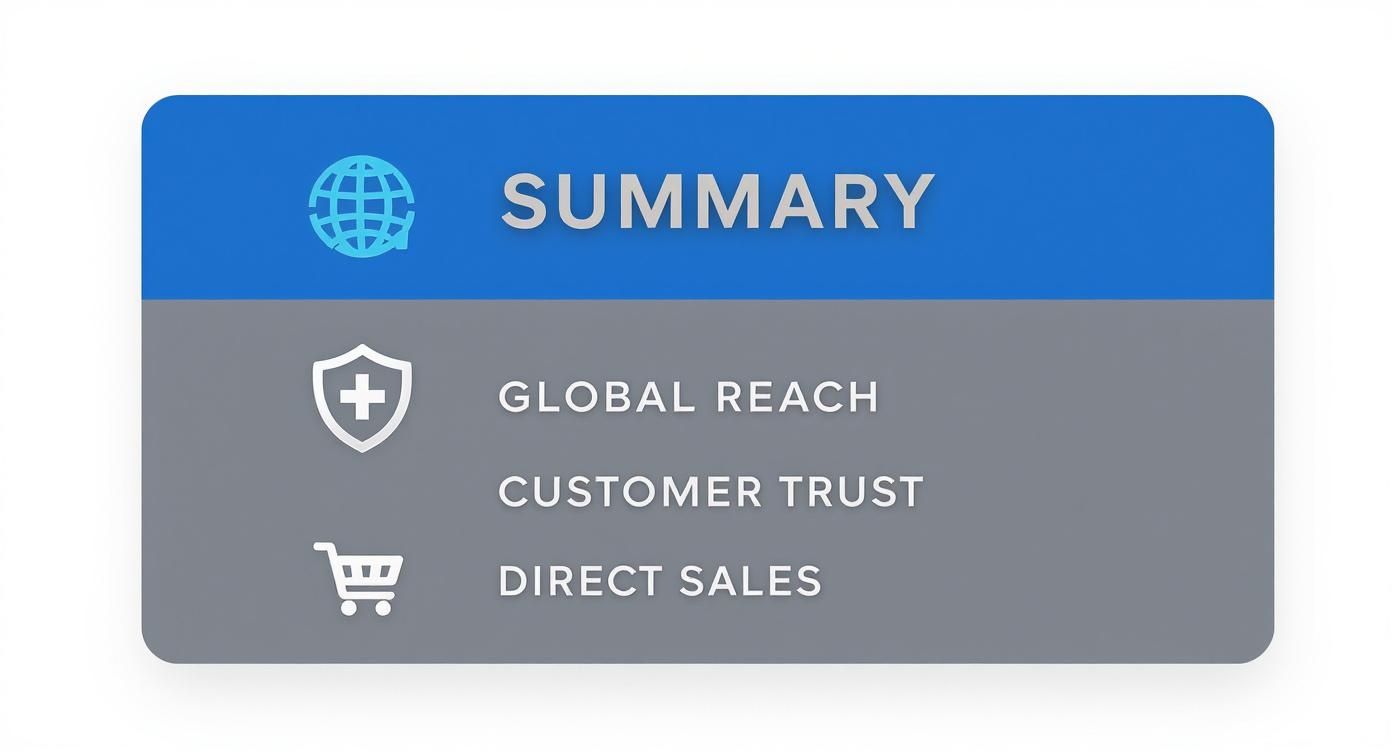
When these elements work in sync, your website stops being a simple online brochure and becomes a powerful asset for growing your business.
Claiming Your Space on the Web
Before you even think about colors, fonts, and fancy layouts, we need to handle the foundational stuff. Getting this part right is like pouring a solid foundation for a house—it makes everything else you build on top of it stable and secure. This is your first real step in creating a website that works for your small business.
First up, you need a domain name. This is your website's address, like www.yourbusinessname.com. It's what people will type in to find you and what you'll put on your business cards. It’s a core piece of your brand.
Next, you need web hosting. If the domain is your street address, hosting is the actual plot of land and the building where your website lives. It’s the server space that stores all your files—your images, text, code—and makes them available to anyone, anywhere. A domain without hosting just points to an empty lot.
Choosing a Domain Name That Sticks
Your domain isn't just a technical address; it's a powerful branding tool. A good one is easy for your customers to remember, type, and tell their friends about. It should click with what you do instantly.
Here are a few tips I've learned from experience for picking a winner:
Keep It Short and Sweet: Long, complicated names are a pain. If a customer can't easily recall it, you've already made it harder for them to come back.
Make It Easy to Spell: Ditch the slang, clever misspellings, hyphens, or numbers if you can. Word-of-mouth is your best friend, but it only works if people can spell your site's name after hearing it once.
Go for .com: There are tons of new extensions out there, but .com still holds the crown for trust and recognition. It’s what most people type by default, and it gives you instant credibility.
Be True to Your Brand: Ideally, your domain is your business name. If it’s taken, try adding a little something extra, like
smithscafechicago.comorapexroofingpros.com.
Your domain name is a long-term asset. It builds value over time as you invest in marketing and SEO. Choose a name you can stick with for years to come, as changing it later can be a complex and costly process.
So, What's the Deal with Web Hosting?
Web hosting can sound intimidating, but it's pretty simple. You're basically renting a slice of a powerful, always-on computer (called a server). When someone types in your domain, that server sends all your website files over to their browser so they can see your site.
For a lot of small business owners, especially those using platforms like WordPress, a big part of this is figuring out how to secure your WordPress site to protect your data. But honestly, there’s a much simpler way to go about this.
Modern AI website builders have completely changed the game here. Platforms like Alpha, for instance, bundle your domain and hosting right into their service. This means they handle all the tricky tech stuff for you.
No Technical Headaches: Forget about server maintenance, security patches, or software updates. It’s all done for you, quietly in the background.
Built-in Security: A good builder automatically includes an SSL certificate, which is essential for protecting your site and your visitors' information. Our guide on https://www.alpha.page/blog/website-security-best-practices explains why this is an absolute must-have for building trust.
Guaranteed Performance: The hosting is already optimized for the platform, which means your site will load quickly and reliably—a huge factor in keeping visitors happy.
This all-in-one approach gets rid of a massive technical barrier, freeing you up to focus on what actually matters: designing your pages and talking to your customers. Instead of juggling different accounts and logins, you get one streamlined place where your domain, hosting, and website all work together perfectly. For most small business owners, it’s simply the smartest and fastest way to get online.
Designing a Site That Builds Instant Trust
Think of your website as your digital handshake. It’s often the very first interaction a potential customer has with your business, and that first impression happens in a flash. A clean, professional, and intuitive design immediately signals that you're a credible and trustworthy operation. On the flip side, a clunky or outdated site can create instant doubt.
This isn't just a hunch; the data backs it up. A staggering 75% of people admit they judge a company's credibility based on its website design alone. And how long does it take for them to form that opinion? A mere 0.05 seconds. That’s why your site's visual appeal is one of the most powerful tools you have. You can get more details on how design impacts user trust in this deep dive into web development statistics.
The good news? You don't have to be a graphic designer to create a site that looks fantastic. Modern website builders, especially AI-powered platforms like Alpha, have done the heavy lifting for you by offering professionally designed templates that you can easily customize.
Choosing the Right Template for Your Brand
A template is much more than just a pretty layout—it's the foundation of your website's entire personality. When you're browsing through options, think about the specific message and feeling you want to convey. The goal is to find a design that feels right for your industry and speaks directly to the customers you want to attract.
For a consulting firm: You're aiming for a look that feels professional and authoritative. Lean towards templates with clean lines, a highly structured layout, and a more corporate color scheme (think blues, grays, and crisp whites).
For a local cafe: Your vibe is all about warmth and community. Look for templates that feature plenty of space for large, inviting photos of your food and customers. Warmer color palettes and more casual fonts will work wonders here.
For a creative portfolio: Your work needs to be the star of the show. The best templates for artists, photographers, and designers are often minimalist, using negative space to ensure the visuals pop.
I always tell my clients to think of it like choosing an outfit for an important meeting. You wouldn't show up to a corporate boardroom in a t-shirt and shorts. In the same way, your website's template should dress your business for the success you're aiming for.
A great template doesn't just look good; it functions flawlessly. It provides a logical structure for your content, making it easy for visitors to find exactly what they're looking for without getting frustrated. This seamless navigation is a cornerstone of a positive user experience.
The Power of Colors and Fonts
Once you've landed on a template, the real fun begins. Customizing the colors and fonts to match your brand identity is where you make it your own. These details might seem small, but they have a massive psychological impact on how people perceive your business.
Color Psychology in Action:
Blue: This one is all about trust, security, and professionalism. It's no accident that you see it everywhere in finance, tech, and healthcare.
Green: Associated with nature, health, and growth. It's a fantastic choice for wellness brands, eco-friendly products, or even financial services wanting to project a sense of prosperity.
Red: Creates a feeling of urgency and excitement. It’s perfect for grabbing attention during a sale or for brands in the food and entertainment spaces.
Black: Signifies luxury, sophistication, and power. High-end fashion brands and premium services often use black to create an elegant, exclusive feel.
Your font choices also say a lot. A serif font (like Times New Roman) can feel more traditional and reliable, while a sans-serif font (like Arial or Helvetica) comes across as modern and clean. The trick is to pick one or two fonts that are easy to read on a screen and stick with them consistently across your site.
If you're interested in going deeper on how all these elements work together, our guide on user experience design fundamentals is a great next step.
By being thoughtful with your template, colors, and fonts, you're doing more than just building a website—you're strategically building a credible brand. These design decisions shape that critical first impression and are essential for turning casual visitors into loyal customers.
Building Your Essential Business Pages
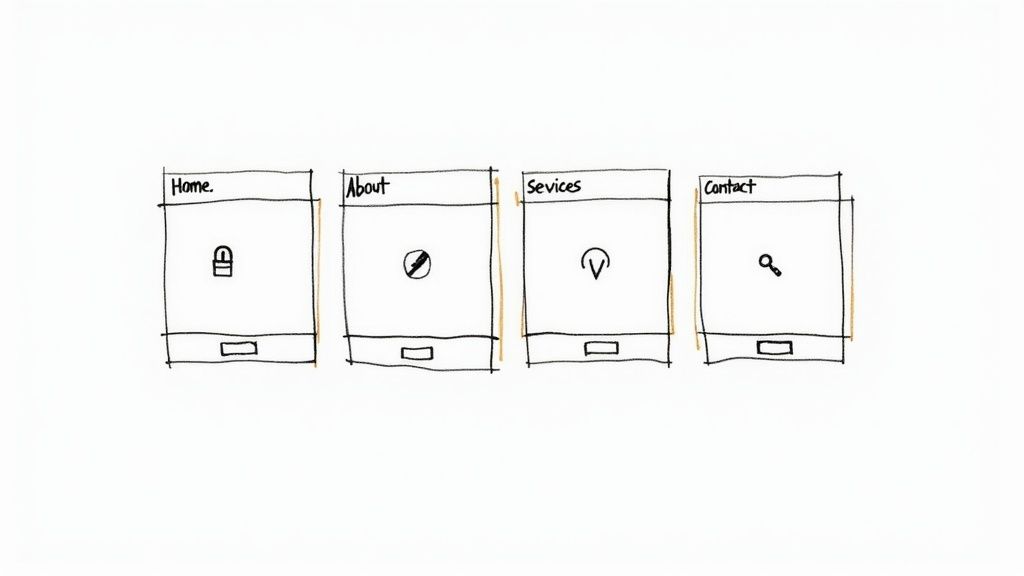
A great website is more than just a slick homepage. It's really a collection of well-thought-out pages, all working together to guide visitors, answer their questions, and ultimately, convince them to take the next step. Once you’ve landed on a design you love, it’s time to flesh out these core pages.
Think of them as the key rooms in your digital storefront. Each one needs a clear purpose, or you risk confusing—and losing—potential customers.
Crafting Your Homepage
Your homepage is your digital front door. It’s the most valuable real estate you have online, and you've got just a few seconds to make a good impression. It has to immediately answer three questions for anyone who lands there: Who are you? What do you offer? And what should I do next?
So many business owners make the mistake of trying to cram everything onto the homepage. Don't do it. Your homepage should act more like a summary and a friendly guide, pointing people in the right direction. Start with a powerful headline that nails your unique value, then add a short paragraph explaining the problem you solve.
From there, break it down into smaller sections. Tease your services, share a snippet of your brand story, and show off some social proof like customer testimonials. Every single element should be pushing visitors toward one primary call-to-action (CTA), like "Get a Free Quote" or "Shop Our Collection."
Telling Your Story on the About Us Page
Believe it or not, the About Us page is often one of the most visited pages on a small business site. This isn't the place for a dry, corporate timeline. It's your chance to connect with people on a human level. At the end of the day, we all prefer doing business with people we know, like, and trust.
Share your origin story! Why did you start this company? What values guide everything you do? Introducing yourself and your team with genuine photos helps build a personal connection that big, faceless corporations simply can't match.
Your About Us page is where you sell the story behind the business, not just the product. It’s a chance to build an emotional connection and show the passion and expertise that makes your business unique. This authenticity is a powerful differentiator.
To make your About Us page really work for you, try to include:
Your Mission: A simple, clear statement about what you're trying to achieve for your customers.
Founder's Story: A brief, personal story about what sparked the business idea.
Team Photos: Put a face to the name. It instantly humanizes your brand.
Customer Testimonials: Let others vouch for you. It reinforces your story with real-world praise.
Detailing Your Products or Services
Alright, this is where you get down to the nitty-gritty. Your Products or Services page needs to be crystal clear and laser-focused on your customer's needs. Ditch the industry jargon and overly technical specs unless that’s exactly what your audience is looking for.
Instead of just listing features, you need to talk about the benefits. How will your service make a customer's life easier? How does your product solve their specific problem? For example, instead of saying, "Our software has 256-bit encryption," you could say, "Keep your data safe and secure with military-grade encryption." See the difference?
Organize your offerings in a way that makes sense. If you sell a lot of products, use categories and filters to help people narrow their search. If you offer services, consider grouping them into clear packages or tiers. And please, use high-quality images or videos—they are absolutely non-negotiable here.
Of course, writing compelling descriptions is a skill in itself. If you need some help, our article on how to write website copy that sells gives you a great framework for turning boring features into persuasive benefits.
Making Connections with Your Contact Page
Finally, your Contact page. The goal here is simple: make it incredibly easy for people to get in touch. A confusing or hidden contact page is a dead end, and it will cost you good leads.
At a bare minimum, this page needs:
A Simple Contact Form: Only ask for what you truly need—name, email, and a message is usually enough.
Business Phone Number: Make sure it's clickable for mobile users.
Email Address: Give people an alternative to using the form.
Physical Address and Map: If you have a storefront, embed a Google Map.
Hours of Operation: Let people know when you're available.
Each of these pages plays a crucial role. By building them with purpose and clarity, you’re creating a website that doesn’t just look professional—it works around the clock to grow your business.
Optimizing Your Website to Attract New Customers
Alright, you've built your core pages and your site is looking sharp. It’s tempting to pop the champagne and call it a day, but hitting "publish" is really just the starting line. Now comes the real challenge: making sure people can actually find your brand-new website.
This is where Search Engine Optimization (SEO) enters the picture. Don't let the three-letter acronym scare you. At its heart, SEO is simply about making your website as clear and helpful as possible for both search engines (like Google) and the human beings using them. Think of it as telling Google, "Hey, my business is a great answer to what people are searching for."
Making Friends with Search Engines
The first step in any solid SEO plan is getting inside your customer's head. What words are they actually typing into Google? These are your keywords.
If you're a local bakery, your ideal client probably isn't just searching for "bakery." They’re getting specific, typing things like "best birthday cakes in Springfield" or "sourdough bread near me." Your job is to weave these kinds of phrases naturally into your website's text, and modern website builders make this part easy.
Quick SEO Wins Inside Your Website Builder
You don't need to be a tech wizard to handle the basics. Here are three things you can do right now in your site editor that make a real difference:
Page Titles: This is the headline that shows up in Google search results and on the browser tab. Every page needs a unique title that includes its main focus. A page for your custom cakes should be titled something like "Custom Celebration Cakes in Springfield," not a generic "Products."
Meta Descriptions: This is the little blurb under your page title in the search results. While it's not a direct ranking factor, a good one convinces people to click. Briefly tell them what the page is about and what's in it for them.
Image Alt Text: When you upload a picture, you’ll see a field for "alt text." This text describes the image for visually impaired users and for search engines. Instead of a generic filename like
IMG_5045.jpg, write a clear description like "three-tier wedding cake with white frosting and fresh flowers."
These small tweaks go a long way in helping search engines understand—and rank—your content.
Don't get bogged down trying to "keyword stuff" or game the system. Google is smarter than that. Your best bet is always to create genuinely helpful content for your audience. SEO is about clarity, not trickery.
Prioritizing Speed and the Mobile Experience
Beyond keywords, Google pays a lot of attention to the user experience you provide. Two of the biggest factors are how fast your site loads and how well it works on a smartphone.
Did you know that a page load delay of just one to three seconds can increase the chance of a visitor leaving by 32%? Speed is everything. This is another spot where using a modern platform is a huge help. Builders like Alpha are designed for performance from the ground up, automatically optimizing images and code so your site is quick without any extra work on your part.
On top of that, over half of all web traffic now comes from mobile devices. If your site is a jumbled mess on a small screen, you’re alienating a massive chunk of your potential customers. A responsive design—one that automatically adjusts to fit any screen—isn't just a nice-to-have anymore. It's essential.
SEO is an Ongoing Process
SEO isn't a "set it and forget it" task. It’s a continuous effort that evolves as your business does. As you grow, you'll find that using tools like marketing automation for small businesses can help you scale your customer outreach without burning yourself out.
Ultimately, it all comes back to your customer. When you focus on creating a clear, fast, and genuinely helpful online experience, you’re not just optimizing for Google—you’re building a better business.
Your Pre-Launch Checklist and Growth Plan
https://www.youtube.com/embed/xsVTqzratPs
You’ve poured your energy into designing, writing, and optimizing. Your new website is so close to the finish line, but hold off on hitting that "launch" button for just a moment. These final minutes before you go live are your golden opportunity to catch the small mistakes that can leave a huge, negative first impression on a visitor. A thorough final check ensures all your hard work pays off from day one.
Think of it like the final walkthrough before a grand opening for a physical store. You’d check every light, sweep the floors, and make sure the register works. Your digital storefront deserves that same level of care.
The Final Technical Sweep
Before you tell the world about your new site, a quick but crucial technical review can save you from some seriously embarrassing glitches. This isn't about diving into code; it's just about making sure everything a visitor might click, tap, or fill out works exactly as intended.
Go through your site page by page and check these things off your list:
Click Every Single Link: I mean every link. Your main navigation, every button, your social media icons, and any links buried in your text. A broken link is a dead end for a user and just looks sloppy.
Test All Your Forms: Fill out your contact form, your newsletter signup, and any other forms you have. Does the submission actually land in your inbox? Does the user see a "thank you" message? You'd be surprised how often this gets missed.
Check on Mobile and Tablet: Seriously, grab your phone and a tablet. Does the site look just as good? Is the text readable without pinching and zooming? Are the buttons easy to tap with a thumb? With more than 50% of all web traffic coming from mobile devices, this step is absolutely non-negotiable.
Content and Design Polish
Okay, the technical side is solid. Now it’s time to put on your editor's hat. You’ve been staring at this content for days, maybe weeks, so it's incredibly easy to become blind to your own typos.
Here's a great little trick I've used for years: read your text out loud. It forces you to slow down and helps you catch awkward phrasing and typos you would otherwise skim right over.
Your website is not a static brochure; it’s a living business tool. Launch day is the beginning, not the end. A simple plan for ongoing maintenance and growth is what separates a good website from a great one.
Double-check that all your images load correctly and aren't blurry. Confirm that your branding—your logo, colors, and fonts—is consistent on every single page. This visual harmony is what makes your site feel professional and builds trust instantly.
Your Simple Post-Launch Growth Plan
Congratulations, you've launched! Pop the champagne, but don't kick your feet up for too long. To keep your site secure and effective, you need a simple maintenance routine. This doesn't have to eat up your week, but a little regular attention will keep your digital asset working hard for you.
Here’s a simple checklist to follow after you go live:
Schedule Regular Backups: Modern website builders like Alpha often handle this for you. If you're using something like WordPress, make sure a backup system is in place. Think of it as your ultimate insurance policy—you'll be glad you have it if you ever need it.
Update Your Content Seasonally: At least once a quarter, give your site a once-over. Are your hours still correct? Do you have new services to add? Fresh content tells both visitors and search engines that your business is active and relevant.
Monitor Basic Analytics: You don't need to be a data scientist. Just log into your site’s analytics once a month and ask two simple questions: Which pages are most popular? And how are people finding my site? The answers will give you invaluable clues about what your customers actually care about, which can guide your future marketing.
Learning how to create a website for a small business is a journey, and this final stage is all about building sustainable habits. By following a pre-launch checklist and committing to a simple growth plan, you ensure your website continues to be a powerful engine for your business long after its debut.
Ready to build a website that not only looks professional but also grows with your business? Let Alpha handle the heavy lifting. Our AI-powered platform makes it easy to create, launch, and manage a high-performing site, so you can focus on what you do best. Get started with Alpha today
Build beautiful websites like these in minutes
Use Alpha to create, publish, and manage a fully functional website with ease.