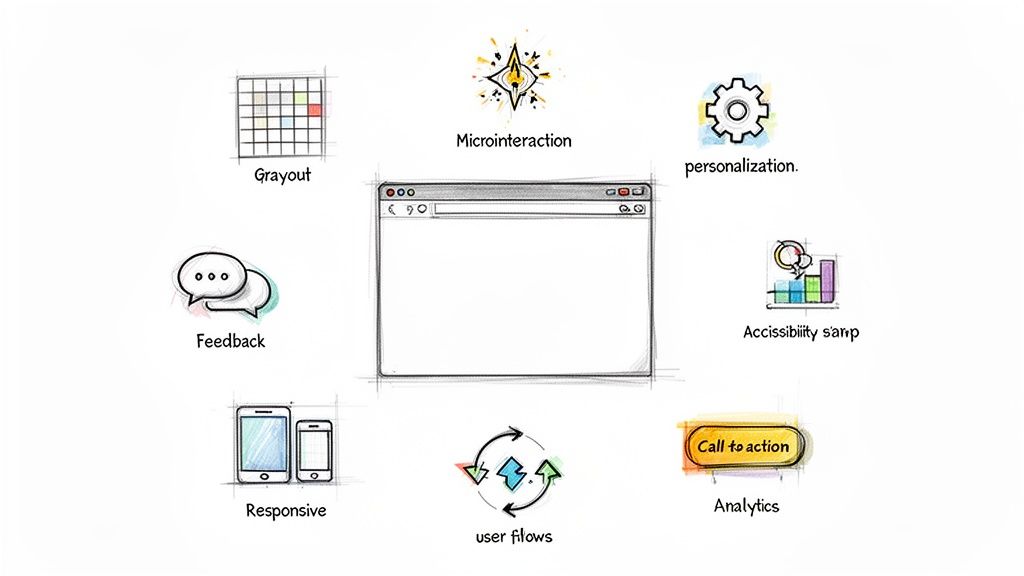






How to Create Website Mockups People Actually Love
Learn how to create website mockups that bridge the gap between idea and reality. Our guide covers tools, principles, and developer handoff.
Build beautiful websites like these in minutes
Use Alpha to create, publish, and manage a fully functional website with ease.
A great website isn't just about aesthetics; it's about creating a seamless, intuitive, and valuable experience for your visitors. In a competitive digital space, understanding and implementing effective UX design techniques is the key to capturing attention, building trust, and driving conversions. But where do you start? To truly understand the impact of these techniques, it's essential to grasp the core concept of What Is User Experience Design. A solid user experience directly translates to better engagement, higher customer satisfaction, and improved business outcomes. It ensures that every click, scroll, and interaction on your site feels purposeful and effortless for the user.
Many traditional website builders require a steep learning curve, making it difficult for entrepreneurs and business owners to apply these crucial principles effectively. This guide breaks down 10 essential UX design techniques that will elevate your website from good to unforgettable. We'll provide actionable steps, real-world examples, and show you how an AI-powered platform like Alpha can help you implement these strategies effortlessly. Our goal is to empower you to turn your vision into a high-performing reality without needing a design degree, making sophisticated user experience design accessible to everyone.
1. User-Centered Design (UCD)
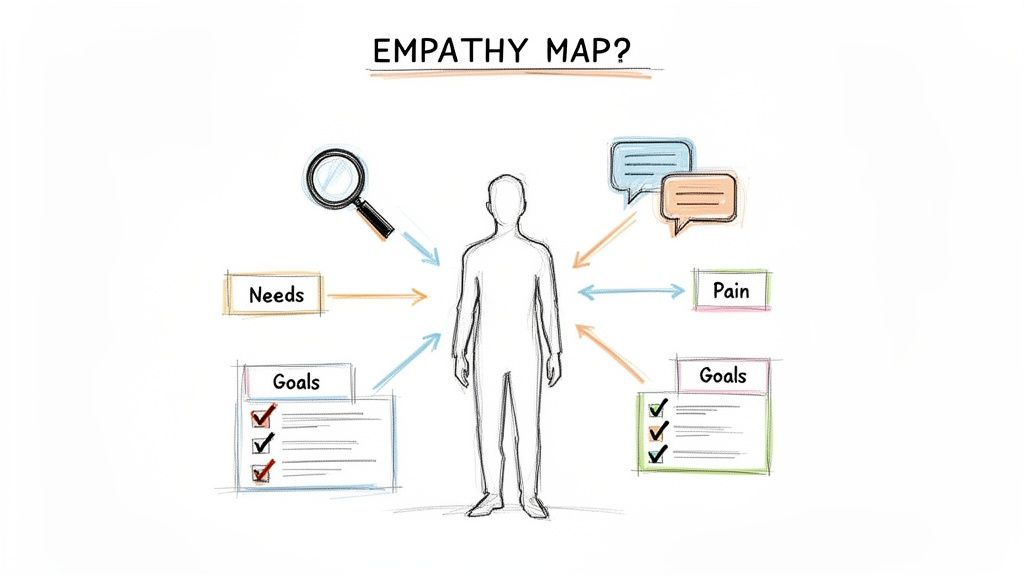
User-Centered Design (UCD) is a foundational UX design technique that places the end-user at the absolute core of every design decision. Instead of assuming what users want, UCD is an iterative process that relies on research, testing, and direct feedback to deeply understand their needs, behaviors, and pain points. The goal is to create products that are not just functional but also intuitive and genuinely helpful to the people using them. This approach ensures the final product aligns with user expectations, leading to higher satisfaction and adoption rates.
Why It Works
UCD is powerful because it mitigates the risk of building the wrong product. By involving users early and often, you avoid costly mistakes and create solutions that solve real-world problems. For example, Slack’s famously simple onboarding process was a direct result of understanding that new users needed immediate value, not a complex tutorial. Similarly, Apple's iPhone interface prioritizes ease of use over feature-stacking, a core principle that has defined its success.
How to Implement UCD
To effectively apply this technique, focus on a continuous cycle of learning and refinement.
Conduct User Interviews: Regularly talk to your target audience. For a platform like Alpha, this means surveying non-technical entrepreneurs about their biggest website-building frustrations.
Create Detailed Personas: Use real data from your research to build user personas. These fictional characters represent your key user segments and help keep the team focused on their needs.
Test and Iterate: Before full implementation, test prototypes with actual users. Use their feedback to refine the design, ensuring a smoother, more intuitive experience at launch.
2. Information Architecture (IA)
Information Architecture (IA) is one of the most critical UX design techniques, acting as the blueprint for how content and features are organized, structured, and labeled. Its primary goal is to help users find information and complete tasks intuitively. For a platform like Alpha, effective IA organizes website builder flows, such as template selection, design customization, and publishing, into a logical sequence so users never feel lost or overwhelmed. This clarity is the foundation of a user-friendly digital product.
Why It Works
Strong IA reduces cognitive load, allowing users to navigate complex systems without conscious effort. It builds a predictable and learnable structure, which in turn fosters user confidence and efficiency. For example, Shopify’s admin dashboard logically groups all tasks by business function (Orders, Products, Customers), making it easy for store owners to manage their operations. Similarly, Figma’s organized layers panel and tools menu allow designers to work quickly without hunting for features.
How to Implement IA
To build an intuitive structure, you must understand user mental models and align the product’s organization accordingly.
Create a Sitemap or User Flow: Before any visual design, map out the hierarchy of pages and the paths users will take to complete key tasks. Learn more about how to plan your website structure.
Use Card Sorting Exercises: Ask real users to group topics or features into categories that make sense to them. This helps you create a navigation system based on user expectations, not internal jargon.
Test Your Navigation: Conduct usability tests with first-time users to see if they can easily find information and complete core actions. Use their feedback to identify and resolve points of confusion.
3. Prototyping and Wireframing
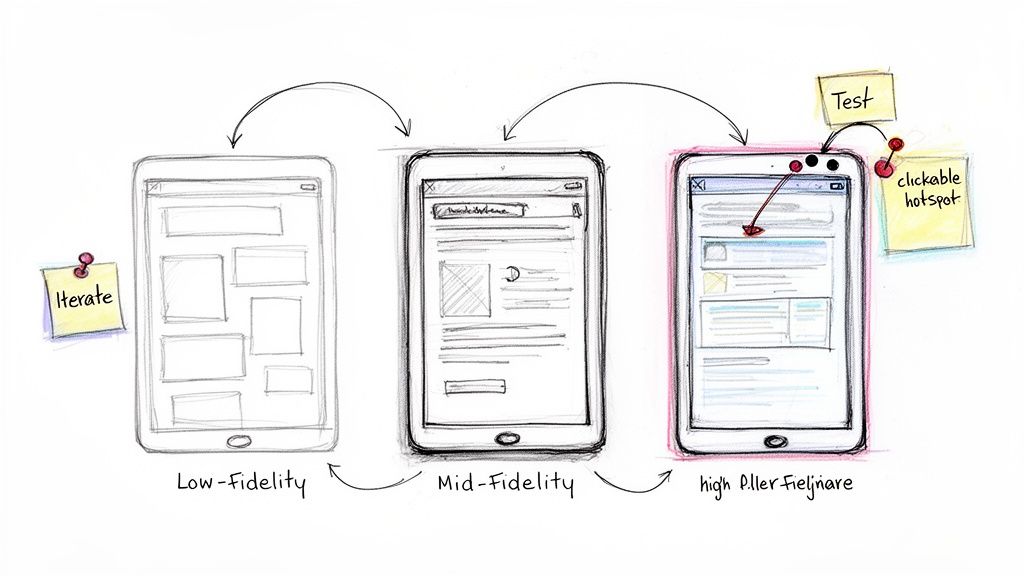
Prototyping and wireframing are essential UX design techniques used to create tangible blueprints of a product before any code is written. A wireframe is a low-fidelity, basic visual guide that focuses on structure, content placement, and core functionality. A prototype, which can range from low- to high-fidelity, is a more interactive model that simulates user flows and functionality. This process allows designers and stakeholders to visualize and test concepts early, saving significant time and resources.
Why It Works
This technique works because it bridges the gap between abstract ideas and a functional product, allowing for rapid feedback and iteration. Dropbox famously used a simple prototype video to validate its core concept, securing initial funding and user interest before the product was even built. Similarly, Airbnb constantly prototypes and tests new booking interactions to refine the user journey and reduce friction. For a platform like Alpha, wireframes can map out the step-by-step website creation flow, ensuring the process is logical and intuitive for non-technical users.
How to Implement Prototyping and Wireframing
To apply this technique, start with basic sketches and gradually add detail and interactivity.
Start with Low-Fidelity: Begin with simple paper sketches or digital wireframes to explore different layouts and ideas quickly without getting bogged down in visual details.
Include Annotations: Add notes to your wireframes explaining intended functionality, user interactions, and the purpose of different elements to ensure clarity for the entire team.
Test Early and Often: Use your prototypes to conduct usability tests with real users. Their feedback is invaluable for identifying pain points before development begins. You can learn more about how to create effective website mockups to streamline this process.
4. A/B Testing and Multivariate Testing
A/B testing and multivariate testing are powerful UX design techniques that use data to settle design debates. Instead of guessing which version of a webpage or feature will perform better, these methods allow you to test variations with real users. A/B testing compares two versions (A and B) of a single element, while multivariate testing compares multiple variables simultaneously to see how they interact. This data-driven approach helps identify the most effective designs for achieving specific goals, such as increasing sign-ups or improving user engagement.
Why It Works
These testing methods remove subjectivity and ground design decisions in empirical evidence. By measuring user behavior directly, you can make incremental improvements that compound over time, significantly boosting performance. For example, Netflix famously tests different thumbnail images for its content to see which one gets the most clicks, directly impacting viewership. Similarly, Amazon constantly experiments with button colors, page layouts, and checkout flows to streamline the path to purchase, a key reason for its e-commerce dominance.
How to Implement A/B and Multivariate Testing
Effective testing requires a structured, scientific approach to yield meaningful results.
Form a Clear Hypothesis: Before starting, state what you believe will happen and why. For an Alpha user, a hypothesis could be: "Changing the main call-to-action button color from blue to orange will increase clicks by 15% because it stands out more."
Test One Element at a Time: For A/B tests, isolate a single variable (like a headline or image) to know exactly what caused the change in performance. Use multivariate testing only when you need to understand how multiple elements interact.
Ensure Statistical Significance: Run your test on a large enough sample of users to ensure the results are reliable and not due to random chance. This is a critical step in any conversion rate optimization strategy.
5. Progressive Disclosure
Progressive disclosure is a powerful UX design technique that manages information complexity by presenting only essential features and content upfront. It reveals more advanced or rarely used options as users interact with the interface, preventing them from feeling overwhelmed. This approach guides users through a workflow by showing just what they need at each step, creating a cleaner, more focused experience. The goal is to reduce cognitive load, making the initial user journey as simple and intuitive as possible.
Why It Works
This technique is effective because it respects the user's learning curve. By hiding advanced functionality, you make an application feel less intimidating and easier to learn for newcomers, while still providing depth for experts. For example, Google Maps initially shows a simple search bar but reveals advanced filters and transit options only after a user starts a search. Similarly, Alpha’s website editor displays basic text and image editing tools immediately, keeping advanced settings like custom animations tucked away in accessible sub-menus.
How to Implement Progressive Disclosure
To apply this technique effectively, you need to strategically layer information based on user needs and task frequency.
Prioritize Features: Identify the core actions most users will take. Use the 80/20 rule to determine the 20% of features that will handle 80% of use cases and make them immediately visible.
Use Clear Triggers: Ensure the triggers for revealing more information, like "Advanced Settings" links or "+" icons, are clearly labeled and intuitive. Users should know that more options are available if they need them.
Test for Discoverability: Conduct usability tests to confirm that both novice users have a simple starting experience and power users can easily find the advanced features they need without frustration.
6. Cognitive Load Theory and Simplification
Cognitive Load Theory is a UX design technique centered on the principle that the human brain has a limited working memory. This approach involves designing experiences that reduce the mental effort required from users, making products easier to learn and use. By simplifying interfaces and removing unnecessary elements, you prevent users from feeling overwhelmed, which allows them to focus on achieving their goals efficiently. The essence is to design within cognitive limits to create a more intuitive and less frustrating user experience.
Why It Works
This technique is effective because it directly addresses a core human limitation. When an interface is cluttered or confusing, users abandon tasks. For example, Google's homepage is the ultimate example of low cognitive load with its single, clear call to action. Similarly, Apple’s iPhone interface masterfully hides complexity behind a simple, intuitive design, making powerful technology accessible to everyone. By minimizing mental strain, you increase task completion rates and user satisfaction. Further reinforcing these principles, there are compelling 5 Biggest Reasons You Should Simplify Your Website Design, ensuring clarity and ease of use.
How to Implement Cognitive Load Theory
Applying this theory requires a ruthless focus on clarity and simplicity in your design process.
Group Related Elements: Use visual cues like spacing and containers to group related information and actions. This helps users process information in chunks, making the interface easier to scan.
Limit Choices: Whenever possible, limit the number of options presented to a user at one time. For Alpha users, this means focusing on a core website-building workflow instead of presenting every advanced feature upfront.
Use Progressive Disclosure: Hide complex or less-frequently used features behind a click. This keeps the primary interface clean while still providing power users with the tools they need when they need them.
7. Visual Hierarchy and Design Systems
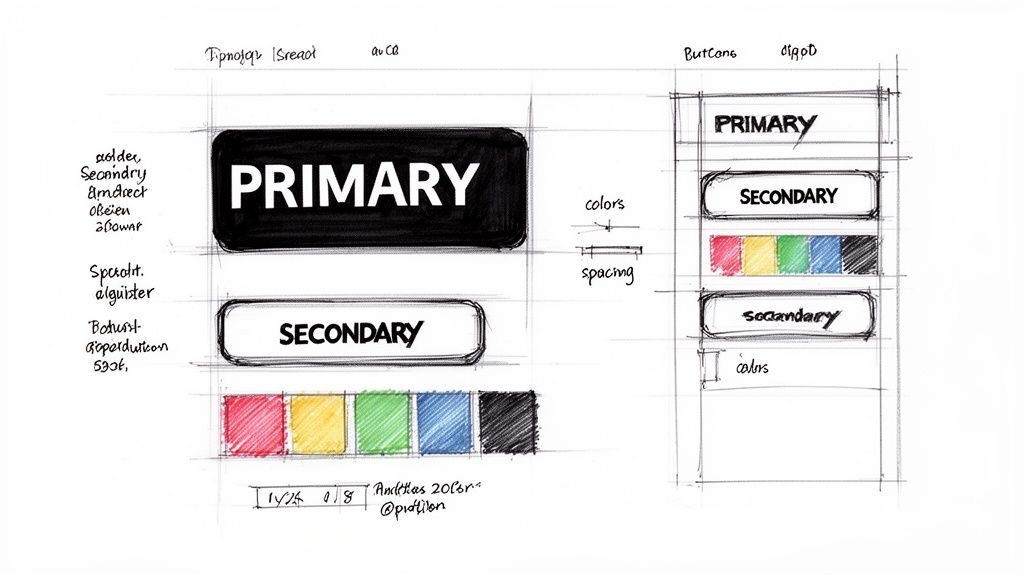
Visual Hierarchy is a core UX design technique that arranges interface elements to guide the user's eye toward the most important information first. It uses principles like size, color, contrast, and placement to create a clear path of action. A Design System supports this by providing a standardized library of reusable components and guidelines, ensuring that this hierarchy is applied consistently across an entire product or website. This dual approach creates an experience that is both intuitive to navigate and visually cohesive.
Why It Works
This combination is effective because it brings order and predictability to the user experience, reducing cognitive load. Users can quickly understand how to interact with an interface without confusion. For example, Google's Material Design system provides a clear set of rules for shadows, colors, and button states, ensuring users instantly recognize interactive elements across all Google products. Similarly, Alpha’s templates use a consistent design system so that a "Call to Action" button always looks and feels the same, regardless of the page.
How to Implement Visual Hierarchy and Design Systems
To apply these powerful UX design techniques, focus on creating and maintaining a single source of truth for all design elements.
Establish a Clear Hierarchy: Define primary, secondary, and tertiary actions. Make primary buttons (like 'Publish Website' in Alpha) more prominent using bold colors and larger sizes.
Create a Component Library: Build a collection of reusable UI elements, such as buttons, forms, and navigation bars. This ensures consistency and dramatically speeds up the design and development process.
Document Everything: Create clear guidelines for typography, color palettes, spacing, and component usage. This documentation is essential for keeping your entire team aligned.
8. Accessibility (WCAG and Inclusive Design)
Accessibility is a fundamental UX design technique focused on making products usable by everyone, including people with visual, hearing, motor, or cognitive disabilities. This involves following established standards like the Web Content Accessibility Guidelines (WCAG) and adopting an inclusive design mindset. The goal is to remove barriers, ensuring that content and functionality are available to all users, regardless of their abilities or how they access the web. This not only broadens your audience but also improves the overall user experience and reduces legal risks.
Why It Works
Designing for accessibility creates a more robust and user-friendly product for everyone. Good color contrast, for instance, helps users with low vision but also benefits someone viewing their screen in bright sunlight. Microsoft's Inclusive Design toolkit is a prime example of how considering diverse needs from the start leads to innovation and better products for a wider audience. Similarly, the BBC's website is a gold standard, demonstrating how a content-rich site can be fully accessible without compromising on design.
How to Implement Accessibility
Integrate accessibility into your workflow from the very beginning, not as a final checklist item.
Ensure High Contrast: Use tools to check that your text and background colors have a contrast ratio of at least 4.5:1, making content legible for all users.
Provide Alt Text for Images: Write descriptive alt text for all meaningful images. This allows screen reader users to understand the visual content on your page.
Enable Keyboard Navigation: Test your site to ensure every interactive element, like links, buttons, and forms, can be accessed and used with only a keyboard.
9. Onboarding and Guided Workflows
Onboarding and Guided Workflows are UX design techniques focused on orienting new users and simplifying complex tasks. Effective onboarding transforms a user's initial uncertainty into confidence, guiding them to their first moment of success. Instead of leaving users to figure things out alone, this approach provides a structured, step-by-step path to value. The goal is to reduce friction, increase activation, and ensure users understand how to leverage the product to achieve their goals.
Why It Works
A strong first impression is critical for user retention. Onboarding works because it helps users overcome the initial learning curve and experience the product's core value quickly. For example, Duolingo's gamified onboarding makes learning a language feel immediately fun and achievable, while Slack's brief, friendly tour gets users to send their first message in moments. This immediate success creates a positive feedback loop that encourages deeper engagement and long-term use.
How to Implement Onboarding and Guided Workflows
To build a successful onboarding experience, focus on clarity, motivation, and immediate value.
Identify the "Aha!" Moment: Determine the single most important action a new user should take to understand your product's value. For a platform like Alpha, this is seeing a professionally designed website generated from their business description.
Guide, Don't Dictate: Create interactive, contextual prompts that assist users as they explore. Make the initial tour skippable but compelling enough that users want to complete it.
Celebrate Small Wins: Acknowledge user progress with positive reinforcement. Celebrate milestones like selecting a template, publishing the first page, or connecting a custom domain to build momentum and user confidence.
10. Feedback Loops and Micro-interactions
Feedback loops and micro-interactions are crucial UX design techniques that provide users with immediate, clear responses to their actions. These small, often subtle animations, transitions, and confirmations create a responsive and dynamic interface. By acknowledging a user's input, they build confidence, prevent confusion, and can even add a touch of delight to the experience. For instance, when a user publishes a page on Alpha, a small "Published Successfully" notification confirms the action was completed.
Why It Works
This technique makes an interface feel alive and communicative. When users know their actions are registered, they feel more in control and are less likely to get frustrated. Gmail's "undo send" button is a perfect example of a reassuring feedback loop, giving users a brief window to correct a mistake. Similarly, Slack’s emoji reactions are delightful micro-interactions that make communication more expressive and engaging.
How to Implement Feedback Loops and Micro-interactions
The key is to make feedback immediate and meaningful without being distracting.
Provide Instant Confirmation: Every interactive element, from a button click to a form submission, should have an immediate response. Alpha’s live preview instantly shows design changes, providing a tight feedback loop for builders.
Keep Animations Brief: For quick actions, animations should be subtle and fast, ideally under 300ms. They should guide the user’s eye, not slow them down.
Use Clear Loading States: For actions that take time, use progress bars or loaders to show that the system is working. This manages expectations and reduces perceived wait times.
Comparison of 10 UX Design Techniques
Pattern / Technique | 🔄 Implementation Complexity | ⚡ Resource Requirements | 📊 Expected Outcomes | 💡 Ideal Use Cases | ⭐ Key Advantages |
|---|---|---|---|---|---|
User-Centered Design (UCD) | High — iterative research & testing | High — researchers, participants, time | Improved usability, retention; reduced rework | New products/features for non‑technical users | Aligns product with real user needs |
Information Architecture (IA) | Medium — planning taxonomies & flows | Medium — UX time, card‑sorting, sitemaps | Faster discovery; lower cognitive load | Complex content or multi‑workflow platforms | Improves findability and trust |
Prototyping & Wireframing | Medium — varying fidelity layers | Medium — designers, prototyping tools | Fewer dev issues; clearer requirements | Validate flows before development | Rapid feedback; saves development cost |
A/B & Multivariate Testing | Medium–High — experiment setup & analysis | High — analytics, traffic, testing tools | Optimized conversions; quantitative insights | Iterative optimization of CTAs, onboarding | Data‑driven decisions with measurable impact |
Progressive Disclosure | Low–Medium — layering & conditional logic | Low — design effort; some dev for conditions | Reduced overwhelm; better beginner UX | Interfaces for both novice and power users | Balances simplicity with advanced options |
Cognitive Load & Simplification | Low–Medium — design reviews & refactors | Low — UX testing, content pruning | Faster task completion; fewer errors | Core workflows requiring clarity | Enhances learnability and efficiency |
Visual Hierarchy & Design Systems | Medium–High — system creation & governance | Medium — designers, component libraries, docs | Consistency across product; faster delivery | Scaling products and cross‑team work | Consistency, reusability, maintainability |
Accessibility (WCAG & Inclusive Design) | Medium–High — guidelines + testing | Medium — audits, assistive tech testing, training | Broader audience, compliance, better UX | Public‑facing platforms; legal-risk areas | Inclusive, legally safer, improves SEO |
Onboarding & Guided Workflows | Medium — flow design + content creation | Medium — content creators, product dev | Higher activation; reduced support requests | New‑user activation; complex multi‑step tasks | Speeds time‑to‑value; increases retention |
Feedback Loops & Micro‑interactions | Low–Medium — small patterns, states | Low — frontend dev effort, attention to detail | Perceived responsiveness; fewer mistakes | Interaction‑heavy features; confirmations | Improves clarity, trust, and user delight |
Start Building a Better User Experience Today
Navigating the landscape of UX design can feel complex, but the journey from understanding to implementation is the most critical step you can take for your digital presence. We've explored a powerful arsenal of ten distinct UX design techniques, each serving as a vital tool for crafting experiences that resonate with users and drive business results. From the foundational principles of User-Centered Design and Information Architecture to the dynamic fine-tuning enabled by A/B testing and prototyping, these methods are not isolated tactics but interconnected components of a holistic strategy.
The core takeaway is that exceptional user experience isn't an accident; it's a deliberate and continuous process of refinement. It’s about building a logical sitemap, simplifying choices through Progressive Disclosure, and reducing cognitive load to make interactions feel effortless. It’s about creating visual harmony with a consistent design system, ensuring inclusivity through accessible design, and guiding users with intelligent onboarding. Every technique, from the smallest micro-interaction to the broadest architectural decision, contributes to a single goal: making your product more intuitive, effective, and enjoyable.
From Theory to Actionable Impact
Mastering these concepts is more than an academic exercise. It directly translates into tangible benefits that can fundamentally alter the trajectory of your business. A well-executed UX strategy, built on these proven techniques, leads to:
Increased Conversions: By removing friction and guiding users seamlessly through workflows, you make it easier for them to complete desired actions, whether that's making a purchase, signing up for a newsletter, or filling out a contact form.
Enhanced User Loyalty: When a website or application is a pleasure to use, customers are more likely to return. A positive experience builds trust and fosters a loyal user base that advocates for your brand.
Reduced Support Costs: An intuitive interface preemptively answers user questions and minimizes confusion, which in turn decreases the volume of support tickets and customer service inquiries.
The path forward is to start small and iterate. You don't need to implement every single one of these UX design techniques overnight. Begin by identifying the most significant friction point in your current user journey. Is it a confusing navigation menu? A cluttered checkout page? A lack of feedback on user actions? Select one or two relevant techniques, apply them, measure the impact, and build from there. This iterative approach ensures steady progress and allows you to learn directly from your users' behavior. The most important step is simply to begin.
Ready to apply these powerful UX design techniques without the steep learning curve? Alpha uses AI to embed these principles directly into your website-building process, from generating a logical information architecture to ensuring your design is accessible and intuitive. Stop guessing and start creating with an AI partner that understands user experience, so you can focus on your business. Try Alpha today and see the difference for yourself.
Build beautiful websites like these in minutes
Use Alpha to create, publish, and manage a fully functional website with ease.