How to Create Website Mockups People Actually Love
Learn how to create website mockups that bridge the gap between idea and reality. Our guide covers tools, principles, and developer handoff.
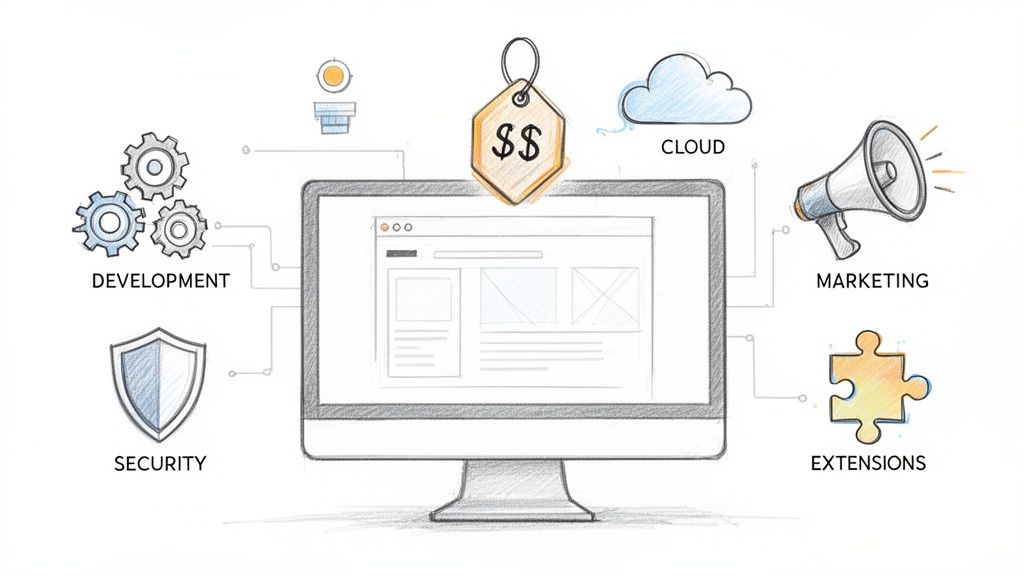
Build beautiful websites like these in minutes
Use Alpha to create, publish, and manage a fully functional website with ease.





So, what does it really cost to get an ecommerce website off the ground? The short answer is, it varies wildly—from a few hundred dollars for a simple, do-it-yourself setup to well over $100,000 for a large-scale, custom-built machine. A basic site might only set you back $500 to get started.
The final number on the invoice comes down to the choices you make. It's a mix of the technology you pick, how complex your design is, and the specific tools you need to actually run your business and sell your products.
Your Quick Guide To Ecommerce Website Costs
Before we start dissecting every line item, let's get a bird's-eye view of the costs involved. Think about it like buying a car. You could go for a reliable, no-frills sedan that gets you from A to B, a high-performance sports car built for speed, or a fully custom rig designed for a specific job. They all drive, but the investment and capabilities are worlds apart.
The same idea applies to your online store. There's no single price tag for an "ecommerce website." Instead, it's a spectrum of costs, and where you land depends entirely on your business's needs and ambitions. A solopreneur just testing out a new product idea has a completely different set of requirements than a global brand managing massive inventory and international shipping.
Estimated Costs By Business Stage
To help you get a clearer picture of the budget you'll need, we've outlined the typical costs based on business size and complexity. This table is your cheat sheet—a way to quickly find where you fit and understand the real-world financial commitment, both for the initial launch and for keeping the lights on year after year.
Here’s a summary of what you can generally expect to invest at different stages of your business journey.
Estimated Ecommerce Website Cost By Business Stage
Business Stage | Initial Setup Cost | Annual Ongoing Cost | Best For |
|---|---|---|---|
Starter Store | $500 – $5,000 | $500 – $2,500 | New businesses, solopreneurs, or anyone testing a new idea with a small number of products. |
Growing Business | $5,000 – $25,000 | $2,500 – $15,000 | Established small-to-medium businesses that need a unique design and more powerful sales tools. |
Enterprise Level | $25,000 – $100,000+ | $15,000+ | Large retailers who need complex system integrations, support for high-volume traffic, and bespoke features. |
Think of this table as a starting point. It helps frame the conversation and prevents the sticker shock that often comes when you hear a single, one-size-fits-all number.
The goal isn't just to launch a website. It's to build a sales engine that can grow with you. Your initial investment should solve your immediate needs but also be flexible enough for what's coming next.
As we dive deeper into the specific cost components in the sections ahead—from platform fees and payment processing to marketing and maintenance—keep this table in mind. It'll help you make smarter decisions that balance today's budget with tomorrow's growth.
Choosing Your Path To Building An Online Store
So, you've decided to open an online store. That's the easy part. The next decision—how you're going to build it—is where things get interesting, and it's the single biggest factor that will shape your budget.
Think of it like building a house. You could grab a pre-fabricated kit that's quick and affordable, which is a lot like using an AI-powered builder. You could pick a model home in a planned community, similar to the structured yet customizable world of SaaS platforms like Shopify. Or, you could get a detailed blueprint and build it yourself, which mirrors open-source systems. And of course, you could hire an architect for a one-of-a-kind design, the equivalent of a high-end custom development project.
Getting this choice right from the start is crucial. It ensures the platform you pick actually fits your business goals, your technical comfort level, and what's in your bank account.
The Four Main Ways to Build an Ecommerce Site
Each of these building methods is designed for a different kind of entrepreneur. Your timeline, budget, and how much you enjoy (or despise) tinkering with technology will point you in the right direction. Let's break down the four main paths.
DIY AI Website Builders: This is the newest and, by far, the fastest route to get online. Tools like Alpha use artificial intelligence to generate a working website from just a few simple prompts. It's a game-changer for solopreneurs or small businesses who need to launch fast with almost no upfront cost and zero coding.
SaaS Platforms: "Software as a Service" platforms are the all-in-one powerhouses like Shopify or BigCommerce. They bundle hosting, security, and all the essential features into a neat monthly subscription. This is the most popular path for good reason—it strikes a perfect balance between power and simplicity, making it ideal for growing businesses that want a reliable system without the headache of managing the technical side.
Open-Source Platforms: Systems like WooCommerce (which is a plugin for WordPress) hand you the keys to the kingdom. The core software is free, but you're on the hook for everything else: hosting, security, maintenance, you name it. This is a dream for developers or anyone with the budget to hire one, offering total freedom and flexibility.
Custom Development: This is the enterprise-level, built-from-scratch approach. You hire a team of developers to create a store precisely to your specifications. It delivers unlimited customization but comes with the highest price tag and the longest timeline. This route is really only for large-scale businesses with incredibly unique needs that no off-the-shelf solution can handle.
This decision tree helps visualize how your business needs can lead you down a path toward a simpler, more affordable solution or a more complex, pricier one.
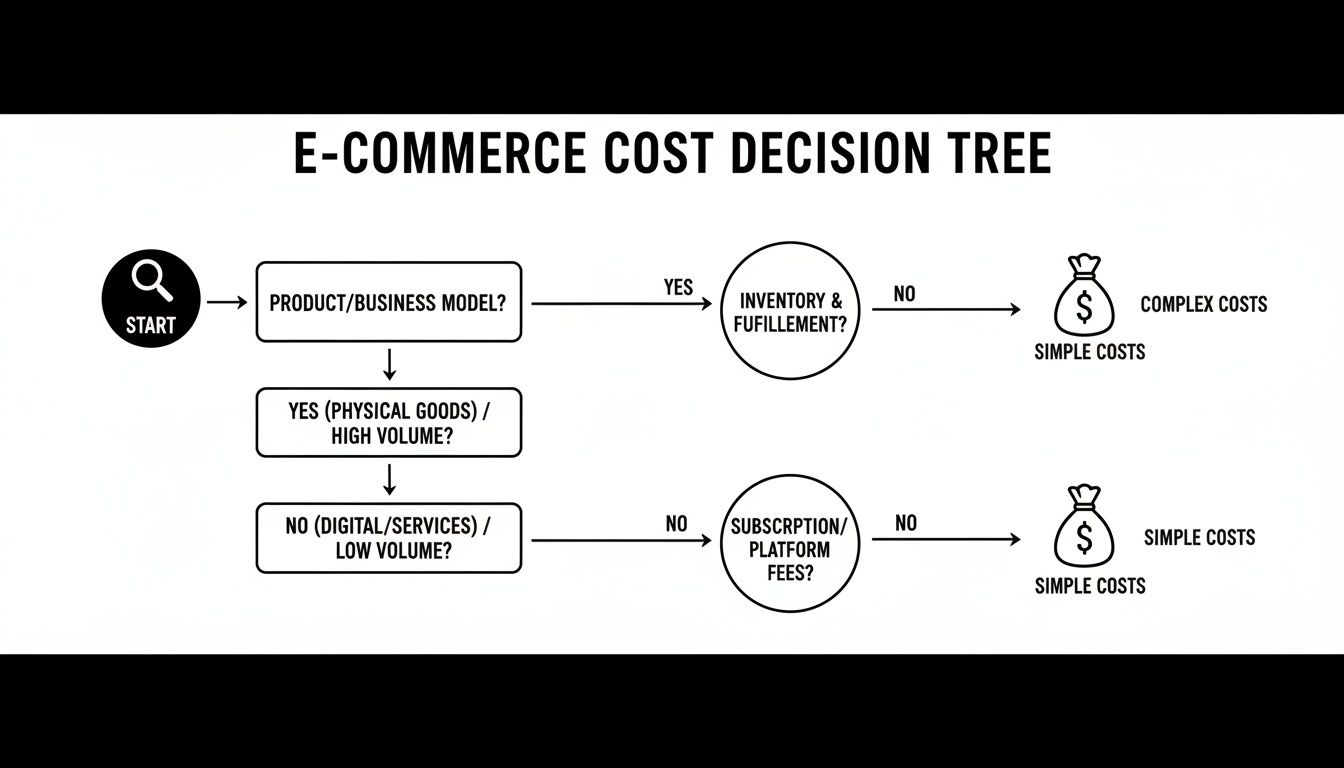
As the diagram shows, figuring out your ecommerce costs starts with a clear-eyed look at your needs. The more complex they are, the more you can expect to invest.
Comparing The Costs and Trade-Offs
The price difference between these options is massive. A DIY AI builder can get you up and running for less than $500, while a fully custom build can easily soar past $100,000.
SaaS platforms occupy that popular middle ground. Shopify, for instance, is projected to command 28% of the global market by 2026, largely because it's so approachable. But don't be fooled by the low entry price. A basic plan starts around $39/month, but for high-volume stores, Shopify Plus can exceed $2,000/month. Throw in some custom development work, and your total annual cost can land anywhere from $25,000 to $80,000.
On the other hand, a free open-source tool like WooCommerce isn't truly free. You still have to pay for hosting ($20-$500/month), premium plugins and themes ($500-$2,000/year), and likely some initial developer help ($2,000-$15,000). It gives you incredible flexibility, but that freedom often comes with more maintenance headaches.
Your platform choice is a long-term partnership. It’s not just about the initial setup cost, but the total cost of ownership over time, including fees, apps, and maintenance.
Making The Right Choice For Your Business
So, how do you pick? It really comes down to asking yourself a few honest questions.
What is your budget? Be realistic about what you can spend upfront and what you can afford to pay every month.
What is your technical skill level? If you break into a cold sweat thinking about code, be honest about it. Know what you can handle yourself and what you'll need to pay someone for.
How fast do you need to launch? A tight deadline makes a quick-start option like an AI builder or a SaaS platform look a lot more attractive.
What are your future growth plans? Think about where you want to be in a few years. You need a platform that can grow with your business, not one you'll outgrow in six months.
Answering these questions will help you narrow down the field. For a deeper dive, check out our guide on the best website builders for online stores for a side-by-side comparison of the top players.
Ultimately, the best platform is the one that lets you build your business without becoming a financial drain or a technical nightmare.
Breaking Down Your Upfront Launch Costs
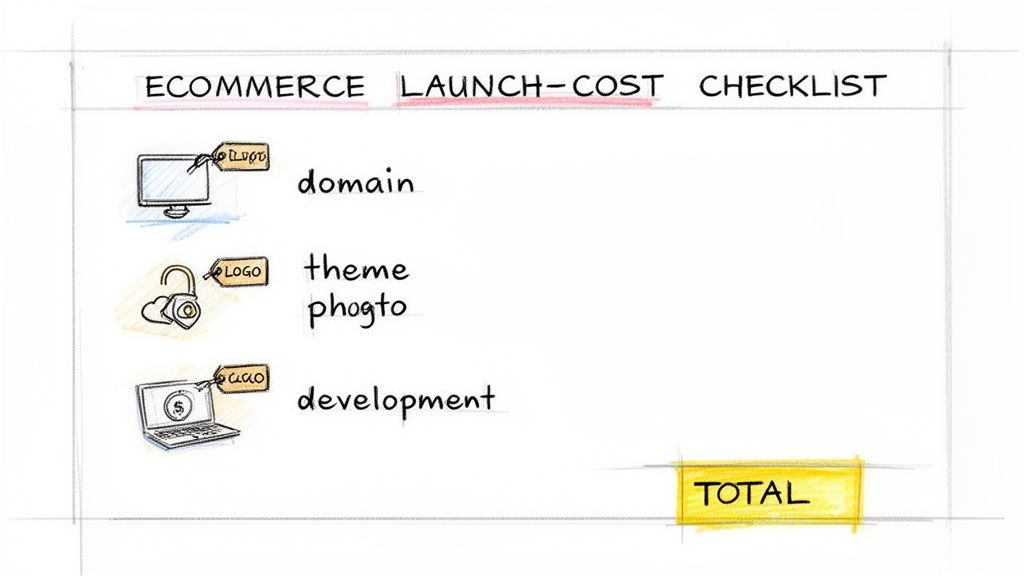
Getting an online store off the ground involves more than just choosing a platform. Before you make your first sale, you'll face a series of one-time investments that build the foundation of your business. Let's walk through every line item you can expect on your launch checklist so there are no surprises.
Think of your domain name as your digital address. A memorable one makes marketing campaigns and word-of-mouth referrals so much easier. I always advise clients to aim for a short URL, ideally under 15 characters, to cut down on typos and make it easy to remember.
Essential Line Items
Every upfront cost you'll encounter falls into a distinct category of work. You're essentially building a house, and each part has its own price tag.
These categories typically include:
Domain registration (and privacy protection!)
Theme or template purchase
Logo and branding assets
Product photography and other media
Any custom feature development
Premium apps or extensions
Each of these items comes with a price range that hinges on quality and complexity. For example, a premium template might cost $200, but a completely custom-built theme designed by an agency can easily run up to $20,000. Knowing these figures helps you decide where to invest your capital and where you can afford to be more frugal.
Upfront Ecommerce Launch Cost Checklist
To give you a clearer picture, here’s a detailed breakdown of the common one-time costs you'll face when building and launching an online store. The ranges show just how much your choices can impact the final bill.
Cost Item | Low-End Estimate | High-End Estimate | Notes |
|---|---|---|---|
Domain Name | $10 | $50 | Includes privacy. Renewals vary by top-level domain (TLD). |
Theme or Template | $0 | $200 | Free themes are available, but premium options offer more. |
Custom Design | $2,000 | $20,000 | For a bespoke UI/UX from a professional agency. |
Logo and Branding | $300 | $3,000 | Ranges from a freelancer to a full-service design agency. |
Product Photography | $500 | $5,000 | Spans from DIY smartphone shots to professional studio packages. |
Feature Development | $1,000 | $15,000 | Covers custom checkout, search, integrations, etc. |
Premium Apps | $0 | $1,000 | One-time fees for extensions that add advanced tools. |
Total | $3,810 | $44,250 | Your total will fall somewhere in this range, depending on your choices. |
This table makes it easy to see where your money goes. The key is to allocate your budget to the areas that will have the most significant impact on your customers' experience.
“Invest wisely in elements that directly impact customer trust and usability.”
Why One-Time Costs Matter
These aren't just fees; they are investments that directly shape customer perception and, ultimately, loyalty. I’ve seen firsthand how spending a bit more on a professional logo or high-quality product photography can boost conversion rates by up to 30%. These strategic investments pay dividends down the road in brand recall and customer trust.
Balancing Investment and Value
Think of choosing a theme like picking shoes for a hike. A decent pair for a day trip might cost $75 and will get the job done. But if you’re climbing a mountain, you’ll want the $300 boots built for performance and support. A premium theme is similar—it usually comes with better code, more features, and dedicated support.
That said, if your budget is tight, a free theme with a few custom tweaks can absolutely work to get you started.
It's also worth noting how much these costs have shifted over the last decade. Back in 2016, launching a store might have cost $5,000–$20,000. Today, as detailed by the experts at MakDigitalDesign, that range is closer to $3,000–$150,000+. This jump reflects rising developer rates and the complexity of modern e-commerce.
Practical Tips for Smart Spending
Prioritize a reliable theme over flashy, unnecessary features. Performance matters most.
Look for bundled logo and branding packages to save money.
Plan your photography in batches to reduce studio rental time and costs.
Limit custom development to must-have features, like a streamlined checkout flow.
Always explore free or low-cost extensions before paying for premium ones.
Ask your developer if they can negotiate bulk rates for premium apps.
Always get multiple bids for design and development work to find the best value.
For more insights on managing your budget, check out our guide on the essentials of website hosting to keep your ongoing costs lean.
Scheduling Future Enhancements
It’s tempting to build every feature you’ve ever dreamed of from day one, but that’s a recipe for budget overruns. I recommend creating a "phase two" plan for less critical features.
This list often includes things like:
Advanced search filters and personalized product recommendations
Loyalty programs or reward point integrations
Multilingual sites or multi-currency checkout options
Complex API integrations for ERP or CRM systems
A custom mobile app interface for on-the-go shoppers
By setting these aside, you can keep your initial launch focused and your budget under control.
Building a Realistic Budget
Now that you have the estimates, it’s time to get practical. Open a spreadsheet and start tallying.
List every single cost item and plug in your chosen estimate (low, mid, or high).
Add a contingency buffer of 10%–20%. Trust me, you'll need it for unexpected changes.
Total your projected budget and see how it stacks up against your available funding.
A simple but effective tip: set clear deadlines for all vendor deliverables. This is the best way to prevent scope creep from slowly draining your budget.
This workbook-style approach turns a daunting task into a manageable plan, preventing nasty surprises later. It gives you the flexibility to adjust priorities or push custom work into a later phase if needed. As you refine your numbers and gather quotes, you’ll gain a clear picture of where early investments will deliver the best returns.
Understanding the Real Costs of Running Your Store
Getting your ecommerce site live feels like a huge accomplishment—and it is! But it’s the starting line, not the finish. So many entrepreneurs pour all their focus into the initial launch budget, only to get blindsided by the recurring expenses that are essential to actually running the business. These are the so-called "hidden" costs, the quiet, consistent bills that can make or break your profitability.
Think of it like buying a car. The sticker price is the big, exciting number, but the true cost of ownership is in the gas, insurance, oil changes, and new tires. Your online store is exactly the same; it needs constant fuel and maintenance to stay secure, functional, and ahead of the competition.
These ongoing fees are the silent budget-killers that can sneak up on anyone. In fact, it's not uncommon for these hidden costs to double your initial launch investment within the first year alone. Industry data shows that a staggering 15-30% of revenue can quickly get eaten up by maintenance, essential apps, and compliance fees.
Core Technical and Security Fees
Before you can even start thinking about marketing or making sales, you have to cover the non-negotiables—the technical bedrock that keeps your digital doors open and your customers' data safe.
Website Hosting: This is simply the rent you pay for your store's little slice of the internet. If you're on a platform like Shopify, this is already baked into your monthly subscription. But for open-source systems like WooCommerce, you'll pay a hosting provider directly, which can run anywhere from $5 to over $250 per month depending on how much traffic you get.
SSL Certificate: An SSL certificate is what encrypts data between your customer's browser and your store, putting the "s" in "https" and that little padlock icon in the address bar. While most hosting plans throw in a basic one for free, a premium or extended validation (EV) certificate can cost up to $200 per year.
Domain Name Renewal: Your domain name isn't a one-and-done purchase; it's a rental. You'll have to renew it every year, which usually costs between $10 to $30 per year.
Transaction and Payment Processing Fees
Every single time a customer clicks "buy," a few different companies take a small cut of that sale. These transaction-based fees are a direct cost of doing business online, and they scale right alongside your sales volume.
A common mistake is brushing off payment processing fees. That 2.9% might sound tiny, but for a store doing $20,000 a month in sales, you’re looking at nearly $600 gone before you even touch any of your other expenses.
Payment processors like Stripe or PayPal are the standard, and they typically charge around 2.9% + $0.30 per transaction. Some platforms, like Shopify Payments, might offer slightly better rates on their higher-tier plans, but one thing is certain: you will always pay a fee to process a credit card payment.
Essential App and Software Subscriptions
No modern ecommerce store runs on its own. It's powered by a whole ecosystem of apps and plugins that handle everything from email campaigns to shipping labels. While many offer a free "lite" version, your business will quickly outgrow them, forcing you onto a paid plan.
Here are a few of the usual suspects you'll be paying for monthly:
Email Marketing: Tools like Klaviyo or Mailchimp are mission-critical for talking to your customers. Expect to pay anywhere from $20 to $300+ per month as your email list grows.
Reviews and User-Generated Content: Building trust is everything. Apps like Yotpo or Loox help you showcase social proof, and they can cost $20 to $300 per month.
Shipping and Fulfillment: A service like ShipStation is a lifesaver for managing orders. Remember that logistics and fulfillment fees can have a massive impact on your margins. For a deeper dive, there are great strategies for minimizing Amazon FBA inbound fees that apply broadly.
Customer Support: A dedicated helpdesk system like Gorgias or Zendesk to manage customer questions can start at around $50 per month.
When you add up these seemingly small monthly subscriptions, you can easily be looking at an extra $200 to $500 per month just for your operational tech stack. By planning for these costs from day one, you build a much more realistic and sustainable financial plan for your business, ensuring you have the cash flow not just to survive, but to truly grow.
Budgeting For Marketing And Customer Acquisition
So, you’ve launched a beautiful online store. That's a huge step, but it’s really just the starting line. A great website with no visitors is like a fantastic brick-and-mortar shop hidden away in a desert—it looks amazing, but nobody's there to buy anything. This is why your marketing budget isn't an "extra" you tack on at the end; it’s a core operational cost, just as crucial as your platform fees or inventory.
Think of it this way: your website is the engine, but marketing is the fuel. Without a steady supply of fuel, that powerful engine is just going to sit there. Investing in getting customers in the door is what turns your static website into a living, breathing business that actually makes money.
Why Marketing Is a Non-Negotiable Cost
I see it all the time: new entrepreneurs pour every last dollar into design and development, leaving absolutely nothing in the tank to attract the very people the site was built for. The reality is, a successful launch depends on having a dedicated budget to drive traffic and build momentum from day one. That initial push is absolutely critical for gathering data, seeing how well your sales process works, and landing those first few crucial sales.
Your marketing budget isn't just an expense; it's an investment in your business's growth engine. Every dollar spent should be tracked, measured, and optimized to bring in more valuable customers over time.
This requires a mental shift. You're not just building a website; you're investing in a customer acquisition machine. The cost of an ecommerce site doesn't stop when you go live. It simply evolves into an ongoing investment in reaching and converting your target audience.
Breaking Down Key Marketing Channels
Your marketing dollars will likely be spread across a few different channels, and each one has its own cost structure and potential payoff. A smart strategy usually involves a mix of channels that deliver quick wins and those that build long-term, sustainable growth.
Here are the main areas you’ll want to budget for:
Search Engine Optimization (SEO): This one’s the long game. SEO is all about fine-tuning your site to show up in organic search results on Google. While it can easily take 4-6 months to see real traction, the traffic it eventually generates is incredibly valuable. Costs usually involve hiring an SEO specialist or agency, with retainers starting around $500 and going up to $5,000+ per month.
Pay-Per-Click (PPC) Advertising: Platforms like Google Ads and Bing Ads give you immediate visibility. You essentially bid on keywords and pay every time someone clicks on your ad. A starting budget of $500 to $2,500 per month is a realistic range for small businesses to get enough data to see what’s working.
Social Media Marketing: This covers everything from paid ads on platforms like Facebook, Instagram, and TikTok to creating your own organic content. Ad spend is flexible, but many new stores allocate $500 to $2,000 per month to get started. Don't forget to factor in the cost of creating good content, whether it's photos, videos, or graphics.
Content and Email Marketing: Creating helpful blog posts, videos, or guides is a great way to attract customers by offering them real value. Meanwhile, email marketing helps you nurture those relationships and drive repeat business. These channels are an investment of time, but you might also spend money on freelance writers or email marketing software ($20-$300/month).
For a deeper dive into effective, budget-friendly tactics, our guide on small business online marketing strategies offers practical steps you can use right away.
Setting a Realistic Monthly Budget
Okay, so what’s the magic number? A common rule of thumb for established companies is to put 5-15% of total revenue toward marketing. But for a brand-new store with zero revenue history, that advice isn't very helpful.
A much more practical approach is to set aside a fixed amount for the first six months—let's say $1,000 per month. This gives you enough capital to experiment with a few different channels, figure out what actually resonates with your customers, and measure your return on ad spend (ROAS). Once you find a channel that's profitable, you can scale your investment with confidence.
Launching a quality online store doesn't have to break the bank. You can absolutely build a professional, effective ecommerce site without a massive budget. The secret isn't cutting corners; it's about making smart trade-offs that save you money while protecting the quality and trust your customers demand.
It all boils down to adopting a lean mindset from day one. Instead of getting bogged down building every feature you've ever dreamed of, focus on launching a Minimum Viable Product (MVP). Think of it as the most essential, stripped-down version of your store that does one thing perfectly: lets customers buy your product. This approach gets your business idea into the real world fast, so you can see if it works before you sink a ton of cash into it.
Start Lean with an MVP
Building an MVP isn't about being cheap—it's about being incredibly efficient. You prioritize the absolute core functions over the nice-to-have bells and whistles. This lets you prove your concept before you start investing heavily in custom development.
Pick a Cost-Effective Platform: Kick things off with a basic plan on a SaaS platform or try an AI builder. These options wrap hosting and security into one predictable monthly fee, so you don't get hit with surprise costs.
Use a Premium Theme: A solid premium theme, which usually runs $100-$200, gives you a polished, professional look and clean code. It's a world away from the $10,000+ you'd spend on a fully custom design.
Stick to Essential Apps: Start with only the apps you truly need, like one for email marketing and another for customer reviews. You can always add more sophisticated tools later, once you have the revenue to justify them.
This strategy gets you to market much quicker. You can start making money and, more importantly, start getting feedback from real customers to guide your next moves.
Leverage Low-Cost Marketing Tactics
Once your store is up and running, you need to get people to it. Before you start dumping thousands into paid ads, concentrate on organic and low-cost marketing channels to build that initial buzz. These tactics often require more sweat than cash, which is perfect when you're just starting out.
Your goal in the early days is to learn, not just to sell. Every new visitor and every piece of feedback is valuable data that helps you refine your strategy without draining your bank account.
To get the most bang for your buck, look into proven strategies to reduce customer acquisition cost without sacrificing results. For instance, you could create genuinely useful content that pulls in your ideal audience via SEO or start building a community on the social media platform where your customers already hang out.
Make Smart Financial Choices
Ultimately, keeping your ecommerce website costs under control comes down to good old-fashioned financial discipline. Keep a close eye on all those small, recurring fees—they have a nasty habit of adding up and eating into your profits.
Payment processing is a huge one. Make sure you choose a platform with clear, competitive transaction fees. It might not sound like much, but a difference of just 0.5% on every transaction can easily save you thousands of dollars a year as you grow. By focusing on these kinds of smart, strategic decisions, you can build a profitable online business on a budget that actually works for you.
Quick Answers to Your Top Questions
Alright, let's get right to it. By now, you've seen all the moving parts, but a few key questions always pop up when founders are trying to nail down their budget. Here are some straight-to-the-point answers to help you put the final pieces of your financial puzzle together.
What’s a Realistic Budget for a Small Business?
For a small business just getting off the ground, a realistic startup budget usually lands somewhere between $1,500 and $10,000. On the lower end, you can get a great-looking premium theme on a platform like Shopify and get the doors open. The higher end of that range gives you breathing room for professional branding, solid product photography, and a small advertising budget to start driving traffic.
Beyond the initial setup, you'll have monthly running costs. A safe bet is to plan for $150 to $600 per month. This will cover your platform subscription, a few essential apps for things like email marketing or customer support, and the transaction fees from your payment processor.
Is It Cheaper to Build My Own Store or Hire Someone?
In terms of pure cash outlay, building the store yourself is almost always cheaper upfront. With the website builders available today, you can get a perfectly functional site live for under $500. In contrast, hiring a good freelance developer often runs between $5,000 and $20,000, while a full-service agency can easily start at $25,000 or more.
But this isn't just about money. The real trade-off here is time. Going the DIY route means you're investing dozens, if not hundreds, of your own hours into learning, building, and fixing things. Hiring an expert costs more cash but buys you speed and expertise, getting you to market much, much faster.
How Much Should I Actually Budget for Marketing?
You'll often hear the rule of thumb to set aside 5-15% of your target revenue for marketing. That's great advice, but for a brand-new store with zero sales history, it's a bit like trying to navigate without a map.
A more practical way to start is to set a fixed budget for the first six months—say, somewhere between $500 to $2,500 per month. This gives you enough capital to actually test different channels. You can run some Facebook ads, experiment with Google Shopping, and see what really works for your specific products before you start pouring more fuel on the fire.
Tired of the complexity and high costs of traditional website builders? Alpha uses AI to generate a stunning, conversion-focused website in hours, not weeks. Just drop in a URL for inspiration, describe your vision, and let our AI handle the design.
Build beautiful websites like these in minutes
Use Alpha to create, publish, and manage a fully functional website with ease.