




How to Create Website Mockups People Actually Love
Learn how to create website mockups that bridge the gap between idea and reality. Our guide covers tools, principles, and developer handoff.
Build beautiful websites like these in minutes
Use Alpha to create, publish, and manage a fully functional website with ease.
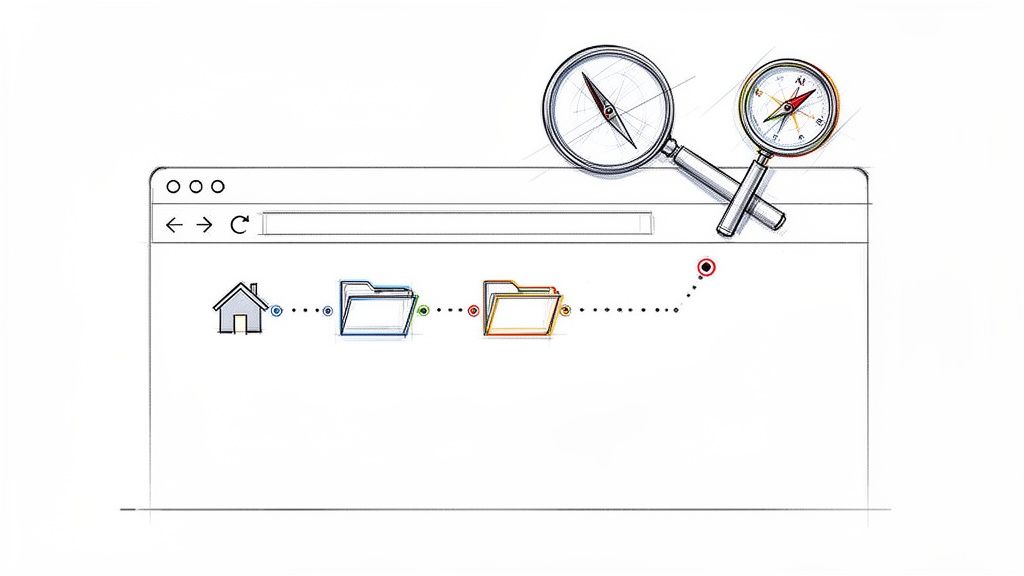
Breadcrumb navigation is a trail of links that shows you exactly where you are on a website. Think of it as a digital map.
You'll usually see it at the top of a page, showing a path like Home > Blog > SEO Tips. This makes it incredibly simple for visitors to see their location at a glance and backtrack to a previous section without getting lost. It's a small touch that makes a big difference, especially on larger, more complex websites.
A Digital Compass for Your Website
Imagine wandering through a massive library with no signs. You might eventually find the book you're looking for, but trying to get back to the main entrance or find a related section would be a nightmare. Breadcrumbs are the digital equivalent of signs at the end of each aisle, telling you, ‘Fiction > Sci-Fi > Asimov’. They provide instant context and a clear path, turning what could be a frustrating experience into a smooth one.
These little navigational aids are more than just a convenience. They're a strategic part of your site's structure, improving the user experience (UX) by cutting down the number of clicks it takes to get around. Instead of mashing the "back" button, a user can just click on a higher-level category in the breadcrumb trail. This encourages exploration and can help lower your bounce rate.
The Origins of the Trail
The idea isn't new; it's borrowed directly from the classic fairy tale of Hansel and Gretel, who left a trail of breadcrumbs to find their way home. Web designers in the early 2000s adopted this clever metaphor to describe a tool that helps users keep their bearings online. You can read more about the history of breadcrumb navigation and its formalization in web design if you're curious.
By providing a clear, hierarchical trail, breadcrumbs reinforce the structure of your website. They make it easier for both users and search engine crawlers to understand how your content is organized.
Ultimately, this simple tool is a fundamental piece of a well-organized site and has a direct impact on how usable people find it. It's a key player in your overall navigation strategy, which is critical for both users and SEO. To build a great website, you need a solid navigational framework, which starts by understanding what is information architecture. With that foundation in place, we can dive into the specific types of breadcrumbs and why they matter.
Understanding The Three Types of Breadcrumbs
Just like there are different trails through a forest, there are different digital paths you can create for your website visitors. Breadcrumb navigation isn't a one-size-fits-all solution. It actually comes in three distinct flavors, each designed to solve a different navigational puzzle.
Getting to know these variations is key to picking the right one for your site and, more importantly, for your users. The main types are location-based, attribute-based, and history-based, and each one answers the "Where am I?" question in a slightly different way.
Location-Based Breadcrumbs
This is the one you’ve probably seen a thousand times. Location-based breadcrumbs, sometimes called hierarchy-based, are the most common type for a reason: they're simple and effective. They show a user exactly where they are within your site's structure, creating a clear, linear path from the homepage all the way to their current page.
For a typical e-commerce store, a path might look like this:
Home > Men > Shoes > Sneakers
And for a blog with deep content categories, it could be:
Home > SEO Guides > Link Building > Beginner Strategies
This style is a must-have for any site with more than a couple of layers of content. It acts as a constant point of reference, giving users the confidence to explore without getting lost.
In the world of e-commerce—a sector projected to make up 22.6% of global retail sales by 2025—these little trails make a huge impact. Research from the renowned Nielsen Norman Group found that using hierarchical breadcrumbs improved task success rates by a whopping 33% on complex sites. On top of that, 74% of participants said it was easier to get their bearings. For more on this, check out this great article on the impact of breadcrumbs on e-commerce navigation.
The connection between good UX and other key metrics is undeniable.
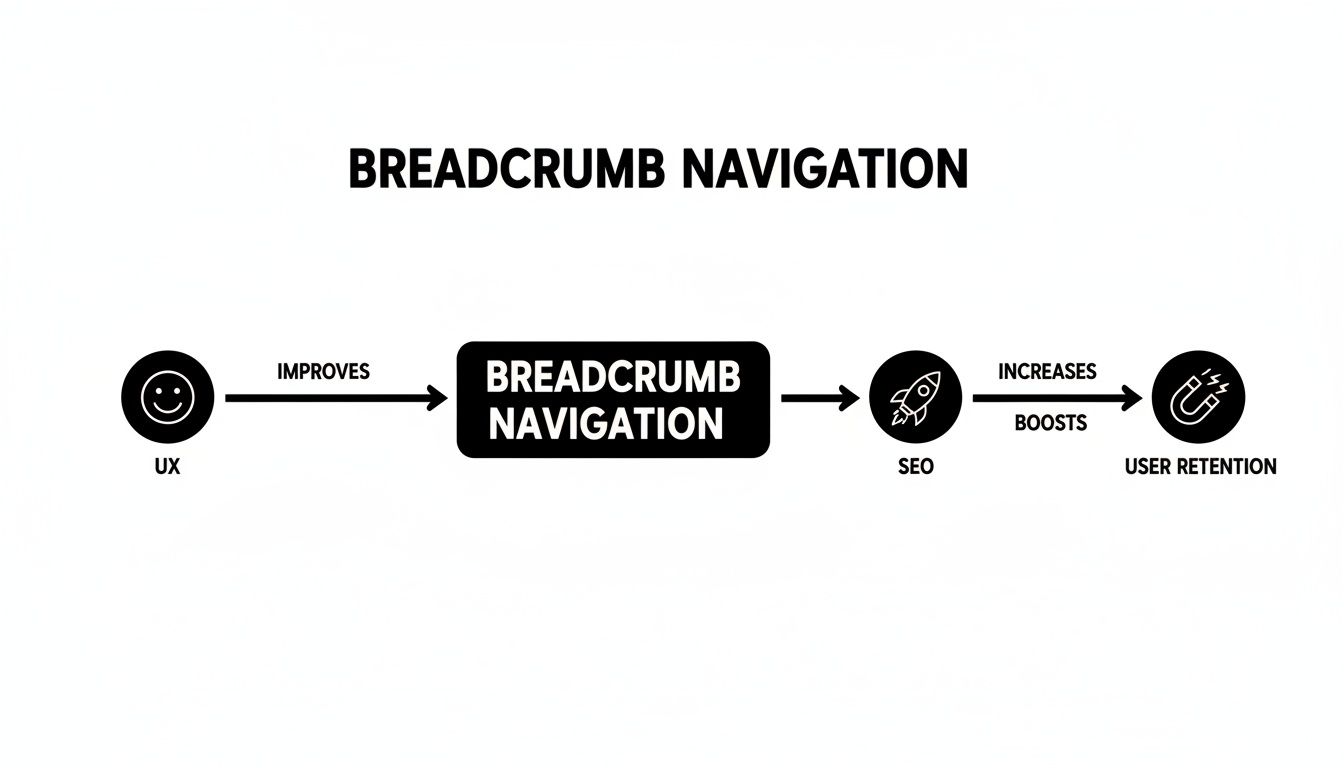
As you can see, a better user experience is the bedrock of strong SEO performance and keeping people on your site longer.
Attribute-Based Breadcrumbs
Next up are attribute-based breadcrumbs. Think of these as the secret weapon for any website with complex product filtering, especially e-commerce giants. Instead of showing a static location in the site hierarchy, these breadcrumbs display the specific filters or attributes a user has chosen to narrow down their search.
Picture a user shopping for a new laptop. Their breadcrumb trail might look something like this:
Home > Laptops > Brand: Dell > Screen Size: 15-inch > Processor: Intel i7
This is incredibly helpful. It lets users backtrack and adjust their search with a single click—say, to see all Dell laptops with a 15-inch screen, regardless of the processor—without having to start all over again.
History-Based Breadcrumbs
Finally, we have history-based breadcrumbs, which are also known as path-based. These work a lot like your browser’s "Back" button, showing the exact, step-by-step path a user clicked through to land on the current page. It's a literal trail of their journey.
A history-based trail could look like this: Home > Sale Page > Men’s T-Shirts > Blue T-Shirt. It’s the least common of the three, mainly because it can get messy and often just duplicates the back-button functionality already built into every web browser.
To help you decide which type fits your needs, here's a quick comparison.
Comparing Breadcrumb Navigation Types
This table breaks down the three breadcrumb types, highlighting what they're best for and showing a clear example of each.
Breadcrumb Type | Primary Use Case | Example |
|---|---|---|
Location-Based | Sites with a clear, multi-level hierarchy, like blogs or most e-commerce stores. | Home > Electronics > TVs > 4K TVs |
Attribute-Based | E-commerce sites with many product filters and attributes. | Home > Shoes > Size: 10 > Color: Black |
History-Based | Showing a user's specific click path, though it's rarely the best option. | Home > Latest Articles > About Us > Contact |
Choosing the right type boils down to understanding your site's structure and how your users need to navigate it. For most, location-based is the gold standard, but for filter-heavy sites, attribute-based navigation is a game-changer.
How Breadcrumbs Boost Both User Experience and SEO
Breadcrumbs are one of those simple tools that deliver a powerful one-two punch, simultaneously improving the user experience (UX) and strengthening your Search Engine Optimization (SEO). These two areas are more connected than you might think. After all, a happy user often sends positive signals to search engines, and breadcrumbs are a fantastic way to satisfy both people and crawlers.
Think of them as a helpful guide for your visitors and a crystal-clear roadmap for Google.
For the people on your site, the biggest win is clarity. Breadcrumbs instantly answer the "Where am I?" question, giving them a sense of place and context. This builds confidence and dramatically cuts down on the clicks needed to get back to a higher-level category, which can do wonders for your bounce rate. Instead of hitting the "back" button a dozen times or just giving up, they can simply click a link in the trail to explore.
The User Experience Advantage
A clean navigation path has a direct impact on how people perceive your website. When users can easily find their way around, frustration drops and engagement climbs, creating a much more positive experience with your brand.
Here are a few key UX benefits:
Fewer Clicks: Users can jump straight to parent categories with a single click, making site exploration feel fast and intuitive.
Lower Bounce Rates: Instead of leaving a page that isn’t quite what they wanted, users are gently encouraged to check out the broader category.
Instant Context: Visitors immediately understand where a page fits into your site's structure, which is absolutely vital for large e-commerce sites or deep content libraries.

The image above shows how a standard URL is transformed into a clean, hierarchical path in search results, making it far more informative and appealing to click.
Fueling Your SEO Performance
Beyond keeping users happy, breadcrumbs are a fantastic asset for your search engine performance. They help search crawlers like Googlebot make sense of your site's hierarchy and understand the relationships between different pages.
This improved structure is communicated to Google using something called schema.org/BreadcrumbList markup. It's just a bit of code that translates your breadcrumb trail into a language search engines can easily read. When Google sees this data, it can display your breadcrumbs right there in the search results as "rich snippets."
Rich snippets make your search listings pop. Instead of a long, ugly URL, users see a clean navigational path like ‘Home > Products > Laptops’.
This small tweak can have a huge impact. Studies have shown that results with breadcrumb rich snippets can see a 19% higher click-through rate (CTR). Some have even drawn 2.5x more clicks than plain, old boring titles. By helping with internal linking and enabling those eye-catching rich snippets, breadcrumbs give you a clear competitive advantage.
Essential Best Practices for Breadcrumb Design
Just having breadcrumbs isn't enough; they need to be implemented thoughtfully to actually help your users and search engines. Getting the design right is what separates a helpful navigational aid from a distracting bit of on-page clutter. Think of these as the ground rules for creating a trail that’s clear, intuitive, and genuinely effective.
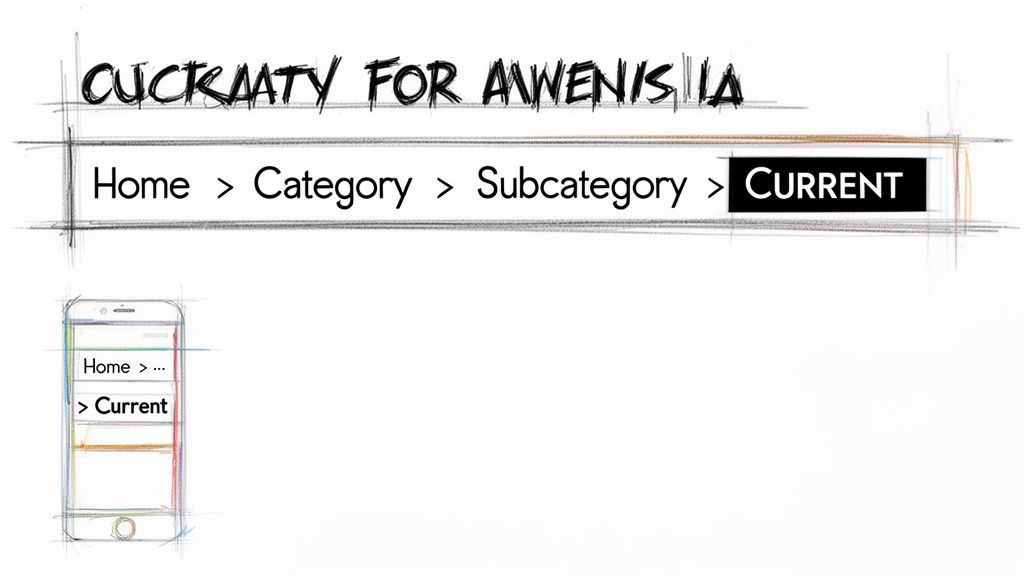
First things first: consistency is king. Your breadcrumbs should always appear in the same place on every page. The sweet spot is usually right at the top, just below your main navigation bar but above the page title. When users know exactly where to glance for that contextual orientation, they start to build a mental map of your site, which makes everything feel easier.
Structuring Your Breadcrumb Trail
The path itself is just as critical as its placement. A great breadcrumb trail tells a logical story that a user can understand in a split second.
Here are a few simple rules that make a huge difference:
Always start with the homepage. Your homepage is the north star of your website. Every breadcrumb trail should begin there to give users a reliable starting point.
Use a simple separator. The greater-than symbol (>) is the universal language of breadcrumbs. Stick with it. Everyone instantly knows what it means.
Show the full path. Don’t get clever and skip levels in the hierarchy. A complete path like Home > Category > Sub-Category > Current Page is what provides real clarity.
Style the current page differently. The very last item in the trail is where the user is right now. The standard practice is to make it bold and, crucially, unlinked.
Why not link the last item? Because clicking a link that just reloads the page you're already on is pointless and a little frustrating. It's a small detail, but it's one of those subtle hallmarks of a well-thought-out user experience.
Adapting Breadcrumbs for Mobile Users
On a mobile screen, every pixel counts. A long breadcrumb trail that looks great on a desktop can quickly become a jumbled, unusable mess on a phone, completely defeating its purpose. You have to adapt.
One popular fix is to truncate the path. You might show just the first and last items with an ellipsis (...) in the middle. This keeps the most important context without eating up valuable space. Another smart approach is to enable horizontal scrolling for the breadcrumb trail, so users can simply swipe to reveal the full path if they're curious.
Getting these fundamentals right is a huge step toward a more user-friendly site. To build on this, you can explore more website navigation best practices that work hand-in-hand with a great breadcrumb strategy.
Automating Breadcrumb Navigation with Alpha
Knowing you need breadcrumbs is one thing, but actually putting them on your site—especially with all the right SEO-friendly code—can feel like hitting a technical wall. This is where a lot of business owners get stuck. You can spend hours trying to code them by hand or fighting with clunky plugins, and it's easy to get frustrated.
Luckily, you don't have to be a developer to get this right anymore. For entrepreneurs and startups who just need things to work, an AI-powered platform like Alpha takes care of the entire process for you. It handles all the complicated stuff behind the scenes so you can stay focused on what you do best.
Alpha is designed to automatically create and install breadcrumb navigation that's both structurally sound and optimized for search engines. That means you don't have to write a single line of code or even worry about what "schema markup" is. The platform simply looks at your site's structure and builds the right navigation paths for your users and for Google.
Replicating Success with URL-Reference Design
One of Alpha’s standout features is its URL-reference design. Let's say you see a competitor’s website with a fantastic navigation setup—it’s just clean, intuitive, and really works well. Instead of trying to recreate it from scratch, you can just give Alpha that website's URL.
The AI gets to work, analyzing the site's layout and hierarchy, and then builds a similar, successful structure for your own site. This includes a perfectly implemented breadcrumb system. It’s a smart way to take the guesswork out of building a site that users will find easy to navigate.
"So glad I came across the recommendation on reddit. I have tried so many other 'ai' enabled website building apps... and they all pretty much suck. Alpha has been super easy and responsive. The website format copying function is a game-changer.” – Doug Roper, Founder & CTO @ Talent Spring
Built for Business Owners, Not Developers
The whole point is to make things simple and efficient. Entrepreneurs shouldn't need a web development degree just to get a professional site online. As business owner Madeleine O'Carroll points out, Alpha is "really user friendly," letting her make fast updates and easily borrow complex sections from other templates.
By automating technical but crucial details like breadcrumb navigation, tools like the Alpha AI website builder give anyone the power to build a site with sophisticated features. You get the kind of polish that improves user experience and helps you rank higher, all without the headaches. It's about getting professional results, effortlessly.
So, What’s Next for Your Site's Navigation?
Let's pull all these threads together. We've journeyed through the world of breadcrumbs, and it’s clear they’re much more than just a small design flourish. They are a core part of a thoughtfully built website. We've looked at what they are, the different flavors they come in, and just how much they matter for both the people visiting your site and the search engines trying to understand it.
When you lay out a clear, clickable path, you give your visitors a sense of place and the confidence to explore. That simple addition can be the difference between a frustrated user who leaves and an engaged one who stays. Lower bounce rates and longer time on page often follow. And for SEO, well-structured breadcrumbs boost your internal linking and can even score you those eye-catching rich snippets in Google's search results.
At the end of the day, it comes down to this: adding breadcrumbs is one of the easiest, highest-impact wins you can get for your website. You're directly investing in a smoother journey for your users.
The first thing you should do is take a hard look at your own website. Map out how people get from point A to point B and pinpoint the exact spots where a breadcrumb trail would clear things up.
If you want to put these ideas into action without wrestling with code, platforms like Alpha can handle the heavy lifting for you. Tools that automate the technical setup let you focus on what really matters—designing a great navigation experience. The payoff is a site that feels more intuitive, keeps users happy, and performs better in search.
Common Questions About Breadcrumbs, Answered
Even after getting a good grasp on breadcrumb navigation, a few questions always seem to surface. I've heard these time and time again, so let's tackle them directly. Think of this as a quick-fire round to clear up any final doubts before you put breadcrumbs to work on your own site.
Are Breadcrumbs Necessary for Every Website?
Honestly, no. They shine brightest on sites with a deep, complex structure where visitors might feel a bit lost. Think of sprawling e-commerce stores with dozens of categories, massive corporate websites, or content-heavy blogs. On these sites, breadcrumbs are a navigational lifesaver.
But if you have a simple, single-page site or a small one where every page is just a click or two from the homepage? You can skip them. In that case, adding a breadcrumb trail would just be extra clutter, and your main navigation menu is more than enough.
Do Breadcrumbs Replace My Main Navigation Menu?
Absolutely not, and this is a big one. It's a common mix-up, but they serve two totally different purposes. Your main navigation is the map of your entire world—it shows users the primary destinations they can go to from anywhere.
Breadcrumbs are more like a secondary navigation tool. They're the "You are here" pin on that map, showing the specific path a user walked to get to their current spot. They don't replace the main menu; they work alongside it to give users a complete picture.
How Do I Add Breadcrumbs to My Website?
How you get this done really depends on what your website is built with. The technical side can range from super simple to a bit more involved.
Content Management Systems (CMS): If you're using something like WordPress, the easiest route is a good SEO or navigation plugin. Many of them will handle all the heavy lifting, including the important schema markup, automatically.
Custom-Coded Sites: For a site built from the ground up, you'll need a developer to code the breadcrumb logic and manually add the
BreadcrumbListschema markup into your page templates.AI Website Builders: Modern platforms like Alpha take care of this for you. The AI looks at your site’s layout and automatically creates optimized breadcrumbs, so you don't have to touch a single line of code.
Can Breadcrumbs Hurt My SEO?
Only if they're implemented poorly. When done right, breadcrumbs are a huge win for SEO. They build a smart internal linking structure, give search engines a clear sitemap to follow, and can even help you score those eye-catching rich snippets in search results.
Where can it go wrong? You might run into trouble if the links in your breadcrumb trail are broken, the schema markup is wrong and confuses search crawlers, or they look terrible and are hard to use on mobile devices. Just stick to the best practices, and breadcrumbs will be a powerful ally for your site's performance.
Ready to build a website with powerful, automated navigation features? Alpha makes it easy to create a professional, user-friendly site with SEO-friendly breadcrumbs built right in. Start building your stunning website today.
Build beautiful websites like these in minutes
Use Alpha to create, publish, and manage a fully functional website with ease.