How to Create Website Mockups People Actually Love
Learn how to create website mockups that bridge the gap between idea and reality. Our guide covers tools, principles, and developer handoff.
EXAMPLES
Build beautiful websites like these in minutes
Use Alpha to create, publish, and manage a fully functional website with ease.





Information architecture, or IA for short, is really about making sense of the chaos. It’s the art and science of organizing all the stuff on your website or app so that people can actually find what they're looking for without getting a headache.
Think of it as the invisible blueprint of your digital space. You don't necessarily see the IA, but you definitely feel it when it's done right—just like you can navigate a well-designed grocery store or library almost on instinct.
Understanding Your Website Blueprint
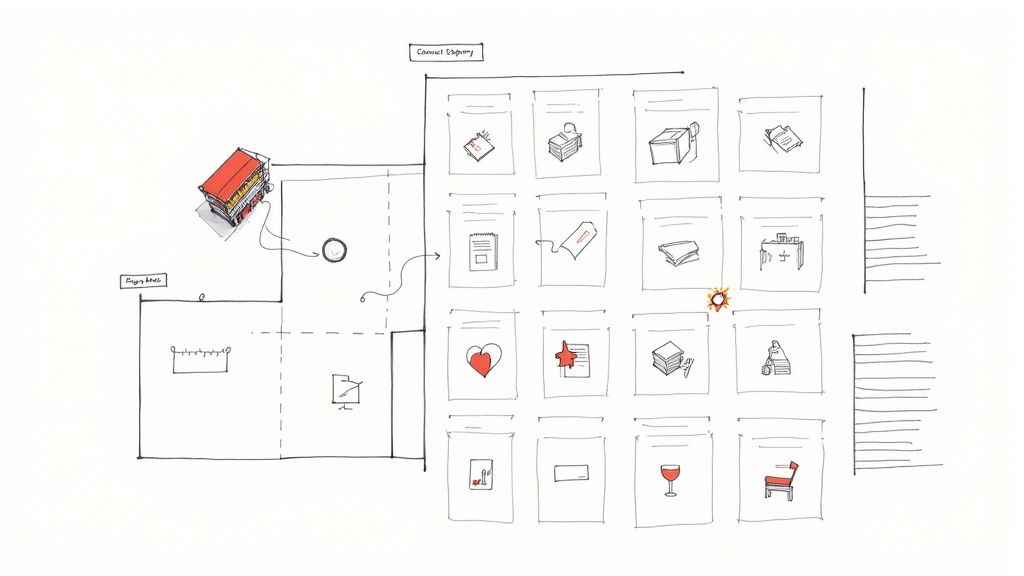
Could you imagine trying to build a house without architectural plans? You’d end up with a confusing mess of rooms, doors leading to nowhere, and no logical flow. That's exactly what a website feels like without a solid IA—it's just a random collection of pages that leaves visitors frustrated and quick to leave.
Good information architecture is all about making the complex feel simple. This behind-the-scenes framework is what makes a user's journey feel completely effortless. It's about being deliberate in how you:
Structure information so it flows from broad categories to specific details.
Organize your content into groups that just make sense to your audience.
Label menus and links with clear, predictable words—no confusing jargon!
Design navigation systems that act as a helpful guide, not a maze.
When your IA is well-planned, users know exactly where they are, what they can do, and how to get where they want to go from the second they land on your site. It's the silent partner that turns a confusing digital space into an intuitive, user-friendly experience.
Information Architecture at a Glance
To really get to the heart of it, let's break down the core of IA into its essential parts. The table below gives a quick summary of what IA is, who it's for, and why it's a non-negotiable part of modern digital design.
Component | Description | Key Question It Answers |
|---|---|---|
What It Is | The practice of structuring and organizing digital content. | "How can we arrange all this content so it makes sense to a real person?" |
Who It's For | Primarily for your users, but also for the teams building and managing the site. | "Who is using this information, and what do they really need from it?" |
Why It Matters | It makes your content findable, useful, and valuable to the people you serve. | "What will make someone choose our site over a competitor's?" |
This framework is truly fundamental to good design. If you're looking to dive a bit deeper, you can explore another perspective on what Information Architecture is to round out your understanding.
The Blueprint for Digital Order
To really get what information architecture is all about, you have to look back at where it came from. This isn't some new-fangled concept born from the internet; its roots are buried deep in fields like library science and cognitive psychology. Think about it—for centuries, librarians have been perfecting systems to categorize massive collections, making knowledge accessible to everyone.
That fundamental thinking—how to structure things so they can be found—was the critical first step. When computers started getting serious in the 1960s and '70s, system design pioneers began applying those same principles to the digital world. They were facing a new kind of chaos, not of dusty bookshelves, but of sprawling databases. The core problem, however, was identical: how do you organize information so people can actually use it?
From Libraries to the World Wide Web
The real game-changer was the early internet. Websites were often a complete mess—digital junk drawers with no rhyme or reason. It was in this chaotic digital landscape that a few forward-thinkers saw the need to bring order.
Information architecture truly came into its own by blending ideas from information design and system design. Its definition really crystallized in the 1990s, especially with Louis Rosenfeld and Peter Morville's landmark 1998 book, 'Information Architecture for the World Wide Web'.
Their work was a revelation. They argued that a website wasn't just a random assortment of pages, but an environment that demanded a logical structure—a blueprint. This idea of thoughtfully planning your website structure is now fundamental to good design. They basically translated the time-tested logic of a well-organized library onto the screen, carving out clear pathways for users to navigate.
IA as a Proven Discipline
This history shows us that information architecture is far from a trendy buzzword. It's a deeply user-centered discipline, built on decades of research into how we humans search for and make sense of information. By taking old-world principles of organization and adapting them for the digital age, these pioneers gave us the tools to manage the overwhelming complexity of the online world.
Their legacy is the intuitive experience we now expect online. Every time you effortlessly find a product on a huge e-commerce site or navigate a complex government portal without getting lost, you're seeing good information architecture in action. It's the silent, invisible blueprint that brings order to digital chaos.
How Great Information Architecture Works
A great information architecture doesn't just happen by accident. It's a carefully crafted system built to bring order to chaos and clarity to complexity. Think of it as having four essential pillars holding up the entire user experience. When these systems work together seamlessly, people can move through your website or app without even thinking, finding exactly what they need almost instinctively.
These four connected systems are Organization, Labeling, Navigation, and Search. Each one has a specific job, but their true magic comes from how they support each other. Let's dig into what each one does with some simple, real-world examples to make these ideas stick.
Organization: The Digital Filing System
Organization is all about how you group and categorize information. It's the art of creating logical, meaningful clusters of content so that everything has a sensible home. Without a solid organizational scheme, a website is just a random jumble of pages.
Think about your personal music library. You probably have it organized in a few different ways:
By Genre: All your rock, jazz, and classical music are grouped together.
By Artist: All the tracks from your favorite musician are in one place.
Chronologically: You might sort albums by their release date.
Each method makes sense for a different reason, but they all create order from what could be a mess. A website’s IA does the same thing, using structures like topical, audience-specific, or task-based groupings to make its content predictable and easy to browse.
Labeling: The Language of Your Site
Once you've organized everything, you need to give your categories a name. That's where labeling comes in. Labeling is simply the words you use to represent your content—it's what you call your menu items, your page titles, and the text in your links.
Think of labels as the street signs on your website. Vague or confusing signs (like a menu item called "Resources" that hides blogs, case studies, and pricing) will just get people lost. A clear sign like "Case Studies," on the other hand, tells them exactly what they'll find. Good labeling means users can guess where a link will take them before they ever click.
Good labeling is about speaking your users' language, not your own internal jargon. The goal is to create a shared understanding that makes every click feel confident and intentional.
To see how these principles fit into the bigger picture, this practical guide to website design does a great job of connecting them to user experience and accessibility.
Navigation: Showing People the Way
Navigation is the system that actually lets people move through all the information you've organized and labeled. If organization is the structure and labeling is the language, then navigation is the set of pathways that connects everything. It's your main menu, the links in your footer, and the breadcrumbs that show users where they are and how they got there.
A well-designed museum is a perfect analogy. The layout guides you logically from one exhibit to the next, with clear signs pointing you toward different wings or special collections. You never feel lost because the path is designed to help you explore. In the same way, a website’s navigation should offer a clear and consistent way for people to move between pages and sections.
Search: Finding the Needle in the Haystack
Last but not least, we have the search system. While navigation gives people pre-defined paths to follow, search puts the power in their hands, allowing them to find specific information by typing in their own words. It's the digital version of asking a helpful librarian for assistance.
A truly effective search system does more than just match keywords. It understands what the user is trying to find, corrects for typos, and provides filters to help narrow down the results. For any site with a lot of content, a robust search function is non-negotiable. It’s the ultimate safety net, catching anyone who can't find what they need by browsing and taking them directly to their destination.
Visualizing Your Website's Skeleton
Your website's information architecture is its invisible backbone. While users never see it directly, this structure is meticulously planned long before a single pixel is designed or a line of code is written. Think of an architect drawing up detailed blueprints for a building—that's exactly what IA visualization tools do for a website.
These documents are the architectural plans for your digital space. They turn abstract ideas about organization into concrete, tangible maps that everyone on the team can understand. This shared language ensures that designers, developers, and stakeholders are all on the same page about how content will be structured and connected. It’s a critical step for catching confusing pathways or dead ends before they become expensive problems to fix during development.
This infographic clearly illustrates how the core systems of IA—Organization, Labeling, and Navigation—all stem from this central blueprint.
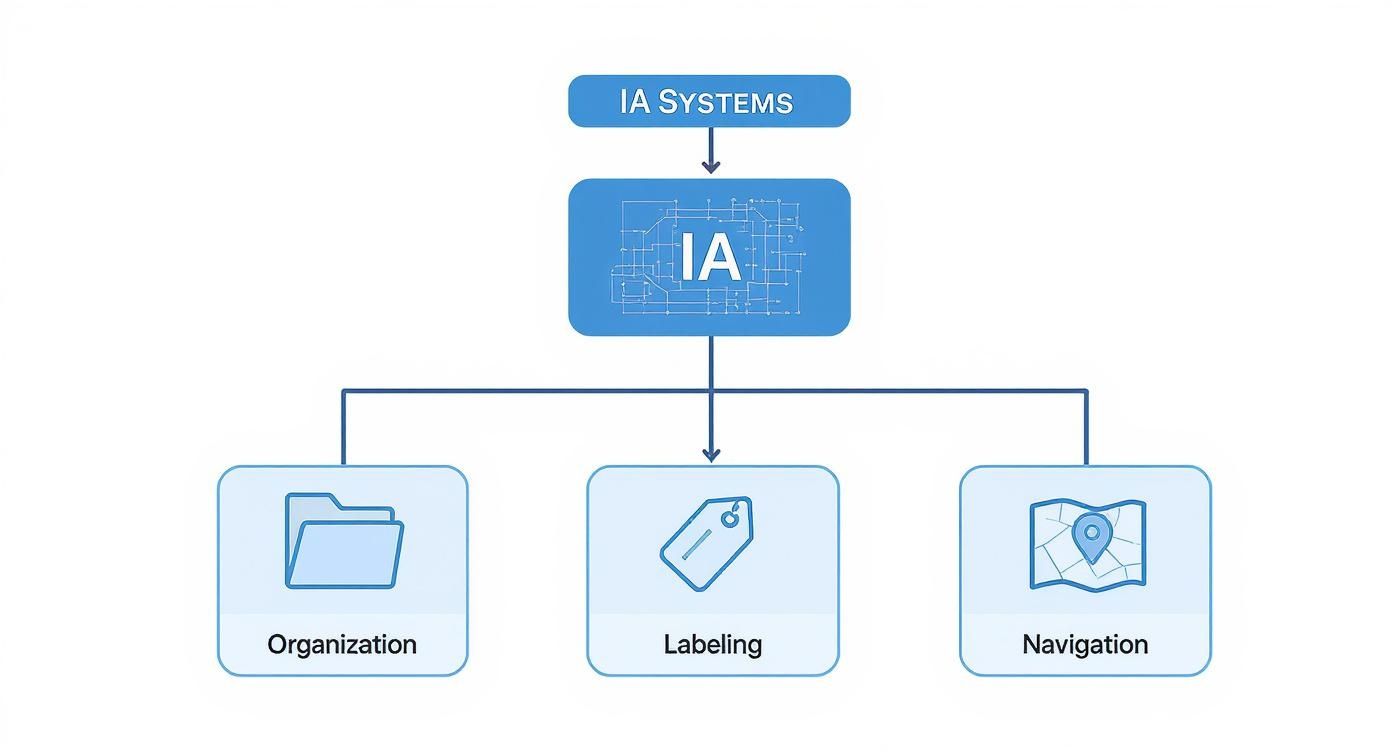
You can see how each system is its own discipline, yet they all work together to build a coherent and intuitive structure for the user.
From Simple Lists to Complex Diagrams
So, how do we make this invisible structure visible? A few key tools are essential for bringing IA to life, each serving a different purpose as we move from a high-level overview to detailed user pathways.
Sitemaps: This is the most foundational tool. A sitemap is a hierarchical diagram showing every page on a website and how they relate to one another. It's essentially a family tree for your content, with the homepage at the top and every other page branching out from there.
Wireframes: These are simple, black-and-white layouts that show the structure of individual pages. While not a direct map of the entire IA, they reveal how that architecture is presented on a specific screen, including the placement of navigation menus, links, and key content. If you want to learn more, our guide on how to create wireframes can help you get started.
User Flow Diagrams: These charts map out the exact steps a user might take to complete a task, like buying a product or signing up for an account. They are absolutely essential for making sure the IA logically supports the most important user journeys on your site.
Why Good IA Is Good for Business
Let's be clear: solid information architecture isn't just some abstract design concept. It's a straight-up business strategy that directly affects your bottom line. When people can find their way around your website without thinking, they stick around longer, dig deeper, and are far more likely to do what you want them to do. It’s about paving a smooth, clear path from casual visitor to loyal customer.
A well-organized site immediately signals professionalism and builds trust. Think about it—if someone lands on your site and is instantly confused, they're not going to waste time trying to decipher it. They'll just leave. And they’re probably heading right over to a competitor whose site makes sense.
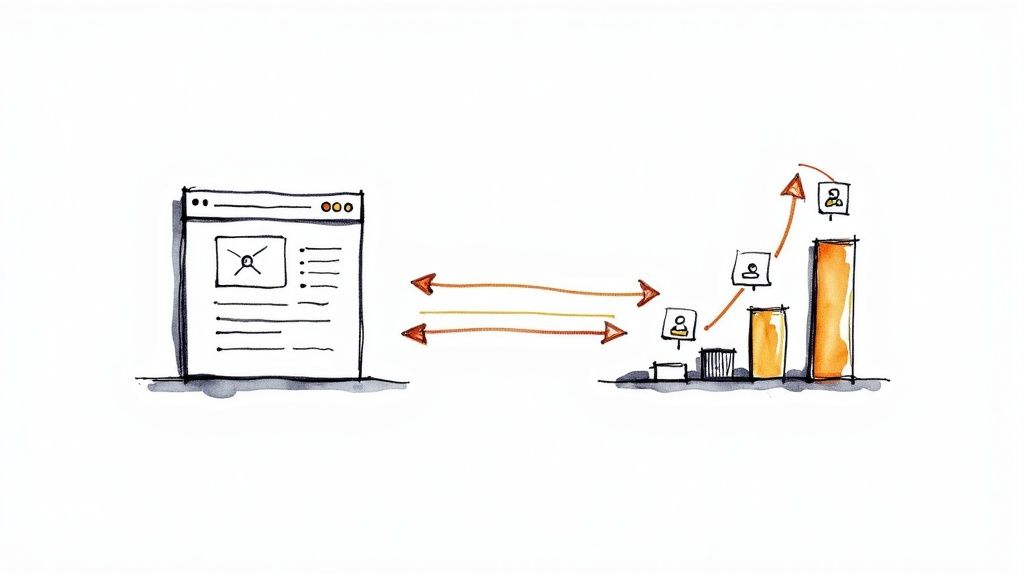
This kind of seamless journey is what turns a passive website into an active engine for growth.
Boosting Conversions and Loyalty
At its heart, good IA helps people find what they came for and get things done. This simple clarity has a massive impact on your most critical metrics. When the path from product page to checkout is logical and frictionless, you’re removing the very obstacles that cause people to abandon their carts. The result? Conversion rates go up.
A positive experience is also a memorable one. Customers who can effortlessly find an answer, solve a problem, or buy a product remember that feeling of ease. It makes them want to come back. Over time, this builds real brand loyalty, turning one-time visitors into repeat customers who genuinely trust your brand.
A great user experience is an investment in customer retention. By making your digital space clear and predictable, you demonstrate respect for your users' time, which is a cornerstone of building lasting relationships.
Enhancing SEO and Visibility
Beyond the user experience, information architecture is a huge piece of the search engine optimization (SEO) puzzle. Search engines like Google crawl your website to map out its structure and understand how your content is related. A site with a logical, clean hierarchy is far easier for these crawlers to index and make sense of.
This gives you a few key advantages in the SEO game:
Improved Crawlability: A clear map helps search engine bots find and index all of your important pages, not just the homepage.
Better Sitelinks: Google is more likely to grant your site valuable sitelinks in search results, giving users shortcuts to your most important pages.
Lower Bounce Rates: When users quickly find what they're looking for, they don't immediately "bounce" back to the search results. This signals to Google that your site is a relevant, high-quality answer to their query.
Ultimately, investing in a strong IA pays off. It reduces user frustration, boosts key business metrics, and makes your site far more appealing to search engines. It’s one of those foundational efforts that makes your entire digital presence more effective.
Putting Information Architecture into Practice
Alright, so we've covered the theory. But how does this all work in the real world? This is where the rubber meets the road—where you take the principles of information architecture and use them to transform your website from a confusing maze into a clear, intuitive guide.
It all starts with one simple, yet crucial, step: getting inside your users' heads.
Forget what you think your site structure should be for a moment. The entire process begins with user research. You don't need a massive budget for this, either. Simple surveys or a few quick interviews can tell you an incredible amount about what your audience actually wants and, just as importantly, the words they use to search for it. Understanding their goals gives you a roadmap for a structure that feels logical to them.
Once you know who you're building for, it's time to figure out what you're working with.
Auditing and Restructuring Your Content
This next step is called a content audit, and it's basically a full inventory of every single page and piece of media on your website. I know, it sounds like a lot of work, but it's the only way to get a clear picture of what’s valuable, what’s outdated, and what’s just plain clutter. This audit is your foundation for making smart decisions about what to keep, what to improve, and what to get rid of.
With your inventory in hand, you can start to draw the new map. This is where you group related information together and build out a new hierarchy that feels natural and predictable for your users. Think of it as creating a clear, well-signposted trail for them to follow. This new structure becomes the blueprint for your entire site.
Good information architecture is never a one-and-done task. It's an iterative process of listening to users, making thoughtful changes, and testing to see if those changes actually improved their experience.
Visualizing and Validating Your Plan
Before you start rebuilding anything, you need to visualize your new plan. The best way to do this is by creating a sitemap—a high-level diagram showing all your pages and how they connect to one another. A solid sitemap gets everyone on the same page and clarifies the new structure before a single line of code is written. For a detailed walkthrough, check out our guide on how to make a sitemap.
Finally, and this is a big one, you need to test your ideas with real people before you go live. This is called usability testing. You can build a simple prototype of the new site structure and ask a few people to try and find specific information. Their feedback is pure gold. It will instantly tell you if your new IA is working, helping you build a better digital experience with confidence.
Common Questions About Information Architecture
Even after getting the basics down, a few practical questions always seem to pop up when you're in the trenches with information architecture. Let's tackle some of the most common ones to clear up how IA fits into the bigger picture of web design.
What’s the Difference Between IA and UX Design?
This is a big one. Think of Information Architecture (IA) as the skeleton of your website. It's all about how you organize, structure, and label everything so people can find what they're looking for without getting lost. It’s the blueprint.
User Experience (UX) design is the whole building—the skeleton, the walls, the windows, the paint, the furniture. UX covers every aspect of a user's interaction, which includes IA, but also visual design, usability, and how someone feels when they click a button.
In short, IA provides the logical structure, and UX design builds the entire experience on top of that foundation.
Can I Fix the IA of a Website That’s Already Live?
Absolutely, and it’s one of the most impactful projects you can take on. You'd typically start with a content audit to see exactly what you’re working with, followed by some user research to figure out how your visitors actually think and look for information.
From there, you can map out a new sitemap and navigation. The key is to roll out changes thoughtfully—maybe one section at a time—and test them with real users to make sure you're actually making things better, not just different.
A website's IA is never truly "finished." It should evolve as your content grows and your users' needs change, making periodic reviews a smart practice.
What Kind of Tools Do You Use for Information Architecture?
IA pros have a whole toolbox for planning and visualizing site structures, and the right tool often depends on the task at hand.
Brainstorming & Mapping: For just getting ideas out there, nothing beats a digital whiteboard. Tools like Miro, Mural, or FigJam are fantastic for collaborative mind-mapping.
Sitemaps & Diagrams: When it’s time to create formal sitemaps or user flows, dedicated diagramming software like Lucidchart or Visio helps you build those clean, hierarchical charts that show how everything connects.
Wireframing & Prototyping: To see how the IA will actually look and feel on a page, designers turn to industry-standard tools like Figma, Sketch, and Adobe XD.
Ready to build a website with a rock-solid foundation, but without the headache? Alpha uses AI to help you design a stunning, logically structured site in hours, not weeks. Turn your vision into a high-performing reality. Create your website with Alpha today!
EXAMPLES
Build beautiful websites like these in minutes
Use Alpha to create, publish, and manage a fully functional website with ease.