




How to Create Website Mockups People Actually Love
Learn how to create website mockups that bridge the gap between idea and reality. Our guide covers tools, principles, and developer handoff.
EXAMPLES
Build beautiful websites like these in minutes
Use Alpha to create, publish, and manage a fully functional website with ease.
Think of a digital marketing website template as a professional blueprint for your online presence. It’s not about starting from a blank page; it's about using a pre-built foundation designed specifically with marketing goals in mind—think lead capture forms, service showcases, and clear calls-to-action ready to go from day one. This lets you launch faster and with more confidence.
Choosing a Template That Actually Works
With thousands of options out there, picking the right website template can feel like a chore. It's so easy to get wowed by flashy designs and cool animations. But I've learned from experience that a website that actually gets results is built on something much sturdier.
The best template isn't just about looks. It’s about performance, solid functionality, and its raw ability to turn a casual visitor into a paying customer. It's like picking an engine for a race car—you need something powerful and reliable under the hood, not just a slick paint job.
Focus on Function Over Flash
Before you even start browsing templates, take a step back. Your first job is to find a design that directly supports your business goals. A beautiful website that doesn't generate leads or sales is just a pretty, and expensive, digital brochure.
So, what does your website need to do?
Lead Generation: If your priority is filling your pipeline with email sign-ups and consultation bookings, you need to zero in on templates that feature prominent forms and unmissable call-to-action buttons. The layout should naturally guide people toward those conversion points.
Showcasing Services: Got complex services to explain? Look for templates with flexible content blocks like icon lists, feature comparison tables, and dedicated service page layouts. You need room to breathe and explain what you do clearly.
Building Authority: For those of us running on a content marketing strategy, the blog is everything. Your template should have a clean, easy-to-read blog design and simple navigation so people can actually find all that great content you're creating.
The market for these templates is exploding. By early 2025, there were over 44,250 website templates on the market, and a massive 94.22% of them were mobile-responsive. This isn't just a trend; it's a fundamental shift. We've seen platforms like Squarespace boost their template offerings by 69.09% in just two years to keep up with demand from small businesses and service providers.
The Non-Negotiable Technical Checklist
Beyond your specific business goals, there are some technical fundamentals that are simply non-negotiable for any website today. Get these wrong, and you're sabotaging your marketing efforts before you even start.
A great way to ensure your template is up to snuff is to evaluate its suitability for high-impact marketing assets like creating effective landing pages. Your design needs to be flexible enough for targeted campaigns. And if you're still deciding on a platform, our rundown of the best DIY website builders can give you a solid head start.
This decision tree infographic is a great way to visualize the selection process, helping you connect your main goal to the specific features you'll need.
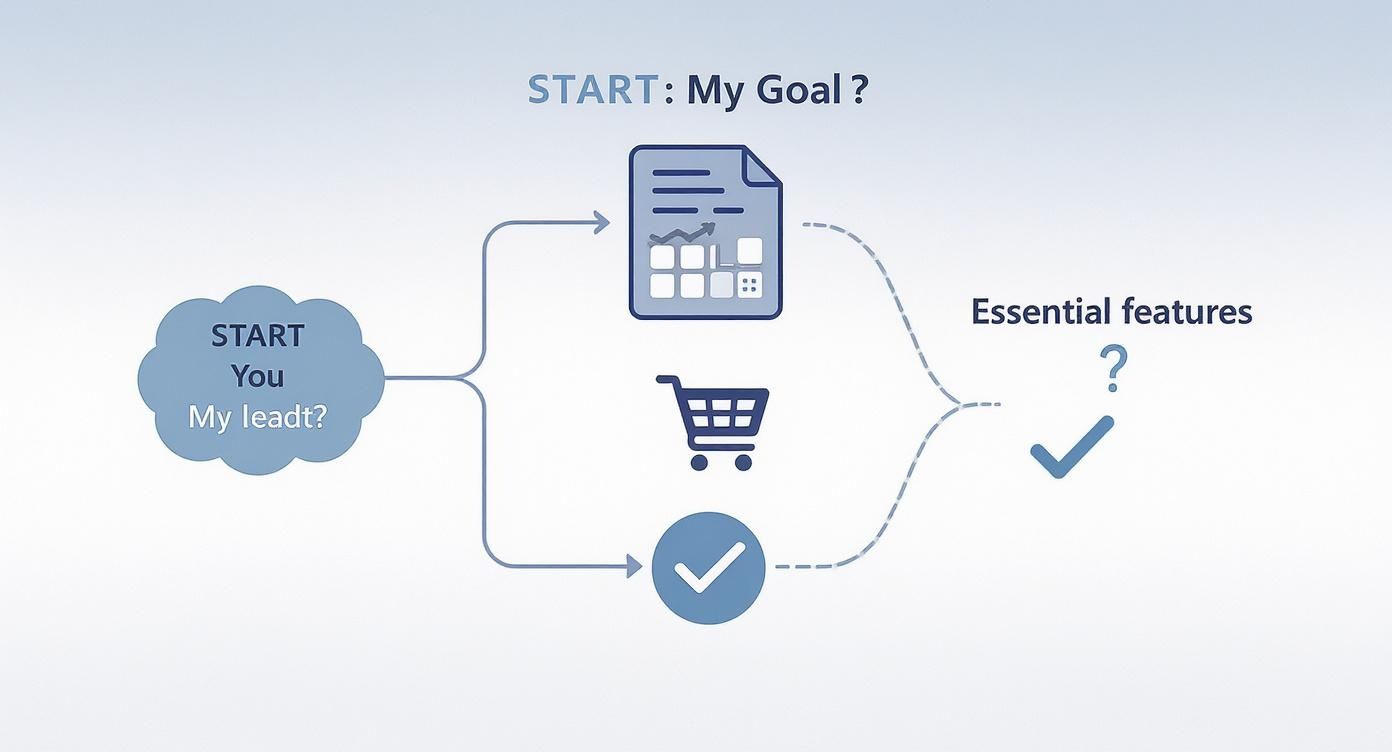
Here's a quick checklist I use to cut through the noise and evaluate templates based on what truly matters for performance and functionality.
Essential Template Selection Checklist
Feature | Why It Matters | Check For |
|---|---|---|
Mobile Responsiveness | Over half of all web traffic is mobile. A poor mobile experience sends visitors away and hurts SEO rankings. | Test the demo on your phone. Does it look great and work flawlessly? Is navigation easy? |
Page Speed | Slow-loading sites have higher bounce rates and lower conversion rates. Google also penalizes them. | Look for terms like "lightweight," "optimized for speed." Use Google PageSpeed Insights on the demo. |
SEO-Friendliness | A template needs clean code and proper structure for search engines to crawl and rank your site. | Proper heading structures (H1, H2, H3), customizable meta tags, and schema markup support. |
Customization Options | You need to match the template to your brand, not the other way around. | Easy-to-change colors, fonts, and layouts without needing to write code. |
Plugin/Integration Support | Your website needs to connect with your other marketing tools (email, analytics, CRM). | Check for compatibility with essential plugins or built-in integrations for your key platforms. |
Ultimately, this checklist helps ensure that the template you choose is more than just a pretty face—it's a powerful tool ready to drive your business forward. The core takeaway here is simple: let your primary business objective guide every single decision you make.
Making Your Template Uniquely Yours

Alright, you've picked one of the digital marketing website templates. That’s the easy part. Now comes the real work—and the real fun. It's time to transform that solid foundation into a website that is unmistakably yours.
A template gives you the blueprint, but your brand is what gives it a soul. This is about so much more than just swapping out a logo. We're talking about infusing your brand's personality into every pixel, from the exact shade of a button to the tone of your headlines. The goal here is to create a digital experience that feels genuine and immediately builds trust with anyone who lands on your page.
Infusing Your Brand Identity
Your brand isn't just a name; it's the feeling you want to leave people with. Your website is the most powerful tool you have for delivering that feeling, and it all starts with the visuals.
Color Palette: Don’t just wing it. Your established brand colors should be applied with purpose. Use your primary color to draw the eye to key actions—think "Request a Demo" buttons. Secondary colors work great for things like subheadings and subtle accents.
Typography: The fonts you choose say a lot about you. A clean, sans-serif font might feel modern and tech-focused, while a classic serif can signal tradition and authority. The pro move is to pick one or two fonts and stick with them for a polished, cohesive look.
Remember, these choices aren't just for decoration. They're strategic decisions that quietly shape how a visitor perceives your business and reinforces what you stand for.
Crafting Compelling Website Copy
That "lorem ipsum" text is a placeholder for a reason. Replacing it with sharp, persuasive copy is probably the single most important customization you'll make. Your words need to resonate with your audience and make your unique value crystal clear.
Your website's copy is your 24/7 salesperson. It needs to be clear, compelling, and focused on solving your customer's problems, not just listing your features.
Don't just list what you do; explain why it matters to the person reading it. Always focus on benefits, not just features. For example, instead of saying "We offer SEO services," try something like, "We help you get discovered by more customers on Google." It's a small tweak that makes a massive difference. For a deeper dive, our guide on how to write website copy that actually connects is a must-read.
Designing for Conversions
Look, a beautiful website that doesn't bring in business is just an online art project. Every single element needs a job to do, guiding visitors toward a specific action. This is where your calls-to-action (CTAs) and lead capture forms become critical.
Your CTAs should be impossible to ignore. Use direct, action-oriented language. "Get Your Free Quote" or "Download the Guide" works much better than a passive word like "Submit." Place them right where a visitor is most likely to be convinced, like right after you've explained a key benefit.
When it comes to lead capture forms, keep them dead simple. A long, complicated form is one of the fastest ways to lose a potential lead. Ask only for what you absolutely need right now—often just a name and an email is enough to get the conversation started. You’ll be amazed at how much your completion rates jump. This is how you make a template work for you.
Connecting Your Must-Have Marketing Tools
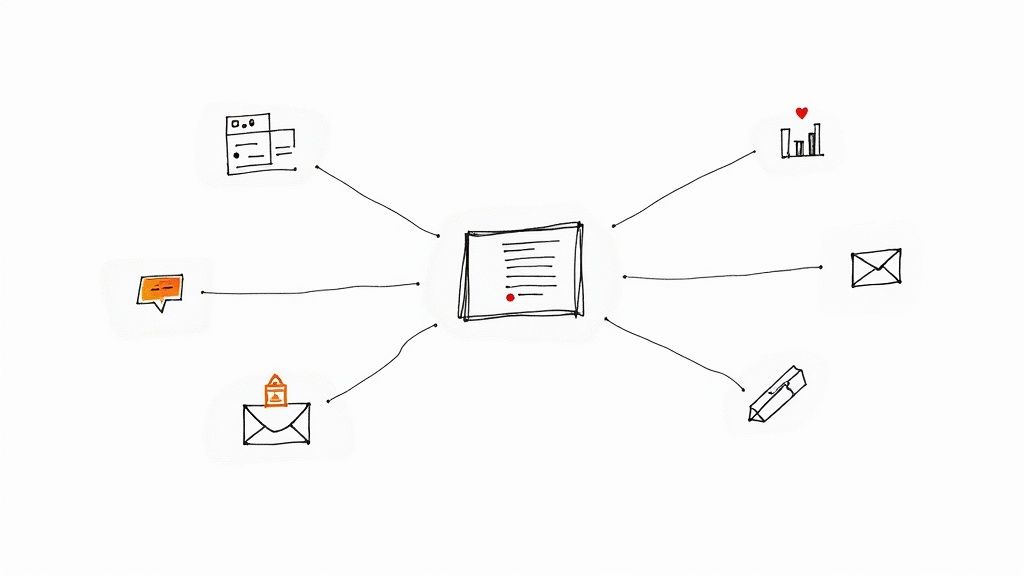
Your new website isn't just a pretty online brochure; it's the command center for your entire marketing strategy. A solid digital marketing website template gives you a great starting point, but its true potential is only unlocked when you plug in the tools that track data, nurture leads, and ultimately, drive revenue.
If you skip this step, you’re basically flying blind. Your website is the engine, sure, but your analytics and integrations are the dashboard and GPS. They’re what tell you how fast you’re going, where you’re headed, and when it’s time to adjust your strategy.
Setting Up Essential Analytics
First things first: you need an analytics platform. For the vast majority of businesses, that means getting Google Analytics up and running. Installing its tracking code is non-negotiable. From day one, it gives you a clear picture of who's visiting your site, how they found you, and what they actually do once they're there.
This goes way beyond just watching page view numbers climb. It’s about digging into user behavior. For example, you might discover that visitors coming from LinkedIn spend twice as long on your "Services" page as those from Facebook. That’s a massive insight that tells you exactly where your marketing budget is working hardest.
A website without analytics is a ship without a compass. You can have the best design in the world, but you'll have no idea if you're reaching your destination or just drifting at sea.
Powering Retargeting and Lead Management
Once you have a handle on your traffic, it's time to act on that data. This is where tracking pixels and CRM integrations come into play, turning casual browsers into real prospects.
Here are the two workhorses you'll want to connect:
The Meta Pixel: This little snippet of code is your ticket to smarter social media ads. When someone visits your site and leaves without converting, the pixel lets you show them relevant ads on Facebook and Instagram. It’s the perfect way to stay top-of-mind and gently pull them back to finish what they started.
CRM Integration: Manually transferring lead info from your contact forms to a spreadsheet is slow, tedious, and prone to error. By connecting your forms directly to a CRM like HubSpot or Salesforce, every new lead gets captured and organized automatically. No more missed opportunities.
This kind of automation is what separates businesses that struggle from those that scale. It makes your lead generation predictable and ensures no one falls through the cracks, giving you a full-circle view of the customer journey and a crystal-clear understanding of your marketing ROI.
Building a Strong SEO Foundation from Day One
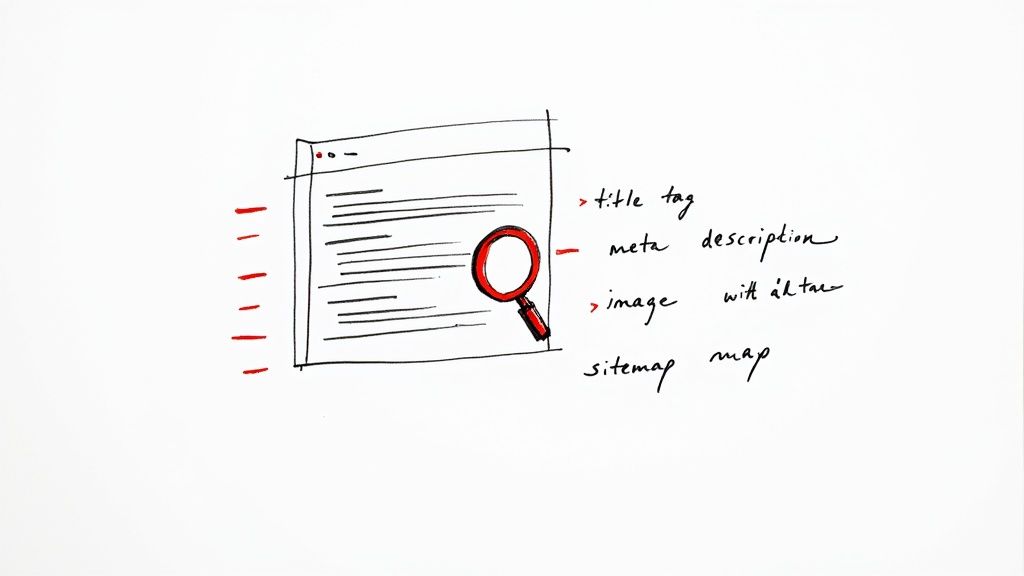
Okay, you’ve put in the work customizing your template and it looks fantastic. But let’s be real for a second: a beautiful website that nobody can find is just an expensive, digital art project. Now the real work begins. It’s time to build a rock-solid SEO foundation that puts your agency in front of the clients who are actively looking for you.
Getting this right from the very beginning is non-negotiable. It’s the difference between launching to an audience of zero and launching with a growing stream of organic traffic. Don't worry, you don't need to be a technical guru. You just need to be intentional about a few key on-page elements that search engines like Google really care about.
Optimizing Your On-Page Essentials
Think of on-page SEO as creating clear, helpful signposts for search engines. These little details tell them exactly what your pages are about, which helps them match your content with the right people's searches.
Let's focus on three high-impact areas to get started:
Title Tags: This is the main headline that shows up in a browser tab and, more importantly, on the search engine results page (SERP). It needs to grab attention and include your main keyword. A good example for a service page would be something like, "Expert PPC Management Services | Your Agency Name."
Meta Descriptions: This is the small paragraph of text that appears under your title on the SERP. While it's not a direct ranking factor, a great meta description is your free mini-advertisement. It’s your chance to convince someone to click your link instead of the one above or below it.
Header Tags (H1, H2, H3): Your page structure matters. Use a single H1 for your main page headline. Then, use H2s and H3s to break up the rest of your content into logical sections. This makes your content much easier for people to read and helps search engines understand the hierarchy of your information.
With the global digital ad market hitting $667 billion in 2024, the demand for SEO-ready website templates is through the roof. Marketers need sites that actually perform, especially when 72.7% of advertising spend is digital. And since about 60% of all web traffic comes from mobile devices, a responsive design isn't a feature—it's a requirement to avoid hemorrhaging visitors.
Pro Tip: Don't just stuff keywords into your titles and descriptions. Your number one job is to create something that is genuinely helpful and compelling to a human being. At its core, good SEO is really just about creating an excellent user experience.
Technical SEO First Steps
Beyond the content itself, a few technical basics ensure search engines can crawl and understand your site without any roadblocks. A quality template should handle a lot of this for you, but it’s always smart to double-check. For a deeper dive into the fundamentals, check out our guide on what search engine optimization is.
Clean URLs Your page URLs should be simple, descriptive, and easy for a person to read.
Bad:
yourdomain.com/p?id=123-serv-45Good:
yourdomain.com/services/ppc-management
A clean URL structure is not only better for users but also gives search engines an instant clue about what the page contains.
Image Alt Text Every single image on your website needs descriptive alt text. This text describes the image to search engines and is what shows up if an image fails to load. More importantly, it’s a critical accessibility feature that allows screen readers to describe visuals to users with visual impairments. Instead of a lazy filename like "image1.jpg," use alt text that says something like "digital marketer analyzing campaign performance data on a laptop."
Submit Your Sitemap Finally, once your site is ready, you'll want to generate an XML sitemap. This is simply a file that lists all the important pages on your website. Submitting this file to Google Search Console is a simple step that helps Google discover and index your new content much faster. It's like giving Google a map to your new digital home.
Using Advanced Features to Stand Out
Getting the basics right—picking a solid template and plugging in your brand—is just the starting point. If you really want to gain an edge, you have to dig into the advanced features that modern digital marketing website templates bring to the table. These aren’t just gimmicks; they are serious tools built to craft a user experience that's more engaging, memorable, and personalized.
Moving beyond static pages is what separates a forgettable digital brochure from an interactive experience that actually tells your brand's story. When a visitor feels drawn in, they stick around, explore more, and are far more likely to remember you when they're ready to buy.
Harnessing AI for Smarter Design
The new wave of website builders, like Alpha, now have AI baked right in, which can dramatically speed up the whole design process. It’s no longer just about picking a template. You can now use AI assistants to suggest different layouts, write a first draft of your copy, or even clone the structure of a competitor's site just by pasting in a URL. This single feature can save you countless hours of trial and error.
To truly make your site pop in a crowded market, it pays to explore the best AI tools for content creators. These tools can help you generate unique images, tighten up your messaging, and produce content that genuinely connects with your ideal customer, giving you a clear advantage.
Creating Immersive User Experiences
Subtle animations and interactive elements are often what elevate a site from good to great. They provide critical visual feedback and guide users through your content in a natural, intuitive way. I've found a few features are quickly becoming essential:
Parallax Scrolling: This creates a slick 3D effect as you scroll, with background images moving slower than the content in front. It’s a fantastic tool for storytelling on a long-form landing page.
Micro-interactions: Think of those small, satisfying animations—a button that subtly changes color when you hover over it or a quick loading animation. These tiny details make a website feel responsive and alive.
Dynamic Content: This is where you can show different content to different visitors based on their location, browsing history, or where they came from. For example, a returning visitor might see a personalized "Welcome back!" message.
A well-executed animation isn't a distraction; it's a form of communication. It can confirm an action, draw attention to a critical element, or simply add a touch of personality that makes your brand more relatable.
The demand for these modern features is exploding. We're seeing a huge shift in the industry, with interest in interactive elements like parallax scrolling and micro-interactions growing like crazy. In fact, these features are expected to be standard in 80% of new templates by the end of 2025. This shows a clear move toward more dynamic and engaging websites. You can discover more insights about 2025 website trends and see how platforms are keeping up. By adopting these tools now, you're not just following a trend—you're getting way ahead of it.
Common Questions About Website Templates
Diving into the world of website templates can feel a bit overwhelming. You've got questions, and maybe some reservations. Will my site look generic? What about SEO? Am I stuck with the layout I see? These are all smart things to be asking.
Let's tackle some of the most common concerns I hear from business owners. Getting these questions answered upfront will give you the confidence to pick a template and build a site that truly works for your business.
Will My Website Look Like Everyone Else’s?
This is the big one, isn't it? The fear of looking like a "cookie-cutter" site is completely valid. But the honest answer is: only if you let it.
Think of a great template as the framework of a house, not the fully decorated interior. The structure is solid, proven, and functional. The magic is what you do with it. Your brand is the paint, the furniture, the art on the walls—it’s what makes it a home.
When you inject your own unique:
Brand colors and fonts
High-quality, professional photography
Distinctive and persuasive copy
...the website transforms into something that is unmistakably yours. A template doesn't force you into a box; it just gives you a really good box to start from so you're not building from scratch.
Are Templates Bad for SEO?
A poorly built template is definitely bad for SEO. But here's something that surprises a lot of people: a professionally developed, modern template is often better for SEO than a custom site built on a tight budget.
Why? Because reputable template developers live and breathe this stuff. They build their products from the ground up with SEO best practices baked right in.
They’re already focused on the technical details that matter to Google—things like clean code, lightning-fast load times, logical heading structures, and mobile-first design. Many even come with built-in tools that make it simple to manage your title tags, meta descriptions, and image alt text without ever needing to look at code.
Key takeaway: Choosing a template from a trusted provider known for performance gives you a massive head start on your technical SEO. This frees you up to focus on what really moves the needle: creating fantastic content.
How Much Customization Is Really Possible?
This really depends on the template and the platform it’s built on. Some free, basic templates are pretty rigid—you can swap colors and text, and that's about it.
However, most modern digital marketing website templates, especially those on powerful platforms, offer an incredible amount of flexibility.
You should expect to be able to:
Rearrange, add, or completely remove entire page sections.
Drop in new elements like video players, pricing tables, or testimonial sliders.
Integrate with your favorite tools for analytics, email marketing, or scheduling.
Use a drag-and-drop editor to create completely new page layouts from scratch.
Before you commit, spend some time playing with the template's demo. Click everything. See what the backend looks like if you can. This will give you a real feel for its limits and show you if it has the room you need to grow.
Ready to build a website that not only looks professional but also drives results? Alpha uses AI to help you create a stunning, high-converting website in a fraction of the time. Generate a design from any URL or describe your vision, and let our platform handle the rest. Start building your perfect website with Alpha today!
EXAMPLES
Build beautiful websites like these in minutes
Use Alpha to create, publish, and manage a fully functional website with ease.