





How to Create Website Mockups People Actually Love
Learn how to create website mockups that bridge the gap between idea and reality. Our guide covers tools, principles, and developer handoff.

EXAMPLES
Build beautiful websites like these in minutes
Use Alpha to create, publish, and manage a fully functional website with ease.
Getting a web page live isn't the technical nightmare it used to be. Really, it just comes down to grabbing a domain name, sorting out your hosting, and then using a website builder to bring your vision to life. With the tools we have today, you can go from zero to a fully functioning site in less than an hour, without touching a single line of code.
The Modern Path From Idea to Live Website
If you tried to build a website years ago, you probably remember needing to know HTML and messing with clunky FTP clients. Thankfully, those days are long gone. The whole process has been rethought from the ground up, opening the door for anyone with a good idea.
The change has been huge. What once required specialized technical knowledge is now handled by platforms like WordPress, which powers a staggering 43% of all websites, and simple builders used by over 90 million people. This shift towards user-friendly tools is only accelerating, as you can read more about in this market evolution report on PR Newswire.
The Three Core Components
To get your site online, you only need to line up three key pieces. I like to think of it like setting up a brick-and-mortar shop.
Domain Name: This is your address on the internet, like
yourbusiness.com. It’s how customers will find your front door.Web Hosting: This is the physical space your shop occupies. It's a server somewhere that holds all your website's files and shows them to visitors.
Website Builder: This is your toolkit—the hammer, nails, and paint you use to design the layout, put up the shelves, and arrange your products.
All-in-one platforms like Alpha bundle these three things together, so you don't have to juggle different services. It just works.
The real shift is that you no longer need to be a technician to be a creator. Modern tools handle the backend complexity, freeing you to focus entirely on your message and design.
AI-powered builders take this a step further. You can literally just describe what you want, and the system will generate a professional-looking site for you. It turns a technical hurdle into a purely creative exercise.
Choosing Your Domain Name and Hosting
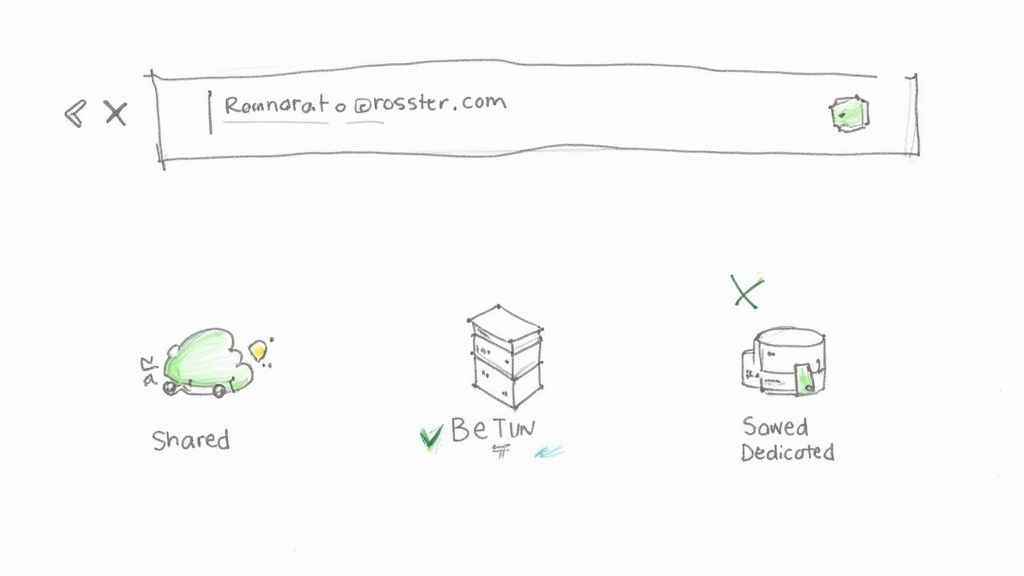
Before your new web page can go live, it needs two fundamental things: a memorable address and a place to live online. That's where your domain name and web hosting come in. I like to think of your domain as the street address and the hosting as the plot of land your website is built on.
Your domain name is often the first thing a visitor encounters, so you want to make a good impression. A great one is easy to remember, simple to type, and perfectly captures your brand. For example, if you run a bakery called "Sweet Treats," sweettreats.com is a far better choice than something clunky like sweettreats-bakery-online-123.net.
Quick Tips for a Strong Domain
Putting a little thought into your domain now can save you major rebranding headaches down the road. Here’s what I’ve learned works best:
Stick with .com: It’s the most recognized and trusted extension out there. People just default to it.
Keep it short and simple: Avoid hyphens, numbers, or slang that could confuse people trying to find you.
Make it brandable: Aim for a name that’s unique and helps you stand out from the crowd.
Once you have a name picked out, you need hosting. This is the engine that keeps your site running and makes sure it's accessible to visitors 24/7. For a deeper look at the whole process, our guide on https://www.alpha.page/blog/what-is-domain-name-registration breaks it all down.
Finding the Right Hosting Fit
Web hosting comes in a few different flavors, and the right one really depends on your needs. If you’re just starting out, shared hosting is usually the most budget-friendly option. Think of it like renting an apartment—you share the building's resources with other tenants, which keeps your costs down.
Choosing the right hosting is about balancing your current needs with your future goals. Starting with shared hosting is perfectly fine, as you can always upgrade as your website traffic grows.
If you know you'll be building on WordPress, it’s worth exploring specialized WordPress hosting for better performance and support.
The good news? Many modern AI builders like Alpha simplify this whole process by bundling your domain and hosting into one straightforward package. This integrated approach removes all the technical guesswork, letting you focus on what really matters: building an amazing page.
Building Your Page with an AI Website Builder
This is where the real magic kicks in. Forget wrestling with clunky drag-and-drop editors or getting lost in confusing settings. With an AI-powered tool like Alpha, you start with a simple conversation.
You just describe what you need in plain English. For example, you might type: "Create a one-page website for a local bakery called 'The Rolling Pin' specializing in sourdough bread. I want a rustic, warm feel. Make sure it has a menu section, a contact form, and lots of bread photos."
The AI takes that prompt and gets to work instantly. It doesn't just grab a generic template; it generates a complete, unique starting point—we're talking a fitting color scheme, professional font pairings, and relevant starter content for every section. This first draft gives you a massive head start compared to staring at a blank screen.
From AI Draft to Your Unique Vision
Once the AI has done its thing, you get a solid draft. Now it’s your turn to add the personal touches that make the site yours. Think of the AI's output not as a rigid template, but as a smart, flexible foundation you can easily shape.
A great first step is branding. Upload your logo, and you'll often see the AI intelligently adjust the site’s color palette to match. This little trick ensures your brand identity is locked in from the get-go.
Next, you’ll want to fine-tune the visuals and the text. The AI gives you great placeholder images and copy, but they’re designed to be swapped out for your own content.
Swap Images: You can dive into a built-in stock photo library to find high-quality images or, even better, upload your own professional shots.
Refine the Text: Tweak the headlines and paragraphs to capture your brand's voice. This is where you really connect with your visitors.
Adjust the Layout: Want to move a section? Change the order of elements? With many AI builders, you can do this with simple text commands, like telling the AI to "make the header smaller."
The goal is to let the AI handle 80% of the heavy lifting. This frees you up to focus on the creative 20%—the unique content and personal details that truly connect with your audience.
The AI Advantage Over Traditional Methods
To see how much this changes things, let's compare the old way of building a website to the new AI-powered approach.
Traditional vs AI Website Builder Workflow
Stage | Traditional Builder (e.g., Classic WordPress) | AI-Powered Builder (e.g., Alpha) |
|---|---|---|
Setup | Install software, choose a theme, install plugins. | Describe your project in a simple prompt. |
Initial Design | Manually configure theme settings, colors, and fonts. | AI generates a complete, branded design draft in seconds. |
Content | Write all copy from scratch; find and upload all images. | AI generates starter copy and relevant images; you just refine them. |
Structure | Build pages section by section using a block editor. | AI creates the entire page structure based on your request. |
Revisions | Manually move, resize, and re-code elements for changes. | Make changes with simple text commands or intuitive tools. |
As you can see, the AI approach removes a ton of friction. You're no longer playing the part of a designer, developer, and content strategist all at once. Instead, you're the director, guiding an intelligent assistant to build exactly what you have in mind.
If you’re curious about how this process can speed up your projects, our guide on using AI to build a website takes a deeper dive. Instead of spending hours trying to code a contact form, you just ask the AI to add one, and it appears, fully functional. For entrepreneurs and small businesses, this efficiency is a game-changer. You can get a professional page live in hours, not weeks.
Final Touches Before You Go Live
The AI did the heavy lifting, giving you a fantastic starting point. But the small details you add now are what will make your page truly professional. Before you even think about hitting that "Publish" button, it's smart to run through a quick pre-launch checklist.
This isn’t about making huge, sweeping changes. It’s all about refinement. Start with your core message. Are your headlines punchy and clear? Does every single call-to-action (CTA) tell a visitor exactly what to do next? Vague buttons don't get clicked. Make them specific, like "Get Your Free Quote" or "Explore the Collection."
Polish and Optimize Your Content
Now, it's time to get into the nitty-gritty. Read every word on the page out loud—this is the best way to catch typos and clunky sentences that can tank your credibility. Go ahead and click every single link, too. Nothing screams "unprofessional" like a broken link that leads to a 404 error page.
This is also the perfect moment to handle some basic on-page SEO. The Alpha builder makes this easy. Just find the settings for your page's title tag and meta description. These are what people see in Google search results, so write something compelling that makes them want to click on your link instead of someone else's.
Before you publish, take a step back and try to see your page through the eyes of a first-time visitor. Can they understand what you offer in five seconds? This quick change in perspective is amazing for spotting last-minute fixes.
Nail the Mobile Experience
This last step is absolutely crucial: see how your page looks and feels on a smartphone. With the digital publishing market projected to hit over $88 billion by 2029, a huge chunk of that is happening on small screens. In fact, more than 57% of all web traffic now comes from mobile devices, so a great mobile experience isn't just a nice-to-have; it's essential. For more data, you can see the latest market trends on PublishDrive for more trends.
Alpha is built to make your pages look great on mobile automatically, but you should always double-check.
Readability: Is the text easy to read without having to pinch and zoom?
Navigation: Can you easily tap all the buttons and links with your thumb?
Load Speed: How quickly does the page pop up on a mobile connection?
A slow-loading page is a sure way to lose visitors. If you want to dive deeper, we have a whole guide on how to improve website loading speed. A few final checks here will ensure your page is ready to impress everyone, no matter what device they're using.
Hitting Publish and Sharing Your Work
You’ve put in the work. You’ve designed, tweaked, and polished your page until it’s just right. Now comes the best part: sending it out into the world. Clicking that "Publish" button is when your hard work officially goes live.
Thankfully, with a builder like Alpha, this isn’t some scary, technical ordeal. The platform does all the complicated stuff for you in the background—uploading files, linking to your domain, and making sure your site is visible to anyone, anywhere. No server configurations, no code, just a simple click.
Your First Post-Launch Checks
The moment your page is live, it’s a good idea to do a quick quality check. Don't just assume everything is working perfectly.
Pop open a new browser window and type in your URL. Does it load properly? Give every single link a final click to make sure they all go where they're supposed to. I’ve seen it happen where a small typo in a link goes unnoticed until after launch, so this is a crucial step.
It’s also smart to run your new URL through Google’s Mobile-Friendly Test. It’s a free tool that quickly tells you if your page looks and works well on a smartphone, which is essential for getting found in search results.
Publishing is the starting line, not the finish. The real work begins now as you start attracting visitors and seeing how they interact with your content. This initial feedback is invaluable.
Once you confirm everything is in order, the next phase begins. You’ll want to keep an eye on performance and look into strategies to improve website conversion rates.
But first, let's get some eyes on your new creation. Share the link across all your social media channels and let your network know what you've built. It's time to start bringing in that first wave of visitors.
What to Expect After You Hit 'Publish'
Going live with a new web page is exciting, but it's natural to have a few last-minute questions. Let's tackle some of the things people always ask right before they launch.
So, What's This Going to Cost Me?
This is usually the first question on everyone's mind, and the good news is, getting a site online is cheaper than you think. Traditionally, you'd have to buy a domain name (around $10-$20 a year) and then find a separate web hosting service, which could add a few more dollars each month.
But tools like Alpha really change the game here. Most modern builders bundle everything together. Their plans, often ranging from $15 to $50 a month, usually include the domain and hosting. This turns a bunch of small, separate bills into one predictable cost, which is a lifesaver for budgeting.
Can I Change Things After It's Live?
Yes, absolutely! Hitting "publish" isn't like sending a book to the printer—it’s not permanent. Your website is a living thing.
I always tell people to think of their site as a dynamic brochure. With a builder like Alpha, you can pop back into your dashboard anytime you need to make a quick fix or a big update.
Did you change your pricing? You can update it in minutes.
Want to showcase a new project? Go ahead and add a new gallery.
Need to refresh the text on your "About" page? Easy.
Just make your edits, hit save, and republish. The changes will be live for the world to see, usually right away. That’s the whole point—keeping your site fresh and accurate without any hassle.
Your published website is a starting point, not a finished product. The ability to easily update it is one of the most powerful features of any modern builder.
How Long Does It Take to Show Up on Google?
This one trips a lot of people up. Once your page is live, it doesn't instantly appear in Google search results. It takes time for search engines to discover, crawl, and then index your new page. Think of indexing as Google officially adding your page to its library.
This process can take anywhere from a few days to a couple of weeks. It's not an exact science.
If you're antsy, you can give Google a nudge by submitting your site's URL through their free Google Search Console tool. But keep in mind, just getting indexed is step one. Actually ranking high in search results is a whole other journey that involves ongoing SEO work.
Ready to stop wondering and start building? Alpha uses AI to help you create and publish a professional website in minutes, not months. Start building your page for free today!
EXAMPLES
Build beautiful websites like these in minutes
Use Alpha to create, publish, and manage a fully functional website with ease.