How to Create Website Mockups People Actually Love
Learn how to create website mockups that bridge the gap between idea and reality. Our guide covers tools, principles, and developer handoff.
Build beautiful websites like these in minutes
Use Alpha to create, publish, and manage a fully functional website with ease.





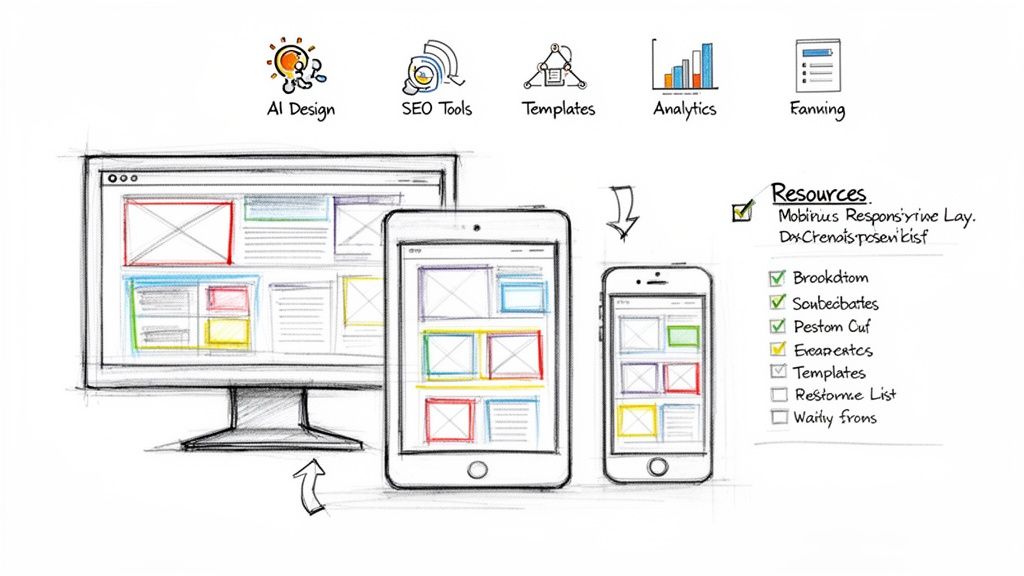
In a mobile-first world, a website that looks stunning on every screen is not just an option, it's a requirement. With a significant majority of web traffic originating from mobile devices, a responsive design that adapts seamlessly from desktops to tablets and smartphones is critical for capturing audience attention and driving business growth. The challenge is that building a truly responsive site traditionally required significant technical expertise and resources, putting it out of reach for many.
This is the exact problem that modern website builders solve. They provide powerful, intuitive platforms that handle the complex coding, allowing entrepreneurs, marketers, and startups to create beautiful, fully functional, and mobile-ready websites without writing a single line of code. These tools are the key to building a professional online presence quickly and efficiently.
This guide cuts through the marketing noise to deliver a comprehensive, ranked breakdown of the 12 best responsive website builders available today. We dive deep into each platform, analyzing critical features like AI-powered design, template quality, true ease of use, and built-in SEO tools. Whether you're launching your first e-commerce store, a portfolio site, or a marketing hub for your startup, this resource is designed to help you make an informed decision. We provide a detailed comparison, screenshots, direct links, and honest assessments to help you find the perfect builder for your specific needs and goals.
1. Alpha
Best for: AI-Powered Speed & Conversion-Focused Design
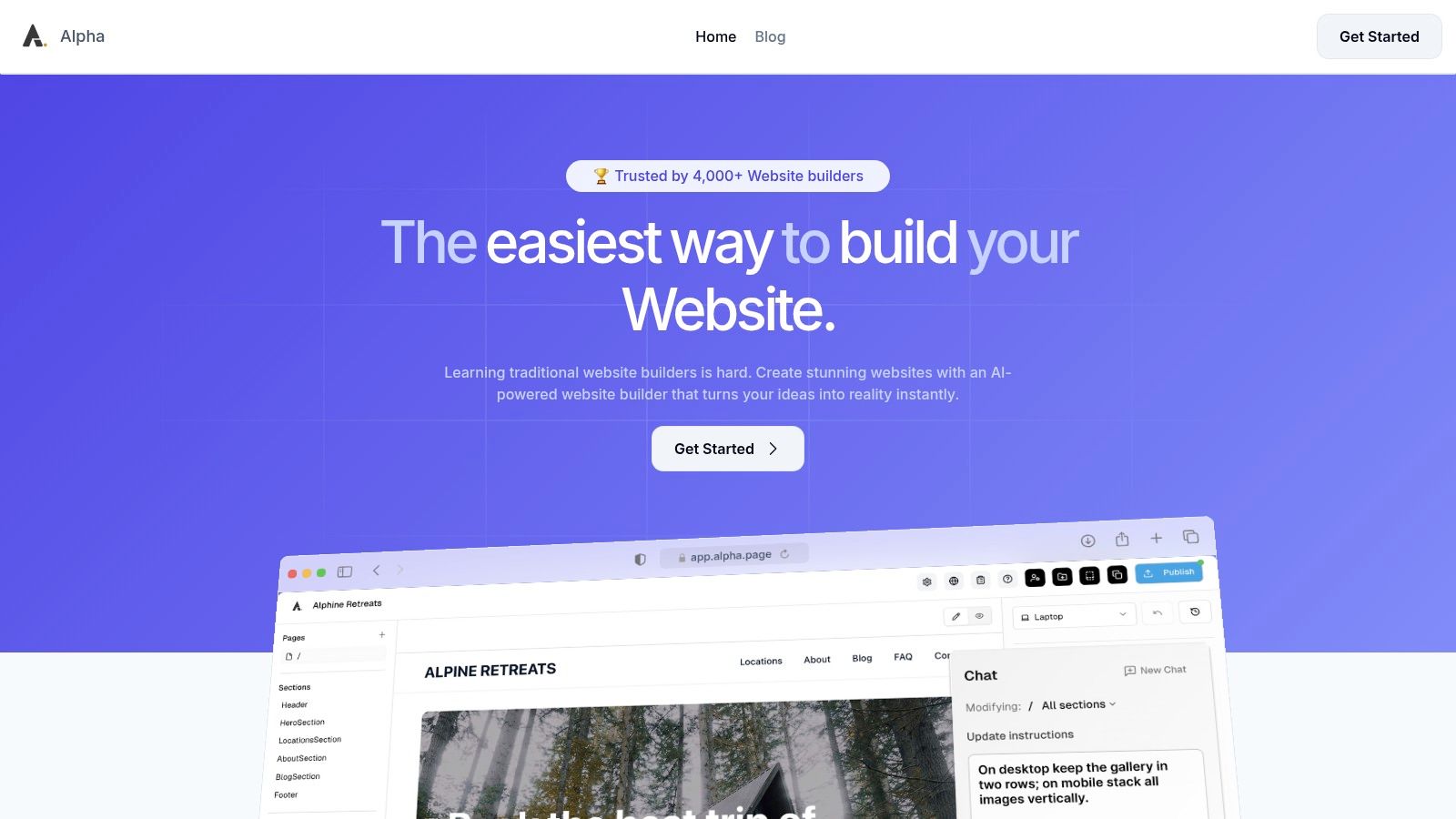
Alpha solidifies its top position as one of the best responsive website builders by offering an unparalleled combination of AI-driven speed, intuitive control, and conversion-centric design. It's engineered for entrepreneurs, startups, and marketers who need to launch polished, high-performing websites in hours, not weeks, without touching a line of code or navigating complex design software. Alpha’s platform is built on the principle that a professional, mobile-ready site shouldn't be a bottleneck to business growth.
The core of its power lies in its unique "drop a URL" feature. This allows you to use any existing website as a structural and layout reference, which the AI then adapts with your brand's content and visuals. This innovative approach provides a battle-tested foundation instantly, removing the guesswork from creating an effective user experience. From there, you can refine every element using natural-language chat commands, making design tweaks as simple as sending a message.
Key Features & User Experience
Alpha’s feature set is streamlined for efficiency and results. The platform automatically optimizes every site for mobile devices, ensuring a flawless experience across all screen sizes, a critical factor for SEO and user engagement. This built-in responsiveness is a key reason it excels. For those interested in the fundamentals, Alpha provides an excellent responsive web design tutorial to deepen your understanding.
The user experience feels refreshingly modern. With built-in forms, real-time analytics, and one-click publishing, you have a complete toolkit to not only launch but also grow your online presence. The platform is trusted by over 4,000 builders, with users like Doug Roper calling the format-copying function a "game-changer."
Pricing & Plan Tiers
Alpha offers a flexible pricing structure suitable for various stages of business growth.
Free Plan: Perfect for testing, offering one page published on an alpha-ai.page subdomain.
Mini Plan ($9/month): Ideal for personal sites or landing pages, it includes a custom domain, two pages, and 100 AI chat credits.
Basic Plan ($25/month): Geared for small businesses, this plan provides up to 15 pages, 300 chat credits, and beta access to CMS features.
Annual billing offers a discount of approximately 20%.
Feature | Analysis & Use Case |
|---|---|
AI "Copy a Site" Feature | Standout Advantage. Lets you clone the layout of a competitor or industry leader to start with a proven structure, saving significant design time. |
Natural Language Editing | Exceptional Ease-of-Use. Edit your site by simply chatting with the AI. Ask it to "change the headline font to bold" or "add a contact form here." |
Built-in Growth Tools | Practical & Integrated. Comes with native forms and real-time analytics, so you can start capturing leads and tracking visitor behavior without third-party integrations. |
Automatic Responsiveness | Essential for Modern Sites. Every site is automatically mobile-optimized, ensuring a consistent and professional look on desktops, tablets, and smartphones. |
Pros:
Extremely fast site creation with AI and the unique URL-copying feature.
No steep learning curve; natural-language chat makes design intuitive.
Conversion-first templates and built-in tools for lead generation.
Affordable and transparent pricing plans.
Cons:
Page counts are limited on lower-tier plans.
CMS functionality is still in beta.
The "copy a site" feature requires users to be mindful of copyright and to verify all AI-generated content for accuracy.
2. Wix
Wix has established itself as a dominant force in the website-building space, particularly for users who prioritize speed and a vast feature set without needing to write code. Its core strength lies in its dual-editor approach, catering to both absolute beginners and those wanting more granular control. For users seeking the fastest path to a live site, Wix ADI (Artificial Design Intelligence) asks a few simple questions and then generates a complete, mobile-responsive website in minutes.
Alternatively, the standard Wix Editor offers over 900 professionally designed templates with a true drag-and-drop interface. This unstructured editor provides immense creative freedom, allowing you to place any element anywhere on the page. While this is powerful, it requires a careful eye to maintain consistent responsive design across different breakpoints. Wix has built-in tools to manage mobile layouts separately, a crucial feature for optimizing the user experience on smaller screens. This makes it one of the best responsive website builders for those who want a visual-first design process.
Key Features & Use Case
Wix excels for service-based businesses like restaurants, salons, and fitness studios, thanks to its deeply integrated booking and scheduling tools (Wix Bookings). It also provides robust e-commerce functionality suitable for small to medium-sized online stores.
Best For: Entrepreneurs, freelancers, and small businesses needing a comprehensive, all-in-one solution with strong industry-specific features.
Pros: Extremely intuitive for non-technical users, massive template library, and a huge App Market for extending functionality.
Cons: The unstructured editor can lead to design inconsistencies, and migrating your site away from the Wix platform is a significant challenge.
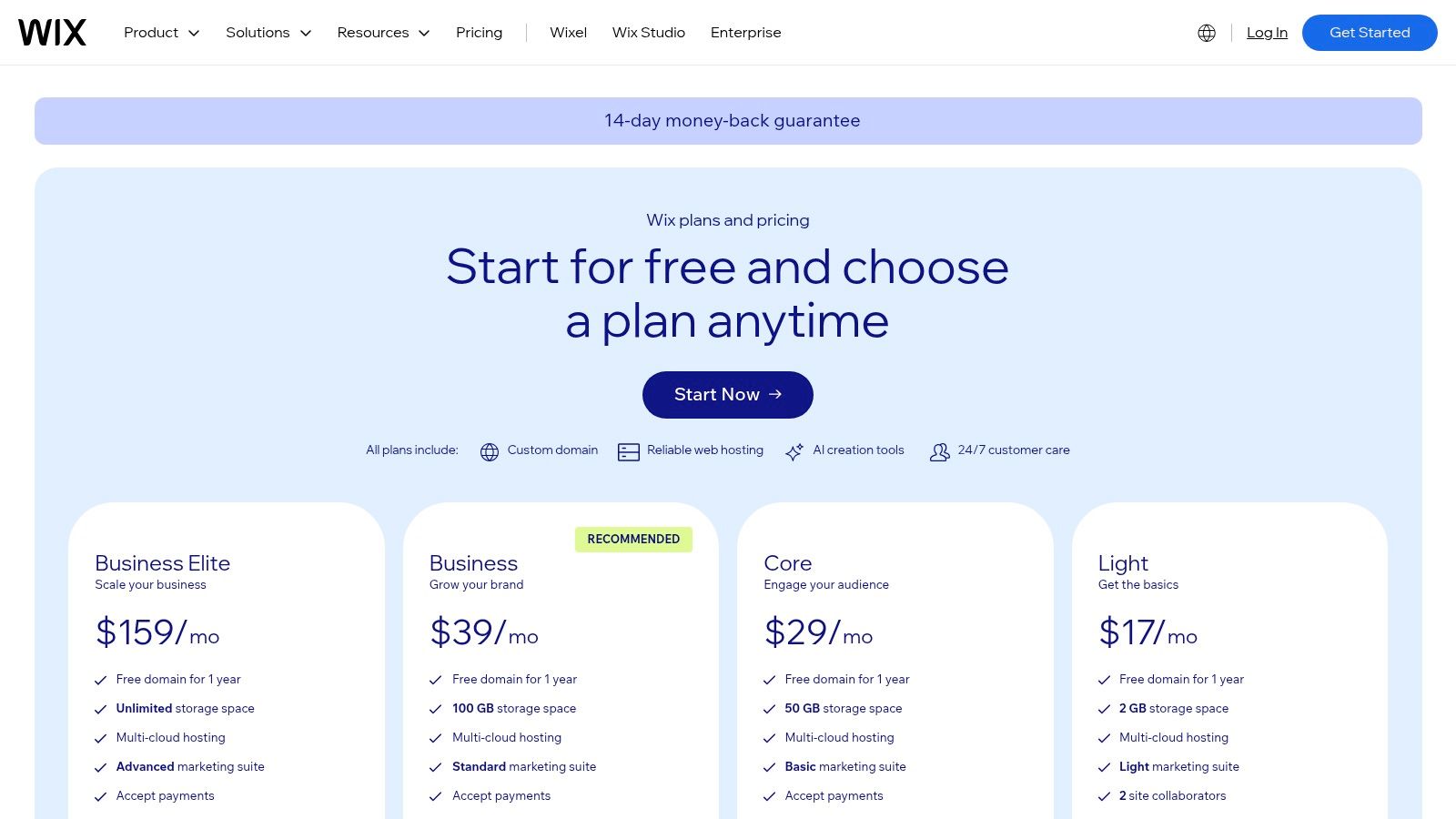
Pricing: Wix offers a free plan with ads. Paid plans, which include a custom domain and remove Wix branding, start at $17/month for the Light plan and go up to enterprise-level solutions.
Website: https://www.wix.com/plans
3. Squarespace
Squarespace has carved out a niche as the go-to platform for creatives, bloggers, and businesses that prioritize aesthetic polish and brand consistency above all else. Its strength lies in its award-winning, design-forward templates that are inherently responsive from the start. Unlike unstructured editors that can be overwhelming, Squarespace uses a section-based, structured grid system. This approach ensures your site maintains its professional look and optimal mobile performance with minimal effort, making it one of the best responsive website builders for design-conscious users.
The platform is an all-in-one powerhouse, integrating features like e-commerce, appointment scheduling, member areas, and email marketing directly into the dashboard. This tight integration simplifies the tech stack for entrepreneurs and small teams who want to manage their entire online presence from one place. This cohesive ecosystem is a key reason many choose Squarespace, as it removes the need to vet and manage third-party plugins for core business functions. For those interested in this approach, you can learn more about how to create a website without coding and see how integrated platforms simplify the process.
Key Features & Use Case
Squarespace excels for portfolios, creative service businesses, and content-driven brands that require strong blogging, video, and gallery features. Its built-in tools for commerce and scheduling are robust enough for many small to medium-sized businesses that value simplicity and elegance.
Best For: Photographers, designers, consultants, bloggers, and small businesses wanting a visually stunning, all-in-one digital storefront.
Pros: Excellent visual design quality out of the box, simple all-in-one stack for solo founders, and consistent responsive behavior with minimal setup.
Cons: Fewer low-level layout controls than more advanced tools, and some key features like advanced e-commerce are locked behind higher-tier plans.
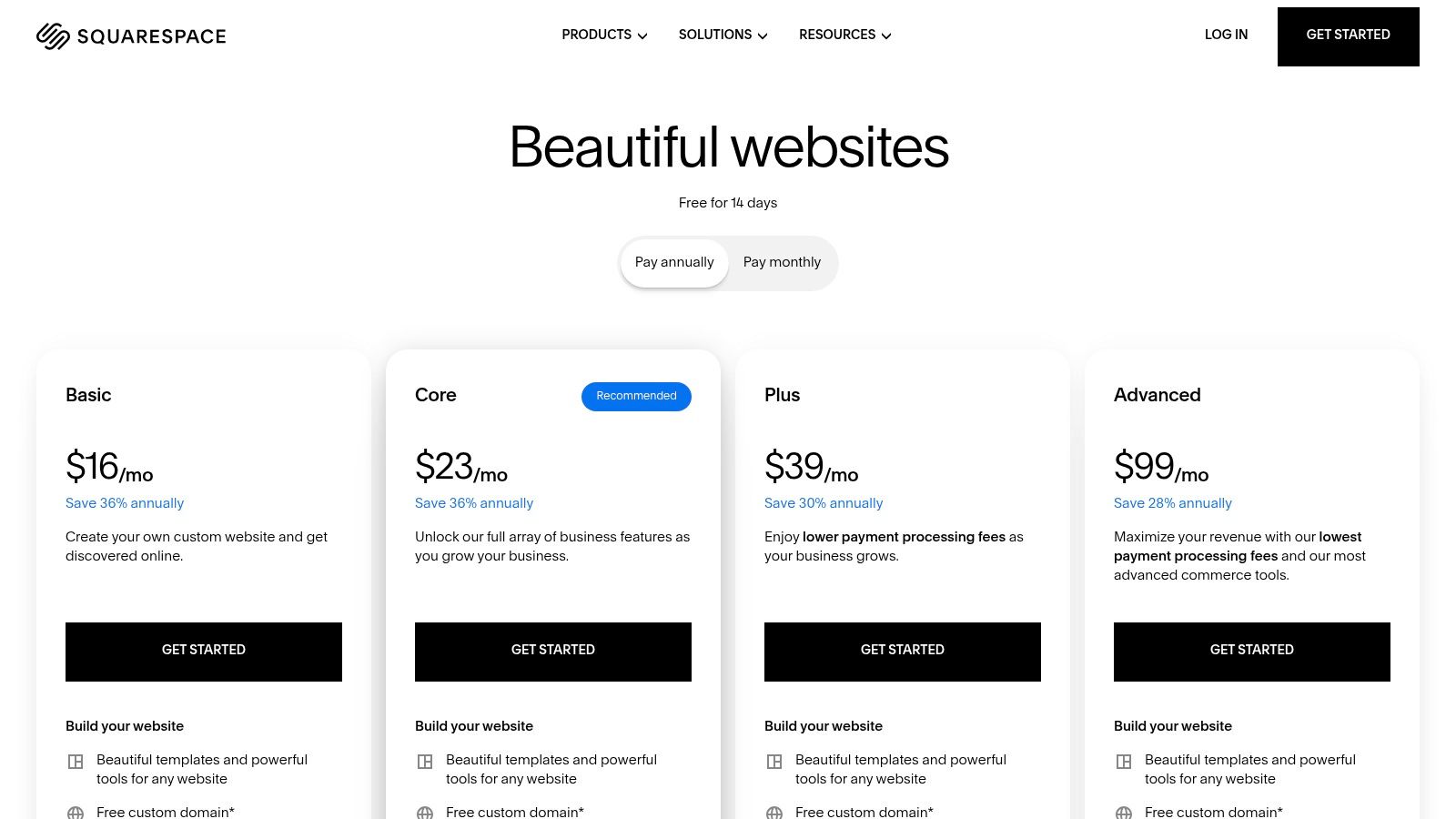
Pricing: Squarespace does not offer a free plan, but it provides a 14-day free trial. Paid plans start at $16/month (billed annually) for the Personal plan.
Website: https://www.squarespace.com/pricing
4. Webflow
Webflow occupies a unique space between visual drag-and-drop builders and custom-coded websites, offering unparalleled design control without forcing users to write code. It operates on a visual canvas that directly manipulates HTML, CSS, and JavaScript, using a box-model approach familiar to web designers. This allows for creating pixel-perfect, complex, and fully responsive layouts that adapt precisely across every screen size. The platform is built for designers and teams who need granular control over every element, from spacing and positioning to interactions and animations.
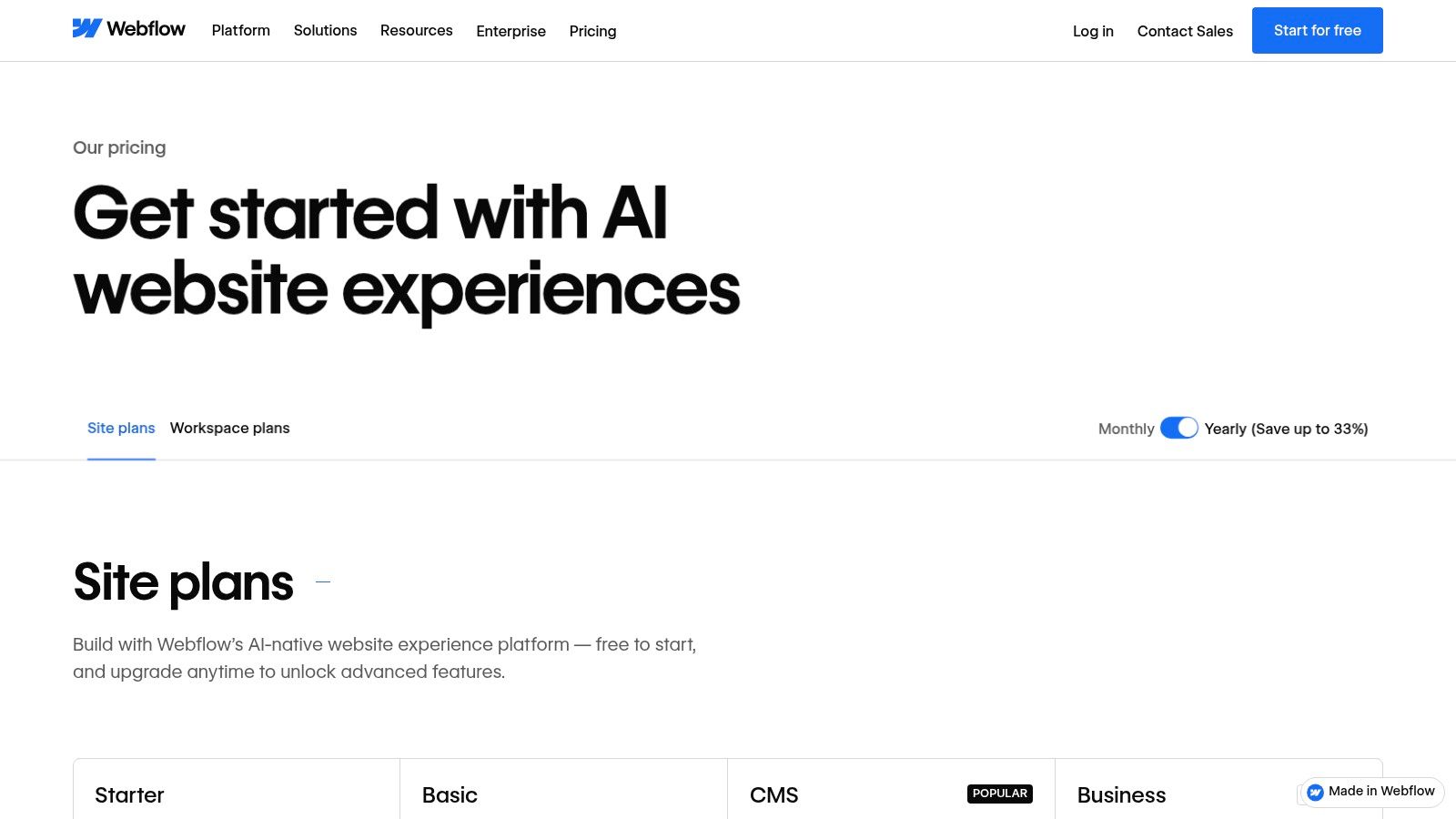
Unlike simpler builders, Webflow’s power comes with a steeper learning curve. However, for those willing to invest the time, it becomes one of the best responsive website builders for producing professional-grade marketing sites, blogs with complex layouts, and bespoke online experiences. Its integrated CMS is incredibly powerful, allowing you to build dynamic content structures for case studies, team members, or blog posts. Features like CMS collections, localization, and e-commerce support make it a scalable solution that can grow with a business from a simple landing page to a full-featured international site.
Key Features & Use Case
Webflow is ideal for design-led startups, marketing agencies, and businesses that prioritize brand identity and custom user experiences. Its ability to create production-ready code, which can be exported on certain plans, also makes it a favorite tool for designers who collaborate with development teams.
Best For: Professional designers, startups, and marketing teams needing CSS-level control in a visual environment to build custom, high-performance websites.
Pros: Pixel-precise responsive control, powerful CMS for dynamic content, and scales from solo projects to enterprise-level teams.
Cons: Has a significant learning curve compared to traditional builders and may be too complex for simple, one-page websites.
Pricing: Webflow offers a free plan to start building. Paid site plans start at $14/month (billed yearly) for the Basic plan, with CMS and Business tiers offering more features.
Website: https://webflow.com/pricing?utm_source=openai
5. Shopify
While many builders add e-commerce as a feature, Shopify is an e-commerce platform that includes a powerful website builder. Its entire ecosystem is engineered from the ground up to help businesses sell products online and in person. Every theme in the Shopify Theme Store is inherently mobile-responsive, ensuring that the shopping experience is seamless and professional on any device, from a desktop computer to a smartphone. This commerce-first approach guarantees that critical elements like product pages and the checkout process are optimized for conversions on small screens.
Shopify's editor allows for significant customization within a structured framework, balancing brand consistency with design flexibility. While it isn't a free-form drag-and-drop builder, this structure ensures that core commercial functions remain intact and responsive. Beyond the storefront, its strength lies in its comprehensive backend, which handles everything from inventory management and shipping to taxes and multi-channel sales. After selecting Shopify as your responsive website builder, it's crucial to understand how to effectively improve its visibility. Discover how to optimize Shopify SEO for search engines to attract more customers.
Key Features & Use Case
Shopify is the definitive choice for serious e-commerce ventures, from ambitious startups to established brands. Its integrated POS system makes it ideal for businesses with both online and physical retail locations. The platform's true power is unlocked through its extensive App Store, which provides solutions for marketing, customer service, and logistics.
Best For: Product-based businesses, direct-to-consumer (DTC) brands, and retailers seeking a scalable, all-in-one commerce solution.
Pros: Unmatched e-commerce features, best-in-class checkout experience, extensive app ecosystem, and robust multi-channel sales tools.
Cons: Content design flexibility is more limited than design-first builders, and transaction fees apply unless using Shopify Payments. Monthly costs can increase with necessary app subscriptions.
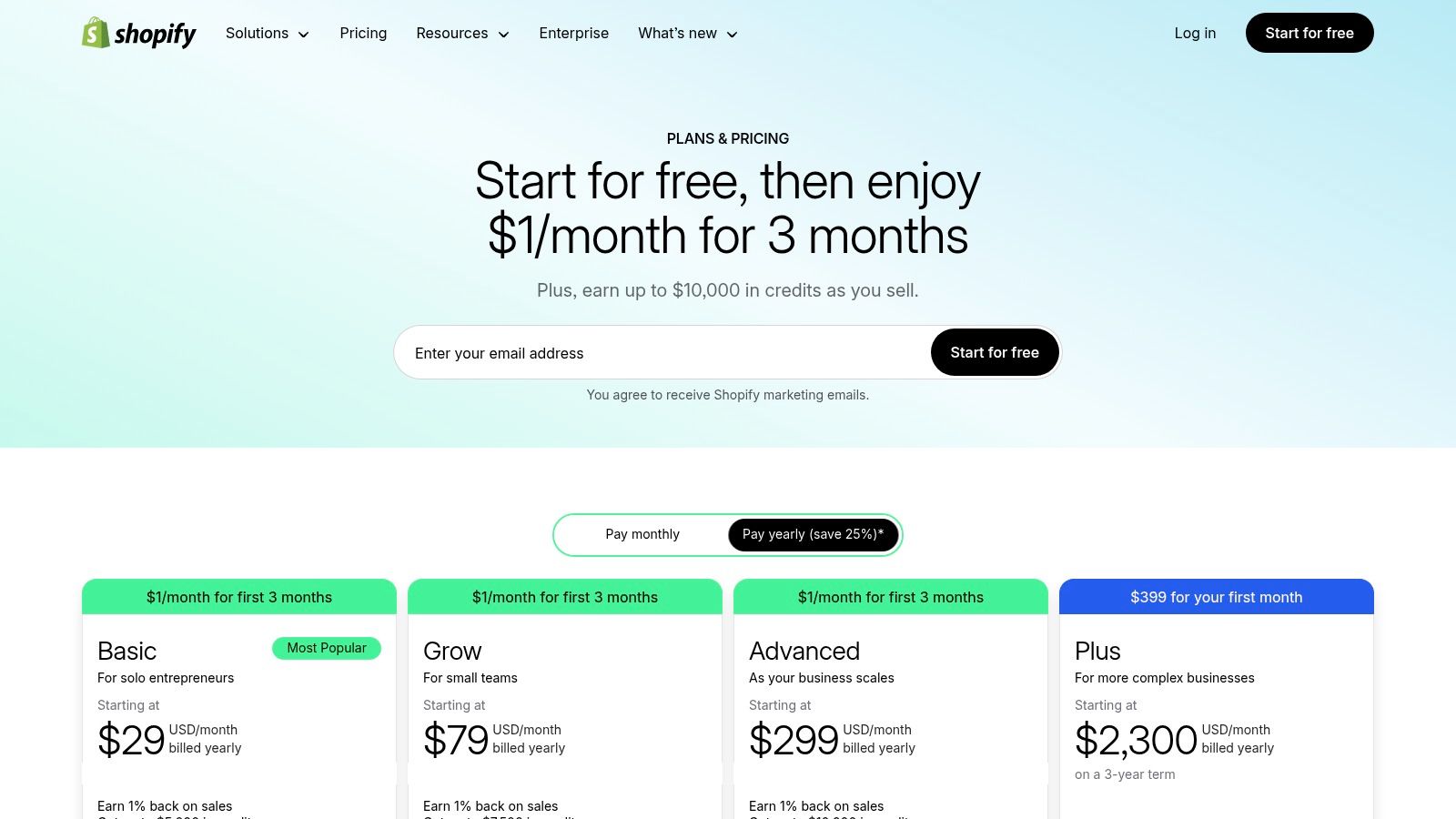
Pricing: Plans start with Basic at $29/month (billed annually), with Shopify at $79/month and Advanced at $299/month, each offering progressively lower transaction fees and more advanced features.
Website: https://www.shopify.com/pricing
6. WordPress.com
WordPress.com offers a streamlined, managed hosting experience for the world's most popular content management system. It stands apart from self-hosted WordPress by bundling hosting, security, and support into one package, making it an accessible entry point for bloggers and content creators. Its core strength is the powerful block editor (Gutenberg), which uses a modular, component-based approach to page building, ensuring that layouts are inherently responsive from the ground up.
While it doesn't offer the free-form drag-and-drop of other builders, the block and pattern system provides significant structure and design consistency. This makes it one of the best responsive website builders for content-heavy websites where maintaining a logical, mobile-friendly flow is paramount. The platform handles the technical aspects of website ownership, and you can learn more about what is website hosting to understand the benefits of this managed approach. With its new AI-powered site builder and extensive theme library, users can get a professional-looking, responsive site online quickly.
Key Features & Use Case
WordPress.com is unparalleled for blogging, portfolio sites, and publications that prioritize long-form content and SEO. With WooCommerce integration on higher-tier plans, it also becomes a powerful e-commerce platform capable of scaling with your business. The platform's true power is unlocked on Business and Commerce plans, which allow the installation of thousands of third-party plugins.
Best For: Bloggers, writers, publishers, and businesses focused on content marketing and SEO who want the power of WordPress without the hassle of managing their own hosting.
Pros: Excellent for blogs, SEO, and long-form content, with broad extensibility through plugins and custom code on paid tiers.
Cons: Some key capabilities (plugins, advanced customization) require Business/Commerce plans, and it involves more configuration than simple drag-and-drop tools.
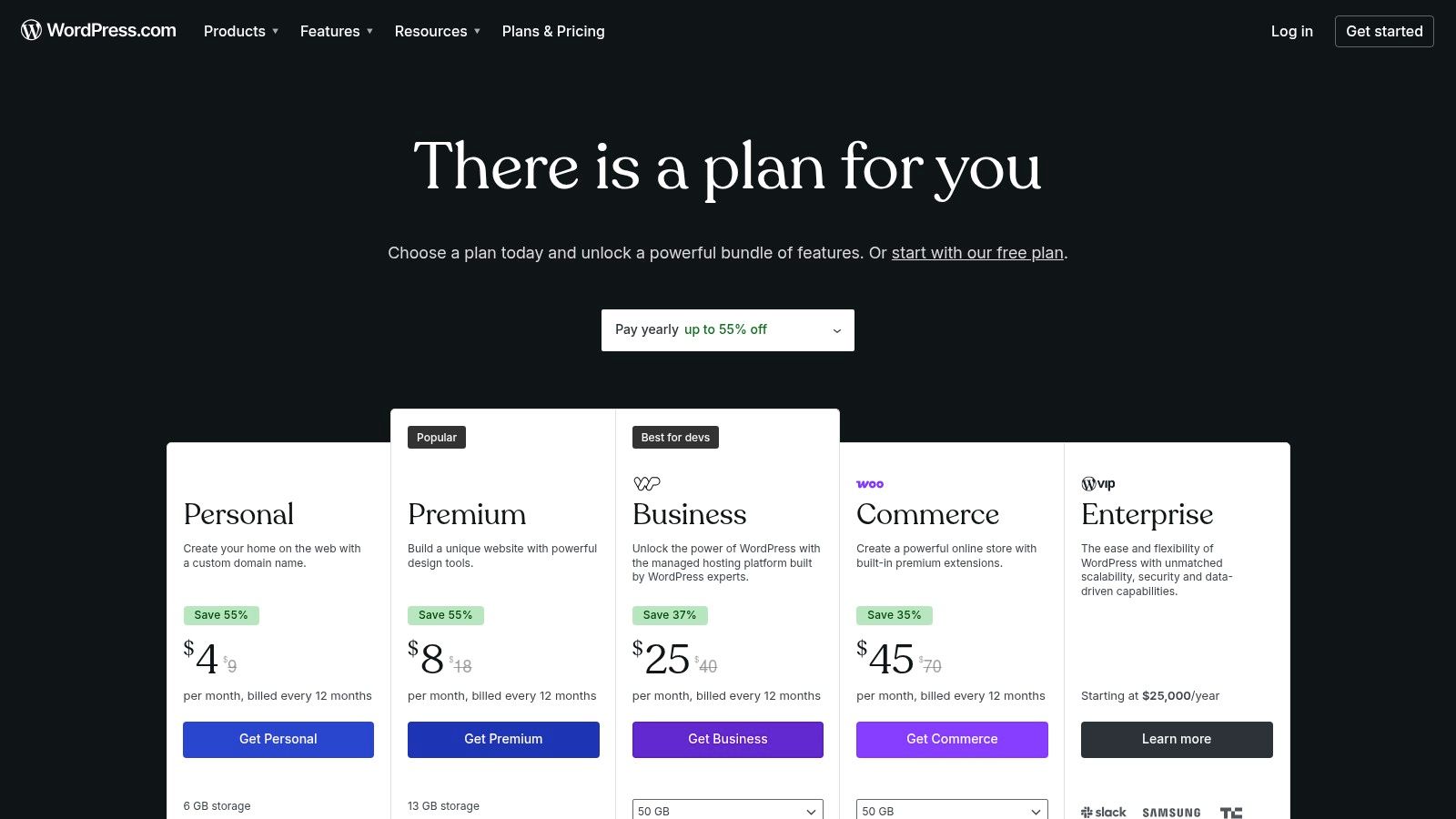
Pricing: WordPress.com has a free plan with ads. Paid plans start at $4/month (billed annually) for the Personal plan, with the plugin-enabled Business plan at $25/month (billed annually).
Website: https://wordpress.com/pricing
7. Framer
Framer has rapidly emerged as the go-to platform for designers and tech-savvy startups who crave pixel-perfect control and high-performance outputs. It masterfully bridges the gap between a design tool like Figma and a powerful website builder, allowing for a seamless transition from prototype to a fully published, responsive website. Framer's core philosophy centers on a canvas-based editor that feels intuitive to designers, offering advanced styling, interactions, and animations that are inherently responsive from the start.
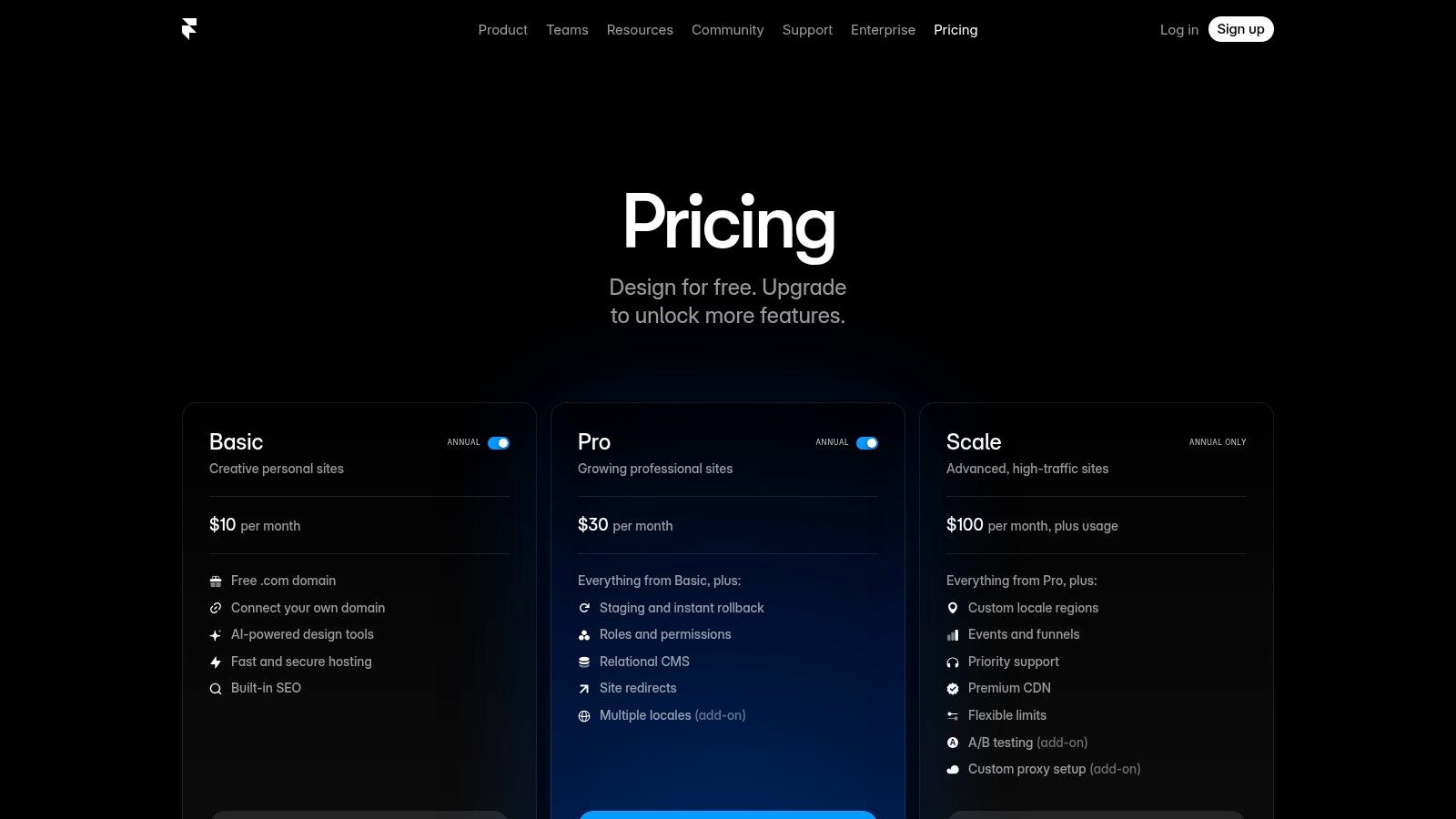
Its AI-assisted features can generate page layouts or copy in seconds, dramatically speeding up the workflow. The platform also includes a powerful relational CMS, making it ideal for content-driven marketing sites, blogs, and portfolios. Unlike many builders, Framer provides sophisticated tools like staging environments and redirects out of the box. This combination of design fidelity and robust site management tools makes it one of the best responsive website builders for teams that prioritize visual polish and fast iteration cycles.
Key Features & Use Case
Framer is purpose-built for creating visually stunning and highly interactive marketing websites, landing pages, and online portfolios. Its collaborative features, including free viewer roles and easy commenting, make it a top choice for design teams and agencies working directly with clients.
Best For: Startups, designers, and marketing teams needing a high-fidelity tool to build and launch polished, performance-optimized websites quickly.
Pros: Extremely fast and fluid design-to-publish workflow, exceptional control over responsive layouts and animations, and a powerful built-in CMS.
Cons: Best suited for marketing and landing sites rather than large e-commerce catalogs; advanced features like A/B testing require paid add-ons.
Pricing: Framer offers a free plan for hobby projects. Paid plans start at $10/month per site for the Mini plan, with the Basic plan at $20/month offering CMS capabilities.
Website: https://www.framer.com/pricing
8. Hostinger Website Builder
Hostinger Website Builder, formerly known as Zyro, carves out its niche by bundling an easy-to-use, AI-powered builder with its already popular hosting services. It’s designed for users who want an all-in-one package at a highly competitive price point, especially during frequent promotional periods. The platform leans heavily on artificial intelligence, offering an AI site generator, a logo maker, and even an AI writer to help generate copy, streamlining the path from idea to a live, responsive website.
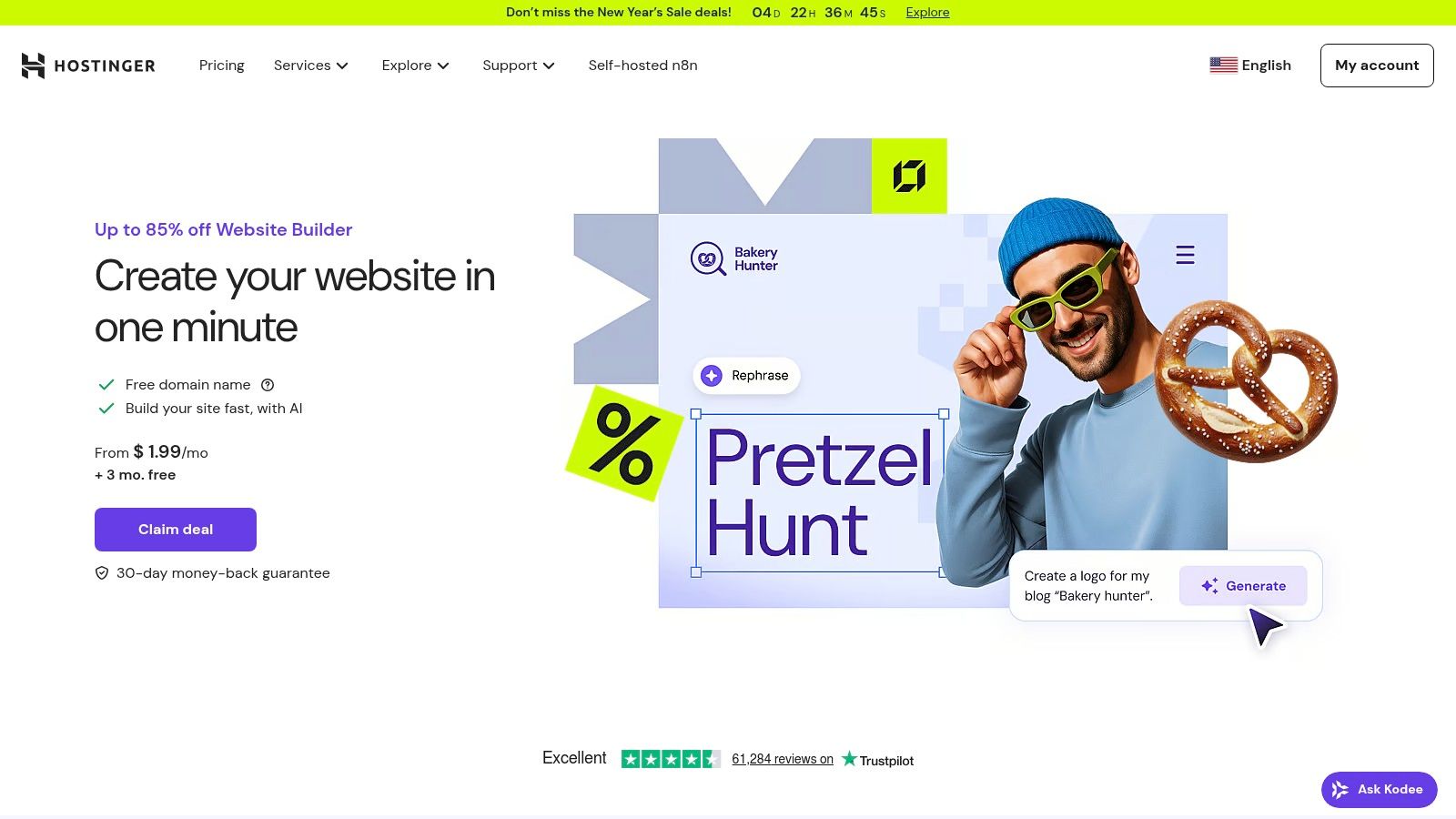
The builder uses a structured grid-based system, which inherently promotes good responsive design by ensuring elements align correctly across different screen sizes. While this offers less free-form creativity than a builder like Wix, it simplifies the design process and prevents common mobile layout issues. Users can easily switch to a mobile view and make specific adjustments, ensuring the site looks polished on any device. This straightforward approach makes it one of the best responsive website builders for beginners prioritizing speed and budget over complex customization.
Key Features & Use Case
Hostinger is a strong contender for personal portfolios, simple blogs, and small e-commerce ventures that need to get online quickly without a significant investment. Its built-in marketing tools, like email marketing and an AI SEO assistant, provide foundational support for growing a new online presence.
Best For: Individuals and micro-businesses seeking an ultra-affordable, all-inclusive solution for creating a simple yet professional-looking website.
Pros: Very low entry price during sales and promotions, AI tools simplify content creation, and the fast, simple editor ensures a mobile-ready site.
Cons: Page and storage caps on the entry-level plan, and it offers less flexibility and ecosystem depth compared to larger platforms.
Pricing: Hostinger Website Builder is included with its hosting plans, which frequently run promotions starting as low as $2.99/month and include a free domain for the first year.
Website: https://www.hostinger.com/website-builder
9. GoDaddy Website Builder (Websites + Marketing)
GoDaddy's Website Builder, now part of its "Websites + Marketing" suite, is engineered for speed and simplicity. It's designed for business owners who need a professional, mobile-ready online presence without a steep learning curve. The platform uses a block-based, structured editor, which ensures that every site created is automatically responsive from the start. This approach guides users through the process, making it difficult to create a poorly designed or non-functional layout on mobile devices.
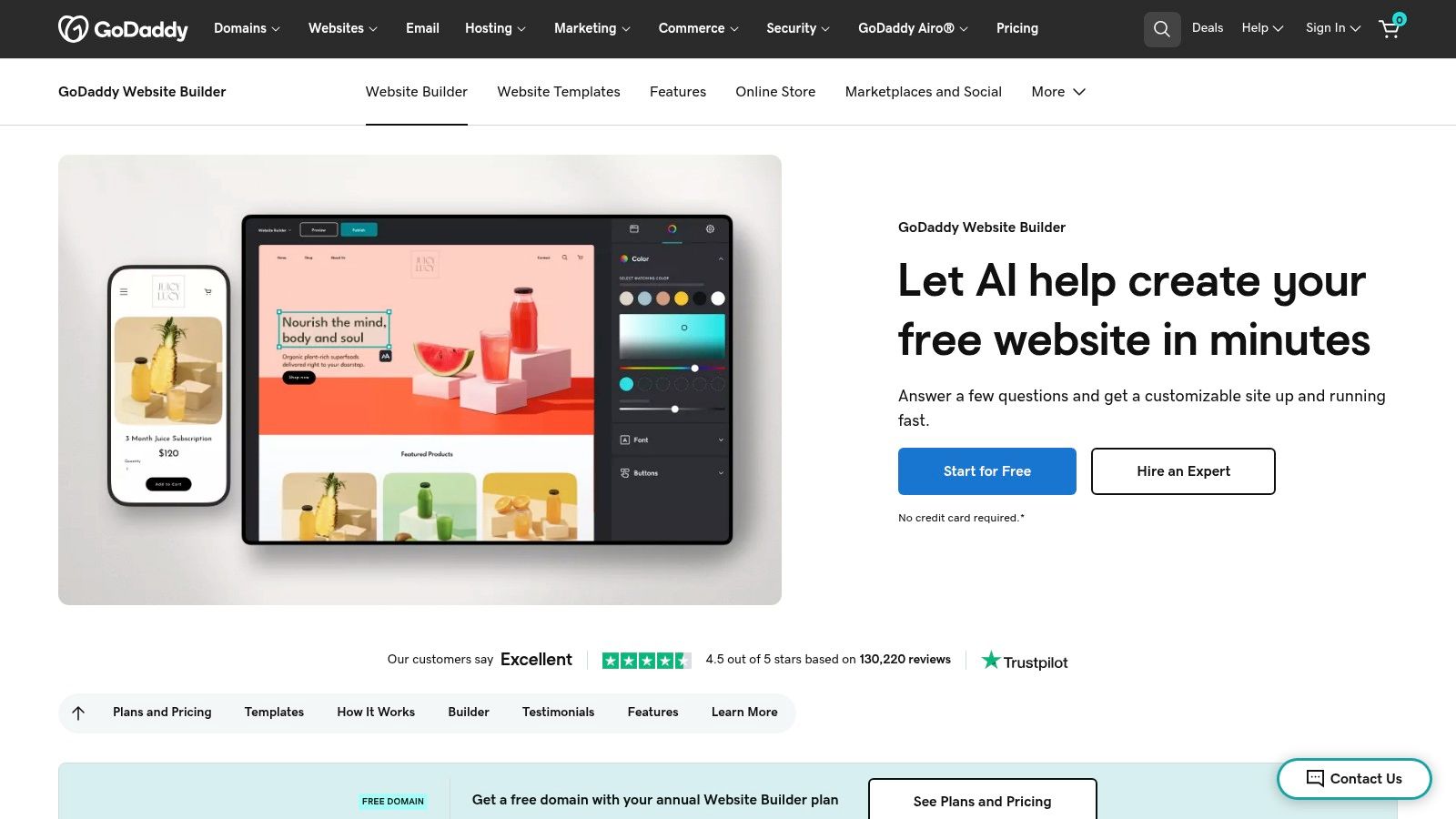
The builder's strength lies in its integration of essential business tools directly into the dashboard. Beyond just building pages, users can manage social media posts, send email marketing campaigns, and handle online appointments from one central hub. The AI-powered setup asks a few questions about your industry and business name to generate a tailored, pre-filled website draft, significantly cutting down on initial creation time. This makes it one of the best responsive website builders for entrepreneurs who need an all-in-one digital marketing solution.
Key Features & Use Case
GoDaddy excels for local service providers, consultants, and sole proprietors who want a single, easy-to-manage platform for their website and foundational marketing activities. Its built-in tools for appointments, email lists, and social media offer a streamlined workflow for those who are not digital marketing experts.
Best For: Time-strapped small business owners and service professionals who need a simple, fast website with integrated marketing tools.
Pros: Extremely easy onboarding and quick setup, and a single dashboard for managing website, email, and social media basics.
Cons: The structured editor offers less creative freedom than competitors, and many advanced features are gated behind higher-priced plans.
Pricing: GoDaddy offers a free plan to get started. Paid plans begin at $11.99/month for the Basic plan and scale up to the E-commerce plan at $24.99/month.
Website: https://www.godaddy.com/websites/website-builder
10. HubSpot Content Hub (formerly CMS Hub)
HubSpot Content Hub is more than just a website builder; it's a content marketing platform deeply integrated with a world-class CRM. It is designed for marketing-led businesses that want to create data-driven, personalized web experiences that convert visitors into leads and customers. Its responsive design capabilities are built around themes and modules, ensuring that every page, blog post, and landing page functions flawlessly across all devices while maintaining brand consistency.
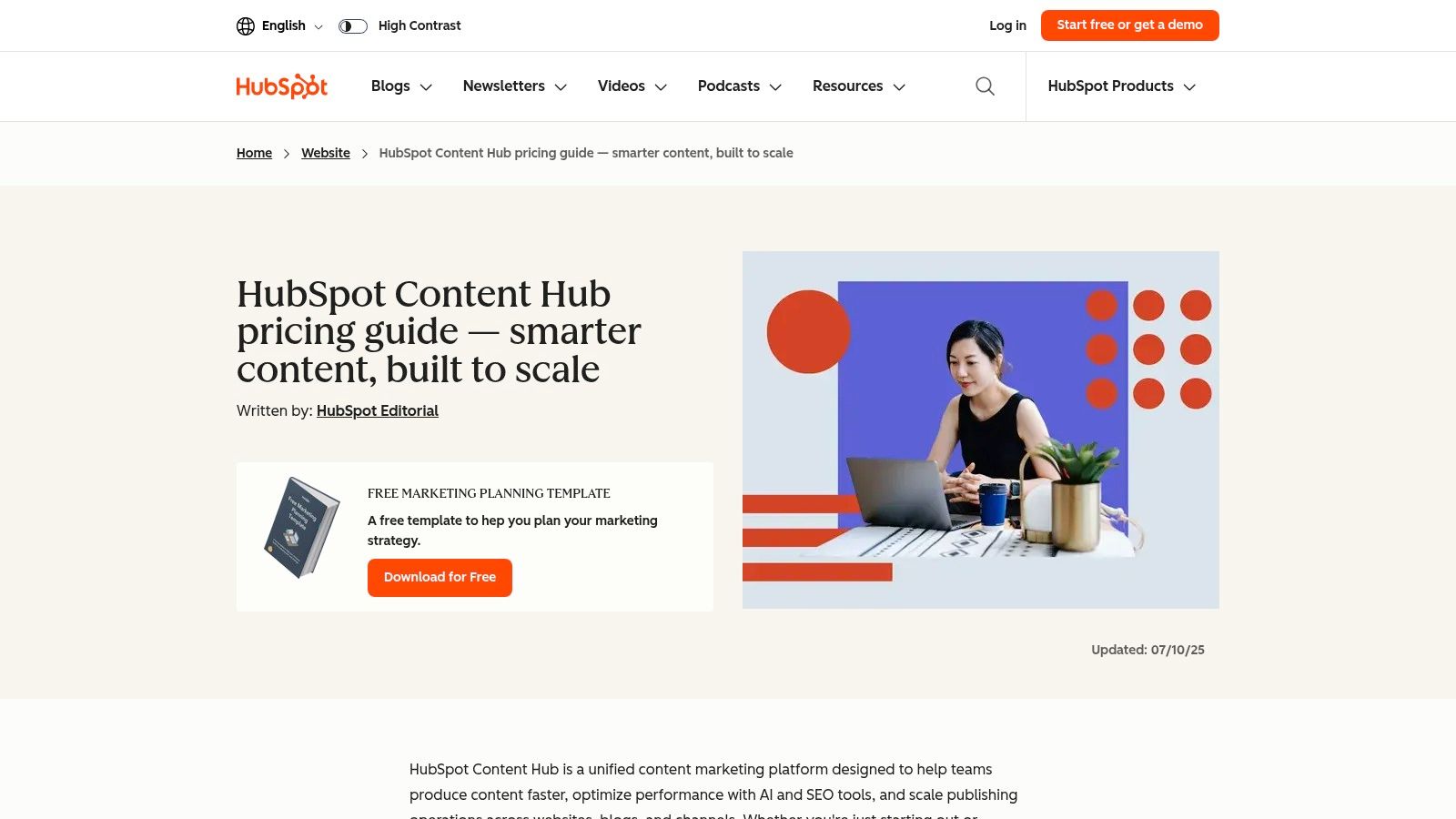
The platform's true power comes from its native connection to HubSpot's marketing, sales, and service tools. You can use its drag-and-drop editor to build pages and then leverage "smart content" to show different versions of your site to visitors based on their CRM data, such as location or lifecycle stage. This tight integration makes it one of the best responsive website builders for businesses focused on generating and nurturing leads directly from their website, as every interaction is captured and tracked within a single system.
Key Features & Use Case
HubSpot Content Hub shines for B2B companies, marketing agencies, and established businesses aiming to align their website with their broader marketing and sales funnels. It excels at creating dynamic, content-rich sites powered by its HubDB feature for managing structured data.
Best For: Marketing teams and businesses that need a website builder fully integrated with a powerful CRM and marketing automation tools.
Pros: Unmatched CRM integration for lead generation and personalization, robust security and governance features, and excellent SEO and content strategy tools.
Cons: The pricing model can become complex and costly, and it is likely overkill for simple brochure websites without a lead-generation focus.
Pricing: HubSpot offers a free plan with limited features and HubSpot branding. Paid plans for Content Hub start at $25/month for the Starter tier, scaling up significantly for Professional and Enterprise plans with advanced features.
Website: https://blog.hubspot.com/website/hubspot-content-hub-pricing
11. Carrd
Carrd has carved out a unique niche by focusing exclusively on building simple, elegant, and fully responsive one-page websites. It’s the antithesis of sprawling, multi-functional builders, instead offering a streamlined and incredibly intuitive platform for creating landing pages, personal profiles, or online portfolios. Every template is mobile-first by design, ensuring that the sites look and function perfectly on any device with zero manual adjustments needed from the user.
The platform’s strength lies in its simplicity and speed. Users can select a template, add their content using a straightforward block-based editor, and publish a live site in a matter of minutes. While it lacks the complexity of builders designed for large e-commerce stores or blogs, it offers essential features like contact forms, widgets, and the ability to embed third-party services. This focus on fundamentals makes it one of the best responsive website builders for anyone needing a high-quality, single-page presence without the overhead of a more complex system.
Key Features & Use Case
Carrd excels for creating digital business cards, "link-in-bio" pages for social media, app landing pages for collecting waitlist sign-ups, and temporary event sites. Its lean nature means pages load extremely quickly, which is a significant advantage for user experience and mobile performance.
Best For: Individuals, freelancers, and startups needing a fast, low-cost solution for a single-page website, landing page, or online profile.
Pros: Extremely affordable, remarkably easy to use, and very fast to launch a live site. All templates are inherently responsive.
Cons: Strictly limited to one-page sites, not suitable for e-commerce or content-heavy projects like blogs, and has minimal built-in functionality.
Pricing: Carrd offers a generous free plan for up to three sites. Pro plans, which add custom domains, forms, and remove branding, are exceptionally affordable, starting at just $19 per year.
Website: https://carrd.co/pricing
12. Tilda
Tilda has carved out a niche as a design-centric website builder, appealing to users who prioritize visual storytelling, strong typography, and advanced animation. It operates on a unique block-based system, offering over 550 professionally designed blocks that can be stacked to create a complete, responsive page. This modular approach ensures that even beginners can assemble a beautiful, well-structured website that looks great on any device.
Where Tilda truly shines is its "Zero Block" editor. This feature is a fully-fledged graphic editor that gives designers pixel-perfect control over every element, breaking free from the constraints of pre-made blocks. Inside Zero Block, you can create entirely custom sections and fine-tune their responsive behavior across five different breakpoints (desktop, tablet, landscape mobile, and portrait mobile). This level of granular control makes Tilda one of the best responsive website builders for landing pages, portfolios, and content-rich long-reads that demand a unique, polished aesthetic without writing code.
Key Features & Use Case
Tilda is exceptional for creative professionals, marketing agencies, and anyone building visually-driven projects like event pages, digital magazines, or corporate presentations. Its built-in CRM, form builder, and basic e-commerce capabilities provide enough functionality for many small businesses, while its focus on design remains paramount.
Best For: Designers, marketers, and content creators who need complete creative control over their website's visual presentation and responsive behavior.
Pros: Outstanding design flexibility with the Zero Block editor, strong focus on typography and animation, and the option to export code on higher-tier plans.
Cons: The e-commerce features are not as robust as dedicated platforms like Shopify, and its app ecosystem is smaller than that of major competitors.
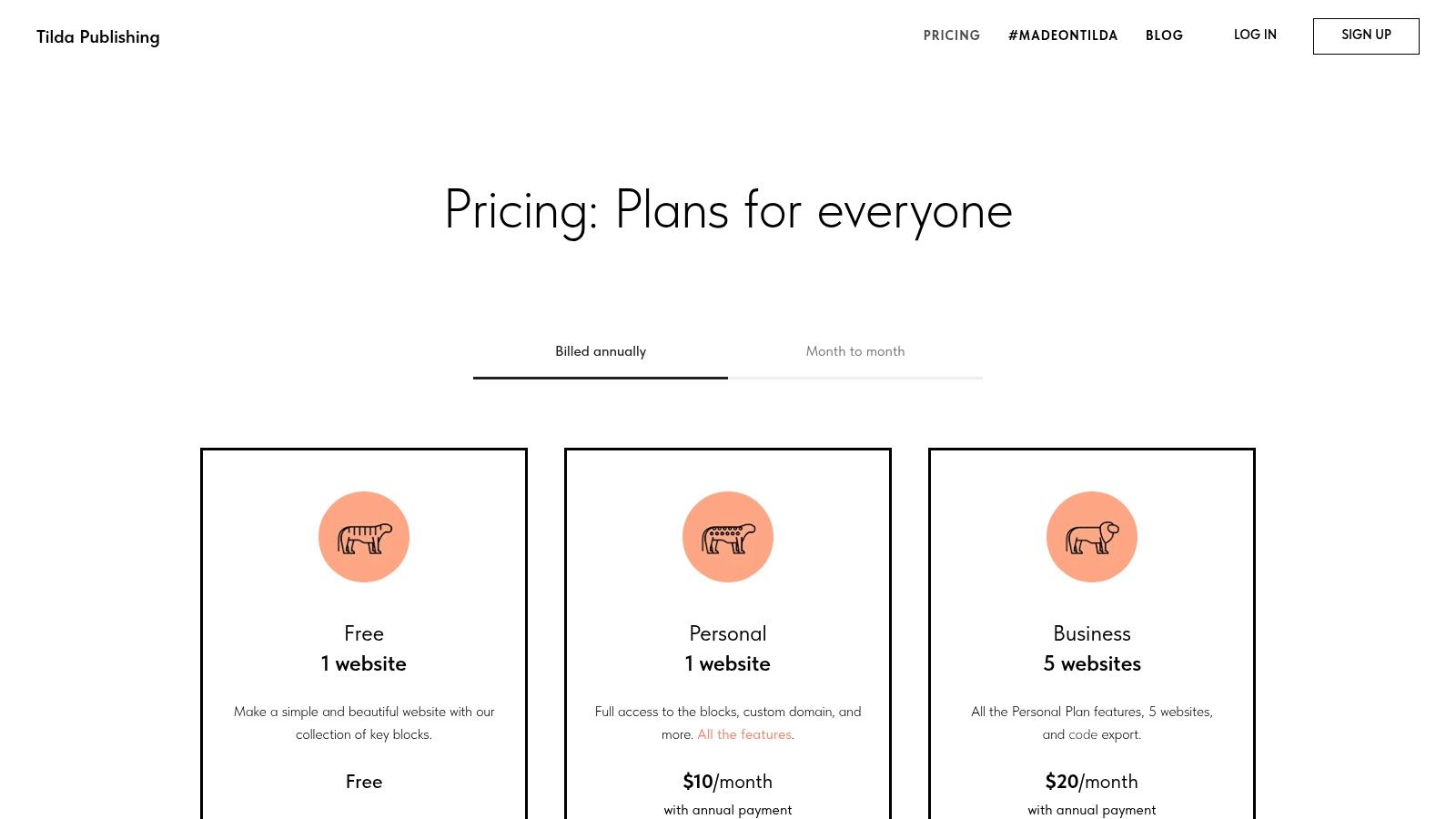
Pricing: Tilda offers a free plan for one website. Paid plans, which add features like a custom domain and more pages, start at $12/month (billed annually) for the Personal plan.
Website: https://tilda.cc/pricing/
Top 12 Responsive Website Builders — Comparison
Product | Core features | Ease & Quality (★) | Unique edge (✨) | Price / Value (💰) | Best for (👥) |
|---|---|---|---|---|---|
Alpha 🏆 | AI design, natural‑language editing, forms, analytics, mobile optimization, URL site-copy | ★★★★★ Fast & intuitive | ✨ Drop a URL to copy battle‑tested layouts; real‑time chat edits | 💰 Free / $9 / $25 (annual ~‑20%) | 👥 Entrepreneurs, startups, solopreneurs, marketers |
Wix | Drag‑and‑drop + ADI, 900+ templates, ecommerce, App Market | ★★★★ Easy with deep features | ✨ Huge template & app ecosystem | 💰 Tiered plans for site & store | 👥 Small businesses, service providers |
Squarespace | Polished responsive templates, blogging, ecommerce, scheduling | ★★★★ Design‑forward, consistent | ✨ High‑quality visual templates | 💰 Mid‑priced all‑in‑one | 👥 Creatives, portfolios, boutique shops |
Webflow | CSS‑level visual builder, CMS, code export, ecommerce | ★★★★☆ Pixel‑precise control (steeper curve) | ✨ Designer-level layout control & export | 💰 Developer/scalable pricing | 👥 Designers, agencies, startups |
Shopify | Ecommerce, product/inventory/checkout, POS, app ecosystem | ★★★★ Best‑in‑class commerce UX | ✨ Robust checkout & commerce integrations | 💰 Commerce plans + app costs | 👥 Merchants, growing online stores |
WordPress.com | Hosted WP, AI builder, block editor, WooCommerce option | ★★★☆ Flexible but more setup | ✨ Extensive plugin/theme extensibility | 💰 Free → paid tiers for plugins | 👥 Bloggers, content-heavy sites |
Framer | Design-centric builder, CMS, fast publishing, A/B tools | ★★★★ Fast, polished pages | ✨ Visual fidelity + marketing features | 💰 Mid-range; usage-based scale | 👥 Startups, marketers, designers |
Hostinger Website Builder | AI site builder + hosting, AI SEO, email marketing | ★★★☆ Budget-friendly & simple | ✨ Very low-price hosting bundles | 💰 Very low entry prices (sales) | 👥 Small sites, budget users |
GoDaddy Website Builder | Simple builder + integrated marketing & email | ★★★ Very easy onboarding | ✨ Single dashboard for web + marketing | 💰 Low entry; upsells on advanced features | 👥 Non-technical users needing basics |
HubSpot Content Hub | CMS + CRM, personalization, SEO, workflows | ★★★★ Powerful for marketing teams | ✨ Deep CRM-connected personalization | 💰 Premium; complex tiering | 👥 Marketing-led teams, enterprises |
Carrd | One‑page editor, responsive blocks, forms, custom domains (Pro) | ★★★★★ Ultra-simple & fast | ✨ Extremely affordable single‑page sites | 💰 Very low annual price | 👥 Landing pages, MVPs, link‑in‑bio |
Tilda | Block-based builder, Zero Block, animations, forms | ★★★★ Strong design & speed | ✨ Zero Block for custom responsive layouts | 💰 Mid/affordable; code export on Business | 👥 Content-rich pages, designers |
Choosing Your Path to a Perfectly Responsive Site
Navigating the landscape of responsive website builders can feel overwhelming, but this deep dive has illuminated a clear path forward. We've explored a dozen powerful platforms, from the AI-driven innovation of Alpha to the design-centric ecosystems of Squarespace and the developer-friendly power of Webflow. The central takeaway is that there is no single "best" builder, only the one that best aligns with your unique vision, technical skills, and business objectives.
Your decision hinges on a strategic evaluation of your priorities. A clear understanding of what you need to achieve will guide you to the perfect tool.
Recapping the Top Contenders
For Speed and AI-Powered Efficiency: Alpha stands out for entrepreneurs and startups who need a professional, high-converting site launched in minutes, not weeks. Its ability to generate a complete site from a single URL is a revolutionary time-saver.
For Creative Professionals and Visual Brands: Squarespace remains a dominant force with its award-winning templates and intuitive, design-forward editor, making it ideal for portfolios, blogs, and image-rich business sites.
For Ultimate Design Control and Scalability: Webflow and Framer offer unparalleled power for designers and agencies who demand pixel-perfect control and dynamic interactions, bridging the gap between design and development.
For E-commerce Ambitions: Shopify is the undisputed leader for online stores, providing a robust, scalable platform built specifically for commerce. For simpler needs, builders like Wix or Squarespace offer strong e-commerce add-ons.
How to Make Your Final Decision
Making the right choice requires looking beyond the feature list. Consider the entire lifecycle of your website. Your goal is to find a platform that not only meets your current needs but can also grow with you.
Here are the critical factors to weigh before you commit:
Assess Your Technical Comfort: Be honest about your skills. If you're a beginner, platforms like Alpha, Wix, or the Hostinger Website Builder offer a gentle learning curve. If you have some design or coding knowledge, Webflow or WordPress.com will provide greater flexibility.
Define Your Core Purpose: Is your primary goal to sell products, generate leads, showcase a portfolio, or publish content? A dedicated e-commerce platform like Shopify is built for sales, while a tool like HubSpot Content Hub is engineered for inbound marketing and lead capture.
Factor in Your Budget: Your investment goes beyond the monthly subscription fee. Consider the costs of premium templates, apps, or plugins you might need down the line. Gaining a clear perspective by understanding website building costs will help you allocate your resources effectively and avoid unexpected expenses as your site scales.
Test Drive Before You Buy: Nearly every builder on this list offers a free trial or a limited free plan. Use them. Spend a few hours building a test page on your top two or three choices. This hands-on experience is the most reliable way to discover which interface feels most intuitive to you.
The journey to finding the best responsive website builder is a crucial first step in building your digital foundation. The modern web is mobile-first, and choosing a platform that guarantees a flawless experience on every device is no longer optional, it's essential for success. By carefully considering your specific needs and leveraging the insights from this guide, you are well-equipped to select a tool that will not only help you build a website but empower you to achieve your most ambitious goals.
Ready to skip the learning curve and launch a stunning, fully responsive website in minutes? Alpha uses advanced AI to instantly generate a complete, market-ready site from any existing URL. See the future of web design for yourself and get your business online today.
Build beautiful websites like these in minutes
Use Alpha to create, publish, and manage a fully functional website with ease.