How to Create Website Mockups People Actually Love
Learn how to create website mockups that bridge the gap between idea and reality. Our guide covers tools, principles, and developer handoff.
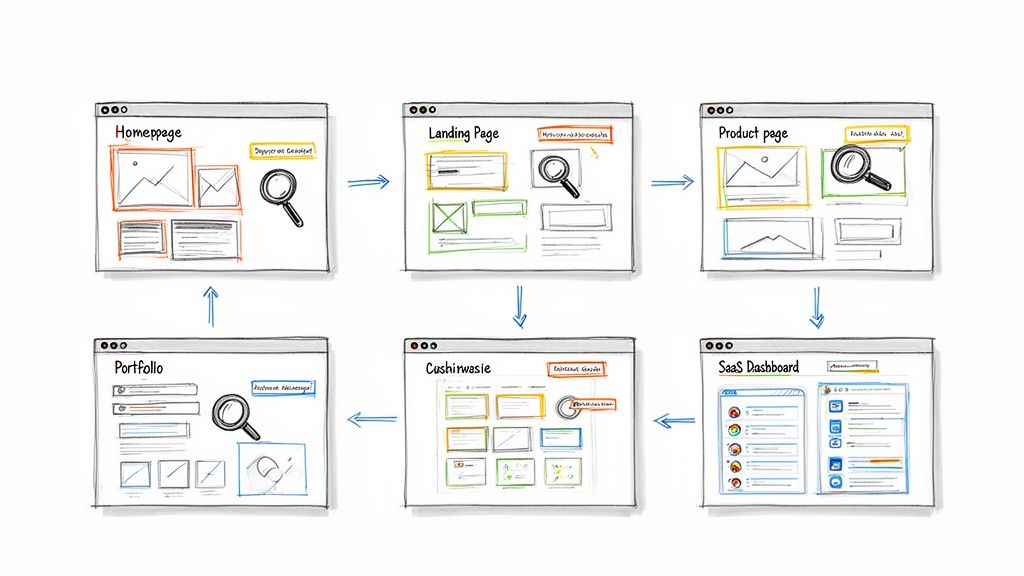
EXAMPLES
Build beautiful websites like these in minutes
Use Alpha to create, publish, and manage a fully functional website with ease.





Choosing the right website layout is the most critical first step in building an online presence that captures attention and drives action. A great layout isn't just about aesthetics; it's a strategic framework that guides visitors, communicates your value, and converts them into customers. But with endless possibilities, where do you even start? Instead of guessing, the smartest approach is to learn from what's already working.
This guide moves beyond generic advice and dives deep into specific, proven examples of website layouts across different industries and goals. We'll analyze why they succeed, what specific user problems they solve, and how you can replicate their structure and strategy for your own project. Our focus is on turning inspiration into action, providing a blueprint for building a site that not only looks professional but also performs exceptionally.
Each example includes a detailed breakdown of its strategic purpose, best use cases, and key takeaways you can apply immediately. We will also include screenshots and direct links to help you explore each option. The goal is to equip you with the insights needed to select a layout that aligns perfectly with your business objectives. To build a truly high-converting website, it's essential to understand the principles of Conversion Rate Optimization. This collection of layouts serves as your visual guide, demonstrating how top-tier designs put those principles into practice to achieve measurable results. Let's explore the blueprints behind successful websites.
1. Alpha
When searching for examples of website layouts, the most effective approach is often to study proven designs and adapt them to your needs. Alpha, an AI-powered website builder, is a standout platform built entirely around this principle. It doesn’t just offer templates; it provides an innovative toolset that allows you to replicate, customize, and launch effective layouts with unprecedented speed, making it an essential resource for entrepreneurs, startups, and small teams.
What truly sets Alpha apart is its unique URL-import feature. This powerful capability allows you to enter the URL of any existing website, and Alpha’s AI will analyze and replicate its structural layout, color palette, and font styles. This "game-changer" feature, as users call it, transforms the internet into an infinite library of battle-tested design examples. Instead of starting from a blank canvas, you begin with a proven foundation, saving countless hours of design and development work.
Strategic Analysis: Why Alpha Excels
Alpha’s core strength lies in its ability to deconstruct successful website layouts and make them accessible to non-designers. The AI-driven process is complemented by a natural language editor, where you simply describe the changes you want, like "make the headline bigger" or "add a three-column section with icons," and the platform executes them.
Key Strategic Insight: Alpha democratizes web design by turning inspiration into a tangible starting point. Its URL-import tool shifts the focus from creating layouts from scratch to refining layouts that are already validated in the market, significantly reducing risk and accelerating time-to-launch.
This approach is ideal for creating conversion-focused landing pages, clear SaaS homepages, and effective lead-generation sites. The platform comes equipped with built-in forms and real-time analytics, ensuring that the layouts you build are not just aesthetically pleasing but also functional business tools.
Key Features and Practical Applications
AI Design & URL Import: Instantly create a website structure by pasting a URL. This is perfect for marketers testing new campaign landing pages or founders creating an MVP site based on a competitor's successful layout.
Natural Language Editing: Refine your design with simple text commands. This eliminates the need for complex drag-and-drop editors or coding, making website updates fast and intuitive.
Conversion-Focused Tools: Integrated forms and analytics help you capture leads and measure performance from day one.
One-Click Publishing: Go live on a custom domain instantly with built-in mobile optimization, ensuring a seamless user experience across all devices.
Pricing and Accessibility
Alpha offers a transparent and accessible pricing structure suitable for various needs:
Plan Name | Monthly Price | Key Features | Best For |
|---|---|---|---|
Starter | Free | 1 page, publish on alpha-ai.page subdomain | Testing the platform or a single-page project. |
Mini | $9 | Custom domain, 2 pages, 100 chat credits | Solopreneurs or simple portfolio websites. |
Basic | $25 | Up to 15 pages, 300 chat credits, CMS (beta) | Startups and small businesses needing more content. |
Annual plans offer a 20% discount, enhancing affordability. This tiered model allows users to start for free and scale as their business grows. To get the most out of the platform, it’s crucial to understand the fundamentals of site organization. You can learn more about how to plan your website structure to ensure your imported layout is optimized for your specific goals.
Quick Tips for Using Alpha
Gather Inspiration: Before using the URL-import feature, create a "swipe file" of 3-5 websites with layouts you admire. Analyze what makes them effective.
Start with Structure: Use the URL-import to capture the core layout. Don't worry about perfect colors or images initially; focus on getting the sections and flow right.
Refine with Text Commands: Once the structure is in place, use the natural language editor to customize fonts, colors, and spacing to match your brand identity.
Integrate Your Content: Replace placeholder text and images with your unique value proposition, testimonials, and calls-to-action.
For anyone looking to quickly produce high-quality, conversion-focused websites by leveraging existing examples of website layouts, Alpha provides an unmatched combination of innovation, speed, and simplicity.
Visit Website: https://www.alpha.page
2. ThemeForest (Envato Market)
ThemeForest, a flagship marketplace from Envato, serves as a vast and invaluable resource for sourcing professional, production-ready website layouts. Instead of offering a single layout example, it provides a massive searchable library of templates, making it an essential destination for anyone needing inspiration or a pre-built foundation for a project. Its sheer scale allows users to browse tens of thousands of examples of website layouts across countless industries, from corporate and e-commerce to creative portfolios and niche blogs.
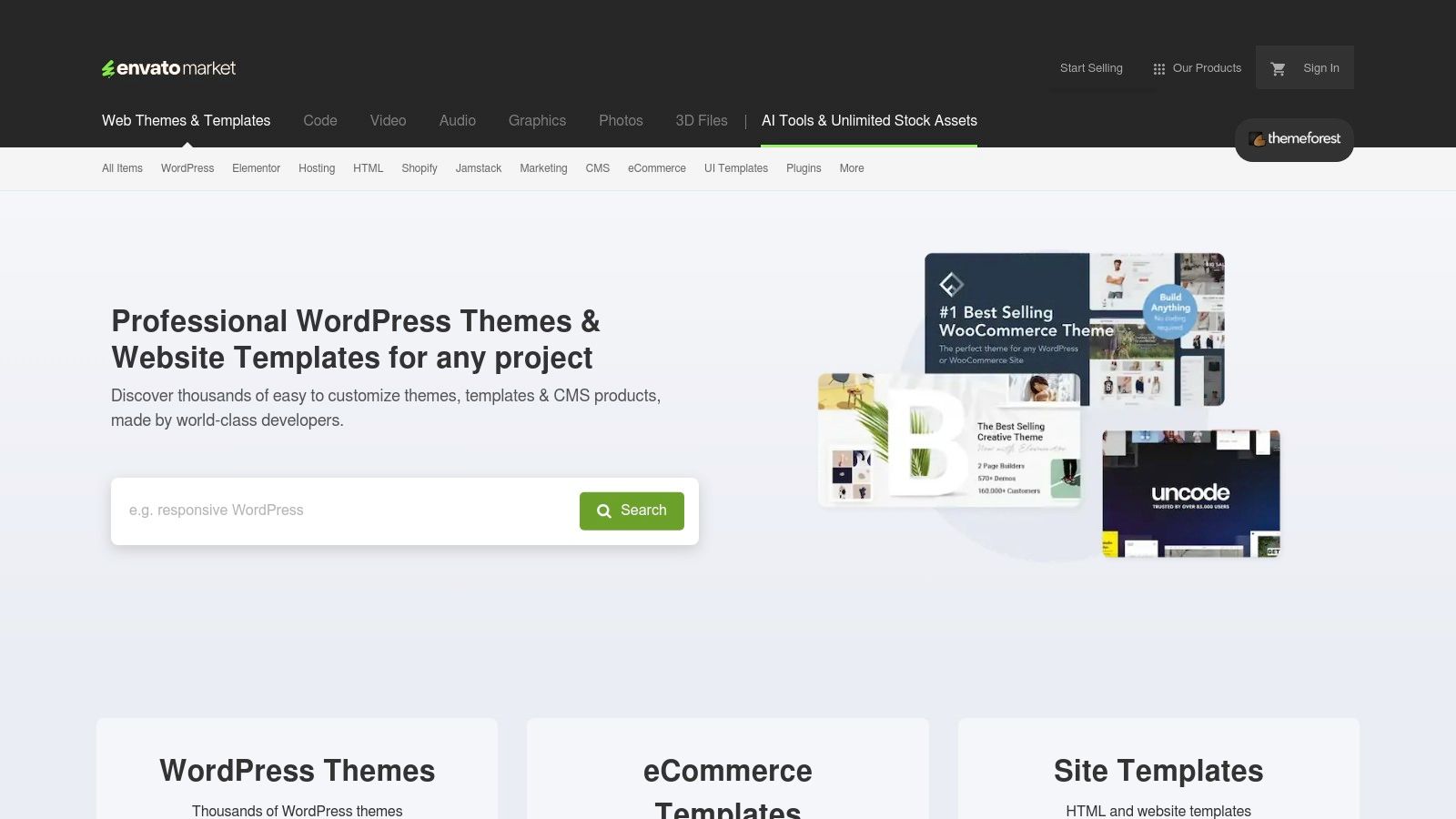
Strategic Analysis: The Power of the Marketplace Model
ThemeForest’s primary strategic advantage is its comprehensive catalog, which effectively functions as a living encyclopedia of current web design trends and user interface patterns. For designers and developers, it's a powerful tool for competitive analysis and rapid prototyping. You can see how hundreds of different creators have solved the same layout problems for specific industries.
The platform's "Live Preview" feature is its most critical tool. This allows you to interact with a fully functional demo of a website layout before purchasing, providing a tangible user experience that goes far beyond static screenshots. This direct interaction is crucial for evaluating navigation flow, mobile responsiveness, and interactive elements.
Key Takeaway: Use ThemeForest not just to buy templates, but as a research tool. Analyze the layouts of top-selling themes in your niche to identify proven design patterns, popular component structures, and effective user flows that you can adapt for your own projects.
Tactical Breakdown & How to Recreate
While you're not building a marketplace, you can leverage its content. The platform's structure teaches valuable lessons about categorization and discovery. The robust filtering system (by category, tags, technology, price) is a great example of how to help users navigate a large content library.
Quick Tips for Using ThemeForest & Alpha:
Find Your Structure: Search for your industry (e.g., "SaaS landing page" or "real estate website") and filter by "Bestsellers." Analyze the top 3-5 layouts to find common structural elements like hero sections, feature grids, and testimonial blocks.
Leverage Alpha's URL-Copy Feature: Find a live preview of a layout you admire. Use Alpha’s URL-copy feature to instantly import the structural blueprint of that page into your project. This gives you a high-fidelity wireframe to customize with your own branding and content.
Validate Before You Buy: A template's sales count and user ratings are strong indicators of its quality, support, and ease of use. Always check the comments section for recent feedback from other buyers.
Website: https://themeforest.net
3. Webflow Templates (Official Marketplace)
Webflow’s official template marketplace is a curated gallery of professionally designed, production-quality layouts built specifically for its powerful visual development platform. Unlike a static image gallery, these templates are fully functional websites that users can purchase, clone directly into their Webflow workspace, and customize visually. This makes it an exceptional resource for studying and deconstructing modern, interactive examples of website layouts that leverage advanced animations and responsive design principles.
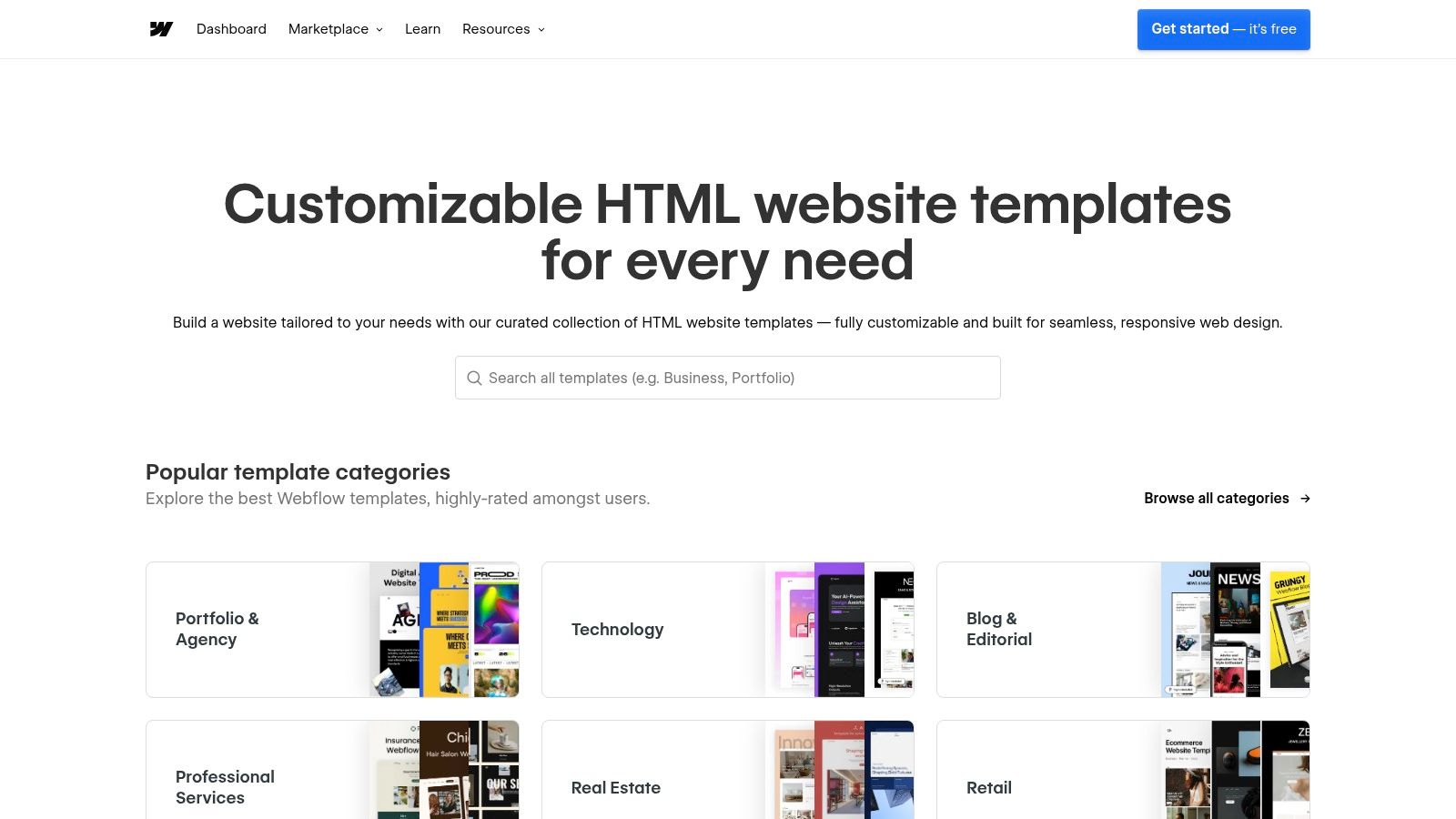
Strategic Analysis: The Power of the Native Ecosystem
The key advantage of the Webflow marketplace is its seamless integration with the Webflow Designer. Every template is vetted to ensure it uses best practices within the platform, including clean class naming conventions, responsive structures, and CMS-ready collections. This tight coupling means what you see in the live preview is exactly what you get in the editor, providing an unparalleled "play before you pay" experience.
Many templates allow you to open a read-only version directly in the Webflow Designer. This is a strategic goldmine for learning, as it lets you inspect the exact element structure, interaction settings, and styling configurations used by professional designers. You can see precisely how they built complex grid layouts or slick scroll-triggered animations, offering a direct look "under the hood" that generic marketplaces cannot provide.
Key Takeaway: Use the Webflow marketplace as a hands-on learning tool. Open templates in the Designer to reverse-engineer advanced interactions and layout techniques. Analyze how top creators structure their navigator panels and manage their CSS classes for scalable, maintainable projects.
Tactical Breakdown & How to Recreate
While the templates are built for Webflow, the design principles are universal. The marketplace excels at showcasing conversion-focused landing pages and sophisticated section-based layouts that are perfect for SaaS, agency, and portfolio sites. Most templates are priced per site license, with costs varying based on complexity, but many high-quality free templates are also available.
Quick Tips for Using Webflow Templates & Alpha:
Study the Structure: Filter templates by your industry (e.g., "SaaS," "Portfolio") and open the live previews of the top-rated options. Pay close attention to the hero section, feature displays, and call-to-action (CTA) placements.
Replicate with URL-Copy: Find a live preview of a layout you like. Use Alpha's URL-copy feature to instantly import its structural foundation and component layout into your own project, giving you a high-fidelity wireframe to start from.
Inspect, Don't Just Admire: Take advantage of the "Open in Webflow" feature when available. Look at how elements are nested, how combo classes are used for variations, and how interactions are configured. This provides invaluable insight into professional workflows.
Website: https://webflow.com/templates
4. Shopify Theme Store
The official Shopify Theme Store is an essential resource for anyone building an e-commerce business, offering a curated collection of high-performance, conversion-focused website layouts. Unlike broader marketplaces, every theme is built specifically for the Shopify platform, guaranteeing seamless compatibility, reliable performance, and access to the latest commerce features. This makes it an ideal place to find examples of website layouts designed from the ground up to sell products effectively.
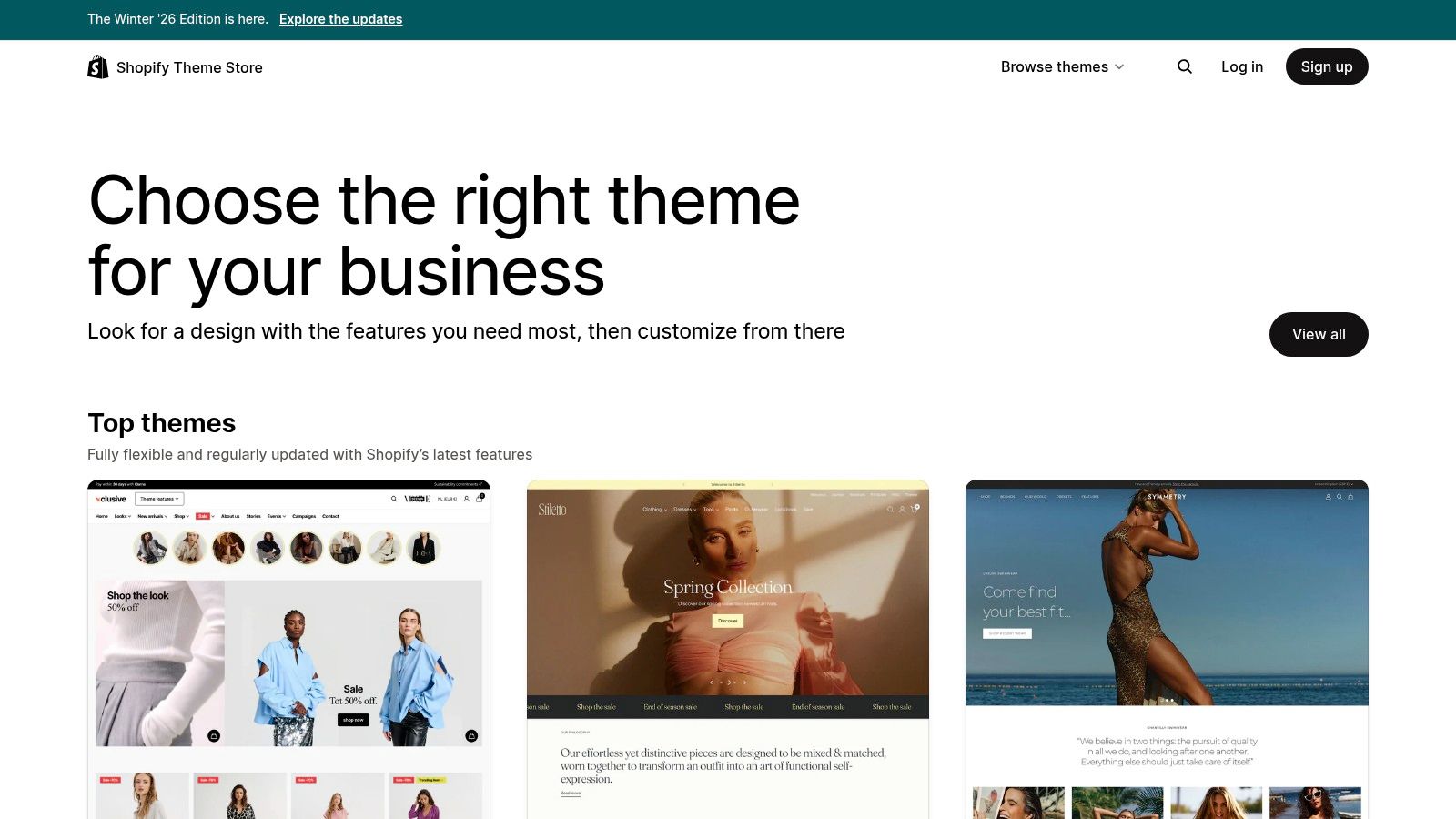
Strategic Analysis: The Power of a Curated Ecosystem
Shopify's primary advantage is its strict curation and performance vetting. Every theme is reviewed to meet high standards for speed, accessibility, and mobile-first design, which are critical factors for e-commerce success. This curated approach removes the guesswork often associated with third-party marketplaces, ensuring a baseline of quality and reliability. The layouts are laser-focused on the customer journey, from product discovery to checkout.
The most powerful feature is the "Try theme" option, which allows you to install any theme on your own Shopify store and customize it with your products and branding before committing to a purchase. This risk-free trial provides a real-world preview of how the layout functions with your actual inventory and business logic, an invaluable step for making an informed decision. Premium themes typically come with a one-time license fee per store, ranging from approximately $230 to $420.
Key Takeaway: Use the Shopify Theme Store to study best-in-class e-commerce UX. Analyze how top-rated themes handle product grids, filtering systems, "quick add" features, and checkout flows. These are battle-tested layouts designed to minimize friction and maximize conversions.
Tactical Breakdown & How to Recreate
Even if you aren't building on Shopify, its theme demos are a masterclass in conversion-centric design. The platform’s structure teaches key lessons in merchandising and presenting product catalogs of varying sizes. The filtering and collection page layouts are particularly insightful examples of how to organize products for easy browsing.
Quick Tips for Using the Shopify Theme Store & Alpha:
Analyze High-Converting Patterns: Browse themes designed for your industry (e.g., "fashion," "electronics") and open the "View demo store" for the top-rated options. Pay close attention to the product detail page (PDP) layouts, specifically their use of image galleries, variant selectors, and trust badges.
Replicate Core Commerce Pages with Alpha: Find a demo store with a layout you admire. Use Alpha’s URL-copy feature on a specific product page or collection page to instantly import its structure. This gives you a high-fidelity wireframe of a proven e-commerce layout that you can adapt with your own content and branding.
Check for Included Sections: When evaluating a theme, review its feature list for "Sections Everywhere." This indicates a modern, flexible theme that allows for drag-and-drop customization across all pages, not just the homepage. These themes provide excellent examples of modular component design.
Website: https://themes.shopify.com
5. WordPress.org Theme Directory
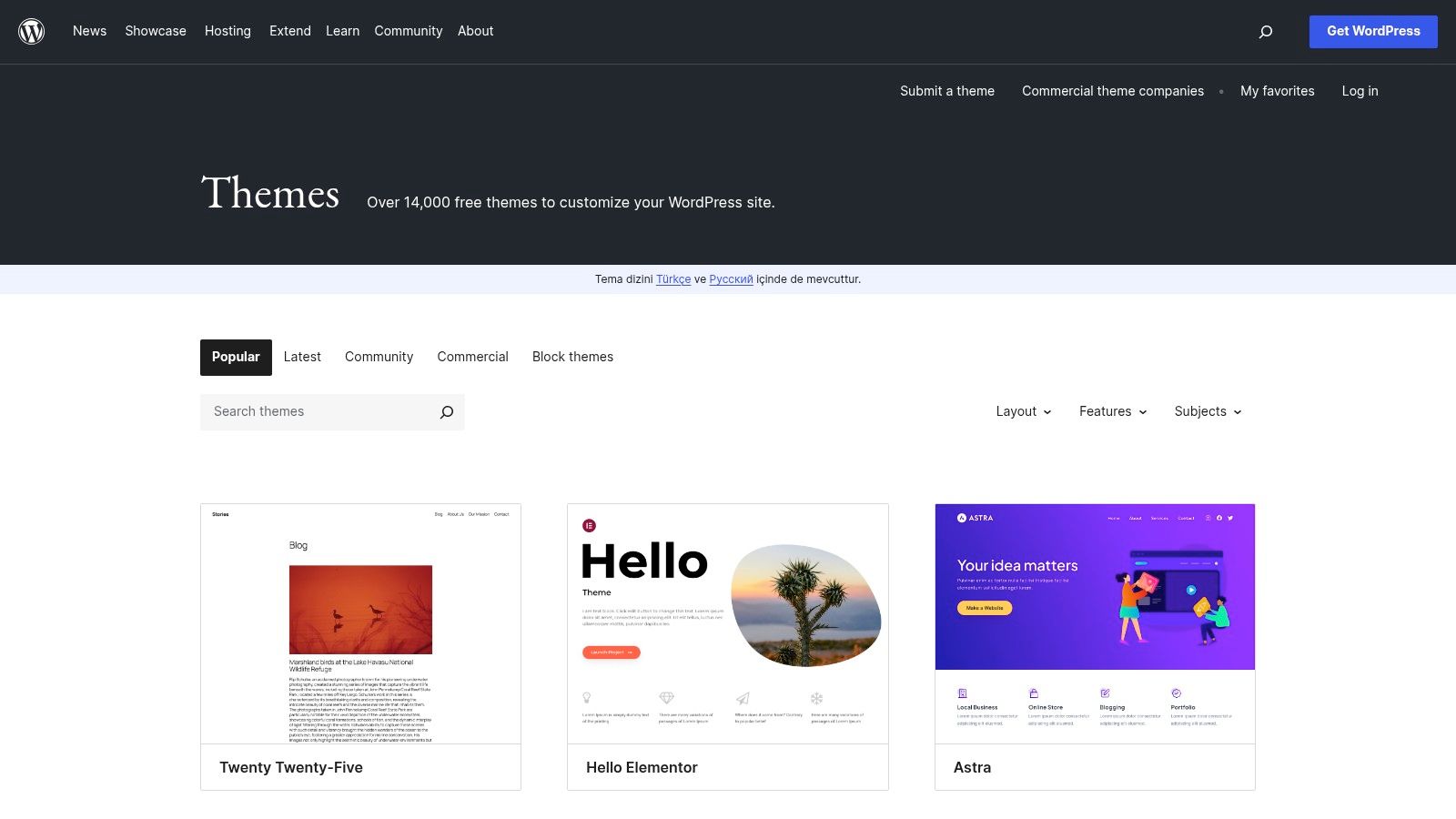
The WordPress.org Theme Directory is the official repository for free, open-source themes, making it one of the most accessible and foundational places to find examples of website layouts. As the engine behind over 43% of the web, this directory offers thousands of templates reviewed for quality and security, covering everything from minimalist blogs and professional portfolios to robust business and e-commerce sites. It's a goldmine for understanding standard page structures without any financial commitment.
Strategic Analysis: The Open-Source Blueprint
The strategic power of the WordPress.org Theme Directory lies in its open-source nature and its direct integration with the WordPress ecosystem. Unlike commercial marketplaces, every theme here is free to download and use, providing an unparalleled entry point for layout research. The directory showcases fundamental design patterns that have been tested and refined by a massive global community, establishing a baseline for what users expect from a website in any given niche.
The "Feature Filter" is its most powerful analytical tool, allowing you to search for layouts based on specific structural components like "Grid Layout," "Full Width Template," or "Right Sidebar." This lets you deconstruct popular designs and isolate the specific architectural elements you want to study or implement. The themes also serve as a great learning resource for those comparing the benefits of different platforms, as you can learn more about the differences between a website builder vs WordPress to see which ecosystem fits your needs.
Key Takeaway: Use the WordPress.org directory to understand foundational layout conventions. Analyze the most popular themes to see how creators structure core pages like the homepage, blog index, and contact page. These patterns are widely adopted and provide a safe, user-friendly starting point for any project.
Tactical Breakdown & How to Recreate
While you might not be building a WordPress site, the layouts are universally applicable. The key is to identify the underlying structure of a theme and adapt it to your own tools and content. The directory is an excellent resource for wireframing inspiration.
Quick Tips for Using the WordPress.org Directory & Alpha:
Filter for Structure: Use the "Layout" filter to narrow your search to specific structures like "One Column" or "Grid Layout." Preview the top-rated themes to identify common component arrangements, such as hero image placement, call-to-action button positions, and footer design.
Leverage Alpha’s URL-Copy Feature: Find a theme you like and click the "Preview" button to open its live demo. Copy the demo URL and paste it into Alpha to instantly import the layout’s blueprint. This gives you a functional wireframe that you can quickly customize.
Check for Quality Signals: Pay attention to the "Last updated" date, active installations count, and user ratings. A theme that is frequently updated and highly rated is more likely to follow modern design standards and be a reliable source of inspiration.
Website: https://wordpress.org/themes/
6. Creative Market (Templates & Themes)
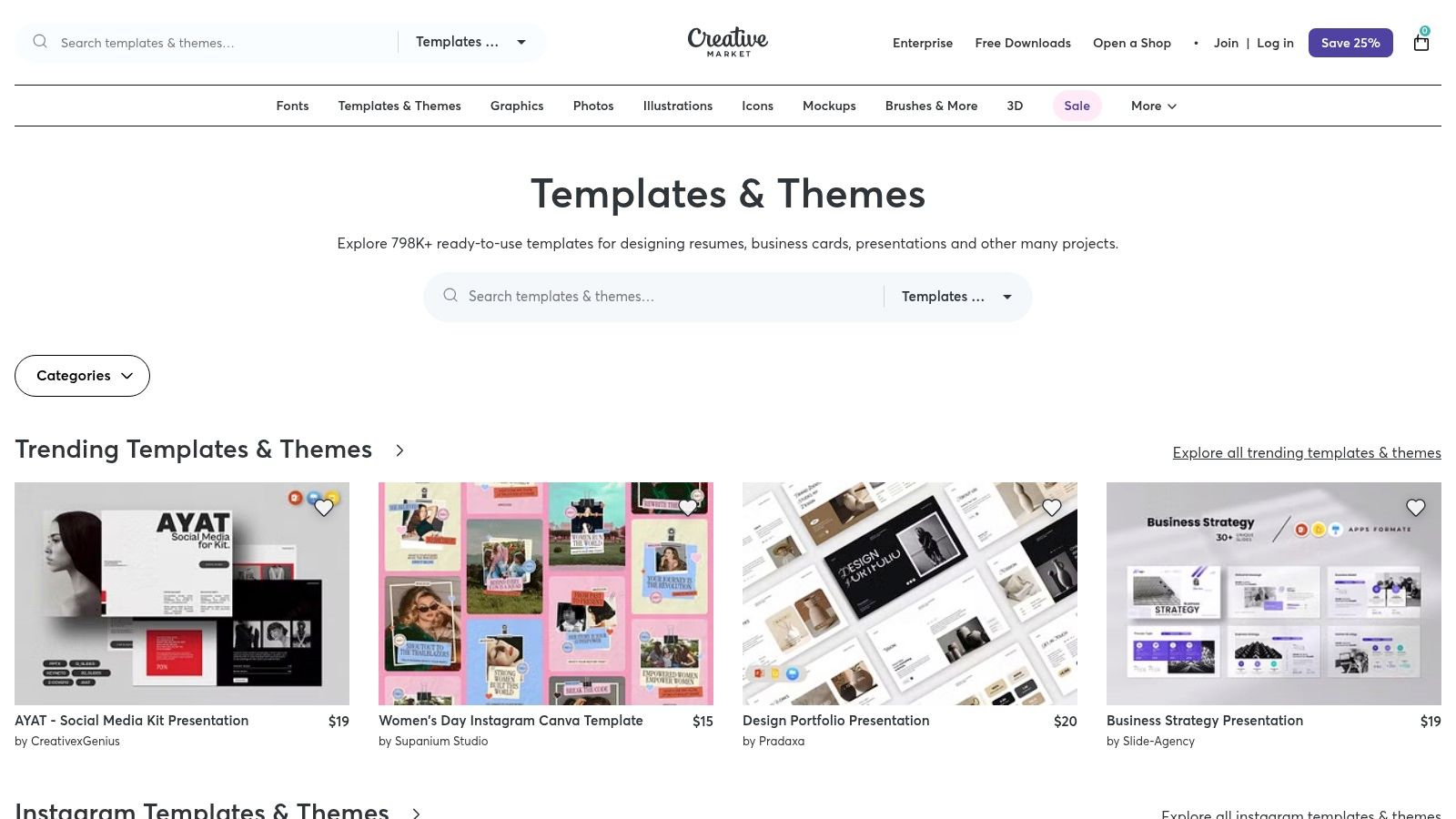
Creative Market operates as a vibrant marketplace fueled by independent creators, offering a diverse and eclectic mix of website templates and UI kits. Unlike single-platform behemoths, its strength lies in its multi-platform scope, providing a rich source of examples of website layouts for WordPress, Shopify, Webflow, Framer, and even static HTML. This makes it an ideal spot to find unique, handcrafted designs and inspiration outside of the mainstream template ecosystems.
Strategic Analysis: The Power of Niche and Cross-Platform Diversity
Creative Market’s strategic value comes from its role as a design aggregator for emerging trends and niche industries. Because it hosts assets for multiple modern platforms like Webflow and Framer alongside established ones like WordPress, it's an excellent place to compare how different design philosophies are applied across technologies. You can observe layout patterns that are popular in one ecosystem and see how they are adapted for another.
The platform's focus on independent creators often results in more artistic and specialized templates that you won't find on larger, more corporate marketplaces. This is particularly useful for projects requiring a distinct visual identity, such as a creative portfolio, a boutique e-commerce store, or a lifestyle blog. The quality and support can vary, so investigating creator profiles, reviews, and update histories is a key part of the discovery process.
Key Takeaway: Use Creative Market to find layout inspiration with a more unique, creator-driven aesthetic. Analyze templates across different platforms (e.g., compare a Framer portfolio to a WordPress one) to gather a broader range of ideas for component design and interaction patterns.
Tactical Breakdown & How to Recreate
While the quality is creator-dependent, the platform’s layout and filtering tools provide an excellent model for content discovery. Pay attention to how creators present their live demos, often linking to fully interactive sites that showcase the template's potential. These demos are perfect for analysis and deconstruction.
Quick Tips for Using Creative Market & Alpha:
Filter for Your Tech Stack: Start by filtering for your target platform (e.g., "Webflow"). Then, narrow your search by category like "Portfolio" or "Landing Page" to find relevant, modern layout examples.
Deconstruct Demo Pages with Alpha: Once you find a compelling live demo, use Alpha's URL-copy feature to import its structure. This is especially effective for dissecting complex layouts, helping you understand the underlying visual hierarchy in web design and component arrangement.
Vet the Creator: Before committing to a style, check the creator’s shop page. Look at their overall portfolio, read reviews on other products, and check the "Last Updated" date to ensure the template is actively maintained.
Website: https://creativemarket.com/templates-themes
7. One Page Love
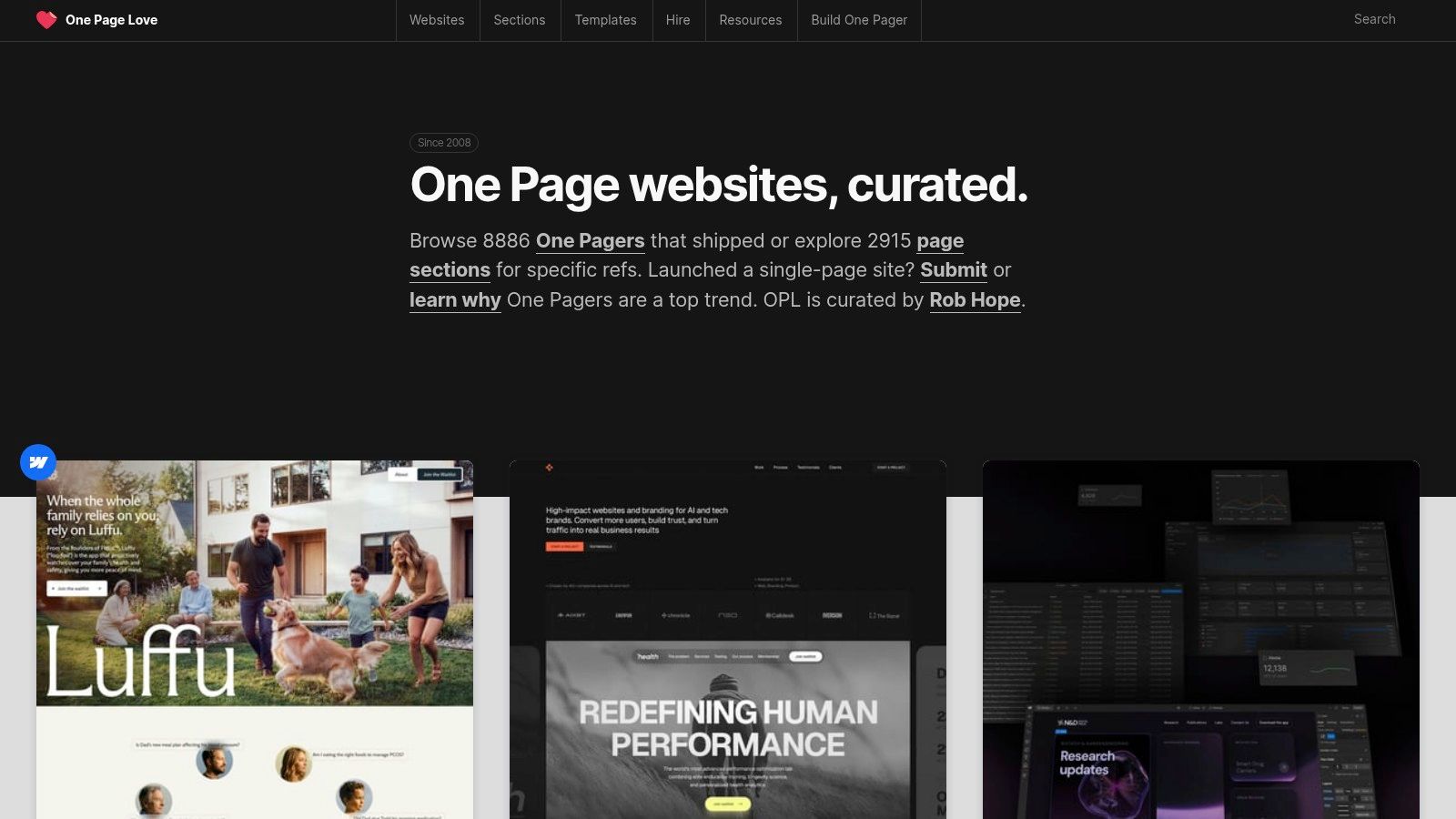
One Page Love is a highly curated digital gallery dedicated exclusively to the art and science of single-page websites. It serves as a focused resource for designers, marketers, and developers looking to master the linear, narrative-driven structure of one-page designs. By showcasing thousands of hand-picked examples of website layouts, the platform provides a masterclass in creating concise, conversion-oriented user journeys, making it an essential bookmark for anyone building a landing page, portfolio, or event site.
Strategic Analysis: The Power of Curation and Focus
The strategic genius of One Page Love lies in its strict curation. Unlike broader galleries, its sole focus on single-page layouts forces users to study the core principles of effective digital storytelling and conversion funnels. Each featured site must successfully guide a user from a compelling hero section through benefits, social proof, and finally to a clear call-to-action, all within a single, seamless scrolling experience. This tight focus makes it an unparalleled resource for understanding narrative flow.
The platform is more than just an inspiration gallery; it’s a high-signal repository for proven layout patterns. By browsing its collections, you can quickly identify how different industries solve the same structural challenges, such as presenting pricing tiers, embedding video testimonials, or designing sticky navigation that enhances user orientation. This makes it an incredibly efficient tool for benchmarking and ideation.
Key Takeaway: Use One Page Love to deconstruct successful narrative flows. Analyze how top-rated one-page sites structure their content sections to build momentum and guide users logically toward a single, primary conversion goal.
Tactical Breakdown & How to Recreate
While One Page Love is primarily an inspiration source, its curated nature provides clear, replicable blueprints. Many of the sites featured are also available as templates, often linking to external marketplaces where they can be acquired. The site itself offers a selection of templates, with optional low-cost licenses for removing footer credits.
Quick Tips for Using One Page Love & Alpha:
Benchmark Key Sections: Use the site's tagging system to find examples relevant to your project (e.g., "SaaS," "Portfolio," "App"). Pay close attention to how these sites handle their hero section, feature explanations, and final CTA block.
Replicate Narrative Structure with Alpha: Find a live example you admire on One Page Love. Use Alpha’s URL-copy feature to import its entire structural sequence into your project instantly. This gives you a complete, high-fidelity wireframe (hero → benefits → social proof → CTA) ready for your content.
Analyze Component Design: Don't just look at the overall layout. Zoom in on individual components. How do the best examples design their pricing tables? What makes their contact forms feel intuitive? This micro-level analysis can provide valuable UI insights.
Website: https://onepagelove.com
Comparison of 7 Website Layout Examples
Option | Implementation Complexity 🔄 | Resource Requirements ⚡ | Expected Outcomes ⭐📊 | Ideal Use Cases 💡 | Key Advantages 📊 |
|---|---|---|---|---|---|
Alpha | Low 🔄 — AI design + natural‑language edits; one‑click publish | Low ⚡ — free tier + low-cost plans; minimal dev/hosting work | High ⭐⭐⭐⭐ — polished, conversion-focused sites fast | Founders, startups, solopreneurs, quick landing pages | URL‑import, AI-driven workflows, fast publishing, affordable |
ThemeForest (Envato) | Medium 🔄 — download + integrate into your stack; varies by template | Low–Medium ⚡ — per‑template fees (commonly $20–$60); may need developer time | Variable ⭐⭐–⭐⭐⭐ — depends on author quality and customization | Quick template buys across many frameworks and niches | Huge variety, competitive pricing, instant downloads |
Webflow Templates | Medium 🔄 — smooth handoff to Webflow Designer; requires Webflow know‑how | Medium ⚡ — template cost + Webflow subscription; visual customization | High ⭐⭐⭐⭐ — modern, responsive, designer‑friendly results | Webflow projects, designers studying section-based layouts | Vetted templates, CMS‑ready options, visual editing workflow |
Shopify Theme Store | Low–Medium 🔄 — install directly in Shopify; commerce setup required | Medium ⚡ — one‑time theme fees (often $230–$420+) + Shopify plan | High ⭐⭐⭐⭐ — optimized for ecommerce conversions | Shopify stores, product-first sites, merchants | Guaranteed compatibility, updates, built‑in commerce features |
WordPress.org Theme Directory | Variable 🔄 — install from admin; customization may need plugins/dev | Low ⚡ — free themes; hosting and plugin costs vary | Variable ⭐⭐–⭐⭐⭐ — many free options but quality varies | Blogs, simple business sites, cost‑sensitive projects | Massive free catalog, easy preview/install, open source |
Creative Market | Medium 🔄 — cross‑platform assets; manual setup per platform | Medium ⚡ — per‑item pricing; membership/sales reduce cost; varying skill needs | Variable ⭐⭐–⭐⭐⭐ — depends on creator and integration effort | Cross‑platform projects, niche templates, UI kits | Cross‑platform scope, indie creators, niche finds |
One Page Love | Low 🔄 — curated inspiration; template links to external sellers | Low ⚡ — primarily free inspiration; template costs vary | Focused ⭐⭐⭐ — high‑signal one‑page/landing patterns | Landing pages, single‑page portfolios, hero-driven CTAs | Curated one‑page examples, clear patterns for conversions |
From Blueprint to Reality: Build Your Ideal Layout Today
We’ve journeyed through a comprehensive gallery of powerful examples of website layouts, dissecting everything from high-converting product pages to immersive SaaS dashboards. The core lesson is clear: a successful website layout is never accidental. It's a strategic blueprint, meticulously crafted to guide user behavior, communicate value, and achieve a specific business objective.
Whether it’s the minimalist grid of a portfolio or the complex, data-rich interface of a dashboard, every effective design is built on a foundation of strategy. The most compelling layouts balance aesthetic appeal with intuitive functionality, creating a seamless user experience that feels both natural and persuasive. They anticipate user needs and answer questions before they are even asked.
Synthesizing Inspiration into Action
As you move from inspiration to implementation, remember the key principles we've uncovered. These are not just design trends; they are timeless strategies for digital communication and conversion.
Clarity Over Clutter: The best layouts prioritize a clear visual hierarchy. They use whitespace, typography, and color to guide the user's eye directly to the most important elements, such as the call to action or key value proposition.
Goal-Oriented Design: Every page must have a primary goal. A homepage might aim for exploration, while a landing page demands a single, focused action. Define this goal before you even think about design elements.
Mobile-First is Non-Negotiable: We analyzed mobile considerations for each example because responsiveness is no longer an afterthought. A layout must be fluid and functional across all devices to capture and convert the modern user.
Storytelling Through Structure: Your layout tells a story. The zig-zag pattern creates a narrative rhythm, while a single-column layout provides a direct, linear path. Choose a structure that aligns with the story you want to tell about your brand or product.
Choosing Your Toolkit for Rapid Execution
Understanding these principles is the first step, but execution is what brings your vision to life. The tools we’ve discussed, from the vast marketplaces like ThemeForest and Creative Market to specialized platforms like the Shopify Theme Store, each offer a unique starting point. However, the path from a great idea to a live website can still be filled with friction.
To move from concept to creation and gather even more inspiration, consider reviewing these 7 Examples of Website Layouts to Inspire Your 2026 Design. Seeing how modern brands are pushing the boundaries can provide that final spark you need. The challenge then becomes bridging the gap between seeing an inspiring layout and building it yourself.
This is where the right tool becomes a game-changer. For entrepreneurs, small businesses, and marketers who need to move fast without sacrificing quality, the choice is critical. You need a platform that doesn't just give you a blank canvas but provides a proven foundation to build upon. This is precisely the problem Alpha was designed to solve. Its innovative URL-copy feature allows you to bypass the most time-consuming parts of the design process. You can instantly import the structure of any of the examples of website layouts we've explored and begin customizing it with your own content, branding, and messaging. It’s the ultimate shortcut from inspiration to a high-performing reality.
Your website is your digital storefront, your lead generation engine, and your brand's home online. Don't let a blank page or a complex design process hold you back. Armed with the strategic insights from these layouts and a powerful tool, you have everything you need to build a website that not only looks great but also delivers tangible results.
Ready to stop browsing and start building? With Alpha, you can transform any of the website layout examples you love into your own functional site in minutes. Use our AI-powered platform to import a layout, customize it effortlessly, and launch your vision today.
EXAMPLES
Build beautiful websites like these in minutes
Use Alpha to create, publish, and manage a fully functional website with ease.