





How to Create Website Mockups People Actually Love
Learn how to create website mockups that bridge the gap between idea and reality. Our guide covers tools, principles, and developer handoff.
EXAMPLES
Build beautiful websites like these in minutes
Use Alpha to create, publish, and manage a fully functional website with ease.
So, what exactly is user journey mapping?
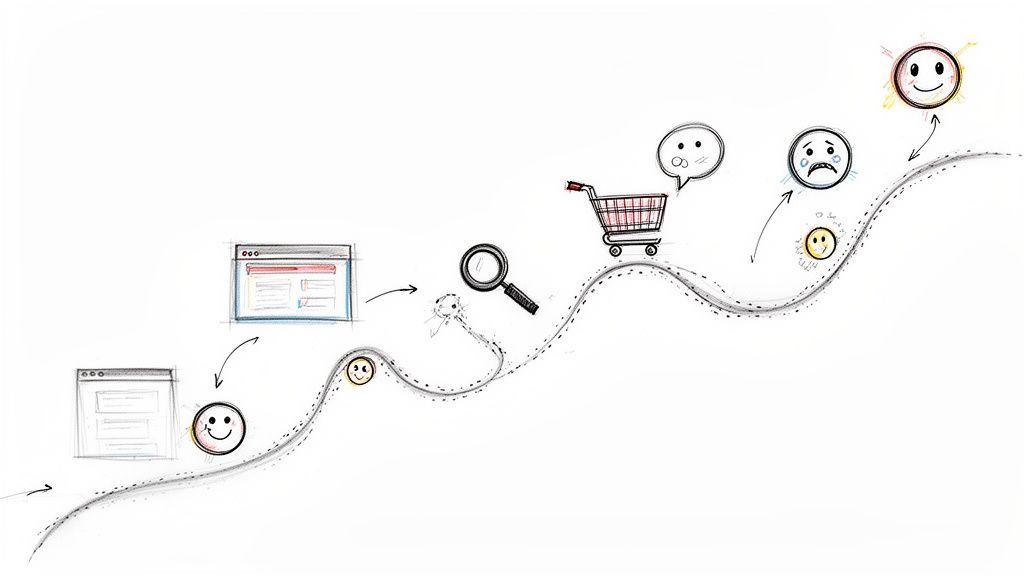
Think of it as creating a visual story of every single interaction a customer has with your business. It’s like drawing a detailed map that follows someone all the way from the first time they see your ad on social media to the moment they make a purchase—and even what happens afterward. This whole process lets you see your brand through their eyes, which is crucial for spotting what they need and where they're getting frustrated.
A Roadmap to Your Customer's Mind
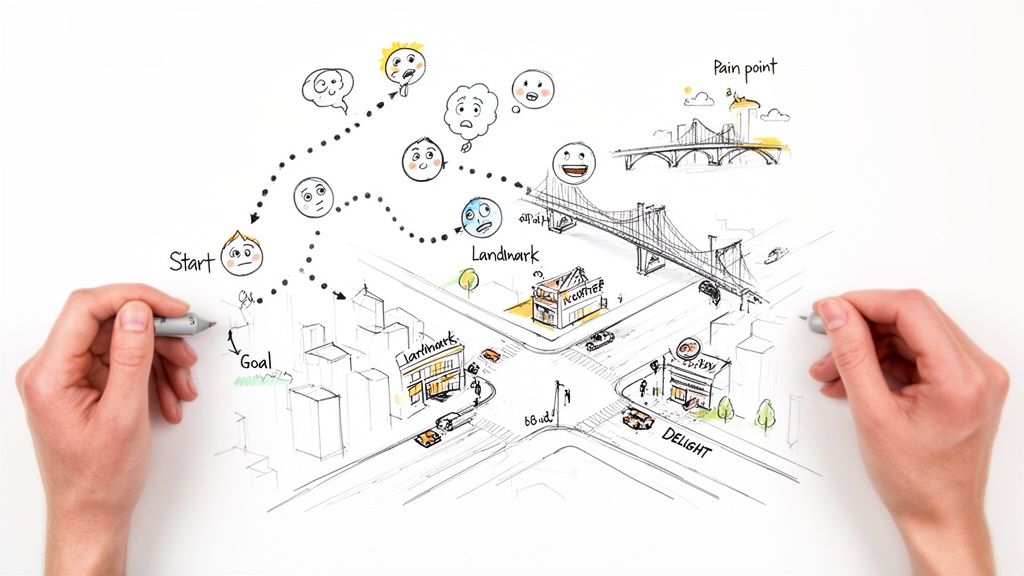
If you were guiding a friend through a city they’d never seen before, you wouldn’t just give them an address. You’d probably describe the best route, point out a few landmarks, and maybe warn them about that one notoriously busy intersection. That's precisely what a user journey map does for your business. It turns a bunch of abstract data points into a story about a real person.
This visual narrative tracks every phase a user goes through, from becoming aware of your brand to becoming a loyal advocate. It’s not just about tracking clicks and conversions; it's about getting inside their head to understand the thoughts and feelings driving their actions. A good map shows you those "aha!" moments that create fans, but it also shines a light on the hidden friction points that make people give up and leave.
A Tool for Building Empathy
At its heart, user journey mapping is really an exercise in empathy. It forces you to step out of your own perspective and experience your brand as a customer would. Going through this process helps you answer some pretty critical questions:
What are they thinking? Get a handle on their questions, motivations, and assumptions at every step.
How are they feeling? Pinpoint moments of frustration, confusion, or pure delight.
Where are the roadblocks? Find the exact spots where users get stuck or just drop off completely.
By visualizing this entire path, you stop guessing what your customers want and start knowing. It shifts your focus from your own internal processes to the actual human experience, which is the bedrock of great design and smart marketing.
Ultimately, the goal is to find actionable insights that help you improve the overall user experience (UX). This is a foundational practice in modern web design, and you can see how it fits into the bigger picture by checking out our guide on user experience design fundamentals. Understanding this map is the first step toward building a website that doesn't just look good, but one that genuinely serves the people using it.
Why Journey Mapping Is a Game Changer for Your Business
Getting inside your customer's head is more than just a thought exercise; it’s a strategic imperative that hits your bottom line. User journey mapping takes all that abstract customer data and turns it into a clear, visual story of how people actually interact with your business. It helps you see where you’re nailing it and, more importantly, where you're dropping the ball.
Think of it this way: journey mapping helps you find all the hidden friction points that quietly kill conversions. These are often small frustrations—a confusing checkout page, a slow-loading pricing table, a hard-to-find contact button—that add up until a potential customer just gives up and leaves. By mapping out their experience, you can spot these exact moments of frustration and fix them before they cost you another sale.
On the flip side, a journey map also spotlights those "aha!" moments that turn a casual browser into a loyal advocate. When you know precisely what makes your customers happy, you can double down on those experiences and make sure more people find them. It’s the key to boosting not just conversion rates, but long-term loyalty, too.
Breaking Down Internal Silos
One of the most powerful, and often overlooked, benefits of a journey map is its ability to get everyone in your company on the same page. In most organizations, the marketing, sales, and customer support teams live in their own little worlds, each with a fragmented view of the customer. This siloed approach almost always leads to a clunky, inconsistent experience for the very person you’re trying to win over.
A user journey map demolishes those silos by creating a single source of truth that the entire organization can rally around.
Marketing can finally see which touchpoints are actually bringing in good, qualified leads.
Sales gets a cheat sheet on the questions and hang-ups a customer has before the first conversation even starts.
Support can spot common problems early and get ahead of them with proactive solutions.
When every team understands the full story of a customer's experience, they can finally start working together instead of at cross-purposes. This creates a smooth, supportive journey from start to finish, which is how you build real trust and a lasting customer relationship.
A Foundation for Smarter Decisions
While it feels very modern, user journey mapping has been around for a while. It started popping up in the early 2000s and really took off around 2005 as designers looked for ways to visualize experiences that went beyond basic wireframes. By 2010, its use in tech companies had skyrocketed by 150%, cementing it as a core practice in UX design. You can even learn more about how this practice has evolved with AI for customer journeys.
This history just proves its staying power. Knowing your customer's path lets you stop making educated guesses and start building a website that actively helps people achieve their goals—which, in turn, helps you achieve yours.
By looking closely at your customer journey map, you can determine what makes customers convert and return versus what makes them abandon their interaction. This allows you to improve the things that make customers unhappy and to continue doing the things that keep them coming back.
It’s about turning your website from a static digital brochure into a powerful engine for growth. Every design choice, every piece of content, every marketing dollar starts to work harder for you.
Deconstructing the User Journey Map
To really get what a user journey map is, we need to pop the hood and see how it’s built. A good map isn't a straight line from A to B. It’s a rich, visual story put together from several key parts, each adding a new layer of detail. Think of it less like a simple timeline and more like a tool for getting inside your customer’s head.
It’s a bit like creating a detailed character profile for a novel. You need to know who they are, what their goals are, what they actually do, and—most importantly—how they feel as their story unfolds. Let's break down these essential building blocks.
The Persona: The "Who"
First thing's first: before you can map a journey, you have to know who’s on it. This is the job of the user persona. A persona is a realistic, semi-fictional character you create based on real research and data about your target audience. It’s more than just demographics; it’s a living profile with a name, goals, frustrations, and motivations.
For instance, you might create "Marketing Manager Molly." She's 35, works at a mid-sized tech company, is completely swamped, and is desperately looking for a tool to save her time and prove her value to her boss. Everything else on the map is seen through Molly’s eyes.
The Stages: The "Where"
The journey itself is broken down into a series of stages. These are the major phases a person moves through as they interact with your company. The exact stages can vary depending on your business, but they usually follow a familiar path:
Awareness: The "aha!" moment. Molly realizes her current software is clunky and starts hearing about solutions like yours.
Consideration: She's now actively on the hunt, comparing options, digging into reviews, and scrutinizing pricing pages.
Decision: After weighing her options, she pulls the trigger and signs up for your service.
Retention: Now a customer, Molly is using your product. Her day-to-day experience will decide if she sticks around.
Advocacy: The ultimate goal. Her experience is so positive that she starts telling her friends and colleagues about you.
Pinpointing these stages is key. It allows you to deliver the right message at exactly the right time, meeting your user where they are in their own process.
The Touchpoints and Actions: The "What"
Within each of those stages, people interact with your business through various touchpoints. A touchpoint is any point of contact, from seeing a social media ad or reading a blog post to opening a welcome email or getting help from customer support.
Alongside these touchpoints are the specific actions the user takes. What are they actually doing at each point? During the Consideration stage, Molly’s actions might be things like "Googles 'best project management tool'," "downloads a comparison guide," or "watches a demo video." Mapping these out shows you the exact paths people take.
The Mindsets and Emotions: The "Why" and "How"
This is where the map really comes alive. You can’t just track what users do; you have to understand what they're thinking (mindset) and feeling (emotions). Is Molly curious and hopeful when she first learns about you, or is she just stressed and overwhelmed?
During the Decision stage, her mindset might be, "Is this actually worth the money? What if my team hates it?" That kind of thinking can easily lead to feelings of anxiety. If her purchase is followed by a bland, uninspiring confirmation email, her initial excitement can quickly sour into buyer's remorse. Charting these emotional peaks and valleys is how you find the moments that truly define the customer experience.
How to Create Your First User Journey Map
Alright, we've covered the what and why. Now it’s time to roll up our sleeves and move from theory to action. Building your first user journey map isn't an art project or something that requires fancy, expensive software. It’s really a structured investigation rooted in empathy.
This is where you'll take all that raw customer data and turn it into a powerful, visual story. I'll walk you through a five-step process to get it done. Think of it like putting together a puzzle—each piece you add makes the bigger picture of your customer's experience clearer.
Step 1: Set Clear Objectives
Before you even think about gathering data, you need to know why you're building this map in the first place. A map without a destination is just a pretty drawing. What are you trying to solve? Are you trying to figure out why so many people are abandoning their shopping carts? Or maybe you want to make the onboarding flow for new subscribers a whole lot smoother.
Setting a clear goal from the start keeps your map focused and, most importantly, actionable. For example, if you run an online store, a great objective would be: "To understand the frustrations and decision-making process of a first-time visitor from the moment they land on our homepage to completing a purchase." Boom. That one sentence immediately defines the scope and the type of user you need to focus on.
Step 2: Gather Your Research
With your objective locked in, it's time to put on your detective hat. Your mission is to collect both hard numbers (quantitative) and human stories (qualitative) to understand what your users are actually doing, thinking, and feeling. Don't guess. Ground your map in real evidence.
Here are some of the best places to dig for gold:
Website Analytics: Tools like Google Analytics are perfect for seeing the "what." Which pages do people visit? Where do they give up and leave? What are the common paths they take?
Customer Surveys and Feedback: Just ask! A simple question like, "What was the most frustrating part of your purchase process?" can give you incredibly direct and valuable insights.
Heatmaps and Session Recordings: These let you spy, ethically, of course. You can see exactly where users are clicking, how far they scroll, and where they get stuck. It’s fantastic for spotting specific UI hiccups.
Support Tickets and Live Chat Logs: This is an absolute goldmine. It’s a direct feed of your users' problems, in their own words, showing you exactly where your process is breaking down.
The research you gather will help you assemble the core components of your map—the persona, the stages they go through, and every little touchpoint along the way.
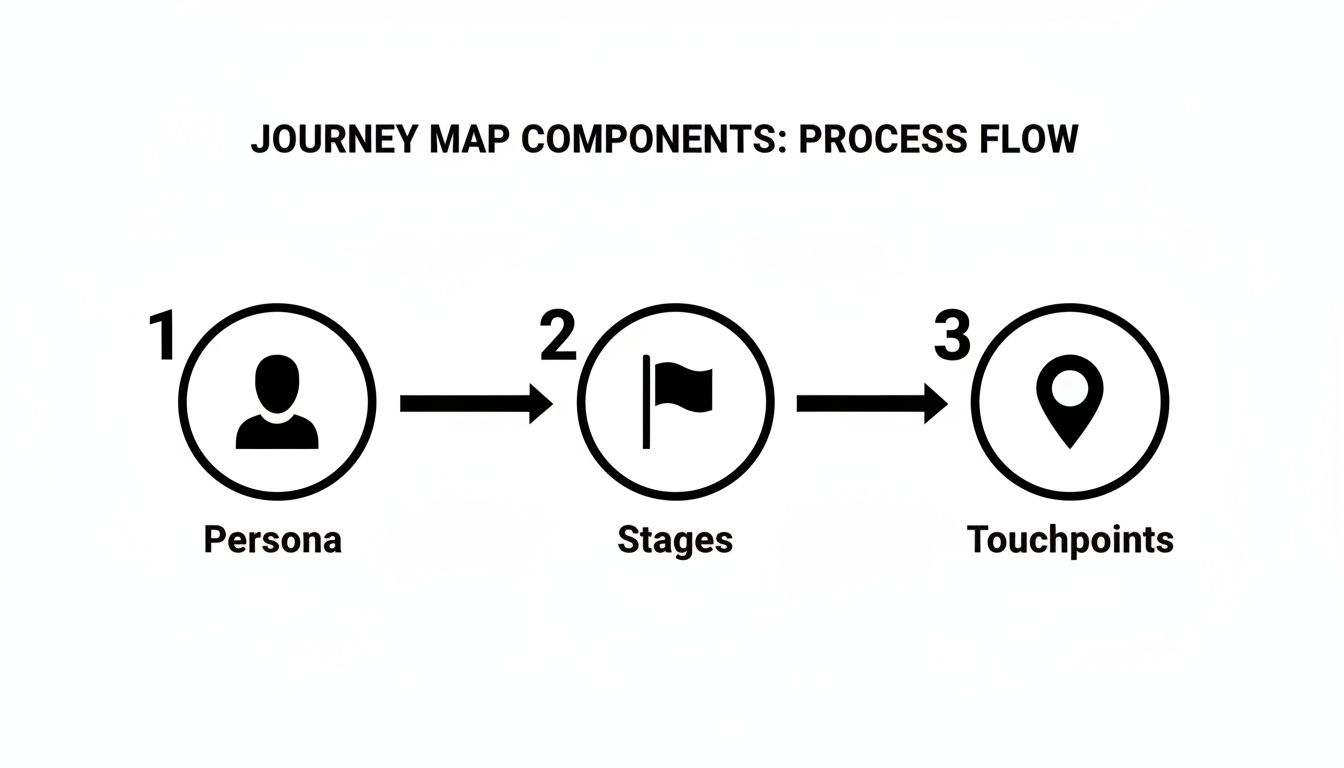
As you can see, each element builds on the last, turning a pile of abstract data into a coherent story about your user.
Step 3: Define Your Persona and Stages
Now, use your research to create a specific user persona. For our online store example, we might create "Budget-Conscious Brian," a 30-year-old looking for a reliable product that won’t break the bank. Then, give him a specific goal: "Find a quality gift under $50 that will ship in less than a week."
Next, break his journey down into a few main stages. Keep it simple and logical.
Discovery: Brian sees an ad for your store on social media and clicks through.
Research: He lands on a product page, reads reviews, and compares specs.
Purchase: He adds the item to his cart and starts the checkout process.
Waiting: He completes the purchase and is now waiting for shipping confirmation and delivery updates.
Step 4: Map the Details
This is the fun part. You’ll flesh out each stage by filling in the details of Brian's experience, pulling directly from your research. What is he doing? What questions are running through his head? And how is he feeling?
Example for the Purchase Stage:
Action: Clicks "Add to Cart," navigates to the checkout page, and sees an unexpected shipping fee.
Mindset: "This was in my budget, but now it's more expensive. Is it still worth it? Can I trust this site with my credit card?"
Emotion: His initial excitement quickly turns to anxiety and hesitation.
Mapping these details is how you uncover those critical moments—the make-or-break points in the user experience. You can find many more helpful UX design techniques to refine these touchpoints in our dedicated guide.
Step 5: Analyze and Identify Opportunities
With your map laid out, take a step back and look at the whole picture. Zero in on the biggest emotional dips. These are your most significant pain points, which also means they are your biggest opportunities for improvement. For Brian, that surprise shipping fee is a massive point of friction.
User journey mapping has come a long way from its roots in design thinking. Today, some companies using dynamic, AI-powered journey tools report sales cycle reductions of up to 30%. The customer journey analytics market, where journey mapping holds a 32.6% share, is expected to grow into a $56.56 billion industry by 2031—proof of its massive value.
Once you’ve deconstructed the journey, you can turn these insights into guiding principles, like building a truly user-centric web design that connects with your audience. Your map is no longer just a document; it’s a strategic blueprint for making smarter, more empathetic business decisions.
Turning Your Journey Map into Action
So, you've finished your user journey map. It's a huge accomplishment, but the real value isn't in the pretty document you just created. A completed map isn't a trophy to hang on the wall—it’s a living blueprint for making real, meaningful improvements.
All the insights you've gathered are simply the starting point. Now comes the fun part: turning those pain points into seamless experiences and transforming customer frustration into delight. This is where you translate abstract data into concrete actions that actually improve the customer experience and, in turn, your bottom line.
Prioritize Your Opportunities
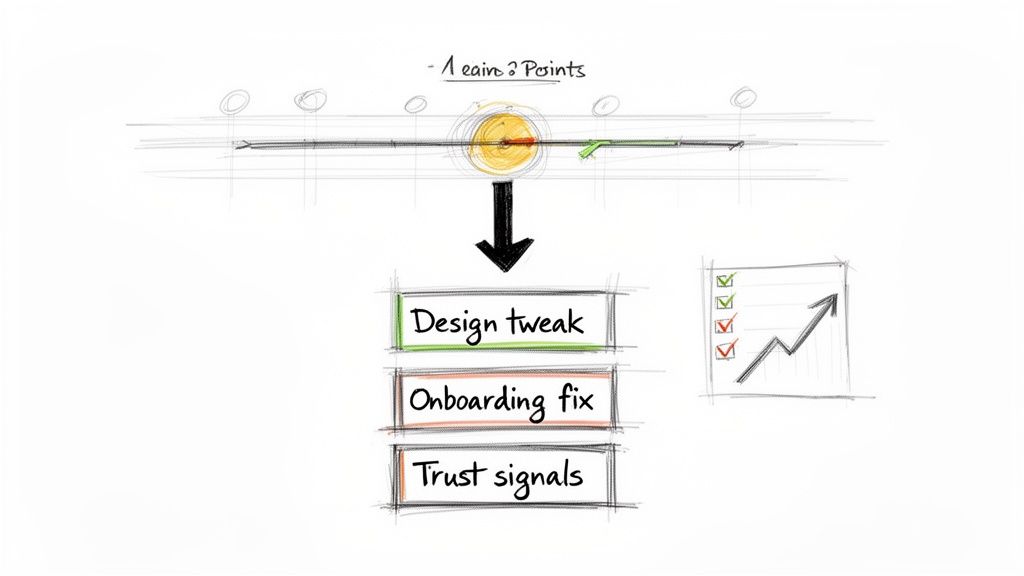
Looking at your map, you've probably uncovered a dozen different pain points. If you try to fix everything at once, you'll just burn out. The secret is to prioritize smartly by looking at two simple factors: impact and effort.
Start by zooming in on the moments in the journey where emotions really plummet. These are your "red zones"—the spots where customers get confused, anxious, or just plain annoyed.
High-Impact, Low-Effort: These are your quick wins, the low-hanging fruit. For instance, if your map shows people are confused about shipping costs, a simple fix like adding a clear banner to your site could have a huge payoff.
High-Impact, High-Effort: Think of these as your big, strategic projects. Overhauling a clunky checkout process falls into this category. Tackle these next, because they deliver the most significant long-term value.
Low-Impact Fixes: These can wait. While they're still worth doing, they won't move the needle nearly as much as the other fixes.
By sorting opportunities this way, you create a practical, step-by-step roadmap for making things better. For a deeper look, our guide on conversion rate optimization strategies offers more tactics for turning these insights into wins.
From Blueprint to Business Case
Your journey map does more than just show you what's broken; it's a powerful tool for getting your whole team on the same page. It helps you build a solid business case for making changes. Instead of just saying, "our checkout is confusing," you can point to the map and show exactly where and why users are getting stuck, using both qualitative stories and hard data to back it up.
A user journey map provides a shared, customer-centric language for your entire organization. It shifts conversations from departmental opinions to a unified focus on solving real customer problems.
This shared understanding gets marketing, design, and development all pulling in the same direction. That's more important than ever. Today’s customers interact with 3 to 6 touchpoints per purchase, a huge leap from just two a decade ago. With this complexity, a unified strategy is non-negotiable. It's no wonder the market for journey mapping tools is expected to reach $19.79 billion by 2026. You can explore more on the impact of these multichannel journeys and see just how vital a cohesive plan is.
Finally, remember that your journey map isn’t a one-and-done project. It’s a living document. As you roll out changes, keep a close eye on your analytics and customer feedback to measure the impact. This creates a continuous feedback loop, ensuring your business is always adapting to what your customers really need.
Have Questions About User Journey Mapping? Let's Clear Them Up.
As you get ready to roll up your sleeves and create your first map, it’s completely normal for a few questions to pop up. Before diving into any new process, a little uncertainty is expected. Let's tackle some of the most common sticking points so you can move forward with confidence.
Here are the straightforward answers to the practical questions I hear most often from entrepreneurs and small business owners.
User Journey vs. Customer Journey Map: What's the Real Difference?
You’ll hear these terms thrown around, and honestly, they're often used to mean the same thing. But there is a subtle distinction worth knowing.
Think of a customer journey map as the panoramic view of your entire relationship with a customer. It starts from the very first time they hear your brand's name, all the way through their purchase and hopefully, to them becoming a raving fan. It’s the whole story.
A user journey map, on the other hand, usually zooms in on a specific interaction. It focuses on the experience of someone using your product or service, like the exact steps they take to sign up for your newsletter or navigate your mobile app.
For most small businesses, this difference is academic. The goal is identical for both: get inside your audience's head to make their experience better. Pick one and run with it—you'll get incredible value either way.
How Often Should I Update My Map?
Your journey map isn't a "set it and forget it" project; it's a living, breathing document. It’s a snapshot of a moment in time, but your business, your customers, and the market are always changing.
A good rule of thumb is to give it a proper review and update at least once or twice a year. Beyond that, you'll want to pull it out and make adjustments anytime you:
Launch a major website redesign.
Introduce a new product or service.
Start seeing big changes in customer behavior or getting different kinds of feedback.
Keeping your map fresh ensures it stays a trustworthy guide for making smart, customer-centric decisions as you grow.
Do I Really Need Fancy Software to Get Started?
Absolutely not. The most valuable part of user journey mapping is the critical thinking, collaboration, and empathy-building process—not the software you use.
While there are some slick, advanced tools out there, you can create a powerhouse of a map with things you probably already have. A simple whiteboard and a pack of sticky notes are fantastic for getting a team together to brainstorm. If you prefer digital, free tools like Miro or FigJam have great templates that make organizing everything visually a breeze.
The real magic happens when you focus on gathering solid insights and weaving them into a clear story. You can always upgrade your tools down the road if you feel the need. The power is in the process.
Ready to turn these insights into a website that actually converts? Alpha uses AI to help you build a stunning, professional website in hours, not weeks. Just copy the design of a site you love and let our AI create a layout that’s built to capture leads and drive sales.
EXAMPLES
Build beautiful websites like these in minutes
Use Alpha to create, publish, and manage a fully functional website with ease.