




How to Create Website Mockups People Actually Love
Learn how to create website mockups that bridge the gap between idea and reality. Our guide covers tools, principles, and developer handoff.
EXAMPLES
Build beautiful websites like these in minutes
Use Alpha to create, publish, and manage a fully functional website with ease.
Before you even think about building an ecommerce website, let's get one thing straight: a successful online store starts with a rock-solid plan, not a fancy template. I've seen it time and time again—entrepreneurs get caught up in the excitement of design and forget the real work that comes first. Building the site is just one piece of a much bigger puzzle. The real magic happens in the strategy phase, where you get crystal clear on your market, your customer, and exactly where you fit in.
Laying the Foundation for a Profitable Store
Jumping straight into choosing themes and colors is one of the most common—and costly—mistakes you can make. Before you write a single product description or upload one photo, you need a blueprint. This strategic foundation ensures every decision, from your site’s layout to your marketing campaigns, is intentional and drives you toward your goals. Think of it like mapping out a road trip; without a destination in mind, you're just burning gas.
This initial planning isn't busywork. It’s about being deliberate and analytical so your store doesn't just launch, but actually thrives.
Pinpoint a Profitable Niche
Starting with a massive category like "clothing" or "home goods" is a surefire way to get drowned out by the big players. Real success in ecommerce today often comes from niching down. Instead of just selling coffee, what if you specialized in single-origin, ethically sourced beans roasted specifically for home espresso enthusiasts? That level of focus makes it infinitely easier to find your audience and build a loyal community.
A truly profitable niche lives at the intersection of your passion, genuine customer demand, and market viability. Ask yourself these questions:
Is there an actual group of people actively looking for these products?
Can I get my hands on these products at a cost that leaves room for a healthy profit?
Is the competition an absolute bloodbath, or is there an underserved corner I can own?
Create Your Ideal Customer Persona
You can't sell anything effectively if you don't know who you're talking to. A customer persona is a detailed, almost-real profile of your perfect buyer, and it goes way beyond basic demographics like age and location.
For example, if you sell handmade leather journals, your persona might be "Creative Catherine." She's a 30-year-old graphic designer who values craftsmanship and sustainability, and she uses journaling as a tool for mindfulness. Knowing this helps you shape your brand’s voice, your website's aesthetic, and your marketing messages to connect with her on a personal level. Your marketing stops being a generic broadcast and becomes a real conversation.
Analyze Your Competition Intelligently
Let's be clear: competitive analysis isn't about copying what everyone else is doing. It’s about spotting gaps and opportunities. Pick 2-3 of your top competitors and put their websites under a microscope. What are they nailing? And more importantly, where are they dropping the ball? Maybe their product photography is grainy, their shipping policies are a mess, or their site is painfully slow on a phone.
Key Takeaway: Every single one of your competitor's weaknesses is an opportunity for you to shine. If you can provide a better experience where they fall short, you can win over customers who are tired of being let down.
This process used to take weeks of manual work, but modern tools can give you a massive shortcut. For instance, Alpha’s AI can scan a competitor's URL and break down their site structure and layout in minutes. This gives you immediate insight into what design elements are working for them, letting you learn from the pros without the tedious grunt work.
Choose Your Business Model
Finally, you need to decide how you're going to handle your products. For most new entrepreneurs, it boils down to two main options: dropshipping or holding your own inventory.
Dropshipping: You find a supplier who ships products directly to your customers whenever an order comes in. The startup costs are super low because you never buy inventory upfront. The trade-off? Thinner profit margins and much less control over shipping times and quality.
Holding Inventory: You buy your products in bulk, then store and ship them yourself (or use a fulfillment center). This takes a bigger initial investment and a lot more planning, but it gives you total control over branding, packaging, and the customer experience—which usually leads to higher margins.
Your choice here really depends on your budget, how much risk you're comfortable with, and the kind of brand you want to build.
Once you’ve nailed down this strategic groundwork, you’ll be ready to choose a platform and start building with confidence. If you want to get a better handle on the technical side of things, it’s worth taking a moment to understand what website hosting is and how it powers everything you're about to create.
Choosing the Right Ecommerce Platform
Picking your ecommerce platform is one of the most critical decisions you'll make. Think of it as the engine for your entire business—it’s not just a piece of software, but the very foundation for your sales, marketing, and how you connect with customers. Get this right, and you’re setting yourself up for success. Get it wrong, and you'll face headaches down the road.
The choice usually boils down to three main paths: hosted SaaS builders, open-source systems, or the newer AI-powered builders. Each comes with its own trade-offs between control, cost, and complexity. The key is to honestly assess your own technical skills, budget, and business goals before you commit.
SaaS vs Open-Source vs AI Builders
For most newcomers, SaaS (Software-as-a-Service) platforms like Shopify are the default choice, and for good reason. They’re all-in-one solutions that take care of the technical heavy lifting—hosting, security, updates—all for a predictable monthly fee. This simplicity is their biggest perk, freeing you up to focus on what you do best: selling your products.
On the other end of the spectrum, you have open-source platforms like WooCommerce, which is a plugin for WordPress. This route gives you ultimate freedom and control. The software itself is free, but you’re on the hook for everything else: finding and paying for web hosting, managing security, and handling all the maintenance yourself. It demands more technical confidence but lets you customize every single pixel of your store.
Then you have a new player in the game: AI builders like Alpha. These platforms are built from the ground up to slash the time it takes to get online. For entrepreneurs who aren't designers, this is a lifesaver. Instead of wrestling with templates, the AI does the heavy lifting on design and structure, giving you a professional-looking site without the designer price tag.
Expert Insight: "So glad I came across the recommendation on reddit. I have tried so many other 'ai' enabled website building apps (Wix, Squarespace and a bunch of upstarts) and they all pretty much suck. Alpha has been super easy and responsive. The website format copying function is a game-changer.” - Doug Roper, Founder & CTO @ Talent Spring
This decision tree can help you see which path aligns with how much hands-on control you really want.
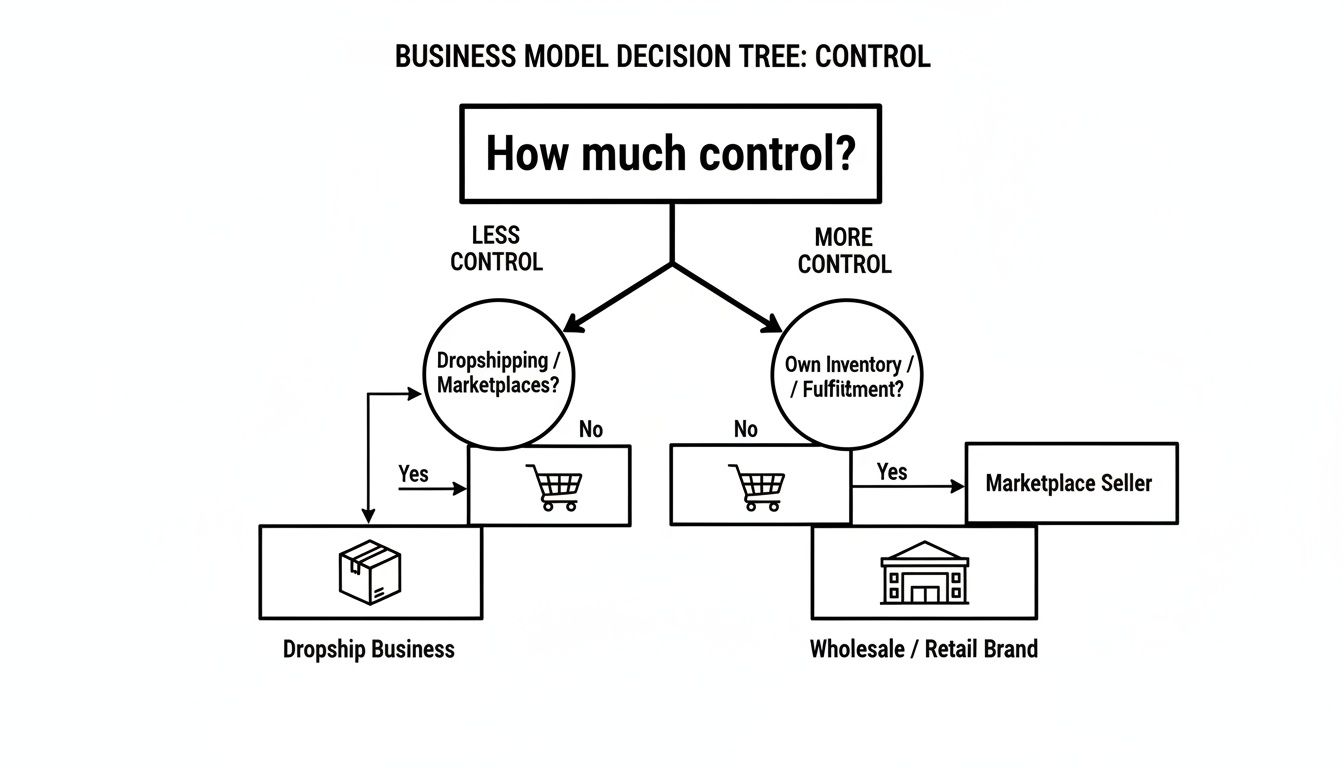
As the visual suggests, the more you want to control your brand and operations—especially if you're holding your own inventory—the more you'll lean toward a platform that offers deep customization.
Ecommerce Platform Comparison
Choosing a platform isn't just about the monthly fee you see on the pricing page. You have to consider the total cost of ownership, which includes hidden expenses like transaction fees and the cost of essential apps or plugins that can quickly add up. To give you a clearer picture, here’s a quick breakdown of how these options compare head-to-head.
Feature | SaaS Builders (e.g., Shopify) | Open-Source (e.g., WooCommerce) | AI Builder (Alpha) |
|---|---|---|---|
Ease of Use | Very user-friendly with a guided setup | Requires technical knowledge (WordPress) | Easiest; AI handles design and setup |
Initial Cost | Monthly subscription fee ($30+) | Free software; requires hosting ($15+) | Monthly subscription fee |
Customization | Good, but limited to theme and apps | Nearly unlimited with plugins and code | High, with AI-assisted design edits |
Maintenance | Handled by the platform | User is responsible for everything | Handled by the platform |
This table should help you weigh the pros and cons based on what matters most to you right now—whether that’s ease of use, budget, or long-term flexibility.
If you find that a platform like Shopify fits your needs but you want to push its capabilities further, it might be worth connecting with some top Shopify development companies who can handle complex customizations.
The AI Advantage for New Entrepreneurs
For most new entrepreneurs, the biggest roadblocks are always time, money, and a lack of design skills. In the past, getting a high-converting store meant weeks of work and a hefty budget. Back in the early 2000s, average ecommerce conversion rates hovered around a dismal 1.5% to 2.5%, largely due to clunky websites and low consumer trust.
Things have improved, but challenges remain. Today, while mobile traffic drives a whopping 73% of ecommerce visits, it converts at only 2.9% compared to desktop's 4.8%. This gap shows just how crucial it is to have a mobile-first experience right out of the gate.
This is where an AI builder like Alpha really changes the game. It lets you skip the learning curve. You can find a top-performing site you admire, and the AI can replicate its high-converting layout in minutes, giving you a professional foundation to build on. From there, you just describe the changes you want, and the AI handles the code, ensuring everything is optimized for mobile, SEO, and conversions automatically.
It’s all about working smarter, not harder. To see a full comparison of your options, check out our complete guide on the best website builders for online stores.
Designing an Unforgettable Customer Experience
Great design is more than just a pretty homepage. It's the invisible hand that guides a casual visitor toward becoming a loyal customer. In the world of e-commerce, a fantastic user experience (UX) isn't just a nice-to-have; it's the engine that powers your sales.
Think about it: a confusing layout or a clunky checkout will send potential buyers running for the hills. This is why getting the customer experience right is a foundational step in building a store that actually converts.
Start by putting yourself in your customer’s shoes. They’ve just landed on your site for the very first time. Is it immediately obvious what you sell? Can they find what they're looking for without a struggle? A visitor should be able to get to any product in three clicks or less. Any more than that, and you're just creating friction that costs you money.
Crafting an Intuitive Layout and Navigation
Your website's navigation is its roadmap, so a clean, logical structure is non-negotiable. Begin by organizing your products into clear, simple categories. For instance, if you sell outdoor equipment, don't just have a vague "Gear" menu. Break it down into intuitive subcategories like "Tents," "Sleeping Bags," and "Backpacks."
Your layout should naturally guide the user's eye toward the most important actions. This means paying attention to a few key elements:
A Prominent Search Bar: Many shoppers know exactly what they're after. Make it dead simple for them to find it.
Clear Calls-to-Action (CTAs): Buttons like "Shop Now" or "Add to Cart" need to pop. Use contrasting colors to make them stand out.
High-Quality Visuals: Use professional product photos and lifestyle images that help customers actually picture themselves using your products.
And remember, consistency is everything. Your fonts, colors, and button styles should be the same across the entire site. This creates a cohesive and trustworthy brand image that puts shoppers at ease.
Building Product Pages That Actually Convert
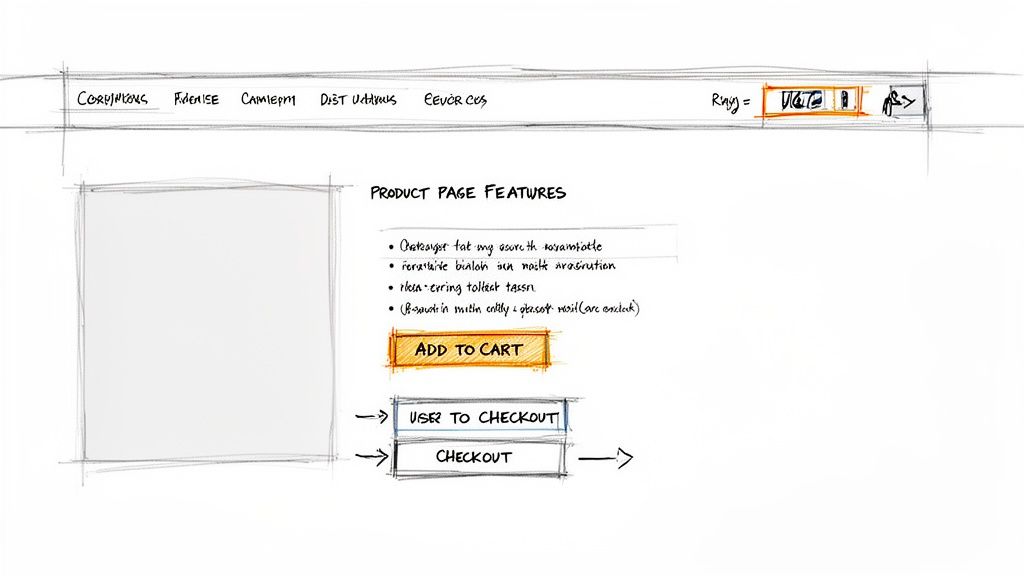
Think of your product pages as your digital sales floor. They need to do more than just list features—they have to anticipate and answer every question a customer might have. A truly high-converting product page is loaded with information and social proof, leaving no room for doubt.
Key Insight: The goal of a product page is to build so much confidence that clicking "Add to Cart" feels like the most natural next step. Eliminate any hesitation caused by unclear sizing, hidden shipping costs, or blurry photos.
To get there, every product page must include:
Multiple High-Resolution Images: Show your product from every angle. Include close-ups of textures and important details. If you can, add a short video of the product in action.
Compelling Product Descriptions: Go beyond the spec sheet. Tell a story. Focus on the benefits your product provides, not just its features.
Visible Pricing and Shipping Info: Be upfront about all costs. Nobody likes surprises, and unexpected shipping fees are the #1 reason for cart abandonment.
Customer Reviews and Ratings: Social proof is incredibly powerful. Showing that other people have bought and loved your product builds immense trust.
Streamlining the Checkout Process
The checkout is the final hurdle. I've seen countless businesses lose sales right at the finish line because of a complicated or lengthy process. Your goal here is to make paying as frictionless as possible.
Keep your forms simple, asking only for the absolute essentials. Offer multiple payment options, including digital wallets like Apple Pay or PayPal. The more convenient you make it, the more likely a customer is to complete their purchase.
Another pro tip: offer a guest checkout option. Forcing a new customer to create an account is a major turn-off. For a deeper look at these concepts, it's worth learning more about the fundamentals of user experience design and how they apply to online stores.
The Power of AI in Modern Web Design
In the past, getting this level of professional design meant hiring an expensive agency or sinking hours into complex software. This is where modern tools are changing the game.
With an AI builder like Alpha, for example, you can sidestep the manual design phase almost entirely. You can input the URL of a competitor whose high-converting layout you admire, and the AI will generate a structurally similar design for your own store. From there, you can fine-tune it with simple text prompts.
Instead of wrestling with design tools, you can just type "make the Add to Cart button brighter" and watch it happen. This frees you up to focus on what really matters: your products and your customers, not becoming a part-time web designer.
Adding Products and Setting Up Payments
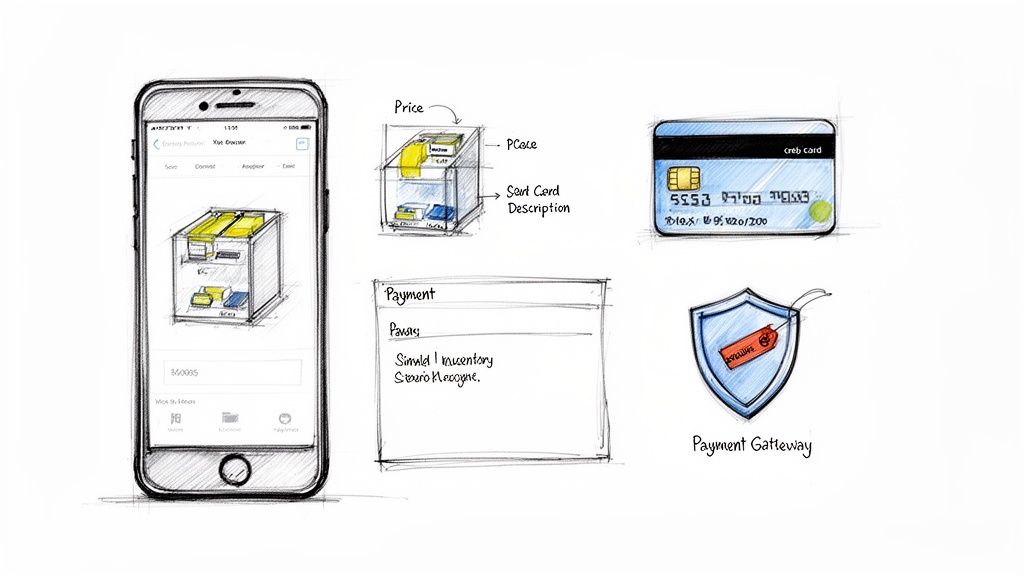
Okay, your store's structure is built and the design is looking sharp. Now for the fun part: bringing it all to life. This is where your site stops being a collection of pages and starts becoming a real, shoppable business. Getting your products loaded and your payment systems configured is what turns your vision into an engine for sales.
This isn't just a data-entry task. You're crafting the core experience for your customers—showcasing what you sell and giving them a secure, easy way to buy it. Nail this, and you’ll build the trust needed to turn browsers into buyers.
Write Product Descriptions That Actually Sell
Think of your product pages as your best salespeople. Their pitch? The product description. It has to do more than just list features; it needs to tell a story that resonates with your ideal customer.
For example, don't just say a backpack is "made of durable nylon." That's a feature. Instead, translate that into a benefit: "Built to withstand your daily commute and weekend adventures, this pack keeps your gear safe and dry, no matter what." See the difference? You're selling a solution, not just a product.
Here’s a simple but effective framework I've used for years:
The Hook: Kick things off with a sentence that grabs attention or speaks directly to a customer's problem.
The Benefits: Use bullet points to highlight 2-3 key benefits. This makes the page scannable.
The Details: Follow up with the essential specs—dimensions, materials, care instructions.
The Story: Wrap it up with a short narrative that helps the customer picture themselves using the product.
While it’s smart to weave in relevant keywords for SEO, always write for a human first. A great description makes a connection.
Capture Product Photos That Pop
In e-commerce, visuals do the heavy lifting. Since your customers can't physically touch the product, your photos have to create that tactile experience for them. The good news? You don't need a high-end studio.
A modern smartphone, a simple background (like a large sheet of white paper), and good natural light from a window can produce fantastic results.
Be sure to shoot your product from multiple angles. Get close-ups to show off textures and important details. And don't forget lifestyle shots—showing the product in use is one of the most powerful ways to help customers see how it will fit into their own lives. Consistency in lighting and style across all your photos will give your store a polished, professional feel.
Making Sense of Payment Gateways
So, how do you actually get paid? That's where a payment gateway comes in. It's the secure service that processes your customer’s credit card info and connects your store to your bank. Choosing the right one is a big deal for both customer trust and your own sanity.
Most modern e-commerce platforms like Shopify or BigCommerce make this dead simple. They integrate with popular, highly secure options like Stripe and PayPal right out of the box.
Pro Tip: Don't limit your customers to just one way to pay. While standard credit cards are a must, adding digital wallets like PayPal or Apple Pay can seriously increase your conversion rate. They offer a quick, familiar checkout that mobile shoppers love.
When you're comparing gateways, look closely at the transaction fees. The industry standard is often around 2.9% + $0.30 per transaction. It might not sound like much, but those small fees add up quickly, so be sure to factor them into your product pricing from day one.
Nailing Down Taxes and Inventory
The last few operational details are crucial for a smooth launch. Setting up sales tax can feel overwhelming, but most platforms have excellent built-in tools that automate it. You can usually configure tax rules based on your location and where you're shipping to, ensuring you're always collecting the right amount.
Just as important is managing your inventory. You have to start by accurately entering the quantity on hand for every single product. This is non-negotiable, as it prevents the dreaded scenario of selling something you don't actually have—a surefire way to disappoint a customer. When you're just starting, it’s as simple as typing in a number. As you grow, your platform will automatically deduct stock as sales are made, giving you a real-time view of what needs to be reordered.
Getting Your Shipping Strategy Right Before Launch
Let’s be honest: shipping is often treated as an afterthought. It’s the last step in the customer's journey, so we sometimes push it to the end of our to-do list. But this is a huge mistake.
Your shipping strategy is a massive part of the customer experience and can make or break their decision to buy from you again. A clunky, expensive, or slow delivery process can sour even the best product. Get it right, though, and you create loyal fans who come back time and again.
The trick is to find that sweet spot between what customers want (fast and free) and what your business can actually afford. Hidden fees at checkout are the number one killer of sales, so being upfront is your best bet. Your goal is a shipping system that’s crystal clear for the customer and financially sound for you.
Choosing Your Shipping Model
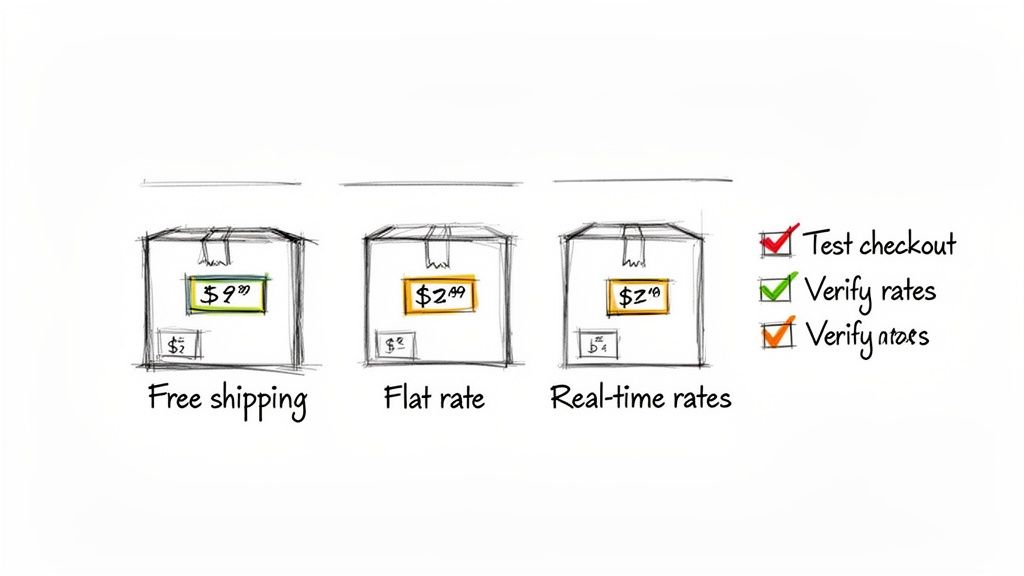
There isn't a single "best" way to handle shipping. The right approach for you will depend on what you sell, your profit margins, and who you're selling to. Let’s look at the most common models I've seen work for new businesses.
Flat-Rate Shipping: This is the easiest to set up. You charge a single, fixed price for shipping, no matter what the customer buys. It’s predictable for everyone, which is why it’s a fantastic starting point for a brand new store.
Real-Time Carrier Rates: With this method, your website connects directly to carriers (like Australia Post or Sendle) to pull the exact shipping cost based on the package's size, weight, and destination. It’s the most transparent option, ensuring no one overpays.
Free Shipping: This is less of a shipping strategy and more of a marketing powerhouse. Offering free shipping for orders over a certain threshold (say, $75) is a proven way to get people to add more to their cart. Just remember, you'll need to account for that cost in your product pricing.
Calculating Your True Costs
To set your rates, you need to know exactly what it costs you to send a package out the door. Don't just look at the postage fee—that's only part of the story.
Your total cost includes everything from the box itself to the packing peanuts, bubble wrap, tape, and even the printer labels. Add it all up.
For instance, if your average box and materials cost $2 and the postage is $8, you know your baseline is $10. This simple math is crucial for setting a flat rate that won't lose you money or figuring out a "free shipping" threshold that makes sense.
As you get ready, finding the best courier service in Australia is a critical step that matches your needs with reliable delivery for your customers.
Pro Tip: Never, ever guess your shipping costs. I've seen this sink new businesses. Get a small postal scale, weigh your products in their final packaging, and measure the boxes. This precision is non-negotiable if you plan to use real-time rates or want to avoid losing money on flat-rate shipping.
The Essential Pre-Launch Checklist
Before you hit that big "go live" button, you need to do one last, exhaustive check. I’ve developed this personal checklist over years of launching sites, and it has saved me from countless headaches by catching small mistakes before a customer does.
Run a Real Test Order: Use a real credit card and place an order. Go through the entire process, from adding an item to the cart all the way to getting the confirmation email.
Verify Shipping Calculations: Place test orders to different locations. Try one for a local address and another for a remote one. Do the shipping rates make sense?
Click Every Single Link: Seriously. Every link in your header, footer, and on every page. Check all your call-to-action buttons. Broken links scream unprofessionalism.
Check on Your Phone: Grab your phone and a tablet and navigate your site. Most of your customers will find you on mobile, so that experience has to be perfect.
Proofread It All Again: Read your product descriptions, your "About Us" page, your FAQs, and your policy pages one last time. A simple typo can undermine a customer's trust in a split second.
Once you’ve gone through this list, you can launch with confidence. You'll know you’ve created a smooth, professional shopping experience from the very first click.
Common Questions About Building an Online Store
When you’re first thinking about building an online store, a ton of questions probably pop into your head. It’s completely normal. From how much cash you'll need to what skills are actually required, getting straight answers is the first step toward building something great. Let's tackle the big ones I hear all the time.
How Much Does It Cost to Build an Ecommerce Website?
This is always the first question, and the honest-to-goodness answer is: it depends. The total cost can swing wildly based on the path you take. Think of it less as a single price tag and more as a collection of expenses that scale with your ambitions.
If you’re on a budget, a DIY approach using an AI-powered builder like Alpha or a well-known platform like Shopify is your best bet. Here’s a realistic look at the costs:
Monthly Subscription: Expect to pay somewhere between $30 to $100 a month.
Domain Name: This is your web address, and it usually runs about $15-$20 per year.
Payment Processing Fees: This is standard across the board. Plan for 2.9% + $0.30 on every single transaction.
Optional Extras: You might decide to buy a premium theme or a special app to add more functionality, so keep a small buffer for that.
On the other side of the coin, you have the fully custom-built website. Hiring a freelance developer or a design agency to create a store on a heavy-duty platform like Magento (now Adobe Commerce) can set you back anywhere from $10,000 to over $50,000. You get ultimate control, but it's a serious upfront investment with ongoing costs for maintenance and updates.
How Long Does It Take to Build an Ecommerce Site?
Much like the cost, the timeline is all about the tools you use. The good news is that going from an idea to a live store is faster than it's ever been.
My Two Cents: The real time-suck for most people isn't the tech setup—it's getting your content together. Taking product photos, writing compelling descriptions, and figuring out your shipping and return policies will almost always take longer than the website build itself. Plan for it!
Here’s a practical timeline you can expect:
Method Used | Estimated Time to Launch |
|---|---|
AI Builder (Alpha) | A weekend to a few days. |
SaaS Builder | 1-3 weeks, depending on how quickly you learn the platform. |
Custom Agency Build | 3-9 months, depending on how complex the project is. |
With an AI builder like Alpha, you can get a professional-looking site generated in minutes and be ready for customers in a couple of days. With a traditional builder, you’ll probably need a week or two to really get the hang of the interface and make it look just right.
Do I Need Coding Skills to Build an Online Store?
Absolutely not. This is probably the biggest myth that stops people from even starting. Today’s ecommerce platforms are built specifically for people who aren't developers. You don't need to know a lick of HTML, CSS, or JavaScript to create a beautiful, secure, and fully functional online store.
Tools like Alpha take this accessibility even further. Instead of wrestling with code or complicated design software, you can just describe the changes you want in plain English. This completely removes the technical barrier, letting you focus on what really matters—your products and your customers.
Coding only really comes into play if you’re using an open-source platform like WooCommerce and have a very specific, custom feature in mind that you can't find a plugin for. For 99% of new store owners, no-code platforms are more than powerful enough.
What Is the Best Ecommerce Platform for a Beginner?
For someone just starting out, the "best" platform is the one that gets out of your way and helps you launch successfully. You want to look for something with an intuitive interface, great customer support, and built-in tools that handle all the tricky technical stuff for you.
AI-powered builders are a fantastic choice because they solve the biggest problem most beginners face: design. It’s tough to make a store look professional and trustworthy right out of the gate, and AI can give you a massive head start.
Of course, all-in-one platforms like Shopify are also a solid choice. Their guided setup process, easy-to-use dashboards, and massive app ecosystem provide a strong foundation for anyone new to ecommerce. The right platform is the one that lets you get your store online quickly, without the overwhelm.
Ready to build a high-converting ecommerce website without the technical headaches? Alpha uses AI to help you launch a professional online store in a fraction of the time. Get started today and turn your vision into a reality at https://www.alpha.page.
EXAMPLES
Build beautiful websites like these in minutes
Use Alpha to create, publish, and manage a fully functional website with ease.