





How to Create Website Mockups People Actually Love
Learn how to create website mockups that bridge the gap between idea and reality. Our guide covers tools, principles, and developer handoff.
Build beautiful websites like these in minutes
Use Alpha to create, publish, and manage a fully functional website with ease.
Knowing how to edit the text on your website really just comes down to using the right tool for the job. Gone are the days of fumbling with code just to fix a typo. Modern platforms like Alpha let you handle it all visually—you can click directly on the text to make a quick change, use a block editor to move entire paragraphs around, or even just describe the edits you want to an AI.
This is a game-changer because it puts you, the business owner or marketer, back in control.
Why Getting Good at Editing Text Matters
Think of your website as your digital storefront. If your content is full of outdated information, typos, or confusing sentences, it's like having a messy, disorganized shop. It just doesn't inspire confidence. Being able to quickly and easily edit your own text means you can react instantly—updating product info, refining your sales pitch, or tweaking a headline without waiting on a developer.
This guide is for anyone who needs to manage their website's content directly. We'll walk through a few different ways you can get this done inside the Alpha platform, so you'll feel comfortable handling any text update that comes your way.
Different Tools for Different Jobs
Not all edits are created equal. Correcting a simple spelling mistake is a whole different ballgame from restructuring an entire landing page. If you know which tool to grab, you'll work a lot faster and with less frustration.
Here’s a quick look at what we’ll cover:
Inline Editing: Your go-to for small, on-the-spot fixes. Think updating a price or correcting a typo in seconds.
Block Editing: Best for bigger jobs, like shuffling the order of paragraphs, dropping in a new testimonial section, or changing the style of a whole chunk of text.
AI-Powered Edits: This is where it gets fun. You can tell the AI to "make this paragraph sound more professional" or "shorten this sentence," and it will do the heavy lifting for you.
Editing an Imported Site: A super useful feature if you're bringing a site into Alpha that was built somewhere else. It lets you make changes without starting from scratch.
The big idea behind modern website management is empowerment. The days of submitting a support ticket to fix a comma are long gone. You’re in the driver's seat now.
This simple flowchart can help you decide which method to use.
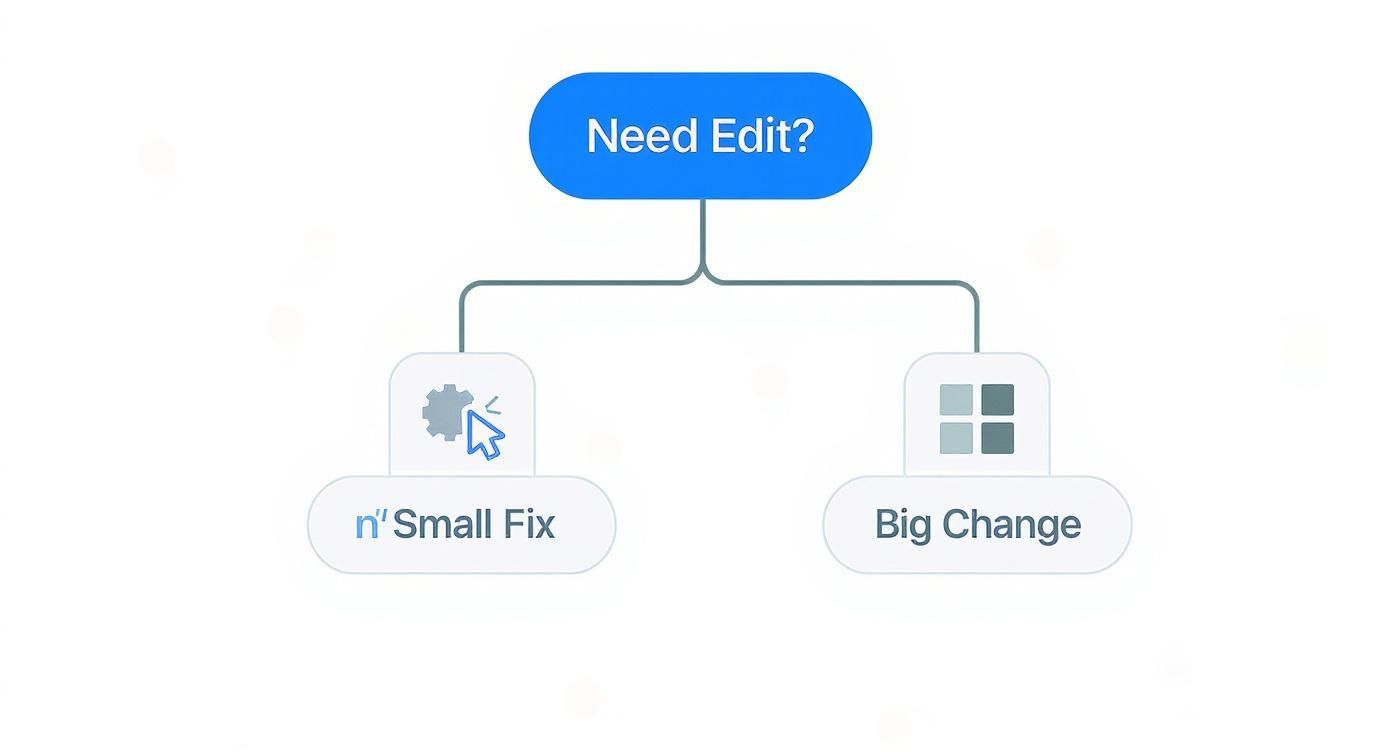
As you can see, it all starts with figuring out if you're making a small tweak or a major overhaul. That initial decision points you toward the most efficient tool for the task.
A Quick Look at How We Got Here
The ability for anyone—not just programmers—to easily change what a website says is thanks to the rise of user-friendly content management systems (CMS). Platforms like WordPress, which now powers an incredible 43% of all websites, really set the stage for this shift. It proved there was a huge demand for tools that let people manage their own content.
To make sure your text always looks clean and consistent, a handy text formatter can be a great help for making precise adjustments before you publish. At the end of the day, the quality of your website copy has a direct line to your user experience and, ultimately, your sales. If you want to dive deeper, we have a whole guide on how to write website copy that actually connects with customers.
To help you choose the best approach for your next update, here's a quick summary of the editing methods we've just discussed.
Website Text Editing Methods at a Glance
Editing Method | Best For | Skill Level |
|---|---|---|
Inline Editor | Quick fixes, typos, and minor text changes. | Beginner |
Block Editor | Rearranging sections, major formatting, and structural changes. | Beginner |
AI Describe Edits | Improving tone, rewriting for clarity, and generating new ideas. | Beginner |
Imported-Site Editor | Making text updates on sites not built natively in Alpha. | Intermediate |
This table should give you a clear starting point, no matter what kind of text edit you need to tackle.
Making Instant Changes with Visual Editors
The fastest way to get text edits done on your site is with a visual editor. Alpha gives you two great options here, and they both let you skip the code and make changes directly on a live preview of your page. This is what people mean when they talk about WYSIWYG (What You See Is What You Get)—it turns website management from a technical chore into something as simple as editing a document.
The whole point of visual editing is immediacy. See a typo? Click it. Fix it. You're done. It's perfect for the daily upkeep that keeps your site looking sharp and puts you in the driver's seat, with no middleman between you and your content.
Using the Inline Editor for Quick Fixes
The simplest tool in the box is the inline editor. Think of it as a precision scalpel for small, targeted text changes. Its main job is to let you edit text right where it sits on the page.
Let’s say you’re looking at your homepage and your main call-to-action button says "Learn More." You've been wanting to test "Get Started Today" to see if it performs better. With the inline editor, you just click the text, type the new phrase, and you’re finished. It’s that simple.
This screenshot shows exactly what a WYSIWYG editor is all about—what you see in the editor is almost a perfect mirror of what gets published.
You’re looking at a direct, visual version of your content, which takes all the guesswork out of the process and lets you make confident edits on the fly.
The inline editor is your go-to for tasks like:
Fixing typos and grammar mistakes you catch during a quick proofread.
Updating prices, dates, or other small details in product descriptions or event announcements.
Rewording a headline or a single sentence to make it punchier or clearer.
The real magic of inline editing is its speed. You can correct a mistake in less time than it takes to send a developer an email, keeping your site accurate without any frustrating delays.
The Block Editor for More Control
While the inline editor is great for those quick tweaks, the block editor offers more structural power. It treats everything on your page—a paragraph, a heading, an image, you name it—as a self-contained "block." This modular design makes rearranging content and building out entire sections incredibly straightforward.
Imagine you're putting together a new "Services" page. You can drop in a heading block for the title, followed by a paragraph block for an introduction. From there, you can add more blocks for each service and easily drag them up or down to shuffle the order.
This approach is perfect for bigger jobs. If you want to restructure a blog post for better flow, you can literally grab a paragraph block from the end and move it to the top. No more clunky copy-and-pasting. You can also apply styles to an entire block, like turning a paragraph into a pull-quote, which helps keep your formatting consistent.
Maintaining Brand Consistency in Every Edit
One of the biggest headaches, especially when multiple people are working on a site, is keeping the look and feel consistent. It’s surprisingly easy for font sizes, colors, and styles to drift, making your website look messy and unprofessional.
A good habit I've picked up is to lean on Alpha's global style settings. Instead of manually changing a headline to be 24px and bold, apply the "Heading 2" style. This way, if you ever decide to update the look of all your "Heading 2" elements, you can change it in one place, and it will update automatically across the entire site.
There's a reason businesses are focusing so much on professional, polished website text. The global content editing services market hit USD 4.2 billion in 2023 and is on track to reach USD 7.8 billion by 2032. This growth is fueled by the need for high-quality online content that improves user experience and SEO. If you're interested, you can learn more about the content editing market growth and see the data for yourself.
Visual editors like these are a cornerstone of the best no-code website builders because they give non-technical users real power to manage their content. Once you get comfortable with both the inline and block editors, you'll be ready to handle any text-editing task with confidence.
Using AI to Describe and Execute Text Changes
What if you could edit your website just by describing what you want? Forget clicking and typing. With Alpha's AI features, you can perform complex text changes using simple, natural language commands.
This isn't just about fixing typos anymore. Instead of spending an hour trying to rephrase a clunky paragraph, you can just tell the AI to do it for you. This saves a massive amount of time and often gives you a fresh perspective on your copy, helping you nail your site's messaging without needing to hire a professional copywriter.
How AI-Powered Text Editing Works
The whole process feels incredibly natural. You just select a piece of text—a headline, a paragraph, whatever—and then give the AI a clear instruction. It's like having a marketing assistant baked right into your website editor.
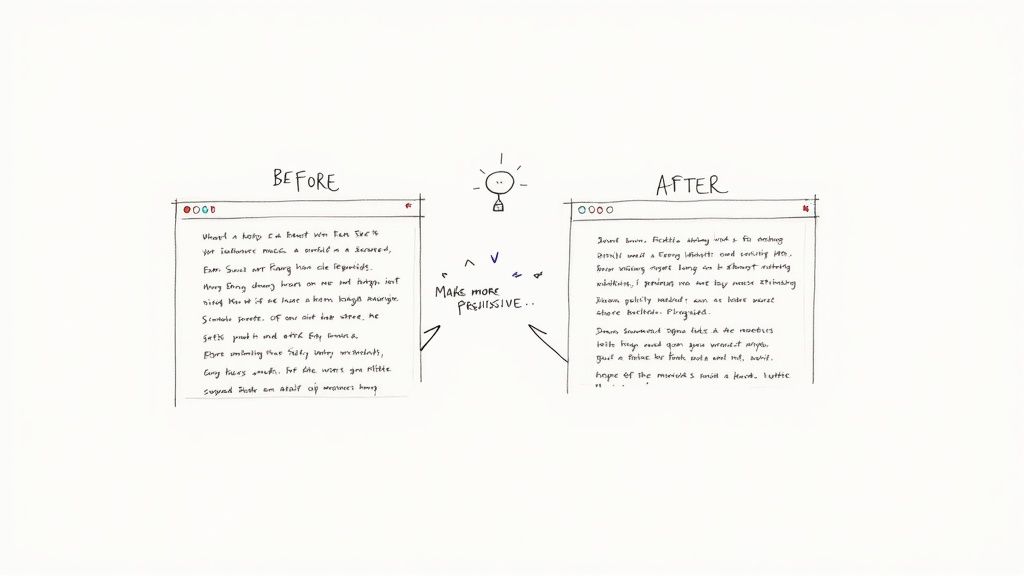
For instance, you could highlight a product description and tell the AI, "make this sound more exciting for a younger audience." Alpha's AI gets to work, analyzing the context and your command, then spits out a revised version that hits the mark. From there, you can accept the change, ask for another version, or make a few final tweaks yourself.
Think about a basic wireframe, which is often the blank slate where your content begins. AI can take that structure and help you flesh out the text for each section based on simple prompts.
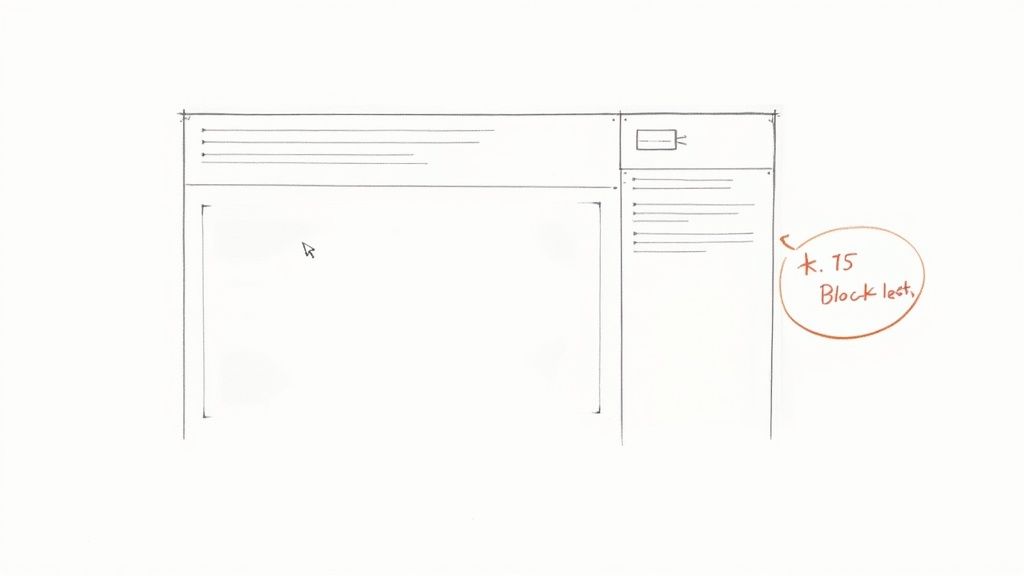
Starting with a simple layout like this, you can use AI to build out entire sections, making sure the tone and style are perfectly consistent across the page.
This kind of AI assistance is quickly becoming the new standard. By 2025, it's expected that 67% of small business marketers will be using AI for content marketing and SEO. The efficiency boost is undeniable, with 86% of marketers saying AI saves them at least one hour per day on creative tasks. You can discover more insights about AI in content marketing to see just how much this tech is changing the game.
Practical Prompts for High-Quality Results
The secret to getting great results from the AI is learning how to ask for what you want. Your prompts need to be specific and action-oriented. Through trial and error, I've found a handful of prompts that almost always deliver fantastic results.
Here are some effective prompts you can try right away:
For Tone Adjustment: "Rewrite this section in a more formal and professional tone."
For Persuasion: "Make this paragraph more persuasive by highlighting the key benefits for a new customer."
For Clarity and Conciseness: "Simplify this sentence to be easier for a non-technical reader to understand."
For Content Transformation: "Summarize this long passage into three clear bullet points."
For SEO: "Incorporate the keyword 'custom web design' naturally into this paragraph."
Think of your prompts as creative briefs for the AI. The more specific your direction, the more targeted and useful the AI's output will be. Vague requests lead to generic results.
Beyond Basic Edits: AI-Driven Strategy
This isn't just about editing—it's about strategy. For those who want to get even more advanced, integrating a dedicated ChatGPT SEO tool into your workflow can unlock powerful new options for optimization and content generation.
The real magic here is the ability to experiment at lightning speed. Not sure if a headline is punchy enough? Ask the AI to generate five different versions in seconds. This allows you to A/B test and improve your copy at a pace that would be impossible to match manually.
This technology is a cornerstone of the best AI website builders because it makes high-level copywriting and marketing skills accessible to everyone. You don't have to be a master wordsmith anymore to create text that truly connects with your audience and gets results. By simply describing your goals, you can execute sophisticated edits that elevate your entire website.
How to Edit Text on an Imported Website
So, what happens if your website wasn't built in Alpha? It's a common fear—you think you're stuck with a clunky old editor or facing a complete, ground-up rebuild. I've seen countless business owners feel trapped by their legacy platforms.
Good news: that's not the case here. Alpha’s import feature is a clever solution that lets you take control of almost any existing site, sidestepping the need for a total overhaul. This is especially useful for marketers who need to quickly A/B test a headline on an old landing page or a small business owner who just wants to update their hours without calling a developer.
How the Import Process Works
You start by giving Alpha the URL of your live website. The platform then works its magic, scanning the site and creating an editable, pixel-perfect copy inside its own editor. Once it’s loaded, you can use the same intuitive visual tools we've already covered to click and change any text you see.
Think of it as placing an editable layer right on top of your existing site. You get the freedom to tweak and refine your copy without ever having to touch the original, often complex, source code. It’s a huge win for anyone managing an older website.
Navigating Potential Hurdles
While the import process is impressively smooth for most static websites, it's good to know its limitations. Websites that are highly dynamic or rely on complex backend systems—think e-commerce stores with live inventory or membership portals—can sometimes throw a curveball.
Here’s what to keep an eye on:
Dynamic Content: Text pulled from a database, like product prices or user comments, likely won't be directly editable. Those changes still need to happen at the source.
Third-Party Integrations: Content inside embedded widgets or forms from other services is usually managed on that third-party platform, not in Alpha.
Complex Scripts: If your site uses custom JavaScript to generate text on the fly, the visual editor might struggle to grab and modify that content correctly.
Key takeaway: Alpha's importer is brilliant for content-focused sites like blogs, portfolios, and lead-gen pages. For more dynamic platforms, you'll find some elements are best edited at their original source.
Practical Steps for Editing Your Imported Site
Once your site is loaded into Alpha, editing the text feels completely natural. You can use the inline editor for quick fixes or switch to the block editor for bigger changes, just as you would if you'd built the site in Alpha from day one.
I've seen users on platforms like Squarespace get stuck trying to change a specific font size without diving into custom CSS. It turns a simple text edit into a technical headache. By importing the site into Alpha, you can often bypass these frustrating limitations and just click to edit.
Troubleshooting Common Issues:
Text Not Selectable: If you can't click on a piece of text, it might actually be part of an image. Double-check that you're trying to edit real text, not a graphic.
Formatting Looks Off: Always preview your changes. If a style breaks after you edit, try using Alpha's global style settings to bring back consistent formatting.
Changes Not Saving: The classic first step: clear your browser cache. If that doesn't work and your internet is stable, the text you're editing might be dynamically generated and not editable this way.
Importing your site gives you a powerful new way to manage your online presence. You can finally turn that static, hard-to-edit website into a flexible asset you can update and optimize with ease.
Key Considerations for Every Text Edit
Changing the text on your site is easy, but making that change effective requires a little more thought. A truly professional update isn't just about swapping words. It’s about ensuring the new content looks great on every device, supports your search engine rankings, and is accessible to everyone.
These final checks are what separate a quick patch from a high-quality, professional update. If you skip them, you risk creating a sloppy user experience, damaging your SEO, or even blocking some visitors from using your site. Let’s walk through the three most important areas to review before you hit "publish."
Prioritizing Responsive Design
Your text doesn't just float in space; it lives within a design that people will see on giant monitors, tablets, and tiny phone screens. A headline that looks perfectly balanced on your desktop might become a jumbled, awkward mess on a mobile device. With more than half of all web traffic now coming from mobile, you can't afford to ignore this.
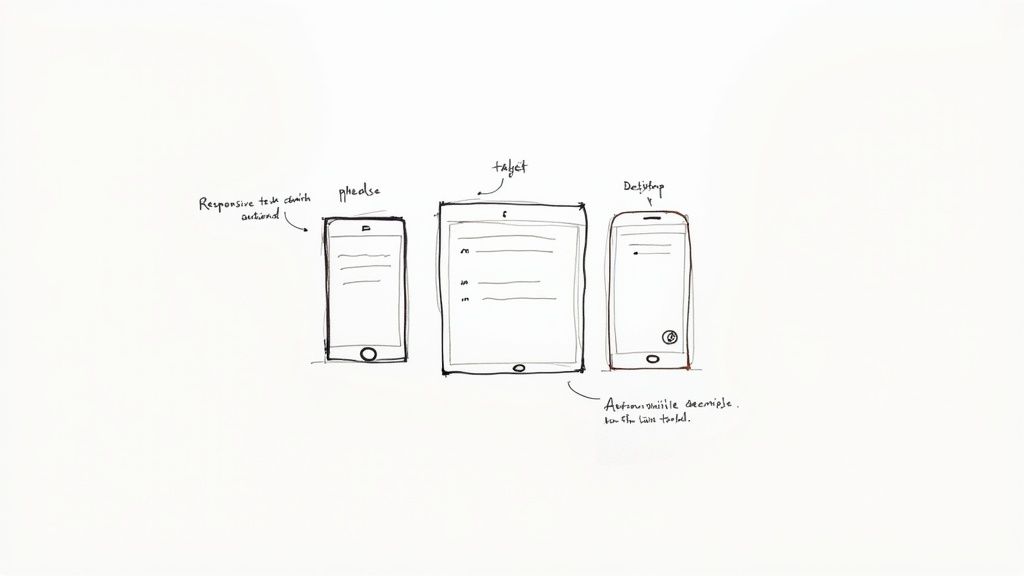
Before you publish any text change, always use Alpha's device preview feature. It’s a lifesaver. This tool lets you instantly see how your new text looks on a desktop, tablet, and mobile phone.
Keep an eye out for these common mobile issues:
Awkward Headline Breaks: Do your main headings wrap in strange places? A long headline can easily spill onto three or four lines on a phone, making it hard to read.
Unreadable Line Length: Paragraphs that look fine on a desktop can become too wide on a small screen, forcing the reader's eye to travel too far.
Hidden Calls-to-Action: Did your text edit push a button off-screen or make a link difficult to tap with a thumb?
A great edit that breaks the mobile layout is ultimately a failed edit. Spending 30 seconds in the device previewer can save you from creating a frustrating experience for the majority of your visitors.
Protecting and Boosting Your SEO
Every single text change you make can either help or hurt your search engine optimization. Search engines like Google pay very close attention to the words on your page, especially crucial elements like the main H1 heading and the body copy.
When you edit text, you’re communicating with search engines just as much as you are with human visitors. If you’re not careful, changing a page’s main headline or removing important keywords can cause your rankings to drop. On the flip side, thoughtful edits can give you a nice SEO boost.
Here are my go-to tips for editing with SEO in mind:
Stick to the Keyword's Intent: If a page is already ranking for "eco-friendly dog toys," don't change the main heading to something generic like "Great Products for Your Pet." You'll lose the very thing that's bringing you traffic.
Weave in Keywords Naturally: When adding new text, look for opportunities to include your target keyword or related phrases in a way that feels natural. Avoid "keyword stuffing"—it's an outdated practice that will only make your content sound robotic.
Focus on Readability: Google rewards content that people actually stick around to read. Simple things like breaking up a wall of text into shorter paragraphs or using bullet points can lower your bounce rate, which is a big win for SEO.
Ensuring Your Content Is Accessible
Website accessibility isn't a niche concern; it’s about making sure everyone can use your site, including people with disabilities who might rely on screen readers. Your text editing choices play a surprisingly large role in creating an inclusive experience.
A logical heading structure is the bedrock of an accessible page. Screen readers use heading tags (H1, H2, H3) to help users navigate content, much like a sighted person scans the page for headlines. When you add or change headings, always make sure they're in a logical, descending order (H1, then H2, then H3) and accurately describe the content that follows.
Another absolute must is using descriptive link text. A link that just says "Click Here" is meaningless to someone using a screen reader.
Instead of this:
To learn more, click here.
Do this:
You can learn more about our design process on the next page.
That small change makes a world of difference. The same principle applies to button text and any other clickable elements. By focusing on these final checks—responsive design, SEO, and accessibility—you can be confident that every update you make is a genuine improvement to your site.
Text Editing Checklist for SEO and Accessibility
Making sure your text works for both search engines and people with disabilities can feel like a balancing act, but their goals often overlap. Both prioritize clarity, structure, and a good user experience. This table breaks down what to focus on for each.
Consideration | SEO Focus | Accessibility Focus |
|---|---|---|
Heading Structure | Uses keywords in H1/H2 tags to signal page topic and importance. | Uses a logical H1 > H2 > H3 order so screen readers can navigate. |
Link Text | Anchor text helps Google understand the destination page's topic. | Link text is descriptive, telling users where the link goes (e.g., "Read our case studies"). |
Keyword Usage | Naturally integrates keywords to match user search intent and improve rankings. | Avoids keyword stuffing, which can make content confusing for screen readers. |
Readability | Short paragraphs and simple sentences reduce bounce rates, a positive SEO signal. | Clear, concise language is easier for everyone to understand, including users with cognitive disabilities. |
Image Alt Text | Provides a keyword-rich description for image search and context for crawlers. | Describes the image for visually impaired users so they don't miss important content. |
Ultimately, what's good for accessibility is almost always good for SEO. A well-structured, clearly written page is easier for both bots and humans to understand, which is exactly what you want.
Common Questions About Editing Website Text
Even with the best tools, jumping in to edit your website's text for the first time can feel a little daunting. It's totally normal to be a bit hesitant when you’re about to make live changes. Let's walk through some of the most common questions I get from people, so you can feel confident every time you hit "publish."
We'll tackle everything from that "what if I break it?" feeling to how your edits actually play out with search engines.
Can I Accidentally Break My Website While Editing Text?
This is, without a doubt, the number one fear I hear. The good news? Modern platforms like Alpha are built with safety nets to keep that from happening.
When you use a visual editor, you're only changing the content inside predefined containers. You aren't touching the underlying code, the site's structure, or any of the behind-the-scenes functionality. Think of it like changing the words on a PowerPoint slide—you're not going to break the software itself.
On top of that, most solid platforms have a version history or a "revert changes" feature. So, if you make an edit you regret, you can usually undo it with a single click. My biggest piece of advice is to always use the preview function. It lets you see how your changes look on different devices before they go live, so you can catch any weird formatting first.
The bottom line is that visual editors are designed to be safe. They give you the power to manage your content without needing to stress about the technical side of things. You're working in a protected sandbox.
How Do Text Edits Affect My Website's SEO?
Your text edits can have a huge impact on SEO—for better or for worse. Search engines are constantly reading your site's text, especially key elements like H1 headings and opening paragraphs, to figure out what your pages are all about.
When done right, your edits can give your SEO a real boost. For instance, rewriting a confusing paragraph can lower your bounce rate and keep visitors on the page longer. These are fantastic signals to Google that your content is high-quality. Weaving in relevant keywords naturally can also help you show up for those search terms.
But careless edits can do damage. Accidentally deleting important keywords, changing a page’s topic without updating its URL or metadata, or scrambling your heading structure can cause your rankings to dip. Always keep your core SEO strategy in mind when you're tweaking your website's content.
What's the Difference Between an Inline and a Block Editor?
This question comes up a lot, and knowing the difference will make you so much more efficient.
An inline editor is the most direct. You literally click on the text you want to change right on the page and just start typing, almost like you’re editing a Word document. It’s perfect for quick, minor fixes like correcting a typo, tweaking a sentence, or updating a price.
A block editor, on the other hand, treats every element—a paragraph, a heading, an image—as a separate "block." This approach gives you more control over the page's structure. You can easily drag and drop these blocks to reorder whole sections, add new types of content, or apply consistent styles to multiple elements at once.
Here’s a simple way to think about it:
Use the inline editor for: Small, precise text changes.
Use the block editor for: Bigger jobs like restructuring a page or adding new sections.
How Often Should I Update the Text on My Website?
There's no one-size-fits-all answer here; it really depends on your website's purpose and the type of content you have.
For dynamic sites like a blog or a news section, frequent updates—think daily or weekly—are key to keeping your content fresh and bringing people back. For a standard business website, I usually recommend reviewing your core "evergreen" pages (Homepage, About Us, Services) at least quarterly. This just ensures all your information stays accurate and relevant.
Landing pages for active marketing campaigns might need to be tweaked weekly or even daily, depending on how they're performing. And remember, regularly updating your content, even in small ways, sends a positive signal to search engines that your site is active and well-maintained. A simple content calendar can be a lifesaver for scheduling these reviews and staying organized.
Ready to stop worrying about code and start making edits with confidence? With Alpha, you can edit your website's text just by describing what you want, clicking directly on the page, or rearranging content blocks with ease. Turn your ideas into a stunning, professional website in hours, not weeks. https://www.alpha.page
Build beautiful websites like these in minutes
Use Alpha to create, publish, and manage a fully functional website with ease.