How to Create Website Mockups People Actually Love
Learn how to create website mockups that bridge the gap between idea and reality. Our guide covers tools, principles, and developer handoff.

EXAMPLES
Build beautiful websites like these in minutes
Use Alpha to create, publish, and manage a fully functional website with ease.





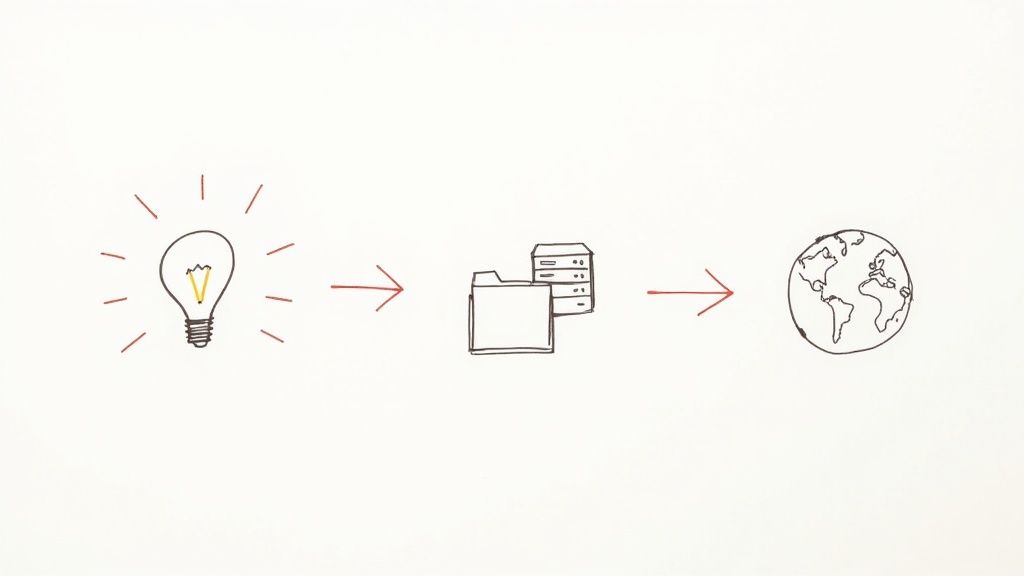
Getting a website online used to be a real headache, but today's tools have completely changed the game. The whole process really boils down to three things: a domain name, a place to put your site (web hosting), and your actual website files. What's great is that modern platforms like Alpha now bundle all of this together, often using AI to get you from an idea to a live site in record time.
The Modern Path to Publishing Your Website
Taking a concept and turning it into a live website that people can visit might seem intimidating. I get it. But the technical hurdles that used to stop people are mostly gone. This guide will walk you through the entire journey, step-by-step, without getting you bogged down in confusing jargon.
First, let's get a quick lay of the land. We'll look at the essential pieces every website needs to function. Think of it as your roadmap—once you understand how these parts fit together, the practical steps that follow will make perfect sense.
Understanding the Core Components
Before we jump into the "how-to," let’s quickly cover the "what." Every single website you’ve ever visited, from your favorite blog to a giant like Amazon, is built on three fundamental pillars.
Let's break down these essentials.
Website Publishing Core Components Overview
Component | What It Is | Why You Need It |
|---|---|---|
Domain Name | Your website's unique address on the internet, like | It's how people find you. A good domain is memorable and core to your brand identity. |
Web Hosting | The service that stores all your website's files and keeps them online 24/7. | Without hosting, your website has nowhere to "live," and no one can access it. |
Website Files | The actual code (HTML, CSS) and content (text, images) that make up your site. | These are the building blocks that visitors see and interact with in their browsers. |
Understanding how these three pieces work together is the key to demystifying the whole process.
In the not-so-distant past, you had to juggle these three things separately. You’d buy a domain from a registrar, find a good hosting company, and then figure out how to upload your files using something called FTP. It was clunky and a real roadblock for anyone without a technical background.
The good news? All-in-one platforms like Alpha have completely streamlined this. They bring the domain, hosting, and site builder under one roof, creating a single, seamless workflow to get you online.
How AI Is Changing the Game
It’s a crowded world out there. With an estimated 1.13 billion websites online globally, just having a presence isn’t enough—you need to stand out. If you're curious, you can dig into more website statistics to see just how vast the web has become.
This is where AI-driven tools are making a massive impact. Instead of spending weeks learning to code or fighting with a clunky drag-and-drop editor, you can now simply describe the website you want.
AI platforms like Alpha take your text prompts and turn them into a professional design, complete with sensible layouts and mobile-ready performance right out of the box. This doesn't just save a ton of time; it completely removes the design barrier, empowering anyone to create something they can be proud of.
Choosing and Registering Your Domain Name
Your domain name is your address on the internet—it’s how people find you, remember you, and share your site with others. Getting it right is a mix of art and science, balancing branding with pure, simple memorability. Think of it as the digital equivalent of your storefront sign.
Let's say you're launching an online shop for artisanal coffee called "Morning Ritual Roasters." The dream domain, morningritual.com, is almost certainly taken. That’s a super common problem, but it’s where you get to be creative, not where you give up.
Brainstorming Names That Actually Work
When your first pick is gone, it’s tempting to just jam a hyphen or a number in there. My advice? Don't. It makes the name clunky and much harder to share verbally.
Instead, try playing with different angles. Add a verb, a location, or a more descriptive word. For our coffee shop, this could look like:
getmorningritual.commorningritual.coffeemorningritualroasters.commorningritualnyc.com
The classic .com still dominates, making up 44.4% of all websites, but don't feel locked into it. Newer domain extensions (called TLDs) like .co, .io, or even niche ones like .store or .ai are fantastic alternatives that can make your name stand out. For more on this, check out these domain usage statistics.
Making the Registration Process Painless
Once you've found a winner, it's time to claim it. This is where a platform like Alpha makes things a lot easier by rolling domain registration right into the site setup process. You can find your name, build your site, and get it live, all under one roof.
Of course, you can always use a standalone domain registrar. This route gives you a bit more flexibility but means you'll have an extra step later when it’s time to point your domain to your website's hosting. It really just comes down to how hands-on you want to be. If you want to learn more, our guide explains what domain name registration entails.
No matter which path you choose, I have a couple of hard-won tips from years of doing this.
Insider Tip: Turn on auto-renewal for your domain. Seriously. Forgetting to renew is a nightmare scenario that can kill your website traffic and cost a fortune to fix. It’s one little checkbox that prevents a massive potential headache.
You’ll also likely see an offer for domain privacy during checkout. This service keeps your personal info (name, address, email) out of the public WHOIS database. It's a good idea, but many registrars now offer a basic version for free, so make sure you’re not paying for something that should be included.
Finally, think long-term. Avoid trendy slang or clever misspellings that might confuse people a year from now. Your domain is a core piece of your brand. Pick a name that feels professional, is easy to say out loud, and truly reflects what you're all about. A little extra thought here pays off big time.
Building Your Website with AI Design Tools
The notion that you need to be a coding wizard or a graphic design pro to build a beautiful website is officially a thing of the past. Honestly, the tools we have now—especially those running on artificial intelligence—have completely changed the game.
This shift is a huge reason the global digital publishing market is exploding. AI is now handling complex design and content tasks that used to take teams of people weeks to finish. A recent report even projected the market will grow by USD 18.9 million between 2025 and 2029, with AI being a key driver. You can read more about how AI is fueling that growth over on Supadu.com.
Instead of staring at a blank screen or trying to force your content into a rigid template, you can now just start with a conversation. AI platforms like Alpha essentially act as your creative director, taking your ideas and turning them into a real, functional design. For most people just learning how to publish a site, this is easily the most exciting part.
From a Simple Prompt to a First Draft
It all starts with a text prompt. This is where you lay out who you are, what you do, who you're trying to reach, and the overall vibe you're going for. The more detailed and specific you are here, the better the AI can nail your vision on the first try.
Think of it like briefing a human designer. You wouldn't just say, "I need a site for my coffee shop." You'd give them the good stuff, the details that guide their creativity. A solid prompt usually includes:
Your Business: "I run 'Morning Ritual Roasters,' an artisanal coffee company that sources single-origin beans from Colombia."
Your Target Audience: "My customers are coffee lovers, mostly aged 25-45, who really care about quality and ethical sourcing."
Desired Vibe: "I'm going for a minimalist, earthy, and warm aesthetic. I want a clean layout with tons of high-quality photos of my beans and the roasting process."
With that information, the AI gets to work and generates a complete, structured website draft in just a few minutes. It doesn't just pick random elements; it intelligently selects color palettes, font pairings, and page layouts that actually align with your description. This isn't some generic template—it's a custom-built foundation made just for you.
Collaborating with the AI to Refine Your Design
That first draft is just the opening move. The real magic of modern AI website builders is how you can collaborate with them to refine the design. This is where you dial everything in until it perfectly matches your brand.
Let's say the AI generated a dark, moody color scheme, but you were picturing something much lighter. You don't have to go digging for hex codes or messing with complicated style editors. You can simply tell the AI:
"Change the color palette to be lighter and more airy. Use beige and off-white as the main colors."
This same conversational approach works for just about anything. You can ask the AI to swap out the fonts, reorder the sections on your homepage, or add a new block for customer testimonials. It's an intuitive and fast process that lets you experiment with different ideas without any technical headaches getting in the way. Our guide on using AI to build a website actually dives much deeper into these collaborative features.
This screenshot gives you a sense of what a modern website builder's interface looks like, often combining drag-and-drop tools with these AI-powered commands.
The best platforms blend visual editing with AI commands, giving you multiple ways to get the exact look you want.
Making the Site Uniquely Yours
Once the main structure and style are locked in, it's time to swap out the placeholder content with your own text and images. This is the most important step for making the website a true reflection of your business. The AI can even help here, suggesting improvements to your copy or finding high-quality stock photos if you're in a pinch.
Here’s a quick, real-world example of how that refinement process might look:
Initial Prompt: You ask for a site for your new tech consulting firm.
AI Draft: Alpha generates a sleek, professional site with a classic blue and gray color scheme.
Your Feedback: You tell the AI, "That main image is too corporate. Replace it with a photo of a diverse team working together."
AI Revision: The image is instantly updated.
Further Refinement: You then say, "Add a section below the services list for client case studies."
This back-and-forth is what turns a well-designed but generic site into a personalized digital storefront. By treating AI as a design partner, you can achieve a polished, custom look that once required a hefty budget and a long timeline, getting you one massive step closer to hitting that publish button.
Connecting Your Domain to Go Live
Alright, your design looks fantastic, and the content is locked in. You're at the very last hurdle before your site is live for everyone to see. Now, we just need to connect your custom domain to your new Alpha website.
This part can sound a bit intimidating, but I promise it's much simpler than you think.
Essentially, you're just updating the internet's address book, known as the Domain Name System (DNS). Right now, anyone typing in your domain name gets sent to a placeholder page or maybe your old site. We're about to change that address to point to the beautiful new site you just built on Alpha.
This infographic gives a great overview of the whole AI-driven process, from that first spark of an idea to the polished design you have now.
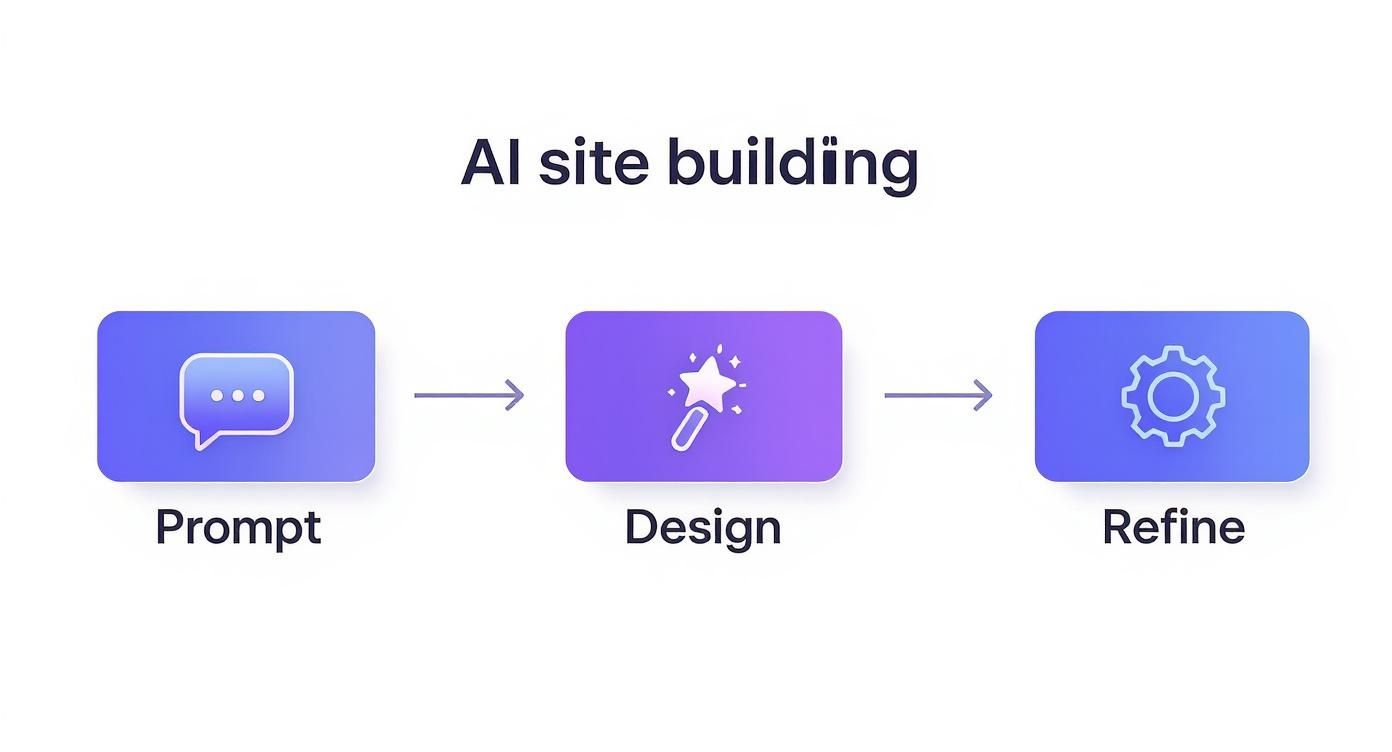
The creative part is done; connecting your domain is just the final technical step before the big reveal.
Updating Your Nameservers
The main task here is to update your domain's nameservers. Think of them as signposts that direct traffic to the right server where your website's files are stored. Alpha will give you its specific nameserver addresses.
All you have to do is log in to your domain registrar—wherever you bought your domain (like GoDaddy, Namecheap, etc.)—and swap out the old nameservers for the new ones from Alpha. It's usually a straightforward copy-and-paste.
Once you save those changes, your work is done. Now, a little waiting game called propagation begins.
Propagation is just the time it takes for servers all over the world to get the memo about your website's new address. This can take anywhere from 30 minutes to 48 hours, though in my experience, it's usually done in just a few hours. Don't panic if your site works for a friend but not for you right away—that's totally normal during this period.
You could use an online DNS checker to see the progress, but honestly, the best thing to do is just be patient and let it work its magic.
Your Pre-Launch Final Checklist
While you're waiting for the DNS to update, this is the perfect time for one last quality check. It's much better to find a tiny mistake now than after you've announced your launch to the world.
Here's a quick checklist I run through before any site goes live:
Test Every Form: Seriously, fill them all out. Your contact form, your newsletter signup, everything. Make sure the submissions are actually landing in your inbox.
Click All The Links: Go through your site and click every single link—in the navigation, in the footer, and within your content—to make sure nothing is broken.
Proofread Out Loud: This is my secret weapon. Reading your text aloud forces you to slow down and catch typos or clunky sentences you'd normally miss.
Check on Mobile: Don't just trust the editor's mobile preview. Grab your phone and a tablet and navigate the actual site. Does everything look and work as it should?
If you're planning on selling anything, the next step after your domain is live is to get your payment system sorted. This practical guide on how to set up online payments is a fantastic resource for that.
Once you've ticked off your checklist and can see your site live on your own domain, you're officially good to go. It's time to publish and share your work
Making Your New Site Work for You
https://www.youtube.com/embed/0fONene3OIA
Getting your site published is a fantastic feeling, but it's really just the beginning of the journey. Now that you're live, the real work starts: making sure people can actually find you and, once they do, that they have a great experience. This is where a little post-launch attention goes a long way.
First impressions online are made in the blink of an eye. In fact, it takes a visitor a mere 0.05 seconds to form an opinion about your website. That’s an incredibly short window, which means a clean design and snappy loading speed aren't just nice-to-haves; they're absolutely essential.
The good news is that if you built your site with a modern platform like Alpha, a lot of that performance groundwork is already laid for you. Now, it's time to build on that solid foundation.
Getting Found on Google
Your beautiful new site won't do much good if it's hiding from the world. This is where Search Engine Optimization (SEO) comes in—it's the art and science of helping your site appear in search results when potential customers are looking for what you offer.
Don't let the term intimidate you. You can get started with the basics of on-page SEO right away, which just means tweaking things directly on your website's pages. Alpha's editor gives you direct access to these settings, so you won't need to dig into any code. To get a better handle on the big picture, check out our guide on what search engine optimization is all about.
For now, just focus on these three things for every page on your site:
Title Tags: Think of this as the main headline for your page in Google's search results. Make it catchy and be sure to include your most important keyword.
Meta Descriptions: This is the short paragraph of text that appears under the title tag. While it doesn't directly influence your rank, a compelling description can be the difference between someone clicking on your site or a competitor's.
Image Alt Text: This is a simple description of what's in an image. It's crucial for accessibility (for screen readers) and gives search engines more context about your page.
Creating a Great Visitor Experience
Beyond just getting clicks from Google, you want people to stick around. A confusing or slow website will have visitors hitting the "back" button in seconds, regardless of how good your products or content are.
Today, a mobile-friendly website isn't optional. Your site has to look and work flawlessly whether someone is on a phone, a tablet, or a giant desktop monitor. Since Alpha handles responsive design automatically, you've got a huge head start. Still, it's always a good idea to pull up your live site on your own phone and click around to make sure everything feels right.
At the end of the day, the visitor's experience is everything. A site that’s fast and easy to navigate builds trust and keeps people engaged, which is what ultimately drives business goals.
As you get more comfortable, you can start looking for little ways to make your site more engaging. For instance, you could learn how to embed countdown timers to create a sense of urgency for a sale or a special launch. Small, interactive elements like these can really improve how people interact with your site, turning casual browsers into loyal customers.
Common Questions We Hear About Publishing a Website
Even with a tool as straightforward as Alpha, a few questions tend to pop up right before hitting that "publish" button. Let's walk through some of the most common ones I hear from people, so you feel totally ready to get your site out there.
Cost is always a big one, and rightly so. The old way involved paying separately for hosting, a domain, design software, and security plugins, which got complicated and expensive fast. All-in-one platforms like Alpha simplify this massively by bundling everything—hosting, design tools, security—into one predictable subscription. It just makes budgeting so much easier.
What About Site Maintenance?
This is probably the most underrated benefit of using a modern platform. In the past, "maintenance" was a constant chore. You had to manually update your site's software, run security scans, and hope your backups were working.
Now, all that technical heavy lifting is done for you. Security patches, performance tune-ups, and daily backups happen automatically in the background. This frees you up to focus on what actually matters: running your business.
Another thing people worry about is making changes after the site is live. Are you locked in? Not at all. Publishing your site isn't some final, irreversible step. You can jump back into the Alpha editor anytime you want to update text, swap out photos, or add a whole new section. Your changes go live the second you hit "publish" again.
Site speed is another hot topic, and for good reason. Nothing kills a visitor's interest faster than a slow-loading page. The trick is to start with a platform that’s already built for speed and then make sure your images are optimized so they don't drag things down.
Don't underestimate how much this matters. A staggering 53% of users will leave a mobile site if it takes more than three seconds to load. That’s a huge potential loss of customers right from the start. If you want to dive deeper into the data, Reboot Online has a great breakdown of why website speed is so critical.
Can I Add a Blog Later On?
Absolutely, and I highly recommend you do! Most modern platforms, Alpha included, let you add a blog to your site anytime, even long after your initial launch. It's one of the best ways to improve your SEO and share valuable content with your audience.
Ready to stop thinking about your website and actually build it? With Alpha, you can turn a simple idea into a fully designed, professional website in just a few minutes.
EXAMPLES
Build beautiful websites like these in minutes
Use Alpha to create, publish, and manage a fully functional website with ease.