How to Create Website Mockups People Actually Love
Learn how to create website mockups that bridge the gap between idea and reality. Our guide covers tools, principles, and developer handoff.
Build beautiful websites like these in minutes
Use Alpha to create, publish, and manage a fully functional website with ease.





It’s easy to get these two mixed up, but the difference is actually pretty straightforward. A domain name is your website’s memorable address, like alpha.page. A URL, on the other hand, is the complete, specific address to a single page on that site, like https://alpha.page/blog.
Think of it this way: your domain is the street address of a large apartment building, while the URL gives the exact directions to apartment 3B on the third floor.
Understanding The Core Difference
Though people often use "domain" and "URL" as if they're the same thing, they have very different jobs. A domain name is the branded, core part of your web address—it's the memorable name people type in to find you. It’s basically a human-friendly mask for a complicated, numeric IP address, which is what makes the internet usable for the rest of us. The first step in claiming your spot online is understanding what is involved in domain name registration.
A URL, or Uniform Resource Locator, is the full set of instructions a browser follows to find one specific thing online. The domain name is just one piece of a much larger puzzle. The URL contains everything: the protocol (https://), the domain (alpha.page), and the path to a particular page or file (/blog/what-is-domain-name-registration).
So, while alpha.page gets you to the front door of the entire website, the URL https://alpha.page/blog takes you directly to the blog section inside. The domain identifies the website, but the URL locates a resource on that website.
Key Takeaway: A domain name is a part of the URL. Every URL has a domain name in it, but a domain name alone isn't a full URL. Getting this right is fundamental for managing your site and your SEO strategy.
Quick Comparison Domain Name vs URL
To make it even clearer, here’s a simple table that breaks down the fundamental differences at a glance.
Aspect | Domain Name | URL (Uniform Resource Locator) |
|---|---|---|
Primary Function | Identifies a website (e.g., | Locates a specific resource on a website |
Scope | Broad (the entire site) | Specific (a single page, image, or file) |
Structure | Name + TLD (e.g., | Protocol + Domain + Path (e.g., |
Analogy | A building's street address | Directions to a specific apartment inside |
This side-by-side view helps highlight how a domain is the general location, while a URL provides the turn-by-turn directions to get to an exact spot.
Deconstructing A Modern URL
To really get the difference between a domain name and a URL, you have to pull a URL apart and see what’s inside. The domain name is the part everyone recognizes, but it's just one piece of a bigger puzzle that tells your browser exactly where to go online. Think of it as a complete street address, where the domain name is just the building's name.
Each part of a URL has a specific job, working together to pinpoint a single piece of content somewhere on the massive map of the internet.
This diagram shows how a domain name is a core part of the full URL.
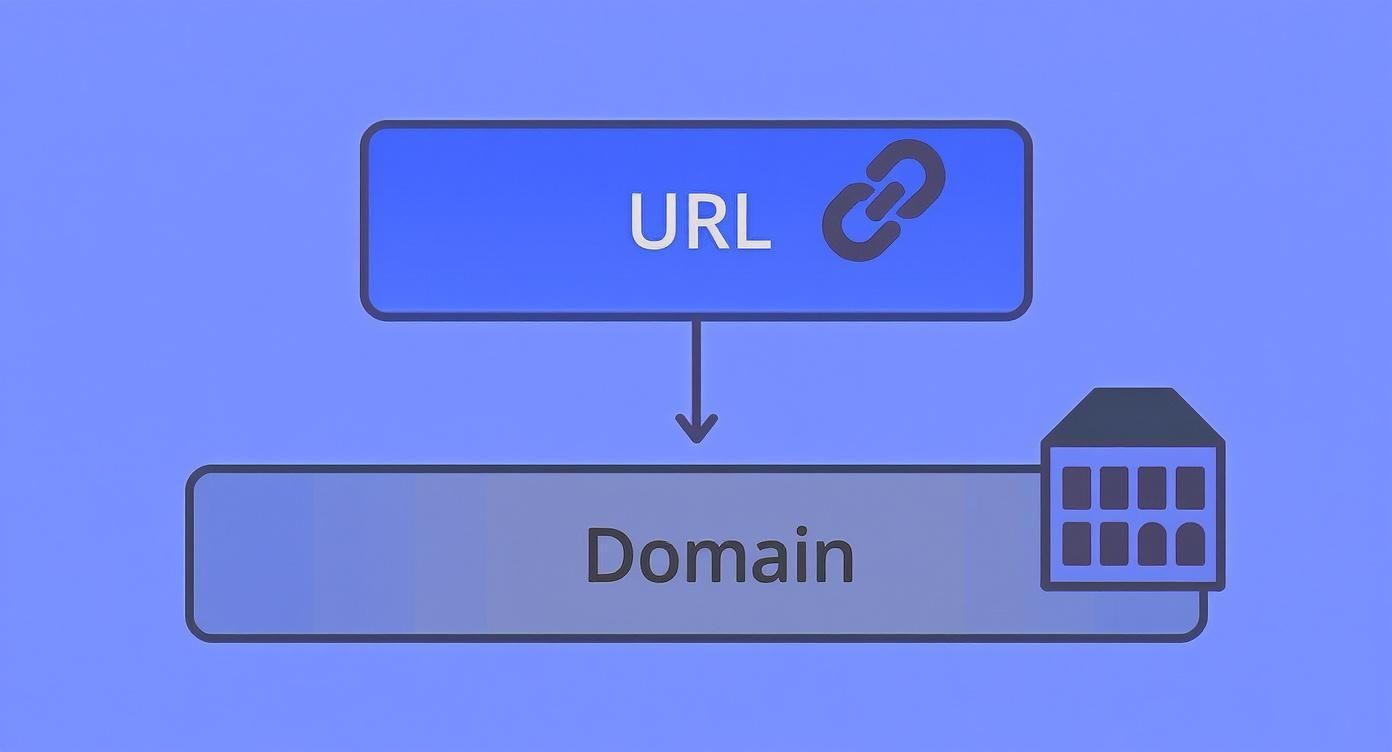
As you can see, the domain is fundamental, but there's a lot more to the story. Let's break down a typical URL to see how every piece works.
The Core Components of a URL
Let’s use a fictional example to look at what you’ll find in most URLs you click on every day: https://blog.mysite.com/category/tech-guides?post=123#section2
Protocol (or Scheme): This is the
https://part. It’s the set of rules the browser follows to talk to the website's server. HTTPS (Hypertext Transfer Protocol Secure) is the modern standard, and it means the connection between your browser and the site is encrypted. It’s a must-have.Subdomain: The
blogat the beginning is a subdomain. It’s an optional prefix that helps organize a website into different sections. For example, a company might useshop.mysite.comfor its e-commerce platform while the main site lives atmysite.com.Domain Name: This is the main event:
mysite.com. It’s made up of the Second-Level Domain (SLD), which ismysite, and the Top-Level Domain (TLD), which is.com. This is your brand's unique address on the web.Path: The
/category/tech-guidesbit is the path. It tells the browser where to find a specific page within the website, just like a path to a folder on your computer.
A clean, logical URL path not only helps users understand where they are on your site but also provides valuable context to search engines, which can positively impact your SEO.
Another key piece of the puzzle, especially for SEO, is the canonical URL. This is a signal in your page's code that tells search engines which version of a URL to prioritize if you have duplicate content.
Parameters and Fragments
Sometimes, you’ll see extra bits tacked on to the end of a URL. These are used to deliver more specific content or help you navigate a page.
Parameters: The
?post=123is a query string that holds a parameter. These are used to send information to the server, often for things like filtering products on an e-commerce site, sorting data, or tracking marketing campaigns. If there's more than one, they're separated by an ampersand (&).Fragment: The
#section2at the very end is a fragment identifier. You can think of it as a "page anchor." It instructs the browser to automatically scroll down to a specific section of the page, which is incredibly useful for long articles or FAQs.
Your Domain as a Core Branding Asset
Your domain name isn't just a technical address; it's the digital storefront for your brand. When we talk about the difference between a domain name and a URL, the domain is the part people remember. It's the name they'll type into their browser, say out loud, and share with friends. A strong domain builds trust and credibility before a visitor even lands on your site.
Just think of powerhouse brands like Amazon.com or Netflix.com. Their domains are incredibly simple, instantly recognizable, and perfectly aligned with their business. That kind of immediate recognition is a huge leg up in a noisy market. Your domain is often the very first touchpoint a potential customer has with your brand, making it a cornerstone of brand recall.
This idea of a domain as a brand asset has a rich history. The Domain Name System (DNS), introduced way back in 1983, was a game-changer. It replaced long, clunky numerical IP addresses with names people could actually remember. This one innovation was key to making the web accessible, helping it grow from a few thousand domains in the late '80s to over 370 million by 2023.
From Address to Identity
Picking the right domain is a serious business decision that ripples through your marketing, how customers see you, and your potential for growth. It’s not just about getting found online; it’s about being remembered and trusted. A professional domain signals that you're established and authoritative.
Here are a few strategic things to keep in mind when choosing your domain:
Memorability: Can people easily recall it and type it without errors? Shorter and simpler is almost always the way to go.
Brand Alignment: Does the name clearly reflect your business or what you offer? Steer clear of vague or confusing terms.
Professionalism: A custom domain like
yourbrand.comcarries much more weight than a generic subdomain likeyourbrand.wordpress.com.
Your domain is a long-term investment. While a URL can change with every new page you create, your domain name remains the constant, foundational element of your digital presence.
Nailing this choice from day one is critical. Once you've secured that perfect name, you can build your entire website's structure around it. For a deeper dive, check out our guide on choosing a domain name that will serve your brand for years to come.
How URLs and Domains Drive SEO Success
https://www.youtube.com/embed/hk1P7YfxFbc
Getting the hang of the difference between a domain name and a URL is more than just a technical detail—it's at the heart of your website's search performance. Both of these elements send strong signals to search engines like Google, impacting everything from your rankings and authority to user trust and how often people click on your links. A solid domain builds a credible foundation, while a clean URL structure guides both users and search crawlers to the right place.
Think of your domain name as the foundation of your site's authority. As you consistently publish valuable content and earn backlinks, search engines start to see your domain as an expert in its field. This "domain authority" is a long-term asset that gives every single page on your site a better shot at ranking well.
On the other hand, each individual URL is a chance to signal what a specific page is all about. A clean, descriptive URL that contains a target keyword gives instant context.
The Anatomy of an SEO-Friendly URL
A great URL is logical, easy to read, and includes relevant keywords. It should give someone a clear idea of what they're about to see before they even click the link. To really grasp how this all ties into online visibility, it helps to understand the fundamentals of What is Search Engine Optimization (SEO).
Here are a few best practices to keep in mind when creating your URLs:
Keep them short and simple: Shorter URLs are much easier for people to read, share, and remember.
Include relevant keywords: Placing your primary keyword in the URL slug helps search engines quickly understand the page's topic.
Use hyphens to separate words: Hyphens are the standard, and search engines read them as spaces. Avoid using underscores or cramming words together.
Maintain a logical hierarchy: A URL like
yourdomain.com/services/web-designinstantly shows where the user is on your site.
Key Insight: A clean URL structure isn't just for search engines; it directly improves the user experience. When users can easily understand where a link will take them, they are far more likely to trust and click on it in search results.
This strategic approach really pays off. Domains that are short and relevant see up to a 36% increase in brand recall. At the same time, URLs with a clear, logical structure can achieve an average of 20-30% higher organic click-through rates.
This table breaks down how specific choices for your domain and URLs can impact critical SEO and user experience metrics.
SEO Impact Analysis Domain vs URL Structure
Element | Characteristic | Impact on SEO/UX Metric |
|---|---|---|
Domain Name | Brandable & Memorable | Improves direct traffic and brand recall. A strong brand name can lead to higher click-through rates in search results. |
Domain Name | Keyword Inclusion | Can provide a minor relevance signal, but its main benefit is user recognition and expectation setting. |
Top-Level Domain (TLD) | .com vs. .org vs. .io | Affects user trust and perception. While Google claims no inherent bias, users often trust familiar TLDs like |
URL Path | Logical Folder Structure ( | Enhances site architecture and helps search engines understand content relationships, distributing authority effectively. |
URL Slug | Keyword-Rich & Concise ( | Acts as a strong relevance signal for the page's topic and improves click-through rates by making the link's purpose clear. |
URL Protocol | HTTPS vs. HTTP | HTTPS is a confirmed, albeit lightweight, ranking factor. More importantly, it builds user trust and avoids browser warnings. |
Ultimately, a strong domain creates a trusted brand identity, while a well-organized URL structure makes your content easy for both people and search engines to find and understand.
The Non-Negotiable Role of HTTPS
Beyond its structure, the protocol your URL uses is a critical ranking factor. Using HTTPS (the 'S' stands for secure) isn't optional anymore. It encrypts the connection between a user's browser and your server, which protects their information and builds immediate trust.
Years ago, Google confirmed that HTTPS is a ranking signal. Even more importantly, browsers like Chrome now actively flag non-HTTPS sites as "Not Secure," which is a surefire way to scare visitors away and hurt your brand's credibility. Switching your entire domain to HTTPS is a foundational step for modern SEO. For a full picture, dive into our guide on what is search engine optimization and its essential components.
Choosing Your Domain And Structuring Your URLs
Alright, now that we’ve untangled the whole “domain name vs. URL” puzzle, it's time to put that knowledge to work. Picking the right domain name is one of those foundational decisions you really need to get right. Think of it as your digital storefront—it’s a permanent piece of your brand, so don't rush it.
Start by kicking around some ideas. You're looking for something that’s short, catchy, and doesn't require a spelling lesson. Ideally, it should echo your brand's personality or what you actually do. Once you have a shortlist, the next step is the reality check: see what's available and choose a Top-Level Domain (TLD), like the classic .com, the trustworthy .org, or a trendier option like .io.
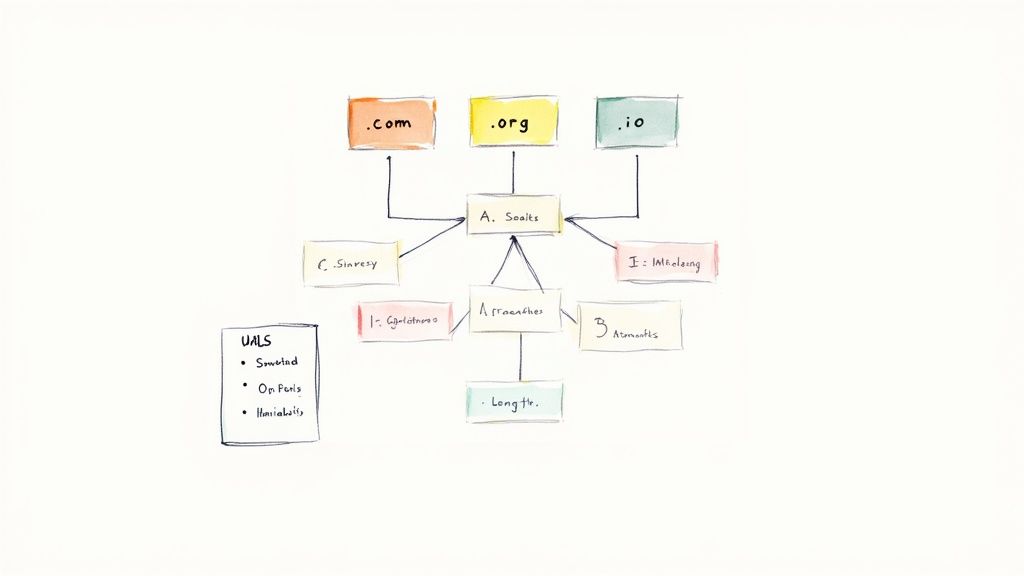
Let’s be honest, .com is still the king. It carries a certain weight of trust and familiarity that's hard to beat. But that doesn't mean other TLDs are off the table. A smart TLD choice can actually reinforce your brand. For instance, a tech startup might find a .tech or .ai domain to be a perfect fit, while a non-profit absolutely should stick with .org to signal its mission.
Building A Scalable URL Framework
Once you’ve snagged your domain, it's time to think about your URL structure. This isn't just a technical detail; it's the architectural blueprint for your entire site. A logical, clean structure does two things really well: it helps visitors know exactly where they are, and it gives search engine crawlers a clear map to follow.
The aim here is to create URLs that are simple, descriptive, and consistent across your entire site. If you're using a platform like Alpha, you can set these URL slugs right when you create a page, which makes it easy to stay organized from day one.
Here are a few best practices I always follow:
Create a logical hierarchy: Group similar content together. For example, all your articles should probably live under a
/blog/folder, leading to URLs likeyourdomain.com/blog/your-post-title.Keep it simple: Nobody likes a messy URL. Ditch the long strings of random numbers and symbols. Shorter URLs are just plain easier for people to read, remember, and share.
Weave in your keywords: Pop your page's main keyword into the URL slug. It’s a straightforward signal to both users and search engines about what the page is about.
Use hyphens to separate words: This one’s a non-negotiable. Always use hyphens (
-) between words. Search engines read them as spaces, making your URLs perfectly legible.
A well-planned URL structure is built for the future. By setting clear rules from the start, you guarantee your site stays organized and easy to navigate, even when it grows to hundreds or thousands of pages.
Getting this right from the beginning sets a technical foundation that will support your growth for years to come.
Frequently Asked Questions
Even with the basics down, a few common questions always pop up when people talk about domain names and URLs. Let's tackle those head-on so you can clear up any lingering confusion and move forward with confidence.
What Happens to My SEO if I Change My Domain Name?
Changing your domain name is a huge deal for SEO, and if you don't handle it carefully, you can lose years of hard-earned authority and rankings. Think of it as moving your entire business to a new address without telling anyone—customers (and search engines) will just think you've disappeared.
The key is to set up permanent (301) redirects from every single page on your old site to the corresponding page on the new one. This is non-negotiable. It’s the official way to tell search engines, "Hey, we've moved for good, and all the authority and trust you had for the old address should now go to this new one." Without this step, your traffic can plummet overnight.
Key Takeaway: A domain change demands a rock-solid migration plan. You absolutely must redirect all old URLs and notify Google about the move through Google Search Console to salvage your SEO value.
Is There a Difference Between a URL and a URI?
Yes, there is, even though most people use the terms as if they mean the same thing. It really comes down to scope. A URI (Uniform Resource Identifier) is the broader concept—it’s just a unique name for something. A URL (Uniform Resource Locator) is a type of URI that goes a step further by also telling you where to find it.
Here’s a simple analogy:
URI: Think of it like a person's name, "John Doe." It identifies him.
URL: This is more like "John Doe, who lives at 123 Main Street." It not only identifies him but also tells you how to get to him.
So, every URL is technically a URI, but not every URI is a URL. For pretty much everything you do on the web, you're dealing with URLs because you’re always being pointed to a specific location (https://...).
What Is the Ideal Length for a URL?
There isn't a strict rule, but shorter is almost always better. People find them easier to read, remember, and share, and search engines seem to prefer them, too. In fact, a study from Backlinko found a clear correlation between shorter URLs and higher rankings.
Aim for something in the 50 to 60 character range. A clean, concise URL that includes your target keyword gives both users and search engines a quick clue about what the page is about. Steer clear of those long, messy URLs loaded with numbers and random symbols—they just create confusion.
Ready to put this all into practice? With Alpha, you can build a professional site with a great domain and a clean URL structure in just a few hours. Our platform makes it incredibly easy to create a stunning, SEO-friendly website that gets noticed. Start building your website for free today.
Build beautiful websites like these in minutes
Use Alpha to create, publish, and manage a fully functional website with ease.