How to Create Website Mockups People Actually Love
Learn how to create website mockups that bridge the gap between idea and reality. Our guide covers tools, principles, and developer handoff.

EXAMPLES
Build beautiful websites like these in minutes
Use Alpha to create, publish, and manage a fully functional website with ease.





Getting your website out into the world isn't as complicated as it might seem. At its core, it really just comes down to three things: getting a domain name (your site's address), setting up web hosting (the plot of land where your site lives), and putting your actual website files there. With the tools available today, you can get this all done and be live in just a few hours.
The Essentials of Publishing a Website
If you're new to this, the easiest way to think about it is like setting up a new shop. Your domain name is the unique street address customers will use to find you, and web hosting is the physical storefront you rent to show off what you offer. The DNS (Domain Name System) is kind of like the city's directory, connecting that address to your specific shop so people can find it.
Thankfully, you don't need a degree in computer science to do this anymore. When the first website went live back in 1991, it was a deeply technical process. Now, with over 5.56 billion internet users, the game has completely changed. You can find more on that phenomenal growth over at DataReportal. Platforms like Alpha now bundle all these technical pieces together, letting you launch a polished, professional site faster than ever.
The Modern Way to Get Online
Forget about wrestling with code and confusing server settings. Today’s path from an idea in your head to a live website is direct and built around your business goals, not technical hurdles.
This simple, three-stage process is all it takes to get your website published.
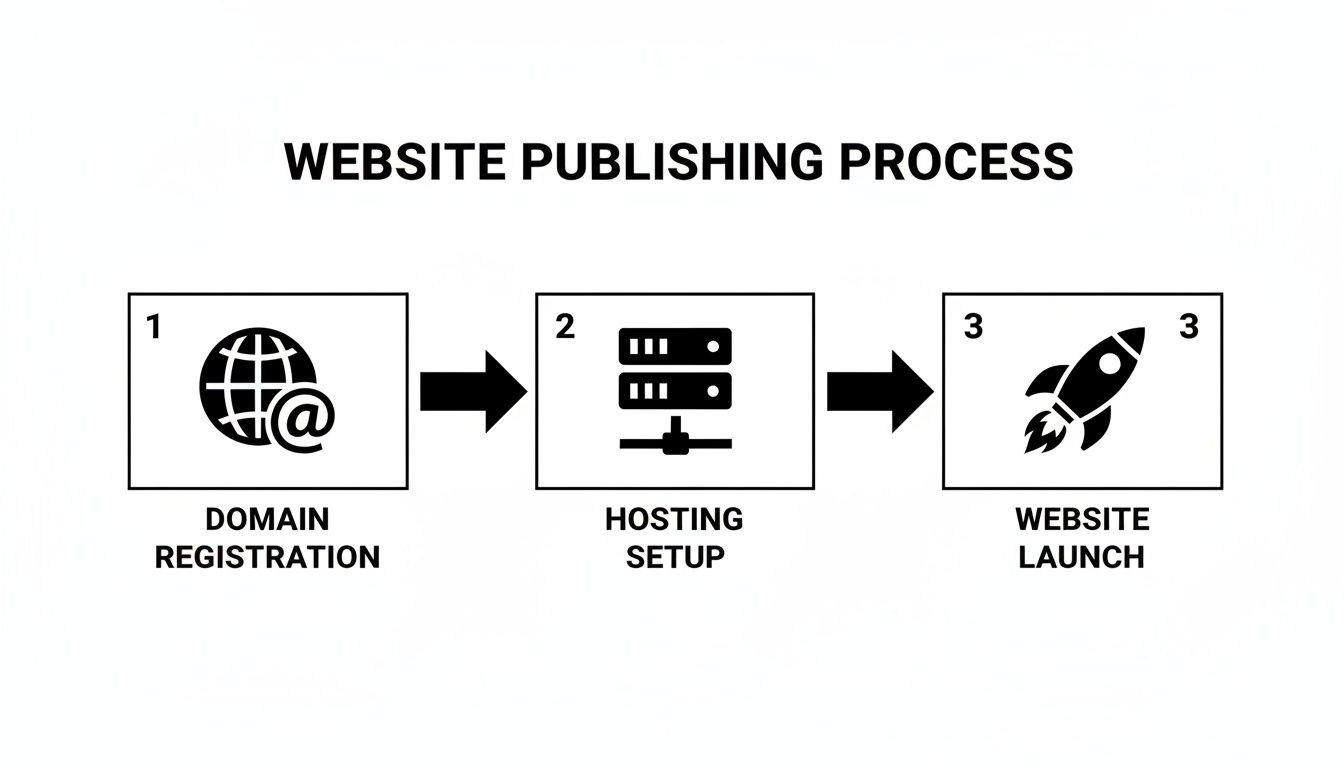
As you can see, the key parts—your domain, hosting, and the final launch—are separate but linked. Each step logically follows the last, making the entire process manageable. For a more detailed walkthrough, this practical guide on how to publish a website is a great resource.
What's really changed is the mindset. You're no longer bogged down by the technical backend stuff that used to require an entire IT department. Instead, you can put all your energy into what matters most: your brand, your content, and your customers.
What Are These Key Components, Really?
Let’s quickly break down the jargon. Once you understand what each piece does, the whole process feels a lot less intimidating. Each one has a specific job in getting your website visible to everyone online.
To make it even clearer, here's a quick checklist summarizing what each component is and why it's essential.
Website Publishing Checklist
Component | What It Is | Why You Need It |
|---|---|---|
Domain Name | Your unique web address, like | It's how people will remember and find your site online. |
Web Hosting | The service that stores all your website's files on a server. | Without it, your site has no place to "live" on the internet. |
Website Builder | A tool, like Alpha, for designing your pages visually. | Lets you create a beautiful, functional site without coding. |
With these three elements in place, you have everything you need to build a presence online. It’s all about securing your name, renting your space, and then building your vision.
How to Choose and Register Your Domain Name
Think of your domain name as the address for your business online. It's your digital storefront, and often, it's the very first thing a potential customer sees. A good domain name needs to be memorable, easy to type, and give a clear hint about what you do. It's your piece of online real estate, so picking the right one is a foundational step for success.
The trick is to find a name that's both catchy and intuitive. I always advise clients to steer clear of hyphens and numbers—they are easy to forget and even easier to get wrong. Shorter is almost always better. A long, complicated domain is a recipe for typos, which means you're literally losing visitors before they even arrive.
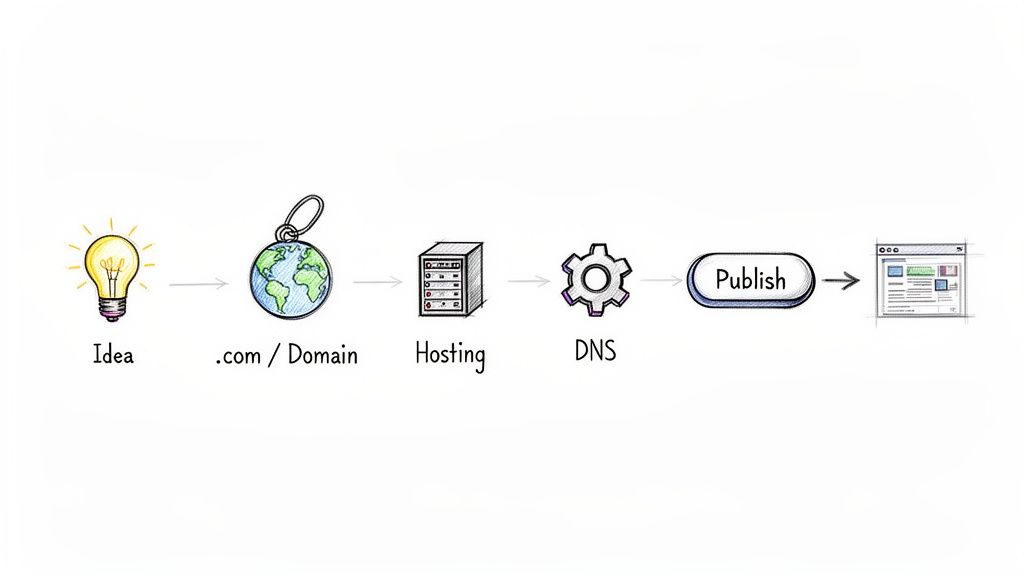
Brainstorming and Checking Availability
Let's start with some creative thinking. Jot down keywords that define your business or niche. If you're opening a local coffee shop, you might play around with ideas like "HillsideBrewCo.com" or "MapleStreetRoasters.com."
Don't get frustrated if your first few ideas are already taken. With over 350 million domains registered worldwide, the perfect name often requires a bit of digging. If you hit a creative wall, a good AI domain name generator can be a lifesaver, sparking some clever ideas you hadn't thought of. Once you have a shortlist, a domain registrar's search tool will tell you what's available in seconds.
Picking the Right Extension
The part after the dot—like .com, .org, or .net—is called the extension or Top-Level Domain (TLD). For years, .com has been the undisputed king, and it’s what most people automatically type into their browser. It’s still the safest bet for most businesses.
However, other extensions have carved out their own space and can be just as effective if used correctly.
.com: This is the go-to for most commercial businesses. It’s universally recognized and trusted.
.org: Traditionally, this is for non-profits and community-based organizations.
.net: Originally for network infrastructure companies, it’s now a common .com alternative.
.io or .ai: These have become incredibly popular with tech startups and software companies, immediately signaling a connection to the tech world.
The extension you choose helps manage visitor expectations. If you're a local shop, a country-specific TLD like .ca for Canada or .co.uk for the United Kingdom can actually build more trust with a local audience. There's a lot to consider, and you can get more specific guidance on https://www.alpha.page/blog/choosing-a-domain-name if you want to explore this further.
Pro Tip: Your domain isn't just a technical address; it's a powerful marketing tool. A strong, clear domain improves brand recall and makes it simple for customers to find you directly, which can lower your reliance on paid ads in the long run.
Once you’ve locked in the perfect name and extension, it's time to make it yours. The registration process itself is simple. You’ll just pick a reputable domain registrar, create an account, and purchase the domain for an annual fee. My one piece of non-negotiable advice? Turn on auto-renewal. You’d be surprised how many people lose their perfect domain because they forgot to renew it.
Designing Your Website with AI in Minutes
Alright, this is where the fun really begins. Forget wrestling with clunky drag-and-drop editors. We’re going to get a professional, complete website design generated in the time it takes to brew a pot of coffee. That’s the magic of building with a platform like Alpha.
It all starts with a simple instruction. You can either feed the AI a descriptive prompt—something like, "Create a modern, minimalist one-page website for a new coffee shop in Brooklyn"—or just drop in a link to a site you already love. The AI then gets to work, analyzing the layout, colors, and structure to spin up a unique, fully functional starting point for you.
From a Simple Prompt to a Full Design
Don't mistake this for a generic template. The AI is building a foundation specifically for you. It doesn't just copy a reference site; it interprets the intent behind its structure. So, if the example you provided has a great services section and a strong call-to-action, your generated design will have similar elements built right in, ready for your content.
This first draft is rarely the final product, but it gets you 80% of the way there in seconds. From this point on, making changes is as simple as having a conversation. Instead of hunting through menus to find a font setting, you just tell the AI what you want.
"Change the main headline font to Montserrat and make it bold."
"Replace the hero image with a picture of a golden retriever."
"Add a new section for customer testimonials with three columns."
This whole approach just removes the technical headache. As business owner Madeleine O'Carroll put it, "I'm so impressed! It's really user friendly and does a great job uploading imagery which I have found with other AI web builders really challenging." Her experience shows just how much a conversational editor can solve those common points of friction.
Fine-Tuning Your AI-Generated Layout
Once the basic structure is in place, making it truly yours is quick and intuitive. The goal is to get the AI’s output perfectly aligned with your brand. Maybe the generated color palette is a little too loud, or the button copy doesn't sound like you.
No problem. You can fire off follow-up commands to tweak every little detail until it’s just right. This back-and-forth lets you experiment with different ideas without sinking hours into manual edits, which is a massive advantage when you want to get your site published fast.
The real game-changer here is speed without sacrificing quality. You can go through multiple design concepts in a single afternoon—a process that would have taken a traditional designer days, if not weeks.
If you want to see this in action, our guide on using AI to build a website takes a much deeper look at the specific commands and what’s possible.
Ultimately, this is about creating a smarter workflow. The AI handles the heavy design lifting, letting you move from a simple idea to a nearly-finished website in minutes. You get to focus on your business, not on learning complex software.
Alright, you've got your website design looking sharp. Now, it's time to give it a home on the web and a real address people can visit. This is where two crucial pieces come together: your domain name (like yourbrand.com) and your website hosting.
Think of hosting as the plot of land where your house (your website) is built. The domain name is the street address that tells people how to find it. In the past, connecting these two was a real pain, often involving FTP clients and confusing server settings. Thankfully, things are much simpler now.
Modern platforms like Alpha have made this incredibly easy by bundling hosting directly into their service. This means your site's files are already on their servers, waiting to go live. You don't have to scout for a third-party hosting company or figure out how to transfer files. It's a huge time-saver and sidesteps a lot of the technical hurdles that used to trip people up.
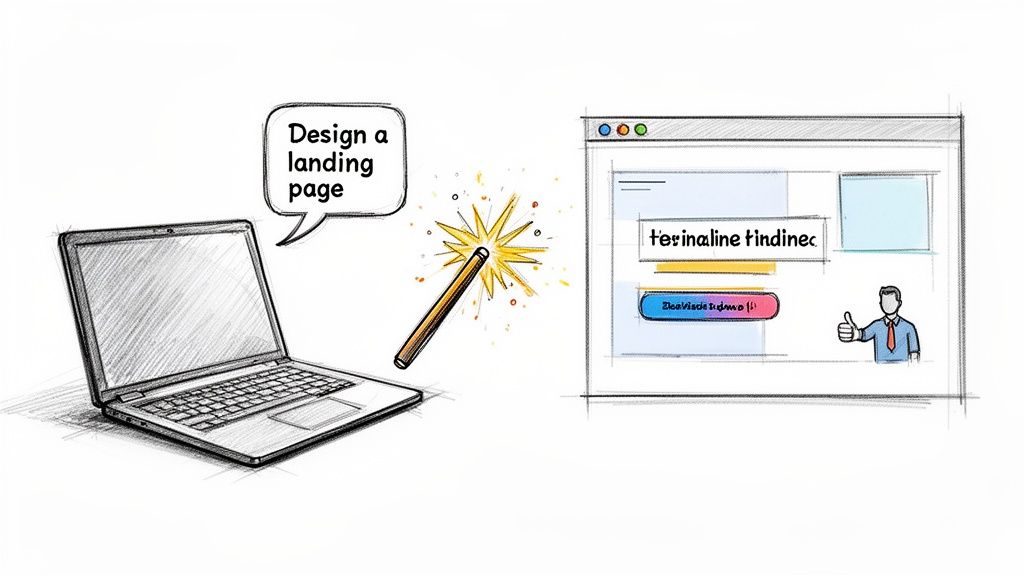
Making the DNS Connection
So, how do you actually point your domain name to your new website? This magic happens through something called the DNS, which stands for Domain Name System.
You can think of DNS as the internet's phone book. When someone types your domain into their browser, the DNS looks up the corresponding server where your website lives and connects them. It’s what translates a human-friendly name like yourbrand.com into a computer-friendly server address.
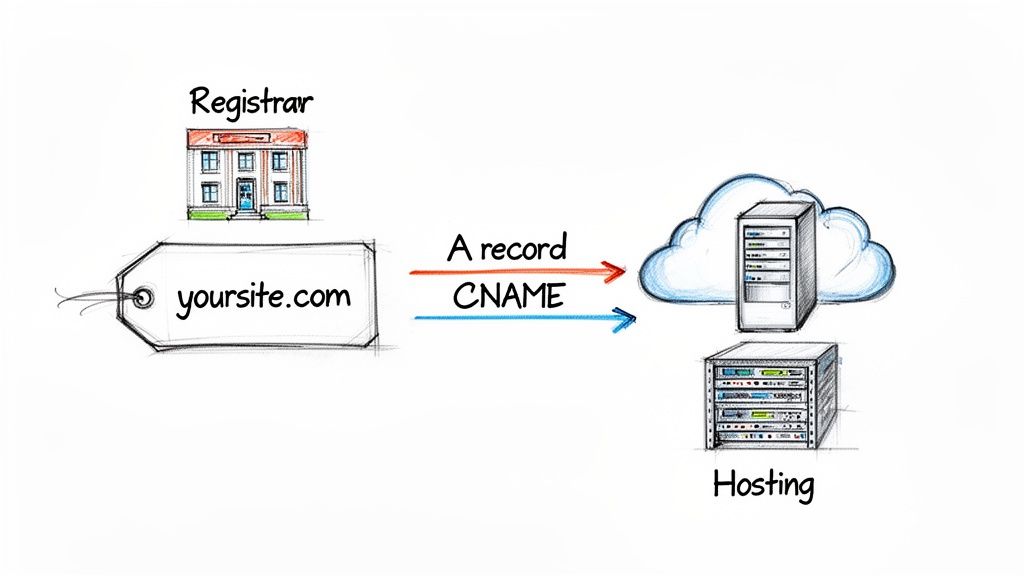
To set this up, you’ll need to make a small adjustment in the settings of your domain registrar—that's the company where you bought your domain, like GoDaddy or Namecheap. You're not moving your domain, just telling it where to point.
This might sound intimidating, but it's really just a copy-and-paste job. Seriously. The whole thing usually takes less than 15 minutes.
A Quick Look at CNAME and A Records
Once you log into your domain registrar's dashboard, you'll see a section for managing DNS records. You can ignore most of them. For publishing a website, you typically only need to deal with two types, and a platform like Alpha will give you the exact values you need to plug in.
A Record: The "A" stands for "Address." This record points your domain directly to a server's numeric IP address. It's the most basic connection, like linking a name to a specific GPS coordinate.
CNAME Record: This stands for "Canonical Name." Instead of pointing to an IP address, it points to another domain name. Think of it as setting up a forwarding address. For example, you might use a CNAME to point
www.yourbrand.comtoyourbrand.com.
Alpha will provide you with the exact A and CNAME records needed for your site. You just log in to your registrar, find the DNS settings, and add the new records. It’s that simple. While registrars often say the changes can take up to 48 hours to update across the globe (this is called propagation), I’ve found it’s often live in well under an hour.
If you want to dive deeper into the technical side, we have a complete guide that explains what website hosting is and how it works.
Once those DNS settings are saved and have had a little time to update, your domain will officially be connected to your new site. This is the last technical step. You're ready to go live
Get Your SEO in Order Before You Go Live
Let's be honest, a beautiful website that no one can find is like a billboard in the desert. All that effort you put into the design won't mean much if your target audience can't find you on Google. This is why spending a little time on your site's Search Engine Optimization (SEO) before you hit publish is one of the smartest moves you can make.
The good news is you don't need to be an SEO expert to nail the fundamentals. Modern tools like Alpha have built-in features that simplify the whole process. It really boils down to your site's title and meta description, which are the first things people see in search results. Think of them as the sign on your digital storefront—they need to be inviting enough to draw people in.
First Impressions: Your Title and Meta Description
Your site title is the big blue link that shows up in a Google search and what appears in the browser tab. Keep it short, sweet, and to the point. Ideally, it should include what you do and who you are. For a local bakery, something like "Artisan Sourdough & Pastries | The Austin Bread Co." works perfectly.
Underneath that title, you'll see the meta description. It's that little snippet of text that gives a preview of the page. While it doesn't directly influence your rankings, a compelling description is your sales pitch—it can make or break whether someone clicks on your link or a competitor's. Make sure it clearly says what the page is about and maybe even includes a little nudge to visit.
Finding where to put these is easy. Just head into your Alpha settings, and you'll see specific fields waiting for you. Pop in your text, and the platform takes care of putting it in the right code.
Give Your Content Some Structure
Google and your readers have something in common: they both appreciate well-organized content. Using headings (H1, H2, H3, etc.) is the best way to create a clear hierarchy. It’s just like outlining an essay.
H1 (The Big Idea): Every page gets one, and only one, H1. It’s the main title of that specific page.
H2 (The Chapters): Use H2s to break your content into the main, high-level sections.
H3 (The Sub-points): Got more to say within an H2 section? Use an H3 to drill down into the details.
This structure makes your content a breeze to scan for visitors and helps Google understand the relationships between your topics.
Think of this as building a strong foundation. Getting these on-page SEO elements right from the very beginning gives you a huge head start. You're essentially telling search engines exactly what your site is about from day one, which pays off down the road.
One last thing: don't overlook your images. Every single image needs descriptive alt text. This simple text description helps search engines "see" your images and is critical for accessibility, allowing screen readers to describe them to visually impaired users. So instead of a generic filename, use alt text like "a close-up of a flaky, golden-brown croissant."
And the cherry on top? Alpha handles mobile optimization automatically. Your site will be fully responsive, looking great on any screen size. With over 60% of website traffic coming from mobile devices, this isn't just a nice-to-have; it's a massive factor in how well you'll rank.
Your Final Pre-Launch Checklist
Alright, you're on the home stretch. Before you hit that big, glorious "publish" button, it pays to spend a few minutes on a final pre-flight check. This is what separates a smooth launch from a stressful one. We're not talking about redesigning anything—this is all about catching those tiny, easy-to-miss details that make a huge difference in a visitor's first impression.
Think of it like the final walkthrough before you get the keys to a new house. The structure is built, but you need to flip all the light switches and make sure the doors don't squeak. This quick sweep ensures every part of your site works just like you planned, creating that professional, trustworthy experience right from the get-go.
The Essential Quality Assurance Sweep
Now’s the time to put on your visitor's hat and see your site with fresh eyes. The goal here is simple: hunt down anything that feels clunky, broken, or just plain weird. It's much better for you to find these things now than for a potential customer to run into them later.
Here's my personal checklist:
Proofread everything—out loud. Seriously. Read every headline, paragraph, and button. You'll be amazed at the typos and awkward phrases that jump out when you hear them spoken.
Click every single link. I mean all of them. Navigation menu, social media icons, links in your blog posts. A dead link is a dead end for your visitor and a major red flag.
Test all your forms. Fill out your own contact form or lead magnet signup. Does it work? Did you get the email notification? A broken form means lost opportunities.
Don't just do this on your laptop. Pull out your phone and do it all over again. With over 60% of web traffic now coming from mobile, a flawless experience on a smaller screen is absolutely critical. Can you easily tap the buttons? Is the text readable without pinching and zooming?
The most common mistake I see on launch day is just assuming everything works. Spending 20 solid minutes on this QA process can save you from a lot of head-scratching later about why visitors aren't converting. It's the best investment you can make right before you go live.
Hitting the Publish Button on Alpha
Once you’ve ticked off your checklist, you’re ready for the main event. Back inside your Alpha dashboard, publishing is literally one click. When you hit that button, Alpha takes everything you've built and pushes it live to your custom domain.
There’s no nerve-wracking deployment process or waiting period. The moment you publish, your site is live for the world to see. Go ahead and celebrate—you've earned it!
Smart Steps to Take After You Launch
Going live is a huge milestone, but the real work is just beginning. What you do in the first few hours and days is critical for getting your new site on the radar of both search engines and actual people.
Here’s what to tackle right away:
Submit Your Sitemap. Your sitemap is basically a road map for search engines, telling them about all the pages on your site. Submitting it through Google Search Console gives Google a direct heads-up that your new site is ready to be explored and indexed.
Announce It! Don't launch in silence. Shout it from the rooftops! Share the link across your social media profiles, send a note to your email list, and tell your friends. Let everyone know you're officially open for business online.
This is where you shift from building your site to growing your audience. By following these last few steps, you're not just ensuring a perfect launch—you're setting yourself up for long-term success.
Ready to stop dreaming about your website and actually get it online? With Alpha, you can go from an idea to a fully published, professional website in a matter of hours, not weeks. Start building your website with AI today!
EXAMPLES
Build beautiful websites like these in minutes
Use Alpha to create, publish, and manage a fully functional website with ease.