How to Create Website Mockups People Actually Love
Learn how to create website mockups that bridge the gap between idea and reality. Our guide covers tools, principles, and developer handoff.
EXAMPLES
Build beautiful websites like these in minutes
Use Alpha to create, publish, and manage a fully functional website with ease.





Building a small business website can feel like staring at a blank canvas. Where do you begin? What features are essential, and how do you create a design that not only looks professional but actively converts visitors into customers? The most effective approach is to learn from those who have already succeeded. This guide moves beyond generic advice, offering a strategic blueprint by analyzing top-tier small business website examples and the platforms they are built on.
We have curated a list of the best resources, from template marketplaces to design showcases, to give you a clear starting point. For each entry, we provide screenshots, direct links, and a breakdown of the conversion-focused design, user experience, and key features that make them effective. Instead of just showing you pretty designs, we'll explain why they work and how you can replicate their success. For business owners looking to establish an online presence efficiently, exploring the best no-code website builders can provide the perfect foundation for these strategies.
You'll walk away with actionable insights and a clear path to creating a website that drives real growth for your business. Let's dive into the examples.
1. Wix
Wix is a powerful starting point for finding high-quality small business website examples because it combines a vast template library with a gallery of live, user-built sites. This dual approach allows entrepreneurs to browse professionally designed layouts and then see how real businesses have adapted them, providing a clear path from inspiration to execution.
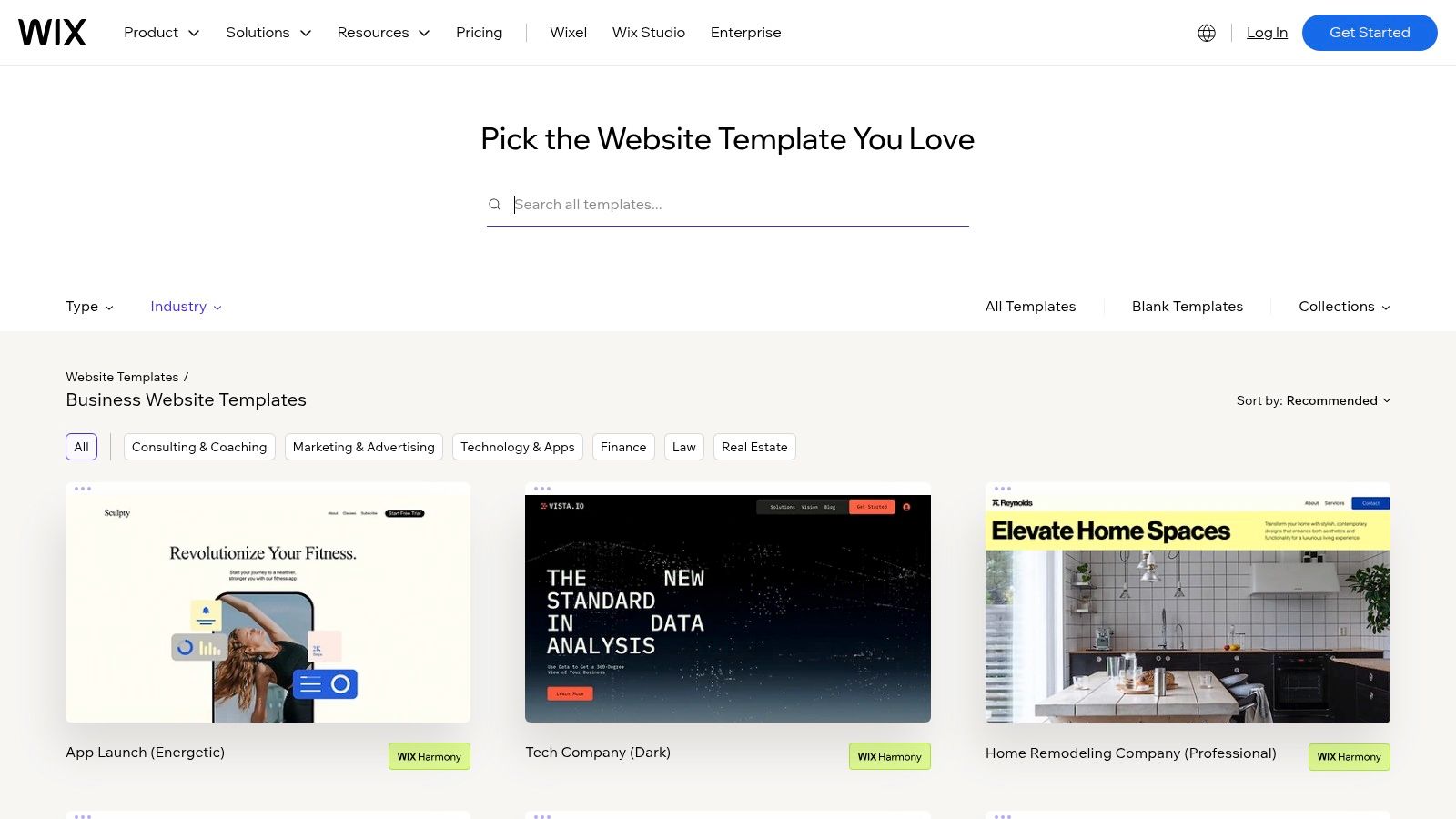
Unlike platforms that only show templates, Wix’s public gallery offers a real-world look at functional business sites across countless industries, from consulting firms to local restaurants. Its main advantage is the immediate ability to act on that inspiration. You can find an example you like, locate a similar template, and begin customizing it within minutes using a user-friendly drag-and-drop editor.
Strategic Insights & Features
Wix is more than just a gallery; it’s an all-in-one business platform. Many templates come pre-loaded with essential business tools, which simplifies the setup process considerably.
Integrated Business Tools: Templates often include built-in apps for bookings, service menus, pricing plans, and e-commerce, saving you from needing third-party plugins.
Industry-Specific Design: The library is meticulously organized by business type (e.g., Real Estate, Health & Wellness, Professional Services), ensuring the design and features are relevant from the start.
Seamless Workflow: The platform is designed for a fast turnaround. A business owner can go from browsing examples to a published, functional website in a single afternoon.
Pricing and Access
Wix operates on a freemium model. You can build and publish a site for free on a Wix subdomain with Wix ads. To connect a custom domain and remove ads, you'll need a premium plan, which starts at around $17 per month for business use. For a deeper comparison of its capabilities, see this guide on the best website builders for small business.
Pros:
Huge library of professionally designed, industry-specific templates.
Gallery of live business sites provides real-world inspiration.
All-in-one platform with built-in tools for scheduling, payments, and sales.
Cons:
Moving your site away from Wix to another host is difficult.
Advanced SEO configurations can be less flexible than on platforms like WordPress.
Website: https://www.wix.com/website/templates/html/business
2. Squarespace
Squarespace is a prime destination for finding visually polished small business website examples. Its official showcase features a curated gallery of live customer sites, filterable by categories like "Local Business," making it an excellent resource for benchmarking clean, conversion-focused layouts. This approach highlights how real service businesses, studios, and small brands leverage Squarespace’s design-centric platform.
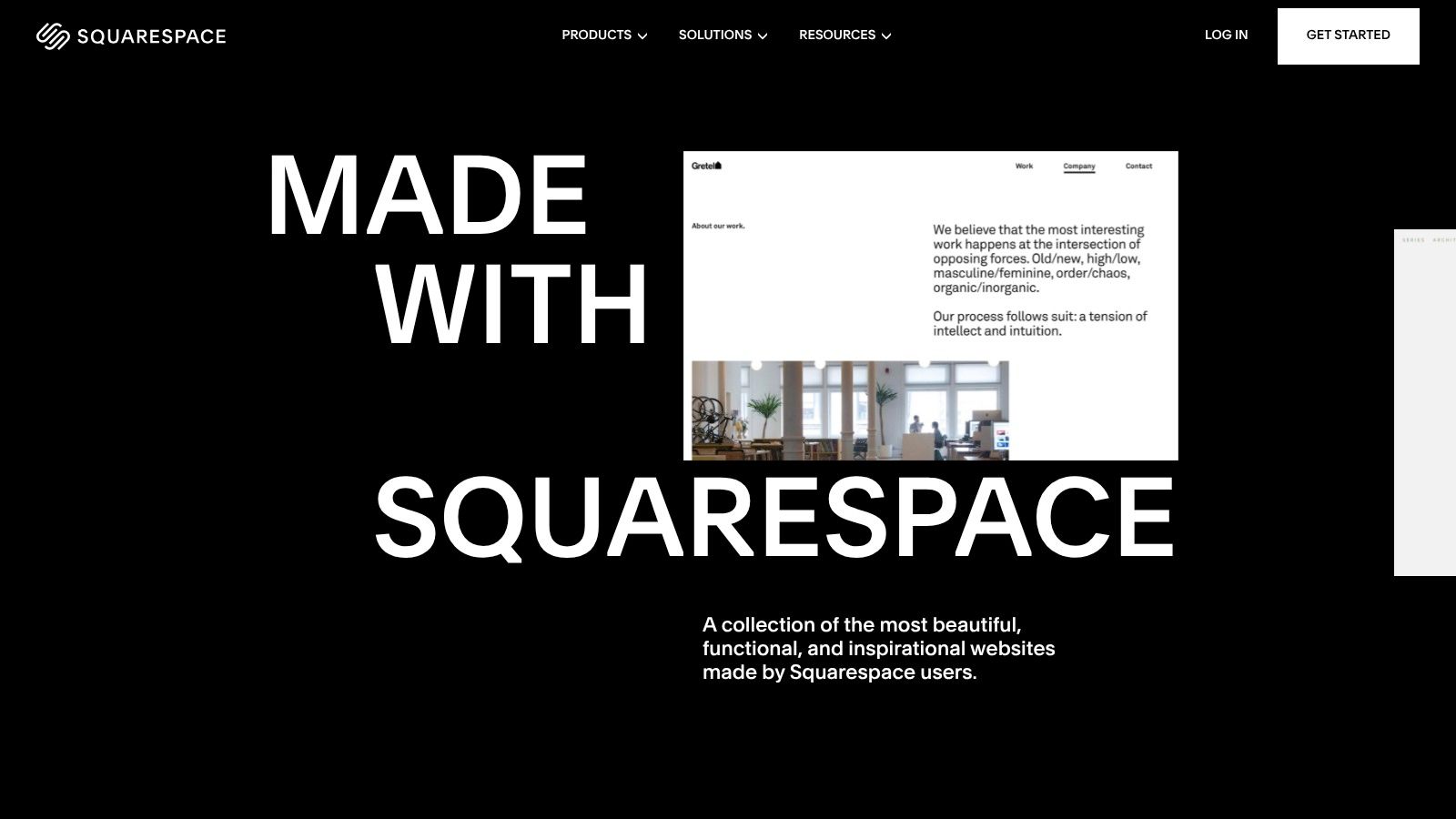
Unlike platforms with vast, uncurated galleries, Squarespace's showcase emphasizes quality over quantity. Its strength lies in demonstrating how a consistent design aesthetic can be adapted across diverse industries, from photographers to consultants. The platform provides a direct path from an inspiring example to a relevant template family, allowing business owners to quickly replicate a professional look and feel.
Strategic Insights & Features
Squarespace is built around the idea that professional design should be accessible without extensive customization. The platform's templates are less about modular building blocks and more about providing a strong, cohesive foundation.
Curated Design Quality: Every template is crafted with a focus on typography, spacing, and mobile responsiveness, ensuring a premium look right out of the box.
Industry-Specific Tooling: Templates for service businesses often come with integrated scheduling tools (Acuity Scheduling), while e-commerce sites benefit from built-in inventory management and payment gateways.
Focus on Visuals: The platform excels at showcasing high-quality imagery and video, making it ideal for portfolio-based businesses, restaurants, and brands that rely on strong visual storytelling.
Pricing and Access
Squarespace does not offer a free plan. You can start with a 14-day free trial to build your site, but you must upgrade to a paid plan to go live. Business plans start at around $23 per month (billed annually) and include a custom domain, e-commerce capabilities, and advanced analytics.
Pros:
High-end design quality and consistent mobile-first polish.
Excellent for service businesses, portfolios, and simple online stores.
Integrated tools for scheduling and commerce are powerful and seamless.
Cons:
No free plan; you must commit to a paid plan to launch.
Less third-party extensibility and app integration compared to platforms like WordPress or Shopify.
Website: https://www.squarespace.com/showcase
3. Webflow (Made in Webflow Showcase)
Webflow’s “Made in Webflow” showcase is an exceptional resource for finding cutting-edge small business website examples, particularly for those seeking modern, interaction-rich designs. It’s a community gallery featuring thousands of live projects built by designers and agencies, moving beyond static templates to demonstrate what’s truly possible with advanced visual development.
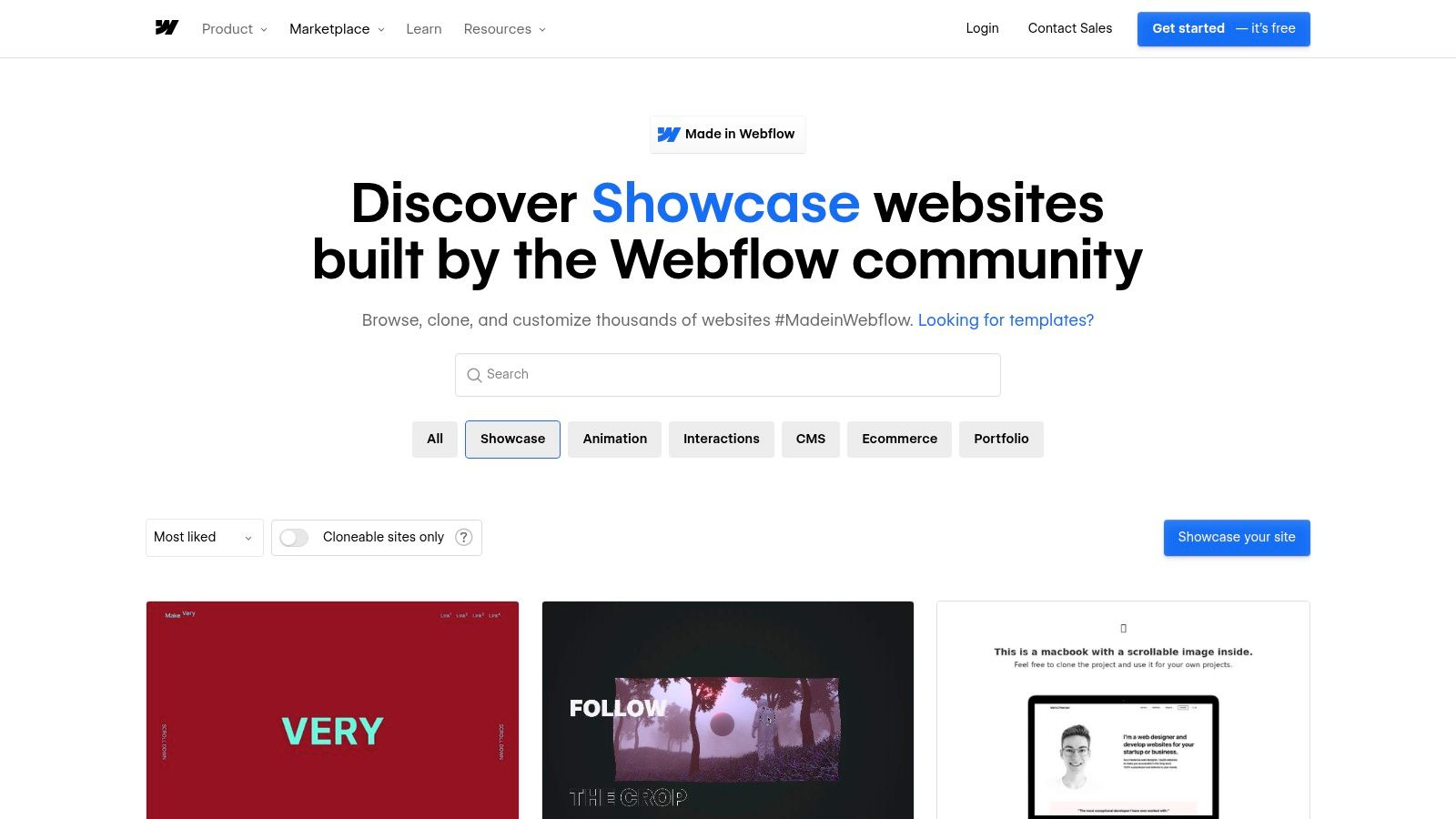
The platform's key differentiator is its "cloneable" feature. Unlike simply viewing an example, you can filter for projects that creators have made available to copy. This allows you to import an entire site structure, complete with its complex animations and layouts, directly into your own Webflow project. This unique capability provides an incredible head start for businesses wanting a highly polished, custom-feel website without building every interaction from scratch.
Strategic Insights & Features
Webflow bridges the gap between no-code builders and custom development, and its showcase reflects this. The examples often feature sophisticated animations and dynamic content that set businesses apart visually.
Cloneable Projects: The ability to filter for and clone real projects is the platform's standout feature. You can deconstruct and reuse proven, professionally designed layouts and interactions.
Advanced Filtering: You can easily search for inspiration using tags like "ecommerce," "CMS," "portfolio," and "animation," helping you find relevant examples for your specific business needs.
Creator Credits and Profiles: Every showcased project links back to its creator, allowing you to explore the portfolios of top agencies and designers for further inspiration or potential collaboration.
Pricing and Access
Viewing the showcase is completely free. To use Webflow and clone projects, you can start with a free plan that lets you build two sites on a Webflow subdomain. To connect a custom domain and unlock more features, paid plans start at around $14 per month (billed annually) for basic sites.
Pros:
Excellent source for modern, animation-rich marketing site examples.
The "cloneable" feature allows you to directly reuse proven layouts and interactions.
Great for understanding what's possible with advanced no-code design.
Cons:
The platform has a steeper learning curve than simple drag-and-drop builders.
Some showcased designs may prioritize visual flair over business-critical performance or accessibility.
Website: https://webflow.com/made-in-webflow/showcase
4. Webflow Templates (official marketplace)
Webflow’s official template marketplace is a prime resource for finding premium small business website examples tailored for design-forward companies. Unlike community cloneables, these are professionally vetted, responsive business and e-commerce templates that you purchase and customize directly in the powerful Webflow Designer, ensuring a high standard of quality from the start.
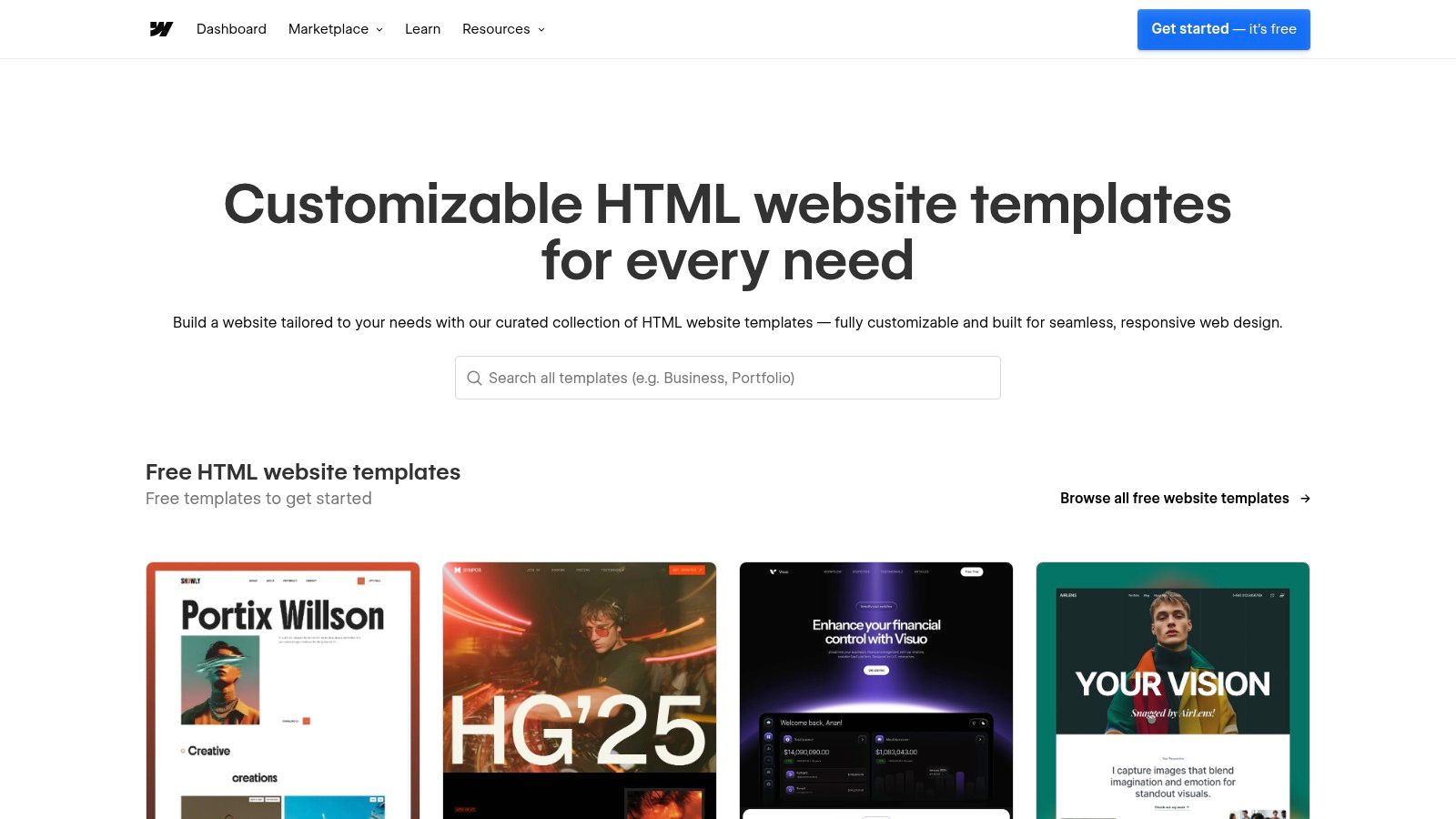
This marketplace is ideal for entrepreneurs who want a polished, ready-to-buy template without sifting through community-built options. Each template comes with documentation and support from the author, providing a clear path from purchase to a live, professional site. The focus is on clean, modern aesthetics and pixel-perfect responsiveness, making it a go-to for tech startups, creative agencies, and high-end service providers.
Strategic Insights & Features
Webflow combines visual design freedom with robust CMS capabilities, and its templates reflect this powerful blend. They are not just skins but fully functional starting points built to professional standards.
Premium, Vetted Quality: All templates undergo a review process, ensuring they are well-built, responsive, and follow best practices for performance and accessibility.
One-Click Integration: Purchased templates are added directly to your Webflow dashboard, allowing you to begin editing with the no-code Designer immediately.
Advanced Customization: Unlike more rigid builders, Webflow gives you complete control over every element, from complex animations to dynamic content powered by its CMS.
Pricing and Access
Templates on the Webflow marketplace are sold individually, with prices typically ranging from $49 to $149 for a one-time purchase. This cost is separate from the Webflow Site plan required to publish your website on a custom domain. Site plans start at around $18 per month (billed annually) for a basic CMS site.
Pros:
High-quality, professionally vetted templates ensure a polished final product.
Strong selection targeted at modern marketing sites and online stores.
Total creative control over design and functionality without writing code.
Cons:
Costs can add up, as you pay for the template plus a monthly Webflow subscription.
The platform has a steeper learning curve compared to simpler drag-and-drop builders.
Website: https://webflow.com/templates
5. Shopify Theme Store
The official Shopify Theme Store is an essential resource for finding high-quality small business website examples, especially for retailers and direct-to-consumer (DTC) brands. It functions as a highly curated marketplace where entrepreneurs can browse theme demos that act as functional, beautifully designed store prototypes, offering a clear vision of what’s possible.
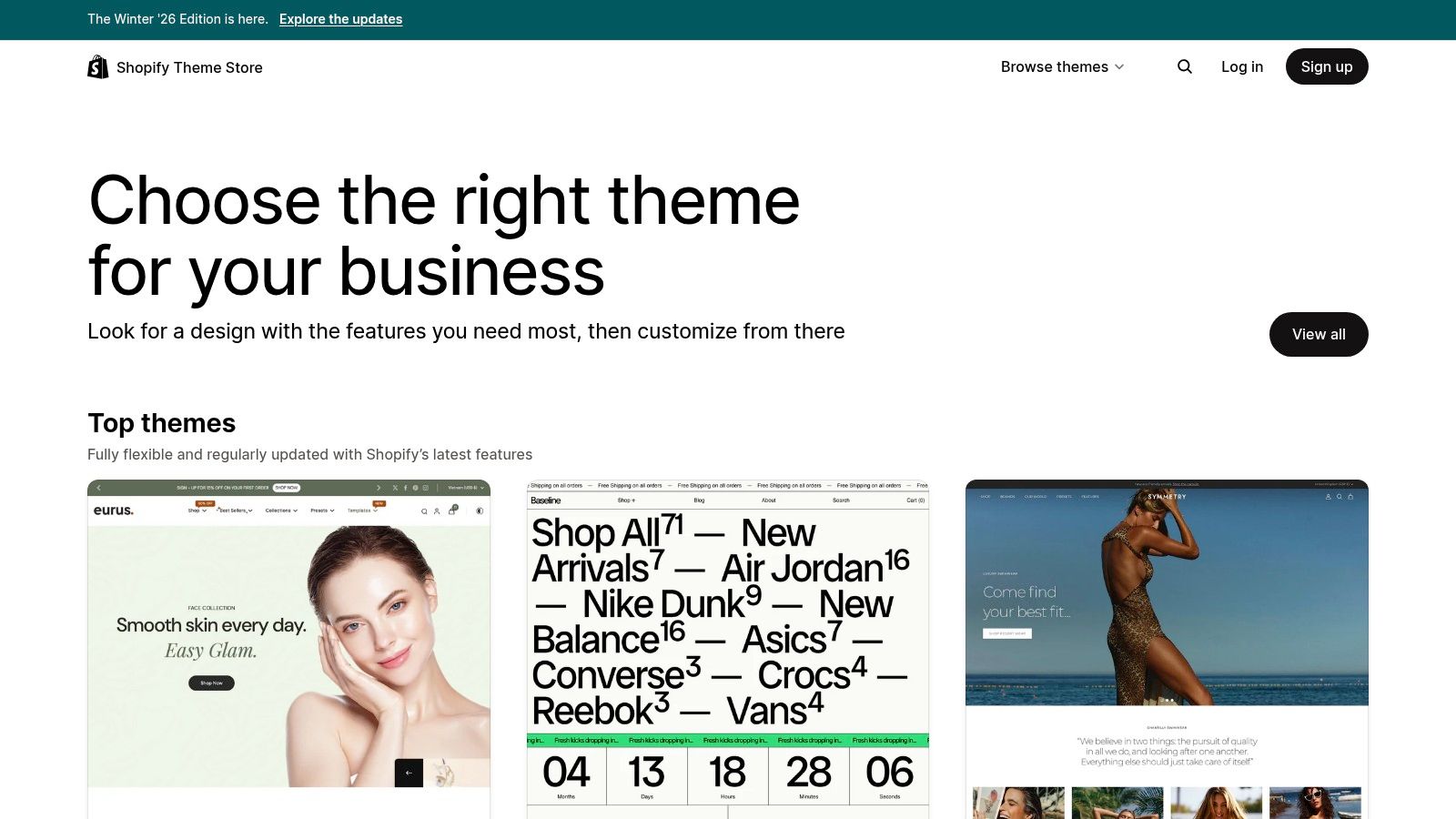
Unlike generic template galleries, every example in the Shopify store is a fully-functional demo built for commerce. This allows you to explore layouts, product pages, and checkout flows from a customer’s perspective. Its key advantage is the "try-before-you-buy" workflow, which lets you install and customize any theme on your own store to see how it works with your products before committing to a purchase.
Strategic Insights & Features
Shopify’s ecosystem is built around a simple premise: empowering entrepreneurs to sell online effectively. The Theme Store reflects this by focusing on conversion-optimized design and seamless integration with Shopify’s powerful backend.
Commerce-First Design: Themes are built with features like quick-add-to-cart, high-resolution product imagery, trust badges, and streamlined navigation to drive sales.
Industry and Catalog Filtering: You can filter examples by industry (e.g., Food & Drink, Fashion), catalog size, and layout style, making it easy to find relevant inspiration.
Performance Optimized: All themes in the official store are vetted by Shopify for speed, mobile responsiveness, and adherence to best practices, ensuring a solid technical foundation.
Pricing and Access
Browsing themes and viewing demos is completely free. You can also install any theme in your Shopify store to test it with your own products at no cost. You only pay for the theme if you decide to publish it. Premium themes are a one-time purchase, typically ranging from $200 to $400. This is in addition to your monthly Shopify subscription plan, which starts at around $29 per month. For a detailed breakdown of all associated expenses, explore this guide on the average small business website cost.
Pros:
Direct path from browsing a demo to implementing it in your live store.
All themes are built on a trusted, high-performance e-commerce platform.
Try-before-you-buy feature reduces the risk of choosing the wrong design.
Cons:
Total costs can add up with the theme price, monthly plan, and potential app subscriptions.
Significant customizations beyond the theme's built-in options may require developer help.
Website: https://themes.shopify.com/
6. ThemeForest (Envato Market)
ThemeForest is a vast marketplace where you can find thousands of small business website examples in the form of pre-built themes. Unlike an all-in-one builder, it serves as a massive catalog for templates across different platforms like WordPress, HTML, and Shopify, offering immense variety for nearly any industry.
This approach is ideal for entrepreneurs who have a platform in mind but want to explore a wide range of design styles and functionalities. Instead of being limited to one ecosystem, you can browse designs from hundreds of independent developers, making it a powerful resource for discovering unique layouts and niche features.
Strategic Insights & Features
ThemeForest’s strength lies in its sheer volume and diversity. It empowers business owners to find a template that closely matches their specific needs, often for a one-time fee, which can be more cost-effective than a monthly subscription.
Cross-Platform Catalog: You can find themes for WordPress, static HTML, Webflow, Shopify, and more, allowing you to choose the technology that best fits your technical comfort and business goals.
Robust Filtering System: Users can quickly narrow down thousands of options using filters for price, sales volume, user ratings, and specific categories, which helps in identifying high-quality, popular themes.
Live Previews and Demos: Every theme includes a live demo site. This feature is crucial as it allows you to interact with a fully functional example of the website before making a purchase, ensuring it meets your expectations.
Pricing and Access
ThemeForest operates on a per-product pricing model. You purchase a license for a specific theme, with prices typically ranging from $19 to $79. This one-time cost usually includes six months of support from the theme author. For a deeper dive into choosing the right foundation for your site, explore these website templates for small business.
Pros:
Massive variety of designs for niche small businesses (e.g., trades, local services, agencies).
Competitive one-time pricing is often more affordable long-term than subscriptions.
Constant stream of new releases from a global community of developers.
Cons:
Quality and support can vary significantly between different authors; always check ratings and update history.
You are responsible for hosting and setup, which requires more technical steps than an all-in-one builder.
Website: https://themeforest.net/search/small%20business
7. HubSpot CMS Hub Themes on ThemeForest
For businesses already invested in HubSpot's CRM and marketing tools, ThemeForest's collection of HubSpot CMS Hub themes provides a targeted source of small business website examples. This marketplace offers a curated gallery of sites designed specifically for HubSpot, allowing you to find inspiration that is already optimized for lead generation, content marketing, and deep integration with your sales pipeline.
Unlike generic template sites, every example here is built to leverage HubSpot's unique features, from smart content to integrated forms. This makes ThemeForest an excellent resource for seeing how a professional B2B service site, SaaS startup, or consulting agency can structure its online presence around a marketing automation engine. You can preview live demos and see exactly how modules and pages function before committing.
Strategic Insights & Features
The primary advantage is finding a website design that’s pre-built to work seamlessly with HubSpot’s all-in-one marketing and sales platform. This eliminates the technical headaches of trying to integrate a third-party design with HubSpot's backend.
Native HubSpot Integration: Themes are designed with HubSpot's drag-and-drop editor and module system in mind, ensuring you can easily customize layouts, calls-to-action, and lead capture forms.
Quality and Feature Vetting: Themes on ThemeForest are reviewed for quality, and authors typically provide detailed documentation and demos. This allows you to assess the design and functionality before purchasing.
Marketing-Focused Designs: Most themes are built for specific business goals like lead generation, content delivery, or service showcases, with layouts that guide visitors toward conversion.
Pricing and Access
HubSpot CMS Hub themes on ThemeForest are sold as one-time purchases, with prices generally ranging from $300 to over $1,200 depending on complexity and included features. This is a license fee for the theme itself; you will also need a subscription to HubSpot CMS Hub, which has its own pricing tiers starting from around $23 per month.
Pros:
Strong fit for SMBs using HubSpot for CRM and marketing automation.
Centralized theme catalog with quality checks, live previews, and author documentation.
Designs are inherently built for marketing and lead generation workflows.
Cons:
You are locked into the HubSpot ecosystem; migrating your site to another CMS later is a significant effort.
Theme quality can still vary, so it's crucial to check reviews, changelogs, and author support history.
Website: https://themeforest.net/lp/hubspot-cms-hub-themes/
Small Business Website Comparison — Top 7 Examples
Platform | 🔄 Implementation complexity | ⚡ Resource requirements | ⭐ Expected quality | 📊 Expected outcomes | 💡 Ideal use cases / Key advantages |
|---|---|---|---|---|---|
Wix | Low — visual editor and template-based; migration can be non‑trivial | Low — hosting and built‑in apps included (paid plans for advanced features) | ⭐⭐⭐ — polished SMB templates and built‑in features | Fast launch of functional business sites (bookings, payments, simple ecommerce) | Small local businesses: quick template start, strong appointment/payment tools |
Squarespace | Low — visual, curated templates; limited third‑party extensibility | Medium — no free plan; subscription required to publish | ⭐⭐⭐⭐ — high design and mobile polish | Clean, conversion‑focused brand and storefront sites | Service businesses, restaurants, studios: design‑forward, turnkey sites |
Webflow (Showcase) | High — powerful designer tools and custom interactions; steeper learning curve | Medium‑High — design skills useful; paid plan to publish complex projects | ⭐⭐⭐⭐ — modern, animation‑rich results (can vary by author) | Highly custom, interactive marketing sites; cloneable starting points | Design‑led brands/agencies: reuse cloneable projects and custom animations |
Webflow Templates (marketplace) | Medium — purchase + edit in Designer (easier than building from scratch) | Medium — template cost plus Webflow site plan | ⭐⭐⭐⭐ — vetted premium templates with documentation | Polished ready‑to‑customize sites with Designer control | SMBs wanting premium, ready‑to‑buy templates without full design from scratch |
Shopify Theme Store | Low — theme install into Shopify; commerce workflows integrated | Medium‑High — Shopify subscription, apps, and possible transaction fees | ⭐⭐⭐⭐ — optimized for commerce and checkout reliability | Product‑led retail sites ready for sales and catalog management | Small retailers / DTC brands: commerce‑focused, try‑before‑buy demos |
ThemeForest (Envato) | Variable — depends on platform (WordPress, HTML, Webflow, Shopify); may need developer setup | Variable — one‑time theme cost; additional hosting/dev costs possible | ⭐–⭐⭐⭐⭐ — wide variance; vet ratings and updates | Large selection across platforms and budgets; find niche templates | Niche SMBs and budget buyers: many options, cross‑platform choices |
HubSpot CMS Hub Themes on ThemeForest | Medium — HubSpot‑specific development and CMS setup | High — HubSpot subscription plus theme purchase and possible integrations | ⭐⭐⭐–⭐⭐⭐⭐ — reviewed for HubSpot requirements, generally strong | Integrated site + CRM + marketing automation out of the box | SMBs using HubSpot: tight CRM/marketing integration and centralized theme catalog |
Turn Your Inspiration Into Reality, Instantly
Studying a diverse collection of small business website examples is a crucial first step, but the true challenge lies in turning that inspiration into a high-performing digital asset. We've explored how different platforms like Wix, Squarespace, and Shopify offer unique strengths, from drag-and-drop simplicity to robust e-commerce engines. The unifying principle across all successful examples is a commitment to strategic design: intuitive navigation, compelling calls-to-action, and a seamless user experience that guides visitors toward a specific goal.
The biggest takeaway is that you don't need to reinvent the wheel. A successful online presence is built on proven principles of layout, user flow, and conversion optimization. Instead of starting with a blank canvas and facing overwhelming design decisions, you can stand on the shoulders of giants by adopting a structure that is already working effectively in the real world.
Key Principles to Carry Forward
As you move from analysis to action, keep these core concepts at the forefront of your strategy. They are the common threads that connect the most effective websites we've examined.
Clarity Over Complexity: Your primary value proposition should be immediately obvious. A visitor should understand who you are, what you do, and why it matters within seconds of landing on your homepage.
Conversion-Centric Design: Every element on your site, from a headline to a button, should have a purpose. Design choices should be intentional, guiding users naturally toward making a purchase, filling out a form, or contacting your business.
Mobile-First is Non-Negotiable: A significant portion of your audience will experience your brand through a mobile device. Your website must be fully responsive, offering an equally compelling experience on a smartphone as it does on a desktop.
Authenticity Builds Trust: Use high-quality, original imagery and genuine customer testimonials. Stock photos and generic copy can create a disconnect, while authentic content fosters a connection with your audience.
Your Actionable Path to a Better Website
With these principles in mind, your next step is to choose the right tools and approach for your specific needs and technical comfort level. For deeper insights into how various small businesses are leveraging innovative tools and turning their online visions into reality, you can explore real-world business case studies. This can provide a clearer picture of the strategic thinking behind successful digital transformations.
Ultimately, the goal is to bridge the gap between the amazing small business website examples you admire and the live, functional site your business deserves. The modern toolset has dramatically lowered the barrier to entry, making it possible for anyone to create a professional, effective online presence without needing to write a single line of code. Stop just admiring great websites—start building your own today.
Ready to build a website inspired by the best? Alpha lets you use any URL as a design reference, instantly creating a fully customizable, mobile-optimized foundation. Stop guessing at layouts and start building on a proven structure with Alpha.
EXAMPLES
Build beautiful websites like these in minutes
Use Alpha to create, publish, and manage a fully functional website with ease.