





How to Create Website Mockups People Actually Love
Learn how to create website mockups that bridge the gap between idea and reality. Our guide covers tools, principles, and developer handoff.
EXAMPLES
Build beautiful websites like these in minutes
Use Alpha to create, publish, and manage a fully functional website with ease.
Building a website template used to be a long, drawn-out process. But that's not the case anymore. Today, it’s about working smarter. You can now build professional, reusable designs in hours—not weeks—by using AI-powered tools like Alpha, letting you skip the complex, time-consuming coding grind altogether. This guide will walk you through exactly how it's done.
The Modern Way to Build Website Templates
Let's be honest, nobody wants to wrestle with endless lines of code or clunky design software. The whole approach to creating a high-converting website template has changed. The focus is now squarely on speed, efficiency, and smart automation, which puts professional design within reach for just about anyone.
This isn't just a fleeting trend; it's a fundamental shift driven by real-world demand. The global market for website builder software is on track to hit USD 4,406.6 million by 2033, which tells you everything you need to know about how many people are looking for an escape from old-school development headaches. They're moving on from tedious manual coding that often produced clunky designs that looked terrible on mobile devices.
Shifting From Manual Code to Intelligent Automation
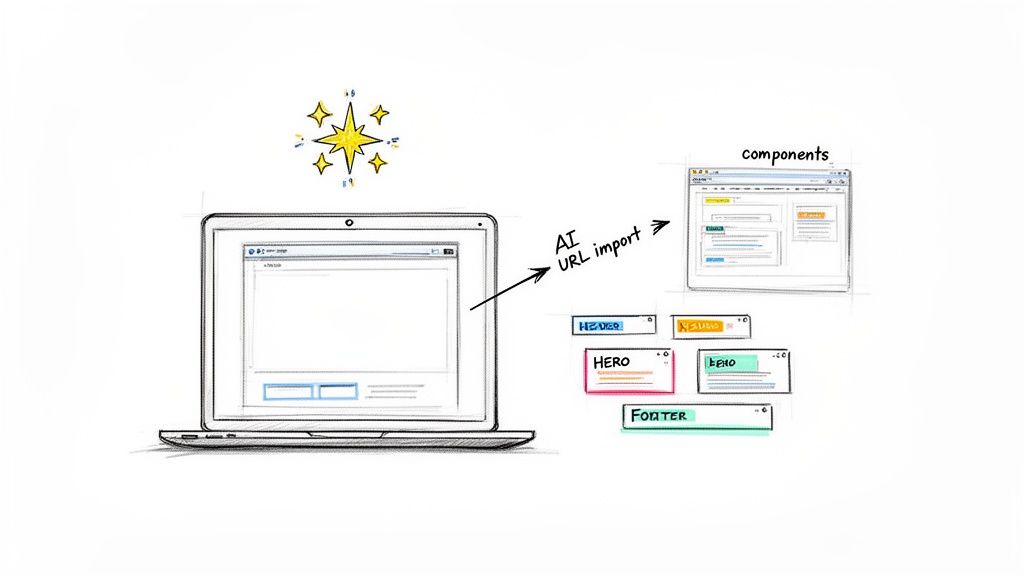
The old way of building templates always involved a steep learning curve and a massive time commitment. It was a barrier for many. Now, tools like Alpha give you a much faster, more direct path to a finished product. You can use features like a URL import to instantly create a design foundation from a site you admire, or simply describe the changes you want to make in plain English.
This new workflow really opens things up, allowing you to:
Generate Designs Instantly: Just drop in a URL from an existing site and get a base layout in a few minutes.
Edit with Simple Language: Tweak colors, fonts, and layouts just by describing what you want, like "make the header section smaller."
Focus on Strategy, Not Syntax: You can finally spend your time on what really matters—user experience and great content—instead of chasing down bugs in your code.
The core idea is simple: You provide the vision, and the AI handles the technical execution. This allows entrepreneurs and small businesses to achieve professional results without a developer's budget or timeline.
To really get the most out of modern web development, it helps to understand the tools that make rapid template creation possible. For instance, exploring the best static site generators can give you a better grasp of what high-performance web architecture looks like under the hood.
The difference between the old and new methods is pretty stark. This table breaks down just how much has changed.
Template Creation Old vs New
Feature | Traditional Method (Manual Coding) | Modern Method (Alpha AI Builder) |
|---|---|---|
Time Investment | Weeks or months of development and testing. | Hours or days from concept to launch. |
Skill Requirement | Expert knowledge of HTML, CSS, and JavaScript. | No coding skills needed; intuitive interface. |
Initial Design | Starts from a blank slate, requiring wireframing. | Instantly generated from a URL or description. |
Responsiveness | Requires manual media queries and extensive testing. | Automatically optimized for all devices. |
As you can see, the efficiency gains are massive. What used to take a dedicated team and weeks of effort can now be accomplished by a single person in a fraction of the time, freeing you up to focus on growing your business.
Planning Your Template for Maximum Impact
Jumping straight into the design phase without a plan is a classic mistake. It's like trying to build a house without a blueprint—sure, you might end up with something standing, but it won't be functional or reliable. The strategic work you do upfront is what makes the difference between a template that just looks pretty and one that actually gets results.
It all boils down to one simple question: who are you building this for, and what do you want them to do?
Before you touch a single pixel, you have to get inside the head of your target audience. A template built for a cozy local bakery will need a completely different structure than one for a fast-paced B2B software company. The bakery needs to show off its menu, highlight its location, and maybe take online orders. The tech startup? They need to showcase features, explain pricing tiers, and build trust with case studies.
You're not just building a design; you're solving a specific problem for a specific person.
Mapping the Ideal User Journey
Once you’ve nailed down your audience, it's time to think about their journey. Picture a first-time visitor landing on the site. What’s the absolute first thing they need to see to know they're in the right place? What's the next logical step for them to take?
Mapping this path creates an intuitive flow that guides people toward a goal, whether that’s signing up for a demo or buying a product. A smooth journey gets rid of friction and keeps users engaged, so they don't get frustrated and leave.
A great template acts like a silent salesperson, effortlessly guiding visitors from "hello" to "let's do business." Every single element should serve that purpose.
Let’s say you’re building a template for a freelance consultant. A typical user journey might look something like this:
Homepage: A powerful headline immediately communicates the core value they offer.
Services Page: Clearly breaks down what they do and for whom.
Portfolio/Case Studies: Provides tangible proof of their expertise and results.
Contact Form: The final, easy-to-use step to get in touch.
See how each step logically builds on the last? That's what builds confidence and drives action.
Structuring Your Template with Reusable Components
This is a total game-changer. Instead of thinking about pages as monolithic designs, start thinking in terms of reusable components. Break everything down into modular blocks: headers, footers, testimonial sliders, feature grids, call-to-action sections, you name it.
Why? Because it makes everything incredibly efficient.
Need to update the company's phone number? You just edit the footer component once, and that change instantly populates across every single page. This approach doesn't just save you a ton of time down the line; it also ensures your branding stays perfectly consistent. To really dig into this critical step, you can learn more about how to plan website structure and make sure all the pieces fit together.
Equally important is a solid content hierarchy. Planning out your heading tags (H1, H2, H3) in advance makes your content easy for visitors to scan and digest. It's also a huge win for SEO, as it helps search engines understand what your page is about.
4. Building Your Template in Alpha: From Idea to Reality
Okay, you've done the hard thinking and have a solid plan. Now it's time for the fun part: bringing that vision to life. This is where tools like Alpha’s AI builder really shine, letting you skip the code and jump straight into creation.
One of the smartest ways to get started is with the URL import function. It's a favorite feature for a reason. Find a website out there that you love the structure or feel of, and just paste its link into Alpha. The AI gets to work, analyzing the layout, style, and components to create a functional starting point for you.
This isn't about just ripping off a design. It’s about leveraging what already works. You get a massive head start by building on a proven foundation, which you can then completely customize to make your own.
Refining with Simple, Conversational Edits
Once you have that initial design—whether from a URL import or an AI-generated prompt—the real creative work begins. Instead of digging through menus and settings, you can just tell the AI what you want to change. It's like having a design assistant who speaks plain English.
You can get incredibly specific with your requests. For instance, you could type:
"Make the header sticky so it’s always visible at the top when a user scrolls."
"Change the main CTA button color to a vibrant orange, like #FF5733."
"Add a three-column section right below the hero to feature our key services."
"Switch the entire color palette to a minimalist theme using cool grays and a single blue accent."
This entire creation process flows directly from the planning you did earlier.
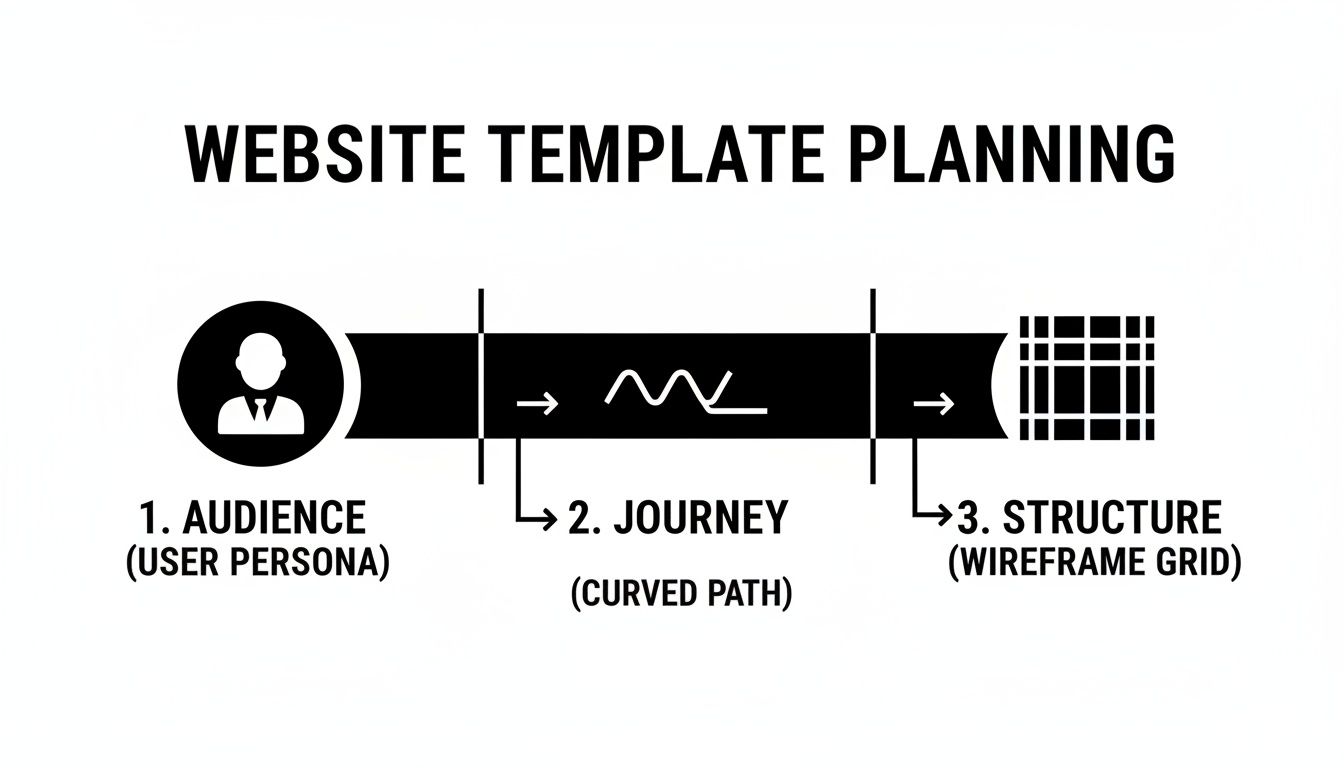
As the diagram shows, a deep understanding of your audience and their journey informs the template's structure, which the AI then helps you build and refine.
This no-code, descriptive approach is a huge deal. The web hosting market, valued at $149.30 billion, is increasingly driven by tools that empower non-technical users. While WordPress still dominates, platforms that let you clone a URL or describe edits are making it possible for anyone to build a professional site. As user Madeleine O'Carroll pointed out, Alpha's ability to seamlessly carry over sections and images from imported templates is a huge advantage over other AI builders.
What AI-Powered Editing Looks Like in Practice
Seeing the process in action makes it click. The interface is designed to feel more like a conversation than a technical chore. You simply type your instructions into a prompt box, and the AI executes the changes on the canvas in real-time.
This direct interaction turns complex design adjustments into simple, clear requests. You can iterate quickly, tweaking everything from spacing and colors to entire sections until the template perfectly aligns with your brand and achieves your strategic goals.
For a more detailed walkthrough, be sure to check out our complete guide on using AI to build a website.
6. Ensuring Flawless Performance on Every Device
A great-looking template is just the starting point. If it breaks, lags, or feels clumsy on a smartphone, you’ve failed before you’ve even begun. Responsiveness and speed aren't just nice-to-haves; they are absolutely essential for any template you plan to use in the real world.
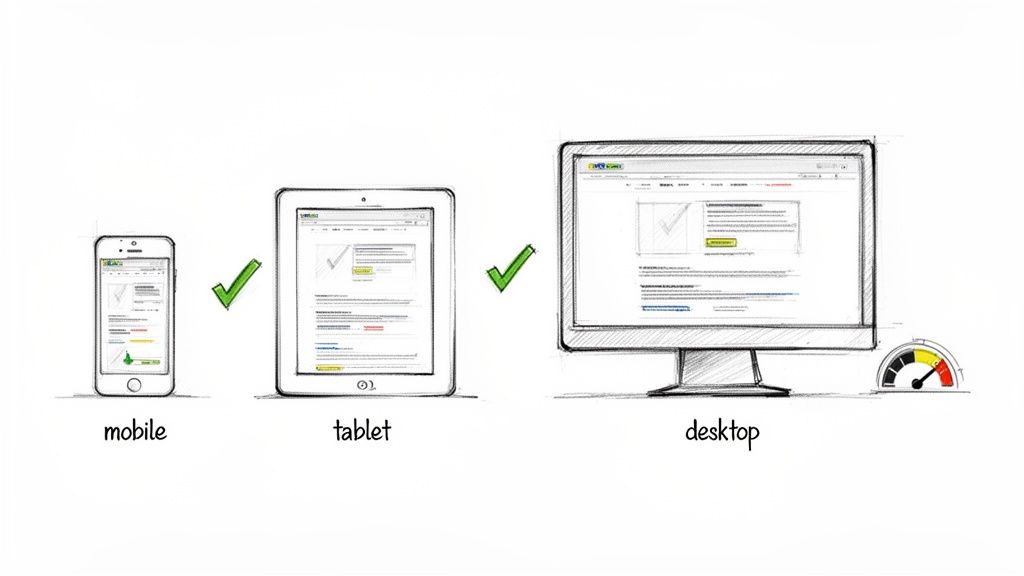
Thankfully, modern tools have made this much easier. A platform like Alpha automatically handles a lot of the heavy lifting, optimizing your template for mobile right out of the box. This means your components and layouts will adapt fluidly across different screen sizes, giving visitors a consistent experience whether they’re on a huge monitor or a small phone.
But even with that automation, you can't just set it and forget it. You still need to test.
Practical Testing for a Perfect User Experience
Never assume your template looks great everywhere. There’s no substitute for manually checking your design on different devices to catch those little issues that slip through the cracks. You don't need a massive device lab—just grab your own phone and use your browser's built-in developer tools to get started.
Here’s a quick checklist to run through:
Navigation: Is the menu actually usable on a small touchscreen? Are the tap targets big enough so you don't accidentally hit the wrong link?
Readability: Can you read the text on a phone without pinching to zoom? Do long headlines wrap awkwardly and break the layout?
Interactive Elements: Check your forms, buttons, and image carousels. Do they work just as well with a finger tap as they do with a mouse click?
Image Scaling: Are your images resizing correctly? Or are they getting distorted, pixelated, or squished on certain screens?
This hands-on testing is how you spot and fix problems before your users find them. If you want to go deeper on the technical side, our responsive web design tutorial covers more advanced techniques.
Optimizing for Speed and Core Web Vitals
Beyond how it looks, your template has to be fast. Site speed is a huge deal for both user experience and your SEO rankings. Google’s Core Web Vitals (CWV) are the specific metrics it uses to judge a page's performance, and they directly influence how high you appear in search results.
A slow website is a silent business killer. I’ve seen firsthand how even a one-second delay can tank conversion rates and send potential customers straight to a competitor.
Performance is where a lot of templates fall down. It's easy to get carried away with design, but the data is clear: fast-loading sites win. Consider this: median homepage weights have ballooned by a staggering 202% in recent years, making lightweight, optimized templates more critical than ever. As user Rat Ramrath put it, "Alpha built my website quickly and perfectly, nothing else I tried compared AT ALL," which really drives home the advantage a performance-first platform provides. You can find more of these critical web design statistics from Figma.
To keep your template lean, always focus on the fundamentals: optimize your images and keep your code as clean as possible. It's the foundation of any successful design.
Building SEO and Conversions into Your Template
Think of your template as more than just a design—it's the engine that will power all your future marketing. A gorgeous layout that doesn’t bring in traffic or capture leads is really just a pretty picture. The difference between a template that just works and one that’s actually profitable is baking SEO and conversion principles right into its DNA from the very beginning.
It all starts with a rock-solid on-page SEO structure that search engines can easily crawl and understand. A logical heading hierarchy isn't just a nice-to-have; it's essential. Your template must enforce a structure with one—and only one—H1 tag per page, followed by a clear, organized flow of H2 and H3 tags for subtopics.
This hierarchy gives search crawlers a clean outline of your content, helping them figure out what each page is about in a split second.
Optimizing for Search Visibility from Day One
Beyond the heading structure, your template needs to have dedicated spots for all the critical SEO elements. You should plan out fields or components for meta titles and meta descriptions for every single page type you create, whether it's a blog post, a service page, or a product detail page. When these are easy to find and edit, you guarantee that every piece of content you publish is ready for search optimization without any extra work.
Let’s say you’re building a template for a local plumbing company. To really nail local search, you’d build specific sections right into the template for things like:
Service Areas: A dedicated module where they can easily list the neighborhoods or cities they cover.
Customer Testimonials: A component specifically for showcasing reviews, which builds trust and naturally incorporates local keywords.
Contact Information: A footer component that keeps their Name, Address, and Phone Number (NAP) consistent across the site, sending strong local signals to Google.
Setting up the template this way makes it infinitely easier to rank for those money-making terms like "plumber in [City Name]."
Designing for Conversions
Once your SEO foundation is solid, the next job is to gently guide visitors toward taking a specific action. This is where conversion-focused design takes over. Your template should strategically place calls-to-action (CTAs) in high-visibility spots, like right under the hero section or at the end of key content blocks.
Use contrasting colors to make your buttons stand out, and stick with clear, direct text like "Get a Free Quote" instead of a vague "Learn More."
An effective template doesn't just present information; it persuades. Every single element, from the navigation menu to the placement of a contact form, should work in harmony to remove friction and make it incredibly easy for a user to convert.
An intuitive navigation bar is a game-changer. It needs to be simple, logical, and help people find what they’re looking for with the fewest clicks possible. Also, placing lead-generation forms "above the fold"—especially on your service or contact pages—can seriously boost your chances of capturing a new lead. A platform like Alpha is a great example of this in action, as its layouts are built with these conversion principles already baked in, giving you a massive head start.
Turning Your Design into a Reusable Asset
A great website template is more than just a good design. The real magic happens when you transform that design into a scalable asset you can use over and over again. This is where you shift from building one-off sites to creating a powerful library of starting points for all your future projects.
Inside a platform like Alpha, the process is incredibly simple. Once you've polished and tested your design, you can save it as a master template. Just like that, you have a foundation ready to be deployed for new clients, landing pages, or other ventures with a single click. This not only saves an enormous amount of time but also keeps your branding consistent across the board.
Keeping Your Template Library Organized
As your collection of templates grows, you'll quickly realize how important organization is. A messy library is a useless one. The easiest way to keep things straight is by adopting a solid naming convention right from the start.
I've found a simple format works best. Try including:
Template Purpose: Like "ServiceBusiness" or "Ecommerce"
Version Number: Something simple, like "v1.2"
Date Created: For example, "2024-10-26"
Putting it all together, a template name might look like ServiceBusiness-v1.2-2024-10-26. This system immediately tells you what the template is for and which version you're looking at, preventing a lot of headaches down the road.
I always tell people to treat each template like a mini-product. It needs proper versioning and a regular maintenance schedule to stay useful. I'd recommend reviewing your templates quarterly to make sure they still meet current web standards and design trends.
Once you have a solid, reusable asset, deploying it across dozens or even hundreds of pages becomes the next step. If you're looking to scale up quickly, it's worth learning how to bulk create pages in WordPress and applying your new design principles across a much larger site.
Got Questions? We've Got Answers
You're not alone if you have a few questions before diving in. Here are some of the most common things people ask when they're getting started with building their own website templates.
How Long Does This Actually Take?
This is probably the biggest question on your mind. If you were to code a template from scratch, you'd be looking at weeks, maybe even months, of work.
But with an AI-powered builder like Alpha, that timeline shrinks dramatically. You can get a solid first draft of your site up and running in a few minutes, especially if you're using a feature like importing a design from a URL.
From there, it's all about customization. Depending on how much you want to tweak, you could be ready to launch in just a few hours. Realistically, most people can go from idea to a fully polished, ready-to-use template within a single day.
Can I Really Reuse a Template for Different Websites?
Yes, and you absolutely should. That's the whole point! Creating a master template is one of the smartest ways to streamline your workflow.
Once you’ve perfected your design in Alpha, you can save it right to your library as a reusable template. This means the next time you need a new landing page, a microsite for a campaign, or even a site for a completely different project, you can just duplicate it. This is a game-changer for maintaining brand consistency and will save you an incredible amount of time down the road.
Think of it this way: build it right once, then use it as many times as you need. Your template stops being a one-off project and becomes a scalable asset for your business.
How Much Do I Need to Know About SEO?
You don't need to be a seasoned SEO pro, but knowing the basics will make a huge difference in how well your template performs.
The foundation of a good template is solid on-page SEO. This means having a clean, logical heading structure (one H1 tag per page, followed by H2s and H3s), ensuring your pages load quickly, and, most importantly, making sure the design is 100% responsive on mobile.
The good news is that modern tools like Alpha take care of a lot of the technical heavy lifting for you. But if you start with those core SEO principles in mind when planning your content structure, you'll give every site you build with that template a serious advantage in search rankings.
Ready to create a high-performing website template in minutes, without touching a line of code? Alpha uses AI to bring your vision to life. You can import a design you already love or just describe what you want. Start building your perfect website today.
EXAMPLES
Build beautiful websites like these in minutes
Use Alpha to create, publish, and manage a fully functional website with ease.