How to Create Website Mockups People Actually Love
Learn how to create website mockups that bridge the gap between idea and reality. Our guide covers tools, principles, and developer handoff.
Build beautiful websites like these in minutes
Use Alpha to create, publish, and manage a fully functional website with ease.





Webflow has set a high standard for visual web development, offering designers unparalleled control without writing code. But its steep learning curve and complex pricing can be daunting for entrepreneurs, small teams, and even some agencies. The good news is the no-code landscape is booming with powerful Webflow alternatives, each tailored to different needs, from AI-powered speed to ecommerce muscle.
Whether you're a solopreneur needing a site live by tomorrow, a creative professional building a portfolio, or an agency juggling client projects, there’s a better fit out there. This guide dives deep into 12 of the best options, analyzing their unique strengths, hidden limitations, and ideal user profiles to help you make an informed choice. When exploring various visual builders for your next project, consider platforms that empower direct creation, such as Builtbyme.
We've done the heavy lifting to move beyond generic feature lists. Inside, you'll find a detailed breakdown of each platform, complete with screenshots, direct links, and practical insights. We'll explore:
Who it's for: Pinpointing the ideal user, from beginners to advanced designers.
Key differentiators: What makes each tool stand out in a crowded market.
Pricing and limitations: A transparent look at costs and potential deal-breakers.
Our goal is simple: to help you find the perfect platform for your specific project, budget, and skill level. Let's get started.
1. Alpha
Alpha emerges as a formidable Webflow alternative, specifically engineered for speed, efficiency, and intelligence. It redefines the website creation process by leveraging AI to condense what is typically days or weeks of design and development into a few hours. This platform is an ideal solution for entrepreneurs, startups, and small teams who require a professional, high-converting online presence without the steep learning curve associated with traditional design tools.
The platform’s core strength lies in its AI-first approach, which powers its most distinctive features. The standout capability is its URL-import tool, a feature users repeatedly call a “game-changer.” Simply provide a link to a reference site, and Alpha’s AI rebuilds the layout and structure, adapting it to your brand’s content and style. This dramatically accelerates the initial design phase, providing a robust, customized foundation instantly.
Core Features and User Experience
Alpha’s entire workflow is built around intuitive, AI-driven interactions. Instead of manipulating complex style panels, users can describe desired changes in natural language. For instance, you can instruct the AI assistant to “make the header section taller” or “change the color of all buttons to blue,” and the platform executes the commands in real-time. This chat-style design process makes iteration fast and accessible to non-designers.
Key features include:
AI-Powered Site Generation: Build an entire site from scratch or by importing a URL.
Natural Language Editor: Edit layouts and styles using simple text commands.
Conversion-Optimized Design: Includes built-in lead capture forms, real-time analytics, and templates designed to drive sales.
Mobile-First Construction: Ensures every site is fully responsive and performs flawlessly on all devices.
One-Click Publishing: Go live on a custom domain with minimal technical effort.
Pricing and Practical Considerations
Alpha offers a transparent and highly accessible pricing structure, making it a budget-friendly choice.
Plan | Price (Monthly) | Key Features |
|---|---|---|
Starter | Free | Publish on an alpha-ai.page domain, 1 page |
Mini | $9/month | Custom domain, 2 pages, 100 chat credits |
Basic | $25/month | Up to 15 pages, 300 chat credits, beta CMS support |
While Alpha excels at rapid creation and iteration, it's important to note that its advanced CMS features are still in beta. Businesses requiring large, complex content workflows should evaluate the plan limits on pages and chat credits to ensure a good fit.
Website: https://www.alpha.page
2. Wix
Wix stands as one of the most mature and comprehensive Webflow alternatives, particularly for small businesses, solopreneurs, and beginners who prioritize speed and an all-in-one feature set over granular code control. Its platform is built around a true drag-and-drop visual editor, making it exceptionally intuitive for those without a technical background.
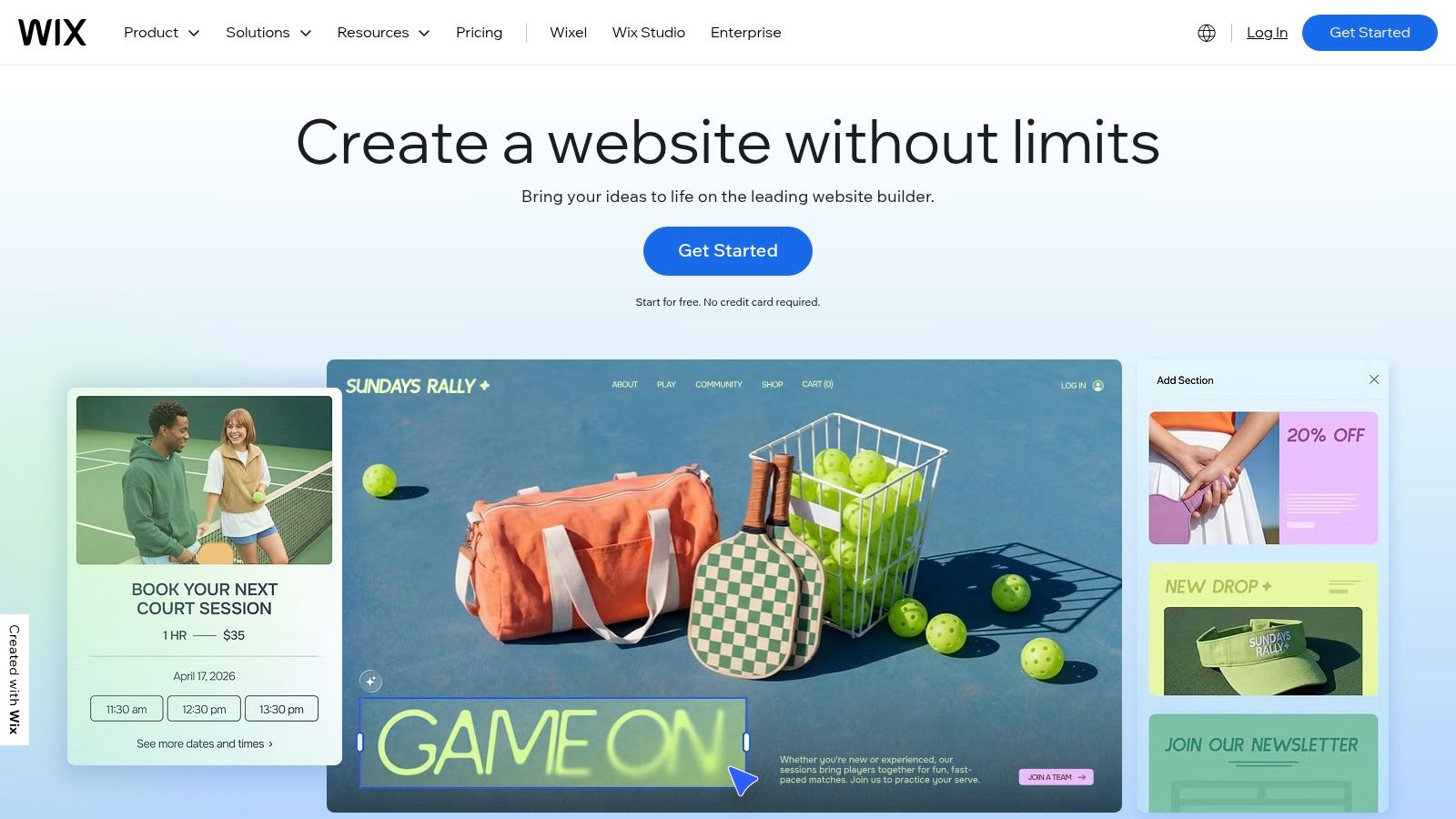
Unlike Webflow's design-first, developer-centric approach, Wix integrates a vast suite of business tools directly into the dashboard. You can manage everything from e-commerce and online bookings to marketing campaigns and SEO without ever leaving the ecosystem. While it lacks the deep styling precision of Webflow's style panel, its Artificial Design Intelligence (ADI) can generate a functional site in minutes, providing a solid starting point for customization. For more hands-on control, the standard Wix Editor offers more creative freedom.
Key Features & Use Case
Best For: Small businesses, artists, and service providers needing a fast, all-inclusive online presence with robust marketing and e-commerce tools built-in.
Editor Experience: A pure drag-and-drop interface, complemented by an enormous library of over 2,000 templates. This makes it one of the top choices among the best DIY website builders for non-technical users.
Business Suite: Includes built-in tools for e-commerce, appointments, subscriptions, and a full marketing and SEO suite.
Pricing: Plans start with a free, ad-supported tier. Premium plans range from $17/month (Light) for personal sites to $159/month (Business Elite) for comprehensive e-commerce solutions. Note that pricing can vary by region.
Feature | Wix |
|---|---|
Primary Advantage | Very beginner-friendly with a huge template and app ecosystem. |
Key Limitation | Customization is less precise than Webflow; can feel bloated at a large scale. |
Website |
3. Squarespace
Squarespace has carved out a niche as one of the most design-centric Webflow alternatives, ideal for creatives, bloggers, and brands that prioritize aesthetic polish and an all-in-one experience. It is renowned for its award-winning, curated templates that provide a stunning and cohesive visual foundation right out of the box. The platform emphasizes simplicity and elegance over the granular, code-level control found in Webflow.
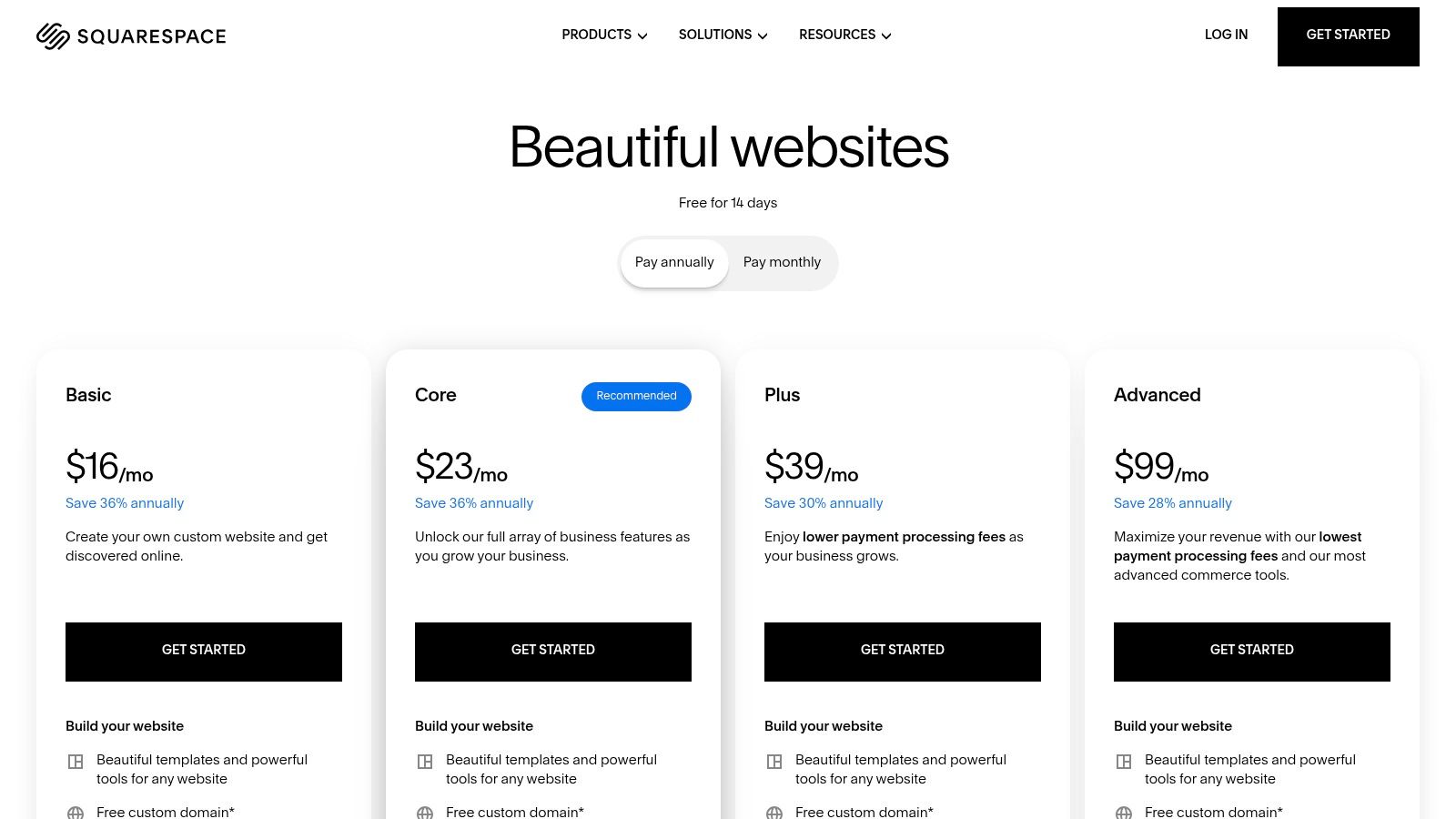
Where Webflow offers a blank canvas for developers, Squarespace provides a more structured, section-based editor. This approach streamlines the design process, ensuring brand consistency and mobile responsiveness with minimal effort. While this means less absolute freedom over element positioning and styling, it makes creating a professional, high-quality website significantly faster. The platform integrates powerful tools for blogging, portfolios, e-commerce, and memberships directly, making it a unified solution for content creators and service-based businesses.
Key Features & Use Case
Best For: Photographers, artists, designers, bloggers, and service businesses who need a visually stunning website without a steep learning curve.
Editor Experience: A structured, section-based editor (Fluid Engine) that offers a blend of drag-and-drop flexibility and grid-based precision.
Business Suite: Robust built-in tools for blogging, scheduling (Acuity), email marketing, memberships, and e-commerce.
Pricing: Plans begin at $16/month (Personal) for basic sites and go up to $49/month (Commerce Advanced) for sophisticated online stores. Higher-tier plans unlock advanced features and remove transaction fees.
Feature | Squarespace |
|---|---|
Primary Advantage | Beautiful, curated templates and a fully integrated, easy-to-use toolset. |
Key Limitation | Less layout flexibility and design control compared to Webflow's editor. |
Website |
4. Framer
Framer has rapidly emerged as a powerful Webflow alternative, especially for design teams and startups focused on shipping modern, interactive marketing websites quickly. Its canvas-style editor feels closer to design tools like Figma, offering a fluid, visual-first environment that encourages creative freedom and real-time collaboration. This makes it an ideal platform for teams that want to bridge the gap between design and development seamlessly.
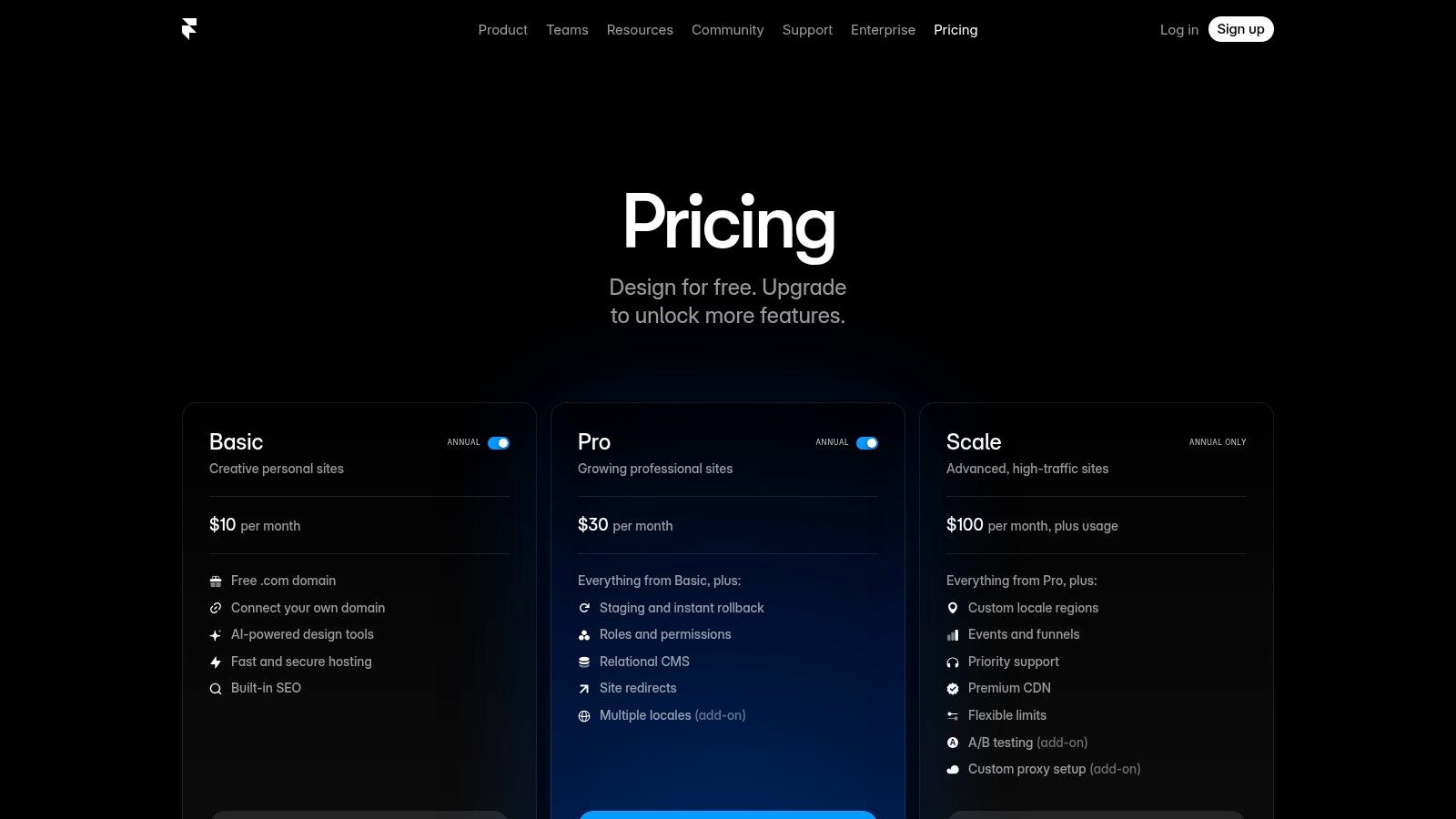
While Webflow's strength lies in its deep, code-like control over CSS properties, Framer excels in its speed to production and built-in interactive capabilities. It handles animations, breakpoints, and site performance with impressive efficiency right out of the box. The platform also integrates a capable CMS, analytics, and staging environments, providing a robust toolkit for professional teams. It’s a compelling choice for those who find Webflow’s learning curve steep but still demand high-fidelity design and performance.
Key Features & Use Case
Best For: Design teams, startups, and agencies building visually rich marketing sites and interactive landing pages that require rapid iteration and collaboration.
Editor Experience: A freeform, canvas-based editor with live multiplayer collaboration, similar to modern UI design tools.
Performance & Publishing: Engineered for speed with built-in performance optimization, staging environments, redirects, and password-protected pages.
Pricing: A free plan is available for hobby projects. Paid plans range from $10/month per site (Mini) for simple sites to $30/month per site (Pro) for larger sites, with custom pricing for enterprise needs.
Feature | Framer |
|---|---|
Primary Advantage | Extremely fast to design and ship, with a collaborative workflow ideal for teams. |
Key Limitation | Usage-based limits (pages, CMS items) on lower tiers can become restrictive. |
Website |
5. WordPress.com (hosted)
WordPress.com offers a powerful managed hosting solution that stands as one of the most versatile Webflow alternatives, especially for content-driven sites that require immense flexibility. It takes the world's most popular CMS and removes the technical overhead of self-hosting, bundling security, backups, and performance optimizations into a single subscription. This makes it a compelling choice for bloggers, publishers, and businesses who want the power of WordPress without the hassle of server management.
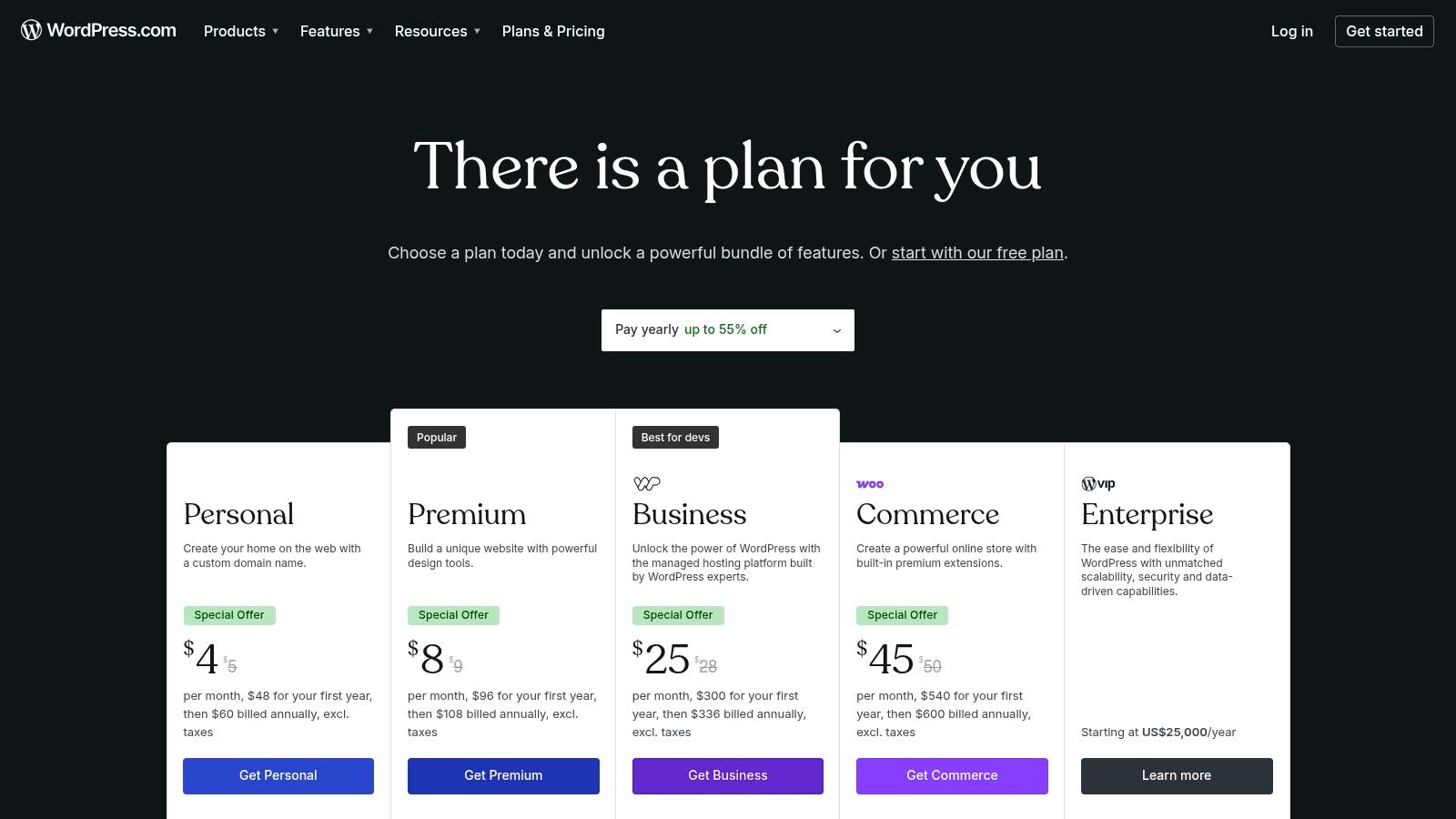
Unlike Webflow's integrated visual design environment, WordPress.com's strength lies in its near-infinite extensibility through plugins and themes. While the core block editor provides a component-based page-building experience, the platform's true potential is unlocked on higher-tier plans that allow custom plugin installation and advanced e-commerce functionality through WooCommerce. This scalability makes it ideal for projects that start as simple blogs but may evolve into complex online stores or membership sites.
Key Features & Use Case
Best For: Content creators, bloggers, and businesses needing a scalable platform that can grow from a simple site to a full-featured e-commerce store with extensive plugin support.
Editor Experience: Relies on the WordPress block editor (Gutenberg), which offers a modular approach to page building, supported by thousands of third-party themes for styling.
Extensibility: Access to the massive WordPress plugin ecosystem on Business and Commerce plans, allowing for virtually any functionality to be added.
Pricing: A free plan with limited features is available. Premium plans range from $4/month (Personal) for custom domains to $45/month (Commerce) for robust e-commerce capabilities.
Feature | WordPress.com |
|---|---|
Primary Advantage | Unmatched extensibility with a massive plugin and theme ecosystem. |
Key Limitation | Best features and plugin access are locked behind more expensive plans. |
Website |
6. Shopify
Shopify is the undisputed heavyweight champion of e-commerce and a powerful Webflow alternative for businesses where the primary goal is selling products online. While Webflow offers strong e-commerce capabilities, Shopify is a dedicated commerce platform, built from the ground up to manage inventory, process payments, and fulfill orders at scale. Its ecosystem is entirely geared toward streamlining the path from product listing to checkout.
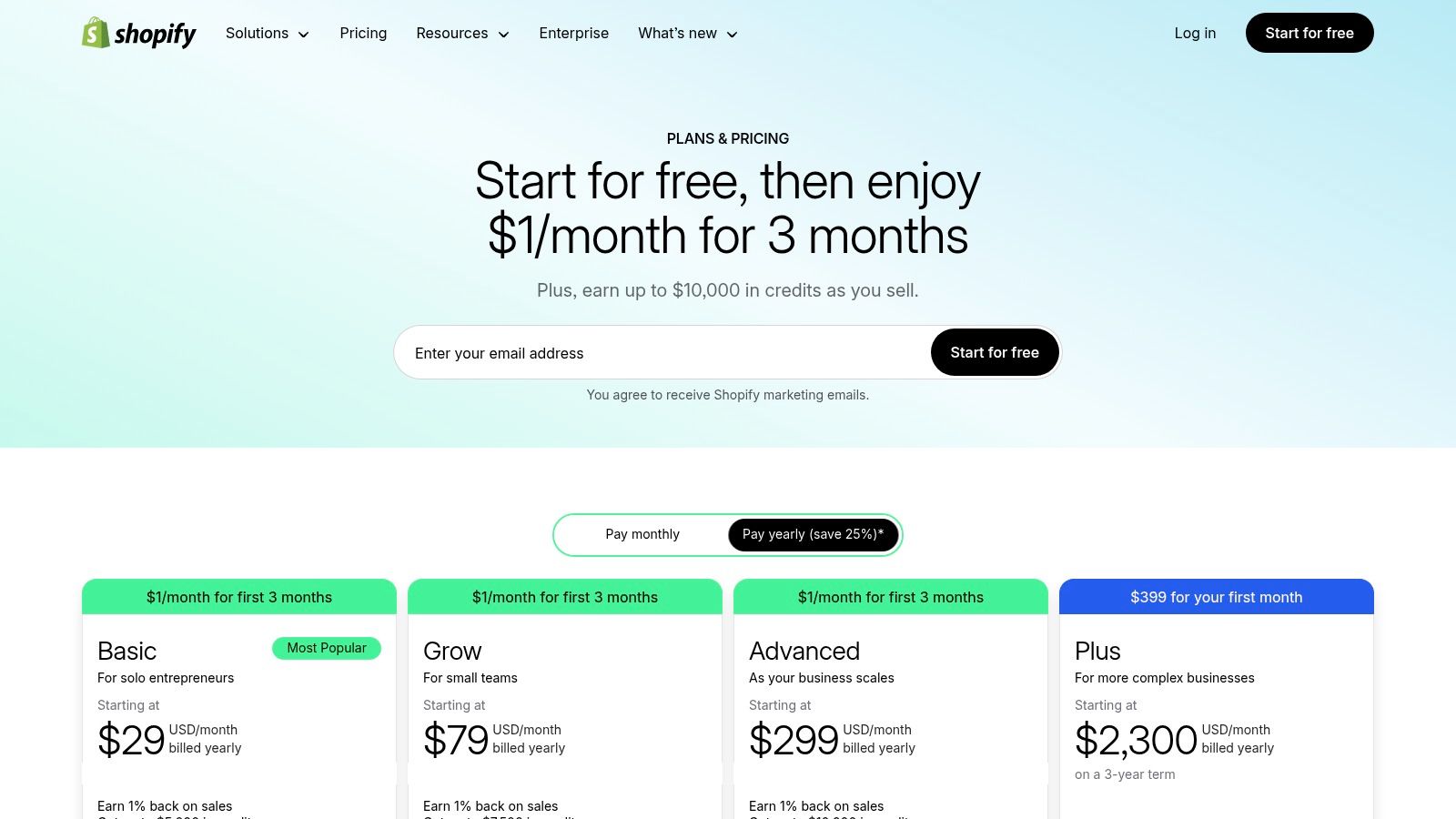
Unlike Webflow's granular design canvas, Shopify uses a theme-based system. This simplifies the initial setup but offers less granular control over page structure and styling without custom coding or using third-party page builder apps. Its true power lies in its backend, which features an integrated payment gateway, robust shipping tools, multi-channel selling capabilities (social media, marketplaces), and an extensive app store to add any functionality imaginable.
Key Features & Use Case
Best For: Merchants of all sizes, from startups to enterprise-level brands, who need a scalable, reliable, and feature-rich platform to manage and grow an online store.
Editor Experience: A theme-based editor that is easy to use for managing products and content. Advanced customization often requires editing Liquid code or using apps from the marketplace. It's one of the top choices among the best website builders for online stores for this reason.
Business Suite: Includes a world-class checkout, integrated Shopify Payments, POS systems for retail, and powerful analytics and fulfillment tools.
Pricing: Plans begin at $39/month (Basic) for new businesses, scaling up to $399/month (Advanced) for growing businesses needing advanced reporting and lower transaction fees.
Feature | Shopify |
|---|---|
Primary Advantage | Best-in-class for e-commerce scaling with an unmatched app ecosystem. |
Key Limitation | Design customization is less flexible than Webflow; app costs can accumulate. |
Website |
7. Duda
Duda is a powerful Webflow alternative designed from the ground up for digital agencies, freelancers, and hosting companies that manage multiple client websites. Its core strength lies in its scalability and client management features, offering a streamlined workflow for producing high-quality sites at scale. The platform provides a structured, section-based editor that combines ease of use with enough flexibility for professional designs.
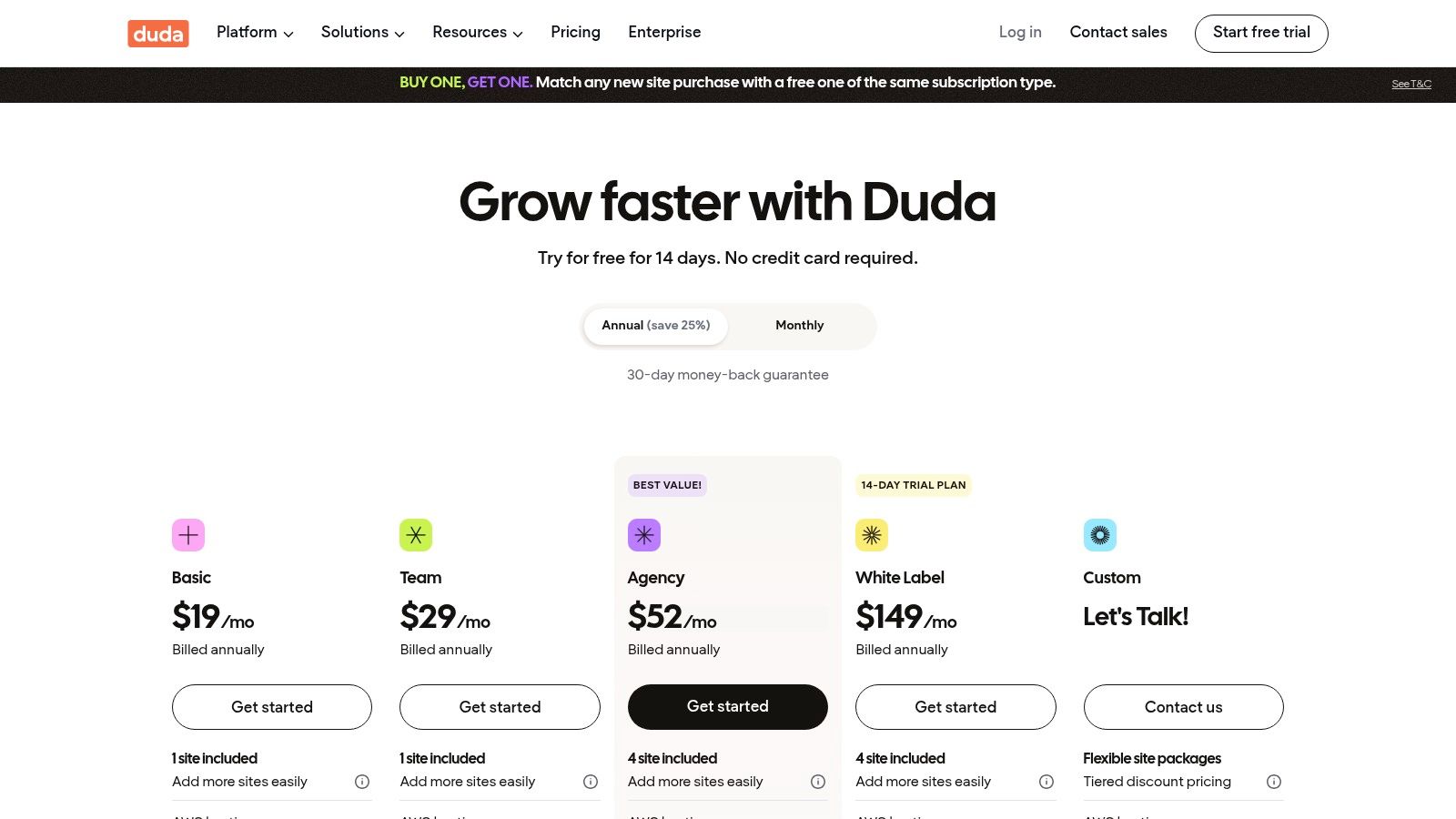
Unlike Webflow's focus on individual design precision, Duda prioritizes operational efficiency. It includes robust team collaboration tools, granular client permissions, and comprehensive white-labeling, allowing agencies to brand the entire platform as their own. Its widget builder and dynamic page capabilities connected to external data collections also provide significant power for creating templated, data-driven sites for clients in specific verticals like real estate or restaurants.
Key Features & Use Case
Best For: Digital marketing agencies, SaaS companies, and freelance web developers who need to build, launch, and maintain a portfolio of client websites efficiently.
Editor Experience: A structured, section-based visual editor that is intuitive yet powerful. It focuses on reusable components and content libraries for speed and consistency.
Agency & Client Tools: Includes team collaboration, client billing, site comments, and white-label client portals, making it a complete client service platform.
Pricing: Plans are structured for professional use. The Basic plan is $25/month for one site, while agency plans with team and client features start at $52/month (Team) and scale up.
Feature | Duda |
|---|---|
Primary Advantage | Excellent multi-site management, client collaboration, and white-labeling. |
Key Limitation | Less granular design control than Webflow; can be expensive for single users. |
Website |
8. Hostinger Website Builder (formerly Zyro)
Hostinger Website Builder emerges as one of the most budget-friendly Webflow alternatives, tailored for small businesses and solopreneurs who prioritize an all-in-one package over complex design capabilities. It bundles web hosting, a free domain, and an intuitive drag-and-drop editor into a single, low-cost subscription, making it a powerful choice for anyone needing to launch a professional site quickly and affordably.
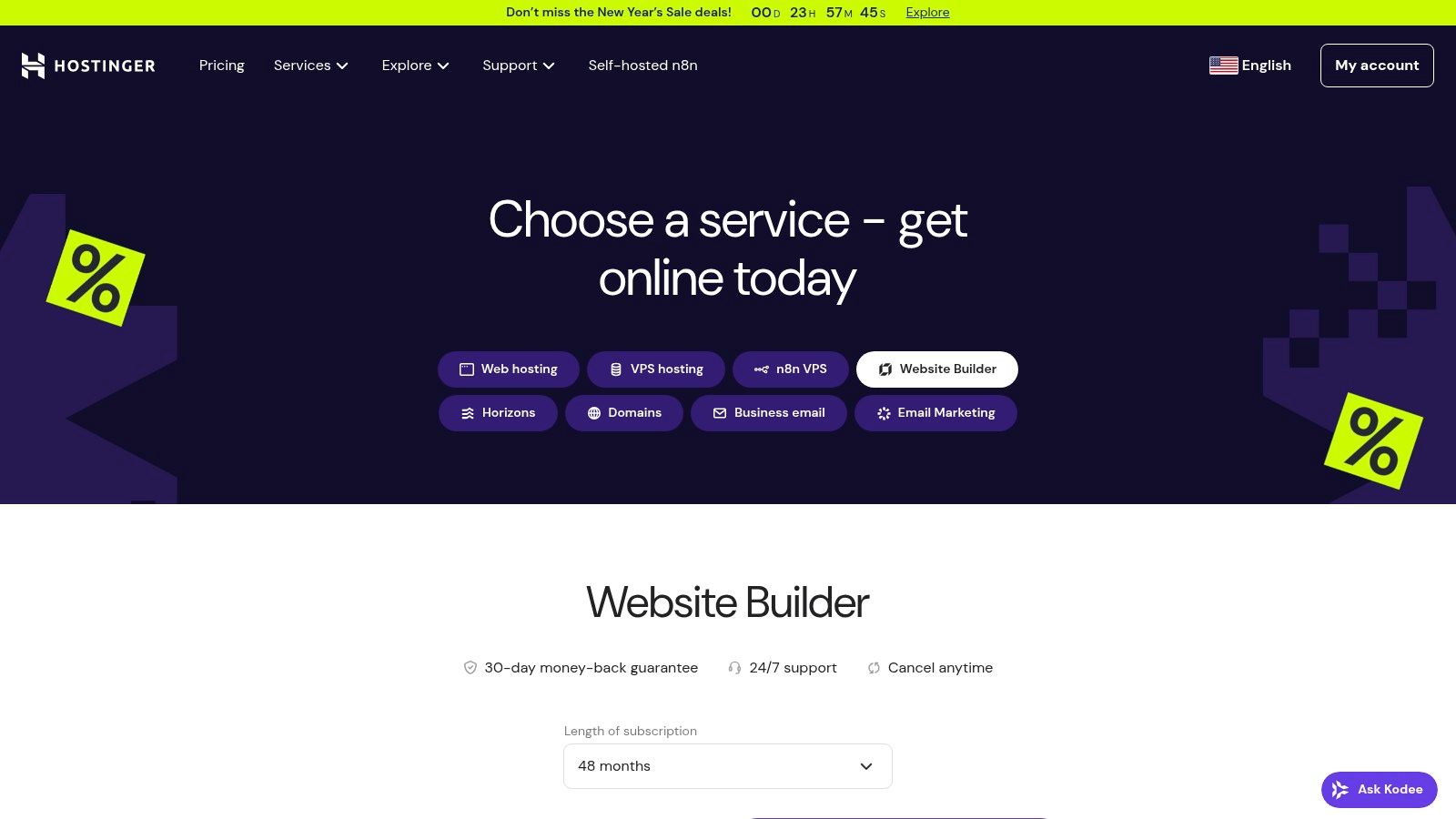
Unlike Webflow's granular, code-optional environment, Hostinger simplifies the entire process with a heavy emphasis on AI. The platform offers AI-driven tools for generating website text, images, and even logos, which significantly speeds up the initial setup. While it lacks the advanced animations and deep CMS customization found in Webflow, its straightforward interface and integrated business tools, such as e-commerce and marketing features, provide immense value for its price point.
Key Features & Use Case
Best For: Startups, freelancers, and small businesses seeking an extremely affordable, all-inclusive solution with built-in hosting and AI assistance for a fast launch.
Editor Experience: A simple grid-based, drag-and-drop editor that is very easy to learn. Its AI tools make it one of the more accessible AI website builders for users without design experience.
Integrated Tools: Includes SEO tools, blogging functionality, e-commerce on the Business tier, and integrations like Google Analytics and Hotjar.
Pricing: A single plan is offered, typically around $2.99/month with long-term commitments, which includes the builder, hosting, and a free domain. Be aware that renewal rates are higher than the promotional pricing.
Feature | Hostinger Website Builder |
|---|---|
Primary Advantage | Extremely low entry cost with hosting, domain, and AI tools included. |
Key Limitation | Limited design flexibility and fewer third-party integrations than Webflow. |
Website |
9. Carrd
Carrd takes simplicity to its extreme, making it one of the most focused Webflow alternatives for a very specific niche: single-page websites. If you need a personal profile, a "link-in-bio" page, a simple portfolio, or a landing page to capture leads, Carrd offers an unbeatable combination of speed, ease of use, and affordability. It completely strips away the complexity of multi-page site management, offering a streamlined editor dedicated to crafting elegant, responsive one-pagers.
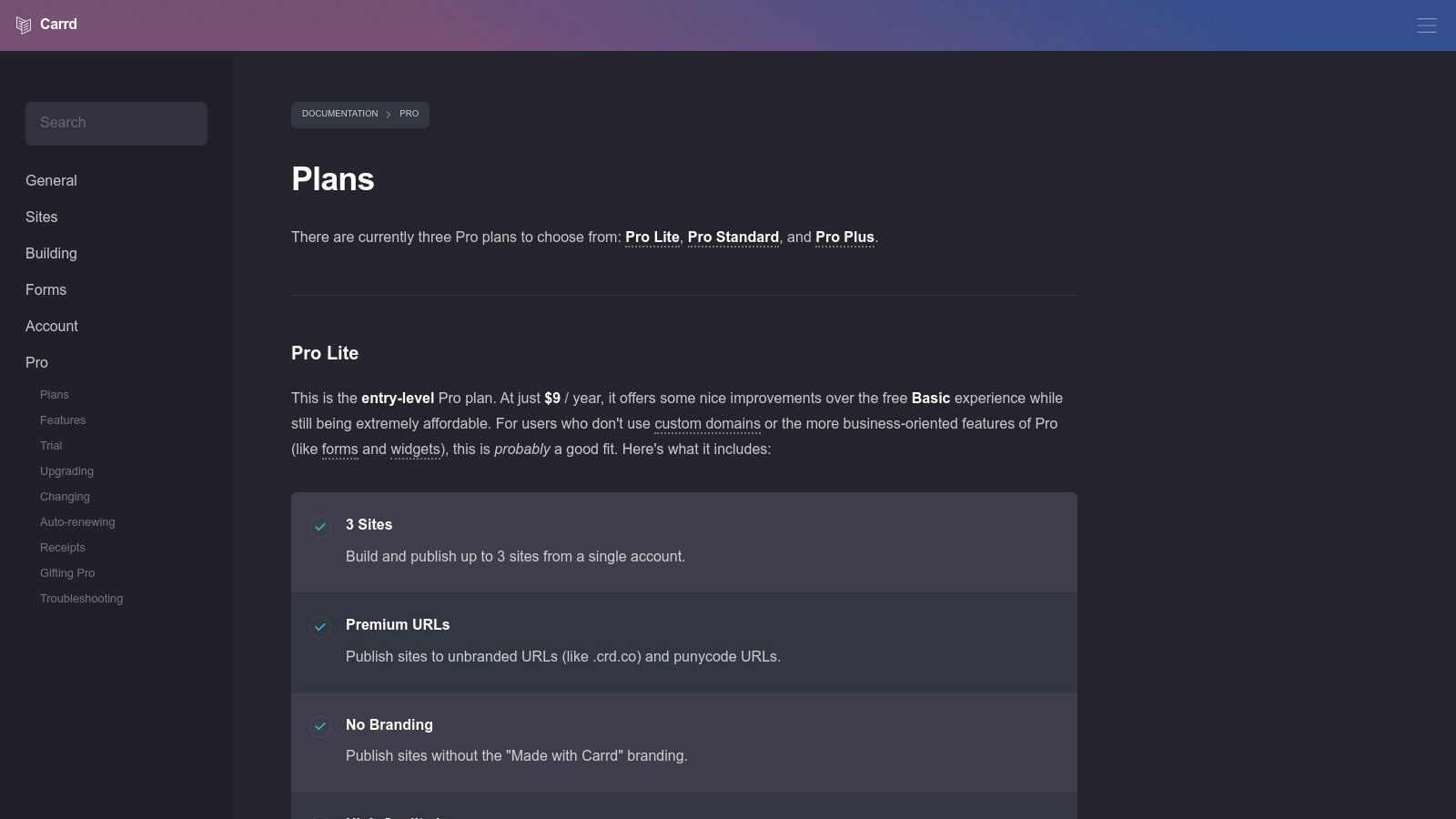
Unlike Webflow's comprehensive design and CMS capabilities, Carrd's strength lies in its limitations. By focusing solely on one-page layouts, its interface remains uncluttered and incredibly fast to learn. Users can start with a clean canvas or a pre-built template and have a professional-looking site live in under an hour. It’s the perfect tool for validating an idea with a quick landing page, creating a digital business card, or building a temporary site for an event without the overhead of a full-scale website builder.
Key Features & Use Case
Best For: Individuals, freelancers, and startups needing a quick, simple, and extremely low-cost single-page website for profiles, portfolios, or lead capture.
Editor Experience: A straightforward, intuitive builder with a clear focus on responsive design for single-page layouts.
Core Functionality: Supports custom domains, Google Analytics, forms for lead generation (via services like Zapier or Mailchimp), and embeds for widgets and payment buttons.
Pricing: The free plan allows for three sites on a carrd.co URL. Pro plans are exceptionally cheap, starting from just $19/year (Pro Lite), offering custom domains, no branding, and more advanced features.
Feature | Carrd |
|---|---|
Primary Advantage | Extremely affordable and incredibly fast for building simple, one-page sites. |
Key Limitation | Strictly limited to single-page websites; not suitable for blogs or e-commerce. |
Website |
10. Tilda
Tilda is a design-focused Webflow alternative that shines in creating visually rich landing pages, long-form articles, and portfolios. It employs a block-based system, offering over 550 pre-designed blocks that ensure responsive design right out of the box. This modular approach allows for rapid assembly of polished, professional-looking websites without touching code.
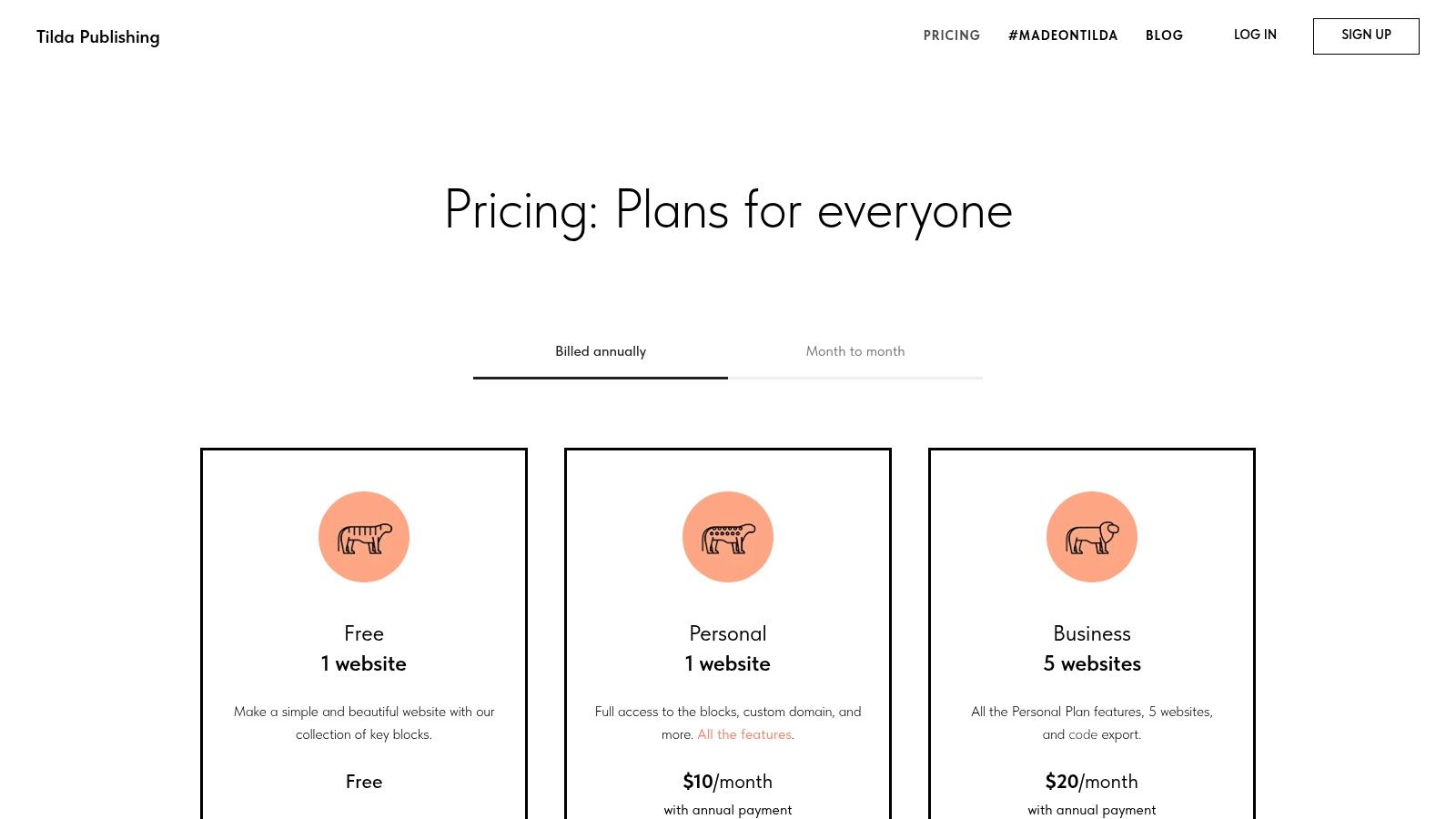
Where Tilda truly stands out is with its "Zero Block" feature, a free-form graphic editor that gives designers pixel-perfect control over every element, akin to working in Figma or Sketch. This bridges the gap between template-based simplicity and the granular control offered by Webflow. While its app ecosystem is smaller than that of larger platforms, it includes essential built-in tools like a basic CRM, forms, and e-commerce capabilities, making it a powerful tool for focused marketing and creative projects.
Key Features & Use Case
Best For: Designers, marketers, and content creators who need to build beautiful, content-driven websites and landing pages quickly.
Editor Experience: A hybrid model combining pre-made content blocks for speed with the advanced "Zero Block" editor for complete creative freedom over specific sections.
Code Export: The Business plan allows users to export the full HTML, CSS, and JavaScript code of their project, offering flexibility for self-hosting or further development.
Pricing: A free plan is available for one website. Paid plans are $15/month (Personal) and $25/month (Business), providing a cost-effective solution for advanced features.
Feature | Tilda |
|---|---|
Primary Advantage | Strong design focus with the "Zero Block" editor for full creative control. |
Key Limitation | Smaller third-party app ecosystem and fewer integrations than competitors. |
Website |
11. GoDaddy Website Builder
GoDaddy Website Builder is positioned as a powerful Webflow alternative for entrepreneurs and small businesses already invested in the GoDaddy ecosystem. It prioritizes speed to launch and simplicity, bundling domain management, hosting, and a website editor into a single, cohesive package. The platform is designed for those who need a professional online presence quickly without the steep learning curve associated with more complex design tools.
Instead of a free-form canvas like Webflow, GoDaddy uses a section-based editor. Users choose from pre-designed, goal-oriented sections (like "About Us," "Contact Form," or "Photo Gallery") and stack them to build a page. While this limits granular design freedom, it guarantees a mobile-responsive and professional-looking site with minimal effort. Its AI-powered setup tool can generate a foundational site based on your industry, making the initial build process exceptionally fast.
Key Features & Use Case
Best For: Small businesses, service providers, and GoDaddy customers who need a simple, fast-to-launch website with integrated marketing and e-commerce tools.
Editor Experience: A straightforward, section-based editor that is extremely beginner-friendly. The AI assistant helps generate initial designs and content.
Integrated Tools: Includes built-in appointments, email marketing, a basic CRM, and social media management tools directly within the dashboard.
Pricing: A free plan is available. Paid plans range from $11.99/month (Basic) for a personal site to $20.99/month (Commerce) for a full-featured online store with marketplace syncing.
Feature | GoDaddy Website Builder |
|---|---|
Primary Advantage | Extremely fast setup and launch, seamlessly integrated with GoDaddy's domain and hosting. |
Key Limitation | Design customization is significantly more restricted compared to Webflow or even Wix. |
Website |
12. HubSpot Content Hub (formerly CMS Hub)
HubSpot Content Hub emerges as a powerful Webflow alternative for businesses where the website is the engine for marketing, sales, and customer service. Its core strength lies in its deep, native integration with HubSpot's world-class CRM. This unified platform allows marketing teams to build personalized web experiences, capture leads, and nurture them through automated workflows without ever juggling separate tools.
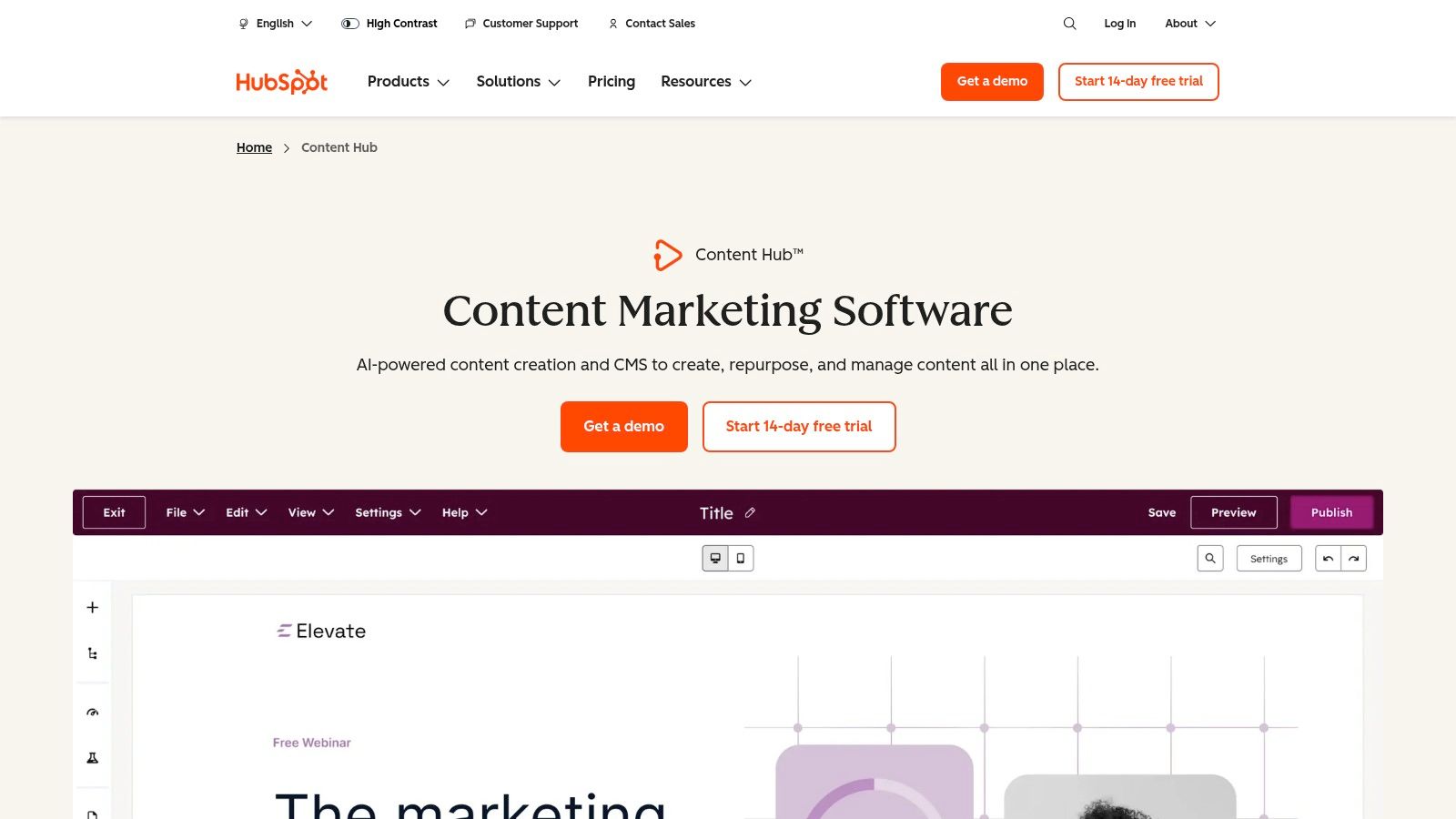
Unlike Webflow's focus on pure design fidelity, HubSpot prioritizes the entire customer journey. Its page and blog builder includes AI content assistants, dynamic personalization based on CRM data, and robust SEO tools designed to drive traffic and conversions. While it may not offer the same pixel-perfect, granular control as Webflow's designer, it excels at creating data-driven websites that adapt to user behavior, making it ideal for content-heavy, lead-generation-focused organizations.
Key Features & Use Case
Best For: Marketing-driven businesses and enterprises that need a website deeply connected to a CRM for lead generation, personalization, and sales alignment.
Editor Experience: A theme-based drag-and-drop editor focused on ease of use for marketing teams. It includes global content modules, templates, and AI tools for efficient content creation.
Deep CRM Integration: Leverage contact data to create personalized content, smart CTAs, and forms. All website interactions are automatically logged in the CRM.
Pricing: Starts with a limited free plan. Paid plans begin at $25/month (Starter) and scale significantly to $1,200/month (Enterprise), unlocking more advanced marketing automation, reporting, and team features.
Feature | HubSpot Content Hub |
|---|---|
Primary Advantage | Unmatched native integration between CMS, marketing automation, and CRM data. |
Key Limitation | Can be overly complex and expensive for simple websites not focused on lead-gen. |
Website |
12 Webflow Alternatives — Features & Pricing
Product | Core features | UX / Quality ★ | Value & Pricing 💰 | Target audience 👥 | Unique selling points ✨ |
|---|---|---|---|---|---|
Alpha 🏆 | AI-powered design, natural‑language editor, URL‑import, forms, analytics, mobile‑first | ★★★★★ | 💰 Free / $9 / $25 — affordable; page/chat limits on lower tiers | 👥 Entrepreneurs, startups, solopreneurs, small teams | ✨ Drop a URL to copy layout; NL edits; conversion‑focused templates |
Wix | Drag‑drop editor, 2,000+ templates, ecommerce, marketing suite | ★★★★☆ | 💰 Mid-range; regional pricing variation | 👥 Small businesses, beginners | ✨ Huge template & app ecosystem; integrated business tools |
Squarespace | Design‑forward templates, blogging, memberships, SEO & analytics | ★★★★☆ | 💰 Mid — premium design value | 👥 Creatives, portfolios, brand-driven businesses | ✨ Polished out‑of‑the‑box designs; cohesive visual stack |
Framer | Canvas editor, CMS, live collaboration, performance hosting | ★★★★☆ | 💰 Mid‑high; usage‑based limits | 👥 Design teams, marketers | ✨ Animated sites, real‑time collaboration, fast shipping |
WordPress.com (hosted) | Managed WP, themes/plugins, WooCommerce, CDN & backups | ★★★☆☆ | 💰 Variable — low to high depending on plugins/plan | 👥 Content-heavy sites, scalable stores, developers | ✨ Massive plugin/theme ecosystem & extensibility |
Shopify | Store builder, robust checkout, POS, multi‑channel selling | ★★★★☆ | 💰 Commerce-focused; app costs can add up | 👥 Merchants scaling ecommerce | ✨ Best‑in‑class ecommerce, checkout & fulfillment tools |
Duda | Agency tools, roles/permissions, white‑label, multi‑site ops | ★★★★☆ | 💰 Higher — agency pricing | 👥 Agencies, resellers, multi‑site teams | ✨ White‑label + strong client management & scaling tools |
Hostinger Website Builder | AI site/text/image tools, hosting, domain, ecommerce | ★★★☆☆ | 💰 Very affordable (promos); hosting included | 👥 Budget small businesses, solopreneurs | ✨ Low‑cost all‑in‑one bundle with AI assists |
Carrd | Lightweight one‑page templates, forms, embeds | ★★★★☆ | 💰 Extremely low-cost | 👥 Personal landing pages, MVPs, creators | ✨ Ultra‑cheap, super fast one‑page launches |
Tilda | Block-based builder, Zero Block visual designer, code export | ★★★★☆ | 💰 Mid — good for designers | 👥 Creative teams, marketers, long‑form landing pages | ✨ Zero Block designer + code export option |
GoDaddy Website Builder | Section editor, AI setup, domain/hosting, appointments | ★★★☆☆ | 💰 Competitive entry pricing; renewal increases | 👥 Small businesses needing speed & bundling | ✨ Integrated domain/hosting with very fast launch |
HubSpot Content Hub | CMS + CRM integration, personalization, workflows, HubDB | ★★★★☆ | 💰 Expensive as seats/features scale | 👥 Marketing teams, mid‑market & enterprises | ✨ Deep CRM + CMS + automation for lead nurturing |
The Right Builder Is the One That Gets You Live
The journey through the landscape of Webflow alternatives reveals a fundamental truth: the perfect website builder is not a one-size-fits-all solution. It's a strategic business decision hinging on a trade-off between granular control and go-to-market speed. Webflow has long been the champion of absolute design freedom, but this power comes at the cost of a significant time investment and a steep learning curve that can sideline entrepreneurs and marketers. For many, the goal isn't to become a web developer; it's to launch a professional, effective online presence as efficiently as possible.
This exploration has shown that the market is rich with powerful platforms catering to specific needs. Each tool we've analyzed presents a different answer to the question, "What is the most important factor in building my website?" The right choice depends entirely on your unique answer.
Recapping Your Options: A Quick Decision Guide
Making a final decision can feel overwhelming, so let's distill the key takeaways into actionable paths. Your choice will likely fall into one of these core categories, making it easier to identify the best fit among the many Webflow alternatives.
For Unmatched Speed and AI-Powered Efficiency: If your primary goal is to get a stunning, high-performance website live in hours, not weeks, Alpha is the clear frontrunner. Its revolutionary URL-to-website conversion and natural language editing capabilities eliminate the traditional design and development bottlenecks. It is purpose-built for entrepreneurs and small teams who value speed and results over endless tweaking.
For Design-Forward Creatives: If you're a designer who finds Webflow's developer-centric approach cumbersome but still craves a high-fidelity, interactive design environment, Framer is your ideal match. It bridges the gap between design tool and website builder, offering a more intuitive, visually-driven workflow that feels familiar to users of tools like Figma.
For Robust E-commerce Operations: For businesses where selling products online is the central function, the choice is straightforward. Shopify is the undisputed leader, providing an end-to-end commerce ecosystem that handles everything from inventory and payments to marketing and fulfillment. Its focus is singular and powerful: to help you sell more effectively.
For Simplicity and All-in-One Solutions: If you prioritize ease of use above all else, platforms like Squarespace, Wix, and Hostinger Website Builder offer streamlined, template-driven experiences. They bundle hosting, design, and basic marketing tools into a single, user-friendly package, making them excellent for small businesses, portfolios, and personal sites.
Final Considerations Before You Build
As you move from analysis to action, remember the platform is just the tool; your strategy is what drives success. Don't get trapped in "analysis paralysis," endlessly comparing minor features. The best platform is ultimately the one that empowers you to launch, test, and iterate quickly.
Consider your long-term goals. Will your site need to scale with a growing team? Will you require deep marketing automation integrations, like those offered by HubSpot Content Hub? Or is your primary need a simple, elegant online brochure, a task for which Carrd excels? Choose a partner that not only meets your needs today but also aligns with your vision for tomorrow. The most critical step is to move forward. Pick the builder that resonates most with your workflow and business objectives, and start building.
Ready to skip the learning curve and launch a beautiful, conversion-optimized website this week? Alpha uses advanced AI to build your site from any existing URL or from scratch using simple text prompts. Stop wrestling with complex tools and start focusing on your business. Try Alpha for free and see how quickly you can go live.
Build beautiful websites like these in minutes
Use Alpha to create, publish, and manage a fully functional website with ease.