How to Create Website Mockups People Actually Love
Learn how to create website mockups that bridge the gap between idea and reality. Our guide covers tools, principles, and developer handoff.
Build beautiful websites like these in minutes
Use Alpha to create, publish, and manage a fully functional website with ease.





The whole website builder vs. WordPress debate really comes down to one thing: do you want to get online fast with a simple, all-in-one tool, or do you need total control and are willing to handle the technical side of things? AI website builders are built for speed and simplicity, while WordPress gives you endless flexibility.
Comparing the Two Paths to a Professional Website
Picking your platform is one of the most important calls you'll make as an entrepreneur. This isn't just about a list of features; it's about matching the tool to your business goals, your comfort level with tech, and how much time you can realistically spend.
On one side, you've got modern AI website builders like Alpha. Think of them as a complete package deal. They roll hosting, security, and design tools into one straightforward subscription. This is the perfect route for anyone who needs a professional, conversion-ready website up and running yesterday, without ever having to look at code.
Then there's WordPress, the open-source Content Management System (CMS) that runs a massive chunk of the internet. It's less of a package deal and more like a powerful engine that you can build almost anything on top of. Its real strength is the enormous ecosystem of themes and plugins that let you customize every little detail. But with that freedom comes more responsibility—you're in charge of your own hosting, security, and updates. If you're still weighing your choices, our guide on the best platforms to build a website can offer a wider view.
The decision boils down to a trade-off: Do you want the streamlined convenience of a managed service that lets you focus solely on content and marketing, or the total creative freedom of a self-managed platform that requires more technical oversight?
This guide will break down that choice by looking at the practical differences that really matter to business owners. We’ll compare everything from the initial setup and true costs to what happens when your business starts to grow.
At a Glance Website Builder Vs WordPress
Before diving deep, let's start with a high-level look at how these two options stack up. This table gives you a quick snapshot to help frame your decision.
Criteria | AI Website Builder (e.g., Alpha) | WordPress |
|---|---|---|
Ease of Use | Incredibly simple; uses drag-and-drop or AI prompts. No tech skill needed. | Has a learning curve. You'll need to get comfortable with its dashboard, themes, and plugins. |
Setup Time | Super fast. You can go from zero to a live site in a few hours or a single day. | Takes longer. Anywhere from a few days to several weeks, depending on how custom you want it. |
Ideal User | Beginners, small businesses, and entrepreneurs who need a great site, fast. | Developers, bloggers, and anyone who wants deep, granular control over their site's design and function. |
Maintenance | None. It's all handled for you by the platform. | It's all on you. You're responsible for updates, security, and backups. |
Total Cost | A predictable monthly or annual subscription fee covers everything. | Costs are variable. You pay separately for hosting, premium themes, plugins, and maybe a developer. |
As you can see, the right choice really depends on what you value most: speed and simplicity, or power and control. Now, let's get into the specifics.
Understanding the Core Philosophy of Each Platform
Deciding between a modern website builder and WordPress isn't just a technical choice—it's about picking a philosophy that matches your goals. The whole website builder vs WordPress debate really comes down to one simple trade-off: control versus convenience. Once you grasp this, making the right decision for your business becomes much clearer.
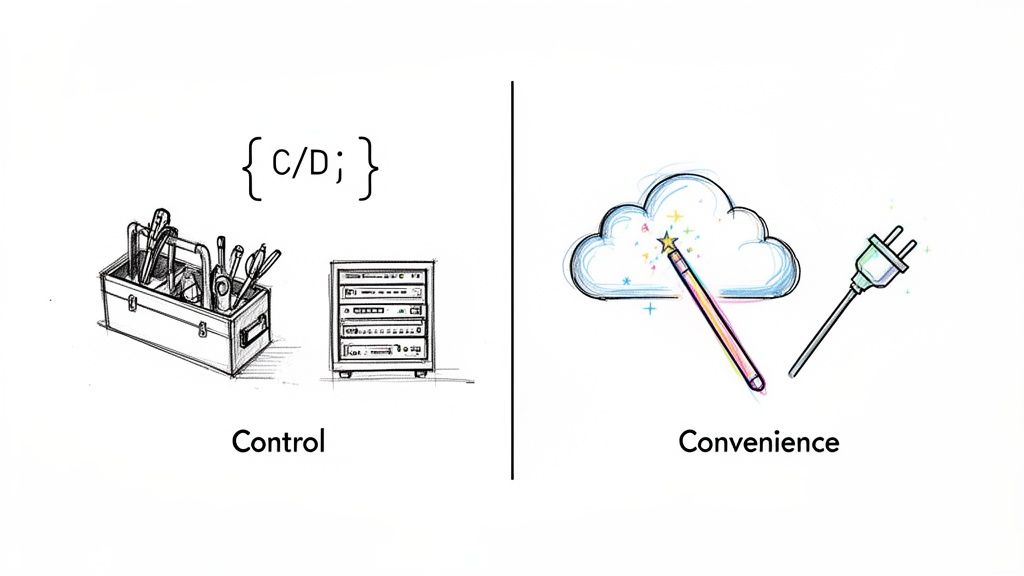
WordPress is all about total control and ownership. It’s an open-source Content Management System (CMS), which means you get the keys to the entire kingdom. You can tweak, customize, and build upon its foundation in nearly endless ways.
This freedom is precisely why WordPress powers such a huge slice of the internet. Its market dominance is undeniable, commanding 61.7% of the CMS market share as of 2025. That's a massive jump from just 27.3% back in 2017, proving its lasting power and flexibility. You can dig into these WordPress market share trends to get a sense of its scale.
But all that control comes with a catch: responsibility. You're the one in charge of finding a hosting provider, running software updates, handling security, and backing up your site. For a developer or a business with an IT department, this is exactly what they want. For a busy entrepreneur, it can be a massive headache and a distraction from actually running the business.
The SaaS Approach: Convenience First
On the other side of the coin, AI website builders like Alpha are built on a philosophy of maximum convenience. These platforms are Software-as-a-Service (SaaS) solutions, which means they bundle everything you need into one managed package.
It’s like leasing a fully furnished, serviced office instead of buying and managing the whole building. A platform like Alpha takes care of all the technical heavy lifting for you:
Hosting: Your site lives on their optimized servers, and it's all included in the price.
Security: SSL certificates, malware scans, and security updates are handled automatically.
Maintenance: You'll never have to worry about a plugin update breaking your site.
This all-in-one approach is designed to remove the technical hurdles that often trip up business owners. Instead of fighting with server settings or plugin conflicts, you get to focus on what matters—creating great content and growing your audience.
This is the fundamental difference: WordPress gives you a powerful toolkit if you want to build and manage every single piece of your digital presence. AI builders offer a streamlined service for people who just want a professional result without the technical overhead.
AI as the Ultimate Convenience Layer
Today's platforms are pushing this convenience even further with artificial intelligence. For instance, Alpha directly tackles one of the biggest pain points for any business owner: getting a professional design up and running quickly. Its feature that can replicate any website's layout from just a URL is a perfect example of this philosophy.
This lets you borrow a proven, effective design without the weeks of development it might take in WordPress. It’s not about giving you fewer options; it's about providing a smarter, faster way to get a high-quality website. For a busy entrepreneur, that's the ultimate convenience.
Comparing Setup Time and Ease of Use
When you're deciding between an AI website builder and WordPress, the first real difference you'll feel is the time it takes to get your site online. This initial setup phase is where the two options show their true colors, and it directly affects how quickly you can get in front of your customers.
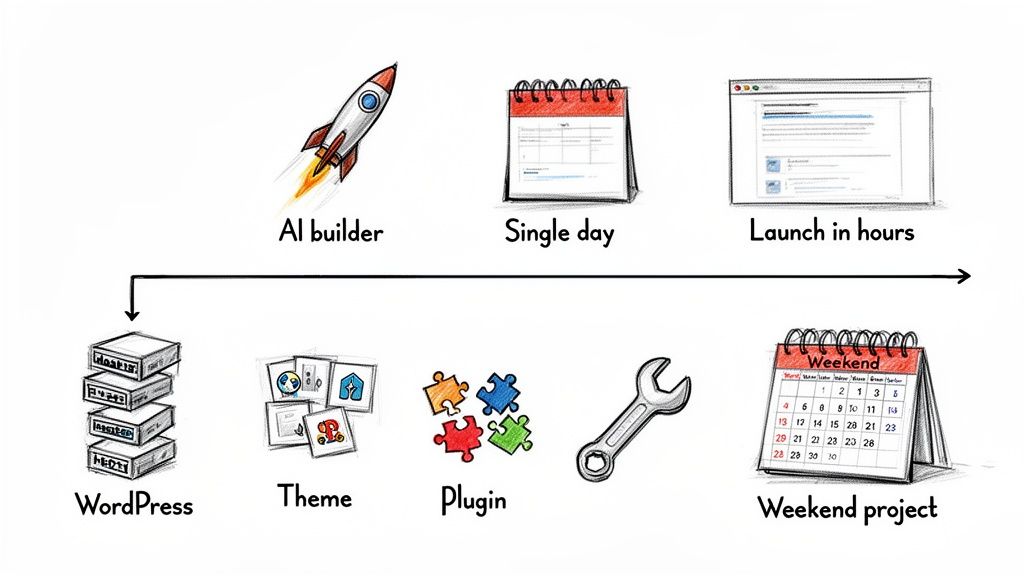
An AI-powered builder like Alpha is built for one thing above all else: speed. For a busy entrepreneur, this means you can go from a simple idea to a live, professional website in a single afternoon. The whole experience is designed to be intuitive, getting rid of any technical roadblocks.
The AI Builder: An Afternoon Launch
Getting started with a platform like Alpha is a guided, straightforward experience. You don't have to install any software or figure out web hosting. You just sign up, answer a few questions about your business, and the AI generates a sharp, mobile-friendly website in minutes.
From there, making changes is as simple as using a drag-and-drop editor or just telling the AI what you want in plain English. Need a new color palette or a section for customer reviews? Just type your request, and the AI handles it instantly.
“Alpha built my website quickly and perfectly, nothing else I tried compared AT ALL. Highly recommend it for anyone looking for top-notch website creation!" - Rat Ramrath
This approach completely flattens the learning curve. Research shows that while one in three people have tried to build their own site, many give up because it's just too complicated. This is exactly where AI builders win by making the process so simple that you can launch in hours, not the weeks it can often take with WordPress. You can read more about the challenges users face with website complexity on themeisle.com.
The WordPress Path: A Weekend Project
In stark contrast, launching a WordPress site is a hands-on, multi-step process. It’s less of an afternoon task and more of a weekend project—and that’s if you don’t run into any major snags.
The journey starts with a few foundational tasks that an AI builder simply does for you:
Find and Secure Hosting: First, you have to research and buy a web hosting plan from a separate company. This means sifting through different providers, plans, and pricing models.
Install the WordPress Software: Once you have hosting, you need to install WordPress on your server. Many hosts advertise a "one-click install," but it’s still another manual step on your checklist.
Choose and Set Up a Theme: Next, you'll browse thousands of themes to find a look that fits your brand. After you install it, you have to configure its unique settings, which can be wildly different from one theme to the next.
Install Essential Plugins: A fresh WordPress installation is surprisingly basic. You’ll need to find, install, and configure plugins for fundamental features like contact forms, SEO, security, and site speed.
Every one of these steps can be a point of friction. You could easily lose a few hours just picking a hosting provider or a theme. Then you have to get comfortable with the WordPress dashboard itself—learning the difference between posts and pages, navigating the theme customizer, and figuring out how widgets and menus work.
On top of that, plugin conflicts are a classic headache for newcomers. If you install two plugins that don't play well together, you can break your site and be forced to troubleshoot by deactivating them one by one. This hands-on management is just part of the WordPress experience.
Ultimately, it comes down to what you value more: your time or total control. For an entrepreneur focused on getting to market fast, the efficiency of an AI builder is a massive advantage. WordPress offers incredible power, but it demands a significant upfront investment of time to learn the system and piece everything together.
Evaluating Customization and Design Flexibility
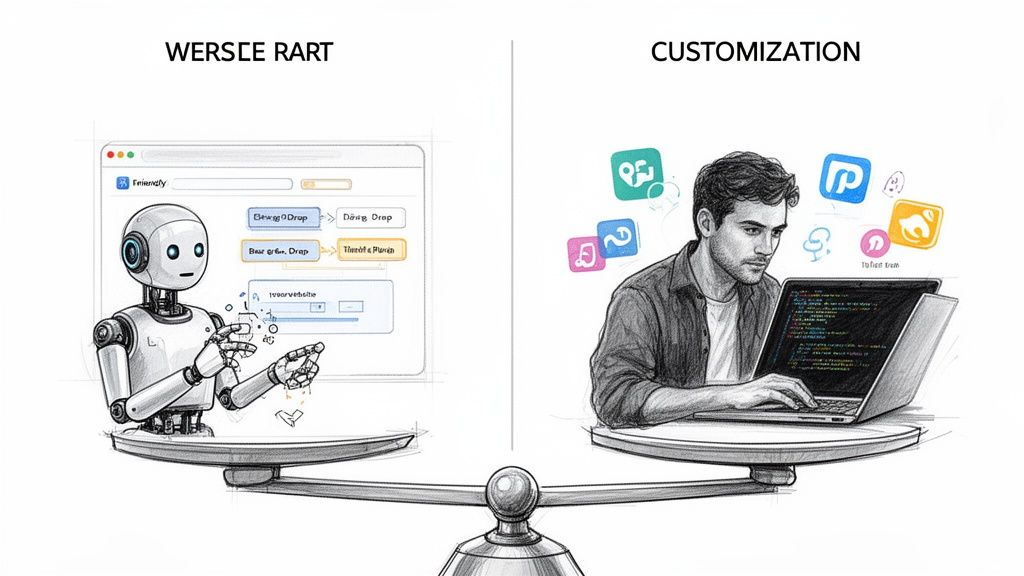
The conversation around customization is a classic sticking point when comparing AI website builders to WordPress. For years, the story was simple: WordPress gave you limitless freedom, while builders boxed you in. But that black-and-white view is fading fast as modern AI platforms bring smarter, more efficient ways to create unique, high-performing websites.
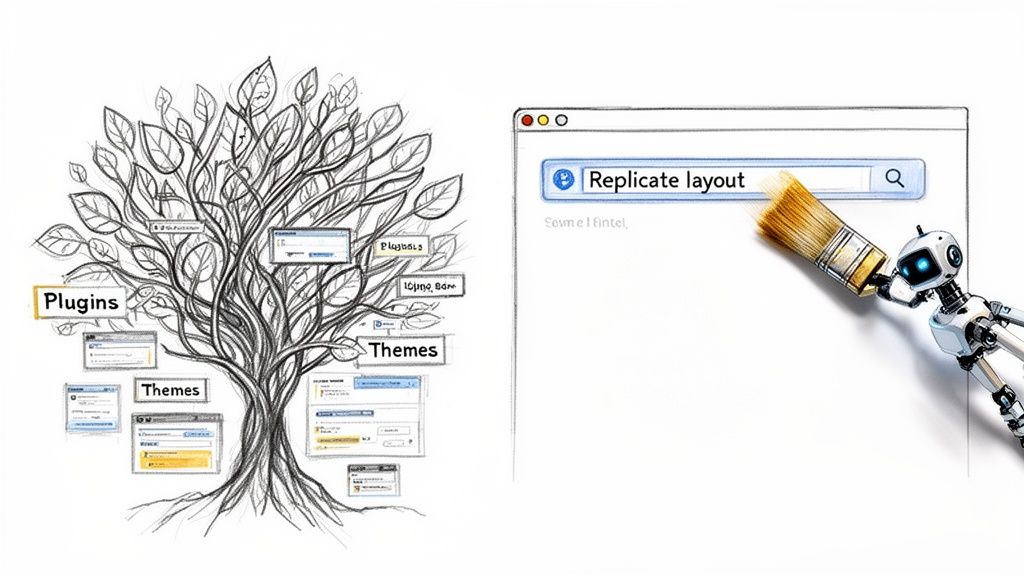
WordPress earned its reputation for a reason. With thousands of themes and powerful page builder plugins, you can theoretically build anything you can dream up. Its open-source nature means you have full access to the code, offering deep, granular control over every pixel and function on your site.
But that "limitless" potential comes with a few significant catches. The sheer volume of choices can be paralyzing. And bringing a specific vision to life often demands real technical skill in CSS, PHP, or JavaScript. If you want to push the envelope with advanced data and layouts, you’ll need to get comfortable with features like WordPress custom fields, which adds another steep learning curve.
The Hidden Cost of Endless Options
The primary way to add features to WordPress is through its massive plugin library. Since launching in 2003, the platform has grown to power over 30 million active websites, backed by an ecosystem of more than 70,000 plugins. This sounds great on paper, but for many small business owners, this strength becomes a major weakness.
In the real world, many entrepreneurs end up using a tiny fraction of this power—often just 5-7%—before abandoning their complex setups due to technical headaches and hosting issues. This is the reality of "plugin bloat." Every plugin you add brings more code, which can spiral into serious problems:
Performance Hits: Too many plugins can make your website painfully slow, hurting both user experience and your SEO rankings.
Security Risks: Each plugin is another potential backdoor for hackers. Keeping them all updated becomes a constant, necessary chore.
Plugin Conflicts: Sometimes, plugins just don't play well together. The result? A broken site and hours of frustrating troubleshooting.
For an entrepreneur, time spent wrestling with these technical issues is time not spent growing the business. The promise of infinite choice often dissolves into a reality of constant, hands-on management.
AI Website Builders: The Shift to Intelligent Customization
Modern AI website builders like Alpha are flipping the script. They're changing the conversation from "limitless options" to "intelligent customization." Instead of dropping a massive, complicated toolbox in your lap, they offer a smarter, guided path to a professional and effective design.
This approach is all about business results, not just technical possibilities. The goal isn’t just to build a unique-looking website; it's to build one that’s optimized for performance and conversions right out of the box.
The core idea is simple: You don't need endless choices to get a great result. You need the right choices, presented in a way that lets you build a powerful website quickly and efficiently.
Alpha’s ability to replicate a competitor's site layout from just a URL is a perfect example of this philosophy in action. This feature is a game-changer. Instead of trying to reinvent the wheel, you can analyze a competitor's successful website—one that’s likely been tested and optimized over time—and use its structure as a proven starting point.
This isn't about blind copying; it's about learning from what already works and applying it to your own brand in minutes. This single feature helps you bypass countless hours of design guesswork and technical wrangling that you'd face in WordPress. It's a direct route to an effective, high-quality design, letting you focus on your content and message—not on fighting with code or conflicting plugins.
The Real Cost: Maintenance, Security, and Your Time
The price tag you see on a website platform is never the final number. When you’re looking at an AI website builder versus WordPress, you have to think beyond the initial setup cost and consider the total cost of ownership. That includes your time, hidden fees, and who’s on the hook for security.
WordPress itself is free, open-source software, but that's a bit misleading. Running a WordPress site is anything but free. It works on an à la carte model, meaning you’re responsible for pulling together—and paying for—all the different pieces required to make it work.
The WordPress Cost Breakdown
A realistic budget for a WordPress site has a lot of moving parts that can add up faster than you’d think. You have to find, vet, and pay for each component on your own.
Web Hosting: This is a non-negotiable, recurring fee. It can be just a few dollars a month for cheap shared hosting or climb to hundreds for powerful managed hosting that keeps your site fast.
Domain Name: A yearly fee, usually around $10 to $20, to keep your website address.
Premium Themes & Plugins: Sure, there are free options, but most serious businesses quickly find they need premium tools for better designs and specific features. These can be one-time purchases ($50 - $250+) or, more commonly now, annual subscriptions ($50 - $300+ per plugin).
Developer Fees: This is the wild card. When a plugin update breaks your layout or you need a custom function, you'll likely have to hire a developer. That could be a small one-time fee for a quick fix or thousands for a bigger project.
On top of the direct costs, there's the massive "time cost." With WordPress, you are the system administrator. That means you’re in charge of regular site backups, updating the WordPress core software, and keeping every theme and plugin current. Each update comes with the risk that something might break, and if you let it slide, you're leaving the door wide open for security threats.
The All-Inclusive Builder Model
AI website builders like Alpha flip the script with an all-inclusive subscription. This approach is all about predictability. Everything you need is bundled into one fixed monthly or annual fee, so there are no surprises.
With a platform like Alpha, your subscription covers the works:
High-Performance Hosting: It's built right in and already optimized for performance. You don't have to spend hours researching hosting companies.
Security & SSL: Your site automatically gets an SSL certificate, and the platform's own team handles all the security patches, malware scanning, and threat monitoring behind the scenes.
Software Maintenance: You will never have to click "update plugin" and cross your fingers again. The provider manages all software updates centrally, so nothing on your site breaks.
This managed approach delivers real business value by eliminating the technical grunt work and the unpredictable costs that come with WordPress. You won't get a surprise invoice from a developer because a botched update knocked your site offline. Instead, you have a simple, predictable operating expense.
The core difference is who carries the risk. With WordPress, you are responsible for the technical integrity, security, and maintenance of your site. With an AI builder, the platform takes on that responsibility, giving you peace of mind.
This frees you up to focus on what actually grows your business—marketing, talking to customers, and making sales—instead of playing IT admin. For a deeper dive into everything required to keep a site running smoothly, check out this comprehensive website maintenance checklist.
Ultimately, the WordPress route gives you total control over every line item in your budget, but it demands a significant investment of your time and technical know-how. An AI website builder, on the other hand, offers a worry-free, predictable cost where all the heavy lifting of maintenance and security is completely handled for you.
Making the Right Choice for Your Business
When it comes to the website builder vs. WordPress debate, the best choice really boils down to one simple question: what does your business actually need to win? It’s easy to get lost in feature lists, but the right platform is the one that aligns with your budget, timeline, and goals—the one that helps you get where you're going with the least resistance.
A huge part of this decision is how you look at cost. We're not just talking about the upfront price, but the total investment of time and money over the long haul. This flowchart breaks down the two very different ways costs can play out.
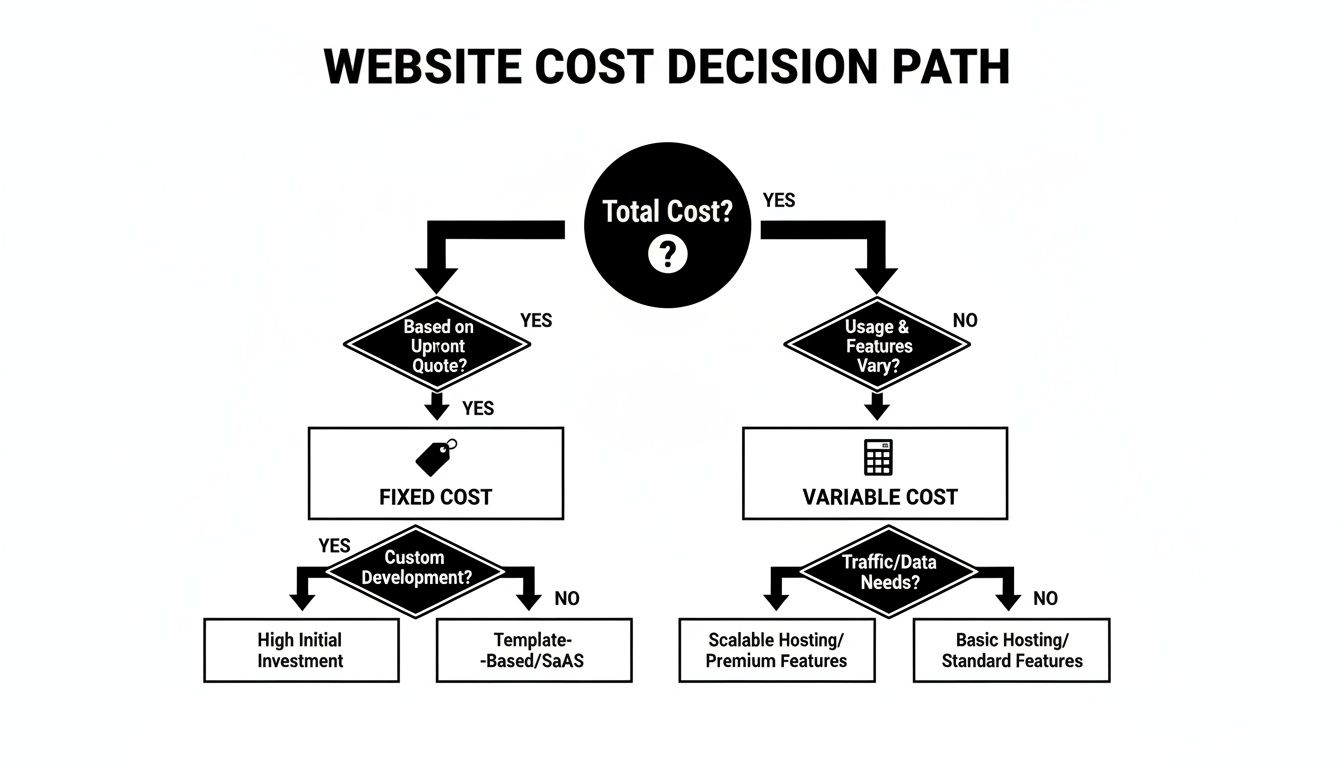
As you can see, AI website builders give you a fixed, predictable monthly bill. WordPress, on the other hand, is more of an à la carte model where your expenses can really fluctuate depending on your needs.
Who Should Choose WordPress
Let's be clear: WordPress is still the king if you need absolute, granular control over every pixel and line of code. Its real power shines for a few specific types of users who can handle its complexity and turn it into an advantage.
WordPress is probably your best bet if you're a:
Developer or Agency: You live and breathe code and need direct access to build completely custom, often complex websites for your clients.
Large Enterprise: Your organization has a dedicated IT department ready to tackle security, performance tuning, and tricky integrations with other enterprise systems.
Major Publisher: You’re running a media empire and need deep control over your ad stack, custom content types, and sophisticated editorial workflows.
For these groups, the ongoing maintenance is just the cost of doing business for a platform that offers limitless possibilities. The steep learning curve isn't a bug; it's a feature that unlocks total customization.
Who Should Choose an AI Website Builder
On the flip side, an AI-powered website builder like Alpha is built for entrepreneurs and teams who value speed, efficiency, and results above all else. This route is for people who see their website as a tool for growing their business, not a technical project that needs constant management.
Alpha is the hands-down winner if you're a:
Small Business Owner: Your main job is serving customers and making money, not fiddling with broken plugins or worrying about server updates.
Startup Founder: You need to get a polished, professional website online fast to test your idea and start winning over your first customers.
Marketing Team: You need to spin up landing pages, A/B test campaigns, and react to market changes without waiting weeks for a developer.
For a modern business, speed is everything. An AI builder takes a project that could last months and turns it into a weekend task. That lets you start focusing on growth from day one.
While it helps to understand the broader world of Content Management System (CMS) options, for most business owners, the decision gets a lot simpler when you ask yourself what your time is worth. For a deeper dive, our guide on choosing a website builder for small business offers more specific advice.
Ultimately, think of it this way: WordPress gives you a powerful toolkit to build a car from scratch. An AI builder like Alpha hands you the keys to a high-performance vehicle, gassed up and ready to go, so you can just focus on the road ahead.
Frequently Asked Questions
When you're deciding between a modern website builder and the old guard like WordPress, a few questions always seem to pop up. Let's tackle the most common ones so you can feel confident in your choice.
Which Platform Is Better for SEO?
This is the million-dollar question, and the answer isn't as simple as one being "better" than the other. Both can get you to the top of Google, but they take very different paths to get there.
WordPress has a legendary reputation for SEO, but it's not magic. That power comes from incredibly detailed plugins like Yoast SEO, which give you granular control over every little detail. The catch? The responsibility is entirely on you. A slow theme, bad hosting, or poorly configured plugins can completely tank your rankings.
Modern AI builders, on the other hand, build the SEO fundamentals right into the platform. You get clean code, lightning-fast load times, and automatic mobile optimization from the get-go. This built-in advantage means it's much harder to mess things up, giving non-technical users a solid SEO footing from day one.
The real difference is this: WordPress gives SEO experts a massive toolbox with infinite knobs to turn. AI builders give everyone else a high-performance engine that's already finely tuned.
Can I Move from a Website Builder to WordPress Later?
Technically, yes, but I wouldn't recommend it. Thinking you can just "export" your site from a builder to WordPress is a common misconception. Most builders are closed systems, meaning there's no magic "move my site" button.
Migrating your site is a painstaking, manual job. You’d have to:
Rebuild every single page, one by one.
Copy and paste all your text and re-upload every image.
Create hundreds of 301 redirects to tell Google where your old pages have gone, or risk losing all your SEO progress.
It’s a huge, often expensive, undertaking that usually requires hiring a developer. It's far better to think long-term and pick the platform that aligns with your goals from the start.
Do I Need to Know Code to Use WordPress?
You can get a basic WordPress site up and running without touching code, especially if you stick to a pre-made theme and a page builder plugin. But what happens when you want to change something the theme doesn't allow? Or when a plugin update breaks your layout?
That's when you'll find yourself digging into CSS or HTML files to fix things. This is a core difference in the website builder vs WordPress debate. AI-powered builders are designed from the ground up to be completely code-free. You can customize anything you see using visual tools and simple instructions, ensuring you get the exact design you want without ever having to become a part-time developer.
Ready to build a professional website in minutes without the technical headaches? Alpha uses AI to generate a stunning, conversion-focused site that you can launch today. Get started for free and see the difference.
Build beautiful websites like these in minutes
Use Alpha to create, publish, and manage a fully functional website with ease.