





How to Create Website Mockups People Actually Love
Learn how to create website mockups that bridge the gap between idea and reality. Our guide covers tools, principles, and developer handoff.

EXAMPLES
Build beautiful websites like these in minutes
Use Alpha to create, publish, and manage a fully functional website with ease.
The right website builder for a small business is so much more than a digital business card. Think of it as your central command center for growth—a place that merges intuitive design with the marketing, sales, and analytics tools you actually need to win new customers. And you shouldn't have to be a tech wizard to use it.
Why Your Business Needs More Than Just a Website
Years ago, just having a website was enough. It was basically an online signpost, a simple "we're open" sign for the internet. But times have changed. Your website needs to be an active, round-the-clock employee that generates leads, closes sales, and builds your brand while you sleep.
This is exactly why picking the best website builder for your small business is one of the most critical decisions you'll make. You aren't just choosing a design platform; you're choosing a business partner. The right one should let you:
Capture Leads Effortlessly: Think integrated forms, appointment schedulers, and email list builders—all working seamlessly on your site.
Sell Products or Services: You need a smooth e-commerce setup with secure payment options that customers trust.
Analyze and Adapt: Good built-in analytics are non-negotiable. You have to know what visitors are doing so you can make smarter decisions.
From Static Page to Growth Engine
When you start seeing your website as a growth engine, your entire approach shifts. You stop asking, "Does it look pretty?" and start asking, "Is it getting results?"
A great example of this is understanding the power of local SEO for small businesses. This isn't just a buzzword; it's how your website actively finds and attracts customers in your neighborhood, effectively turning your site into a local digital storefront.
This is where a modern platform like Alpha really shines. It gives you a single dashboard to manage all these different growth activities in one place.

Having everything unified like this means less time spent fumbling with a dozen different apps and more time focused on your customers. The market for these all-in-one tools is exploding for a reason—it’s projected to hit USD 6.68 billion by 2030. It just proves how vital they've become for businesses trying to grow.
Identifying the Features That Will Fuel Your Growth
Before you get dazzled by a gallery of sleek templates, let's get real about what your business actually needs to succeed online. Picking the right website builder for a small business isn't about grabbing the one with the longest feature list. It's about finding a perfect match between its tools and your specific goals. What's a game-changer for one company could be dead weight for another.
A local restaurant, for example, lives and dies by its online ordering system, easy-to-update menus, and stellar local search presence. A consultant's website, on the other hand, is practically useless without a seamless appointment scheduler that syncs to their calendar. They're both small businesses, but their "must-have" lists are worlds apart.
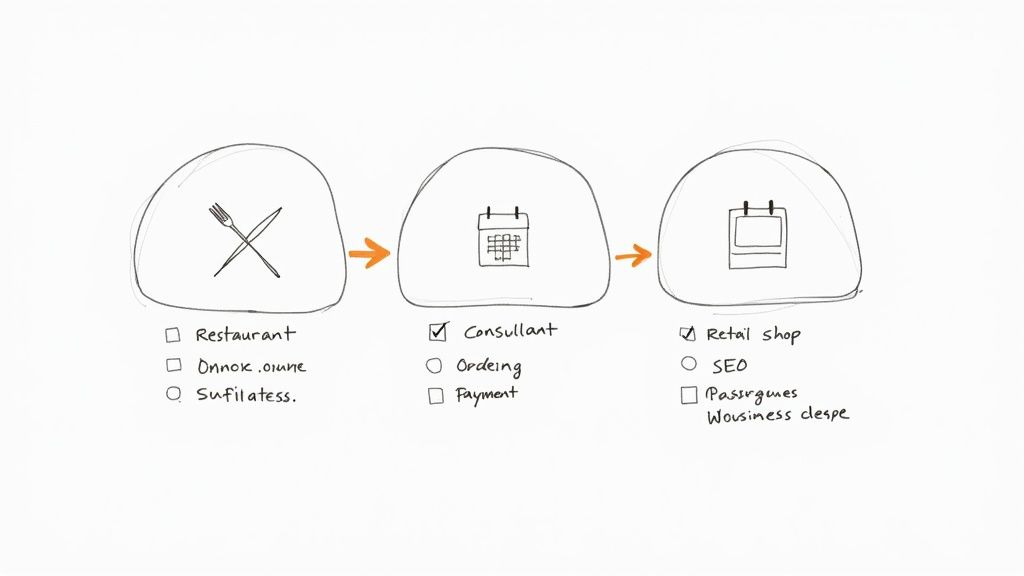
Think of it like creating a scorecard before you start shopping. When you know exactly what you're looking for, you can cut through the marketing fluff and choose a platform based on what will actually move the needle for your business.
To help you get started, here's a quick rundown of the features that matter most and why.
Key Website Builder Features for Small Businesses
This table breaks down the critical features you should be looking for, separating the essentials from the nice-to-haves.
Feature Category | Why It's Important | Example Use Case |
|---|---|---|
Mobile-First Design | With over 60% of website traffic on mobile, a site that isn't flawless on a phone is a closed door to most customers. | A potential customer finds your bakery on Google Maps and clicks to view your daily specials on their phone while walking by. |
Built-in SEO Tools | These tools help search engines find and understand your site, making it easier for customers to discover you organically. | You easily update the page title for your "Handmade Leather Wallets" page to rank higher for that specific search term. |
Integrated Analytics | You can't improve what you don't measure. Analytics show you who your visitors are and what they do on your site. | You notice a blog post about "Spring Cleaning Tips" is getting a lot of traffic, so you create a related service package. |
E-commerce Suite | For selling products online, this includes everything from secure payments to inventory and shipping management. | A customer purchases a t-shirt, pays with PayPal, and automatically receives a shipping confirmation email. |
Booking & Scheduling | Lets service-based businesses accept appointments 24/7 without needing to pick up the phone. | A client books a 30-minute consultation for next Tuesday, which automatically appears on your Google Calendar. |
Blogging Platform | Essential for content marketing, it helps you attract customers by sharing your expertise and building authority. | A real estate agent writes a weekly article on "Tips for First-Time Homebuyers" to attract qualified leads. |
Having a clear picture of these features will make your evaluation process much more effective.
Start with the Non-Negotiables
No matter what industry you're in, some things are simply table stakes. These are the foundational pieces that ensure your site looks professional, gets found, and works for your visitors.
A Truly Mobile-First Experience: Don't just settle for "mobile-friendly." Your website has to look and feel great on a phone. If pinching and zooming are required, you've already lost.
Fundamental SEO Controls: You absolutely need the ability to edit page titles, meta descriptions, and image alt text. A good builder won't just give you the fields; it'll offer prompts and guides to help you get it right.
Easy-to-Read Analytics: You shouldn't need a data science degree to understand how your site is performing. Look for a simple dashboard that shows you where traffic is coming from and which pages are most popular.
These are the bedrock of any solid business website. Get these right first.
I’ve seen so many business owners get fixated on a single flashy feature, only to realize months later that their site is invisible on Google or unusable on a phone. Always nail down the fundamentals before you worry about the extras.
Then, Find the Tools for Your Trade
Once you've confirmed a platform has the basics covered, it's time to zero in on the specialized tools that fit your business model. This is where you separate the good from the great. A retail shop has completely different needs than a B2B service provider.
Here's what to look for based on your business type:
Selling Products? You need a robust e-commerce engine. This means secure payment options (like Stripe or PayPal), real-time inventory tracking, automated tax calculations, and flexible shipping settings.
Selling Services? An appointment and booking system is your best friend. Make sure it can handle different service lengths, block out personal time, and, most importantly, sync with the calendar you already use (like Google Calendar or Outlook).
Building an Audience? If content is key to your marketing, you'll need a first-class blogging platform. Look for a clean editor, post scheduling, and easy ways to categorize your content. Strong contenders here are often platforms like Wix and Squarespace.
Creating a Community? For those offering courses, premium content, or a private community, look for built-in membership and content gating. This lets you create subscription-based income streams without bolting on clunky third-party tools.
This is where a unified platform like Alpha really shines. Its tools are designed to talk to each other. For instance, its AI can help you draft a blog post that promotes a new product you just added to your e-commerce store, making sure your marketing is always connected to your sales goals.
A Realistic Look at the Top Website Builders
Picking the right website builder for your small business is a big deal. You're not just choosing some software; you're laying the foundation for your entire online presence. Let's get real and break down the big three: Wix, Squarespace, and WordPress.
Each of these platforms caters to a different type of entrepreneur. The goal isn't to find the "best" one, but to find the best one for you and your business.
Wix: The Creative Powerhouse
Think of Wix as your digital canvas. If you want absolute control over where every button, image, and text box goes, this is your platform. Its drag-and-drop editor is famous for being incredibly flexible, letting you move elements around with pixel-perfect precision.
This level of freedom is fantastic for businesses where unique visual branding is everything—think boutique design studios, custom jewelry makers, or any brand with a very specific aesthetic. You can start from a template, but you’re never boxed in by it.
Squarespace: The Design-First Champion
While Wix gives you total freedom, Squarespace gives you guardrails. And that's its secret weapon. It’s known for its stunning, award-winning templates that are basically design best practices baked right in. You can't just drag an element anywhere you want, which makes it nearly impossible to build a bad-looking website.
This makes it a perfect fit for photographers, artists, high-end consultants, and anyone whose business relies on a polished, professional, and elegant look. Squarespace is all about making your content look incredible with minimal fuss.
WordPress: The King of Scalability
And then there's WordPress. It's more than just a website builder; it's a full-blown Content Management System (CMS) that offers unmatched power and potential. If you have big dreams for your site—like adding a membership area, a complex online store, or custom-coded features down the line—WordPress is built to grow with you.
It's hard to overstate its dominance. WordPress powers a staggering 43.4% of all websites on the internet. That kind of market share tells you everything you need to know about its reliability and long-term viability for serious businesses.
Of course, with great power comes a bit of a learning curve. You'll handle your own hosting and updates, but the trade-off is complete ownership and truly limitless possibilities.
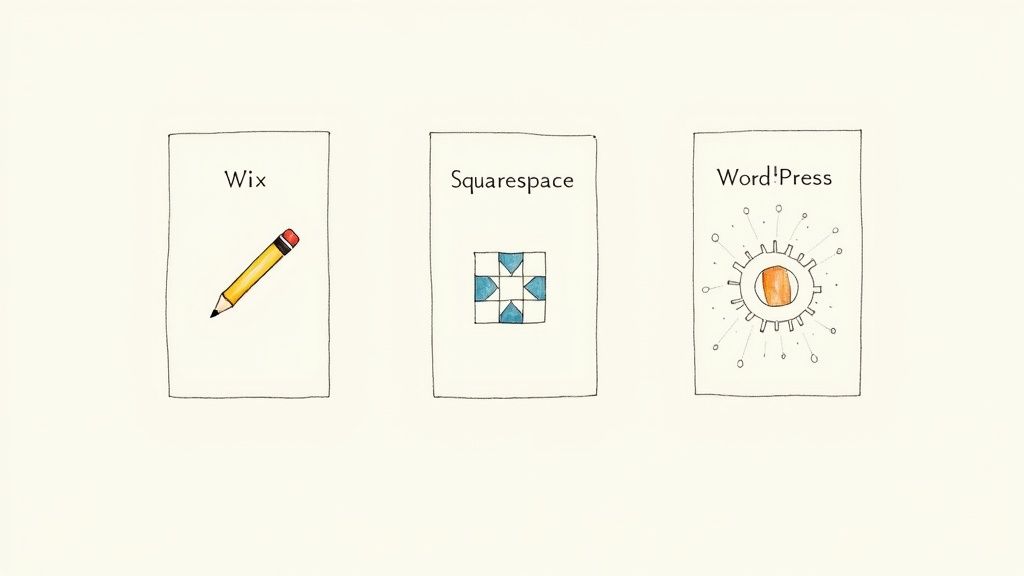
While these three have been the go-to options for years, the game is changing. If you'd rather skip the learning curve altogether, it’s worth checking out some of the best no-code website builders that are built for speed and simplicity. For example, a platform like Alpha takes a totally different approach, using AI to generate a complete, professional site just from a text prompt or by looking at an existing URL. It's a whole new way to get online, fast.
Your Action Plan for Building and Launching Your Site
Alright, you’ve picked your website builder. Now comes the fun part: turning your vision into a real, live website that works for your business. Let’s walk through a practical workflow, from picking a design to running those final pre-launch checks. This is how you build a site that not only looks professional but actually performs right out of the gate.
Start With a Template That Tells Your Story
Think of a template as the visual foundation for your brand, not just a pretty layout. It’s so easy to get distracted by flashy images, but you need to think about your customer’s journey first. A great template instinctively guides visitors where you want them to go, whether that’s booking a call, exploring your services, or reading your latest article.
When you’re browsing templates, keep these things in mind:
Navigation and Flow: Is the menu easy to figure out? Does the layout logically guide people through your content? A photographer, for instance, needs a template that puts their portfolio front and center, while a consultant will want a design that highlights testimonials and service packages.
Brand Alignment: Does the template’s vibe match your brand? A bright, quirky design might be perfect for a local bakery but would feel totally wrong for a law firm.
Structural Flexibility: Look for a template that has the right bones. If you know you need a big section for case studies or a detailed FAQ page, make sure the template you choose can accommodate that without looking awkward.
A template is a starting point, not a straitjacket. The best ones provide a solid structure you can then bend to your will with your own colors, fonts, and branding to make it 100% yours.
Customize Your Layout and Content
With your template in place, it’s time to make it your own. Start with the basics: upload your logo and set your brand’s color palette and fonts. A good website builder for a small business like Alpha will let you set these styles globally, which is a huge time-saver and ensures everything looks consistent from page to page.
Next, shift your focus to the words on the page. Your website copy is your best salesperson, working 24/7. It needs to be sharp, persuasive, and all about your customer. For every single page, ask yourself: "What is the #1 thing I want someone to do here?" That simple question helps you write headlines, descriptions, and calls-to-action (CTAs) that actually work.
If you want to go deeper on this, our guide on how to create a website for a small business is packed with tips on content strategy.
Nail the Technical Pre-Launch Checklist
Before you push that big "publish" button, a few technical checks are non-negotiable. Seriously, don't skip these. They can be the difference between a smooth launch and a frustrating one.
Test the Mobile Experience: And I don't mean just looking at the "mobile preview" on your desktop. Grab your actual phone and go through your entire site. Can you easily tap the menu buttons? Is the text readable? With over 60% of web traffic coming from mobile, a bad mobile experience is a guaranteed way to lose visitors.
Cover Your Basic On-Page SEO: At the bare minimum, every page needs a unique title tag and meta description. These are the little text snippets that show up in Google search results, and they’re your first shot at convincing someone to click on your link. Modern builders make this super easy with simple fields to fill in.
Connect Your Analytics: Get something like Google Analytics hooked up from day one. You can’t improve what you don’t measure. Having analytics running from the start means you’ll immediately begin collecting data on who’s visiting your site and what they’re doing.
Test Every Single Form and Link: This sounds obvious, but you’d be surprised how often it gets missed. Go fill out your own contact form. Click every social media icon. Test every link in your navigation and footer. One broken link or a form that goes nowhere could cost you a new customer.
Running through this checklist ensures your launch goes off without a hitch and gives you a professional, high-performing website that’s ready to bring in business from day one.
Thinking Beyond Launch Day
Getting your website live feels like crossing the finish line, but it’s really just the starting gun. Now the real work begins: turning that beautiful new site into a machine that brings in customers. A great launch isn’t just about flipping a switch; it’s about setting yourself up for long-term growth.
If you’re moving from an older website, the migration process is your first critical test. I've seen businesses lose years of SEO progress overnight by forgetting one crucial thing: 301 redirects. Think of it this way—if you move your shop to a new address, you put up a sign telling people where you went. A 301 redirect does the same for search engines, passing all that valuable authority from your old pages to your new ones.
Preparing for a Seamless Transition
A pre-launch checklist is non-negotiable. Trust me, you don’t want to find out your contact form is broken from an annoyed potential customer. Before flipping the switch, you need to click every button, test every link, and fill out every form.
And don't forget mobile. The majority of your visitors will likely find you on their phones, so your site has to look and work perfectly on a small screen. A little bit of obsession here saves a lot of headaches later.

This whole process—from picking a template to creating content—is about more than just technology. It’s about building an experience that guides visitors toward becoming customers.
From Website to Growth Engine
Once your site is live, its job description changes. It’s no longer just a project; it's a core part of your marketing. Your website builder for small business should have the tools you need to make this happen.
A blog is one of the best tools in your arsenal. It’s your space to answer customer questions, share your expertise, and attract people who are actively searching for the solutions you provide. Paired with an email newsletter, you can start building a direct line to your most engaged audience—an asset you own, no matter what social media algorithms do next.
But how do you know if any of this is actually working? You have to track your performance.
Analytics are the heartbeat of your website. Without data, you're just guessing. Understanding visitor behavior tells you exactly what content resonates and where to focus your efforts for maximum impact.
Getting started with analytics is simpler than it sounds. We put together a straightforward guide on how to add Google Analytics to your site that will walk you through it. And to see the full picture of your online presence, check out some of the best social media analytics tools to complement your website data.
Your Biggest Questions Answered
When you're picking a website builder for your business, a few key questions always come up. It's a big decision, and you want to feel confident you're making the right call. Let's tackle the most common concerns we hear from entrepreneurs.
What’s the Real Cost of a Website Builder?
For most small businesses, you should budget between $15 and $50 per month. The lower-end plans usually bundle hosting with all the essential design tools you need to get started. As you climb the pricing ladder, you'll find plans that add e-commerce capabilities, appointment scheduling, and more powerful marketing features.
A word of advice: always look past the shiny introductory price. Think about the long-term cost, especially if you plan to sell products online, as some platforms charge transaction fees on top of the monthly subscription. It's a smart move to choose a plan that fits your current budget but has room for you to grow into more advanced features later on.
Can I Switch to a Different Website Builder Down the Road?
Technically, yes, but it’s almost never easy. Most website builders are self-contained systems, meaning you can't just pack up your site and move it to a new host. There’s no simple export button for your design.
Migrating from one builder to another almost always means a complete, manual rebuild. You’ll be copying and pasting content, recreating pages one by one, and re-uploading all your images. This is precisely why it’s so critical to get it right the first time—it saves you from a massive headache later.
This reality really highlights the importance of doing your homework upfront. Make sure your choice aligns with where you see your business in a few years to avoid a frustrating and time-consuming do-over.
Do I Actually Need to Learn How to Code?
Not at all. The whole point of a modern website builder for a small business is to make web design accessible to everyone, regardless of technical skill. They're built with visual drag-and-drop editors and beautiful, pre-made templates.
You can create a polished, professional, and fully functional website without ever touching a line of code. While some platforms, like WordPress, offer the flexibility to add custom code, it’s an option, not a requirement. For most business owners, the out-of-the-box tools are more than enough to build a fantastic site.
Ready to build a website that grows with your business, without the technical headaches? Alpha uses AI to create a stunning, professional website for you in minutes. Get started today and see how easy it is to build your online presence. Learn more at Alpha.
EXAMPLES
Build beautiful websites like these in minutes
Use Alpha to create, publish, and manage a fully functional website with ease.