How to Create Website Mockups People Actually Love
Learn how to create website mockups that bridge the gap between idea and reality. Our guide covers tools, principles, and developer handoff.

EXAMPLES
Build beautiful websites like these in minutes
Use Alpha to create, publish, and manage a fully functional website with ease.





Running a small business means wearing many hats, and 'digital marketer' is one of the most critical. You don't need a massive budget or an army of experts to compete. The right digital marketing tools for small business can automate tasks, provide crucial data, and amplify your efforts, letting you focus on what you do best. This guide cuts through the noise to deliver a curated list of essential platforms that form a powerful, yet budget-friendly, marketing stack.
This is not just another list. We provide a detailed breakdown of 12 handpicked tools, complete with screenshots, direct links, and honest assessments of their pros and cons. We will explore platforms from essential categories like advertising (Google Ads, Meta Ads), email marketing (Mailchimp), and SEO (Semrush), to creative design (Canva) and automation (Zapier). For each tool, you will find practical use cases, pricing insights, and quick setup tips tailored specifically for small business owners.
Before selecting any software, it's vital to have a clear plan. A well-defined marketing strategy for small business will guide your choices, ensuring every tool you adopt serves a specific purpose and contributes to your overarching goals. This resource is designed to help you implement that strategy effectively. We will show you not just what these tools do, but how to combine them into a cohesive system that drives tangible growth, converting leads and retaining loyal customers without breaking the bank.
1. Alpha
Alpha is a standout AI-powered website builder that dramatically accelerates the process of creating a professional, conversion-focused online presence. For small businesses that need to move quickly without a dedicated design team, Alpha transforms website creation from a technical, multi-day project into an intuitive, hours-long exercise. It’s an essential digital marketing tool for small business owners who prioritize speed, efficiency, and performance from day one.
Its core strength lies in an AI-first workflow that generates responsive, SEO-ready websites instantly. Unlike traditional builders, Alpha offers a unique URL import feature, allowing you to replicate the structure and layout of any existing website you admire and then personalize it for your brand. This function alone is a game-changer, removing the guesswork from designing effective page layouts.

Key Features and Strengths
Alpha is more than just a landing page generator; it’s a comprehensive platform designed for marketing and growth.
AI-Driven Design: The platform uses AI to handle the heavy lifting of design, layout, and mobile optimization automatically.
Natural Language Editing: Make design changes by simply describing what you want in a chat interface, such as "change the button color to blue" or "add a section about our services." This eliminates the need to learn complex design software.
Built-in Marketing Tools: Every site comes equipped with essential features, including lead capture forms, real-time analytics, and on-page SEO optimization tools.
Unique URL Import: Its most distinctive capability allows you to paste any URL to use as a structural template, saving immense time on wireframing and initial design.
Real-World Impact: Founders consistently praise Alpha for its speed. Doug Roper of Talent Spring highlighted the format-copy function as a transformative feature, enabling his team to deploy a polished site far faster than with other AI builders.
Ideal Use Case and Implementation
Alpha is perfectly suited for startups, solopreneurs, and small businesses needing a high-quality website without the cost of a developer or the steep learning curve of traditional platforms. A typical workflow involves generating an initial site with a prompt, importing a URL for structure, refining the copy and visuals with the AI chat editor, connecting a custom domain, and publishing, all within a single afternoon. To get the most out of the platform, new users can learn more about the best practices on how to create a website for a small business directly from Alpha’s resources.
Pricing and Plans
Alpha’s pricing is transparent and accessible for new businesses.
Starter: Free (one page, Alpha-branded subdomain)
Mini: $9/month (custom domain, two pages)
Basic: $25/month (up to 15 pages, CMS support in beta)
Pros & Cons
Pros | Cons |
|---|---|
Rapid AI-powered site creation allows for deployment in hours. | The CMS is still in beta, which may be a limitation for content-heavy sites. |
Unique URL-to-design feature clones effective layouts instantly. | Lower-tier plans have page limits, requiring an upgrade as the business scales. |
Intuitive natural language editing makes design accessible to non-technical users. | Lacks the extensive plugin ecosystem of platforms like WordPress. |
Built-in conversion tools (SEO, forms, analytics) are included from the start. | Advanced custom code or complex integrations might be challenging. |
Affordable pricing with a functional free plan for testing. | Enterprises needing advanced security or compliance features may find it too streamlined. |
2. Google Ads
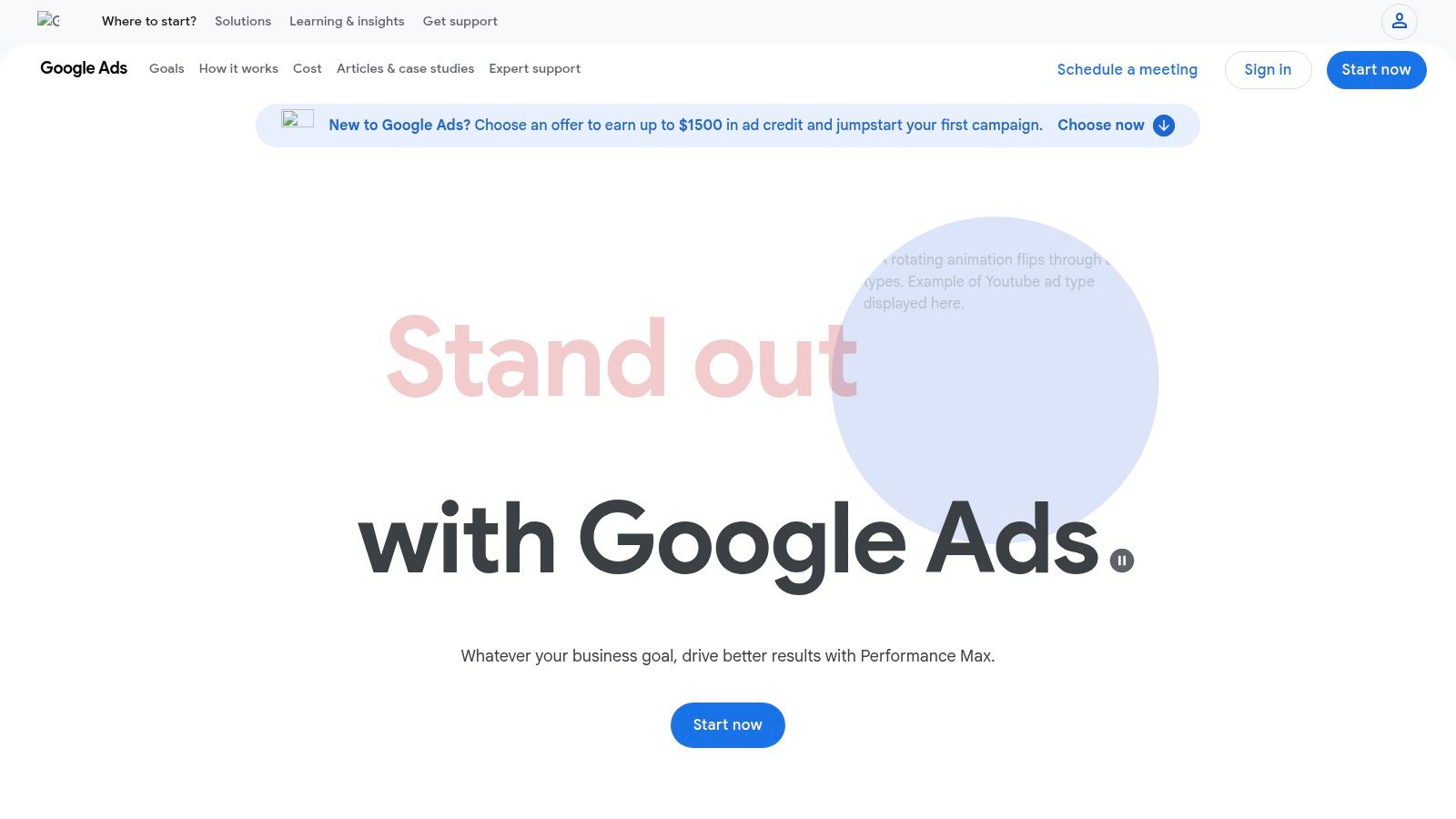
Google Ads is the undisputed leader in pay-per-click (PPC) advertising, offering small businesses direct access to customers actively searching for their products or services. It's an indispensable tool for capturing high-intent traffic precisely when a potential buyer is looking to make a decision. Unlike passive marketing channels, Google Ads connects you with an audience that has already signaled its interest, making it one of the most effective digital marketing tools for small business owners focused on lead generation and sales.
The platform’s power lies in its unparalleled reach across Google Search, YouTube, Maps, and the vast Display Network. For a local service business, this means you can run a hyper-targeted campaign that only shows your ad to users within a five-mile radius searching for "plumbers near me." For an e-commerce store, you can run Shopping ads that display your product, price, and image directly in the search results.
Key Features & Use Cases
Ideal Use Case: Businesses that need to generate immediate, high-intent leads or e-commerce sales and have a defined advertising budget.
Budget Control: Set strict daily or monthly budgets that you never exceed. You only pay when someone clicks your ad (PPC).
Keyword Targeting: Bid on specific keywords to appear in relevant search results.
Performance Max Campaigns: Leverage Google's AI to find converting customers across all of its channels from a single campaign.
Conversion Tracking: Install a tracking pixel on your website to measure exactly which ads and keywords are driving sales or form submissions. This data is critical for optimizing your campaigns.
Pricing & Setup
Pricing: You control your budget. There's no minimum spend, but costs (Cost-Per-Click or CPC) vary wildly by industry and keyword competitiveness. You can start with as little as $5-$10 per day to test the waters.
Quick Setup Tip: When creating your first campaign, use Google's Keyword Planner to research keyword search volume and estimated CPCs. Start with a small, focused set of "long-tail" keywords (e.g., "emergency roof repair in Brooklyn" instead of just "roofer") as they are often less competitive and show higher intent.
Website: https://ads.google.com
Pros | Cons |
|---|---|
Unmatched access to high-intent search traffic | Steep learning curve for beginners |
Complete control over ad spend and budget | Can become expensive in competitive niches |
Robust analytics and performance data | Requires ongoing management and optimization |
Ultimately, getting traffic to your site is only half the battle. To maximize your ad spend, you must focus on turning those clicks into customers. Implementing key conversion rate optimization strategies on your landing pages is essential for achieving a positive return on investment from your Google Ads campaigns.
3. Meta Ads (Facebook & Instagram)
Where Google Ads captures user intent, Meta Ads excels at generating demand by placing your brand in front of highly specific audiences on Facebook and Instagram. This makes it an essential digital marketing tool for small businesses looking to build brand awareness, nurture leads, and drive sales through visual storytelling. Instead of waiting for customers to search for you, Meta allows you to find them based on their interests, behaviors, and demographics.
The platform's strength is its sophisticated audience targeting. You can create audiences based on life events like getting engaged, job titles, or interests in competing brands. For a local boutique, this means you can run an ad for a new dress collection targeted specifically to women aged 25-40 who live within ten miles and have shown interest in sustainable fashion. For a B2B service, you can target ads directly to small business owners.
Key Features & Use Cases
Ideal Use Case: Businesses with visually appealing products or services that want to build an audience, generate leads, and drive sales through proactive, targeted advertising.
Audience Targeting: Go beyond simple demographics with detailed interest, behavior, and lookalike audience targeting to find new customers who resemble your best existing ones.
Creative Formats: Utilize engaging ad formats like video, carousels, and Reels to showcase your brand's personality and products in users' feeds and Stories.
Meta Pixel & Conversions API: Track website actions like purchases or lead form submissions to measure ad performance and enable powerful retargeting campaigns.
Native Lead & Commerce Tools: Use on-platform tools like Lead Forms and Shops to capture customer information and sell products without ever forcing users to leave the app, reducing friction and increasing conversions.
Pricing & Setup
Pricing: You control your ad spend with daily or lifetime budgets. There's no minimum, but costs (Cost-Per-Mille or CPM) are influenced by your audience, ad placement, and objective. You can start testing with $10-$20 per day.
Quick Setup Tip: When starting out, install the Meta Pixel on your website immediately. Even before running conversion-focused ads, it will start collecting data, allowing you to build valuable retargeting and lookalike audiences for future campaigns.
Pros | Cons |
|---|---|
Unparalleled interest and lookalike targeting | Delivery can be unpredictable; requires testing |
Rich creative formats ideal for visual brands | Customer support can be frustrating for small accounts |
Native formats shorten the conversion funnel | Platform interface can feel complex for newcomers |
4. Mailchimp
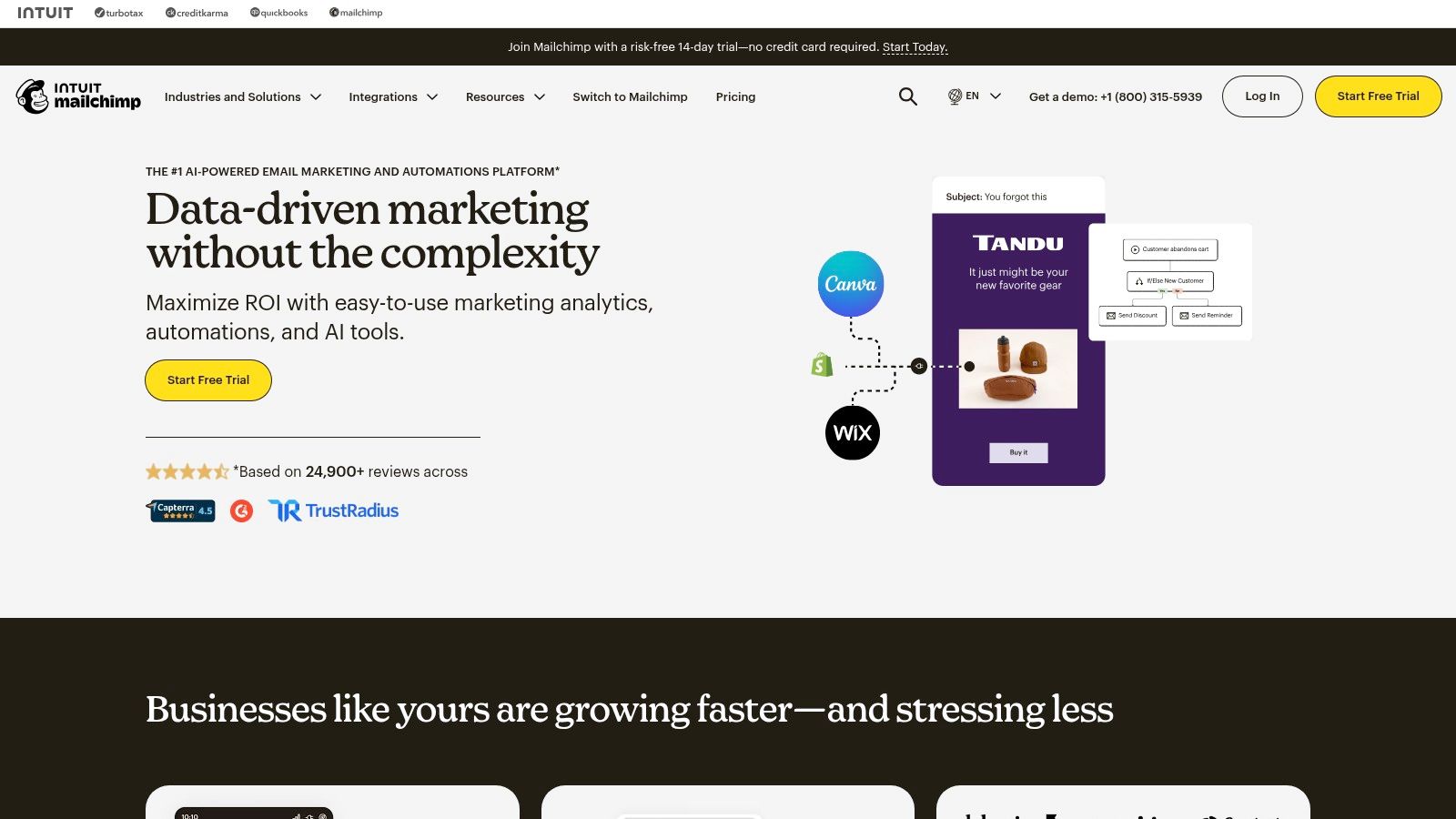
Mailchimp is one of the most recognizable names in email marketing, offering small businesses an accessible on-ramp to building and nurturing an audience. It excels at making email and SMS marketing straightforward, providing intuitive tools that allow even novices to create professional-looking campaigns. For businesses looking to move beyond a simple contact list and into automated communication, Mailchimp serves as a foundational digital marketing tool for small business growth.
The platform's strength is its user-friendly interface, especially the drag-and-drop email builder and pre-designed templates that significantly speed up the creation process. It combines email marketing with basic customer relationship management (CRM) features, allowing you to segment your audience based on their behavior and send targeted messages. This makes it a great starting point for developing a direct line of communication with your customer base.
Key Features & Use Cases
Ideal Use Case: Small businesses and creators needing an easy-to-use platform to start building an email list, sending newsletters, and setting up simple welcome automations.
Drag-and-Drop Builder: Create professional emails without any coding knowledge using a vast library of templates.
Audience Management: Segment your contacts with tags and basic CRM functionality to send more relevant content.
Automation Flows: Set up automated email sequences for new subscribers, abandoned carts, or customer birthdays.
Integrations: Connect with over 300 apps, including major e-commerce platforms like Shopify and WooCommerce, to sync customer data.
Pricing & Setup
Pricing: Offers a very limited Free plan for up to 500 contacts. Paid plans start at $13/month (Essentials) and scale up based on contact count and feature needs. Be mindful of overage charges if your list grows unexpectedly.
Quick Setup Tip: When you first start, focus on setting up a simple "Welcome" automation. This single action ensures every new subscriber immediately receives a message from you, which helps build brand recognition and sets expectations for future emails.
Website: https://mailchimp.com
Pros | Cons |
|---|---|
Very easy to start with a strong template library | Free plan is tightly limited and can be outgrown quickly |
Broad ecosystem of integrations and learning resources | Advanced automation and reporting are reserved for higher tiers |
User-friendly interface ideal for beginners | Overage charges for exceeding contact limits can be a surprise |
5. HubSpot Marketing Hub
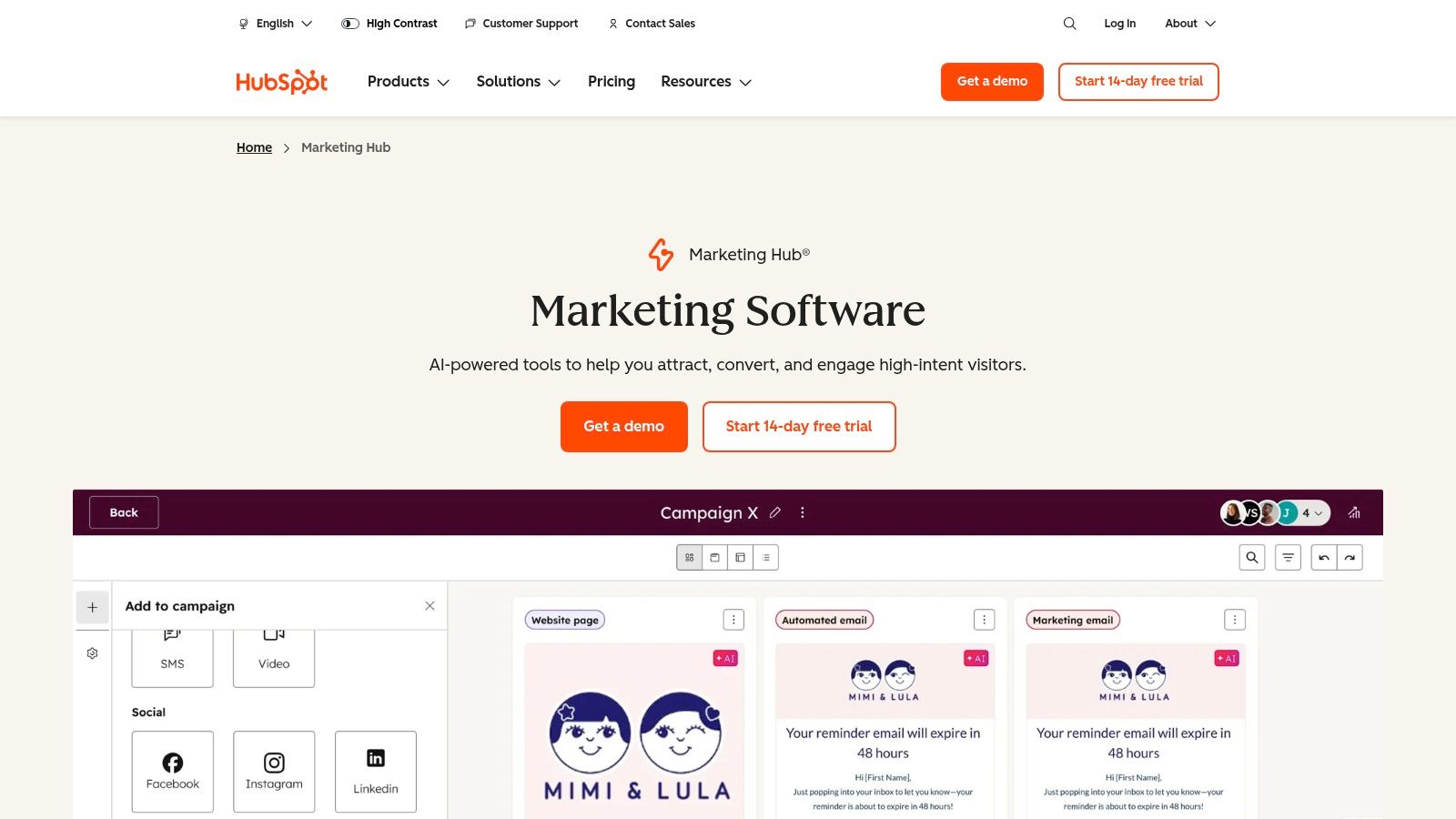
HubSpot Marketing Hub is an all-in-one marketing automation platform that scales with a growing business. It moves beyond single-function tools by integrating email marketing, a customer relationship management (CRM) system, landing pages, and lead capture forms into one unified dashboard. This integration is its core strength, allowing small businesses to track a customer's entire journey from their first website visit to a final sale, making it one of the most comprehensive digital marketing tools for small business owners aiming for sophisticated, data-driven campaigns.
The platform excels at connecting marketing actions to sales outcomes. For instance, a small business can create a landing page with a form to download an ebook, automatically enroll that lead into a nurturing email sequence, and then alert a sales rep once the lead shows enough engagement. This seamless workflow, managed within a single system, eliminates the need to patch together multiple different applications and helps ensure no potential customer falls through the cracks.
Key Features & Use Cases
Ideal Use Case: Businesses ready to invest in a centralized platform to manage lead generation, nurturing, and sales handoffs with advanced automation.
Built-in CRM: Every marketing action is automatically logged on a contact's record, giving you a complete history of their interactions with your brand.
Visual Automation: Create powerful "if/then" workflows to segment leads, send targeted emails, and score leads based on their behavior.
Forms and Landing Pages: Build and deploy lead capture forms and simple landing pages without needing a developer.
Reporting & Attribution: Connect marketing campaigns directly to revenue with built-in analytics and attribution reporting dashboards.
Pricing & Setup
Pricing: Offers a generous free tier that includes the CRM, forms, and email marketing. Paid plans (Starter, Professional, Enterprise) scale based on the number of marketing contacts and feature access, starting around $18/month.
Quick Setup Tip: Start with the free CRM and Forms tools. Embed a HubSpot form on your website to begin capturing leads. This allows you to build your contact database and get familiar with the interface before committing to a paid marketing plan.
Pros | Cons |
|---|---|
Integrated CRM and marketing in one platform | Costs can scale quickly with more contacts |
Scales from startup to enterprise | Mandatory onboarding fees for higher-tier plans |
Excellent educational resources and support | Can feel overwhelming for absolute beginners |
6. Semrush
Semrush is an all-in-one digital marketing suite that provides small businesses with the competitive intelligence needed to dominate search engine results. It's an indispensable tool for understanding your market landscape, uncovering what keywords your competitors rank for, and identifying opportunities to attract more organic traffic. Instead of guessing what works, Semrush offers data-driven insights to inform your entire SEO, content, and paid advertising strategy, making it a powerful platform for long-term growth.
The platform's strength is its comprehensive data, covering everything from keyword research and backlink analysis to detailed site audits and PPC campaign planning. For a local business, this means you can analyze the top-ranking local competitors to see exactly which keywords drive their traffic and what backlinks give them authority. For an online store, you can discover profitable keywords your rivals are using in their Google Ads campaigns and find new content ideas based on customer search queries.
Key Features & Use Cases
Ideal Use Case: Businesses ready to invest seriously in SEO and content marketing to build sustainable, long-term organic traffic.
Competitor Analysis: Enter any competitor's domain to see their top organic keywords, backlink profile, and paid ad strategies.
Keyword Magic Tool: Discover millions of keyword ideas, group them by topic, and analyze metrics like search volume and keyword difficulty.
Site Audit: Crawl your website to identify and get actionable recommendations for over 130 technical and on-page SEO issues.
Position Tracking: Monitor your daily keyword rankings against your competitors at a national, regional, or local level.
Pricing & Setup
Pricing: Plans start at around $129.95/month. While it's a significant investment, the depth of data often provides a strong ROI for businesses focused on search marketing.
Quick Setup Tip: Start with the "Domain Overview" tool. Enter your own website and then a few of your top competitors. This will give you an immediate high-level comparison of your digital footprint versus theirs and highlight the most obvious gaps in your strategy.
Website: https://www.semrush.com
Pros | Cons |
|---|---|
In-depth data on competitors, keywords, and backlinks | Higher price point can be a barrier for new businesses |
All-in-one toolset for SEO, PPC, and content | The sheer amount of data can feel overwhelming |
Excellent site audit and technical SEO features | Steeper learning curve compared to simpler tools |
Mastering the data from Semrush is the first step. The next is applying it. A structured approach, like following a small business SEO checklist, can help you turn Semrush insights into a prioritized action plan for improving your rankings and driving qualified traffic.
7. Canva
Canva has democratized design, making it an essential digital marketing tool for small business owners who need to create professional-looking visuals without a graphic design background. From social media posts and email headers to presentations and video ads, Canva provides an intuitive, drag-and-drop interface that dramatically speeds up content creation. It eliminates the need for complex software, allowing entrepreneurs to produce on-brand assets in minutes, not hours.
The platform's strength is its massive library of customizable templates, stock photos, and design elements. This allows a solo business owner to quickly generate a cohesive set of marketing materials that look polished and professional. For teams, it offers collaboration features that help maintain brand consistency across all channels, ensuring every visual touchpoint reinforces the company's identity.
Key Features & Use Cases
Ideal Use Case: Small businesses and solopreneurs who need to rapidly create a high volume of marketing visuals like social media graphics, ads, and simple videos without a dedicated designer.
Brand Kit: Upload your logo, brand colors, and fonts to ensure all designs remain consistent with a single click.
Magic Studio: An suite of AI tools that includes a background remover, magic resize for different platforms, and text-to-image generation.
Template Library: Access thousands of professionally designed templates for virtually any marketing need, from Instagram stories to business proposals.
Team Collaboration: Invite team members to collaborate on designs, leave comments, and manage assets in a shared space.
Pricing & Setup
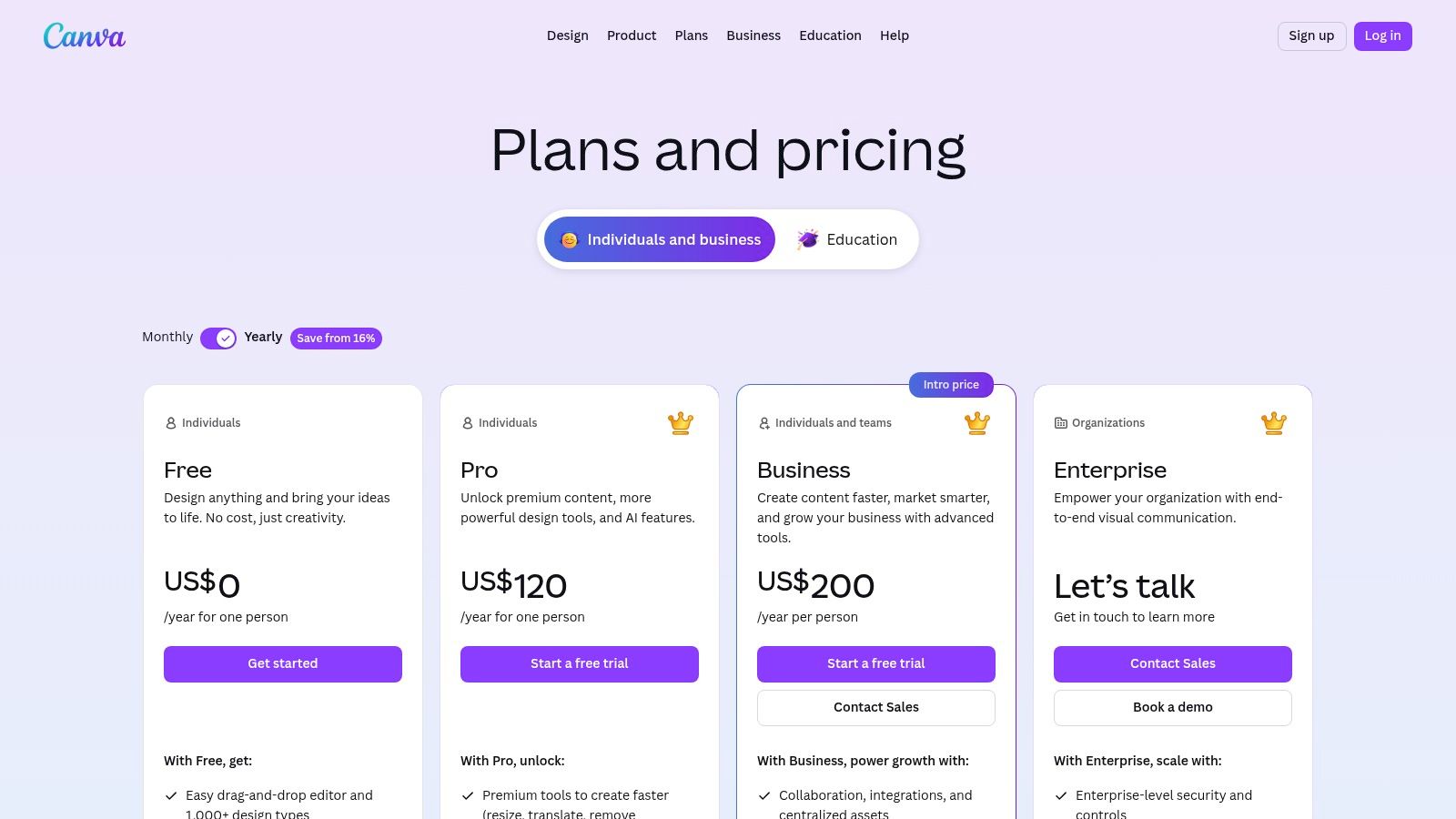
Pricing: Offers a robust free plan. The Pro plan (around $14.99/month for one person) unlocks premium features like the Brand Kit and Magic Studio. Teams pricing is a per-seat model.
Quick Setup Tip: The very first thing you should do is set up your Brand Kit. Upload your logo, define your primary and secondary colors, and add your brand fonts. This simple step will save you countless hours and ensure every asset you create is perfectly on-brand.
Website: https://www.canva.com/pricing/
Pros | Cons |
|---|---|
Extremely user-friendly with a fast learning curve | Advanced video editing features are limited |
Massive library of templates and stock assets | Per-seat pricing for teams can become costly |
Strong value for solo users on the Pro plan | Can encourage reliance on templates over unique design |
Canva is the perfect engine for creating the visual assets needed for your social media channels. To get the most out of your designs, pair it with a social media scheduler to plan and automate your content calendar, creating a powerful and efficient workflow.
8. Buffer
Buffer is a streamlined social media management platform that simplifies the process of planning, scheduling, and analyzing content across multiple channels. It’s an essential tool for small businesses looking to maintain a consistent social media presence without spending hours each day on manual posting. By allowing you to schedule posts in advance, Buffer frees up valuable time while ensuring your brand remains active and engaging with its audience, making it one of the most accessible digital marketing tools for small business owners.
The platform's strength is its simplicity and user-friendly interface. A small business owner can quickly connect their social profiles (like Instagram, TikTok, LinkedIn, and Facebook) and start filling a content queue for the weeks ahead. Buffer’s recommendations for the best times to post help maximize reach, while its analytics dashboard provides clear insights into what content resonates most with your followers. It strips away the complexity found in enterprise-level tools, focusing on the core features a small business needs to succeed on social media.
Key Features & Use Cases
Ideal Use Case: Solopreneurs and small teams needing an efficient way to schedule social media content and track basic performance without a steep learning curve.
Multi-Channel Scheduling: Plan and publish content across Instagram, TikTok, Facebook, LinkedIn, YouTube, and more from a single dashboard.
AI Assistant: Generate ideas, rephrase copy, and brainstorm content directly within the composer to overcome writer's block.
Analytics & Reporting: Track key metrics like reach, engagement, and follower growth to understand what’s working.
Engagement Tools: Manage comments and replies from a unified inbox to ensure you never miss a customer interaction.
Pricing & Setup
Pricing: Offers a generous free plan for up to three channels. Paid plans start at $6 per month per channel, with team and agency plans available for more advanced collaboration features.
Quick Setup Tip: After connecting your social accounts, use the "Create" tab to build your first few posts. Let Buffer’s AI Assistant help you craft variations for each platform. Then, use the calendar view to drag and drop your posts to visualize your content schedule for the upcoming week.
Website: https://buffer.com
Pros | Cons |
|---|---|
Exceptionally clean UI and fast onboarding | Lighter feature set compared to enterprise social suites |
Fair, transparent pricing that scales with you | Advanced analytics and approval flows require a Team plan |
Strong focus on core scheduling and analytics | Engagement tools are less robust than dedicated community apps |
9. Zapier
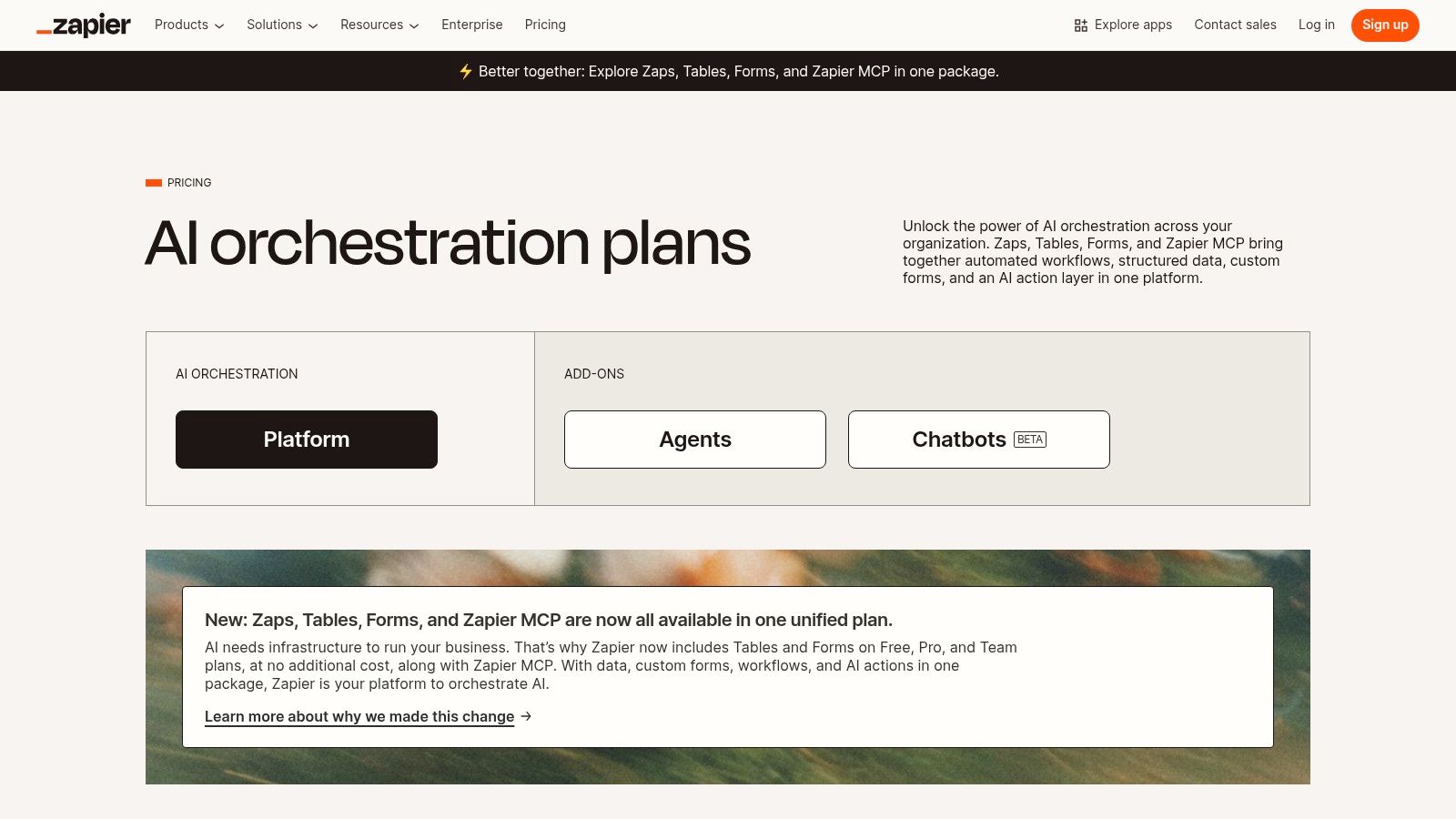
Zapier is the essential glue for modern digital marketing, a no-code automation platform that connects thousands of disparate apps to eliminate manual work. For small businesses, it's the key to creating a seamless, integrated tech stack without hiring a developer. It allows you to build automated workflows, or "Zaps," that trigger actions between your tools, such as automatically adding a new lead from a Facebook Ad to your CRM and then sending them a welcome email via Mailchimp. This level of automation is a game-changer for efficiency.
The platform's true power comes from its massive library of over 6,000 app integrations, turning isolated digital marketing tools for small business into a cohesive system. Imagine a new form submission on your website instantly creating a new row in Google Sheets, notifying your team in Slack, and adding the contact to your email list. Zapier makes this possible in minutes, freeing up valuable time to focus on strategy instead of repetitive data entry.
Key Features & Use Cases
Ideal Use Case: Small businesses using multiple SaaS tools (e.g., CRM, email, forms, social media) that need to sync data and automate repetitive tasks between them.
6,000+ App Integrations: Connect virtually any marketing and sales apps you use.
Multi-Step Workflows: Create sophisticated Zaps with conditional logic (if/then rules) to handle complex scenarios.
Built-in Tools: Use Zapier's own Tables, Forms, and Interfaces to capture and manage data without needing another app.
AI Functionality: Leverage AI fields and a Copilot to help build, troubleshoot, and even generate ideas for new automations.
Pricing & Setup
Pricing: Offers a free plan for 100 tasks/month with single-step Zaps. Paid plans start at $19.99/month (billed annually) for more tasks and multi-step Zaps.
Quick Setup Tip: Start by identifying your most tedious, repetitive manual task. A common one is new lead management. Build your first Zap to connect your lead source (like a website form or social media lead ad) to your primary contact list (like a CRM or email platform).
Website: https://zapier.com/pricing
Pros | Cons |
|---|---|
Eliminates manual busywork between marketing tools | High-volume task usage can raise costs |
Huge library of app integrations | Complex workflows may need careful error handling |
Scales from solopreneur to multi-user teams | Some specific app triggers/actions are premium-only |
By connecting the tools in your marketing stack, Zapier ensures no lead falls through the cracks. For example, you can automatically pass lead data from your advertising channels directly into your sales pipeline, creating a more efficient and accountable process that directly impacts your bottom line.
10. Shopify App Store (Marketing & Conversion)
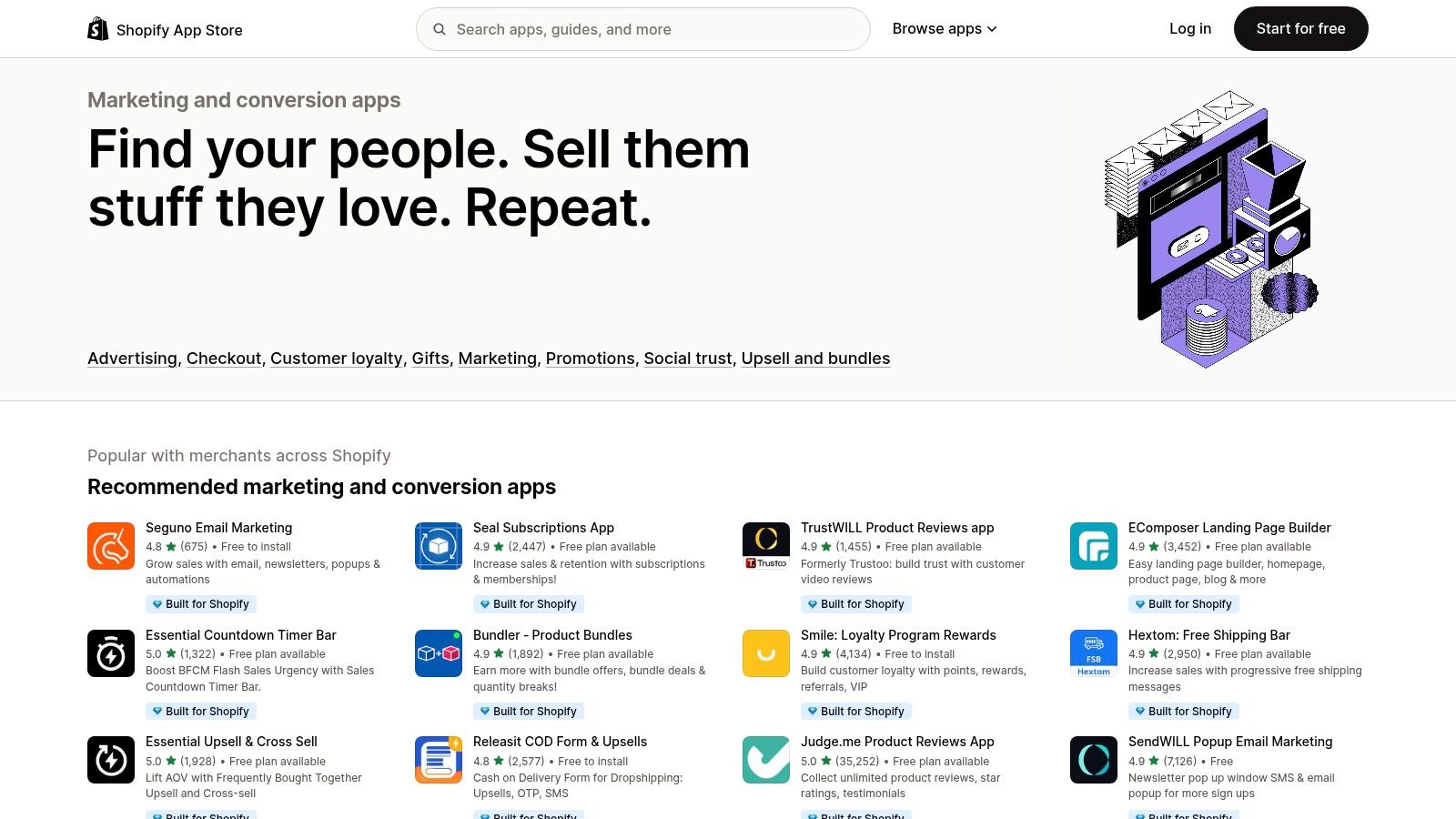
For any small business running on Shopify, the platform's official App Store is an essential resource, not just a single tool. Specifically, its "Marketing and Conversion" category is a curated marketplace of digital marketing tools designed to seamlessly integrate with your e-commerce store. It allows you to extend your store’s functionality with specialized apps for everything from email marketing and SMS to customer reviews, popups, and advanced conversion rate optimization (CRO) tools.
This direct integration is what makes it so powerful. Instead of trying to connect disparate systems, these apps are built to work with Shopify’s core infrastructure, including customer data, checkout processes, and product catalogs. This means you can easily add upsell offers directly into your checkout flow or segment email campaigns based on a customer's purchase history without complex technical work.
Key Features & Use Cases
Ideal Use Case: Shopify-based e-commerce businesses looking to add specific marketing capabilities like email automation, loyalty programs, or conversion optimization features.
Curated Categories: Easily find solutions for email/SMS marketing, popups, reviews, upsells, retargeting, and more.
Built for Shopify: Look for the "Built for Shopify" badge, which indicates the app meets the highest standards for performance, security, and user experience.
Deep Integration: Apps can access checkout, customer data, and sales channels for highly effective and automated marketing campaigns.
Ratings and Reviews: Leverage real user feedback to gauge an app's quality, support, and suitability for your business needs before installing.
Pricing & Setup
Pricing: Varies widely. Many apps offer a free plan for small stores, use a "free to install" model with paid premium features, or have tiered monthly subscriptions based on usage (e.g., number of email subscribers).
Quick Setup Tip: Start by identifying one specific marketing gap (e.g., "I need to collect more product reviews"). Search the App Store for that function and filter by "Free" or "Free plan available" to test solutions without commitment. Read recent reviews to check for any common issues.
Website: https://apps.shopify.com/categories/marketing-and-conversion
Pros | Cons |
|---|---|
Huge selection of tools tailored for e-commerce SMBs | Costs can add up quickly across multiple paid apps |
User reviews and badges help assess quality and fit | Risk of "app bloat" slowing down your site |
Seamless, one-click installation for most apps | Overlapping features can cause conflicts or redundancies |
11. AppSumo
AppSumo is a unique marketplace that offers lifetime deals (LTDs) and steep discounts on emerging software, making it a treasure trove for budget-conscious small businesses. Instead of committing to recurring monthly subscriptions, you can purchase one-off licenses for a variety of digital marketing tools for small business needs, from social media schedulers to AI content generators. It allows startups and solopreneurs to build a powerful software stack without the burden of high operational costs.
The platform’s value lies in its ever-changing roster of deals, providing access to innovative tools that might otherwise be unaffordable. While not a traditional SaaS provider, it's an essential resource for discovering and testing new software at a fraction of the retail price. User reviews and robust Q&A sections on each deal page help you gauge a product's quality and suitability before purchasing, adding a layer of community-driven due diligence.
Key Features & Use Cases
Ideal Use Case: Small businesses and startups looking to acquire marketing, productivity, and AI software on a tight budget without long-term subscription commitments.
Rotating Deals: A constantly updated marketplace featuring discounts on SEO, email marketing, content creation, analytics, and other business tools.
AppSumo Plus: A premium membership offering extra discounts, early access to deals, and other perks.
Community Reviews: Each deal features extensive user reviews and a Q&A section to vet the software and its developers.
Refund Window: Most deals come with a 60-day money-back guarantee, allowing you to test tools risk-free.
Pricing & Setup
Pricing: Deals are typically one-time purchases, ranging from $39 to several hundred dollars for a lifetime license, representing significant savings over standard SaaS pricing.
Quick Setup Tip: Always read the user reviews and the Q&A section thoroughly before buying. Pay close attention to feedback on customer support and the company's roadmap. Use the 60-day refund period to fully test the tool and ensure it integrates into your workflow.
Website: https://appsumo.com
Pros | Cons |
|---|---|
Huge cost savings compared to traditional SaaS subscriptions | Risk that a "lifetime" deal vendor may go out of business |
Great for testing new tools with minimal financial risk | Quality of tools can vary; requires careful due diligence |
Discover innovative and up-and-coming software | Some deals have limitations not present in standard plans |
12. Capterra
Choosing the right tool from a sea of options can be overwhelming. Capterra isn't a marketing tool itself but rather a free, comprehensive software directory that helps you discover and compare thousands of them. Owned by Gartner, it provides an invaluable service for small businesses by aggregating verified user reviews, detailed feature lists, and pricing information, making it an essential first stop before you commit to a new platform.
Instead of spending hours visiting individual websites, you can use Capterra to build a shortlist of potential digital marketing tools for your small business based on your specific needs and budget. The platform’s robust filtering system allows you to drill down by features, deployment type, company size, and user ratings. This saves critical time and helps you make a more informed purchasing decision by seeing how real users rate different solutions side-by-side.
Key Features & Use Cases
Ideal Use Case: Small business owners in the research phase, trying to compare vendors for a specific need (e.g., "best email marketing software for 1,000 contacts") before scheduling demos.
Verified User Reviews: Access thousands of reviews from real users to understand the pros and cons of a tool before you buy.
Comparison Grids: View software options in a side-by-side grid, making it easy to compare features, pricing, and ratings at a glance.
Category Shortlists: Browse curated lists of top products in specific categories, like SEO, social media marketing, or CRM.
Free Buyer Guidance: Capterra often provides helpful articles, guides, and reports to aid in the software selection process.
Pricing & Setup
Pricing: Capterra is completely free for users looking for software. Vendors pay to be listed and for lead generation.
Quick Setup Tip: When searching, use the filters on the left-hand side to narrow results by your specific business size and required features. Pay close attention to the number of reviews and the average rating to gauge a product's reputation. Always verify pricing on the vendor's actual website, as Capterra's data can sometimes lag.
Website: https://www.capterra.com
Pros | Cons |
|---|---|
Broad market coverage for easy comparison of countless tools | Sponsored placements can influence the order of results |
Aggregates verified user reviews and ratings in one place | Pricing snapshots can be outdated; always verify with the vendor |
Excellent for building vendor shortlists for SMB budgets | Review quality can vary between popular and niche products |
Top 12 Digital Marketing Tools Comparison
Product | Core features | Quality ★ | Price/Value 💰 | Audience 👥 | Unique/Edge ✨ |
|---|---|---|---|---|---|
Alpha 🏆 | AI-driven design, URL import, natural‑language edits, SEO, forms, analytics | ★★★★★ | 💰 Free starter; $9/mo Mini; $25/mo Basic (annual ~20% off) | 👥 Entrepreneurs, startups, SMBs, solopreneurs | ✨ URL-to-design import + NL editing; conversion-first layouts |
Google Ads | Search/Display/YouTube/Shopping + conversion tracking | ★★★★☆ | 💰 CPC/CPM model; flexible budgets | 👥 SMBs seeking high‑intent traffic | ✨ Massive intent reach; official cost estimators |
Meta Ads (Facebook & Instagram) | FB/IG/Reels, interest & lookalike targeting, Pixel/Conversions API | ★★★★☆ | 💰 CPC/CPM, variable performance | 👥 Brands focused on social creatives & retargeting | ✨ Rich creative formats & precise demographic targeting |
Mailchimp | Email & SMS, templates, automations, basic CRM, integrations | ★★★☆☆ | 💰 Freemium; paid tiers + overage risks | 👥 Small businesses & solo marketers | ✨ Easy templates + broad integrations |
HubSpot Marketing Hub | CRM-integrated email, landing pages, workflows, reporting | ★★★★☆ | 💰 Free tier; costs scale with contacts/seats | 👥 Growing SMBs to mid-market teams | ✨ All-in-one CRM + marketing stack; strong education |
Semrush | Keyword research, site audits, backlink & PPC intelligence | ★★★★☆ | 💰 Premium plans; higher cost for full features | 👥 SEO teams, agencies, content strategists | ✨ Deep competitive intelligence & toolkits |
Canva | Templates, Brand Kit, Magic Studio AI, team collaboration | ★★★★☆ | 💰 Freemium; Pro per-seat pricing | 👥 Creators, marketers, small design teams | ✨ Fast asset creation with AI tools |
Buffer | Multi-channel scheduling, analytics, engagement inbox | ★★★★☆ | 💰 Transparent per-plan pricing; scales with team | 👥 Small teams, creators, social managers | ✨ Clean UX focused on scheduling & analytics |
Zapier | 6,000+ integrations, multi-step automations, webhooks | ★★★★☆ | 💰 Tiered plans; high task volume raises costs | 👥 Teams automating workflows | ✨ No-code integrations across apps |
Shopify App Store (Marketing & Conversion) | Curated marketing apps, reviews, badges, deep Shopify integrations | ★★★★☆ | 💰 App pricing varies; add-on costs possible | 👥 Ecommerce merchants on Shopify | ✨ Curated apps with checkout & customer-data hooks |
AppSumo | Rotating SaaS deals, lifetime offers, community reviews | ★★★☆☆ | 💰 Big discounts / one-off purchases | 👥 Budget-conscious SMBs & founders | ✨ Access to steeply discounted offers & trials |
Capterra | Software directory, verified reviews, shortlists & pricing snapshots | ★★★★☆ | 💰 Free buyer guidance; vendor-paid listings | 👥 Buyers researching software & vendors | ✨ Broad market coverage and side-by-side comparisons |
Choosing Your Perfect Stack: Putting It All Together
Navigating the vast landscape of digital marketing tools for a small business can feel like assembling a complex puzzle without the box lid. We've explored a wide array of options, from foundational website builders like Alpha and all-in-one powerhouses like HubSpot to specialized platforms for SEO, social media, and advertising. The sheer volume of choice is both a blessing and a curse. The key takeaway is not to adopt every tool listed, but to strategically select a lean, integrated "stack" that directly addresses your unique business challenges and growth objectives.
The most common pitfall for entrepreneurs is "shiny object syndrome," where the allure of a new tool with impressive features distracts from core business needs. A tool is only as valuable as the results it helps you generate. Before committing to a subscription, always start with a clear goal. Are you trying to increase website traffic, generate more leads, improve customer retention, or simply save time on repetitive tasks? Your answer will illuminate which category of tools deserves your immediate attention and budget.
From Individual Tools to an Integrated Marketing Engine
The true power of modern software lies not in isolation but in integration. A well-chosen set of tools should function like a cohesive marketing engine, where each component supports the others. The goal is to create a seamless flow of data and actions that automates processes and provides a holistic view of your customer's journey.
Consider this practical workflow for a new service-based business:
Foundation: You start by building a professional, high-converting landing page or a full website using a user-friendly platform like Alpha. This serves as your central marketing hub.
Attraction: You drive initial traffic using targeted Meta Ads and optimize your site's content for local search with insights from Semrush.
Conversion & Nurturing: A contact form on your Alpha site is connected via Zapier to your Mailchimp account. When a potential client fills it out, they are automatically added to an email welcome sequence that nurtures the lead.
Engagement: You use Canva to create professional social media graphics, which are then scheduled for consistent posting through Buffer, driving engagement and directing followers back to your website.
This simple, four-part stack covers the entire marketing funnel without overwhelming a small team. The crucial element is that the tools communicate, eliminating manual data entry and ensuring no lead falls through the cracks. This is the essence of building a scalable system rather than just using a collection of disconnected digital marketing tools for your small business.
Your Action Plan: Building Your Custom Stack
Feeling overwhelmed? Don't be. Start small and build momentum. Your first stack doesn't need to be your final one. The digital marketing landscape evolves, and so will your business needs.
Here are your actionable next steps:
Identify Your Biggest Bottleneck: What is the single biggest marketing challenge holding your business back right now? Is it a lack of leads, poor brand awareness, or an inability to manage social media consistently? Solve that problem first.
Start with Your Foundation: If you don't have a professional, mobile-responsive website, that is your non-negotiable first step. Your website is the home base for all your digital marketing efforts.
Prioritize a "Core Three": Select one tool for each of these foundational pillars: 1) A website/landing page builder, 2) An email marketing platform, and 3) An analytics tool (like Google Analytics). Master these before adding more complexity.
Test and Measure: Use free trials and entry-level plans to test tools before committing. Pay close attention to your key performance indicators (KPIs). Is the tool saving you time? Is it generating a positive return on investment? If not, don't be afraid to switch.
Building your perfect marketing stack is a marathon, not a sprint. By focusing on your core needs, prioritizing integration, and making data-driven decisions, you can assemble a powerful toolkit that fuels sustainable growth and helps your small business compete and win in the digital arena.
Ready to build the foundation of your entire marketing stack? A professional website is the essential starting point, and Alpha makes it incredibly simple to launch a fast, beautiful, and effective site in minutes, not months. Stop waiting and start building your digital home base today with Alpha.
EXAMPLES
Build beautiful websites like these in minutes
Use Alpha to create, publish, and manage a fully functional website with ease.