





How to Create Website Mockups People Actually Love
Learn how to create website mockups that bridge the gap between idea and reality. Our guide covers tools, principles, and developer handoff.
Build beautiful websites like these in minutes
Use Alpha to create, publish, and manage a fully functional website with ease.
So, what's a realistic budget for a new website? The answer can be anything from a few bucks a month to tens of thousands of dollars. A simple, do-it-yourself site might cost you nothing upfront, while a complex, custom-built site from a professional agency could easily run $5,000 to $20,000 or even more. Getting a handle on these numbers before you start is the key to setting a budget that makes sense for your business.
Let's break down the typical price points you'll encounter.
Website Cost at a Glance: A Summary of Typical Price Ranges
To give you a clearer picture, I've put together a table that outlines the usual upfront costs and ongoing expenses for the most common ways to build a website. Think of this as your cheat sheet for budgeting.
Website Creation Method | Upfront Cost (Design & Build) | Annual Maintenance & Hosting | Best For |
|---|---|---|---|
DIY Builder (e.g., Wix, Squarespace) | $0–$500 | $50–$300 | Small blogs, personal portfolios, simple service sites |
AI Builder (e.g., Alpha) | $200–$1,000 | $100–$500 | Startups, landing pages, quick-launch business sites |
Freelancer | $1,000–$5,000 | $200–$800 | Small businesses needing a custom touch |
Agency | $5,000–$20,000+ | $500–$2,000+ | Established businesses, complex e-commerce, web apps |
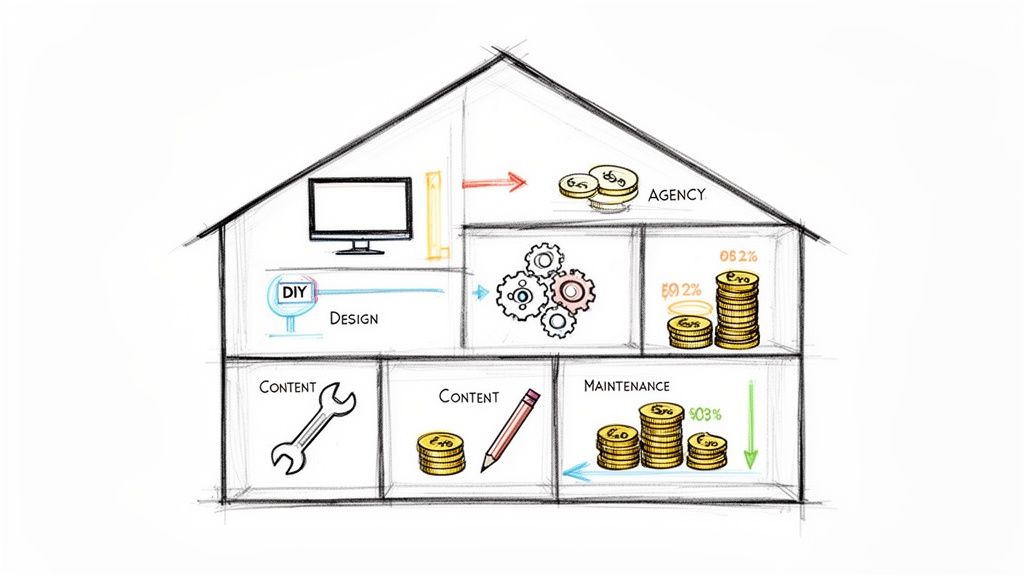
As you can see, the investment scales directly with how much custom work you need. A DIY builder is like renting a nicely furnished apartment—it's affordable and ready to go, but you can't knock down any walls. Hiring an agency is like commissioning an architect to design and build your dream home from the ground up.
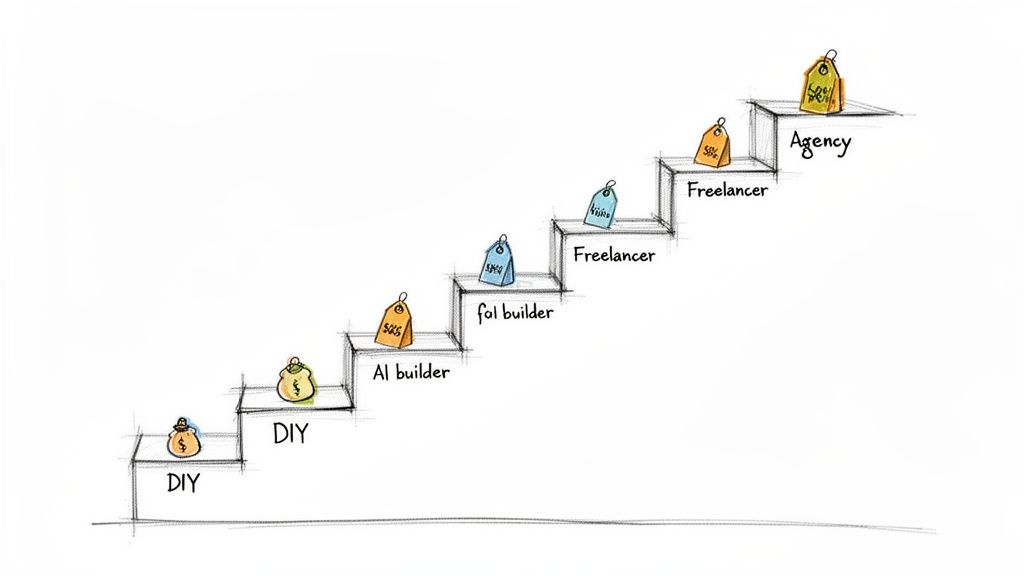
The initial build is just one part of the equation. As one of my clients once told me, "the real cost isn't the launch, it's keeping the lights on." Planning for ongoing maintenance is crucial for keeping your site secure, fast, and functioning correctly long after launch day.
What Drives the Price Up?
Ever wonder why one website quote is $1,500 and another is $15,000? It usually comes down to a few key factors:
Design Complexity: A site built from a pre-made template is always cheaper. A completely custom design with unique layouts, animations, and branding can easily double or triple the cost.
Special Features: Need to sell products online? Want a customer login area or a booking system? Each piece of special functionality adds another layer of development time and expense.
Content Creation: Don't underestimate the cost of words and images. Professional copywriting, photography, and video production can add anywhere from $500 to $5,000 to the project.
Ongoing Support: Do you need someone on call to handle updates, backups, and security? "Managed" services and support retainers will add to your annual costs but can save you a world of headaches.
The good news is that you can often mix and match. For instance, you could start with a premium template to save on design costs but hire a freelancer to help set up your e-commerce functionality. For a deeper dive into all the components involved, you can explore various website development services.
A Few Real-World Pricing Scenarios
To make this more concrete, here are a few examples based on projects I've seen:
The Solo Consultant's Portfolio
Upfront Cost: Around $500. This could cover a premium template on an AI builder, some light customization, and professional stock photos.
Ongoing Cost: About $150/year for hosting and the platform subscription.
The Local Bakery's Online Store
Upfront Cost: Closer to $3,000. This would likely involve a freelancer building a semi-custom site on a platform like Shopify, including product setup and payment integration.
Ongoing Cost: Roughly $400/year for hosting, app subscriptions, and transaction fees.
The Tech Startup's Web Platform
Upfront Cost: $15,000 or more. This is agency territory, involving deep custom development, user account systems, and third-party API integrations.
Ongoing Cost: At least $1,200/year for robust hosting, security monitoring, and a support retainer.
Your own project will almost certainly fall somewhere along this spectrum, depending entirely on your specific goals.
How to Plan Your Budget and Keep Costs Down
Feeling a bit of sticker shock? Don't worry. A smart plan can help you stay in control of the budget.
Start with an MVP: Launch with just the must-have features. You can always add the "nice-to-haves" in a second phase once you're generating revenue. This is the single best way to minimize your initial investment.
Set Clear Milestones: Break the project into smaller, manageable phases with payments tied to each one. This improves cash flow and ensures you're happy with the progress before releasing the next chunk of funds.
Keep a Contingency Fund: Things happen. A feature takes longer than expected, or you decide you need something you didn't plan for. Set aside an extra 10% of your total budget just in case.
Get Multiple Quotes: Talk to at least three different providers (whether they're freelancers or agencies) to get a feel for the market rate and find the right fit. Don't just look at the price—compare their understanding of your project.
With a little bit of strategic planning, you can turn a potentially unpredictable expense into a manageable and powerful investment.
The 4 Core Factors That Drive Your Website's Cost
Figuring out how much a website costs is a lot like pricing out a new car. You can’t just ask a dealer, "How much for a car?" without getting a ton of questions back. Are you looking for a basic sedan to get from A to B, or a luxury SUV with all the bells and whistles? The same logic applies to your website—the final price tag really comes down to the choices you make.
Your total investment boils down to four key drivers. Once you get a handle on these, you'll be able to look at any quote and know exactly what you're paying for.
1. Design Complexity: The Blueprint
Your website’s design is the first thing people see, like the curb appeal of a house. The complexity of that design is one of the biggest factors in what you'll pay.
A simple, clean look using a pre-made template is like picking a standard floor plan for a new home—it's efficient and budget-friendly. These templates give you a solid, professional-looking foundation without a massive upfront investment.
But if you want something that truly stands out, you’re talking about a custom design. This is the equivalent of hiring an architect to draw up one-of-a-kind blueprints. A custom job means every visual element is built from the ground up to fit your brand perfectly, from the layout and colors to unique animations and interactive features. It’s a serious consideration, especially when you learn that 75% of people judge a business’s credibility based on its website design.
The Bottom Line: A template-based website is a smart, affordable starting point, kind of like a stylish prefab home. A fully custom design is the bespoke mansion—gorgeous and unique, but with a price tag that reflects all the specialized work involved.
2. Functionality: The Engine and Electronics
Functionality is all about what your website does. If design is the car's body and paint job, functionality is the engine, the transmission, and the high-tech navigation system. A basic "brochure" website with a few pages and a contact form has a simple, reliable engine—it gets the job done without any fuss.
Things change fast when you start adding advanced features.
E-commerce: This is like upgrading from a standard engine to a high-performance one. You'll need product pages, a secure shopping cart, payment processing, and inventory management.
User Accounts: Adding member logins or customer portals is like installing a custom keyless entry and security system.
Booking Systems: An integrated calendar for scheduling appointments is like adding a sophisticated onboard computer that manages itself.
Every new function requires specialized development work. It’s a major reason why the answer to "how much does a website cost?" can range from a few hundred dollars to tens of thousands.
3. Content Creation: The Interior and Upholstery
A beautifully designed website is just an empty shell without great content. Your content is everything that fills the pages—the words, the photos, the videos, and the blog posts that connect with your audience.
You have a few ways to approach this, each with a different price point:
Content Type | Low-Cost Approach | Professional Approach |
|---|---|---|
Copywriting | Write all the text yourself. | Hire a professional copywriter ($50-$250/hour). |
Photography | Use free or paid stock photos. | Commission a professional photoshoot. |
Videography | Shoot simple videos on your phone. | Hire a production team for a polished look. |
One of the best ways to keep your project on budget is to have all your content ready to go from the start. Handing your developer finalized text and images saves a ton of back-and-forth, which directly translates into fewer billable hours.
4. Ongoing Maintenance: Gas, Insurance, and Tune-Ups
Finally, after you buy the car, you still have to pay for gas, insurance, and regular maintenance. Your website is no different. These ongoing costs are absolutely essential for keeping your site secure, running smoothly, and up-to-date.
Think of these as your website's recurring bills:
Web Hosting: The "parking spot" where your site lives online.
Domain Name: Your website's unique address (like a vanity plate).
Security Updates: Protecting your site from hackers and malware.
Software Updates: Keeping all the plugins and tools current.
Backups: Your insurance policy in case anything goes wrong.
These fees are a non-negotiable part of the total cost of ownership. Skipping them is like never changing the oil in your car—you might save a little now, but you're setting yourself up for a much bigger, more expensive breakdown later on.
Choosing Your Path: DIY vs AI vs Freelancer vs Agency
Deciding how to build your website is single-handedly the biggest factor that will shape your final cost. Think of it like planning a cross-country trip. You could drive yourself, hop on a high-speed train, hire a personal driver, or charter a private jet. Each one gets you to your destination, but the price, timeline, and overall experience couldn't be more different.
Let's break down the four main routes for getting your business online. This will help you figure out which path makes the most sense for your budget, timeline, and how comfortable you are with technology.
DIY Website Builders: The Hands-On Approach
Do-it-yourself (DIY) builders like Wix or Squarespace are where most new businesses get their start. This is the "drive yourself" option of our trip analogy—it demands your time and focus, but it’s by far the most budget-friendly way to go. You're in the driver's seat, every step of the way.
These platforms give you drag-and-drop tools, a library of pre-made templates, and hosting all baked in, making them pretty accessible even if you've never touched a line of code.
Best For: Solopreneurs, bloggers, and small businesses with simple needs and more time than money.
Pros: The lowest upfront cost, you have full creative control, and it's a great way to learn the ropes of web management.
Cons: It can be a huge time sink, the templates can start to look generic, and when something breaks, you're the one on the hook to fix it.
The trade-off here is crystal clear: you save cash by spending your own time. For a basic brochure site or a personal portfolio, this is often the smartest move you can make.
AI Builders: The Smart Shortcut
Next up are AI-powered website builders like Alpha. These represent a fantastic middle ground. Think of this as taking the high-speed train. It’s way faster and more efficient than driving yourself, covering most of the distance with advanced tech, but you'll still need to handle the final leg of the journey yourself.
AI builders automate the most grueling parts of design and initial setup. Instead of spending hours dragging and dropping little boxes, you can just describe what you want—or even give it a link to a site you like—and the AI will generate a professional-looking layout for you. Alpha, for instance, is great at turning your rough ideas into a working design in a matter of minutes.
This approach slashes the initial setup time, letting you jump straight to refining your content and strategy instead of wrestling with design software. It's the affordability of DIY mixed with the speed of hiring a pro.
If this modern route sounds interesting, our guide on using AI to build a website dives much deeper. It’s an ideal choice for startups and entrepreneurs who need a polished site up and running fast, without a frustrating learning curve.
No matter which path you take, the same core factors will influence your costs, as this chart shows.
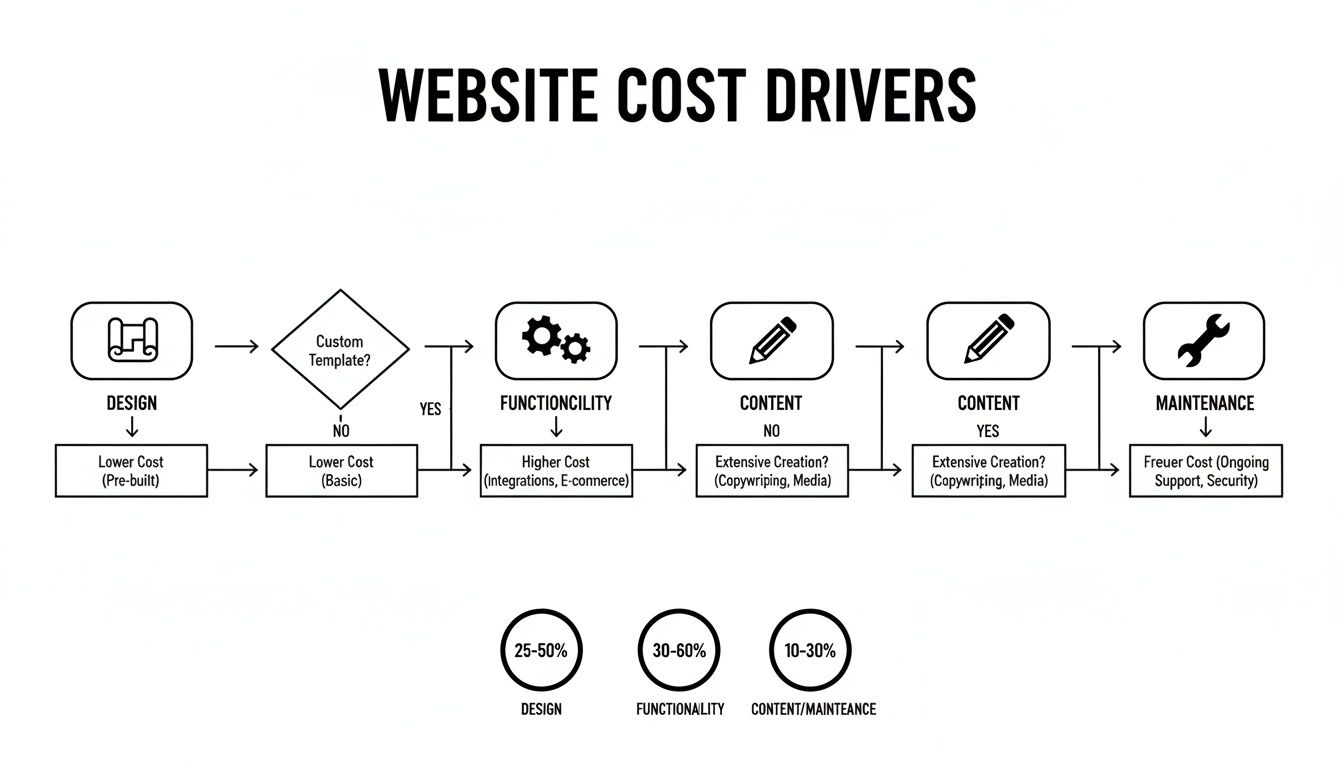
This visual breaks down how your decisions on design, features, content, and upkeep all add up to the final number.
Hiring a Freelancer: The Custom Co-Pilot
When your needs get more specific and you've outgrown the basic builders, hiring a freelance web developer or designer is the logical next step. This is like hiring a private driver for your trip. You tell them where you want to go and point out the important stops, but an expert handles the driving, navigates the tricky parts, and deals with the mechanics.
A good freelancer can build you a completely custom site or heavily customize a template until it's a perfect match for your brand. This option is a godsend for small businesses that need special features—like a custom booking system or unique software integrations—that you just can't get from an off-the-shelf builder.
The real advantage is getting specialized expertise without the massive overhead of a full agency. The catch? You'll have to be more hands-on with project management, giving clear feedback and direction to make sure the final website matches what you had in your head.
Hiring an Agency: The All-Inclusive Journey
Finally, for big, complex projects, you have web design and development agencies. An agency is your private jet—it's a premium, all-in experience where a team handles absolutely everything from initial strategy and design to development, content creation, and the final launch. This is the most expensive route, but it’s also the one that requires the least of your direct involvement.
Agencies are built for established businesses with serious budgets that need more than just a website. They need a complete digital strategy, ongoing marketing, and complex tools like a custom e-commerce platform or a web application. You're not just hiring one person; you're getting an entire team of specialists.
Ultimately, the web development world has sorted itself into clear pricing tiers based on these choices. You can get started with a DIY builder for anywhere from $0 to $500 a year. A solid small business website typically runs between $2,000 and $8,000. Agency projects for growing companies often land in the $10,000 to $50,000 range, and enterprise-level work can easily soar past $100,000. When you're considering bringing in outside help, knowing how to properly outsource web development can make a huge difference to both your budget and the final outcome.
Comparing Your Options: DIY vs AI vs Freelancer vs Agency
To help you visualize the trade-offs, here’s a quick side-by-side look at how these four paths stack up against each other.
Factor | DIY Builder (e.g., Wix) | AI Builder (e.g., Alpha) | Freelancer | Agency |
|---|---|---|---|---|
Upfront Cost | Very Low ($0 - $500) | Low ($300 - $1,000) | Medium ($2,000 - $8,000) | High ($10,000+) |
Time Investment | Very High | Low | Medium | Very Low |
Technical Skill | Low | Very Low | None Required | None Required |
Customization | Limited | Moderate | High | Very High |
Speed to Launch | Slow | Very Fast | Medium | Medium to Slow |
Best For | Hobbyists, brand new businesses with no budget. | Startups, entrepreneurs needing speed and quality. | Businesses needing specific, custom features. | Established companies needing a full strategy. |
As you can see, there's no single "best" option—only the best option for your specific situation. Your choice will come down to a balance between your budget, how much time you can spare, and how unique you need your website to be.
How Global Talent Can Reshape Your Website Budget
Here’s a factor many entrepreneurs miss when budgeting for a new website: geography. It might sound strange, but where your developer or agency is located can swing your final price tag by a factor of five or more. Tapping into the global talent pool isn't just a big-corporation game anymore; it's a powerful way for small businesses to get high-quality work without the sticker shock.
Think of it this way: you could buy a fantastic, custom-tailored suit on Fifth Avenue in New York for $3,000. Or, you could get a suit of the exact same quality from an expert tailor in another part of the world for $600. The craftsmanship is excellent in both cases, but the local cost of living and market rates create that massive price difference. Web development works the same way.
Unlocking Global Price Differences
The difference in hourly rates for developers around the world is genuinely staggering. A project that gets a $10,000 quote from a North American agency could very well be built by an equally skilled team in Eastern Europe or Asia for a fraction of that. This isn't about cutting corners on quality; it's about smart sourcing.
Research shows that regional costs for web development can vary by over 500%. For instance, a developer in the United States might charge $100-$149 per hour, while a counterpart in Eastern Europe could be in the $35-$120 range. Go to certain parts of Asia, and those rates can drop below $25 per hour.
What does that mean for your budget? A project quoted at $10,000 in the US could potentially be completed for just $2,500-$3,500 by hiring talent from another region. You can dig into more detailed regional pricing breakdowns to see these numbers for yourself.
Weighing the Pros and Cons
Of course, it’s not as simple as just picking the lowest price. Working with global talent has its own rhythm and requires a bit of know-how to get right. It’s about finding the right partner, not just the cheapest one.
Potential Advantages:
Massive Cost Savings: This is the big one. What you save on development can be poured back into marketing, content, or other parts of your business that need it more.
Access to a Wider Talent Pool: Suddenly, you're not limited to the developers in your city. You can find a specialist with the exact niche skills you need, no matter where they live.
Around-the-Clock Productivity: Time zone differences can actually be a huge advantage. With a little planning, your overseas team can be pushing the project forward while you sleep.
Potential Challenges:
Communication Hurdles: Language barriers and cultural nuances can sometimes lead to wires getting crossed. Clarity is everything.
Time Zone Management: Coordinating meetings and getting timely feedback can be a headache if you don't have a good system for asynchronous communication.
Quality Control: It takes extra due diligence to vet freelancers or agencies you can't meet in person.
The trick for any smart business owner is to minimize the risks while grabbing all the benefits. That means setting up crystal-clear communication from day one, using project management tools to keep everyone on the same page, and doing your homework on potential partners by digging through their portfolios and past client reviews.
Ultimately, looking at global talent is a game-changing strategy for controlling your website budget. It shifts the question from a simple "How much does a website cost?" to a much more strategic one: "How can I get the absolute best website for the money I have?" By expanding your search beyond your local market, you open the door to huge savings and a world-class website without the world-class price.
Putting It All Together: Real-World Website Cost Scenarios
All the theory is great, but what does this look like in the real world? Let's walk through three common business scenarios to see how these costs actually stack up. Think of these as a budgeting guide to help you picture where your own project might land.
Each example breaks down the initial and ongoing expenses for design, development, content, and maintenance, giving you a much clearer idea of what to expect.
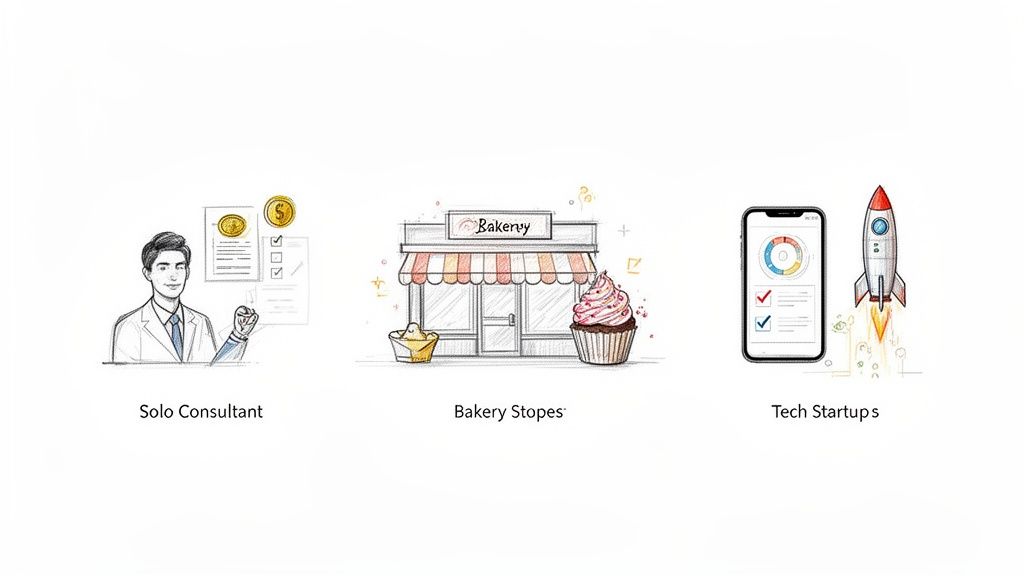
Scenario 1: The Solopreneur Consultant
First up is Alex, a freelance marketing consultant. Alex needs a sharp, professional website to build trust, show off a portfolio, and give potential clients a simple way to book a call. The main goal here is lead generation, not selling products directly.
Since Alex is tech-savvy and has more time than cash to burn, a DIY or AI-assisted route makes the most sense.
Here's the Cost Breakdown:
Platform: Alex opts for an AI builder like Alpha to get a great-looking design up and running fast. The premium plan is a must for a custom domain. ($200 - $400/year)
Design: While the AI does the heavy lifting on the layout, Alex spends a little on a premium template and some high-quality stock photos to stand out. ($150 one-time)
Functionality: A basic contact form and a scheduling tool like Calendly are all that's required. Luckily, Calendly's free plan does the trick. ($0)
Content: Alex handles all the writing but wisely invests in a professional headshot to look the part. ($250 one-time)
Total Upfront Cost: Roughly $400 Total Annual Cost: $200 - $400
This is a perfect example of a lean, effective approach. Alex gets a polished, professional site without the hefty price tag—ideal for a solo professional just starting out.
Scenario 2: The Local Bakery E-Commerce Shop
Next, meet "The Sweet Spot," a neighborhood bakery that wants to start selling online for local pickup and delivery. Their website needs to look delicious, of course, but the real challenge is the e-commerce engine behind it—something that can smoothly handle orders, payments, and inventory.
The owners are swamped running the bakery, so they decide to hire a freelance web developer who knows e-commerce inside and out.
Here's the Cost Breakdown:
Platform: Their freelancer suggests a powerhouse like Shopify or WordPress with the WooCommerce plugin. ($400 - $700/year for the plan and necessary apps)
Design & Development: This is the biggest ticket item. The freelancer will customize a theme, build out product pages, set up a local delivery system, and connect the payment gateway. That’s about 40-50 hours of work. ($3,000 - $5,000 one-time)
Functionality: Beyond the platform subscription, there are payment processing fees (usually 2.9% + 30¢ per sale) and a premium plugin for local delivery. ($100/year for plugins)
Content: To make their treats irresistible, they hire a food photographer for some mouth-watering product shots. ($800 one-time)
Total Upfront Cost: $3,900 - $5,900 Total Annual Cost: $500 - $800 (plus transaction fees)
As you can see, adding a critical business function like e-commerce really bumps up the initial investment. If this sounds like you, check out our in-depth look at the true small business website cost.
Scenario 3: The Tech Startup's Custom Platform
Finally, let’s look at "ConnectSphere," a tech startup building a new social network. For them, the website is the product. It needs custom-built features like user profiles, a unique matching algorithm, and private messaging, all while being able to handle thousands of users.
This isn't just a website; it's a full-blown web application. A project this complex is a job for a skilled development agency.
Here's the Cost Breakdown:
Platform: This is a completely custom-coded solution. The build involves a front-end (what people see) and a back-end (all the server logic and databases). ($25,000 - $50,000+ one-time)
Design: The agency's designers will create the entire user experience (UX/UI) from the ground up—wireframes, mockups, the works. (Included in the agency's fee)
Functionality: The custom code for user profiles, real-time chat, and that special algorithm is the heart of the project and the biggest cost.
Ongoing Maintenance: This kind of platform needs a dedicated server, constant security monitoring, and a developer on retainer for bugs and new features. ($5,000 - $10,000+/year)
Total Upfront Cost: $25,000 - $50,000+ Total Annual Cost: $5,000 - $10,000+
This high-end scenario drives the point home: when your website is a complex, custom-built application, the investment is on a completely different level, reflecting the serious engineering required to bring it to life.
Smart Strategies to Lower Your Website Costs
Knowing what drives a website's price is one thing; knowing how to control those costs is where you really start to win. A great website doesn’t have to drain your bank account. If you go into the project with a smart, strategic plan, you can get exactly what you need without the sticker shock.
With a few thoughtful decisions upfront, you can seriously cut down your initial investment and still end up with a high-quality site your business can be proud of. It all comes down to focusing on what’s essential right now and planning to grow later.
Start with a Minimum Viable Product
One of the best ways to keep your budget in check is to launch with a Minimum Viable Product (MVP). Think of this as the "phase one" version of your website—just the bare essentials needed to get the job done for your target audience.
Forget about building every single feature you've ever dreamed of. Instead, what are the absolute must-haves? For a freelance designer, that’s probably a portfolio page and a contact form. For a local bakery, it might just be your menu, hours, and phone number.
This MVP approach gets your business online fast, so your website can start generating leads or sales right away. You can then use real customer feedback (and revenue!) to decide what to build next, making sure you only invest in features people will actually use.
Choose Smart, Cost-Effective Tools
The platform you build on will have a massive impact on your final bill. A completely custom-coded site gives you ultimate control, but that flexibility comes with a hefty price tag. Thankfully, modern tools can deliver a professional-grade website for a fraction of the cost.
Premium Templates: Why start from scratch? Using a professionally designed template can save you thousands in custom design fees. It gives you a solid, well-designed foundation that you can easily customize with your own branding, content, and images.
AI and DIY Builders: Platforms like Alpha are built for entrepreneurs who need speed and quality without hiring a developer. Taking some time to explore the best affordable website builders is a fantastic way to find a tool that fits your startup budget.
Prepare Your Content in Advance
Here’s a hidden cost many people don't see coming: content delays. When you hire a professional, you're paying for their time. If your developer is stuck waiting around for you to send over text and images, the clock is still ticking, and those hours will show up on your invoice.
You can completely avoid this by having all your content ready to go before the project even starts. Get all your page text written and approved, gather your high-resolution photos, and have any videos ready. Handing over a complete package of final content on day one keeps the project moving smoothly, cuts down on billable hours, and helps keep you firmly on budget.
Got Questions About Website Costs? We've Got Answers.
Even after laying it all out, a few common questions always seem to surface when it's time to actually set a website budget. Let's tackle the ones we hear most often from entrepreneurs, so you can move forward with total confidence.
How Much Should a Small Business Realistically Budget for a Website?
For most small businesses, the initial investment for a professionally built website lands somewhere between $2,000 and $10,000. That's a big range, I know. A simple, clean "brochure" site from a freelancer will be on the lower end of that scale. On the other hand, if you're looking to sell products online with a full e-commerce setup and a few custom bells and whistles, you'll be leaning toward the higher end.
And remember, that's just to get the site built and launched. You'll also want to budget for the ongoing upkeep—things like hosting, security, and maintenance—which typically runs between $50 and $200 a month.
What Hidden Fees Should I Be on the Lookout For?
Oh, absolutely. Hidden fees are the classic "gotcha" in this industry, but you can avoid them by knowing what to look for. When you get a quote, you need to be the one asking what isn't included.
Here are a few common culprits that can sneak up on you:
Plugin and App Subscriptions: Many of the coolest features, like a sophisticated booking system or powerful contact forms, are powered by third-party tools that come with their own annual subscription fees.
Premium Stock Photos: If you want your site to look truly professional, you'll need high-quality images. The good ones almost always require a license, and those costs can add up fast.
"Just One More Tweak": Most designers will include a specific number of revision rounds in their contract. If you keep asking for changes beyond that scope, you'll likely start getting billed by the hour.
My best advice? Always demand a detailed, itemized proposal. It should spell out exactly what you're getting and, just as importantly, what you're not. This one step can save you from some serious budget headaches later on.
Is It Really Cheaper to Just Build the Website Myself?
From a pure cash-out-of-pocket perspective? Yes, building a site yourself with a DIY or AI-powered builder is almost always the cheapest route. You can often get a site live for less than $300.
But the real currency here isn't just money; it's your time. Be honest with yourself—it can take dozens, sometimes hundreds, of hours to really learn the platform, get the design right, and write all the content. If that's time you could be spending making sales or running your business, then hiring a pro often provides a much better return on your investment, even with the higher upfront cost.
Ready to build a stunning website without the high cost or steep learning curve? With Alpha, you can use AI to generate a professional, conversion-focused website in minutes. Simply describe your business or provide a reference URL, and let our technology do the heavy lifting.
Build beautiful websites like these in minutes
Use Alpha to create, publish, and manage a fully functional website with ease.