





How to Create Website Mockups People Actually Love
Learn how to create website mockups that bridge the gap between idea and reality. Our guide covers tools, principles, and developer handoff.
Build beautiful websites like these in minutes
Use Alpha to create, publish, and manage a fully functional website with ease.
Your page's title and description are your digital handshake. They're the first thing a potential visitor sees in the search results, and they have mere seconds to convince that person to click on your link instead of someone else's.
Think of it as your one shot to make a great first impression. A powerful title and description duo is one of the most valuable, and completely free, assets you have for pulling in the right crowd.
Why Your Handshake Matters So Much
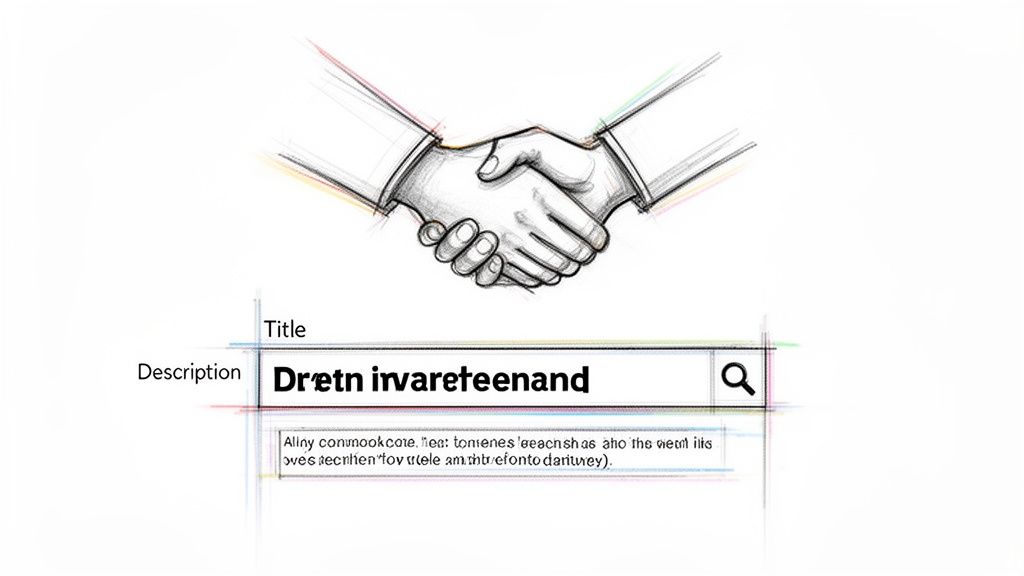
Picture the Google search results page—it's a massive, crowded digital party. Your title and description are your opening line, the hook that makes someone in that crowd turn their head and pay attention. This isn't just about cramming in keywords; it's about speaking directly to what the user is looking for.
Search engines use these snippets to quickly gauge what your content is about and how relevant it is to a query. This directly impacts how high you rank and how much traffic you get. A well-written title can dramatically improve your click-through rate (CTR), which sends a strong signal to Google that your page is a fantastic match for that search. This whole feedback loop is a fundamental part of modern SEO, which you can dive into in our guide on what is search engine optimization.
Beyond Keywords: The User Promise
At its core, your title and description make a promise. If you title a page "10 Easy Vegan Dinner Recipes," people who click are expecting exactly that. When you deliver on that promise, you build instant trust, which encourages people to stick around and lowers your bounce rate.
This first impression has become even more crucial as the global website builders market has boomed. With North America holding around 40% of the market and 67% of business owners leaning towards AI-powered tools for speed, standing out is tougher than ever. It’s why platforms like Alpha, which use AI to help solopreneurs get online in hours, are so important. Learn more about the website builder market trends.
Ultimately, the job of your title and description is to answer one simple question for the user: "Is this page exactly what I'm looking for?" A clear, compelling "yes" will win the click every single time.
You don't need to be a seasoned SEO pro to master this "digital handshake." Modern tools, like those built into Alpha, make it straightforward to create a powerful first impression and start attracting the right audience right from the search results page.
The Anatomy of a High-Performing Page Title
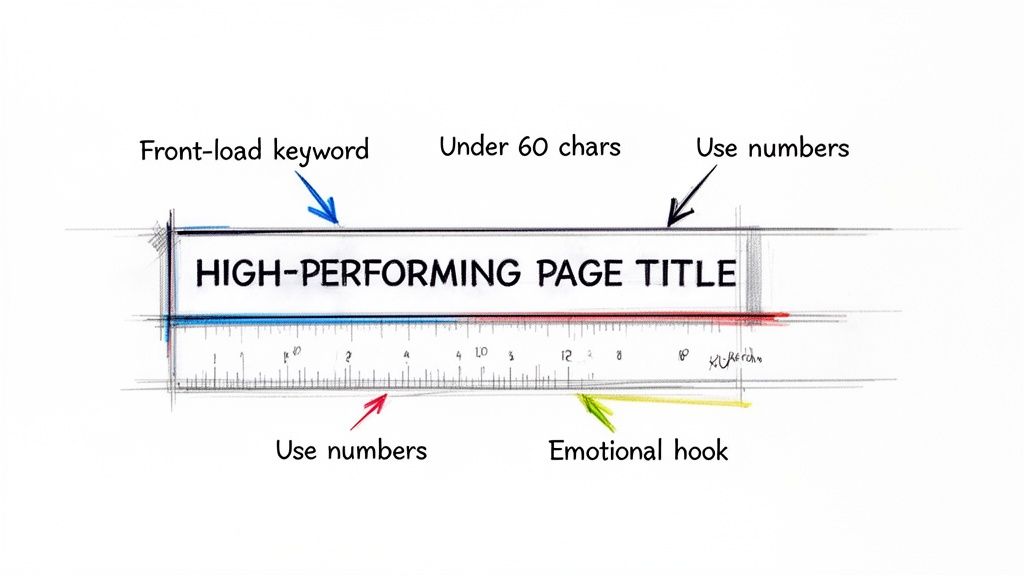
Think of your page title as your digital handshake. It’s the very first impression you make in the search results, and it has to do a lot of heavy lifting—it needs to appeal to Google's algorithm and convince a real person to click. Getting this right is a blend of art and science.
Let's start with the hard numbers. Google gives you about 600 pixels of space for a title, which shakes out to roughly 60 characters. Go over that, and your carefully crafted title gets the dreaded "..." treatment, often chopping off the most important words. It’s a hard limit, so you have to work within it.
Because that space is so precious, you absolutely must front-load your primary keyword. Put it right at the beginning. This immediately tells both search engines and human searchers that your page is relevant to their query. No ambiguity, just a clear signal of value.
Going Beyond Keywords to Spark Curiosity
Once the technical boxes are checked, the real fun begins. You need to make your title click-worthy, and there are a few tried-and-true techniques I always come back to.
Using numbers is a classic for a reason. They promise structure and scannability. "10 Ways to Boost Your Productivity" just feels more manageable and concrete than "How to Boost Your Productivity." The user knows exactly what they're getting.
Posing a question is another powerful move. A title like "Are You Making These Common SEO Mistakes?" is incredibly engaging. It creates an immediate connection and a little bit of intrigue. People naturally want to find the answer, and the only way to do that is to click through.
Never forget the power of an emotional hook. Words that hint at a benefit, create urgency, or stir curiosity can make all the difference.
Just look at the contrast:
Vague: "Tips for Social Media Marketing"
Compelling: "7 Social Media Tips That Actually Convert in 2024"
The second one is specific, time-relevant, and promises a tangible result—conversions. That's a title that works hard for you.
Your page title isn't just a label; it's a headline. Treat it like you're writing for the front page. It has to be accurate, concise, and just interesting enough to stop a user mid-scroll.
Proven Title Formulas for Different Content Scenarios
To make this even more practical, I've put together a few battle-tested title templates. These are frameworks you can adapt for just about any page on your website to create compelling, clickable headlines.
Content Type | Winning Formula | Real-World Example |
|---|---|---|
Blog Post (Listicle) | [Number] [Adjective] Ways to [Achieve Goal] | 12 Surprising Ways to Organize Your Small Kitchen |
Product Page | [Product Name] with [Key Feature] | [Brand Name] | The Wanderer Backpack with Anti-Theft Lock | Trek Co. |
Category Page | Shop [Product Category] for [Benefit/Use Case] | Shop Men's Running Shoes for Trail & Road |
"How-To" Guide | How to [Complete a Task]: The Ultimate Guide | How to Change a Tire: The Ultimate Beginner's Guide |
Comparison Post | [Product A] vs. [Product B]: Which is Best? | Alpha vs. Competitor X: Which SEO Tool is Best in 2024? |
Use these as a starting point. Mix and match elements, and always keep your specific audience and their search intent in mind. The goal is to find the perfect combination of clarity and persuasion.
Common Pitfalls to Sidestep
Even seasoned pros can slip up. One of the most common mistakes I see is keyword stuffing. It looks spammy to users and search engines have been penalizing this for years. A title like "Cheap Running Shoes Best Running Shoes Buy Running Shoes" is an instant red flag.
Another classic error is using duplicate titles across multiple pages. Every single page on your site needs a unique title that accurately describes its specific content. This is non-negotiable for good SEO. For those on WordPress, a tool like the Rank Math SEO plugin is a lifesaver here, as it can help you spot duplicates and craft better titles.
Finally, resist the urge to be too clever or vague. In the world of search, clarity always wins. A user should know exactly what your page is about before they click. A straightforward, benefit-driven title is your safest and most effective bet.
Writing Meta Descriptions That Earn the Click
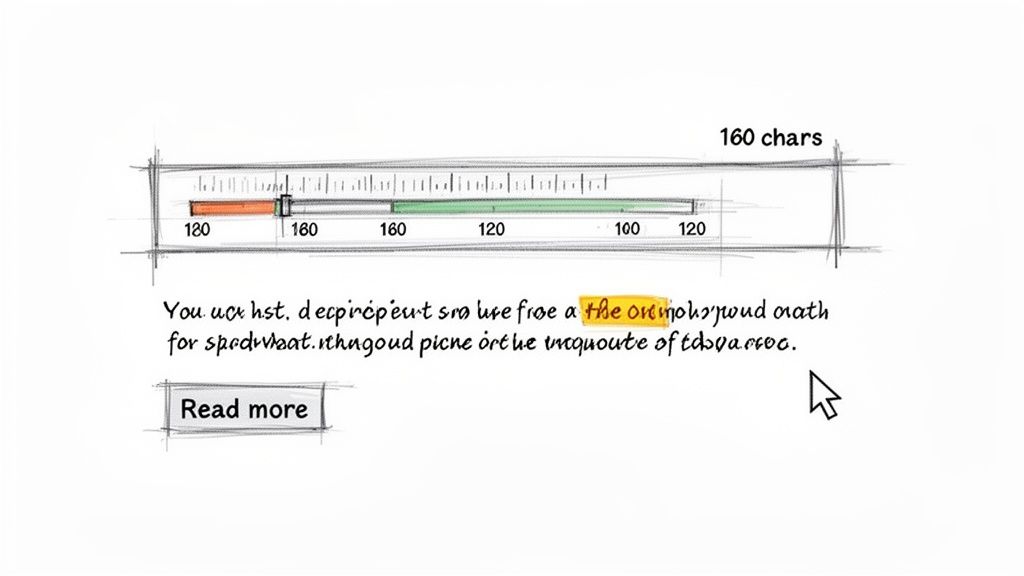
If your page title is the headline that grabs someone's attention, the meta description is your chance to really sell them on clicking. Think of it as your 160-character sales pitch.
While meta descriptions don't directly boost your search engine rankings, they have a huge impact on your click-through rate (CTR)—a metric search engines definitely pay attention to. A great meta description convinces a searcher that your page has the answer they're looking for, making them choose your link over all the others.
Focus on Value and User Intent
The best way to write a killer meta description is to shift your mindset. Don't just think about what your page is; focus on what it does for the reader. What problem are you solving? What question can you answer?
For instance, if you're writing for a product page, don't just rattle off a list of specs. Connect those features to real-world benefits.
Weak: "Our backpack has YKK zippers, 420D nylon fabric, and a 25L capacity."
Strong: "Discover the ultimate travel backpack. Built with waterproof nylon and anti-theft zippers to keep your gear safe on any adventure. Shop now for free shipping!"
See the difference? The second one paints a picture, speaks to a need (keeping gear safe), and throws in a compelling call to action.
Crafting a Compelling Narrative
A good meta description should feel like an invitation, not a textbook summary. You'll want to include your primary keyword, of course, but it needs to fit into a natural, persuasive sentence.
Here are a few ways I've seen this done really well:
Ask a Question: "Struggling to find the perfect vegan dessert? Discover 10 easy recipes you can make tonight with ingredients you already have in your pantry."
Promise a Solution: "End your search for the perfect project management tool. See how our platform helps teams streamline workflows and hit deadlines, every time."
Highlight What Makes You Different: "Experience handcrafted coffee delivered to your door. We ethically source single-origin beans and roast them the day they ship for ultimate freshness."
A successful meta description makes the user feel understood. It confirms that clicking your link is the next logical step to solving their problem or satisfying their curiosity.
This is especially critical for small and medium-sized businesses. It’s no surprise that SMEs make up over 60% of the market for business website applications; they need tools that help them turn visibility into actual leads without a big marketing budget. Platforms like Alpha, which make title and description editing straightforward, give entrepreneurs the power to fine-tune these crucial elements themselves.
If you want to go even deeper on this, we've put together a full guide on https://www.alpha.page/blog/how-to-write-meta-descriptions-for-seo. And for some extra inspiration, check out these excellent tips for your blog description.
All the theory in the world doesn’t mean much until you put it into practice. Let’s walk through exactly how to get your new page title and meta description working for you inside the Alpha platform.
Finding Your SEO Settings
First things first, you need to know where to go. Whether you're working on your homepage, a product page, or a brand-new blog post, each page has its own dedicated SEO settings. You'll typically find this in the main settings for that specific page, making it easy to fine-tune one page at a time without affecting the others.
Previewing Before You Go Live
Once you're in the right spot, you'll see fields labeled SEO Title and Meta Description. This is where the magic happens. Go ahead and paste in the text you've so carefully crafted.
The best part? Alpha gives you a live preview of how your page will actually look in a Google search result.
Here’s a peek at what that preview looks like inside the editor:
This visual feedback is gold. You can instantly see if your title is getting awkwardly cut off or if your description just doesn't have the right hook. It lets you tweak and polish everything on the fly until it’s perfect.
Getting a Creative Boost with AI
Let's be honest, sometimes you just stare at the screen and draw a blank. That’s where the built-in AI assistant can be a lifesaver. It can scan your page’s content and whip up some surprisingly good suggestions for both your title and description. It's a fantastic way to break through writer's block and get some solid ideas to work with.
This kind of smart assistance is a big reason why 67% of business owners now prefer using platforms with AI features. It just makes complex jobs feel simpler. If you're curious, you can learn more about AI's impact on website builders.
Don't just publish and forget it. Always use the preview as a final gut check. Ask yourself: "If I saw this in a list of ten search results, would I click my own link?" If the answer isn't a firm "yes," keep refining.
After you’ve published your changes, the job isn’t quite done. The next step is to see how your work is paying off. Tracking performance is crucial for understanding if your new text is actually improving click-through rates. To get that data, check out our guide on how to add Google Analytics to your site. It’s the only way to know for sure what’s working.
Common Title and Description Mistakes You Can Easily Avoid
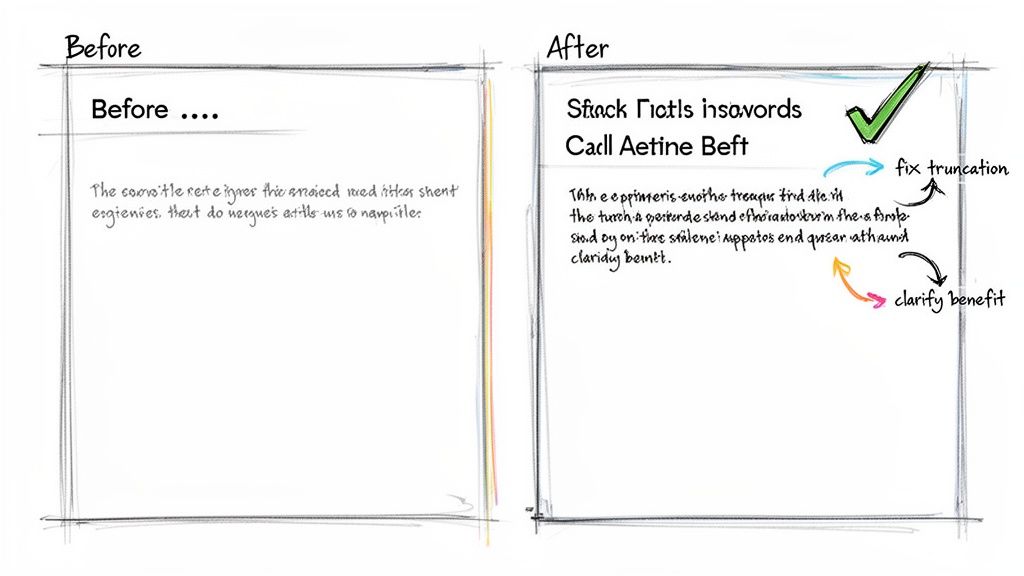
Writing a great title and description is part art, part science. But even seasoned pros fall into a few common traps that can quietly sabotage their search visibility. I've seen these simple mistakes pop up time and time again.
The most obvious offender? The dreaded "..." at the end of a title. You’ve crafted the perfect hook, only to have Google chop it off right before the punchline. This happens when you go over the 60-character sweet spot, leaving searchers with half a thought and a bad first impression.
Another classic mistake is writing a description that promises the world but doesn't deliver. Sure, a clickbait-y snippet might get you the click, but it's a surefire way to get a bounce. When someone lands on your page and realizes the content doesn't match the hype, they'll hit the back button so fast it'll make your head spin. That signals to search engines that your result isn't a good match.
Mismatched Promises and Generic Snippets
Failing to write unique metadata for every single page is a surprisingly common oversight. When you have a dozen pages all sporting the same title and description, you're not just being lazy—you're confusing search engines and diluting your SEO potential. Every page has a unique job to do, and it needs its own unique introduction.
Let's break down a real-world example I see all the time to show just how much a few small tweaks can accomplish.
Before:
Title: Best Digital Marketing Strategies and Services for Small Business Growth and Leads
Description: We offer digital marketing. We help with SEO, content, and social media. Contact us to learn about our services.
This is a perfect storm of what not to do. The title is a mouthful that's guaranteed to be cut off, and the description is bland, passive, and tells the user absolutely nothing of value.
After:
Title: 10 Digital Marketing Tips for Small Business Growth (2024)
Description: Grow your small business with these 10 actionable digital marketing tips. Learn proven strategies for SEO, content, and social media to attract more leads.
See the difference? The revised version is a massive improvement. The title is tight, specific, and uses a number to signal a clear, valuable list. The description focuses on the benefit to the user, weaves in keywords naturally, and sets a clear expectation of what they'll find.
Avoiding the Duplication Trap
Finally, there's a sneaky technical issue that can undo all your hard work: letting your website's global settings take over. Some platforms are notorious for automatically appending your site name to every single page title, effectively creating a site full of duplicate metadata.
Always, and I mean always, double-check what's actually showing up for your page. In Alpha, you can use the SEO preview tool to see exactly how your snippet will look in the wild. This simple habit helps you catch these issues before they can drag down your rankings, ensuring all that effort you put into crafting the perfect message actually pays off.
Got Questions About Titles and Descriptions? We’ve Got Answers.
Even after you’ve got a handle on the basics, a few tricky questions always seem to surface when you get down to the nitty-gritty of writing titles and descriptions. I've heard these pop up time and time again, so let's clear the air on some of the most common ones.
What Happens if I Don't Write a Meta Description?
This is a big one. If you skip writing a meta description, Google will just grab a snippet of text from the page that it thinks is relevant to the search query. It's an automated fallback, and frankly, it's a huge missed opportunity.
Sure, it's better than an empty space, but the result is almost always clunky or out of context. You're essentially letting a robot write your sales pitch. When you write your own meta description, you get to frame your page perfectly, turning a bland snippet into a compelling mini-ad that tells people exactly why they should click.
My Two Cents: Never leave your meta description blank. It's your one chance to make a first impression in the search results. Don't hand that job over to an algorithm.
Should My Title and H1 Heading Be the Same?
Ah, the classic SEO debate! The short answer is no, they don't have to be identical—and often, they shouldn't be. Think of them as having two different jobs.
Your page title is for the search results page. It's your billboard, designed to grab attention and signal relevance to search engines. It often includes your brand name and is crafted to fit within pixel limits.
Your H1 heading, however, is the first thing a person sees once they've actually landed on your page. Its job is to welcome them and confirm they're in the right place. You have much more room to be creative and conversational here.
Let's look at a real-world example:
Page Title: "10 Easy Vegan Dinner Recipes | Healthy Living Co."
H1 Heading: "Quick and Delicious Vegan Dinners You Can Make Tonight"
See the difference? The title is built for search, while the H1 is written for the human who just clicked through. This strategy gives both search engines and your visitors exactly what they need.
How Long Does It Take for Google to Show My New Title and Description?
Once you hit 'publish' on your new title and meta description, the waiting game begins. The change isn't instant. Google has to swing back by, re-crawl your page, and then re-index it to process the update. In my experience, this can take anywhere from a few hours to a couple of weeks.
A few things can affect the speed:
Your Site's Authority: Well-established sites that post fresh content regularly tend to get crawled more frequently.
Crawl Rate: How often Google's bots are already visiting your site.
Sitemap: Requesting a re-crawl or submitting an updated sitemap in Google Search Console can sometimes give it a nudge.
The best you can do is be patient. You’ve done the work; now it’s just a matter of giving Google time to catch up.
Why Is Google Showing a Different Title or Description Than What I Wrote?
This one can be maddening. You write the perfect title, and then you see Google showing something completely different in the search results. What gives?
Most of the time, Google rewrites your title or description because it believes its version better matches what the user was searching for. It's trying to be helpful by tailoring the result to a very specific query. This is especially common if your original text was a bit vague, stuffed with keywords, or didn't quite capture the page's content accurately.
While you can't force Google to use your text 100% of the time, you can dramatically improve your chances. The key is to write incredibly clear, relevant, and compelling copy that genuinely reflects the value on the page. When you focus on serving the user's needs, Google is far more likely to trust your work.
Ready to stop wrestling with complicated tools and start building a website that gets noticed? Alpha uses AI to make creating a stunning, SEO-friendly site easier than ever. Clone a design you love, describe your edits in plain English, and watch your vision come to life in hours, not weeks. Build your high-performance website today.
Build beautiful websites like these in minutes
Use Alpha to create, publish, and manage a fully functional website with ease.