





How to Create Website Mockups People Actually Love
Learn how to create website mockups that bridge the gap between idea and reality. Our guide covers tools, principles, and developer handoff.
Build beautiful websites like these in minutes
Use Alpha to create, publish, and manage a fully functional website with ease.
Let's be honest, the idea of building a website from scratch can feel pretty intimidating. For years, it seemed like you had two choices: learn a bunch of code or hire someone expensive to do it for you. But that's just not the reality anymore.
The secret to creating a professional website without writing a single line of code is to use a modern no-code website builder. These platforms have completely changed the game, swapping out complex programming languages for intuitive tools like drag-and-drop editors and smart AI generators.
Building Your Website Without a Developer
Gone are the days when you needed to know HTML, CSS, or JavaScript to get your idea online. This shift has been a massive win for entrepreneurs, artists, and small business owners who can now take full control of their online presence. It's not just about making web design easier; it's about making it faster, more affordable, and accessible to everyone.
The numbers don't lie. By 2024, a staggering 74% of people who built a website did so using a website builder, not by coding it from the ground up. This trend, highlighted in research from AllAboutCookies.org, shows a clear move toward user-friendly tools over traditional development.
The New, Smarter Way to Get Online
Instead of getting bogged down in technical details or spending thousands on a developer, you can jump straight to what really matters: your vision, your content, and your customers. No-code platforms handle all the backend headaches—like security and server maintenance—so you can stay focused on growing your business.
At its core, the entire process is surprisingly simple. It really just comes down to three main phases.
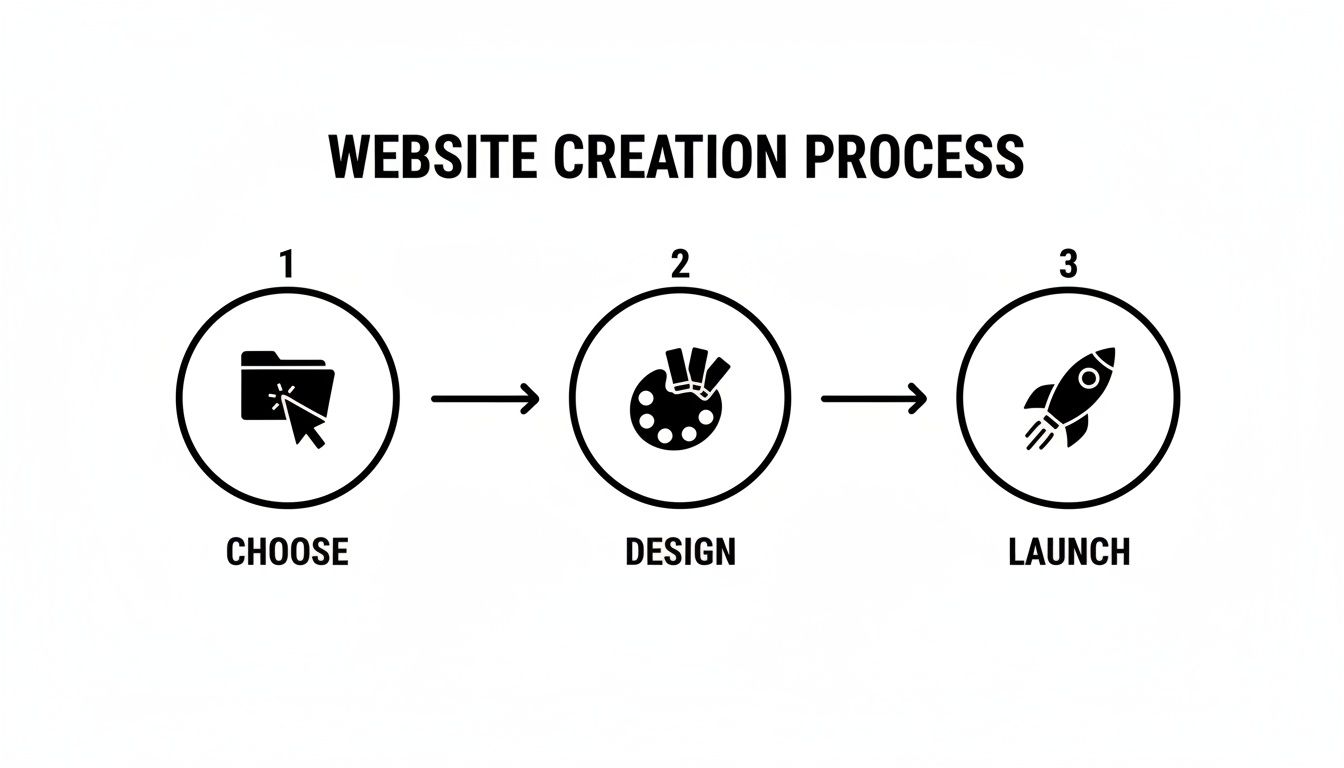
As you can see, the journey is straightforward: choose your tools, design your site, and launch it for the world to see.
To put it into perspective, here’s a quick comparison of the old way versus the new way.
Website Building Methods Compared
Feature | Traditional Coding | No-Code Website Builder |
|---|---|---|
Skill Requirement | High (HTML, CSS, JS, etc.) | Low (Basic computer skills) |
Time to Launch | Weeks or months | Hours or days |
Initial Cost | High (Developer fees) | Low (Affordable subscription) |
Ease of Updates | Complex; requires a developer | Simple; you can do it yourself |
Flexibility | Unlimited (but complex) | High (with professional templates) |
This table makes it clear why no-code platforms have become the go-to choice for most people. They remove the biggest barriers—time, cost, and technical skill—that once stood in the way.
Why Visual Design is a Game-Changer
The real magic of the no-code approach is its immediacy. You're working in a "what you see is what you get" (WYSIWYG) environment, meaning the design you see on your screen is exactly how it will look to your visitors. This completely removes the guesswork and allows you to make changes on the fly with total confidence.
Building a website without code truly democratizes the web. It puts the power to create and compete online directly into the hands of people with ideas, not just those with technical programming skills.
This guide is here to walk you through every part of that process. We'll cover everything from initial planning and choosing the right tools to designing with templates and AI, optimizing for mobile, and preparing for a successful launch. By the end, you'll have all the practical knowledge you need to build a fantastic website that represents your brand perfectly.
How to Choose the Right No-Code Platform
Let's be honest: picking your no-code platform is the most critical decision you'll make. This choice is the foundation for everything that follows, so it pays to get it right from the start. Instead of just rattling off a list of names, let's break down how to find the perfect fit for what you’re actually trying to build.
It's a great time to be in the market for one of these tools. The no-code space is booming, with projections showing the market surging from $25–30 billion in 2024 to over $84 billion by the end of the decade. More competition means better features and more innovation, which is fantastic news for creators like you.
Start With Your "Must-Haves"
Before you even glance at a platform’s homepage, you need to get crystal clear on what your website absolutely must do. Are you a photographer who needs a jaw-dropping gallery? A consultant who needs a seamless booking system? Or a local bakery looking to sell custom cakes online?
Think about that bakery for a second. "The Sweet Spot Bakery" needs more than just a pretty landing page. Their non-negotiable feature list might look something like this:
E-commerce: A reliable system for taking online orders.
Appointment Booking: An integrated calendar for scheduling cake tastings.
Photo Galleries: Beautiful, high-resolution galleries to show off their work.
Custom Order Forms: An easy way for clients to send inquiries.
By defining these essentials upfront, The Sweet Spot can instantly rule out any platforms that are weak on e-commerce or don't offer booking tools. This simple exercise saves you from hours of wasted effort and the pain of choosing a tool that can’t keep up with your business.
Compare the Key Players
With your must-have list in hand, you can start sizing up your options. I find it helpful to score platforms based on a few core characteristics that will directly impact your day-to-day experience.
Feature | What to Look For | Why It Matters |
|---|---|---|
Ease of Use | An intuitive drag-and-drop editor or a smart AI interface. | If making a simple text update feels like a chore, you'll avoid it. You need a tool that feels empowering, not frustrating. |
Design Flexibility | A great selection of templates plus deep customization options. | Your site needs to reflect your unique brand, not look like a cookie-cutter copy of someone else's. |
Scalability | Room to grow. Can you easily add a blog, an online store, or a members-only section down the road? | Choose a platform for the business you want to have in two years, not just the one you have today. |
Built-in Tools | Integrated SEO, analytics, and marketing features. | Having these tools built-in saves you the headache and cost of juggling a dozen different third-party subscriptions. |
For a more detailed breakdown, our guide on the best no-code website builders dives deep into reviews and comparisons to help you make your final call.
The Rise of AI Website Creators
One of the biggest game-changers in the no-code world has been the integration of AI. Instead of starting from scratch or trying to force a template to fit your vision, you can now use AI to generate a complete, custom website draft in minutes.
Platforms like Alpha are at the forefront of this. You can give it a simple prompt—like, "Create a website for a modern bakery in San Francisco that specializes in custom wedding cakes"—and the AI will generate a layout, write some starter copy, and even find relevant images for you.
A seriously powerful AI feature is the ability to use an existing website for inspiration. If you find a site whose layout and structure you admire, you can just plug in its URL. The AI will then generate a similar framework for you to make your own. It's an incredible shortcut to a professional design.
This AI-first approach massively cuts down the time it takes to get from a blank page to a working draft. You're still in complete control to tweak every last detail, but all the initial heavy lifting is done for you. For those with more complex design needs, it can be helpful to see a comparison of Framer and Webflow to understand how different advanced builders approach design and functionality.
Designing Your Site with Templates and AI
Alright, this is where the fun really begins—taking your ideas and giving them life on the screen. It wasn’t long ago that this step was a major hurdle. You either had to be a designer yourself or have the budget to hire one. Thankfully, those days are over. Today, you have two incredibly effective paths to a professional design without touching a line of code: pre-built templates and smart AI generators.
The first route, using templates, has been the go-to for years for a good reason. We're not talking about the cookie-cutter layouts from a decade ago. Modern website builders offer huge libraries of stunning, industry-specific templates that already have good design practices baked right in.
Choosing the Perfect Template
Think of a template as a professionally designed blueprint. The heavy lifting—the structure, the layout, the flow—is already done for you. Your job is to come in and make it yours by swapping in your brand colors, fonts, and, of course, your own content. It’s a fantastic shortcut to a polished-looking site from day one.
When you're browsing through a template library, try to look past the beautiful stock photos. Focus on the layout and structure. Is the menu easy to navigate? Does it have a good mix of text and visuals? Most importantly, does it include the specific sections you need, like a portfolio, a blog, or a services menu?
Take a look at this template library from a popular builder.
See how they’re broken down by industry? That simple organization makes it much easier to find a starting point that’s actually relevant to what you do. It helps you find a design that doesn’t just look great but also works for your business.
A good template is a launchpad, not a final destination. The real magic happens when you customize it and infuse it with your unique brand identity.
The Power of AI-Driven Design
While templates are a solid choice, the most efficient way to build a site today is by putting Artificial Intelligence to work. AI website creators have completely flipped the script. Instead of just picking a design from a list, you get to create one from scratch just by describing what you want.
This is where platforms like Alpha really come into their own. You can go way beyond simple customization and generate a website that’s built for your specific needs, starting with nothing more than a simple text prompt.
The biggest win with AI is the combination of speed and relevance. An AI generator can whip up a complete, industry-specific website draft—often with starter text and images included—in the same amount of time it would take you to just browse a few templates.
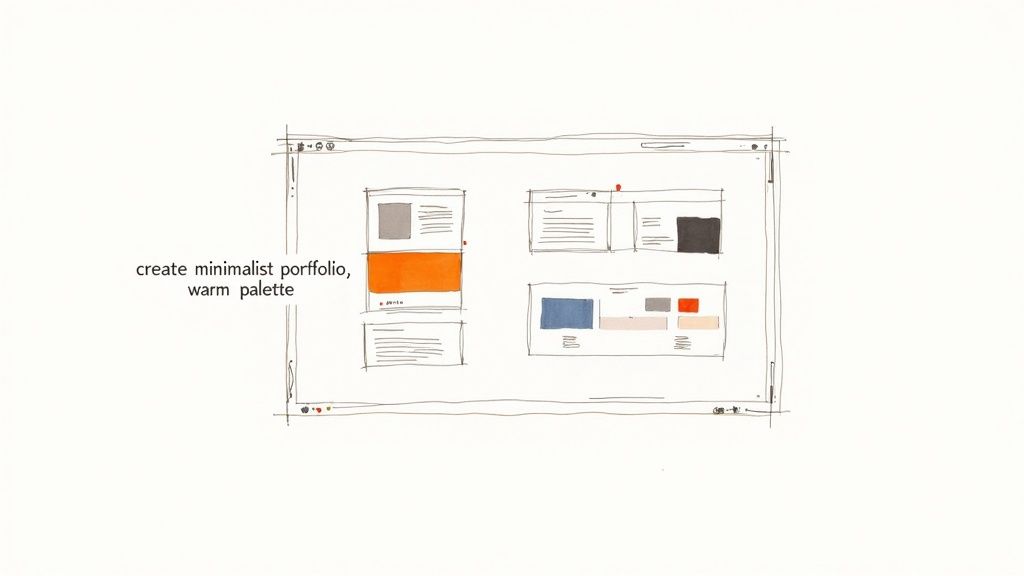
For example, you could give it a prompt like: "create a minimalist portfolio for a wedding photographer with a warm, romantic color palette and a client testimonial section." The AI gets it. It understands what "minimalist" means, what a "warm palette" feels like, and that you need a functional spot for testimonials. We dive much deeper into this in our guide on using AI to build a website.
Using a Reference URL for Inspiration
Here’s one of the coolest features you’ll find in modern AI builders: the ability to generate a design based on a website you already like. If you've ever looked at a competitor's site and thought, "I want something just like that," now you can actually use that as your starting point.
With a tool like Alpha, you just paste in the URL of a site you admire. The AI will analyze its structure, layout, and style, then build a similar framework for you to work with. This is a massive shortcut for a few reasons:
It saves a ton of time. You don't have to struggle to describe the layout you have in your head.
It’s incredibly precise. The AI is great at capturing the core structure of the reference site.
It’s a quality starting point. You're beginning with a design concept that you already know works well.
This is perfect if you know what a good design looks like but aren't quite sure how to build it yourself. You get the benefit of a proven layout without directly copying anything, since you'll still be adding all of your own branding, colors, and content. It’s a powerful way to create a website that feels both professional and uniquely yours.
Bringing Your Site to Life with Content and Structure
A great design gets people in the door, but it’s the content that makes them stay. This is where your website goes from a pretty picture to a genuine tool for your business. We're going to fill that beautiful shell with compelling content and map out the core pages that will guide your visitors.
Modern drag-and-drop editors make this part feel more like interior design than web development. You're not wrestling with code; you're simply grabbing a text box, an image, or a button and putting it right where you want it. That visual, hands-on control is what makes this whole no-code thing so incredibly powerful.
Laying Out Your Essential Pages
Every solid website is built on a handful of core pages. Think of them as the main pillars holding everything up. While your specific needs might vary, almost every site needs these three to build trust and show people what you're all about.
These pages give your visitors a clear path to understanding who you are, what you offer, and why it matters to them.
The Homepage: This is your digital handshake. Its job is to grab attention instantly, communicate your core value proposition, and point visitors deeper into the site. Keep it clean, engaging, and focused.
The About Us Page: Don't just list facts; tell your story. This is your chance to connect on a human level, share your mission, and build the kind of trust that turns a casual browser into a loyal customer.
The Services/Products Page: This is where you get down to business. Use clear descriptions, crisp images, and straightforward pricing to show off the value you provide. If you have complex offerings, break them down into bite-sized, easy-to-understand sections.
Mapping these out beforehand makes the entire build process smoother. For a deeper dive, our guide on how to plan website structure is a fantastic resource for organizing your thoughts before you start placing elements.
Writing Copy That Actually Connects
With your page framework in place, it's time to fill it with words. When it comes to website copy, clarity always wins over cleverness. A visitor should grasp what you do within seconds.
Ditch the corporate jargon and write like you speak. A conversational, direct tone builds a much stronger connection. Use short paragraphs, clear headings, and bullet points to make your text easy to scan.
Remember, people don't read websites—they scan them. Your goal is to make key messages pop so a visitor gets the gist in 15 seconds or less. Powerful headlines and bolded phrases are your best friends here.
For instance, instead of a dense paragraph about your consulting services, try a punchy headline followed by a bulleted list of the direct benefits for the client. That one small change can make a world of difference in how well your message lands.
The Power of Visuals and Layout
How you arrange your content is just as important as the content itself. A cluttered, chaotic layout will undermine even the most brilliant copy. This is where you lean into good user experience principles.
One of the most effective tools in your design arsenal is whitespace. Don't be afraid to let your content breathe. That empty space around text and images reduces mental clutter, improves focus, and gives your site a polished, professional feel.
Finally, every page needs a purpose, which is driven by your call-to-action (CTA). Your CTA is the button or link that tells visitors what to do next. Use active, compelling language like "Get Your Free Quote" or "Explore the Collection" instead of a flat "Submit." Make your CTA buttons stand out with a contrasting color so they’re impossible to miss.
By blending clear copy with a smart layout, you create a seamless journey that guides visitors exactly where you want them to go.
Preparing Your Site for Launch and SEO
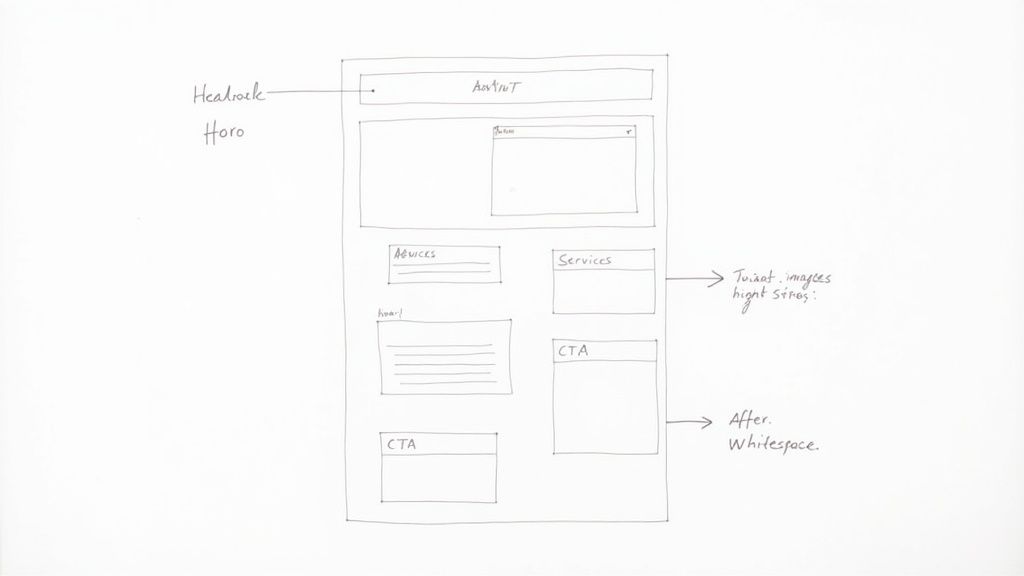
You’ve built a fantastic site and filled it with compelling content. The urge to hit "Publish" right now is strong, I get it. But pausing for a few final checks is what separates a successful launch from one that goes unnoticed.
Before you go live, a quick pre-flight check ensures your site is ready for both human visitors and search engine crawlers. This isn't about diving into code; it's about leveraging the simple, built-in tools your website builder provides to nail mobile readiness, SEO basics, and performance from day one.
First, Nail the Mobile Experience
First impressions count, and today, that first look almost always happens on a phone. With mobile devices making up 60-62% of all web traffic, a clunky mobile site is a guaranteed way to lose visitors. If your site is a mess on a small screen, you're essentially turning away more than half your audience before they even see what you offer.
This is where your builder's mobile preview mode becomes your best friend. Don't just glance at it—really use it.
Tap every button and follow every link. Do they go where they're supposed to?
Scroll through your images. Do they resize properly or look stretched and pixelated?
Read the text on each page. Is it easy to read? Or do your users need to pinch and zoom?
Test every form. Can you easily fill out your contact form with a thumb?
A few minutes spent here saves your visitors a world of frustration. Think of your mobile site as the main site, not just a smaller version of the desktop one.
Get the SEO Basics Right
Search Engine Optimization (SEO) might sound intimidating, but the most crucial on-page elements are things you can control directly from your website builder's settings. At its core, SEO is just about making it crystal clear to search engines like Google what your website is all about.
Here's a simple way to think about it: you're giving Google a clear roadmap to your content.
Beginner's SEO Checklist
This simple table breaks down the essential tasks you can complete right now, directly within your website builder.
SEO Task | What to Do | Why It Matters |
|---|---|---|
Page Title (Meta Title) | Write a unique title for each page, under 60 characters. Include your main keyword and location if you're a local business. | This is the clickable headline in Google search results. A good title grabs attention and tells Google what the page is about. |
Meta Description | Craft a compelling summary of the page, around 150 characters. Think of it as an ad for your page. | While not a direct ranking factor, a great description convinces people to click on your link instead of a competitor's. |
Image Alt Text | Add a short, descriptive phrase to every image. Instead of "IMG_2049," use "customer smiling in our coffee shop." | This helps search engines understand your images and makes your site accessible to visually impaired users using screen readers. |
Clear URL Structure | Customize your page URLs to be short and descriptive. For example, use | Simple, readable URLs are easier for both users and search engines to understand. |
Completing these steps is like having a direct conversation with Google, clearly stating who you are and what you do. For a deeper dive, this comprehensive SEO checklist for launching a new website is an excellent resource to bookmark.
Check Your Website's Speed
We've all been there: you click a link, wait, and then give up because the site is taking forever to load. Your visitors are just as impatient. Website speed is a massive factor for user experience, and Google knows it—they prioritize faster sites in their rankings.
While most no-code builders are pretty well-optimized out of the box, the number one speed killer is oversized images. Huge, high-resolution photos can bring your site to a screeching halt.
The fix is easy. Before you upload any image, run it through a free online compression tool. These tools drastically reduce the file size with almost no noticeable drop in quality. It's a tiny step that makes a huge difference in how quickly your pages load. A fast website keeps people around longer and signals to Google that you offer a quality experience.
Common Questions About No-Code Websites
Even after walking through all the steps, it’s natural to have a few nagging questions before you dive in. "What if I'm not a designer?" or "Will Google even find my site?" are completely normal thoughts.
Let's clear the air and tackle some of the most common questions we hear. Think of this as the final pep talk to give you the confidence you need to get started.
Can I Really Build a Professional-Looking Site with Zero Design Skills?
Absolutely. In fact, that’s one of the biggest reasons no-code builders exist. They were specifically created to bridge the gap for people who have a great idea but aren't professional designers.
They do this in a couple of really smart ways:
Professionally Designed Templates: You’re not starting from a blank screen. You get access to a huge library of templates built by actual designers who know what works. They’ve already figured out the layout, color theory, and user experience—you just pick one that fits your vibe and start customizing.
AI-Powered Design: This is the real game-changer. Modern tools like Alpha can generate a unique, well-designed website draft for you in seconds. You just feed it a few sentences about your business, and the AI does the heavy lifting. Your job becomes more like an art director, fine-tuning a great starting point instead of building it from scratch.
Will a No-Code Website Even Show Up on Google?
Yes, a site built with a quality no-code platform can rank just as well as any custom-coded website. Your ability to rank on Google comes down to your Search Engine Optimization (SEO) strategy, not the tool you used to build it.
Reputable builders come packed with built-in SEO tools that give you direct control over the things Google cares about most. You can easily manage:
Custom Page Titles (what people see in the search results)
Meta Descriptions that convince people to click
Clean URL Slugs that are easy for Google to understand
Image Alt Text to describe your visuals for search engines
The platform provides the technical foundation for good SEO. It’s up to you to fill it with high-quality content that your audience is actually looking for.
What Are the Real Limitations of Building a Website Without Code?
It’s a fair question. While no-code platforms are incredibly powerful, there’s always a trade-off. The main one is convenience versus absolute, granular control.
When you use a no-code builder, you’re operating within its ecosystem. That means you might not be able to add a super-specific, custom-coded feature if the platform doesn't offer it or have an integration for it.
But let's be realistic: for the vast majority of businesses—portfolios, blogs, service-based companies, and most e-commerce stores—the features offered by leading no-code builders are more than enough to create a powerful, scalable online presence.
Going the custom-code route gives you endless possibilities, but it also brings a huge bill for development time, expertise, and budget. For most people, the speed and simplicity of no-code are a far better deal than the need for some obscure custom function.
How Much Is This Actually Going to Cost?
This is where no-code really shines. It’s dramatically more affordable than hiring a developer. Most builders use a simple subscription model, so your costs are predictable.
Many platforms have a free plan, which is perfect for just playing around and seeing if you like the editor. Just know that these free versions usually have ads and won't let you use your own custom domain name.
Once you’re ready to go live, you’ll be looking at a paid plan. They typically break down like this:
Plan Tier | Typical Monthly Cost | Best For |
|---|---|---|
Basic/Personal | $15 - $25 | Personal sites, portfolios, and blogs. |
Business/Pro | $25 - $50 | Small businesses that need more features. |
E-commerce | $30 - $60+ | Online stores that need payment processing. |
The great thing is that this single monthly fee almost always includes your hosting, security, and customer support. It bundles all the essential website costs into one easy payment.
Ready to stop wondering and start building? With Alpha, you can use AI to generate a stunning, professional website in minutes. Just describe your vision or provide a reference URL, and watch your idea come to life.
Build beautiful websites like these in minutes
Use Alpha to create, publish, and manage a fully functional website with ease.