





How to Create Website Mockups People Actually Love
Learn how to create website mockups that bridge the gap between idea and reality. Our guide covers tools, principles, and developer handoff.
EXAMPLES
Build beautiful websites like these in minutes
Use Alpha to create, publish, and manage a fully functional website with ease.
Building a great photography website really comes down to four things: figuring out your brand and curating your best work, picking the right platform, getting your images web-ready, and making it dead simple for clients to contact and book you. It used to take weeks to get this right, but modern tools like Alpha can help you launch a professional, client-getting site in just a few hours.
Why a Professional Website Is Your Best Business Tool
In a world overflowing with images, your website is so much more than an online gallery. Think of it as your hardest-working employee—one that works 24/7 to show off your style, tell your story, and bring in the right kind of clients.
Social media is fantastic for getting discovered, but you're ultimately playing in someone else's sandbox. The algorithms change, and you're constantly fighting for attention. Your website, however, is your own digital studio. It’s a space you control completely, where you can immerse visitors in your work without any distractions. This is where casual followers become paying customers.
The photography market is booming. It hit USD 12.58 billion in 2023 and is expected to climb to USD 17.29 billion by 2032. With billions of photos being shared every single day, a professional site is the only way to cut through that noise and show you mean business.
Overcoming the Technical Hurdles
For a lot of photographers, the very idea of building a website is intimidating. I get it. Traditional website builders can feel like learning a whole new piece of software, with endless settings and frustrating design tools. That technical headache can pull you away from what you actually love to do: taking incredible photos.
This is where AI-powered platforms like Alpha are a game-changer. Forget wrestling with rigid templates. You can just describe the site you're picturing or even show it a site you admire, and the AI builds a custom, mobile-ready design for you in minutes.
Your website should be a tool that empowers your business, not a technical problem you have to solve. The goal is to spend less time building and more time booking clients.
A Central Hub for Your Business
Your website is the hub that connects everything. It's the one link you put in your Instagram bio, on your business cards, and in your email signature. It gives potential clients a seamless, professional experience by putting everything they need in one place.
Portfolio Showcase: Display your best work in beautiful, high-resolution galleries.
Service Information: Clearly lay out your packages, pricing, and what it’s like to work with you.
Client Booking: Integrate contact forms and schedulers to capture leads while they're interested.
Brand Storytelling: Use an "About Me" page and a blog to share your passion and connect on a personal level.
Of course, a great site needs traffic. To make sure it works hand-in-hand with your other marketing, it’s smart to develop a practical social media marketing strategy for small businesses. When you treat your site like the dynamic business tool it is, you create a powerful engine for growth that works for you around the clock.
Nailing Your Brand and Curating Your Best Work
Before you even think about dragging and dropping elements on a screen, the real work begins. Honestly, the most crucial part of building a photography website happens completely offline. Your site isn't just a digital gallery; it's the online extension of your professional identity. Getting this foundation right is what separates a forgettable portfolio from a powerful tool that actively pulls in the clients you actually want to work with.
Think of this early stage as creating a blueprint. You wouldn't build a house without one, right? The same logic applies here. A clear brand identity makes sure every single piece of your site—from the color of a button to the tone of your bio—feels intentional and works together. This cohesion builds instant trust and makes your ideal clients feel like they’ve finally found the one.
Find Your Focus and Pinpoint Your Ideal Client
First things first: you have to decide who you are as a photographer. Are you all about capturing those raw, emotional moments at a wedding? Or maybe you’re a commercial product photographer who lives for clean, minimalist shots. Perhaps you’re a travel photographer telling grand stories with epic landscapes. Your niche is your superpower, and it’s the anchor for everything else.
One of the biggest mistakes I see photographers make is trying to be everything to everyone. It just waters down your message. The key is to get laser-focused on your ideal client.
If you're a wedding photographer: Your dream client might be an adventurous couple planning to elope on a mountain top, which is a completely different vibe from a couple planning a huge, traditional ballroom affair.
If you're a portrait photographer: You might be targeting C-suite executives who need impeccable headshots, a world away from a photographer who specializes in casual, in-home newborn sessions.
When you know this person inside and out—their style, their budget, their values—every decision about your website’s design and content becomes ten times easier.
Build a Consistent Brand Identity
Once your niche is locked in, you can start building a visual brand that connects with your target audience. This is about so much more than just a logo. It’s about creating a consistent feeling and experience that people will associate with your name.
Your brand identity is made up of a few key ingredients:
Color Palette: Pick a handful of primary and secondary colors that echo your photography style. A fine-art photographer with a dark and moody style will have a completely different palette than someone who shoots light and airy family portraits.
Typography: Choose one or two fonts that are legible and match your brand’s personality. A classic serif font can convey elegance, while a clean sans-serif feels more modern and direct.
Tone of Voice: How do you want to sound? Is your voice warm and personal, or is it straight-to-the-point and professional? This tone needs to stay consistent everywhere, from your homepage headline to the text on your contact form.
Think of your brand as your promise to a client. It sets an expectation for the quality of your work and the experience of working with you, long before they ever reach out.
Curate a Killer Portfolio with Purpose
Okay, now for the fun part: choosing the images. Your portfolio should never be a massive data dump of every photo you’ve ever liked. Instead, it needs to be a tightly curated collection that’s designed to do one thing: attract your ideal client.
Quality always, always trumps quantity. A focused gallery of 15-20 of your absolute best images is infinitely more powerful than a sprawling collection of hundreds of so-so shots.
As you go through your work, be ruthless. Ask yourself these questions for every single photo you consider:
Does this show the kind of work I want more of? If you're dying to book more destination elopements, don’t fill your portfolio with photos from indoor church ceremonies.
Will this image resonate with my ideal client? That corporate executive needs to see polished, confident headshots, not your experimental, artistic portraits.
Does this photo show off my technical skill and unique eye? Only choose images that are a clear demonstration of your mastery of light, composition, and storytelling.
When you take this strategic approach, your portfolio transforms from a simple gallery into a compelling narrative. It tells a story about who you are, what you do best, and why you’re the only person for the job. Once you have that clarity, you're ready to start building.
Build Your Photography Website in Minutes, Not Weeks
Let's be honest, most photographers would rather be behind the lens than wrestling with a clunky website builder. The old way of doing things—fighting with templates, tweaking code, and spending weeks just to get a basic portfolio online—is thankfully a thing of the past. Building a beautiful website should be about showcasing your art, not a crash course in web design.
With new AI-powered tools, you can go from an idea to a fully functional, professional-looking website in less time than it takes to charge your camera batteries. The whole process is different. Instead of staring at a blank screen, you can start with a site you already love and use it as your inspiration.
From Inspiration to Instant Layout
Think about a photography website you admire. Maybe it’s a top wedding photographer with a clean, minimalist layout, or a commercial artist with a bold, immersive portfolio. What if you could use that exact design as the foundation for your own site?
With a platform like Alpha, that's exactly how it works. You just give it the URL of a site you like, and the AI gets to work. It analyzes the structure, layout, and key sections, then builds a fully editable version for you in minutes. As one user, Madeleine O'Carroll, mentioned, the transfer is seamless and carries over the site’s structure remarkably well.
This approach saves you from paying a designer or getting stuck with a generic template that doesn’t quite fit your vision. You start with a proven layout that you already know works for your style of photography.
Customizing Your Site with Simple Instructions
Once you have the basic layout, the fun part begins. You don't need to dig through complicated menus or learn any code. You can change anything on your site just by telling the AI what you want in plain English.
It's as simple as typing out a command. For instance, you could try:
"Add a new gallery with a three-column masonry grid."
"Change my color palette to a dark theme with gold accents."
"Make a 'Services' page showing three pricing packages, each with a 'Book Now' button."
"Switch the heading font to a modern sans-serif."
The AI interprets your request and makes the change instantly. Features like drag-to-edit remove all the technical hurdles. If you can write an email, you have all the skills you need to design a high-end photography website. This intuitive process is why so many photographers are making the switch. You can see a more detailed breakdown of how to build a website with AI in our guide.
The point isn't just building a website faster; it's about building a better website faster. The AI handles the technical stuff, so you can focus entirely on your creative vision and brand.
A Faster Path to a Professional Portfolio
Having a professional online presence has never been more important. The photo-sharing market hit $4.9 billion in 2022 and is expected to balloon to $8.6 billion by 2033. With 6.9 billion images shared on WhatsApp every single day, a polished, unique website is your best shot at standing out.
Alpha’s AI-first approach helps you build a stunning, mobile-responsive site in a matter of hours, ensuring it looks perfect on any device.
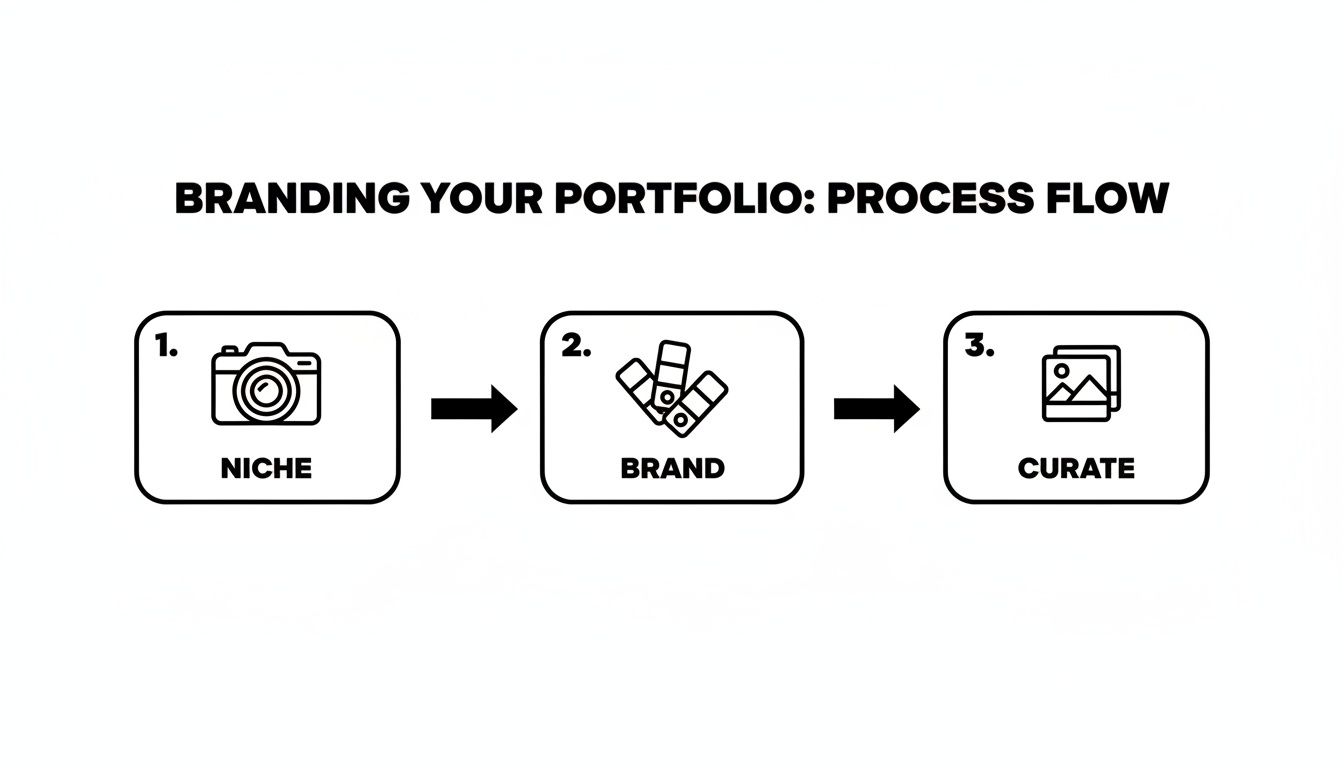
AI-powered tools streamline these foundational steps—defining your niche, building your brand, and curating your work—by taking care of the technical heavy lifting. You're free to focus on the creative decisions that truly matter, letting you launch a portfolio that’s perfectly aligned with your business goals right from the start.
Optimizing Your Images for Performance and Search
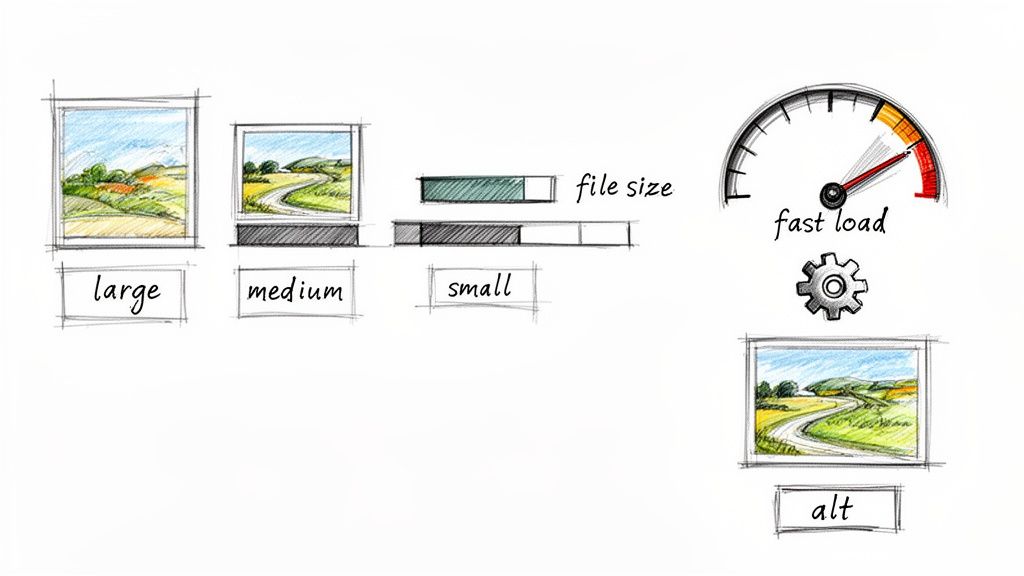
As a photographer, your high-resolution images are your greatest asset. But online, they can also be your biggest liability if you're not careful. Large, unoptimized image files are the number one cause of slow websites, creating a frustrating experience for potential clients and telling Google your site isn't user-friendly.
Finding that perfect balance between stunning image quality and lightning-fast load times is non-negotiable. Page speed is a known ranking factor for search engines, so a sluggish site will actively hurt your ability to attract and keep visitors. The goal here is simple: make your photos look incredible without making people wait.
Choosing the Right File Formats
Before you even think about uploading, you need to save your images in a web-friendly format. You might shoot in RAW, but your website needs something much smaller and more efficient. For a photography site, you'll mainly be working with three options.
JPEG (or JPG): This is the workhorse for most photographers. It offers an excellent trade-off between quality and file size, making it ideal for complex images with millions of colors, like portraits and landscapes. You can easily adjust the compression to find that sweet spot.
PNG: Save PNG for images that need a transparent background, like your logo or other graphic overlays. It's a "lossless" format, which means it keeps all the original quality but results in a much larger file. That makes it a poor choice for your main portfolio shots.
WebP: This is a modern format developed by Google that delivers superior compression and quality compared to both JPEG and PNG. Most current browsers support it, and smart platforms like Alpha often automatically convert your images to WebP to serve the most efficient version to visitors.
Mastering Compression and Sizing
Image compression is all about reducing a file's size without a noticeable drop in visual quality. A photo straight from your camera can easily be 20 MB or more—that would take an eternity to load on a webpage. Your target should be to get most of your portfolio images well under 500 KB.
You don’t need complicated software for this. Simple tools built into photo editors or free online compressors do the job perfectly. The real secret is to resize your images before you upload them. If a photo will only ever display at 1500 pixels wide on a screen, there's absolutely no reason to upload it at 6000 pixels wide.
A fast website is no longer a luxury; it’s an expectation. Every second you shave off your load time is a potential client you keep on your site, browsing your galleries instead of clicking the back button.
To help you stay on track, I've put together a quick checklist.
Image Optimization Checklist for Photographers
This table is a quick reference guide to ensure every image on your website is optimized for performance and search engine visibility.
Optimization Task | Why It Matters | Quick Tip |
|---|---|---|
Resize Dimensions | Prevents loading unnecessarily large images that the browser has to scale down anyway. | Resize images to the maximum width they will be displayed at (e.g., 1800px for a full-width banner). |
Compress the File | Dramatically reduces file size, which is the biggest factor in page load speed. | Aim for under 500 KB per image. Use a tool like TinyPNG or JPEGmini. |
Choose WebP or JPEG | Ensures the best balance of quality and small file size for photographic content. | Use JPEG for universal compatibility or let your platform (like Alpha) handle WebP conversion. |
Use Descriptive Filenames | Gives search engines an immediate clue about the image's subject matter. | Change |
Write Unique Alt Text | Makes your site accessible and provides crucial SEO context for search engines. | Describe the image specifically: "Bride and groom walking hand-in-hand on Coronado Beach at sunset." |
Following these steps for every photo might seem tedious, but it quickly becomes second nature and pays huge dividends in site speed and visibility.
By properly sizing and compressing, you ensure your photography website is nimble and looks great on any device. For a deeper dive into the technical side, we've put together a complete guide on how to optimize images for web performance.
Boosting Your SEO with File Names and Alt Text
Image optimization isn't just about speed—it's also a massive SEO opportunity that many photographers miss. Search engines can't "see" your photos, so you have to give them text-based clues. This is how you help them understand what your images are about and show them in relevant search results.
It all starts with descriptive file names. Instead of uploading DSC_5821.jpg, rename it to something that actually describes the photo, like mountain-top-elopement-colorado.jpg. That one small change gives Google an immediate hint about the image's content.
Next, and most importantly, is alt text. This is a short, written description of an image that serves two critical purposes: it helps visually impaired users understand your content through screen readers, and it gives search engines vital information. A good alt text for that elopement photo might be: "Bride and groom kissing on a mountain peak in Aspen, Colorado at sunset."
Ultimately, all your optimization efforts contribute to a singular goal: learning how to increase website traffic to attract more potential clients. By making your images fast, accessible, and searchable, you're building a much stronger foundation for your business.
Converting Website Visitors into Booked Clients
A stunning portfolio is a great start, but let's be honest—it's only half the job. Your website needs to be more than just a gallery; it has to be a business engine that turns casual browsers into paying clients. This is where we shift from pure aesthetics to smart, strategic design that makes hiring you the obvious next step.
Every single element on your site should gently guide a potential client toward one goal: getting in touch. If someone lands on your site, falls in love with your work, but then has to hunt for your contact info, you've already lost them. The trick is to remove every bit of friction so that reaching out feels easy and natural.
Crafting a Compelling Services Page
Your services page might just be the most important page on your entire website. It’s where you stop being just a photographer and start being the solution to a client’s problem, whether that's capturing their wedding or creating professional headshots for their entire company.
Vague descriptions won't cut it. Clarity is everything. You need to clearly outline your packages, what’s included in each one, and—if you’re comfortable with it—your starting prices. Being upfront about costs builds instant trust and helps pre-qualify leads, ensuring the inquiries you get are from serious clients.
Structure Your Offerings: Group your services logically, like "Weddings," "Family Portraits," and "Commercial."
Detail the Deliverables: Get specific. How many hours of coverage? Roughly how many edited images will they receive? What are the print rights?
Show, Don't Just Tell: Sprinkle in a few of your best images that directly relate to that specific service. Let your work sell the package.
Designing a Frictionless Contact Experience
Think of your contact form as the final handshake. It needs to be simple, quick, and inviting. The more information you ask for upfront, the higher the chance someone will just give up and leave.
Stick to the absolute essentials: name, email, and a message box. You can always gather more details later on a call.
Place your "Contact Me" or "Book a Call" buttons where people will actually see them. They should be impossible to miss in your main navigation, at the end of your services page, and right after each portfolio gallery.
This form is a perfect example of keeping it clean and user-friendly.
It uses minimal fields and a clear call-to-action, making it completely effortless for a potential client to take the next step.
Your goal is to make hiring you feel easy and exciting, not like filling out paperwork. A simple, accessible contact process respects your visitor's time and significantly increases the chances of them making an inquiry.
The professional photography market is buzzing. The demand for high-quality images has pushed the stock photography market to an estimated $4.34 billion globally in 2024. With 1.3 billion images hitting Instagram every single day, a seamless, conversion-focused website is how you stand out. But many photographers waste weeks fighting with clunky platforms. Tools like Alpha solve this by letting you generate a site just by describing it or importing a competitor's URL—a feature user Rat Ramrath praised for its unmatched speed and perfection. You can find more stats on the booming stock photo industry on vecteezy.com.
Building Trust with Social Proof
Before a client is ready to invest their money, they need to trust you. One of the most effective ways to build that trust is with social proof—real words from real clients.
Sprinkle testimonials and reviews throughout your site, especially on your services and contact pages. Seeing that others have had a great experience with you provides powerful, third-party validation that you can't create on your own.
Use Real Names and Photos: If your client is okay with it, including their photo adds a huge layer of authenticity.
Highlight Specific Results: "She was great!" is nice, but "She made us feel so comfortable and the final photos were beyond our wildest dreams" is so much better.
Incorporate Video Testimonials: A short video clip of a happy client is incredibly persuasive and adds a genuine, personal touch that text just can't match.
Combine clear service offerings, an easy contact process, and powerful social proof, and you've built a system that actively works to bring you more business. To dive deeper into this, check out our guide on how to increase website conversions for even more practical strategies.
Common Questions Photographers Ask About Building a Website
When you're figuring out how to get your photography website off the ground, a lot of questions pop up. I’ve heard them all over the years. Here are the answers to the most common ones, so you can stop guessing and start building.
What's a Realistic Budget for a Photography Website?
This is the big one, and honestly, the answer can be anything from a few bucks a month to a few thousand dollars. It all depends on the path you choose.
If you hire a web designer for a fully custom build, you could easily be looking at several thousand dollars upfront, not to mention ongoing fees for maintenance. That’s a great option down the road, but it's often more than a photographer needs right out of the gate.
A much more practical route for most is a DIY website builder. You can find solid plans that run anywhere from $10 to $25 per month. These services wrap up your hosting, security, and all the design tools you need into one predictable monthly cost, which makes budgeting a whole lot easier.
A word of caution on "free" website builders, though. They might seem tempting, but they usually come with some serious trade-offs that can make you look unprofessional.
Forced Branding: Your site will have their logo or ads plastered on it.
Major Limitations: You’ll hit walls on how many photos you can upload, what features you can use, and whether you can access important SEO settings.
No Custom Domain: You get stuck with a clunky subdomain like yourname.platform.com, which doesn't exactly scream "professional."
Investing a small monthly amount in a quality website builder is one of the smartest moves you can make for your business. It shows clients you're serious, and that alone helps you attract better projects and charge what you're worth.
Do I Really Need a Blog on My Website?
Yes. I can't stress this enough. It might feel like one more thing to do, but a blog is one of the most effective ways to grow your photography business. Think of it this way: your portfolio shows what you can do, but your blog shows who you are.
Here’s why it’s a non-negotiable for me:
It’s an SEO Goldmine: Every time you publish a blog post, you’re giving Google a new page to index. This creates more opportunities for you to show up in searches for things like "San Diego family photographer" or "moody Pacific Northwest elopement photos." Search engines reward websites that consistently add fresh, helpful content.
It Establishes You as an Expert: Don't just show the final photos. Write about the story behind a shoot, share tips for what clients should wear, or create a guide to your favorite local wedding venues. This kind of content builds trust and positions you as the go-to authority in your niche.
It Creates a Personal Connection: People hire photographers they like and trust. Your blog is the perfect place to let your personality shine. By sharing stories and a bit of your process, you start building a relationship with potential clients before they even send that first email.
What's the Single Most Important Page on My Site?
Your portfolio is the heart of your site, no doubt about it. That's where people fall in love with your work. But the page that actually turns that interest into a paying client? That's your Services or Investment page.
This is where you shift from artist to business owner. It needs to clearly and confidently explain the value you bring to the table. A well-crafted services page breaks down your packages, explains your process, and makes it obvious what the next step is. Without it, you just have a beautiful online art gallery with no cash register.
Your contact page is a very close second, of course. It’s the final door a client has to walk through to hire you.
How Long Does It Actually Take to Build a Photography Website?
This used to be a long, drawn-out process. Not too long ago, you could expect to spend weeks, maybe even months, working with a designer or trying to figure out a clunky, complicated platform on your own.
Thankfully, those days are over. With modern, AI-powered builders like Alpha, you can get a professional, beautiful website up and running in a single afternoon. You can literally import the layout of a site you admire or just describe the style you're going for, and the AI generates a starting point in minutes.
From there, your time is spent on what really matters: curating your absolute best images and writing the words that will connect with your ideal client. The tech side of things is no longer the bottleneck.
Ready to stop wrestling with technology and start booking more clients? With Alpha, you can generate a stunning, professional photography website in minutes using the power of AI. Just describe your vision or import a layout you love, and let Alpha handle the rest. Start building your dream portfolio today.
EXAMPLES
Build beautiful websites like these in minutes
Use Alpha to create, publish, and manage a fully functional website with ease.