





How to Create Website Mockups People Actually Love
Learn how to create website mockups that bridge the gap between idea and reality. Our guide covers tools, principles, and developer handoff.
EXAMPLES
Build beautiful websites like these in minutes
Use Alpha to create, publish, and manage a fully functional website with ease.
In 2026, a high-performing website is non-negotiable for any small business. It's your 24/7 salesperson, your brand ambassador, and often, the first impression you'll ever make on a potential customer. But where do you start? The world of web design can feel overwhelming, filled with technical jargon and endless options. The good news is that impactful design isn't about chasing fleeting trends; it's about implementing proven principles that enhance user experience, build trust, and drive conversions.
This guide cuts through the noise to provide a curated list of the most critical small business website design tips. We'll explore actionable strategies from creating intuitive navigation and optimizing for speed to leveraging analytics for continuous improvement, ensuring your digital presence works as hard as you do. Each tip is designed to be a practical, no-nonsense directive you can implement immediately to see tangible results.
We will cover everything from compelling headlines and strategic calls-to-action to the foundational elements of SEO and brand consistency. To truly make your digital storefront unforgettable for everyone and ensure legal compliance, understanding topics like ADA compliance for small businesses is also crucial for building an inclusive and legally sound online presence.
Throughout this list, we'll also highlight how modern AI-powered tools can help you implement these professional-grade tips in a fraction of the time, turning complex tasks into simple, automated processes. Let’s dive into the essential strategies that will transform your website from a simple online brochure into a powerful engine for business growth.
1. Clear and Intuitive Navigation Structure
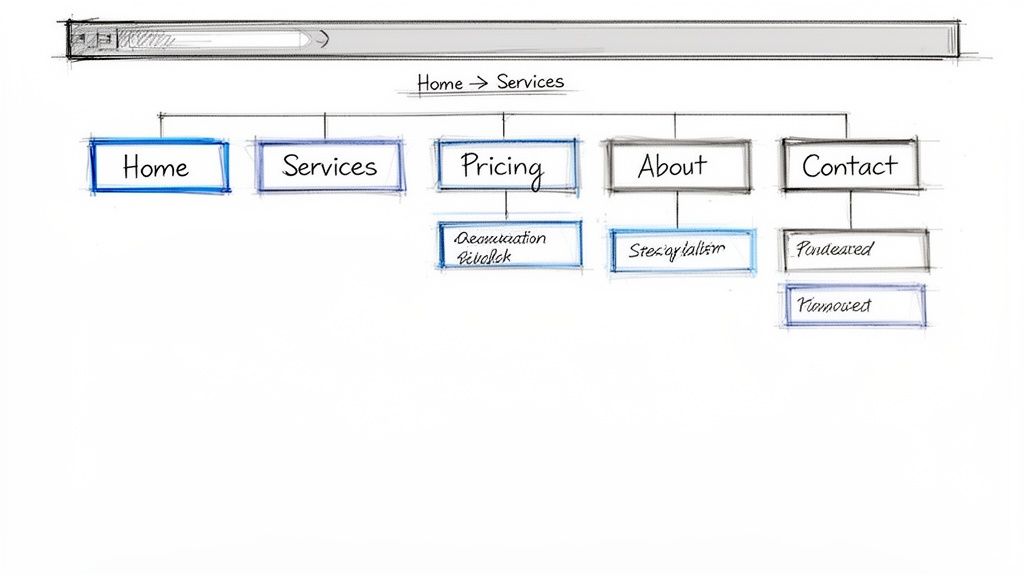
Imagine walking into a large store with no signs or aisles. Frustrating, right? That’s what a visitor experiences on a website with poor navigation. A clear and intuitive navigation structure is the digital roadmap for your users, guiding them effortlessly to the information they need. It organizes your content logically, reducing bounce rates and significantly improving the user experience (UX), which is a cornerstone of effective small business website design tips.
This logical hierarchy helps visitors find what they’re looking for quickly, whether it’s your services, contact information, or blog posts. By making the journey from discovery to conversion as seamless as possible, you increase user satisfaction and guide potential customers smoothly through their buying journey.
Why It Works
Pioneered by UX experts like Jakob Nielsen, the principle of clear navigation is rooted in cognitive ease. When users don't have to think hard to find something, they are more likely to stay on your site, engage with your content, and take desired actions. For a small business, this means turning a curious visitor into a paying customer. A well-organized menu also helps search engines like Google understand your site's structure, which can positively impact your SEO rankings.
How to Implement It
Follow these actionable tips to build a navigation system that works for your visitors:
Limit Main Menu Items: Stick to a maximum of 5-7 top-level navigation items. This prevents overwhelming visitors. For example, a local plumbing service might use: Home, Services, About Us, Blog, Contact Us.
Use Descriptive Labels: Avoid internal jargon. Use language your customers would use. Instead of "Our Solutions," use a more direct label like "Marketing Services" or "Residential Roofing."
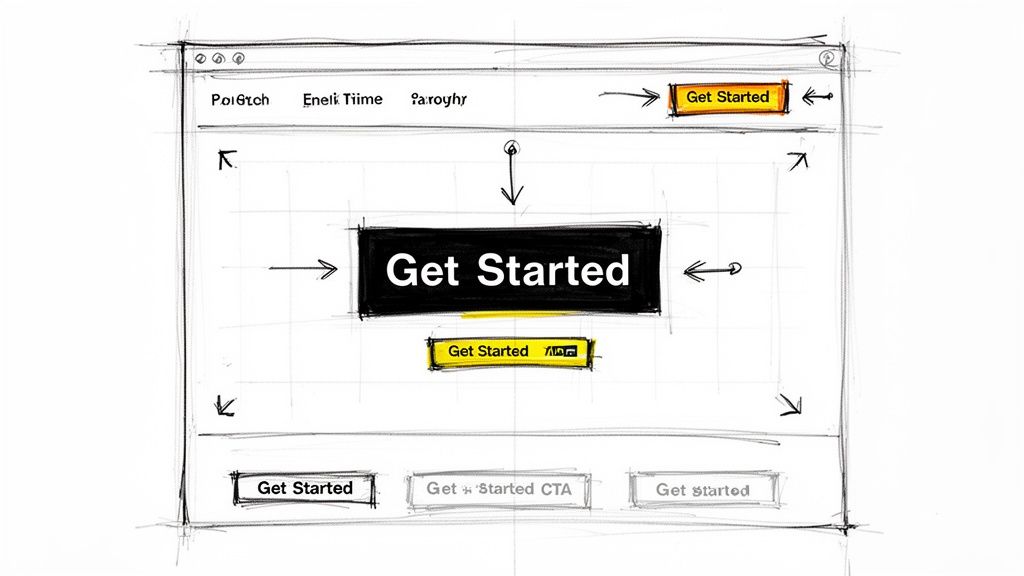
Prioritize Your CTA: Make your primary call-to-action (CTA) stand out. Place buttons like "Book a Consultation" or "Get a Free Quote" in the top-right corner of your navigation bar for maximum visibility.
Leverage Proven Templates: Instead of starting from scratch, use a pre-designed structure. Alpha's AI website builder offers professionally designed templates with user-tested navigation layouts, ensuring your site is intuitive from day one.
2. Fast Loading Speed and Performance Optimization
In the digital world, speed is king. A slow-loading website is like a store with a permanently jammed door; potential customers will simply give up and go elsewhere. Fast loading speed and performance optimization are critical for keeping visitors engaged. Research shows that even a one-second delay can significantly increase bounce rates and lower conversions, making this one of the most vital small business website design tips to implement.
A high-performing site ensures a smooth, frustration-free experience for users, especially those on mobile devices with slower connections. It directly impacts customer satisfaction and their perception of your brand's professionalism and reliability.
Why It Works
The emphasis on speed was popularized by tech giants and web performance engineers like Kyle Rush and has been cemented by Google's introduction of Core Web Vitals as a key ranking factor. Faster websites provide a better user experience, which Google rewards with higher search engine rankings. For a small business, this translates to more organic traffic, lower bounce rates, and a greater opportunity to convert visitors into loyal customers. A speedy site builds trust and keeps you competitive.
How to Implement It
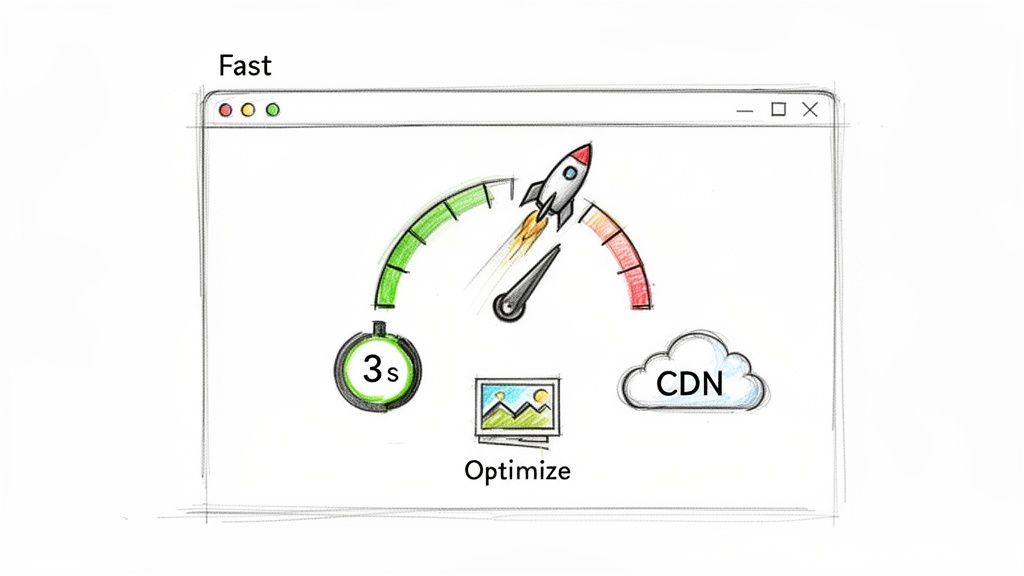
Follow these actionable tips to ensure your website loads in under three seconds:
Compress Your Images: Large image files are the most common cause of slow websites. Use tools to compress images before uploading them, and use modern formats like WebP where possible.
Minimize Code and Scripts: Remove any unnecessary plugins, apps, or third-party scripts that bloat your site. Clean, efficient code loads much faster.
Test and Monitor: Regularly use free tools like Google PageSpeed Insights or GTmetrix to test your site's speed and identify specific areas for improvement. You can learn more about how to boost your website loading speed on our blog.
Use a Performance-First Platform: Build your website on a platform designed for speed. Alpha's AI website builder includes automatic image compression and performance optimization, so your site is built fast from the very beginning.
3. Compelling Headline and Value Proposition
Your website’s headline is the first thing a visitor reads, acting as your digital handshake. If it’s weak or confusing, they'll leave in seconds. A compelling headline and a clear value proposition immediately answer two critical questions for your visitors: "What is this?" and "Why should I care?" This clarity is fundamental to holding attention and reducing bounce rates.
This powerful combination grabs your audience, communicates your unique value, and convinces them to explore further. For small businesses, a strong headline is one of the most effective tools for turning a casual browser into an engaged potential customer, making it a critical aspect of effective small business website design tips.
Why It Works
Copywriting legends like David Ogilvy and modern frameworks like Donald Miller’s StoryBrand have proven that clarity sells. A headline focused on benefits rather than features connects with a customer's needs and aspirations. When a visitor instantly understands how your business solves their problem, you establish trust and relevance, motivating them to take the next step in their journey with you.
How to Implement It
Use these actionable tips to craft a headline that captures attention and converts:
Focus on Benefits, Not Features: Customers care about outcomes. Instead of saying "We use high-quality paint," say "A flawless paint job that lasts for years." Grammarly’s "Write with confidence and clarity" is a perfect example of focusing on the user’s desired outcome.
Be Specific and Clear: Vague promises are forgettable. A specific headline like "We fix leaky faucets in 24 hours" is far more powerful than "Fast plumbing services." Use numbers and tangible results to build credibility.
Ensure Above-the-Fold Visibility: Your main headline and value proposition must be visible immediately when the page loads, without any need for scrolling. This ensures your core message makes an instant impact.
Test and Refine Your Message: Don't settle for your first idea. Use Alpha’s AI-powered editor to generate and refine different headline variations. You can also benchmark your messaging against competitors by using Alpha’s URL reference feature to analyze what’s already working in your market.
4. Strategic Call-to-Action (CTA) Placement and Design
Your website is a tool designed to achieve specific business goals, and a call-to-action (CTA) is the button that asks visitors to take that next step. Without a clear, compelling CTA, visitors may browse your site and leave without contacting you, making a purchase, or signing up. Strategic CTA placement and design are critical for guiding users toward conversion and are among the most impactful small business website design tips you can implement.
A well-designed CTA acts as a signpost, telling visitors exactly what to do next. By using action-oriented language, contrasting colors, and strategic placement, you remove friction from the user journey and make it easy for potential customers to engage with your business.
Why It Works
Pioneered by marketing platforms like HubSpot and conversion optimization experts at Unbounce, the power of a strong CTA lies in its psychological impact. It leverages principles of clarity and urgency to prompt a decision. For a small business, a CTA is the bridge between passive interest and active engagement, turning a website visitor into a tangible lead or sale. Effective CTAs reduce decision fatigue and provide a clear path forward, directly contributing to higher conversion rates.
How to Implement It
Use these actionable tips to create CTAs that convert:
Use Contrasting Colors: Make your CTA buttons pop. If your site’s primary color is blue, an orange or bright green button will draw the eye. For example, Calendly uses a prominent, contrasting blue for its "Schedule Now" buttons.
Write Action-Oriented Copy: Use strong verbs that command action. Instead of "Submit," try "Get Your Free Quote" or "Start Your Free Trial." This language sets clear expectations for the user.
Place CTAs Strategically: Position your primary CTA in the hero section (above the fold) and repeat it after key benefit sections. For service businesses, a "Book an Appointment" button should be easily accessible.
Ensure Mobile-Friendly Size: Make buttons large enough for easy tapping on mobile devices. Aim for a minimum size of 48x48 pixels to meet accessibility standards.
Explore effective call-to-action examples on alpha.page for inspiration on wording and design that drives results.
Test and Refine: Use Alpha’s platform to easily A/B test different CTA colors, copy, and placements to see what resonates most with your audience, then track performance with built-in analytics.
5. Professional Imagery and Visual Branding Consistency
Think of your website as your digital storefront. Grainy photos and mismatched colors are like a messy, uninviting window display. Professional imagery and consistent visual branding communicate quality and build trust at first glance, making them essential elements in any collection of small business website design tips. It’s about creating a cohesive visual language that tells your brand’s story instantly.
This visual harmony assures visitors they are in the right place, reinforcing your identity across every page. From the color of your buttons to the style of your photography, consistency makes your brand memorable and professional, helping you stand out in a crowded digital marketplace.
Why It Works
Branding experts and creative directors have long emphasized the power of visual identity. This principle is grounded in psychology; humans are wired to recognize patterns and build trust through familiarity. When your visuals are consistent, you create a predictable and reliable brand experience, which fosters customer loyalty. A strong visual brand, like that of Warby Parker with its distinct lifestyle photography, feels more established and trustworthy.
How to Implement It
Follow these actionable tips to create a visually compelling and consistent brand experience:
Establish a Brand Style Guide: Define your primary and secondary colors, typography, and logo usage rules. This guide will be your North Star for all design decisions.
Use Authentic Imagery: Whenever possible, use high-quality, professional photos of your actual team, products, or happy customers. This builds authenticity far more effectively than generic stock photos.
Optimize All Images: Large image files slow down your website, hurting both user experience and SEO. Use tools to compress images without sacrificing quality.
Maintain Consistency with Templates: To ensure your branding is applied uniformly, start with a solid foundation. Alpha's AI website builder provides professionally designed templates that make it easy to maintain visual consistency across your entire site from the very beginning.
6. Trust Signals and Social Proof Elements
Imagine you’re about to hire a contractor. Would you choose the one with glowing reviews and a portfolio of successful projects, or the one with no reputation? The answer is obvious. Trust signals and social proof are the digital equivalent of a stellar reputation, assuring potential customers that your business is credible, reliable, and a safe choice. These elements reduce purchase anxiety and are a vital part of effective small business website design tips.
By strategically displaying testimonials, reviews, case studies, and security badges, you borrow credibility from satisfied customers and recognized authorities. This validation builds confidence, making visitors more likely to trust you with their business and ultimately convert.

Why It Works
The concept of social proof, popularized by psychologist Robert Cialdini, explains that people conform to the actions of others under the assumption that those actions are correct. When a visitor sees that others have had a positive experience with your business, it validates their decision to engage with you. For a small business, this is how you build a solid reputation online, turning skepticism into trust and browsers into buyers.
How to Implement It
Follow these actionable tips to integrate powerful trust signals into your website:
Showcase Authentic Testimonials: Request feedback from happy customers. Display their testimonials prominently with a name, photo, and company to add authenticity. For example, a marketing agency could show a client quote with their headshot and title.
Leverage Case Studies and Results: Go beyond quotes and create brief case studies that show tangible results. Instead of "They did a great job," use specific data like "Increased our organic traffic by 150% in six months."
Display Security and Authority Badges: If you process payments, display SSL certificates and logos of payment providers like Visa or PayPal. Also, showcase any industry certifications, awards, or memberships to establish expertise.
Make Collection Easy: Use tools to simplify the feedback process. Alpha’s website builder includes built-in forms that you can use to easily collect and manage customer testimonials directly from your site, ensuring you always have fresh social proof to display.
7. Focused Content Strategy and Clear Information Hierarchy
If your navigation is the roadmap, your content hierarchy is the set of clear, bold signposts along the way. A focused content strategy ensures your messaging is purposeful, guiding visitors through their decision-making process. By organizing information with a clear hierarchy, you present the most critical details first, making your site scannable and user-friendly.
This approach, often called the "inverted pyramid" model, places the conclusion or key takeaway at the top, followed by supporting details. For a busy small business owner trying to capture a visitor's attention in seconds, this is a non-negotiable part of effective small business website design tips. It ensures your core message is delivered immediately, even if the user only skims the page.
Why It Works
This principle, championed by user experience pioneers at the Nielsen Norman Group and content marketing experts like Ann Handley, respects the user's time. Studies show users scan web pages in an "F-shaped" pattern, focusing on the top and left side of the screen. A clear hierarchy caters to this behavior, making information digestible and preventing visitors from feeling overwhelmed. For a small business, this means getting your value proposition across instantly, which is crucial for turning a browser into a lead.
How to Implement It
Follow these actionable tips to structure your content for maximum impact:
Lead with the Most Important Information: Start every page with a concise, powerful headline (H1) and an introductory sentence that summarizes the page's core value.
Use a Logical Heading Structure: Organize your content with H2 headings for major sections and H3s for sub-points. This creates a scannable outline for both users and search engines.
Keep Paragraphs Short: Aim for a maximum of 2-3 sentences per paragraph. This improves readability on all devices, especially mobile.
Leverage Bullet Points and Bolding: Use bulleted or numbered lists for features, benefits, or steps. Bold key phrases or statistics to draw the reader's eye to important information.
Break Up Text Visually: Add relevant images, short videos, or blockquotes every few hundred words to break up text blocks and maintain engagement.
Utilize AI for Clarity: Streamline your writing process with Alpha's AI website builder. Its built-in content editor can help you rewrite dense paragraphs for clarity, generate concise headlines, and structure your information for optimal readability.
8. SEO Optimization and Search-Friendly Structure
Your website might be beautifully designed, but if customers can't find it on Google, it's like a billboard in the desert. A search-friendly structure ensures your site is visible to search engines, attracting organic traffic from potential customers actively looking for your products or services. This is a foundational element of effective small business website design tips, directly impacting your digital reach.
By building your website with search engine optimization (SEO) in mind from the start, you create a powerful asset that generates leads and sales. This involves everything from the keywords you use to the way your pages are linked together, making it easier for Google to crawl, index, and rank your content for relevant searches.
Why It Works
Popularized by SEO experts like Neil Patel and organizations like Moz, the principles of on-page SEO are based on making your website as relevant and authoritative as possible for specific search queries. For a small business, this means a local plumber can rank for "emergency plumber in [city]," or an e-commerce store can appear when someone searches for a specific product. A search-friendly structure improves user experience and signals to Google that your site provides valuable answers, boosting your rankings.
How to Implement It
Follow these actionable tips to build a website that search engines and customers will love:
Start with Keyword Research: Use tools like Google Keyword Planner to find the terms your ideal customers are searching for. Integrate these keywords naturally into your page titles, headings, and body content.
Write Compelling Metadata: Your page title and meta description are your first impression in search results. Write a unique, compelling meta description (around 155-160 characters) that includes your target keyword and encourages clicks.
Optimize Your Images: Use descriptive file names (e.g., "local-plumbing-services-dallas.jpg") and add alt text that describes the image and includes relevant keywords. This helps with both accessibility and image search rankings.
Build a Logical Internal Linking Structure: Link related pages and blog posts together using descriptive anchor text. For example, link from a blog post about "fixing a leaky faucet" to your main "Plumbing Services" page. As search engines evolve, also consider how your content structure supports ranking in Google AI Overviews for maximum visibility.
Leverage Built-In Tools: Platforms like Alpha come with integrated SEO features, allowing you to easily edit meta tags, alt text, and other critical elements without needing technical expertise. For a complete guide, explore this small business SEO checklist.
9. Contact Forms and Lead Capture Optimization
Your contact form is the digital handshake between you and a potential customer. If it’s long, confusing, or clunky, you’re creating an unnecessary barrier to that crucial first interaction. Optimizing your contact forms and lead capture methods is about designing an efficient process that balances your need for information with the user's desire for convenience, making it a vital component of any list of small business website design tips.
A well-designed form encourages submissions by minimizing friction and building trust. This simple yet powerful tool is often the primary conversion point on a small business website, turning a passive visitor into an active lead. By making the process as seamless as possible, you directly increase your chances of generating new business opportunities.
Why It Works
Pioneered by conversion rate optimization (CRO) platforms like Unbounce, the principle of form optimization is based on reducing cognitive load and user effort. The easier a form is to complete, the higher the completion rate. For a small business, this means more quote requests, more consultation bookings, and a more robust sales pipeline. A streamlined form respects the user’s time, which builds goodwill and improves their overall perception of your brand.
How to Implement It
Follow these actionable tips to design lead capture forms that convert visitors into leads:
Minimize Required Fields: Ask only for what you absolutely need to start a conversation. For an initial inquiry, this is often just a name, email, and a message. You can gather more details later.
Use a Single-Column Layout: A single-column design is easier to scan and is inherently more mobile-friendly, which is critical as most users will browse on their phones.
Provide Clear Labels: Use descriptive labels that appear outside the input field, not placeholder text that vanishes once the user starts typing. Clearly mark which fields are required.
Add Reassurance and a Clear CTA: Include a small note like "We respect your privacy" to build trust. Your submit button should have an action-oriented label like "Get My Free Quote" instead of a generic "Submit."
Implement Smartly: Use Alpha's built-in form builder to create and embed optimized forms without any coding. The tool allows for easy customization and tracking, helping you understand which forms perform best.
10. Analytics Tracking and Data-Driven Continuous Improvement
Launching your website is just the beginning, not the finish line. Without data, you are essentially flying blind, making design changes based on guesswork rather than evidence. Analytics tracking provides the crucial feedback loop needed for data-driven continuous improvement, transforming your site from a static brochure into a dynamic, evolving sales and marketing tool. This approach is fundamental to long-term success with any set of small business website design tips.
By implementing analytics, you can understand how real users interact with your site, identify what’s working, and pinpoint where they encounter friction. This allows you to make informed decisions that systematically enhance user experience, increase conversions, and drive business growth over time.
Why It Works
Popularized by data analytics pioneers like Avinash Kaushik and platforms such as Google Analytics, this principle is rooted in the scientific method: hypothesize, test, measure, and iterate. Instead of relying on assumptions about what users want, you use concrete data to understand their behavior. For a small business, this means you can optimize your marketing spend and design efforts by focusing on changes that produce measurable, positive results, ensuring a better return on investment.
How to Implement It
Follow these actionable tips to turn your website data into a powerful decision-making engine:
Set Up Goal Tracking: Install Google Analytics and define key conversion goals. For a local service business, this could be tracking "Get a Quote" form submissions or clicks on your phone number.
Analyze the Conversion Funnel: Map out the key steps a user takes to convert. Monitor where users drop off, such as from a product page to the checkout, to identify and fix bottlenecks.
Use Heatmaps: Implement free tools like Microsoft Clarity to create heatmaps. These visual guides show where users click, scroll, and linger, providing invaluable insights into what grabs their attention.
Focus on Key Metrics: Regularly review metrics like bounce rate on key landing pages and compare mobile vs. desktop performance to prioritize your optimization efforts. Start by identifying the top one or two pages that need improvement each month.
Leverage Integrated Tools: Instead of juggling multiple platforms, use an all-in-one solution. Alpha's AI website builder includes a built-in analytics dashboard, allowing you to track performance and make data-backed design adjustments from a single, intuitive interface.
10-Point Small Business Website Design Comparison
Item | Implementation Complexity 🔄 | Resource Requirements ⚡ | Expected Outcomes 📊 | Ideal Use Cases 💡 | Key Advantages ⭐ |
|---|---|---|---|---|---|
Clear and Intuitive Navigation Structure | Moderate — requires IA and user testing 🔄 | Low–Medium — designer/dev time, usability tests ⚡ | Better findability, lower bounce, higher conversions 📊 | Content-rich sites, e‑commerce, service sites 💡 | Reduces friction, boosts SEO, increases pageviews ⭐ |
Fast Loading Speed and Performance Optimization | High — technical optimizations and monitoring 🔄 | Medium–High — CDN, tooling, developer expertise ⚡ | Faster load times, improved rankings, reduced abandonment 📊 | High-traffic sites, mobile-first audiences, e‑commerce 💡 | Higher conversions, SEO advantage, lower hosting cost ⭐ |
Compelling Headline and Value Proposition | Low–Medium — copywriting and iterative testing 🔄 | Low — writer time, A/B testing tools ⚡ | Clear visitor understanding, improved engagement and conversions 📊 | Landing pages, hero sections, ads and promos 💡 | Immediate clarity, higher qualified leads ⭐ |
Strategic Call-to-Action (CTA) Placement and Design | Medium — design + UX testing for placement 🔄 | Low–Medium — design assets, analytics for testing ⚡ | Increased conversion rates, clearer user paths 📊 | Sales pages, booking flows, SaaS funnels 💡 | Dramatically boosts conversions, reduces friction ⭐ |
Professional Imagery and Visual Branding Consistency | Medium — style guide and asset curation 🔄 | Medium–High — photography, design resources ⚡ | Stronger trust, engagement, and brand recall 📊 | Consumer brands, service professionals, portfolios 💡 | Builds credibility, differentiates brand, memorable visuals ⭐ |
Trust Signals and Social Proof Elements | Low–Medium — collect/display testimonials and badges 🔄 | Low — testimonial collection, badges, minimal dev ⚡ | Higher trust and conversions, reduced purchase anxiety 📊 | New businesses, high-trust purchases, service providers 💡 | Cost-effective credibility builder, social proof effect ⭐ |
Focused Content Strategy and Clear Information Hierarchy | Medium — content planning and editorial discipline 🔄 | Medium — writers, editors, content tools ⚡ | Improved comprehension, SEO, lower bounce 📊 | Blogs, service pages, long-form guides 💡 | Better retention, scannability, SEO benefits ⭐ |
SEO Optimization and Search-Friendly Structure | High — technical SEO + ongoing content work 🔄 | Medium–High — SEO tools, specialist time, content ⚡ | Sustainable organic traffic growth, long-term visibility 📊 | Local businesses, e‑commerce, content marketing programs 💡 | Highest long-term ROI, authority and discoverability ⭐ |
Contact Forms and Lead Capture Optimization | Low–Medium — form design, validation, CRM setup 🔄 | Low — form builder, integrations, CRM ⚡ | Higher form completions, better lead quality 📊 | Service bookings, B2B lead gen, demo requests 💡 | Improves lead capture efficiency, reduces abandonment ⭐ |
Analytics Tracking and Data-Driven Continuous Improvement | Medium–High — setup, analysis, A/B testing cycles 🔄 | Medium — analytics tools, analyst time, testing platforms ⚡ | Identifies bottlenecks, measurable conversion improvements 📊 | Any site focused on optimization and growth 💡 | Data-driven prioritization, measurable ROI, continuous gains ⭐ |
From Tips to Transformation: Build Your High-Converting Website Today
We've explored the ten fundamental pillars of exceptional website design, moving from the foundational need for lightning-fast load times and intuitive navigation to the crucial nuances of strategic calls-to-action and data-driven improvements. Each of these small business website design tips is not just a suggestion; it's a vital component in an interconnected system designed to attract, engage, and convert your ideal customers. Your website is no longer a simple digital brochure. It is your most powerful marketing asset, your 24/7 salesperson, and often, the very first impression you make on a potential client.
Mastering these concepts transforms your online presence from a passive placeholder into an active engine for growth. A clear value proposition grabs attention in seconds, professional imagery builds immediate trust, and strategically placed social proof convinces visitors you can deliver on your promises. When combined, these elements create a seamless user journey that guides visitors from curiosity to conversion, turning clicks into customers and browsers into brand advocates.
Bridging the Gap Between Knowledge and Action
Understanding what makes a great website is the first step. The second, and often more challenging step, is implementation. For many small business owners, the thought of wrestling with code, complex design software, or endless plugin configurations can be overwhelming, leading to procrastination or a final product that falls short of their vision. The journey from a great idea to a fully functional, high-performing website can feel long and arduous.
This is precisely where the right tools can make all the difference. The principles of great design are universal, but the method of achieving them has been revolutionized. You no longer need to be a seasoned developer or a graphic design expert to build a website that not only looks professional but also incorporates the critical conversion-focused and SEO-friendly elements we've discussed.
The Power of AI-Driven Implementation
Modern platforms are designed to close the gap between knowing and doing. An AI-powered website builder like Alpha, for example, directly addresses the common hurdles that derail small business owners. Instead of starting from a blank canvas, you can use innovative features to accelerate the entire process:
Instant Design Foundation: Use a feature like URL-based design import to create a polished, structured layout in seconds, giving you a professional starting point to customize.
Effortless Content Refinement: Leverage AI-powered editors to help you craft compelling headlines, write persuasive body copy, and structure your information for maximum readability and SEO impact.
Built-in Best Practices: The best platforms build performance optimization, mobile responsiveness, and accessibility standards directly into their framework, so you can focus on your content and message without worrying about the technical backend. As user Doug Roper highlighted, 'The website format copying function is a game-changer,' underscoring how such features save invaluable time and effort.
The ultimate takeaway is this: the barrier to creating a world-class website has never been lower. The collection of small business website design tips in this guide provides the blueprint for success. By pairing this knowledge with powerful, intuitive tools, you can move from planning to launching with unprecedented speed and confidence. Stop letting technical limitations dictate the quality of your online presence. Your business deserves a website that works as hard as you do.
Ready to turn these expert tips into a stunning reality? Build your professional, high-performing website in minutes with Alpha. Leverage our AI-powered platform to instantly create a beautiful design, write compelling content, and launch a site that drives real business growth. Visit Alpha to start your journey today.
EXAMPLES
Build beautiful websites like these in minutes
Use Alpha to create, publish, and manage a fully functional website with ease.